Audit Linux privileges now to limit compromise, escalation, and system-wide damage. Review Linux Privileges×


Stay Ahead With Linux Security Features

 security advisory path traversal
 Two newly fixed storage bugs in Kubernetes showed more than just a problem with path traversal. They found a common security flaw in the cloud: powerful parts often think that requests accepted by a higher system are safe to run. This is a simple lesson for the platform and security teams: RBAC can accept a request without showing that its parameters will stay within a certain filesystem boundary. This is clear from a new study from SentinelLabs into flaws in the Kubernetes CSI drivers for NFS...
 Jul 24, 2026
 security advisory update
 A large volume of Linux security updates and advisories this week across major distributions once again, but it wasn't just the volume that was the story. Where maintainers and security teams focused their attention was evident in the concentration of fixes targeting Linux kernel updates, identity services, DNS infrastructure, and internet-facing software. . Instead of looking at each advisory in isolation, administrators gain more value from the general trends they reveal about Linux security...
Jul 23, 2026
 identity management security tactics
 For years, we secured our Linux infrastructure by building walls: VPCs, security groups, and hardened SSH configurations. We treated the cloud like a virtual data center, assuming that if we kept the "bad guys" out of the network, our workloads were safe. . That model is no longer sufficient. Today, one of the most common paths from an initial compromise to a major cloud breach is the identity assigned to your Linux workload. When an attacker gains code execution on a Linux instance—through a...
Jul 17, 2026
 security practices patch management
 Most of us don't hear about a kernel vulnerability until a CVE lands in our inbox or the vulnerability scanner starts complaining. By then, the patch isn't new anymore. Kernel developers may have been passing it around for review, arguing over the implementation, or revising it for days before anyone outside that community noticed it. None of those discussions are secret. They're sitting in mailing list archives, Git commits, and patch reviews where they've been the whole time. The strange...
Jul 14, 2026
 Linux security cyber attacks
 Every Linux server in your fleet produces thousands of events every minute. From journald logs and auditd records to kernel-level eBPF hooks, your systems are constantly talking. Most of that noise is just the mundane churn of system services, CI/CD runners, or routine administrative automation. But among that noise, an attacker might be establishing a foothold, moving laterally, or setting up persistence. The challenge for any security team is: how do you separate the routine from the...
Jul 13, 2026
 Refine features
X Clear Filters
Get the latest News and Insights
Get the latest Linux and open source security news straight to your inbox.
Community Poll
Should Linux servers automatically install security updates?
Loading...
Explore Latest Linux Security features
We found -3 articles for you...
102
 infrastructure securitycredential theftsupply chain
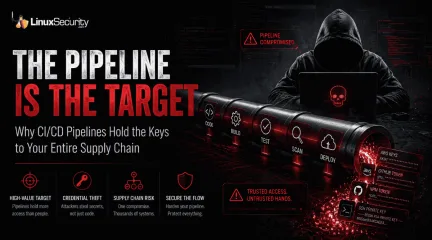
Why CI/CD Pipelines Became Targets in Software Supply Chain Attacks
For years, software security discussions centered on vulnerable code. A bug inside an application could expose a workstation, production server, or cloud workload, so most supply chain conversations focused on malicious packages, outdated dependencies, and exploitable libraries buried somewhere inside the stack. That is no longer the main problem. . A single compromised GitHub Action can quietly hand attackers the same infrastructure access senior administrators use to deploy production systems, publish software updates, manage cloud workloads, and rotate secrets. In many environments, the pipeline now holds broader operational access than the engineers maintaining it. Attackers realized they often do not need to exploit software directly when they can steal the credentials used to build, deploy, and publish it instead. As CI/CD pipelines became the backbone of modern development, they also became one of the most attractive targets in the software supply chain. The shift changed the nature of software supply chain attacks. Instead of poisoning code alone, attackers increasingly target the automation infrastructure responsible for building and delivering trusted software in the first place. CI/CD security is no longer a DevOps problem sitting quietly in the background. It is now core infrastructure security. Pipe-Psiphon and the Shift Toward Credential Theft In early 2026, a campaign known as Pipe-Psiphon showed how effective that transition had become. A widely used developer scanning tool was modified with malicious code that blended directly into normal CI/CD workflows. Nothing crashed. Most organizations saw no obvious alerts, failed deployments, or unusual system behavior during the initial compromise window. The tool simply operated inside runner environments and waited. Each pipeline execution gave it another opportunity to scrape secrets directly from memory, including GitHub tokens, AWS credentials, npm authentication keys, SSH material, and deployment secrets. The collecteddata was then transmitted to the attacker-controlled infrastructure while workflows continued running normally in the background. What made the campaign dangerous was not the malware sophistication alone. The compromised tool inherited the same trust relationships already granted to the pipeline itself, including deployment access, cloud permissions, package publishing authority, and repository automation privileges. By that point, the code being scanned mattered less than the infrastructure performing the scan. The trust sitting behind the pipeline had become the real target. The Assembly Line Behind Modern Software Understanding why these attacks work starts with understanding what CI/CD actually does. CI/CD, short for Continuous Integration and Continuous Delivery, functions as the automated assembly line behind modern software development. Developers push code into GitHub, GitLab, or internal repositories, then automated workflows begin testing applications, scanning dependencies, building containers, publishing packages, and deploying updates into production infrastructure. Most organizations rely on this automation heavily because it removes manual deployment work. Developers no longer need to log into servers directly every time software changes. Pipelines handle most of the operational work automatically. Convenient, but dangerous. The pipeline itself needs privileged access to function, which means CI/CD environments gradually accumulate credentials tied to cloud infrastructure, repositories, package registries, Kubernetes clusters, deployment tooling, and production systems. A typical environment may contain: AWS credentials for deployments DockerHub authentication tokens SSH keys for infrastructure access GitHub Personal Access Tokens npm publishing credentials Kubernetes configurations and Terraform state files Most of those secrets live inside environment variables or encrypted secret stores so workflows can authenticate automatically atruntime. Teams add more access over time because deployments fail without it, and eventually the pipeline ends up holding broader operational reach than many individual administrators. Attackers noticed that years ago. GitHub Actions Wake-Up Call One of the clearest previews arrived in March 2025 during the compromise of the widely used GitHub Action tj-actions/changed-files . The tool itself handled a relatively simple task. It identified which files changed during workflows so automation logic could react accordingly. More than 23,000 repositories depended on it, many of them deeply embedded inside deployment pipelines. Attackers did not target those repositories one by one. They compromised the shared dependency already trusted across thousands of environments, then modified the action so it quietly exposed secrets available during workflow execution. Some credentials leaked directly into public workflow logs. Other attacks relied on memory scraping techniques against active CI/CD runners, pulling secrets from live environments while jobs continued executing normally. The credential exposure mattered less than the access attached to those credentials. Investigators later connected the incident to a broader campaign affecting at least 218 repositories, including systems associated with Coinbase. Researchers also identified compromises tied to another dependency, reviewdog/action-setup , which widened the supply chain impact even further. Supply chain attacks scale differently from ordinary intrusions. One compromised automation component can spread through thousands of downstream environments before defenders fully understand where the trust boundary actually failed. Why Credentials Became the Real Target Older cyberattacks often focused on disrupting systems or exploiting software vulnerabilities directly. Modern supply chain operations increasingly revolve around stealing trusted access instead. A compromised personal password may expose a single account. A compromisedCI/CD credential can expose the infrastructure responsible for building and distributing software across an entire organization. That access may include: Cloud infrastructure administration Deployment pipeline control Software publishing permissions Kubernetes cluster access Package signing capabilities Administrative access across repositories and workloads For attackers, that level of access is usually far more valuable than compromising one server through a traditional exploit. Later CI/CD compromises involving Aqua Security's Trivy GitHub Actions infrastructure reportedly exposed GitHub tokens, Kubernetes configurations, Terraform state files, SSH keys, shell histories, VPN configurations, and even cryptocurrency wallets pulled directly from active runner environments. At that point, the pipeline was no longer supporting the attack surface. It had become the attack surface. The problem gets worse because malicious activity originating from CI/CD infrastructure frequently appears legitimate. Updates deployed through trusted automation systems often bypass traditional monitoring entirely since the activity comes from approved workflows using valid credentials. Attackers are not just targeting software anymore. They are targeting the factory responsible for producing and delivering it. The Convenience Problem Inside GitHub Actions GitHub Actions became widely adopted largely because developers can automate almost anything with minimal friction. Testing, vulnerability scanning, deployments, and release pipelines. Most of it can be assembled quickly using reusable public actions. That convenience also created a predictable attack path. Many repositories still reference third-party GitHub Actions using floating version tags such as: uses: tj-actions/changed-files@v35> At first glance, that looks reasonably safe, but it is not. Version tags are mutable. If attackers gain access to the repository maintaining the action, tags like @v35 can be silentlyredirected toward malicious commits without downstream users realizing anything changed. Existing trust relationships do the rest. Pipelines continue executing the compromised code automatically because the dependency was already approved months earlier. In practice, many organizations are running third-party automation pulled from public repositories with direct access into production environments, package registries, cloud infrastructure, and deployment tooling. Some teams barely review the dependencies beyond confirming the workflow still succeeds. Attackers understand these environments extremely well by now. Recent supply chain operations have repeatedly targeted: Mutable GitHub Action tags Overprivileged automation accounts Exposed Personal Access Tokens Insecure pull_request_target workflows Workflow logs containing secrets Long-lived credentials stored inside repositories The attack paths are often surprisingly simple. Compromise one trusted automation component, wait for downstream pipelines to execute it automatically, then collect the credentials already available inside the environment. No exploit chain required. How One GitHub Action Exposed Thousands of Repositories The tj-actions/changed-files compromise became a wake-up call because downstream repositories often had no indication that anything was wrong. Attackers modified a trusted GitHub Action already embedded across thousands of CI/CD workflows. Once the pipelines executed the malicious update, secrets stored inside the runner environments became exposed through logs, memory scraping activity, and inherited workflow permissions. Most affected organizations never intentionally approved malicious code. They approved a floating tag months earlier and trusted the dependency relationship to remain stable afterward. That distinction matters. A typical vulnerable workflow looked like this: uses: tj-actions/changed-files@v35> A hardened version pins directly to an immutablecommit hash: uses: tj-actions/changed-files@24d32ffd492484c1d75e0c0b894501ddb9d30d62> Once pinned, attackers cannot silently redirect the workflow toward newer malicious commits without maintainers explicitly updating the reference themselves. The operational problem is that most teams still treat CI/CD dependencies like convenience tooling rather than privileged infrastructure. Pipelines inherit secrets, deployment access, repository permissions, cloud credentials, and package publishing authority almost automatically. One compromised action can inherit all of it. How to Audit Your CI/CD Environment Organizations trying to improve pipeline security should start by reviewing existing workflows before adding new tooling. Most exposure comes from accumulated convenience decisions made over time rather than one catastrophic configuration mistake. A useful first step is identifying workflows using floating tags instead of immutable commit hashes: grep -R "uses: .*@v" .github/workflows/ That will usually surface reusable actions still pinned to mutable version labels. Next, review workflow permissions. Many GitHub Actions environments run with broader access than they actually need. Overly permissive example: permissions: write-all Safer baseline: permissions: {} Then explicitly grant only what the workflow requires: permissions: contents: read The same review process should apply to secrets management. Teams should identify: Long-lived Personal Access Tokens Secrets shared across multiple repositories Unused deployment credentials Exposed environment variables inside logs pull_request_target workflows executing untrusted code Self-hosted runners exposed to public repositories Secret sprawl becomes difficult to track once pipelines scale across multiple repositories and cloud environments. By then, most organizations have credentials sitting in workflows nobody has reviewed in months. Several tools help automateparts of the audit process: Gitleaks for secret discovery inside repositories Trivy for container and workflow scanning OpenSSF Scorecards for supply chain risk analysis GitHub Secret Scanning for exposed credential detection OPA/Conftest for enforcing workflow security policies Even basic scans usually uncover old Personal Access Tokens, overprivileged automation accounts, or deployment secrets that should have been rotated years earlier. Hardening the Software Supply Chain Improving CI/CD security does not require rebuilding the entire development process, but it does require treating automation infrastructure as critical infrastructure rather than background tooling. One of the most effective GitHub Actions hardening steps is pinning reusable actions to immutable commit hashes instead of floating tags. Unlike labels such as @v35 , commit hashes cannot be redirected silently after approval. Another major improvement involves reducing default workflow permissions. Many pipelines still run with unnecessary repository write access because GitHub Actions historically granted broad defaults. Restricting permissions aggressively reduces the blast radius if a workflow or third-party dependency becomes compromised. Example hardened workflow configuration: permissions: contents: read pull-requests: read OIDC authentication also helps reduce long-lived credential exposure. Instead of storing static cloud secrets inside repositories, pipelines request temporary credentials dynamically during runtime. Example AWS OIDC trust relationship: { "Effect": "Allow", "Principal": { "Federated": "arn:aws:iam::123456789012:oidc-provider/token.actions.githubusercontent.com" }, "Action": "sts:AssumeRoleWithWebIdentity", "Condition": { "StringEquals": { "token.actions.githubusercontent.com:aud": "sts.amazonaws.com" } } } That approach limits the value of stolen credentials because the authentication tokens expire automatically after short periods rather than remaining valid indefinitely. Short-lived authentication is becoming more important as well. Many organizations are moving toward OpenID Connect (OIDC) models where pipelines request temporary credentials that expire automatically instead of relying on long-lived secrets that remain valid for months or years. Other hardening measures include: Reducing unnecessary repository permissions Rotating exposed tokens regularly Removing unused secrets from workflows Enforcing MFA for maintainers Reviewing workflow logs for leaked credentials Restricting self-hosted runner access Auditing third-party GitHub Actions before deployment The objective is no longer limited to protecting source code. Organizations now need to protect the trust relationships responsible for delivering software across their environments. Why CI/CD Security Became Core Security Modern software development depends heavily on automation. CI/CD systems build applications, publish packages, deploy infrastructure, scan dependencies, and distribute updates across production environments every day, usually with minimal human interaction once the workflows are in place. In many organizations, the pipeline now holds more operational access than the developers using it. That reality changed the economics of software supply chain attacks. The danger no longer sits exclusively inside malicious downloads or vulnerable open-source libraries hidden somewhere in the dependency tree. Increasingly, attackers focus on the automated infrastructure trusted to build and distribute software in the first place because compromising that layer scales far better than targeting individual systems. The GitHub Actions compromises and the Pipe-Siphon campaign made that painfully clear. One exposed credential inside a CI/CD environment is no longer just a configuration mistake sittingquietly in a workflow file. It can become the entry point into the entire software supply chain. Stay Ahead of Linux Security & Infrastructure Trends Interested in more in-depth coverage of Linux security, CI/CD security, software supply chain defense, DevSecOps , and enterprise hardening strategies? Subscribe t o the LinuxSecurity newsletter for weekly threat analysis, infrastructure security insights, and practical guidance covering the Linux and open-source ecosystem. Related Reading Linux Supply Chain Attacks Threaten DevOps Teams and Security CI/CD Pipelines Vulnerabilities in Trusted Execution Paths The Next Wave of Supply Chain Attacks: NPM, PyPI, and Docker Hub Incidents Set the Stage for 2026 Securing the Software Supply Chain with In-Toto Open-Source Supply Chain Attacks Threaten Linux Production Systems . A single compromised GitHub Action can quietly hand attackers the same infrastructure access senior . years, software, security, discussions, centered, vulnerable, inside, application. . MaK Ulac
 May 14, 2026
•
May 14, 2026
•
102
 security advisorykernel securityserver protection
Kernel Hardening Trends: What’s Changing in Upstream Security Controls
Think about Linux security like the structural integrity of a building. Most information security best practices focus on the front door—locks, cameras, and ID badges. That’s the "policy" layer. It’s great for keeping people out, but it doesn't address what happens to the foundation if those locks fail. . The reality is that upstream kernel security moves a lot faster than enterprise adoption. Defenses are being built quietly through patch discussions and mailing lists, not through big announcements. By the time a feature becomes a standard "best practice," the risk has already been sitting in the gap between what is "available" and what is actually "active" in your environment. This isn't about just listing what exists; it’s about verifying what is actually working on your systems. Memory & Heap Hardening for Server Security If you’re trying to figure out how to secure a server, memory is where things usually break down. Most server security conversations stay at the surface. Firewalls, access controls, patching. That’s fine, but memory corruption is still behind a huge chunk of real exploits. KSPP doesn’t try to eliminate every bug. It focuses on making those bugs harder to turn into something usable. Many of these protections—like slab hardening or stack initialization—are compile-time options. You might be running a modern kernel, but the protection could be sitting there, turned off. These gaps are rarely covered in standard system security checklists, which usually focus on user permissions rather than kernel internals. If they’re disabled, exploit chains like "heap spraying" (where an attacker floods memory to find a predictable jump point) become significantly easier. These are the "seatbelts" of your kernel—they don't stop the crash, but they keep it from being fatal. What to check in your environment: Bash # Check for heap/slab protection (stops heap spraying) grep CONFIG_SLAB_FREELIST_HARDENED /boot/config-$(uname -r) # Check for stackinitialization (prevents info leaks) grep CONFIG_INIT_STACK_ALL /boot/config-$(uname -r) # Check for hardened data movement (stops data being stolen from kernel space) grep CONFIG_HARDENED_USERCOPY /boot/config-$(uname -r) Control Flow Protections and System Security Most network-level defenses assume that if you block the threat at the edge, you're safe. But once code runs locally, those external controls no longer apply. This is where infrastructure security depends on how hard you make it for an attacker to move once they get a foot in the door. Modern exploits don't just "run" a virus; they hijack the kernel’s own instructions using ROP (Return-Oriented Programming) chains. It’s like an intruder using the building's own blueprints to move through the vents. Control-flow protections (like CFI) are designed to break these paths by making sure the code only jumps where it’s supposed to. Simply "running a newer kernel" doesn't mean you're protected. You have to know if your specific hardware and distro actually flipped the switch on these protections. For example, modern endpoint security increasingly relies on hardware-assisted protections like Intel CET (Control-flow Enforcement Technology). If your infrastructure security plan assumes these are active, but you’re running on older virtualized hardware, you have a massive invisible gap. Server Security Gaps: Where Default Configurations Fall Short There is a massive gap between what the Linux kernel can do and what your distribution actually does . Most distros prioritize performance and stability over maximum hardening. It creates a blind spot where you assume you’re protected because you’re "up to date," but the actual defense is dormant. Hardening Feature Typical Distro Default Risk if Not Active Slab Hardening Often Enabled Heap exploitation Stack Init Often Disabled Information leaks CFI Rarely Enabled ROP/JOP attack chains LSM Enforcement Inconsistent Privilege escalation Standard patching doesn't always validate these internal controls. If you aren't checking these defaults, your endpoint security—the actual protection on the machine itself—is likely a lot thinner than you think. LSM Enforcement and Information Security Best Practices Having a Linux Security Module (LSM) like SELinux or AppArmor is one thing; having a policy that actually stops an attacker is another. The industry is moving toward "LSM stacking," but many environments still fall into the "permissive" trap. Think of it this way: your information security best practices might require an LSM to be active, but if that LSM is in log-only mode, your system security is just a suggestion. It’s a policy without a badge. What to verify: # See which modules are actually active cat /sys/kernel/security/lsm # Check if your primary LSM is actually enforcing getenforce Why Kernel Hardening Is Driven by Real Vulnerabilities These hardening efforts aren't academic. They are reactive. They are driven by the vulnerabilities found by tools like syzbot—an automated fuzzer that uncovers the same patterns over and over: Use-after-free, Out-of-bounds access, and Memory exposure. This constant pressure from fuzzing is why information security best practices are shifting from "patching known bugs" to "hardening against entire bug classes." These vulnerabilities directly undermine the logic of your defense. If an attacker can trigger a memory exposure bug, they can often bypass encryption and access controls entirely. Hardening features are the structural countermeasure to the bugs we already know are coming. The 5-Minute Kernel Hardening Audit for Endpoint Security You don't need a month-long audit to see where you stand. Here is a quick check for your endpoint security. Most standard monitoring tools won't tell you this; you have to look foryourself. Beyond the compile-time checks, you should also verify runtime system security tunables that limit an attacker's visibility. KSPP Features: Are memory protections compiled in? (grep your config) Active Protections: Are slab, stack, and usercopy protections turned on? LSM Status: Is it in "Enforcing" mode, or just logging? Control Flow: Does your hardware actually support CFI or Shadow Stacks (Intel CET/ARM PAC)? Runtime Restrict: Are kernel pointers and logs restricted? Quick Runtime Validation: # Verify kernel pointer restriction (should be 2) sysctl kernel.kptr_restrict # Verify dmesg restriction (should be 1) sysctl kernel.dmesg_restrict # Check if io_uring is restricted (a common modern attack vector) sysctl kernel.io_uring_disabled Infrastructure Security Depends on Kernel Validation The gap between what’s possible and what’s deployed is where risk lives. Kernel protections exist, but they’re often underutilized because they’re the least visible layer of the stack. True infrastructure security is about the foundation. It’s not enough to know a protection exists; you have to verify it’s actually working. Validation matters more than assumptions. The best defenses aren't the ones you read about in a memo—they’re the ones you’ve actually turned on. . The reality is that upstream kernel security moves a lot faster than enterprise adoption. Defenses a. security, think, about, linux, structural, integrity, building, information. . MaK Ulac
Apr 28, 2026
•


Get the latest News and Insights
Get the latest Linux and open source security news straight to your inbox.
Community Poll
Should Linux servers automatically install security updates?
Search Topics
Powered By

Linux Security - Your source for Top Linux News, Advisories, HOWTOs and Feature Releases
QUICK LINKS
subscribe to newsletters!
Like staying secure? So do we.
Sign up for updates, tips, and alerts!