


Stay Ahead With Linux Security Features

 threat detection scalability
 Building a SIEM is easier than scaling one. Most open-source deployments start as a simple "all-in-one" server. It is easy to set up, but that design rarely survives the transition from a lab to a production workload. . A SIEM watching 20 endpoints is not doing the same job as one watching 500. More endpoints mean more logs; more logs require more storage; more storage makes search heavier. Eventually, the very architecture that made your lab easy to deploy becomes the reason your production...
 Jun 04, 2026
 security advisory apache
 A newly disclosed attack technique called HTTP/2 Bomb is drawing attention because it targets the software that sits at the front of much of the Linux internet. Apache HTTP Server, NGINX, Envoy, and the ingress layers that many Kubernetes environments depend on can be forced into consuming disproportionate amounts of memory using relatively small amounts of attacker traffic. . For Linux administrators, the concern is not the HTTP/2 protocol itself. It is the possibility that a single...
Jun 04, 2026
 security advisory important
 The compromise of Nx Console shows how much infrastructure now sits behind a single developer account. GitHub repositories, CI/CD pipelines, container build systems, Terraform projects, Kubernetes deployments. None of those systems was the initial target. The workstation was. . Attackers did not need a Linux privilege escalation bug or a remote code execution chain. They needed developers to trust a tool they were already using. For many organizations, that was enough. What Happened? Federal...
Jun 03, 2026
 security advisory open-source
 You remove the malware. You rotate the compromised credentials. You patch the original vulnerability and close the ticket. Two weeks later, the attacker is back. . What happened? You didn't lose the battle at the exploit; you lost it at the cleanup. In many modern Linux intrusions, the malware you found wasn't the main problem—it was the fallback mechanisms left behind. These hooks quietly restore attacker access the moment you look away. If you clean a host but miss these persistence layers,...
Jun 02, 2026
 security advisory Red Hat
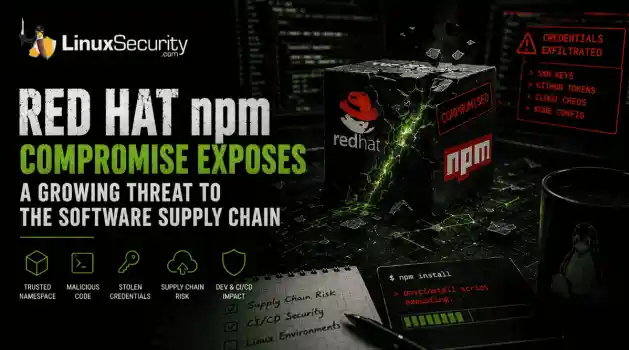
 Researchers investigating a campaign now tracked as Miasma found that more than 30 packages in Red Hat's @redhat-cloud-services npm namespace had been altered to deliver credential-stealing malware. . The packages weren't being used to deploy ransomware or sabotage systems. From what has been reported so far, the objective appears to have been much simpler: collect credentials from developer environments and use that access elsewhere. GitHub tokens, cloud credentials, SSH keys, and other...
Jun 02, 2026
 Refine features
X Clear Filters
Get the latest News and Insights
Get the latest Linux and open source security news straight to your inbox.
Community Poll
What got you started with Linux?
Loading...
Explore Latest Linux Security features
We found -3 articles for you...
218
 Linux securitymalware protectioncybersecurity
How Secure Is Linux? Benefits of Design, Privileges, and Defenses Explained
So, how secure is Linux? That’s a question every sysadmin has probably asked themselves at some point, whether they’re setting up a shiny new server or just letting their mind wander while staring at a terminal. . You’ve likely heard the praise for Linux: open-source, robust, and designed with security baked right in. But what does that actually mean? I mean, we all know no system is impenetrable, but Linux comes pretty close in ways that make it stand out. The kernel itself is packed with features that keep things buttoned up, from user privilege management to mandatory access controls like SELinux or AppArmor. If you’ve spent time hardening a system—tweaking SELinux policies, locking down sysctl.conf, or setting up kernel lockdown—you know there’s a lot of flexibility here. More than most other operating systems can offer, that’s for sure. But here’s the thing: there’s a reason Linux stays ahead in the security game. Its open-source nature means every line of code is out there for anyone to inspect, which is pretty handy when you’re hunting bugs. Compare that to Windows, where security by obscurity leaves you relying on a small team behind closed doors—and they’re not exactly crowdsourcing their fixes. That openness isn’t flawless, but it does give Linux the edge when it comes to spotting and patching vulnerabilities fast. Between the user-driven privilege model (seriously, not everyone is root, unlike in Windows) and the sheer diversity across distros and architectures, Linux makes life hard for attackers trying to exploit systems en masse. It’s not bulletproof, and misconfigurations are still a sysadmin’s Achilles' heel. But when Linux is set up correctly, those attackers are in for an uphill battle. Much of that stability disappears when quiet changes accumulate across permissions, logs, or update chains — a wider pattern commonly described as system drift in Linux . What Makes Linux Secure by Design? When it comes to security, Linux users are ata decided advantage over their Windows- or Mac-using counterparts. Unlike proprietary OSes, Linux is the most secure OS by design, as Linux security features are built into the system. The increasingly popular open-source OS is highly flexible, configurable, and diverse. Linux also implements a strict user privilege model and offers a selection of built-in kernel security defenses to safeguard against cybersecurity vulnerabilities and attacks. Linux source code is transparent to ensure any network security issues are short-lived despite being inevitable on even the most secure OS. Let’s look at Linux's features and how they contribute to robust data and network security. If you want a deeper breakdown of the core features of Linux that shape its security, we cover them in our dedicated guide. The Open-Source Security Advantage Linux security vulnerabilities are generally identified and eliminated very rapidly since their source code undergoes constant, thorough review by the vibrant, global open-source security community. In contrast, vendors like Microsoft and Apple employ a method known as “security by obscurity,” where source code is hidden from outsiders in an attempt to conceal security issues from threat actors. This approach is generally ineffective in preventing modern exploits because it undermines the security of the “hidden” source code by preventing outsiders from identifying and reporting data and network security weaknesses before malicious actors. When it comes to discovering security bugs, a small team of proprietary developers is no match for the worldwide community of Linux user-developers who are deeply invested in helping it maintain its status as the most secure OS. A Superior User Privilege Model Unlike Windows, where “everyone is an admin,” Linux greatly restricts root access through a strict user privilege model. On Linux, a superuser owns all the privileges, and ordinary users are only granted enough permissions to accomplish their tasks. Because Linux usershave low automatic access rights and require additional permissions to open attachments, access files, or adjust kernel options, it is harder to spread malware and rootkits on a Linux system. Thus, these inherent restrictions serve as a key defense against system compromise and attacks on network security. These controls work alongside basic integrity checks such as SHA256 hashing, which we cover in our guide to Linux integrity verification methods . Built-In Kernel Security Defenses The Linux kernel boasts an array of built-in security defenses, including firewalls with packet filters, UEFI Secure Boot firmware verification mechanisms, Linux Kernel Lockdown configuration options, and SELinux or AppArmor Mandatory Access Control (MAC) security enhancement systems. By enabling and configuring these Linux security features, known as Linux kernel self-protection, administrators can maintain the safest possible OS. Security through Diversity Linux environments allow for much diversity, as there are various distros, system architectures, and component companies that businesses can pick to meet their needs. This diversity not only helps satisfy users’ individual requirements but also enhances the secure OS so that attacks in network security are more difficult to achieve and cybersecurity bugs are harder to find. If cloud security breaches are to take place, however, malicious actors cannot use those tactics on a wide range of Linux systems, thanks to their diversity. In contrast, the homogeneous Windows “monoculture” makes these systems relatively easy and efficient attack targets. In addition to the design diversity seen in Linux, certain secure Linux distros are differentiated in ways that specifically address advanced security and privacy concerns shared among pentesters, reverse engineers, and data and network security researchers. Highly Flexible & Configurable There are vastly more configuration and control options available to Linux security administrators than to Windowsusers. For instance, Linux sysadmins have the ability to use SELinux or AppArmor. to lock down their system. These security policies offer granular access controls, providing a critical additional layer of security throughout an already secure operating system. Linux Kernel Lockdown configuration options strengthen the divide between userland processes and kernel code, and admins can harden the sysctl.conf file, the main kernel parameter configuration point for a Linux system, to give their server a sturdier foundation for their secure OS. Why Is Linux an Increasingly Popular Target among Cybercriminals? Linux powers the majority of the world’s high-value devices and supercomputers, and the secure OS’s user base is steadily growing. Unfortunately, cybercriminals have taken note of these cybersecurity trends. Malware authors and operators are targeting Linux systems in their malicious campaigns more frequently. The past few years have been plagued with emerging Linux malware strains. That being said, Linux is still a relatively small target, with 96% of new malware targeting Windows. Also, the recent increase in Linux malware breaches is not a reflection of whether or not Linux is a secure OS. The majority of attacks on Linux systems can be attributed to misconfigurations and poor administration, highlighting a widespread failure among Linux sysadmins to prioritize data and network security. Luckily, as Linux malware continues to become increasingly prevalent and problematic, Linux offers built-in protection against malware attacks through its strict user privilege model and design diversity. A selection of excellent reverse engineering and malware scanning toolkits, like REMnux, Chkrootkit, Rkhunter, Lynis, and Linux Malware Detect (LMD), is available to help admins detect and analyze malware on their systems. Our Final Thoughts: How Secure Am I As A Linux User? Alright, here’s the deal: Linux is an incredibly secure operating system, but let’s not pretend it’s magic. Ifyou neglect your configuration or ignore basic security practices, even the best-built systems will eventually come crashing down. Misconfigured servers, outdated setups, or just plain laziness—these open the door for attackers, no matter how locked down the kernel is. Sure, Linux has the tools: SELinux, AppArmor, Chkrootkit, you name it. But tools don’t mean much if they’re collecting dust. At the end of the day, it’s on the sysadmin to piece it all together, steer clear of the bad habits, and maintain systems with care. It’s not glamorous or exciting, but guess what? That’s how you stay secure. Honestly, security is like a pile of Lego bricks; the potential is there, but someone has to build it right. That said, Linux is still one of the best choices you can make when it comes to online security. No platform is invincible, but Linux gives you more control, more flexibility, and some serious advantages over Windows or macOS. The diversity across distros alone makes it harder for attackers to recycle their tactics or build one-size-fits-all exploits. And while the learning curve can rear its ugly head now and then—yeah, SELinux policies will test your patience—it’s worth it. You trade a bit of convenience for peace of mind, and that’s not a bad deal. As the saying goes (alright, maybe not literally), “The most secure system is the one turned off and tossed to the bottom of the ocean.” You’ve got to strike a balance and configure Linux to be as secure as needed without making it unusable. If you’re willing to put in the effort, Linux can be as close to "locked down" as you want. . You’ve likely heard the praise for Linux: open-source, robust, and designed with security baked ri. secure, linux, that’s, question, every, sysadmin, probably, asked, themselves. . Brittany Day
 Jun 09, 2025
•
Jun 09, 2025
•
102
 open-sourcecybersecurityuser privileges
Comparing Linux And Windows Security For Business Operations
Security is one of the most critical factors considered when choosing an OS. General expert consensus says that Linux is the most secure OS by design , an impressive feat that can be attributed to its variety of characteristics, including transparent, open-source code, strict user privilege model, diversity, built-in kernel security defenses, and application security. The high level of security, customization, compatibility, and cost-efficiency that Linux offers makes it a popular choice among businesses and organizations looking to secure valuable data. Linux has already been adopted by governments and tech giants around the world, including IBM, Google, and Amazon, and it currently powers 97% of the top one million domains in the world . All of today’s most popular programming languages were first developed on Linux and can now run on any OS. In this sense, we’re all using Linux whether we know it or not. . This article will examine why Linux is arguably the best choice for businesses looking for a flexible, cost-efficient, exceptionally secure OS. To help you weigh your options, we will go into detail on Linux so you understand their privacy-enhancing technology and how they combat all kinds of cyber security vulnerabilities that could lead to attacks in network security. We will also compare the differences between Linux and Windows for your consideration in deciding where to get started. What Is The Open-Source Advantage? Because Linux is an open-source OS, the security it offers is greatly enhanced by the involvement and support the open-source community provides. Linux source code undergoes ongoing, thorough review by passionate user-developers worldwide who are deeply invested in their work both for their own benefit and for the benefit of the community. As a result of this scrutiny, Linux cyber security vulnerabilities are generally identified and eliminated very rapidly, often before attackers even have the chance to use those exploits in cyber security to their advantage. As of August2020, Linux has over 20,000 contributors and one million commits. Google and The Linux Foundation announced they are funding a pair of top Linux kernel developers to focus on security. This demonstrates that even some of the biggest, most influential members of open-source communities are highly dedicated to Linux data and network security. Superior Security through Strict User Privileges Linux greatly restricts root access through a strict user privilege model, where a superuser has all privileges and ordinary users only have permission to access whatever they need to accomplish their tasks. Because Linux users have low automatic access rights and require additional permissions to open attachments, access files, or adjust kernel options, it is more difficult to spread malware and rootkits on a Linux system than on a system running another OS. Although it is possible to implement least-privilege administration models on Windows systems, organizations rarely take this precaution , and, in reality, “everyone is an admin” on most Windows systems. As a result, attacks in network security can more easily spread malware and viruses on Windows systems than on Linux servers. Security through Diversity There is a wide selection of distributions (distros) available to Linux users that feature different system architectures and components. The high diversity levels within Linux environments satisfy user needs and deter attackers from targeting Linux systems, as exploits in cyber security are incredibly difficult to achieve among various Linux servers since they are customized to a business’ needs. Although Linux is regarded as a highly secure OS, various specialized secure Linux distros exist for individuals with advanced security and privacy concerns, such as pentesters , reverse engineers , and security researchers. These distros place an intense focus on protecting the user’s privacy and anonymity online. Linux Kernel Security The Linux kernel offers some excellent built-in securitydefenses , including the UEFI Secure Boot firmware verification mechanism, the Linux Kernel Lockdown configuration option, and the SELinux or AppArmor Mandatory Access Control (MAC) security enhancement systems. By practicing Linux kernel self-protection by enabling these features and configuring them to provide the highest level of data and network security , administrators can add a valuable layer of safety to their systems. There are far more configuration options on Linux than on Windows, many of which can be used to enhance security. For instance, Linux Kernel Lockdown is a configuration option that prevents the root account from modifying the kernel code by strengthening the divide between userland processes and kernel code. In the event that a root account is compromised, having Lockdown mode enabled will make it far more difficult for an attacker to compromise the rest of the OS. Lockdown has two modes: integrity mode and confidentiality mode. Enabling Lockdown in integrity mode will block kernel features that allow user space to modify the running kernel, while enabling lockdown in confidentiality mode will block user space from extracting sensitive information from the running kernel. Using integrity mode is the best choice, as confidentiality mode is truly only needed for special systems with sensitive information that the root account should not be allowed to access regularly. Confidentiality mode blocks access to all kernel memory, preventing administrators from being able to inspect and probe the kernel for troubleshooting, development, and testing purposes. Regardless, this privacy-enhancing technology makes Linux all the more secure for users. SELinux and AppArmor are two security enhancement systems that can be used to lock down Linux systems with MAC security policies, offering administrators granular control over the security of their systems so they can protect against server misconfigurations, software cyber security vulnerabilities, and zero-day exploits that could potentiallycompromise an entire system. Smack, or Simplified Mandatory Access Control Kernel , provides another means of implementing MAC policies on Linux. These simple Linux security modules for kernels secure data and process malicious manipulation using a set of custom mandatory access control rules. Although there are fewer MAC options on Windows, the OS does offer Mandatory Integrity Control (MIC) as a mechanism for controlling access to securable objects in addition to discretionary access control. MIC uses integrity levels and mandatory policy to evaluate access against an object’s Discretionary Access Control List (DACL). Secure, Cost-Efficient Hosting Linux hosting has gained immense popularity among resellers due to the high data and network security levels, cost-efficiency, compatibility, and customization that the OS offers. Linux is free, and Linux web-hosting service providers do not bear any subscription charges or per-user license fees as they would with Windows, a benefit that carries over to the consumer. Linux supports the majority of key programming languages used worldwide, including Python, MySQL, PHP, Ruby, and Perl. It is ideal for dynamic websites that experience heavy data traffic, such as online shopping, ticketing, or healthcare provider websites. Linux hosting also delivers a user-friendly network security toolkit absent in Windows hosts called cPanel, which assists in website management and maintenance. These benefits have created great demand for Linux reseller hosting. How Does Windows Security Compare? Due to its immense user base , “hidden” source code, and homogeneous monoculture, Windows OS is a far more attractive target for attacks in network security. Although Linux malware breaches have become more frequent in recent years, Linux is still a relatively small target, with 96% of new malware targeting Windows in 2022 . Microsoft has traditionally employed a method known as “security through obscurity” in an attempt to secure Windows source code. Inthis approach, source code is hidden from outsiders in an attempt to conceal cyber security vulnerabilities from malicious actors. While this may initially sound like a good idea when put to use, this obscure data and network security negatively impact businesses by preventing outsiders from reviewing the source code to report flaws before they are discovered and exploited by cybercriminals. When it comes to finding security bugs, the team of Microsoft developers responsible for reviewing Windows source code is certainly no match for the “many eyes” of the global open-source community backing Linux. That’s not to say that Microsoft doesn’t recognize the inherent benefits of Linux and the open-source development model it is based upon. With services such as Windows Subsystem for Linux v2 (WSL2) and Azure Sphere, Microsoft is a Linux distributor. Linux developers have acknowledged the tech giant’s growing commitment to Linux security and have admitted Microsoft’s Linux developers to the closed linux-distro list . However, Windows on its own may not be the best choice to guarantee safety for your company. Final Thoughts on Linux vs. Windows for Businesses Choosing Linux over Windows equips businesses with a secure foundation on which to build their digital security strategy. Linux has security built into its design, and its relatively small user base makes it a minimal target for any exploits in cyber security that may head its way. While your OS is the most critical software running on your computer, and selecting a secure OS is a great start to help your business improve security posture, you must keep in mind that the OS alone does not safeguard your users, data, and reputation. Security is all about defense in depth, and the security of your networks and servers is greatly impacted by server administration, employee behavior, and your server’s environment. Linux servers must be properly configured, monitored, maintained, and run in a secure environment. Safe online behavior and generaldata and network security practices can be incredibly valuable to keeping your server protected. Bear in mind that security is all about tradeoffs between security and usability and/or user-friendliness. Administrators should configure their systems to be as secure as is practical within their environment. In regards to convenience, Linux has a bit of a learning curve compared to Windows but offers significant security advantages that will make it all worth it. The bottom line: Are you looking to improve your business’s digital security? If so, choosing Linux is an excellent start. . Linux stands out as a secure and cost-effective alternative to Windows, offering robust security, lower costs, and exceptional flexibility for businesses. Open Source Security Benefits, Business OS Comparison, Linux Security Features, Cost-Efficiency in Hosting. . Brittany Day
May 25, 2023
•


Get the latest News and Insights
Get the latest Linux and open source security news straight to your inbox.
Community Poll
What got you started with Linux?
Search Topics
Powered By

Linux Security - Your source for Top Linux News, Advisories, HOWTOs and Feature Releases
QUICK LINKS
subscribe to newsletters!
Like staying secure? So do we.
Sign up for updates, tips, and alerts!
Discover faster search, smarter navigation, and deeper Linux security insights. Read More