


Stay Ahead With Linux Security Features

 threat detection scalability
 Building a SIEM is easier than scaling one. Most open-source deployments start as a simple "all-in-one" server. It is easy to set up, but that design rarely survives the transition from a lab to a production workload. . A SIEM watching 20 endpoints is not doing the same job as one watching 500. More endpoints mean more logs; more logs require more storage; more storage makes search heavier. Eventually, the very architecture that made your lab easy to deploy becomes the reason your production...
 Jun 04, 2026
 security advisory apache
 A newly disclosed attack technique called HTTP/2 Bomb is drawing attention because it targets the software that sits at the front of much of the Linux internet. Apache HTTP Server, NGINX, Envoy, and the ingress layers that many Kubernetes environments depend on can be forced into consuming disproportionate amounts of memory using relatively small amounts of attacker traffic. . For Linux administrators, the concern is not the HTTP/2 protocol itself. It is the possibility that a single...
Jun 04, 2026
 security advisory important
 The compromise of Nx Console shows how much infrastructure now sits behind a single developer account. GitHub repositories, CI/CD pipelines, container build systems, Terraform projects, Kubernetes deployments. None of those systems was the initial target. The workstation was. . Attackers did not need a Linux privilege escalation bug or a remote code execution chain. They needed developers to trust a tool they were already using. For many organizations, that was enough. What Happened? Federal...
Jun 03, 2026
 security advisory open-source
 You remove the malware. You rotate the compromised credentials. You patch the original vulnerability and close the ticket. Two weeks later, the attacker is back. . What happened? You didn't lose the battle at the exploit; you lost it at the cleanup. In many modern Linux intrusions, the malware you found wasn't the main problem—it was the fallback mechanisms left behind. These hooks quietly restore attacker access the moment you look away. If you clean a host but miss these persistence layers,...
Jun 02, 2026
 security advisory Red Hat
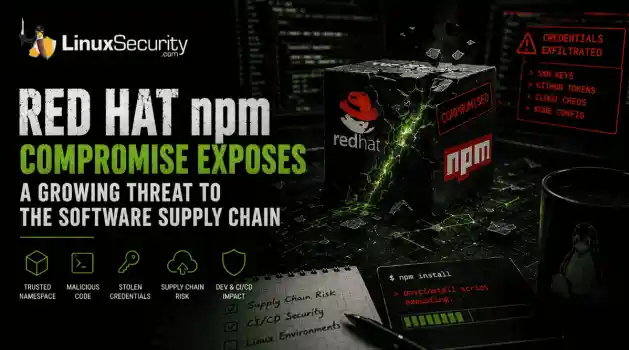
 Researchers investigating a campaign now tracked as Miasma found that more than 30 packages in Red Hat's @redhat-cloud-services npm namespace had been altered to deliver credential-stealing malware. . The packages weren't being used to deploy ransomware or sabotage systems. From what has been reported so far, the objective appears to have been much simpler: collect credentials from developer environments and use that access elsewhere. GitHub tokens, cloud credentials, SSH keys, and other...
Jun 02, 2026
 Refine features
X Clear Filters
Get the latest News and Insights
Get the latest Linux and open source security news straight to your inbox.
Community Poll
What got you started with Linux?
Loading...
Explore Latest Linux Security features
We found -3 articles for you...
102
 network securitycybersecuritykeylogger
Keylogging in Linux (Part 1): Understanding Attacks and Defenses
Keylogging turns up more often than people think. You see it in audits, red team work, and during investigations where credentials quietly leak through input streams. This piece breaks down how it actually happens on Linux — where keystrokes travel, how the system reports them, and how simple code can listen in. . We’ll trace that path from keyboard to kernel to userspace, using short examples built from real testing. You’ll see how to spot legitimate keyboard devices under /dev/input, read their events, and interpret what the data means. If you work in detection or response, start here. Run the examples in a lab, watch the data move, and learn what normal looks like before you hunt for keyloggers in the wild. What Is a Keylogger Attack? A keylogger attack happens when software records keyboard input without the user knowing. The keylogger captures each key event as it’s generated, often before the system turns it into text. Where it runs changes what it can see; some operate in user space by reading device files, others sit inside X or Wayland , and a few hook deeper in the kernel. On Linux, the evdev layer makes visibility complicated since hardware events are abstracted , and several points can be tapped quietly. Attackers use keyloggers to collect credentials, monitor privileged users, or track insider activity. They’ve been found pulling SSH passphrases, sudo prompts, and desktop logins during real investigations. Keylogging also has legitimate uses in red team work, where it helps measure exposure and test how well monitoring tools detect input capture. Ethical use matters. Run this kind of testing only in a controlled lab or under written authorization. Capture baseline input traces, record what was collected, and leave an audit trail. The goal is to understand how keylogging works on Linux so you can recognize it, not exploit it. Purpose of Keylogging in Linux Systems Keylogging on Linux can serve two very different purposes. Attackers use a keylogger to capturecredentials or session data from users with elevated access. It’s one of the quieter ways to collect passwords or tokens from terminal sessions, hypervisors, or remote desktops. The same mechanics that make it stealthy also make it useful in controlled testing. In red team work, keylogging helps show how exposed a system really is. Running a basic keylogger during a simulated breach confirms whether monitoring tools catch the activity or miss it. It also exposes where input events leak across layers — from kernel space, through evdev, up to X or Wayland — and how permissions affect visibility. Blue teams approach it from the other side. By studying how a keylogger reads from devices or intercepts events, they learn what indicators to watch for in logs and memory. Both views matter. Keylogging gives offensive teams a way to measure detection coverage and gives defenders the patterns they need to spot it before real attackers do. Userspace vs Kernel Space Keylogging Where a keylogger runs changes everything: privileges, stealth, how you detect it, and how long it survives. Userspace loggers read device files or hook into X11 or Wayland. They need fewer privileges to run, and they are easier to debug. They also leave obvious signals: open file descriptors to /dev/input, suspicious processes holding device handles, and readable event streams you can trace in a lab. Detection is straightforward if you know what to look for, but noisy environments make false positives common. Kernel space keylogging sits deeper and lasts longer. Kernel modules, patched drivers, or hypervisor-level hooks capture input before userspace sees it. That gives the attacker higher persistence and fewer visible artifacts in userland. It also raises the cost and risk for the attacker, because loading or modifying kernel code often requires elevated privileges or an exploit. Detection shifts to different signals: unexpected kernel modules, unsigned or out-of-tree drivers, altered interrupt handlers, and anomalous memoryallocations around input subsystems. These are harder to spot, and they demand different tooling. Keylogging behavior crosses those boundaries. A kernel-level implant can hand-parsed events to a userspace forwarder, or a userspace keylogger can escalate by loading a helper module. The detection approach must reflect that reality. Watch for unexpected FDs to /dev/input, spikes in input event rates that do not match human activity, and kernel modules that show up without corresponding package installs. For kernel-level detection and driver hardening, see Part 3: Kernel & Driver Defenses. How Keyboard Events Are Exposed on Linux Linux exposes hardware key events through the evdev subsystem, which presents them as device files under /dev/input/eventX . GUI stacks such as X11 or Wayland sit above evdev and translate scan codes into key symbols for applications. Understanding that the stack is the baseline for any keylogging analysis. Here is a basic overview of how a keyboard fits in a larger scheme: /-----------+-----------\ /-----------+-----------\ | app 1 | app 2 | | app 3 | app 4 | \-----------+-----------/ \-----------+-----------/ ^ ^ | | +-------+ | | | | key symbol keycode | | + modifiers | | | | | +---+-------------+ +-----------+-------------+ + X server | | /dev/input/eventX | +-----------------+ +-------------------------+ ^ ^ | keycode / scancode | +---------------+---------------+ | | +---------------+--------------+ interrupt | kernel | | motherboard |-----------> | CPU | +----------+ key up/down +-------------+ +-----+ The short path is: keyboard hardware produces scan codes, the kernel converts those into input events and surfaces them on /dev/input/eventX, and the display layer or a daemon maps them to characters. Scan codes are the raw bytes the device sends on key down and key up. These become input_event records that include a timestamp, a type, a code, and a value that says press, release, or autorepeat. This is where keylogger implementations attach. Some read /dev/input/eventX directly and parse input_event records. Others ask the display server for higher-level events. That difference determines what the logger sees and what the defender can observe. Knowing the exact path lets you pick the right indicators and avoid chasing noise. This section is the foundation for the examples and the CODE 6 logger that follows. Identifying the Keyboard Device on Linux Before a keylogger can read input, it has to find which event file actually belongs to a keyboard. On Linux, every input device under /dev/input/ exposes its own event file, and not all of them are keyboards — barcode scanners, USB hubs, and even touchpads appear there too. The discovery process checks for character devices, confirms that they report key events, and filters out hardware that only mimics keyboard behavior. std::string get_kb_device() { std::string kb_device = ""; for (auto &p : std::filesystem::directory_iterator("/dev/input/")) { std::filesystem::file_status status = std::filesystem::status(p); if (std::filesystem::is_character_file(status)) { kb_device = p.path().string(); } } return kb_device; } Legitimate security tools use this same logic for diagnostics and auditing. Direct reads from input devices requireauthorization and should always be done in an isolated lab. Running this in production without proper controls can expose user data and violate privacy policies. Check that the file is a keyboard and supports actual keys. However, this can be more involved, so observe the scheme here: std::string filename = p.path().string(); int fd = open(filename.c_str(), O_RDONLY); if(fd == -1) { std::cerr
 Nov 12, 2025
•
Nov 12, 2025
•
102
 network securitysecurity practicesmalware protection
Keylogger Protection: Anti-Debugging Techniques for Network Security
Keylogger attacks in network security have become more popular over time. Therefore, businesses must implement procedures and tactics to prevent these network security issues from harming a server. . This article will discuss anti-debugging techniques for keyloggers so you can help your organization improve its security posture. What is a Keylogger Attack? Keyloggers, or keystroke logging, is a data collection software that keeps track of the keys you hit on your keyboard. Cybercriminals will record anything you type so they can utilize that data to learn account numbers, credit card information, and login credentials that could permit them to damage your system. Hackers can send malicious code through phishing emails that immediately install attacks once the recipient opens links or attachments. Threat actors write down the keystrokes, pass the data through encryption, and send it to another computer that unencrypted the information to use in the future. This type of threat works over malware and ransomware , so victims must pay a ransom to return their data. What is the Purpose of a Keylogger Email? This software, though typically carrying a negative connotation, can help users analyze and debug computer activity in a legal, legitimate format. Keyloggers can intercept or alter electronic data and collect application information to prevent cloud security breaches and learn more about how users interact with the system. What Is Anti-Debugging? Malware analysts must debug malware codes to run step-by-step malware, facilitate malware behavior and capabilities, and introduce changes across memory spaces, variables, and configurations. As a result, preventing malware authors from debugging is crucial to keeping a system secure. Anti-debugging focuses on preventing or terminating malicious activity involving debuggers to ensure data and network security on your server. A few techniques are generalized to any debugger, while others are specific to a particular debugger version. Hereare a few methods you can implement to stop cloud security breaches on your server: Timing analysis Detecting known processes Checking process status Self-debugging code Detecting breakpoints Detecting code patching In-memory hypervisor Non-standard architecture emulation We will discuss the first couple of options in this article, and part 2 will review the rest. What is Timing Analysis? Timing analysis seeks to detect pauses and long delays in program execution so you can decide how to alter server behavior to stop keylogging attacks in their tracks. This method is the easiest to implement but receives the most false positives and can be disabled quickly. Here is how you can set up timing analysis in your coding: #include #include #include #include using namespace std::chrono_literals; int main() { std::chrono::steady_clock::time_point begin, end; std::cout
Apr 24, 2024
•


Get the latest News and Insights
Get the latest Linux and open source security news straight to your inbox.
Community Poll
What got you started with Linux?
Search Topics
Powered By

Linux Security - Your source for Top Linux News, Advisories, HOWTOs and Feature Releases
QUICK LINKS
subscribe to newsletters!
Like staying secure? So do we.
Sign up for updates, tips, and alerts!
Discover faster search, smarter navigation, and deeper Linux security insights. Read More