


Stay Ahead With Linux Security Features

 threat detection scalability
 Building a SIEM is easier than scaling one. Most open-source deployments start as a simple "all-in-one" server. It is easy to set up, but that design rarely survives the transition from a lab to a production workload. . A SIEM watching 20 endpoints is not doing the same job as one watching 500. More endpoints mean more logs; more logs require more storage; more storage makes search heavier. Eventually, the very architecture that made your lab easy to deploy becomes the reason your production...
 Jun 04, 2026
 security advisory apache
 A newly disclosed attack technique called HTTP/2 Bomb is drawing attention because it targets the software that sits at the front of much of the Linux internet. Apache HTTP Server, NGINX, Envoy, and the ingress layers that many Kubernetes environments depend on can be forced into consuming disproportionate amounts of memory using relatively small amounts of attacker traffic. . For Linux administrators, the concern is not the HTTP/2 protocol itself. It is the possibility that a single...
Jun 04, 2026
 security advisory important
 The compromise of Nx Console shows how much infrastructure now sits behind a single developer account. GitHub repositories, CI/CD pipelines, container build systems, Terraform projects, Kubernetes deployments. None of those systems was the initial target. The workstation was. . Attackers did not need a Linux privilege escalation bug or a remote code execution chain. They needed developers to trust a tool they were already using. For many organizations, that was enough. What Happened? Federal...
Jun 03, 2026
 security advisory open-source
 You remove the malware. You rotate the compromised credentials. You patch the original vulnerability and close the ticket. Two weeks later, the attacker is back. . What happened? You didn't lose the battle at the exploit; you lost it at the cleanup. In many modern Linux intrusions, the malware you found wasn't the main problem—it was the fallback mechanisms left behind. These hooks quietly restore attacker access the moment you look away. If you clean a host but miss these persistence layers,...
Jun 02, 2026
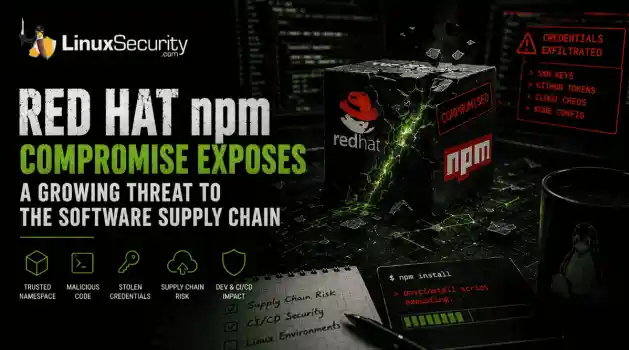 security advisory Red Hat
 Researchers investigating a campaign now tracked as Miasma found that more than 30 packages in Red Hat's @redhat-cloud-services npm namespace had been altered to deliver credential-stealing malware. . The packages weren't being used to deploy ransomware or sabotage systems. From what has been reported so far, the objective appears to have been much simpler: collect credentials from developer environments and use that access elsewhere. GitHub tokens, cloud credentials, SSH keys, and other...
Jun 02, 2026
 Refine features
X Clear Filters
Get the latest News and Insights
Get the latest Linux and open source security news straight to your inbox.
Community Poll
What got you started with Linux?
Loading...

Explore Latest Linux Security features
We found -4 articles for you...
102
 ssh securityopen source securitymalware risks
Why Linux Servers Get Hacked More Often Than People Think
Linux runs a massive part of the internet. Cloud platforms, databases, containers, web hosting, APIs, and internal business infrastructure all depend heavily on Linux systems. Most people interact with Linux-backed services every day without realizing it. That popularity also makes Linux server security a constant concern. . There’s a common assumption that Linux systems are naturally secure and therefore harder to compromise. Linux does have strong security foundations, but real-world Linux security problems rarely happen because of the operating system alone. Most compromises happen because systems drift over time, services stay exposed, passwords get reused, or updates stop happening consistently. A Linux server connected to the internet starts attracting automated scans almost immediately. Attackers usually don’t begin with advanced techniques. They look for exposed services, weak authentication, old software, and operational mistakes that are easy to automate at scale. Why Linux Systems Are Valuable Targets Attackers care about access and uptime. Linux servers often provide both. A compromised Linux machine can become: Phishing infrastructure Malware hosting A cryptomining node A credential theft platform Part of a botnet An internal pivot point inside company networks Cloud growth made this even more common. Organizations constantly deploy temporary Linux systems for testing, development, container security research, APIs, and internal tools. Over time, some systems get forgotten or stop receiving updates entirely. That creates opportunities that attackers repeatedly reuse. Modern Linux security guidance increasingly focuses on reducing exposed services and continuously validating systems because production environments change constantly after deployment. Common Linux Server Security Mistakes Most successful attacks don’t rely on sophisticated malware or expensive zero-days. They rely on operational gaps that quietly appear over time. Common Linux server security mistakes include: Exposing SSH directly to the internet Weak server security policies Poor Linux patch management Reusing passwords Excessive sudo permissions Weak container security configurations Forgotten development systems Disabled logging Many of these issues are easy to identify initially. Maintaining them consistently is the hard part. Weak SSH Security Is Still One of the Biggest Problems SSH allows administrators to remotely manage Linux systems. Think of it as remote command-line access to a server. The issue is exposure. When SSH is reachable from the internet, attackers can continuously attempt logins using: Leaked passwords Reused credentials Brute-force attacks Stolen SSH keys You can check whether SSH is listening publicly on your system with: sudo ss -tulpn | grep ssh Example output: tcp LISTEN 0 128 0.0.0.0:22 If SSH is exposed publicly, automated scanners can see it too. Many Linux security incidents still begin with password-based SSH authentication. . You can check whether password authentication is enabled: sudo grep PasswordAuthentication /etc/ssh/sshd_config If you see: PasswordAuthentication yes the server accepts password logins unless additional controls exist. This alone doesn’t mean the system is compromised. It does increase attack exposure significantly. Outdated Software Creates Easy Entry Points Linux systems depend on thousands of packages: Web servers SSH services Libraries Databases Container runtimes Monitoring agents Management tools New vulnerabilities appear constantly, which is why Linux patch management has become a major operational security focus. The issue usually isn’t patch availability. Most distributions release fixes quickly. The problem is the delay. Systems remain unpatched because: Updates might break applications Maintenance windows are limited Temporaryinfrastructure gets forgotten Teams assume internal systems are safe You can check for pending updates on Ubuntu or Debian systems with: sudo apt update && sudo apt list --upgradable On RHEL-based systems: sudo dnf check-update because public exploit code often appears shortly after disclosure. Strong Linux patch management reduces this window significantly, but many environments still struggle to maintain visibility across older systems and cloud workloads. Many Servers Accidentally Expose Internal Services A common Linux security problem is simple overexposure. Services intended only for internal access sometimes become reachable from the internet accidentally: Databases Docker APIs Kubernetes dashboards Development tools Admin panels Monitoring interfaces You can check which services are listening on a Linux system with: sudo ss -tulpn Look for services bound to: 0.0.0.0 That usually means the service accepts external network connections. For example, a database listening publicly without firewall restrictions creates unnecessary risk even if authentication exists. Attackers scan continuously for these mistakes because they’re common and easy to exploit. Web Applications Often Become the Initial Entry Point Many Linux compromises begin through vulnerable web applications rather than the operating system itself. Common examples include: Outdated WordPress plugins Insecure file upload features Weak API authentication Exposed admin panels Remote code execution vulnerabilities Once attackers gain execution through a web app, they usually begin exploring the underlying system immediately. Typical post-compromise checks include: Searching for saved credentials Identifying writable directories Checking cloud access tokens Reviewing scheduled tasks Testing privilege escalation paths One commonly abused command is: sudo -l This displays whichcommands the current account can run with elevated privileges. Misconfigured sudo permissions remain one of the most common Linux privilege escalation paths in real-world environments. Linux Malware Is More Common Than Most People Think Linux malware receives less public attention than Windows malware , but it remains extremely active across cloud infrastructure and internet-facing systems. Common Linux malware includes: cryptominers SSH worms ransomware botnets rootkits webshells Cryptominers are especially common because attackers often want long-term CPU usage instead of immediate disruption. A compromised Linux server running at high CPU usage may quietly generate cryptocurrency for months before anyone notices. You can check for unusual resource consumption with: top or: htop Look for: Unknown processes Sustained high CPU usage Unexpected outbound traffic Processes running under strange usernames Attackers often rename malicious processes to resemble legitimate system services. Linux malware frequently blends into normal operations instead of visibly disrupting the system. Container Security Introduced New Risks Containers changed how Linux infrastructure operates, but they also created new attack paths. Container security became much more important as organizations moved workloads into Kubernetes and cloud-native platforms . A container is not a full virtual machine. Containers share the host kernel, which means isolation failures may expose the underlying host system. Attackers increasingly target: Vulnerable container images Exposed orchestration systems Leaked secrets inside containers Insecure runtime permissions Overly privileged containers You can quickly view running containers with: docker ps Or in Kubernetes environments: kubectl get pods -A Large environments sometimes lose visibility into what workloads are running, which images they use, or whetherthey still receive updates. That visibility gap creates major container security problems over time. Why Compromises Often Go Undetected Many Linux servers operate quietly for years with limited monitoring or visibility. That creates ideal conditions for persistence. Attackers often: Add SSH keys Create scheduled tasks Install malicious services Modify startup scripts Hide inside trusted processes You can review scheduled cron jobs with: crontab -l List active services: systemctl list-units --type=service Review recent logins: last None of these commands guarantees a compromise exists. They help establish visibility into what the system is actually doing. That distinction matters because Linux security issues often come from assumptions. Systems appear secure because configurations look correct, while actual behavior tells a very different story. Basic Server Security Habits Matter More Than People Think Good server security usually comes down to consistency rather than complexity. The highest-impact improvements are often basic operational practices: Enabling MFA Improving Linux patch management Removing unused services Limiting internet exposure Aonitoring logs Auditing scheduled tasks Reviewing exposed ports Reducing administrative privileges Many organizations spend heavily on advanced security tooling while basic Linux security hygiene quietly breaks underneath them. Linux Security Is Mostly About Operations People often treat Linux security as a configuration problem. Install a control. Apply a benchmark. Enable a policy. Done. Real systems don’t work that cleanly. Infrastructure changes constantly after deployment. Temporary exceptions become permanent. Security settings drift quietly in the background while workloads continue operating normally. Over time, operational gaps start stacking together until attackers find an opening. Most compromises don’t happen because Linux isinsecure by design. They happen because operational reality eventually creates gaps attackers can repeatedly automate, scan for, and exploit at scale. . Explore key reasons why Linux servers are frequent hacking targets, emphasizing SSH security, malware risks, and patch management challenges.. Linux Server Security, SSH Security, Patch Management, Open Source Risks, Container Vulnerabilities. . MaK Ulac
 May 11, 2026
•
May 11, 2026
•

Get the latest News and Insights
Get the latest Linux and open source security news straight to your inbox.
Community Poll
What got you started with Linux?
Search Topics
Powered By

Linux Security - Your source for Top Linux News, Advisories, HOWTOs and Feature Releases
QUICK LINKS
subscribe to newsletters!
Like staying secure? So do we.
Sign up for updates, tips, and alerts!
Discover faster search, smarter navigation, and deeper Linux security insights. Read More