


Stay Ahead With Linux Security Features

 threat detection scalability
 Building a SIEM is easier than scaling one. Most open-source deployments start as a simple "all-in-one" server. It is easy to set up, but that design rarely survives the transition from a lab to a production workload. . A SIEM watching 20 endpoints is not doing the same job as one watching 500. More endpoints mean more logs; more logs require more storage; more storage makes search heavier. Eventually, the very architecture that made your lab easy to deploy becomes the reason your production...
 Jun 04, 2026
 security advisory apache
 A newly disclosed attack technique called HTTP/2 Bomb is drawing attention because it targets the software that sits at the front of much of the Linux internet. Apache HTTP Server, NGINX, Envoy, and the ingress layers that many Kubernetes environments depend on can be forced into consuming disproportionate amounts of memory using relatively small amounts of attacker traffic. . For Linux administrators, the concern is not the HTTP/2 protocol itself. It is the possibility that a single...
Jun 04, 2026
 security advisory important
 The compromise of Nx Console shows how much infrastructure now sits behind a single developer account. GitHub repositories, CI/CD pipelines, container build systems, Terraform projects, Kubernetes deployments. None of those systems was the initial target. The workstation was. . Attackers did not need a Linux privilege escalation bug or a remote code execution chain. They needed developers to trust a tool they were already using. For many organizations, that was enough. What Happened? Federal...
Jun 03, 2026
 security advisory open-source
 You remove the malware. You rotate the compromised credentials. You patch the original vulnerability and close the ticket. Two weeks later, the attacker is back. . What happened? You didn't lose the battle at the exploit; you lost it at the cleanup. In many modern Linux intrusions, the malware you found wasn't the main problem—it was the fallback mechanisms left behind. These hooks quietly restore attacker access the moment you look away. If you clean a host but miss these persistence layers,...
Jun 02, 2026
 security advisory Red Hat
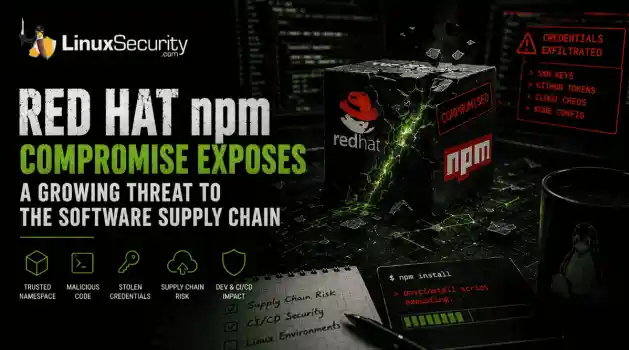
 Researchers investigating a campaign now tracked as Miasma found that more than 30 packages in Red Hat's @redhat-cloud-services npm namespace had been altered to deliver credential-stealing malware. . The packages weren't being used to deploy ransomware or sabotage systems. From what has been reported so far, the objective appears to have been much simpler: collect credentials from developer environments and use that access elsewhere. GitHub tokens, cloud credentials, SSH keys, and other...
Jun 02, 2026
 Refine features
X Clear Filters
Get the latest News and Insights
Get the latest Linux and open source security news straight to your inbox.
Community Poll
What got you started with Linux?
Loading...

Explore Latest Linux Security features
We found -4 articles for you...
218
 security advisorysecurity issueransomware
Understanding Linux Ransomware Attack Steps and Prevention Strategies
Ransomware has been making life miserable for IT folks for years now, and you’ve probably heard plenty about how it hits Windows systems . But Linux? Yeah, that’s not off-limits anymore. In fact, attackers are seeing Linux as an appealing target—servers running critical enterprise networks, government systems, and big databases that power everything from websites to operations. Anything important enough to cause chaos if it’s compromised, especially where someone’s willing to shell out money to get it back, gets a big bullseye on it. Sure, the majority of ransomware still goes after Windows machines, but if you’re thinking, “Linux is safe because fewer people target it,” that’s a gamble you don’t want to take these days. The methods attackers use are evolving, and even though Linux ransomware is still less common, the attacks themselves are clever, nasty, and diverse. . What’s scary here isn’t just the damage these attacks cause—encrypted files, downtime, reputation hits, and recovery costs—it’s how they sneak their way onto Linux systems in the first place. They exploit vulnerable setups, outdated software, misconfigurations, and anything careless or overlooked. The attack process itself is almost methodical, like breaking into a house and systematically going through every room. But knowing how these attacks work—and, more importantly, how to stop them—can make a big difference. Let’s break down what’s happening in these Linux-targeted ransomware attacks step by step so you have a clearer picture of the threat. Plus, we’ll talk about how to lock things down and avoid being the next “news headline.” Anatomy of a Linux Ransomware Attack Linux ransomware has become known for the sophistication and diversity of its tactics, methods, and techniques to compromise systems and generate profits for its operators. Ransomware attacks targeting Linux systems are generally carried out in a series of clearly defined steps, beginning with exploiting one ormultiple unpatched vulnerabilities and ending with a payday for the attackers. Let’s take a closer look at the anatomy of a Linux ransomware attack, broken down step-by-step, to help you better understand this growing threat to your systems and your data. Step 1: Infection Unlike Windows ransomware variants, which spread via email or mall advertising, Linux ransomware infection relies on vulnerability exploitation. Linux ransomware exploits either unpatched system vulnerabilities or flaws in a service, such as a web server or email server, to obtain access to a target system and compromise files. For instance, the infamous Lilocked ransomware exploits out-of-date versions of the Exim message transfer agent to gain a foothold in a target environment. Rex, another dangerous strain of Linux ransomware, uses vulnerability scanners specific to Drupal, WordPress, Magento, Kerner, Airos, Exagrid, and Jetspeed to detect SQL injection vulnerabilities that can be exploited to gain admin credentials. Reliable backups remain one of the most effective defenses against ransomware, and for Linux-hosted e-commerce platforms, a well-planned Magento 2 backup approach is essential to restoring operations without paying attackers. Once in the target environment, the ransomware operator “phones home” to download a hidden executable by connecting to a predefined list of IP addresses that host the command-and-control (C2) server. At this point, the attacker typically copies the malicious executable to a local directory, such as the Temp folder, and then terminates and removes the script. The malicious payload is now executed in the target environment. Linux ransomware strains often possess privilege escalation capabilities, such as those seen in the notorious Lucifer and NotPetya variants. These advanced features enable ransomware operators to access parts of a system that would be inaccessible without privileged access. While Linux ransomware typically only affects those using the web server that iscompromised, privilege escalation can magnify both the scope of an attack and its overall impact. Step 2: Staging This step can be seen as the “housekeeping” portion of a Linux ransomware attack. The ransomware sets itself up for smooth operation by attending to various items, including moving itself to a new folder and establishing persistence in the target environment, giving it capabilities such as the ability to run at boot, to run when in recovery mode, and to disable recovery mode altogether. At this stage of the attack, the ransomware communicates with the C2 server to negotiate its public key, which the operator generates and places in the ransomware to encrypt the randomly generated symmetric key. Step 3: Scanning Now that ransomware has established persistence and set itself up for success. It is prepared to encrypt target files. The ransomware scans compromised systems for a predefined list of file extensions and cloud file storage repositories of interest, mapping the locations of these files and repositories. Step 4: Encryption The encryption phase of an attack is when the real damage is done. Up until this point, nothing potentially irreversible has happened - the malware has simply set itself up and surveyed the target environment. Now, the ransomware creates an encrypted version of the target files using a random symmetric key. It generates and encrypts the symmetric key with its public key. It then deletes the original version of the files it has encrypted. For every location where files have been encrypted, copies of auto-generated ransom notes are created in multiple formats. Step 5: Extortion Once the encryption process is complete, a ransom note providing explicit payment instructions is displayed as the victim's desktop wallpaper. At this point, the ransomware terminates and deletes itself, as its mission in the target environment is complete. Meanwhile, ransomware operators wait for ransom to be paid in untraceable Bitcoin to a wallet they own. Thevictim must decide if he or she is willing to pay the ransom in exchange for the decryption of locked files or accept the fact that the files encrypted in the attack are permanently inaccessible. It is often helpful to enlist a ransomware recovery firm at this point, as they can offer advice and, in some cases, locate a decryption key that can be used to recover locked files. Final Thoughts & Best Practices for Protecting Against Linux Ransomware Let’s be real—Linux ransomware might not dominate headlines the way Windows ransomware does, but it’s a growing problem, and ignoring it is a mistake. The good news is that you’re already a step ahead by understanding how these attacks work and what they typically target. But here’s the thing: a lot of these compromises boil down to unpatched systems or sloppy administration. It’s not flashy, but staying on top of patches , cleaning up permissions, and verifying your configurations regularly can go a long way. Don’t assume your server’s safe just because it’s running Linux—that mindset’s outdated. Even small gaps, like a forgotten web server vulnerability or a missed security audit, create an opening for ransomware. And trust me, when ransomware hits, it’s not just a technical headache—it’s scrambling to fix broken systems while everyone else is demanding answers. So, what can you do today? Start with backups —seriously, I’ve seen too many people regret half-baked backup strategies when things go south. Make backups solid, spread them across different media, and test them once in a while. Then, tighten up access controls . If users don’t need access, they shouldn’t have it. IDS and IPS tools might sound like overkill for some setups, but they can be game-changers in spotting weird traffic early. And don’t forget regular audits—it’s boring, I know, but they can unearth issues before attackers do. This isn’t about chasing perfection; it’s about minimizing risk and staying prepared. Linux is resilient, sure, butransomware doesn’t care about all that—it cares about the cracks. So, close them up! . What’s scary here isn’t just the damage these attacks cause—encrypted files, downtime, reputat. ransomware, making, miserable, folks, years, you’ve, probably, heard. . Brittany Day
 Jun 05, 2025
•
Jun 05, 2025
•

Get the latest News and Insights
Get the latest Linux and open source security news straight to your inbox.
Community Poll
What got you started with Linux?
Search Topics
Powered By

Linux Security - Your source for Top Linux News, Advisories, HOWTOs and Feature Releases
QUICK LINKS
subscribe to newsletters!
Like staying secure? So do we.
Sign up for updates, tips, and alerts!
Discover faster search, smarter navigation, and deeper Linux security insights. Read More