


Stay Ahead With Linux Security Features

 threat detection scalability
 Building a SIEM is easier than scaling one. Most open-source deployments start as a simple "all-in-one" server. It is easy to set up, but that design rarely survives the transition from a lab to a production workload. . A SIEM watching 20 endpoints is not doing the same job as one watching 500. More endpoints mean more logs; more logs require more storage; more storage makes search heavier. Eventually, the very architecture that made your lab easy to deploy becomes the reason your production...
 Jun 04, 2026
 security advisory apache
 A newly disclosed attack technique called HTTP/2 Bomb is drawing attention because it targets the software that sits at the front of much of the Linux internet. Apache HTTP Server, NGINX, Envoy, and the ingress layers that many Kubernetes environments depend on can be forced into consuming disproportionate amounts of memory using relatively small amounts of attacker traffic. . For Linux administrators, the concern is not the HTTP/2 protocol itself. It is the possibility that a single...
Jun 04, 2026
 security advisory important
 The compromise of Nx Console shows how much infrastructure now sits behind a single developer account. GitHub repositories, CI/CD pipelines, container build systems, Terraform projects, Kubernetes deployments. None of those systems was the initial target. The workstation was. . Attackers did not need a Linux privilege escalation bug or a remote code execution chain. They needed developers to trust a tool they were already using. For many organizations, that was enough. What Happened? Federal...
Jun 03, 2026
 security advisory open-source
 You remove the malware. You rotate the compromised credentials. You patch the original vulnerability and close the ticket. Two weeks later, the attacker is back. . What happened? You didn't lose the battle at the exploit; you lost it at the cleanup. In many modern Linux intrusions, the malware you found wasn't the main problem—it was the fallback mechanisms left behind. These hooks quietly restore attacker access the moment you look away. If you clean a host but miss these persistence layers,...
Jun 02, 2026
 security advisory Red Hat
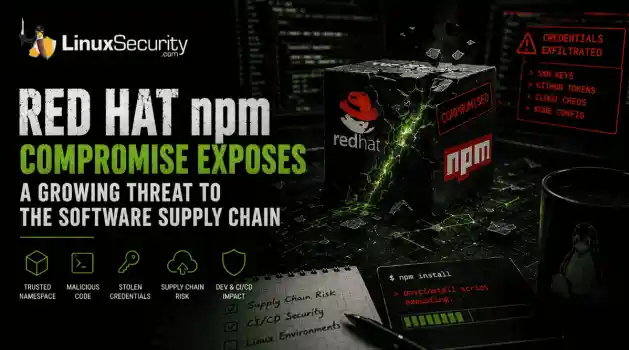
 Researchers investigating a campaign now tracked as Miasma found that more than 30 packages in Red Hat's @redhat-cloud-services npm namespace had been altered to deliver credential-stealing malware. . The packages weren't being used to deploy ransomware or sabotage systems. From what has been reported so far, the objective appears to have been much simpler: collect credentials from developer environments and use that access elsewhere. GitHub tokens, cloud credentials, SSH keys, and other...
Jun 02, 2026
 Refine features
X Clear Filters
Get the latest News and Insights
Get the latest Linux and open source security news straight to your inbox.
Community Poll
What got you started with Linux?
Loading...
Explore Latest Linux Security features
We found -3 articles for you...
102
 security featuresopenvpnvpn protocol
Comparing Open-Source VPN Protocols: WireGuard, OpenVPN, IKEv2 Insights
There are many reasons why one might choose a VPN whether it be for privacy or unlocking geo-restricted content however, no one really takes into account the VPN protocols that these VPN providers use. . When using a VPN, I'm sure many users just think it’s an easy, quick download and install, connect to a location & you’re done! However, there is much more to that. Nowadays, cyber criminals can make the internet a scary place & believe it or not, your choice for a VPN provider (and the protocols that they support) can affect your reasons for wanting to use a VPN in the first place. Some VPN services let you choose from a wide range of protocols whilst other VPNs don’t let you choose at all. Each protocol has its own strengths and weaknesses and you must understand the differences between them in order to choose the right protocol for your specific needs. In this article, we will compare some of the most popular VPN protocols to help you decide which one to use for your use case. WireGuard What is WireGuard? When it comes to VPNs, especially ones for Linux, I am sure you have heard of Wireguard and that raises the grand question: What is WireGuard? WireGuard is a security-focused VPN, originally made for the Linux kernel, known for its simplicity and ease of use. It uses proven cryptography protocols and algorithms to protect data. How WireGuard’s Cryptography Works WireGuard is an open source VPN that was designed with the goals of ease of use, high speed performance, and low attack surface. It uses state-of-the-art cryptography, like the Noise protocol framework , Curve25519 , ChaCha20 , Poly1305 , BLAKE2 , SipHash24 , HKDF , and secure trusted constructions which essentially includes novel cookie construction to mitigate denial of service attacks, key-compromise impersonation, and replay attacks. WireGuard has been designed with ease-of-implementation and simplicity in mind. It is meant to be easily implemented in very few lines of code, and easily auditable forsecurity vulnerabilities. Wireguard also has a smaller code base, and generally has a smaller surface area susceptible to outside attacks. Compared to behemoths like *Swan/IPsec or OpenVPN/OpenSSL, in which auditing the gigantic codebases is an overwhelming task even for large teams of security experts, WireGuard is meant to be comprehensively reviewable by single individuals. At the heart of WireGuard is a concept called Cryptokey Routing, which works by associating public keys with a list of tunnel IP addresses that are allowed inside the tunnel. The premise behind CKR is that it allows you to define routes stating that specific subnets should be routed to a given node on the network, identified by their public encryption key which allows the traffic to be encrypted from end-to-end. This gives us effectively the ability to run VPNs over the network without the need for additional software. With cryptokey routing, administrators can rely on simple firewall rules to filter packets arriving on the WireGuard port. The protocol that WireGuard uses is also secure, as it does not respond to any packets from peers it doesn’t recognize. How Well Does WireGuard Perform? In theory WireGuard should achieve very high performance. Speed is the first major advantage of WireGuard. It does not consume a lot of your device's CPU resources, and it uses a quicker, optimized protocol overall. This speed boost also includes connection and reconnection speeds. When looking at Wireguard benchmarks, you can see that it is almost 4x the speed of openVPN and greatly outperforms many other VPNs available out there. Issues with WireGuard Protocol Support Since WireGuard only supports UDP and not TCP, this causes for a lot of people using the WireGuard protocol to run into some issues in many places like universities and businesses alike. A lot of network administrators tend to only allow traffic on port 80 / 443 from a TCP connection, so using the WireGuard protocol can cause many issues depending on the network youare connected to. Does not assign dynamic IP addresses and unusable without logs? WireGuard has no dynamic IP address assignment, meaning that the client’s addresses, or whoever uses the WireGuard protocol, has static IP addresses. Users would have to register every active device and assign a static IP address on each of their VPN servers. Moreover, they would have to store the last login timestamp for each device in order to reclaim unused IP addresses. How WireGuard integrates into the Linux kernel Here at LinuxSecurity, we are avid supporters of open-source. When it comes to VPNs, it can be hard to choose one for your specific purpose. The open-source way of thinking would be to run your own and that is exactly what you can do! As of March 29th, 2020, the official release of WireGuard was incorporated into the Linux 5.6 Kernel release tree. Because WireGuard is easy to deploy and use, daily users and administrators alike can configure it in their standard Linux distribution. WireGuard VPN Protocol Explained There is an initial very simple handshake that establishes symmetric keys to be used for data transfer within Wireguard. This handshake occurs every few minutes, in order to provide rotating keys for perfect forward secrecy. Moreover, It only supports UDP, which uses no handshake protocols, but also one of the reasons why it's so fast - It does not have to perform the complete TCP check that many other protocols do, yet still remains reliable and secure. Moreover, it has a lighter code base which can be easily audited by security analysts. It also uses the follow cryptographic protocols: ChaCha20 for symmetric encryption, authenticated with Poly1305 Curve25519 for ECDH Siphash24 for hashtable keys BLAKE2s for hashing and keyed hashing HKDF for key derivation WireGuard also has a built-in mechanism to make sure the keys and handshakes are up-to-date and authenticated. OpenVPN What Is OpenVPN? OpenVPN is considered the god of all VPN protocolsbeing that it has been around for a long time. OpenVPN is an open-source VPN protocol that makes use of a VPN provider to perform various functions. Being that OpenVPN is open-source, it has allowed developers to access its source code and furthermore, has allowed for the VPN protocol to be continuously modified by large groups and communities of developers which means users and companies alike can configure OpenVPN to their specific need. This protocol is especially popular due to its AES-256 bit key encryption with 2048-bit RSA authentication and a 160-bit SHA1 hash algorithm. How OpenVPN’s Cryptography Works OpenVPN’s cryptography utilizes two different methods: Static Key -- Use a pre-shared static key TLS -- Use SSL/TLS + certificates for authentication and key exchange Before the tunnel is established in static key mode, a pre-shared key is generated and shared by both OpenVPN peers. This static key includes four distinct keys: HMAC send, HMAC receive, encrypt, and decrypt. In static key mode, both hosts will use the same HMAC key and encrypt/decrypt key by default. The other method OpenVPN uses is the OpenSSL library and SSL/TLS protocols which allows for a strong, secure, and reliable connection no matter what. OpenVPN encryption includes data channel encryption as well as control channel encryption. To protect the data, the data channel encryption consists of a cipher and hash authentication. To protect the connection between your device and the VPN server, the TLS encryption consists of a cipher, hash authentication, and handshake encryption. The cipher or algorithm encrypts the data, the secure hash algorithm authenticates the data and the SSL/TLS connection, and the handshake encryption protects the connection. Additionally, OpenVPN uses perfect forward secrecy, which generates distinct private keys and then discards them after each connection. The cryptography of OpenVPN is considered very secure and is considered the industry standard in use today. How Well DoesOpenVPN Perform? OpenVPN might offer great security, but when it comes to speed, there are some potential issues. Being that the code base for OpenVPN isn’t very lightweight like WireGuards, it can really cause some tremendous slowdowns. Of course, the primary cause of this could very easily be your own internet connection speed; however, even if you have a fast enough connection, you could still experience major drops in speed. In various tests conducted by OpenVPN community members, their download speed went from upwards of 1Gbps all the way down to 49MBps. Now, the connection could still be viable for searching stuff on the web and potentially watching videos but for more high-demanding applications and tasks, that is nowhere near enough. When it comes to OpenVPN, there is a trade-off that takes place. You sacrifice internet speed for security and it might not mean much to people who value their privacy more, however, for the people who still want to remain private and have that quick internet connection, OpenVPN might not be for them, even if it is considered industry standard. Issues with OpenVPN Aside from speed, one may think that OpenVPN has no issues however, that is not the case. As of 2022, OpenVPN only has 1 vulnerability. This one vulnerability is so severe that it is still undergoing reanalysis. According to OpenVPN.net, this vulnerability is listed as CVE-2022-0547, which states that “OpenVPN 2.1 until v2.4.12 and v2.5.6 may enable authentication bypass in external authentication plug-ins when more than one of them makes use of deferred authentication replies, which allows an external user to be granted access with only partially correct credentials.” As of now, there has been no updates to this issue with OpenVPN but we will be closely monitoring this as changes are bound to happen. It is safe to mention that with OpenVPN v2.4.12 and v2.5.6, this issue has been resolved but for users and companies using older versions of OpenVPN, this could be an issue. How OpenVPN Integratesinto the Linux Kernel Unfortunately, Linux does not come with OpenVPN pre-installed, so you will actually need to install it yourself and configure the config.ovpn file as well if you plan on not using a VPN provider. On the brighter side, to install the OpenVPN client on Linux, it is possible to just install the version that is in the software repository for whichever Linux distribution you may be using. You can run the command below to install the OpenVPN client: $ sudo apt-get install openvpn OpenVPN Protocol Explained For the time being, OpenVPN will be the standard secure VPN connection protocol. It's not perfect, but it's one of the most powerful on the market right now. It is not only safe, but it is also open-source, which means you won't have to pay for it. Furthermore, it is safe, completely bypasses firewalls, and is incredibly adaptable. If you want a highly secured internet connection, OpenVPN is a good option to explore. Furthermore, its encryption techniques are top-tier, making it an excellent choice for a VPN protocol. IPSEC IKEv2 What Is IPSEC IKEv2? The IKEv2 VPN protocol has become more and more popular over the past years. More specifically, IKEv2 is better suited and popular amongst mobile devices. IKEv2 is a tunneling protocol within the IPSec protocol suite. It is responsible for setting up the Security Association for secure communication between VPN clients and VPN servers within IPSec. IKEv2 is the mechanism that generates encryption keys, ensuring safe data flow between your device and the VPN server you’re connected to. How IPSEC IKEv2’s Cryptography Works As previously stated, IKEv2 is used in conjunction with IPSec and is mostly used for mobile devices. IKEv2/IPSec is a reliable and secure protocol for mobile devices since it is capable of reestablishing a connection when it has been temporarily lost or dropped. We also saw that IKEv2 manages the SA characteristic, but what exactly does it entail? Simply put, it is the act ofestablishing security qualities between two networked devices by generating the same symmetric encryption key for each. This key is then used to encrypt and decrypt all data sent over the VPN connection. IKEv2 also supports the most recent IPSec encryption algorithms and ciphers such as 256-bit encryption, AES, Camellia, and ChaCha20, supports MOBIKE, a mechanism that allows the protocol to withstand network changes, perfect forward secrecy, and uses X.509 certificates when it handles the authentication process, and also uses the Isakmp , Skeme, and Oakley security protocols. How Well Does IPSEC IKEv2 Perform? IKEv2 is widely regarded as one of the quickest and most secure protocols available, making it a popular choice among VPN users, particularly those using mobile devices. IKEv2 is quicker than other VPN protocols since it uses less CPU resources. As is often the case, there are several variables that influence speed, so this may not be applicable in all use scenarios, but from a performance aspect with mobile users, IKEv2 may be the best option because it works well establishing a reconnection. IKEv2 is also supported in Linux via the strongSwan package, which is available for most Linux versions. Issues with IPSEC IKEv2 Despite the fact that the IKEv2 VPN protocol is popular among users and is the first choice for constructing a "continuous" VPN connection owing to its reconnection capabilities, IKEv2 nevertheless confronts certain specific obstacles. Firewalls frequently block IKEv2, preventing connection. Another less well-known issue with IKEv2 is fragmentation. Because IKEv2 uses UDP, this might result in failed connectivity that is difficult to resolve. If the packet exceeds 1500 bytes, it will. be divided into smaller fragments. Followed by authentication chaining and RSA keys, this can be a problem since many routers and firewalls are set to discard IP fragments by default, causing your IKEv2 connection to fail. How IPSEC IKEv2 Integrates into the Linux Kernel UnlikeWireGuard, IKEv2 is not preloaded in the Linux kernel. IKEv2 is supported in Linux, however, with the strongSwan package, which is available for most Linux versions. StrongSwan is a comprehensive IPsec and IKEv2 implementation for Linux that is compatible with the majority of existing IPsec-based VPN protocols. IPSEC IKEv2 VPN Protocol Explained IKEv2 on its own does not really work well which is why it works best when paired with IPSEC! It’s combination of AES-256-GCM cypher for encryption, coupled with SHA2-384 for integrity, perfect forward secrecy, and 3072-bit Diffie Hellmann keys allows for IPSEC IKEv2 to remain secure whilst also not using too many hardware resources and allowing no downtime when you lose connection. In a sense, you can consider IPSEC IKEv2 as a lossless connection, as you feel seamless connectivity. Linux VPN Protocols Compared WireGuard is built to be more efficient than OpenVPN and IKEv2, but that doesn’t necessarily mean it will always perform better. Here, we will discuss how WireGuard holds up against OpenVPN and IKEv2. However, these comparisons ultimately depend on many factors, such as: The speed of your Internet connection How busy the VPN servers are. How compatible your device is with the VPN software. How close you are to the VPN server. Wireguard vs. OpenVPN Speed: The VPN speed represents the speed of your Internet connection while connected to the VPN and it depends on a lot of factors. Many tests carried out through various people have proven that Wireguard is more than 2x faster than OpenVPN. According to this website, Is Wireguard faster than OpenVPN? We tested 114 VPN servers. . Against the 114 VPN Servers tested, Wireguard was faster than OpenVPN on UDP by about 19% and faster than OpenVPN on TCP by about 57%. When it comes to this test, there is a clear difference due to the reasons we stated earlier. Security and Encryption: While people may think that there is a tie between Wireguard and OpenVPN when it comes tosecurity and encryption, or that OpenVPN may be more secure, tests show otherwise. Keeping in mind that these two prot ocols use different types of encryption, Wireguard is actually the better option. As of now, Wireguard has no known vulnerabilities. On top of that, paired with a strong VPN and state of the art encryption, it becomes a very secure, speedy, reliable VPN. However, OpenVPN on the other hand, has many known vulnerabilities. According to CVE-2022-0547 , OpenVPN versions 2.1 until v2.4.12 and v2.5.6 may “enable authentication bypass in external authentication plug-ins when more than one of them makes use of deferred authentication replies, which allows an external user to be granted access with only partially correct credentials.” This vulnerability was just released recently and this is just one of the few of many. Depending on the version of OpenVPN you are using, you could be facing different types of vulnerabilities that could lead to Bypassing, XSS attacks, and much more. Bypassing Firewall/Firewall Connectivity: This is where OpenVPN gains the upper hand on Wireguard. Since OpenVPN uses TCP, it makes it pretty much usable on any network with any VPN provider. Wireguard on the other hand strictly uses UDP connections which for some networks, using ports such as port 80 and 443 HTTP/HTTPS respectively, requires a TCP connection. If you find yourself in a University or building that only allows TCP connections on that part, it might be a safer option to use OpenVPN. Mobility: In regards to mobility, Wireguard offers a better solution. This is because Wireguard handles network changes seamlessly without any interruption and lag. VPN and Device Compatibility: It was only just recently that Wireguard has been implemented into the Linux kernel and has also been implemented with some major commercial VPN providers. Moreover, Wireguard is available on MacOS, Linux, Windows, iOS, and Android just like OpenVPN. However, OpenVPN has been recognized more by VPN providers and therefore,provides more VPN provider compatibility. Privacy and Logging: Whilst neither VPN protocol does traffic logging, Wireguard does have to be paired with a strong VPN provider to be able to give its users more privacy or anonymity in regards to their network traffic. WireGuard vs. IPSEC IKEv2 WireGuard has two advantages: its encryption implementation is faster, and it is now built into the Linux kernel. Many tests have shown that WireGuard is more consistent, reliable, and quicker in speed and security across the board but by no means does this mean that IPSEC IKEv2 is bad. IKEv2 uses AES 256 bit key encryption which is still very secure. Furthermore, it is still fast and can switch between networks seamlessly. It is even faster than OpenVPN in most instances! Additionally, for WireGuard, you need to install additional files but nevertheless, its more modern encryption library does have advantages. IKEv2 also has some vulnerabilities as listed by the NSA that states IKE could be exploited in an unknown manner to decrypt IPSec traffic, but they are not at liberty to disclose specifics. Likewise, IKEv2 uses UDP 500 for the initial key exchange, protocol 50 for the IPSEC encrypted data (ESP) and UDP 4500 for NAT traversal, which makes it easier to block than Wireguard, even though both can still end up being blocked. Final Thoughts In theory, each VPN protocol does certain things better than the other and there is no “set in stone” perfect VPN protocol. Keep in mind, no single VPN protocol can guarantee your security, privacy, nor speed and the protocols listed are no different. Does this mean that you should disregard each one listed here? Absolutely not! There is no solid answer here when it comes to choosing a VPN protocol and choosing a VPN provider that supports each protocol. Try each of the protocols out and use the one that gives you the smoothest experience and best suits your needs. . Explore the pros and cons of WireGuard, OpenVPN, and IKEv2 regarding performance, security, andfunctionality to make an informed VPN choice. VPN Comparison, WireGuard Features, OpenVPN Performance, Linux Protocols, IKEv2 Insights. . Brian Gomez
 Aug 17, 2022
•
Aug 17, 2022
•
102
 remote accessssl vpnopenvpn
OpenVPN Insights from Founder James Yonan on SSL-Based VPNs
OpenVPN is a newer-generation VPN in that it is based on SSL as the underlying security mechanism. IPSEC is the current and most popular standard for VPN technology.. SSL is already a standard for secure communication over the Internet for financial transactions, checking email, and ensuring sensitive information is not leaked to "people in the middle." Many articles I've read speak of SSL VPNs as requiring a browser. I'm not sure why that gets under my skin. It just isn't true. I only use a browser over OpenVPN to access an intranet web server on the remote side. Once an OpenVPN tunnel is established, you can use any application to access services remotely, provided the right access controls are in place. A browser is unnecessary to create an OpenVPN tunnel; it can be done from the command line. Another nicety is that it runs on Windows 20000/XP, Linux, Solaris, FreeBSD, OpenBSD, NetBSD, and MacOS X. Oh yes, and it is under the GNU license. OpenVPN uses the protocols that are available with SSL and TLS 1.0 for authentication, encryption, and integrity checking. I have personally tested and used OpenVPN on Windows and Linux systems. I've never had problems using any applications over OpenVPN. The only issue I've run into is a common or well-known issue with VPN, and that is the problem with packet fragmentation, which is easily remedied by a simple OpenVPN configuration option. Don't let the SSL scare you because of creating public and private keys. OpenVPN comes with scripts to automate the process (If you ask nicely, I'll send you my scripts to automate the process further.) You'll also want to ensure the client's key expires within a reasonable time and requires a password. Also, OpenVPN supports static keys, which is good for LAN-to-LAN connections. Letting remote users have a static key out in the wild can be a bit scary, so a public/private key exchange is best for remote users. Static keys should be changed very often (Note: OpenVPN static keys created on Windows can be used on Linuxand vice versa. Remember the dos newline issue if you create and send keys between Unix and Windows systems.) Interview with James Yonan, Creator of OpenVPN LinuxSecurity.com : What browser is required to run OpenVPN tunnels? James Yonan: Talking about SSL VPNs doesn't necessarily mean that you are talking about a VPN which uses a web browser as the client. In a sense, browser-based VPNs are not VPNs at all -- they are really just web applications that provide enough services so that a true VPN is not actually required. OpenVPN uses the underlying cryptographic mechanism of SSL/TLS to secure a VPN connection, but the web analogy stops there. OpenVPN can best be understood as a portable, user-space VPN implementation which uses SSL/TLS as its underlying cryptographic engine. OpenVPN is able to use the same public key infrastructure as Apache, but is otherwise not related to the secure web. LinuxSecurity.com : What do you do in your spare time? James Yonan: Open Source development, jazz dancing, and flying (without an engine). LinuxSecurity.com : How did the idea to create OpenVPN come about? James Yonan: Around the turn of the century, I finished up a large project for my company. As a kind of thank you, they decided to unchain me from my workstation, on the condition that I maintain an always-reachable telepresence. With this newfound freedom, I traveled all over the world, checking into the office from places like Hurghada Egypt, and Bishkek Kyrgyzstan. As one might imagine, I become very interested in the tools of telecommuting. I wanted a solution that was not only world-class from a security perspective, but that would also give me the ability to install and manage the remote end of the VPN, without needing to bother people back at the office. Traveling in Central Asia (pre 9/11), I was especially concerned about active attacks and connection hijacking, since myinternet path crossed through Russia and other regions having an absurd number of very talented hackers who were also unemployed. My initial foray into Linux VPNs showed that the various VPN camps had split into groups, based on the kind of tradeoffs they were willing to make. The "security-first" group consisted of the IPSec and FreeSwan people whose goal was to first get the security right, sometimes at the expense of robustness and usability. Then there were the non-IPSec camps (VTun, Cipe, etc) founded by people who probably needed a VPN right away and decided it would be easier to roll their own than figure out how to install IPSec. The non-IPSec camps were very focussed on the networking theory behind VPNs, and I think a major innovation that came out of this work was the concept of the "tun" or "tap" virtual network adapter as a means of moving the complexity of the VPN into userspace, logically separating the networking and crypto components, making the code portable, and giving an intuitive interface to the end-user (tun or tap drivers export a first-class network interface to the OS which can be routed from/to, firewalled, NATed, just like any other interface). After some study of the open source VPN field, my conclusion was that the "usability-first" camp had the right ideas about networking and internetwork tunneling, and the SSH, SSL/TLS, and IPSec camps had the appropriate level of seriousness toward the deep crypto issues. This was the basic conceptual starting point for my work on OpenVPN. LinuxSecurity.com : How did you choose the name OpenVPN? James Yonan: OpenVPN is tightly coupled with the OpenSSL library, and given OpenVPN's tendency to inherit stuff from its dependencies, sharing 4 out of 7 name characters seems appropriate. The other thing I like about "OpenVPN", is that the name makes it immediately clear what the whole production is about. LinuxSecurity.com : Why use SSL? James Yonan: Establishing a cryptographic handshake over an insecure network, in a way that is resistant to connection hijacking, is one of the most challenging problems in cryptography. The fact that we have 3 versions of SSL + TLS 1.0 should clue you in to the fact that cryptographers seem to take delight in attempting to outsmart themselves by devising ever-better protocols and then smashing them in their spare time. Ever heard of of SSL 1? It was apparently cracked in real-time as it was being presented at a cryptographic conference. Who knows how many other cryptographic schemes would be similarly broken, were they exposed to any real scrutiny? TLS fits the bill rather nicely. It is a high-quality piece of cryptographic work, designed, attacked, and ultimately endorsed by some of the brightest cryptographers today. It is also easily accessible in userspace library implementations, such as OpenSSL. LinuxSecurity.com : Many VPN appliances and software applications are billed as "IPSEC-compliant," yet many aren't compliant. Can SSL-VPNs be made compliant, e.g., for example, with Amrita VPN? James Yonan: Ever since Peter Gutmann published his critique on open source VPNs, there has been growing interest in putting together an RFC to describe a TLS-based, user-space VPN standard. I expect that this process will take time, more so because of usability and management issues than security issues. User-space VPNs have already reached the point where they are stable, secure, and well-documented. What is still needed is to make them easier to configure both at the low end (new users, small business, home offices) and higher end (larger organizations with potentially hundreds or thousands of VPN users). While we know today the kinds of cryptography technology a VPN needs to be secure, we don't really know yet what the optimal VPN experience should look like, from a usability perspective. How do we minimize the amount of manualconfiguration required? How do we streamline the key management process? I would argue that it would be premature to codify the user-space VPN model into a standard until we have a better handle on the usability and management issues. LinuxSecurity.com : What kind of security problems do "compliant" VPNs introduce? James Yonan: One of my major gripes with IPSec is that it adds a lot of complexity to the kernel. Complexity is really the enemy of security. The problem with putting complex security software in the kernel is that you ignore an important security principle: never design secure systems so that the failure of one component results in a catastrophic security breach. A single buffer overflow exploit in kernel space results in total system compromise -- why not move the complexity into user space where the code might run in an empty chroot jail as user "nobody"? At least with this approach, a code insertion exploit can be more readily contained. LinuxSecurity.com : How do we spread the word on SSL-VPNs? James Yonan: The best thing you can do is try one, and report your experiences (good or bad) back to the community. LinuxSecurity.com : James, thank you for your time. We appreciate the interview! . WireGuard represents a cutting-edge VPN protocol, providing rapid and secure communications, influenced by the vision of developer Jason A. Donenfeld.. OpenVPN,SslVpn,RemoteAccess,NetworkingSolution. . Brittany Day
Nov 10, 2003
•


Get the latest News and Insights
Get the latest Linux and open source security news straight to your inbox.
Community Poll
What got you started with Linux?
Search Topics
Powered By

Linux Security - Your source for Top Linux News, Advisories, HOWTOs and Feature Releases
QUICK LINKS
subscribe to newsletters!
Like staying secure? So do we.
Sign up for updates, tips, and alerts!
Discover faster search, smarter navigation, and deeper Linux security insights. Read More