Explore top 10 tips to secure your open-source projects now. Read More
×


Stay Ahead With Linux Security Features

 identity management security tactics
 For years, we secured our Linux infrastructure by building walls: VPCs, security groups, and hardened SSH configurations. We treated the cloud like a virtual data center, assuming that if we kept the "bad guys" out of the network, our workloads were safe. . That model is no longer sufficient. Today, one of the most common paths from an initial compromise to a major cloud breach is the identity assigned to your Linux workload. When an attacker gains code execution on a Linux instance—through a...
 Jul 17, 2026
 security practices patch management
 Most of us don't hear about a kernel vulnerability until a CVE lands in our inbox or the vulnerability scanner starts complaining. By then, the patch isn't new anymore. Kernel developers may have been passing it around for review, arguing over the implementation, or revising it for days before anyone outside that community noticed it. None of those discussions are secret. They're sitting in mailing list archives, Git commits, and patch reviews where they've been the whole time. The strange...
Jul 14, 2026
 Linux security cyber attacks
 Every Linux server in your fleet produces thousands of events every minute. From journald logs and auditd records to kernel-level eBPF hooks, your systems are constantly talking. Most of that noise is just the mundane churn of system services, CI/CD runners, or routine administrative automation. But among that noise, an attacker might be establishing a foothold, moving laterally, or setting up persistence. The challenge for any security team is: how do you separate the routine from the...
Jul 13, 2026
 open-source infrastructure risk
 Security scanners flag exposed API keys in public repositories every day. The initial response is usually predictable: delete the commit, revoke the credential, and move on. That’s a mistake. . In a real Linux environment, an API key never stays in one place. By the time it hits a public repo, it’s already everywhere. It’s in the CI/CD pipeline. It’s in your container registry. It’s in the build logs. It’s in the backups. Git makes this worse because the history never dies. Deleting a file in...
Jul 11, 2026
 open-source rootkit
 Most of us think of Linux rootkits as ancient history—the stuff of 90s hacking forums and clunky malware that would crash your system if you looked at it the wrong way. But if you think they’ve gone away, you’re mistaken. They’ve just gotten smarter. . Modern attackers aren't using the noisy tools of the past. Today’s threats are surgical. Many of today’s most advanced Linux rootkits operate at the kernel level or abuse legitimate system features to blend in with normal traffic. They’re...
Jul 09, 2026
 Refine features
X Clear Filters
Get the latest News and Insights
Get the latest Linux and open source security news straight to your inbox.
Community Poll
Is continuous patching actually viable?
Loading...
Explore Latest Linux Security features
We found 1 articles for you...
102
 open-sourcerootkitdetection
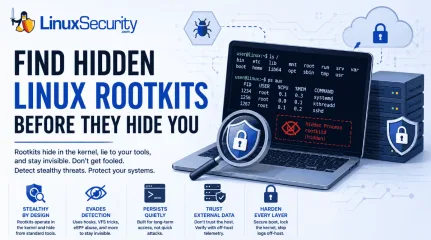
Linux Rootkits Explained: How They Hide and How Defenders Can Respond
Most of us think of Linux rootkits as ancient history—the stuff of 90s hacking forums and clunky malware that would crash your system if you looked at it the wrong way. But if you think they’ve gone away, you’re mistaken. They’ve just gotten smarter. . Modern attackers aren't using the noisy tools of the past. Today’s threats are surgical. Many of today’s most advanced Linux rootkits operate at the kernel level or abuse legitimate system features to blend in with normal traffic. They’re designed to stay quiet for years, not days. If you’re still relying on basic ps or ls commands to see if a system is compromised, you aren't finding them—you’re looking exactly where the attacker wants you to look. What Is a Linux Rootkit and How Does It Work? At its core, a rootkit is malware designed to hide an attacker's presence after they’ve gained privileged access. Unlike your typical "smash and grab" malware, rootkits manipulate the OS itself—often the kernel—to conceal malicious processes, files, network connections, or user accounts. Their goal isn't the initial compromise; it's long-term, stealthy persistence. Once a rootkit takes hold, the OS is no longer a reliable witness. You cannot trust your EDR, you can't trust your netstat output, and you definitely cannot trust the local logs. Type Runs Where Persistence Detection Difficulty User-space User processes Medium Low LKM Kernel High High eBPF Kernel execution environment High Very High Bootkits Bootloader Very High Very High Note: Although kernel rootkits get all the headlines, user-space rootkits—like those abusing LD_PRELOAD —are still super common because they’re easier to deploy and can still hide activity from standard admin tools without risking a system-wide kernel panic. Why Do Attackers Use Linux Rootkits for Persistence? A lot of people think an attacker drops a rootkit as their first move. That’s rarely true. A rootkit is usually a "Phase 2" operation. It’s not how they get in; it’s how they stay in. The typical flow usually looks like this. First, they break in by exploiting a web app or snagging some SSH keys . Next, they escalate their privileges so they have root access. Once they have that level of control, they drop the rootkit as an "anchor" so that even if you patch the vulnerability they used to get in, they’ve still got a back door. They then ensure they survive a reboot and start the long game of moving laterally and grabbing data while the server acts like nothing is wrong. We see this a lot in high-value targets—cloud infrastructure, Kubernetes clusters, and telecom backends. I remember looking at an incident where an attacker was sitting on an internet-facing server for months. They weren't trying to deploy ransomware or make a scene; they were just quietly siphoning data. The rootkit didn't help them get in—it just made sure nobody noticed they were there for half a year. How Do Modern Linux Rootkits Evade Detection? To beat them, you have to realize they aren't "breaking" your system—they’re just feeding it lies. System call hooking is a primary tactic. Every app you run has to ask the kernel for information. When you type ls, the kernel gathers the file list. A rootkit can sit in the middle of that conversation. When the kernel hands off the file list, the rootkit snatches it, pulls out the malicious files it wants to hide, and passes you a "sanitized" version. You see what the rootkit wants you to see. Virtual File System (VFS) manipulation is another common path. The VFS is basically the kernel’s way of managing files. By messing with this layer, the rootkit can make files "disappear." Standard tools can't find them because the kernel itself is telling them the file doesn't exist. Finally, there is eBPF abuse.eBPF is great—it’s how we get amazing performance data. But attackers love it for the same reason we do: it runs inside the kernel. They can use it to monitor the system or hide their tracks without ever changing the actual kernel binary on disk. It’s hard to find because, to your integrity tools, it looks like just another legitimate eBPF program. How Can Security Teams Spot a Hidden Rootkit? Since the OS is lying to you, you have to stop trusting the machine. Look for the "gaps" in reality: Missing Log Entries: If your SIEM shows a connection, but the server’s local logs are empty, someone is likely tampering with them in real-time. Kernel Panics: If you’re seeing frequent, unexplained crashes, it might be a poorly coded rootkit messing with things it shouldn't touch. Integrity Mismatches: Using tools to compare running kernel code against known-good baselines can reveal hooks. Network "Ghosting": If your firewall sees a connection coming from the server, but your local ss command shows nothing, the socket is almost certainly hidden. Unexpected Module Signatures: If you see a kernel module with no signature or an origin you can't account for, treat it as a massive red flag. When things look too clean, trust your gut. If I suspect a rootkit, I stop relying on the local OS entirely. I’ll pull a memory dump or use offline forensic tools to inspect the disk. You have to step outside the infected environment to see the truth. How to Build a Tamper-Resistant Linux Security Strategy If the kernel is already compromised, you’ve lost. You need to build your defense so that if a rootkit does get in, it’s going to have a hell of a time maintaining its foothold. You should start by locking the kernel. Once you’ve booted, use sysctl -w kernel.modules_disabled=1. It’s a simple move that stops an attacker from loading new modules on the fly. Secure Boot and TPM are also non-negotiable for high-value gear. If the boot chain is modified, thesystem shouldn't even wake up. You also need to prioritize remote logs. If your logs live on the server that’s being hacked, the logs are gone. Ship them off-host to a write-only SIEM like Wazuh immediately. Additionally, use runtime guards. Tools like LKRG are great—they’re designed to notice when someone starts tweaking the kernel's internals while the system is running. Finally, keep an eye on your integrity tools. Use AIDE, osquery, or Falco to keep a constant eye on system behavior. If a process starts acting out of character, you want to know about it now . Practical Checklist for Linux Defenders Enable Secure Boot to protect the integrity of the boot chain. Restrict Unsigned Modules to prevent malicious kernel module loading. Establish Baselines for "known good" system state. Forward Logs Off-Host immediately to prevent local evidence tampering. Monitor for "Log Silence" —if your logs stop, consider it a critical incident. Use External Telemetry to verify host behavior against local reports. Bottom Line: Once kernel integrity is lost, defenders should assume local system telemetry may no longer be trustworthy. Don't rely on the infected machine to report on its own state. Secure the boot process, lock the kernel, and always verify what your host tells you against a trusted, external source. Want more Linux security news, vulnerability analysis, and software supply chain updates? Subscribe to the LinuxSecurity Newsletter and get the latest threats, advisories, and expert insights delivered directly to your inbox. Related Reading Linux Rootkits: Detecting, Preventing, and Surviving an Attack Linux Kernel Module Rootkits Evade Detection in Cloud Environments Is Your eBPF Security Tool Deceiving You? Rootkits Silence Kernel Essential Guide for Securing the Linux Kernel Environment Effectively . Explore modern Linux rootkit tactics, detection methods, and defenses to secure your systems againststealthy attackers.. Linux Rootkits, Rootkit Detection, Linux Security. . Dave Wreski
 Jul 09, 2026
•
Jul 09, 2026
•
102
 security advisoryrootkitlinux
Linux Kernel eBPF Monitoring Rootkit Threats and Evasion Techniques
Linux runtime security increasingly depends on watching what the operating system is doing in real time. Security tools use eBPF (extended Berkeley Packet Filter) to attach probes within the Linux kernel, recording events such as new processes starting, files being opened, or network connections being created. Those events are then sent to detection engines such as Falco and other Linux runtime monitoring tools, which analyze the activity and alert when something suspicious is detected. This approach works because it lets defenders observe system behavior directly inside the kernel rather than relying only on logs written after the fact. The problem is that it assumes the monitoring pipeline inside the kernel can be trusted. Modern Linux rootkits are beginning to target that pipeline directly by intercepting functions in the eBPF event path and filtering or dropping records before they reach the buffer that security tools read from. When that happens, the activity still occurs on the system, but the monitoring tool never sees it. Experimental research such as SPiCa explores what this looks like in practice by demonstrating how kernel malware can manipulate the event stream produced by eBPF monitoring and effectively silence parts of the security stack while the tools themselves continue running normally. If attackers can tamper with the signals that monitoring tools rely on, defenders face a difficult problem because any security system that depends on those signals may be operating with blind spots. . Why eBPF Became Central to Linux Runtime Security eBPF became central to Linux runtime security because it lets defenders observe what the kernel is doing in real time. Instead of relying on logs written after an event happens, security tools can capture process execution, file access, and network connections directly inside the kernel as they occur. That changed how Linux runtime monitoring works. Security platforms attach eBPF probes to tracepoints and system calls, collecting eventsas the kernel handles them and streaming that kernel telemetry to user-space analysis engines. Those engines evaluate the activity and decide whether something looks suspicious. Most modern runtime tools rely on this model. Falco, Cilium Tetragon, and KubeArmor all use eBPF probes to watch system behavior from inside the kernel rather than trying to reconstruct activity later from logs. Because the instrumentation runs at the kernel level, eBPF security monitoring sees events before user-space software can hide them or filter them out. Researchers have also examined this architecture in depth. Work on eBPF runtime monitoring research describes pipelines where kernel probes continuously stream telemetry into external analysis engines designed to detect anomalies across running workloads. Over time, that telemetry pipeline became the backbone of modern Linux kernel security tools. This also means attackers have started looking for ways to interfere with it. How eBPF Monitoring Pipelines Work Most runtime monitoring built on eBPF follows the same event pipeline. Activity occurs inside the kernel, probes capture the event, and the resulting telemetry is forwarded to the user space, where the monitoring engine evaluates it. The flow usually looks like this: Kernel Event A process executes, opens a file, or creates a network connection The kernel triggers a tracepoint or syscall hook eBPF Probe The attached eBPF program collects metadata about the event Process ID, command, file path, and other execution context Ring Buffer Transport The probe writes the event into the BPF ring buffer (a shared memory queue used to move events from the kernel to user-space monitoring tools). The buffer acts as the communication channel between kernel space and user space User-Space Analysis A monitoring engine reads events from the buffer Detection logic evaluates whether the behavior is suspicious This pipeline creates a single point wheretelemetry leaves the kernel and becomes visible to monitoring systems. If events are filtered or dropped before they reach the ring buffer, the monitoring engine continues running but receives incomplete data. That boundary between kernel event generation and ring buffer submission is exactly where some rootkits attempt to interfere. Why Rootkits Target Observability Systems Kernel rootkits are designed to operate without being detected, which means their success depends less on what they can execute and more on whether monitoring systems can see the activity. Once malicious code reaches kernel space, hiding the evidence becomes the primary objective. Modern Linux runtime monitoring tools made that harder by observing activity directly inside the kernel. Security platforms attach probes that capture process execution, file access, and network events as they occur, then forward that telemetry to detection engines in user space. Rootkits have started adapting to that model by targeting the telemetry path instead of trying to hide every action individually. One technique involves intercepting the bpf_ringbuf_submit function that eBPF programs use to push events into the ring buffer. When a rootkit filters or drops those events before they reach the buffer, the activity still occurs on the system, but the monitoring engine never receives the record that would trigger an alert. Other stealth techniques avoid the monitoring hooks entirely. The “Curing” proof-of-concept demonstrated how attackers could use io_uring asynchronous I/O paths to perform operations that bypass traditional syscall tracing, which allows file operations and other actions to occur without triggering the probes many monitoring tools depend on. These techniques expose a structural problem in kernel security monitoring because rootkits and detection systems operate at the same privilege level. When both the attacker and the monitoring system run inside the kernel, the rootkit has the ability to manipulate the telemetrypipeline that security tools depend on to understand system behavior. The SPiCa Experiment and eBPF Telemetry Evasion The SPiCa project explores what happens when kernel malware begins manipulating the eBPF telemetry pipeline itself. Researchers tested the approach against the Singularity LKM rootkit, focusing on whether monitoring systems could still detect activity when a rootkit attempts to filter events before they leave the kernel. The design relies on a cross-view monitoring model that collects system signals from two independent perspectives and compares the results. Platform engineers may recognize the pattern because it resembles the sidecar architecture used in service meshes, where a sidecar (a small helper process that runs alongside an application to handle tasks like logging, security, or networking without modifying the application itself) observes the workload from outside the main process and reports behavior independently. SPiCa applies the same idea at the kernel level. Instead of trusting a single telemetry stream, the system introduces a second observer that monitors activity through a separate perspective and compares the output against the primary monitoring pipeline. You can think of it as a sidecar for the kernel, watching the same system activity while reporting through an independent path that a rootkit cannot easily manipulate. The experiment demonstrates several techniques that expose weaknesses in rootkit telemetry filtering. PID Obfuscation to Bypass Rootkit Filters The Singularity rootkit attempts to suppress telemetry by filtering out events associated with specific process identifiers. Many rootkits rely on this approach because monitoring systems often include the PID in kernel event metadata, which allows malware to drop events tied to protected processes. SPiCa avoids this filter by masking process identifiers with a 64-bit XOR value (a simple mathematical transformation that hides the original value) derived from /dev/urandom, a Linux system sourceused to generate random numbers, before the telemetry enters the monitoring pipeline. Kernel events still contain the process identifier The identifier is XOR-masked before the event is exported The monitoring system reverses the mask in userspace Because the rootkit expects predictable PID values, the masked identifiers appear as random data and pass through the filtering logic. Filtering Weakness in Rootkit Event Suppression Rootkit filtering mechanisms typically depend on recognizable values such as known PIDs or command names. When SPiCa injects masked identifiers into the telemetry stream, the filtering logic fails to recognize the events it was designed to remove. The result is simple but effective. The event reaches the user space normally, the monitoring system decodes the identifier, and the activity becomes visible again. Hardware Validation Using Non-Maskable Interrupts SPiCa also introduces a hardware verification signal using CPU non-maskable interrupts (NMIs). These interrupts originate from the processor itself and cannot be disabled by software running in the kernel. NMIs generate a high-frequency system heartbeat The signal confirms CPU activity independently of kernel telemetry The monitoring system compares hardware activity with reported events If the kernel telemetry indicates that no suspicious processes are running but the hardware observer shows active execution associated with hidden workloads, the discrepancy reveals that something inside the kernel is manipulating the telemetry pipeline. Cross-View Monitoring Exposes Telemetry Manipulation The key idea behind the SPiCa experiment is differential monitoring. Software telemetry from eBPF probes represents one view of system behavior, while hardware signals such as NMIs provide another. When those views disagree, the mismatch indicates that the telemetry pipeline may be compromised. The experiment highlights an important shift in Linux runtime security. If attackers caninterfere with kernel telemetry, monitoring systems may need independent signals outside the software pipeline to verify that the system is reporting events honestly. Why This Matters If a rootkit filters a process event before it reaches the ring buffer, the monitoring system never receives the record that something happened. The malicious process can continue running on the system, but the security dashboard remains green and shows zero alerts because the event was removed before the monitoring tool could see it. Hardware Signals vs Software Telemetry Software monitoring inside the kernel can be manipulated. Hardware signals are much harder to fake. The SPiCa experiment uses CPU non-maskable interrupts (NMIs) as an independent signal. These interrupts originate from the processor and fire at a fixed rate, typically around f = 1000\ \text{Hz} which creates a continuous hardware heartbeat that kernel software cannot disable. That difference matters when telemetry becomes unreliable. Monitoring Method Source Tamper Resistance Attacker Countermeasure eBPF Tracepoints Kernel software Moderate Hook bpf_ringbuf_submit Ring Buffer Telemetry Memory structures Moderate Filter or mute events in memory Hardware NMIs CPU mechanism High None outside hardware or microcode The security implication is straightforward. If the monitoring system reports that no suspicious processes are running but the hardware signal shows continuous CPU activity, the mismatch reveals that something inside the kernel is suppressing telemetry. Why Linux Runtime Security Can’t Fully Trust Kernel Telemetry The SPiCa experiment highlights both the strength and the weakness of modern Linux runtime monitoring. eBPF-based systems provide deep visibility into process execution, file access, and network behavior while maintaining lowoverhead, which is why the model became widely adopted across container security and cloud runtime protection tools. The research also shows that most monitoring platforms depend on a telemetry pipeline that can be manipulated inside the kernel. If a rootkit filters events before they reach the ring buffer or user-space analysis engine, the monitoring system continues running normally while the activity it relies on is silently removed from the event stream. Some of these blind spots already exist in production environments. Operations performed through io_uring asynchronous I/O paths can bypass traditional syscall tracing used by many monitoring tools, and kernel malware that intercepts functions responsible for exporting eBPF events can suppress telemetry before it leaves the kernel. The Falco kernel event monitoring documentation explains that runtime detection relies on kernel-generated events being exported to the user space, where security rules evaluate system activity. When those events are filtered or modified inside the kernel, the monitoring engine receives an incomplete view of the system. For Linux defenders, the practical takeaway is straightforward. eBPF monitoring remains extremely valuable, but it should not be treated as a single source of truth. Combining kernel telemetry with other signals, such as Linux Security Module hooks or hardware indicators, makes it significantly harder for attackers to hide activity inside the kernel monitoring pipeline. The Future of Linux Rootkit Detection Linux rootkits have always tried to hide inside the operating system. What is changing now is where they hide. Instead of only masking processes or files, newer techniques focus on manipulating the monitoring systems that defenders rely on to understand what the kernel is doing. Research like SPiCa shows how fragile that assumption can be. When a rootkit interferes with the telemetry pipeline, the monitoring tools may still be running normally while the events they depend on arefiltered or suppressed before reaching user space. That basically changes the security model for Linux runtime monitoring. Defenders can no longer assume that kernel telemetry represents the full picture of system activity. Monitoring systems increasingly need independent signals that verify what the software reports, whether that comes from hardware mechanisms such as NMIs, deeper kernel hooks like Linux Security Modules, or other observation paths that operate outside the standard event pipeline. The direction is becoming clearer as these experiments evolve. Linux runtime security is moving toward a trust but verify model where software telemetry is treated as one signal among several, and independent observers are used to confirm that the kernel is reporting events honestly. . Understand how eBPF monitoring can be compromised by rootkits, impacting Linux security systems significantly.. Linux Runtime Security, eBPF Monitoring, Kernel Rootkits, Telemetry Security, Cyber Threat Detection. . MaK Ulac
Mar 16, 2026
•

102
 malwarerootkitsecurity techniques
Linux Rootkits: Detecting, Preventing, and Surviving an Attack
Let’s talk about a threat that’s smart, sneaky, and dangerous to your Linux systems: rootkits. If you’ve ever heard the term tossed around and wondered what a rootkit is and why it’s such a headache, you’re in the right place. These are not your usual malware nuisances —they’re tools that let attackers dig into a system, stay hidden for the long game, and potentially wreak havoc without leaving many breadcrumbs. For Linux admins and infosec pros, rootkits aren’t just pests; they’re an adversary that requires awareness, vigilance, and a specific approach to deal with. . Rootkits have been tools of choice for attackers because they allow stealthy access, often with elevated privileges, while hiding malicious activity. That’s bad enough, but detecting and cleaning them up can feel like walking through a minefield, especially if the attacker knows their craft. Whether you’re a sysadmin managing production servers or you simply want to level up your defenses, understanding what rootkits are, how they get in, and how to neutralize them is essential. What Is A Rootkit? So, what are rootkits? At its core, a rootkit is a set of software tools designed to give an attacker unauthorized access while remaining undetected. Usually, this involves privileged (or "root") access. Once installed, rootkits can do anything from stealing data to monitoring activity or even transforming a system into a "zombie" to carry out further attacks, like Distributed Denial of Service (DDoS) . Sound bad? It gets worse: attackers often use rootkits to conceal other malware, such as trojans or cryptominers. Rootkits don’t just appear out of thin air. They get in when an attacker finds a way to escalate privileges—maybe through a vulnerability, a misconfiguration, or even phishing to steal credentials. Once in, the rootkit installs itself deeply enough to outwit most traditional monitoring tools. Some rootkits even find their way onto systems through legitimate-looking software. Remember the SonyBMG rootkit debacle from 2005 ? It wasn’t about Linux, but it’s still relevant. Their DRM software secretly installed a rootkit on users’ PCs to enforce copy restrictions, which not only caused outrage but opened up gaping security holes that attackers could exploit. What Types of Linux Rootkits Exist? Rootkits aren’t one-size-fits-all. Different types are crafted to operate in different layers of a Linux system, each with its own level of complexity and threat. User-Mode Rootkits These are the simplest type and work at the application or user level. They might replace standard user applications like ls, ps , or netstat with malicious versions that lie about running processes or files. For example, you could run ps -aux and not see anything suspicious because the output is being tampered with. User-mode rootkits are relatively easier to detect since the kernel (hopefully) remains trustworthy in these scenarios. Kernel-Mode Rootkits Kernel-mode rootkits are a lot nastier. They operate at the kernel level, giving the attacker full control over the underlying foundation of the OS. These rootkits often come disguised as Linux Kernel Modules (LKMs), and once they’re loaded, they can mess with system calls, wipe out logs, or make themselves practically invisible. That makes detection challenging because, at this point, you can’t even fully trust the kernel’s output anymore. An example of this? A rootkit modifies the syscall table to redirect file operations or process listings, effectively cloaking itself and its activities. These are a major headache to detect, and removing one often feels like uninstalling your OS piece by piece. What Are Common Rootkit Techniques? Rootkits don’t just sit around once installed. They actively work to hide themselves and their payloads. Two of the most common strategies include: Hooking System Calls: A rootkit will hijack system calls like open , read , or write to manipulate outputs. For instance, if you check the /proc directory for running processes, the malicious rootkit simply omits its own. Tampering with Logs: Some rootkits will quietly delete or modify log entries to erase evidence of intrusions. Checked /var/log/auth.log and found nothing? That doesn’t mean no one was there—it may just mean the attacker erased their tracks. Think about that for a second. These tactics allow attackers to maintain near-total stealth. It’s like letting someone live in your house without ever noticing—messing with your thermostat, peeking into your files—and you have no clue they’re there. How Can I Detect Rootkits? Here’s the challenge: rootkits are specifically designed to avoid detection. Your regular security tooling, no matter how good, probably won’t catch a kernel-mode rootkit. Using tools like a rootkit scanner can help, but don’t rely on it completely. Tools such as chkrootkit or rkhunter can identify known rootkits, but that’s the key phrase: known rootkits. Sophisticated ones, including custom-written attackers, might fly under the radar. A solid detection approach includes: Booting from live media (USB, DVD, etc.) to a clean environment and inspecting your system’s integrity. Deploying tools like Lynis for effective security auditing. Using network packet sniffers, like Wireshark , to analyze your traffic. Suspicious outgoing connections could be a major giveaway. The sad truth: by the time a rootkit is detected, the system may already be compromised beyond repair. In many cases, the best option becomes a complete reinstall. How Can I Prevent Rootkit Infections? Preventing rootkits comes down to minimizing attack vectors. Keep your systems hardened, patched , and thoroughly investigated. Always follow these basics: Use SELinux or AppArmor to enforce security policies. Lockdown permissions: the principle of least privilege should apply everywhere. Regularly audit your systems with tools like rkhunter or chkrootkit. Consider deploying arootkit scanner regularly as part of your workflow. Segment networks to limit the damage of a compromised machine. And yeah, don’t trust just anyone with the key (i.e., credentials). You’d think this is obvious, but weak password policies—or worse, unpatched vulnerabilities—continue to be a playground for attackers. Is Trojan Virus Removal Enough? Some admins think clearing out an infection—like a Trojan virus—restores their system to normal. Here’s the hard truth: if the Trojan came bundled with a rootkit, Trojan virus removal simply won’t cut it. Rootkits are, by design, stealth operators, and removing the obvious infection doesn’t necessarily pull the hidden strings. Reinstall from trusted media when you’re in doubt. Better to go scorched earth than gamble on a compromised system. Our Final Thoughts on Combating Linux Rootkits Rootkits are scary, yes, but they’re not undefeatable. Understanding what rootkits are and how they work is half the battle—the other half is keeping a disciplined approach to monitoring and patching your systems, and sticking to best practices in securing your Linux environment. They’re not new, but what’s old isn’t always easy to see. As Linux admins and infosec pros, it’s on us to stay proactive. Take the time to set up a rootkit scanner, leverage network monitoring, and instill a culture of layered security. After all, nothing is worse than realizing an attacker has been lurking in your systems for weeks—or even months. Stay sharp. Stay protected. Stay rootkit-free. . Rootkits have been tools of choice for attackers because they allow stealthy access, often with elev. let’s, about, threat, that’s, smart, sneaky, dangerous, linux, systems, rootkits. . Brittany Day
Sep 01, 2025
•
102
 security advisoryantivirusmalware
Strengthening Linux Server Security: All-Inclusive Measures Against Malware
Linux servers are a far more dominant force in the industry than people give them credit for. Sure, many personal computers run on Windows, but Linux is the operating system behind roughly 81% of all the websites. One reason for this is that it’s more resilient to the majority of threats that most of their counterparts face. . While Linux is generally more resilient to viruses, these devices and servers almost always exist on the same network as devices using other systems. So, even though they cannot suffer the brunt of the attack, they can spread viruses and malware to other devices in the network. This is why Linux admins must learn to protect and future-proof their servers. You can’t just slap an antivirus like a flex tape and hope you’ve solved all the problems. Your approach needs to be far more holistic than that. In this article, I’ll provide tips admins can implement to secure their servers against malware, viruses, and other malicious threats. Understanding the Linux Server Security Paradigm The first thing worth pointing out is that Linux isn’t immune to all sorts of malware. Many people believe this, which is incredibly dangerous, especially when you consider that you’re not taking measures to protect yourself from a threat you don’t know exists. Ransomware may be less common on Linux than Windows, but it’s not unheard of. The number of Linux ransomware instances has increased dramatically. This is especially problematic for major financial institutions, where changes and updates are much slower than with smaller teams. There are also tools known as cryptocurrency miners, which can latch onto your system and drain resources for your use. In this case, you have an OS that’s supposed to be faster, simpler, and more reliable, and it’s anything but that. Moreover, since you’re not even aware of the severity of this threat, this is the last thing that will cross your mind during diagnostics. Lastly, you need to be aware of rootkits and stealthymalware that require kernel-level access to function. They can manipulate system calls and logs, cloaking their activity and making them incredibly hard to detect. Rootkits, which allow unauthorized entry to the kernel level of servers, require a comprehensive approach. Linux admins should employ tools explicitly designed to detect rootkits—such as Chkrootkit or rkhunter—while implementing strict kernel integrity checks to detect unapproved changes promptly. Setting tripwires that notify administrators about changes in crucial files or configurations that could indicate rootkit activity is also an effective strategy. What Is The Role of Antivirus in Linux Server Security? Most of the Internet is on Linux servers, which means that the attack surface for malicious third parties is the largest it’s ever been. Every server manager needs an elaborate guide on server antivirus software and the right platform to keep everything secure. One of the main reasons you need an antivirus for Linux is to safeguard against reckless user behavior. Think of it as a life vest for someone on a boat. You hope they won’t make a mistake, but if they do, it’s better if they’re in a vest. Servers handle a lot of sensitive data, meaning some specific use cases demand extra security on your part. This is especially true when you consider all the regulatory matters organizations face today. Advancing Beyond Antivirus: Comprehensive Security Strategies To secure the data on your server, you need to employ more holistic strategies. This is especially true if it’s company data that we’re talking about. One strategy used for this is HIPS (host-based intrusion prevention system), a method for protecting endpoint devices. We’ll discuss it more in the next section. Another strategy you can use is to install something like fail2ban . This prevents brute-force login attacks. The best part is that it also helps monitor other networking protocols (like HTTP, FTP, etc.). Beyond conventional antivirus and rootkit measures, behavioral analysis is a strategy that detects abnormal activities that could indicate an attempt at a breach. This involves employing advanced security systems with machine learning algorithms to understand standard server operation patterns so deviations can be flagged as potential security incidents. Administrators can monitor unusual system calls, log changes, or network traffic spikes to detect threats that traditional antivirus tools might miss. Secure configurations and regular system updates are essential things you must insist on. The system regularly fixes all the bugs and problems, but it may become outdated. Even worse, when the patch notes come out, you’re virtually broadcasting to the world all the flaws, putting all legacy systems in even greater jeopardy. These updates need to be systemic and scheduled to be reliable. Implementing Host Intrusion Prevention Systems (HIPS) Previously, we’ve mentioned HIPS; however, it’s such a monumentally important cybersecurity feature that it deserves a section of its own. This system employs several methods, from resetting the connection and blocking traffic to logging the malicious activity for future investigation. HIPS is incredibly accurate at detecting anomalies and deviations in bandwidth, protocols, and ports. Every time an activity varies outside an acceptable range, the system will be alerted. What’s unique about HIPS, however, is that it won’t respond immediately. An anomaly is not always an attack, as not every lump is a tumor. HIPS aims to protect the server without disrupting its regular working order. Reinforcing Linux Server Security through Best Practices You must find the right way to harden your Linux server to the best of your abilities. First, you want to enable strong authentication and create an SSH key pair. This way, you will create a more secure means of accessing your servers. This will make all brute-force attacks nearly impossible, as itoffers much more complex protection than a regular password. Think of it as a cybersecurity equivalent of in-depth defense, a martial concept where you have defensive lines one behind another. By removing unnecessary software, you limit third-party software’s access to your servers. In a way, this enables you to plug all the cybersecurity leaks. Anticipating Future Threats: The Importance of Proactive Security Measures The biggest challenge in cybersecurity is that the landscape is constantly shifting. There are always new threats, challenges, exploits, and problems for you to discover. To address this, you must conduct frequent and significantly more effective audits. Injection flaws, broken authentication, data exposure, and XSS can all be solved effectively if you notice them in time and have the right tools to solve them. Tools like Burpsuite and SQLmap can quickly fix the problem. However, to solve a problem, you must first know you have one. In other words, you need a schedule, a system, and the right toolset. Without all three, you won’t be as quick to adjust to changes. Our Final Thoughts on Improving Linux Server Security A considerable portion of the internet runs on Linux servers, so you must put in extra effort to keep them secure. The art of improving the cybersecurity of Linux servers has massive ramifications for the entirety of the digital world. To enhance server security, you must understand their threats, use the right tools, and ensure you’ve hardened the system enough to become as resilient as possible. Moreover, you must always anticipate and be ready for future threats. . Shield your Linux servers from malware and potential risks by implementing robust security measures and utilizing effective tools.. Linux Server Security, Malware Protection, Antivirus Strategies, Rootkit Detection. . Brittany Day
Sep 12, 2024
•
102
 kernel securityrootkitsecurity risks
CrowdStrike Incident Overview: Kernel Security Risks and Safety Measures
Balancing strong security measures while minimizing operational risks is a constant juggling act in cybersecurity. The recent global outage caused by that bad CrowdStrike update underscores the risks of relying on kernel-level modules for security. . In this article, we'll dive into that incident, discuss the dangers of kernel-level security, and look at some examples of Linux rootkits and kernel security modules. Plus, we'll share some handy tips to help Linux administrators prevent such disasters in the future. What Happened to CrowdStrike’s Kernel Module? CrowdStrike released a software update in July 2024 for its Falcon monitoring product. Falcon is a kernel-level security module for Windows, which means it operates extremely deep within the operating system. This update was flawed and proved to be disastrous. The bug caused a chain reaction that brought down critical systems worldwide. The compromised systems at airports caused massive delays. Given the nature of their work, you can imagine how terrifying it is for hospitals to experience operational disruptions. Even banks were not spared. This led to financial chaos and downtime. This incident is a stark reminder of the risks associated with integrating security modules at a deep level. This can have devastating, sweeping effects when something goes wrong on the kernel level. This is a perfect example of the high-stakes game we play regarding cybersecurity. One minor glitch can bring critical infrastructures around the world to a halt. It warns everyone in the tech and security industries about the importance of rigorous testing and careful deployment, especially with something as fundamental as kernel-level software. Understanding Kernel Drivers Windows and Linux are built around a component called the "kernel." The kernel is responsible for critical functions, such as managing system resources and controlling hardware operations. The kernel can be modified to support new hardware and functionalities using "drivers."Drivers are usually required for new hardware like GPUs, but they can also perform other functions, such as cybersecurity. Kernel Level Security Modules Security software uses Kernel-level drivers to operate at a very low level of the OS. They can monitor and control basic operations like network connections and file access, allowing a comprehensive defense from malware and other cyber threats. However, embedding the security functionality within the kernel poses substantial risks. Unlike typical software bugs, kernel code flaws can cause severe system failures, which may only cause isolated crashes. What Does This Mean for System Administrators? The CrowdStrike failure highlights the risks that system administrators face, especially those who manage Linux environments and rely on security integrations at the kernel level. The risks include widespread system instability, complicated recovery processes, cascading failures, and complex recovery procedures. Linux administrators are at greater risk due to the custom kernels they use, their reliance on dependencies from open-source, and the need for careful patch management. This incident highlights the importance of robust testing, progressive updates, and diverse security measures to protect system stability and integrity. Kernel-level Integration Risks The risks of kernel-level integrations for system administrators and Linux users cannot be understated. System Stability Kernel drivers have full access to all critical system functions. One bug can cause widespread system failures. Recovery Is Complex: Fixing problems often requires manual intervention, such as booting in recovery mode and applying low-level fixes. This can be laborious and time-consuming. Cascading Failures: As shown in the CrowdStrike case, kernel-level bugs can cascade failures on interconnected systems, increasing the impact. Linux Administrators are at Risk As a Linux admin, I quickly learned that managing security was a complex challenge. Acolleague working as an administrator for a mid-sized company discovered that the network had been compromised by a sophisticated rootkit at the kernel level. The rootkit was undetectable despite the company's strict security protocols, allowing the attacker to steal sensitive customer data over weeks. Only after noticing abnormal network traffic patterns was the breach detected. This experience highlighted the specific risks we, as Linux administrators, face. We must always stay on top of the evolving threats. Kernel vulnerabilities can be devastating, giving attackers access to deep and often undetectable information. To ensure that the systems I manage remain as secure as they can be, I no longer just rely on routine patches and updates but also take advanced measures such as implementing robust security modules, performing regular audits, and ensuring continuous monitoring. This story is a constant reminder to remain vigilant and maintain the integrity and safety of Linux environments. Linux's stability and robustness are often its greatest strengths, but these can be vulnerabilities if kernel-level security modules are involved. Customized Kernels: Many Linux systems use kernels tailored to meet specific needs. Third-party kernel drivers may disrupt these carefully tuned systems. Open-Source Dependencies: Linux administrators rely on many open-source components that may need to be tested rigorously for compatibility with the latest kernel modules. Patch Management: Linux distributions are decentralized, so updates and patches must be managed carefully. This is because they must ensure stability. Linux Rootkits and Their Effects In my research into the effects of Linux Rootkits, I've looked at several famous examples that have historically compromised Linux Systems. Adore , Knark , and Phalanx2 are three examples that demonstrate remarkable abilities to conceal malicious activities and avoid detection. Adore, which provided hidden backdoors to intruders, wasespecially insidious. Knark, on the other hand, manipulated kernel operations to remain undetected. Phalanx2 was notable for its combination of hiding abilities and keylogging, allowing it to steal sensitive data efficiently. These studies have shown rootkits can lead to prolonged unauthorized access and significant data breaches. Rootkit: Adore (2000) Adore is one of the first well-known rootkits available for Linux. It allows an attacker to hide files, processes, and network connections. Effect: Administrators discovered hidden backdoors, which compromised the integrity of systems. Adore’s ability to conceal its presence rendered traditional detection methods useless, and many systems were unknowingly exposed to long-term spying. Rootkit: Knark (2001) Knark manipulates the Linux kernel to intercept and control calls. It could hide users, files, processes, and even admin tools from standard admin tools. Effect: Infected systems are virtually undetectable, which allows attackers to conduct covert operations like data exfiltration or extended control of the compromised system. Rootkit: Phalanx2 (2003) Phalanx2 has been designed as a sophisticated rootkit to backdoor Linux. It can hide directories, files, and processes and log keystrokes. Phalanx2 combined its hiding abilities and keylogging to cause severe data breaches. These included the theft of sensitive credentials and intellectual property, which extended the attacker's ability to control the infected system. Rootkits: A Parallel Threat Rootkits are another issue that Linux administrators should be concerned about when it comes to kernel-level integration. These malicious programs insert themselves insidiously into the Linux kernel, avoiding detection and maintaining persistent control over the computer. Rootkits: How Do They Work? Rootkits can hide their presence by altering core operating system components: Rootkits can hide themselves by injecting code into the kernel. They can interceptsystem calls, modify kernel data structures, and evade anti-virus tools. File and Process Hider: Rootkits can hide files, directories, and processes, making detection more difficult. Keystroke Logging & Credential Theft: Rootkits often include functionality that allows them to steal sensitive information, such as user credentials, data, and other sensitive information, directly from operating systems. Rootkits: How Do They Impact Security and Integrity Rootkits compromise vital components and allow attackers to alter system files or hide from detection mechanisms. This section highlights the potential threats, including data breaches, unauthorized data manipulations, and possible system downtimes. The section also highlights the broader implications of IT environments for trust and reliability. This report highlights the need for proactive measures such as regular audits and advanced detection tools. Comprehensive security protocols are also necessary to reduce these risks. A rootkit is a serious threat to the integrity and security of any system. Invisibility: Because rootkits are so low-level, they may be undetectable by traditional security tools. This allows the attacker to remain undetected in the system for long periods. Data Integrity: Rootkits can alter system logs, monitor traffic, and change application behavior, making it difficult to trust data or activities on a compromised machine. They grant attackers root-level privileges, which allows them to take any action they want on the system, including exfiltrating information or deploying more malware. Examples of Linux Kernel Security Modules There are several examples of how Linux kernel modules can enhance system security. SELinux and AppArmor are three prominent solutions. SELinux uses mandatory access controls to enforce strict policies. On the other hand, AppArmor uses path-based control to specify file permissions. TOMOYO, on the other hand, focuses more on policy learning to create customsecurity profiles that are tailored to specific system behavior. In my research, I've learned how these modules collectively strengthen the security of Linux systems by providing robust mechanisms for managing permissions and enforcing security policies. Module: SELinux (Security-Enhanced Linux) Purpose : Designed to provide a robust and flexible Mandatory Access Control (MAC) mechanism for Linux. Function : SELinux enforces security policies that limit program and user capabilities, tightly controlling access permissions to reduce the risk of system exploitation. Module: AppArmor (Application Armor) Purpose : Provides a security framework that protects operating systems and applications from external or internal threats. Function : AppArmor uses profiles to define permissible actions for applications, preventing them from performing unauthorized actions. Module: Seccomp (Secure Computing Mode) Purpose : Designed to limit the system calls that applications can make, thereby reducing the attack surface. Function : Seccomp is used to sandbox programs by allowing them to execute only a specific subset of system calls, making it harder for attackers to exploit vulnerabilities within those applications. Kernel Security Issues: How Can I Reduce Risk? Kernel-level security issues can pose significant risks to your Linux systems, making it crucial to have a strong defense strategy. As a Linux admin, you know these vulnerabilities can lead to severe consequences, including system breaches and data loss. This guide provides practical recommendations to help you mitigate these risks and protect your systems from potential rootkit threats. Let's dive into some essential steps you can take to fortify your kernel security. Secure Your Policies Establish and enforce sound security policies based on the principle of least privilege. Access to critical resources should only be granted on a need-to-know basis. Regularly review and update your policies to stayon top of new threats. Stay up to date with the latest updates. It is essential to keep your system updated. Developers patch kernel vulnerabilities regularly, so you want to keep your system safe. Automate updates whenever possible and create a bulletproof process for emergency patches. Use Advanced Security Modules Frameworks such as SELinux and AppArmor can boost your system's safety. These advanced modules enforce strict access controls, making breaches harder to commit. Make sure they are configured correctly and monitored. Real-Time Monitoring and Auditing Continuous monitoring and auditing will help you monitor your system's activities. Tools such as an Intrusion Detection System (IDS) and security Information and Event Management (SIEM) are used to detect suspicious behavior before it becomes a problem. Layer your security measures. Adopt a defense-in-depth strategy, layering several security controls to avoid a single failure point. When one security measure fails, other measures can keep your system safe. Perform Regular Security Audits Conduct security audits and risk assessments regularly to detect potential vulnerabilities. Third-party security experts provide unbiased views and can make actionable suggestions for improving your defenses. Use rootkit scanners to detect possible exploits. Containerization and Virtualization Virtualization and containerization are great ways to separate workloads. By isolating services and applications, you can reduce the risk that a single security breach will compromise your entire system. Keep in touch with the Security Community. Engage with the cybersecurity community to stay informed about the latest threats. Participate in forums, open-source projects, and security conferences for insights and to keep up with possible risks. Follow these guidelines to reduce the risk of rootkits. Layered, comprehensive security will make your system resilient and ready for anything. Keep Learning about Rootkits and KernelSecurity Modules CrowdStrike poignantly reminds us of the dangers of relying solely on kernel-level modules for security. Rootkits are a parallel threat, highlighting the need to be cautious when extending the kernel. Kernel-level security provides unparalleled control and access, but the possibility of catastrophic failures should something go wrong requires a balanced approach. Linux administrators must be vigilant due to the OS's decentralized nature and customization ability. Organizations can improve their security posture by implementing rigorous tests, adopting phased deployment strategies, leveraging diverse tools, maintaining robust recovery protocols, and being vigilant about rootkits. The ultimate goal is to build a flexible and resilient security framework capable of coping with the threats it was designed to counter and the vulnerabilities it might inadvertently introduce. . The CrowdStrike case emphasizes the need for strong kernel-level security for Linux admins to protect systems from privilege escalation, module manipulation, and data exposure risks. Kernel Security, Rootkit Threats, CrowdStrike Risks, Linux Administrators, Security Modules. . Dave Wreski
Jul 21, 2024
•
102
network securitymalwarerootkitMalware Detection and Network Security Tips for Linux Users
The best and most secure Operating System (OS) by design is Linux. Most devices, including Android OS, mobile operating systems, Chromebooks, and tablets, use Linux as a baseline. Unfortunately, Linux has become a target for viruses and malware despite general beliefs that the OS is immune to such data and network security threats. No OS is capable of completely removing online risks. . We must recognize that Linux, though safer than other servers, can still fall victim to attacks in network security. Therefore, users must take precautions and integrate robust cybersecurity projects to protect businesses. Beforehand, however, you need to check your current Linux OS to make sure you are not facing compromise. This article will cover the Linux network security issues, cloud security scanners, and best practices to consider when dealing with any exploits in cybersecurity. What Threats Do Linux Users Face? Companies must utilize new strategies and network security toolkits to combat the growing popularity of Linux malware and ransomware . Regardless of what OS you use, whether Windows or Linux, you need to understand the risk your business faces. Linux was worth 5.33 billion USD in 2021, and its value has since increased, as there is an expectation that Linux will hold a value of around 22.15 billion USD by 2029. Due to Linux’s recognition as a strong combatant against malware attacks in network security, such exploits in cybersecurity have only expanded. Threat actors implement cross-platform ransomware between Android, Linux, and iOS to make their impact more harmful. Therefore, companies must research what network security threats they face and what services will help mitigate such risks best. Malware Malware is a blanket term for viruses and software designed to disrupt a smartphone, personal computer, laptop, or server by interfering with a computer network’s functions to create data leaks and cloud security breaches. Here are a few attacks to know when using Linux: State-Sponsored Attacks State-sponsored attacks occur when organizations and individuals monitor countries or nations to gain information. During the Russia-Ukraine dispute, companies deployed Wiper malware to see how nation-state groups reacted to the war. Internet of Things (IoT) Malware IoT houses a family of viruses, including Mozi, Mirai, and XorDDos, that can launch Denial-of-Service (DoS) attacks once they take over a server. Linux malware attacks in network security increased by thirty-five percent in 2021 because of these viruses. Cryptojacking Cryptojacking involves attackers using software specifically designed to generate cryptocurrencies through computational resources. The first cryptojacking case reported was in 2018, when a threat actor infiltrated Tesla's Kubernetes. The most significant crypto-miner families are Sysrv and XMRig. Ransomware Ransomware blocks access to your device and encrypts all your data. Notable ransomware gangs like Hive, REvil, DarkSide, and Conti carefully plan and execute malware samples to target assets in a Linux host during a cloud security breach. Conti and Defray777/RansomExx currently work together to inflict harm on businesses. Rootkits Rootkits are malicious software programs malicious hackers use to gain privileged, administrative access to an OS, interfering with how your computer functions and processes data. Once activated, a rootkit can cause more damage, as it can integrate Trojans, keyloggers, bots, and ransomware to harm your data and network security. Lightning framework, or Swiss Army Knife, can be a backdoor that grants threat actors the opportunity to install rootkits with Secure Shell (SSH). Popular Open-Source Malware/Virus/Rootkit Scanners Here are a variety of open-source cloud security scanners and network security toolkits to consider when integrating cybersecurity projects into your Linux system and business: Lynis Lynis is an incredible open-source cloud security audit scanner that assists securityprofessionals and system administrators by scanning devices and security systems. Lynis hardens your devices against cloud security breaches and data leaks. This scanner works well with Linux, BSD, and macOS devices. Chkrootkit Check Rootkit helps protect your device from malware, botnets, and rootkits through easily navigable resources. It's simple to install, which is excellent for beginners, and it has been repeatedly tested to ensure it can still combat data and network security threats. Linux Malware Detect Linux Malware Detect (LMD) is one of the best open-source malware scanners available, as it uses signatures created through network Intrusion Detection Systems to detect malware. This Linux malware scanner goes through specific files and systems based on your needs. ClamAV ClamAV works well for all devices, including macOS, BSD, and Windows. It includes a GUI version to catch malware, viruses, and trojans. This is the most frequently utilized anti-virus software for Linux users, and you can install it right here. Top Tips to Prevent Malware Attacks on Linux Here are a few practical solutions to protect your data and network security on Linux: Use Strong Passwords Simple-to-remember passwords are the easiest to guess, so you must implement complicated, strong passwords on Linux devices and applications. Passwords should consist of letters, numbers, and special characters, and you should turn on Multi-Factor Authentication (MFA) to keep your servers extra safe. Restrict User Access Minimize user privileges only to what workers need and nothing more. This keeps your Linux devices protected from network security threats. Only trusted users who need advanced access should be granted such privileges. Use a VPN When browsing online, use a VPN so your Linux device does not pick up viruses from different websites. Every device and server has a VPN, such as this one for Chrome . Install a suitable VPN so you can browse safely. Pay Attention to Fine Logs Linuxdevices offer several logs with tons of information you can scan, so read the information for any possible discrepancies or exploits in cybersecurity. You can use various network security toolkits to perform this scanning automatically, saving time and energy. Keep Your Device Updated People with old or un-updated devices face the brunt of attacks in network security that infect their systems with viruses. You must keep your servers up-to-date to avoid ten times more cybersecurity vulnerabilities than fully updated businesses. Make sure to update your Linux device regularly. Our Final Thoughts on How to Check if Your Linux System is Infected with a Virus Malware and ransomware on Linux devices have become a growing issue, so you must protect your business with all methods applicable. Remember the network security threats you might face and the scanners and tips we have recommended to assist you. Use these best practices to stay on track in protecting your Linux devices and systems against attacks in network security that could lead to compromise. . Safeguard your Linux environments against malicious entities through robust scanning solutions, proactive measures, and an all-encompassing reference for individuals.. Linux Malware Detection, Cybersecurity for Linux, Linux Security Practices, Linux Network Threats, Open Source Security Tools. . Brittany Day
Jan 23, 2023
•

Get the latest News and Insights
Get the latest Linux and open source security news straight to your inbox.
Community Poll
Is continuous patching actually viable?
Search Topics
Powered By

Linux Security - Your source for Top Linux News, Advisories, HOWTOs and Feature Releases
QUICK LINKS
subscribe to newsletters!
Like staying secure? So do we.
Sign up for updates, tips, and alerts!