


Stay Ahead With Linux Security Features

 threat detection scalability
 Building a SIEM is easier than scaling one. Most open-source deployments start as a simple "all-in-one" server. It is easy to set up, but that design rarely survives the transition from a lab to a production workload. . A SIEM watching 20 endpoints is not doing the same job as one watching 500. More endpoints mean more logs; more logs require more storage; more storage makes search heavier. Eventually, the very architecture that made your lab easy to deploy becomes the reason your production...
 Jun 04, 2026
 security advisory apache
 A newly disclosed attack technique called HTTP/2 Bomb is drawing attention because it targets the software that sits at the front of much of the Linux internet. Apache HTTP Server, NGINX, Envoy, and the ingress layers that many Kubernetes environments depend on can be forced into consuming disproportionate amounts of memory using relatively small amounts of attacker traffic. . For Linux administrators, the concern is not the HTTP/2 protocol itself. It is the possibility that a single...
Jun 04, 2026
 security advisory important
 The compromise of Nx Console shows how much infrastructure now sits behind a single developer account. GitHub repositories, CI/CD pipelines, container build systems, Terraform projects, Kubernetes deployments. None of those systems was the initial target. The workstation was. . Attackers did not need a Linux privilege escalation bug or a remote code execution chain. They needed developers to trust a tool they were already using. For many organizations, that was enough. What Happened? Federal...
Jun 03, 2026
 security advisory open-source
 You remove the malware. You rotate the compromised credentials. You patch the original vulnerability and close the ticket. Two weeks later, the attacker is back. . What happened? You didn't lose the battle at the exploit; you lost it at the cleanup. In many modern Linux intrusions, the malware you found wasn't the main problem—it was the fallback mechanisms left behind. These hooks quietly restore attacker access the moment you look away. If you clean a host but miss these persistence layers,...
Jun 02, 2026
 security advisory Red Hat
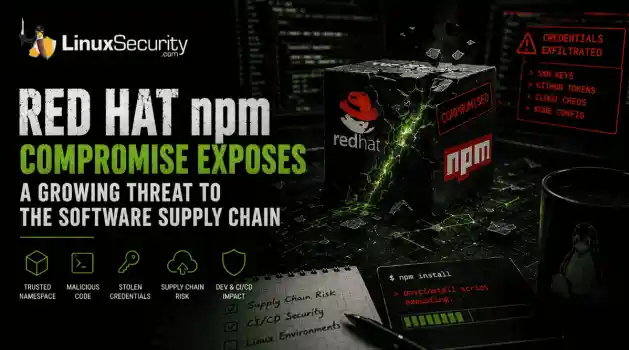
 Researchers investigating a campaign now tracked as Miasma found that more than 30 packages in Red Hat's @redhat-cloud-services npm namespace had been altered to deliver credential-stealing malware. . The packages weren't being used to deploy ransomware or sabotage systems. From what has been reported so far, the objective appears to have been much simpler: collect credentials from developer environments and use that access elsewhere. GitHub tokens, cloud credentials, SSH keys, and other...
Jun 02, 2026
 Refine features
X Clear Filters
Get the latest News and Insights
Get the latest Linux and open source security news straight to your inbox.
Community Poll
What got you started with Linux?
Loading...
Explore Latest Linux Security features
We found -2 articles for you...
102
 securityVPNaccessibility
Examining VPN Use on Linux: Advantages and Disadvantages Uncovered
If you use Linux, whether it is just to browse the web, use it as a VPN server, or even if you use it to hack people (Just kidding!), then it is pretty essential and worthwhile to understand the pros and cons of using a VPN for Linux. . An effective VPN works by routing all your Internet traffic through another computer. This means that if you use the Internet with a VPN, the remote computer/server in which traffic is being routed through becomes the source of data. In short, A VPN allows you to secure traffic between two locations, whether that be a VPN server you set up yourself at home or a location provided by a VPN provider, or even between your location and your work office! All your data traffic is routed through an encrypted virtual tunnel. With a VPN, not even your ISP or other third parties can see which websites you visit or the data you send and receive online. This article will explore the benefits and drawbacks of using a VPN on Linux. Benefits of Using a VPN on Linux Linux is a free open-source system that allows users to customize their experience and is a top choice for individuals interested in securing their privacy. Because of this, many users turn to VPN service providers. With an effective VPN, you can protect the following: Privacy: You might not be aware of how many breadcrumbs you're leaving when you're browsing the web. A VPN will disguise your IP and encrypt your connection, making it truly anonymous. Security: The more anonymous you are, the more secure you are. Having a new IP address every time you go online can be enough to deter doxxing and DDoS attacks. Plus, if you're in the habit of frequently connecting to Wi-Fi hotspots, you can never be too sure whether the network is safe. Unblocking websites: If you're living in Europe, you can't just go to the Hulu webpage and pay for your subscription. The website is off-limits if you're not from the US or Canada. The VPN helps to solve all these problems. It's even more useful in restrictivecountries. Torrenting: Linux users heavily rely on P2P networks to exchange operating system ISO files. The same networks tend to be a bit sketchy, and you might not always know what you're downloading. A VPN helps you stay private when downloading and helps you avoid copyright infringement notices. Avoid bandwidth throttling: Some ISPs impose restrictions on a particular type of traffic. So, if web pages load almost instantly, but downloading files takes forever, the culprit may be your ISP. A VPN disguises your traffic type, making it impossible to restrict based on its type. As like anyone who wants to do any of the things listed above, whether it be protecting your private information or your browsing data, or simply just maintaining anonymity, a VPN sounds like the perfect solution. Potential Drawbacks of Using a VPN on Linux Now although there may be many benefits to using a VPN, as well as many reasons as to why one might want to implement one, it is important to learn the potential drawbacks: Speed: Although some VPNs claim to boost your internet speed, you will eventually experience drops with your connection speed. There are many dependent variables when it comes to VPN connection speed such as your location, server availabilit y, your own internet connection speed, so on and so forth. However, there have been cases where even people with some of the quickest internet connections experience MAJOR drops. Most of the time, it depends on the VPN provider as well as the protocol that the VPN provider uses. You will find that VPN protocols and providers that value security tend to have slower connection speeds. Security and Privacy: Depending on which VPN you use for linux, you might never fully experience complete and total security & privacy. If you decide to go with a free VPN, there is a good chance that your connection will not be fully secure. Paid VPNs tend to provide stronger encryption and more security than free VPNs. VPNs such as SurfShark also support top-tierencryption by the use of VPN protocols such as WireGuard and OpenVPN. Moreover, SurfShark provides no-logging, which means they do not log your traffic, hence the privacy part. With many other VPN providers, whether it be free or paid, it is possible that they are logging your traffic. Moreover, with some VPNs, it could be very possible for the government to track what you are doing, especially if you have malicious intent. They would firstly have to ask the VPN provider for the logs of servers you’ve visited, if the VPN provider allows logging in the first place, and they can look at your traffic that way. Moreover, ISPs can also see your traffic in a sense! They cannot see it entirely but they can see when you connect to a VPN as you go through their server and connect the dots from there. My advice is to choose a VPN that does not log your traffic, provides VPN protocol options such as WireGuard, and also, do not do anything that will attract attention to yourself (aka black-hat hacking). Moreover, if one really wanted to keep ISPs and the government on a wild goose chase, then proxy chaining would be the best option. Website Tracking: I spoke about how the government and ISPs can still manage to track you if necessary, but what about websites? Well, if you are using a VPN, there is a way to still be tracked. If you visit websites where you use session cookies and have to log in with your information, it still uses your real public IP address rather than the VPN public ip address. Moreover, websites can deny you access to their services if they determine you are using a VPN. Difficult to configure: When it comes to Linux, you are left with many grayed-out options when using a VPN. You can find yourself a lot of the time doing a command line installation and even further than that, you might have to configure it yourself. It is critical to configure your VPN correctly. If you do not use a high-quality and dependable VPN, no VPN server, protocols, or encryption can protect you from IP address andDNS leaks. You'll be gone the instant your IP address and DNS leak. Cybercriminals can exploit this gap in your privacy and security. If you're familiar with VPN functions and configuration, put one in place as soon as possible! Do You Need a VPN? After considering the benefits and drawbacks of utilizing a VPN, you should select one to take use of the device's safety and security capabilities. Using a VPN allows you to access filtered, banned, and geo-restricted information. It is entirely up to you whether to use a high-quality commercial VPN or an unpaid one. To avoid bandwidth restriction, use a VPN that provides a high-speed connection and unlimited bandwidth. Before purchasing a VPN, be sure to read over the list of finest top-rated VPNs based on favorable ratings. It will assist you in making the best decision. Final Thoughts Overall, A reliable VPN is recommended if you wish to enjoy advantages such as circumventing geo-blocked material, privacy, anonymity, and encrypted data transfer. Before deciding on the best VPN for you, I recommend considering all of the benefits and drawbacks. When choosing a reliable VPN, privacy and security should be prioritized. . Examining the pros and cons of using VPNs on Linux offers crucial insights for users aiming to enhance their online security and privacy. Linux VPN Benefits, Internet Privacy, Network Security Linux, VPN Risks, Secure Browsing. . Brian Gomez
 Aug 08, 2022
•
Aug 08, 2022
•
102
 securityopen-sourcedatabase
RavenDB: Innovative NoSQL Database for Data Management and Security
When it comes to using a NoSQL document database to store, manage and retrieve documents, reliability, privacy, efficiency and ease-of-use are essential in optimizing productivity and ensuring data security. However, the unfortunate reality is that many NoSQL document databases fail to embody these important characteristics, leaving users frustrated - and often at risk. . Ranked among the top 10 Document Databases Worldwide by DB-Engines, RavenDB is an impressive NoSQL database that is pioneering document management with a unique, innovative open-source approach - providing users with an all-in one platform that is fast, scalable, integrated, fully-automated and secure. To gain insight into how RavenDB has been able to surpass the majority of other NoSQL databases available in these regards, we spoke with RavenDB Founder, CEO and Lead Developer Oren Eini about the project’s history and evolution, the unique set of benefits that RavenDB offers users and how the use of open-source development has helped give RavenDB a winning edge over its competitors. From Inspiration to Reality: The History and Evolution of RavenDB After years of working as a database performance consultant, software developer, programmer and entrepreneur, Oren Eini recognized the same mistakes being made in many of the projects he analyzed - plaguing all applications using these relational databases and resulting in unstructured data. The issues he noticed were most often not with the way the database was set up, but instead could be attributed to the complexity of the model and the impedance mismatch between the way the data was stored in a relational database and the way the application modeled the data. Beyond the relational world, there existed a host of databases under the NoSQL umbrella that had varying data models and use cases. Within this realm, Eini recognized the value of document databases for business applications, but was appalled at the state of these databases at the time. In particular, the lack oftransactions and the kind of interface users were presented with were decidedly not user friendly - putting the burden of transactions on the user while providing minimal insight into the data in the database. Convinced that there had to be a better way to process the critical information powering modern applications, Eini began envisioning a solution to this problem. He recalls: “I started thinking about the kind of database that I wanted to create. Thinking about it wasn’t enough at some point. I remember being woken at the middle of night and looking at the ceiling, seeing how the different components of the database would be put together.” In 2009 Eini began his work designing a NoSQL document database ahead of its time. His goal was to create the first transactional document database, prioritizing seamless integration and ease-of-use for both developers and operating teams. The first version of RavenDB was built using C#, and focused on providing a user-friendly database for business applications - which RavenDB continues to excel at today. Once coding began, the project made quick progress, and secured its first client - a Norwegian institution for wildlife preservation - in 2010. By 2015, one million developers worldwide had downloaded RavenDB and by 2018, with the releases of RavenDB 4.0 and 4.1, the database had a remarkable three million downloads. The following year, RavenDB Cloud was launched, offering a Database as a Service to AWS, Azure and Google Cloud users. The current release, RavenDB 5.0.2 (which can be downloaded download ), is the most comprehensive update to date, offering a robust set of features that made it easy for developers to integrate the document database into their applications. All of the components that comprise RavenDB 5.0.2 were built entirely from scratch to work harmoniously, resulting in a database that is simple to operate, fast, integrated and widely available. The release of version 5.0.2 introduced two key features: time series support and documentcompression. Time series support enables users to track time series data such as stock price, heart rate or location and document compression analyzes documents to identify commonalities between them, creating a dictionary that is used to compress data efficiently between documents. The new document compression feature has cut cloud storage costs in version 5.0.2 by an impressive 50%. RavenDB looks forward to the release of version 5.1 in Q4 of 2020, which will introduce the filtered replication feature. RavenDB is a distributed database with support for multiple concurrent writers in the cluster. A common deployment pattern is to deploy RavenDB instances on the edge, a s well as a RavenDB cluster in a central location. This pattern allows users to share data among many locations, providing the benefit of a local database with the ability to work in disconnected mode. At the same time, when there is connectivity between the edge and the central cluster, RavenDB will automatically sync the data between them. The filtered replication mode in version 5.1 extends this support even further, allowing users to define fine-grained security rules for data flows between the edge instances and the central cluster by controlling which edge machine will see what kind of data. Achieving Excellence through the Use of Open-Source Development RavenDB is an open-source database released under an OSI approved license (the AGPL for the server and MIT for the clients), a factor that Eini feels has both contributed to the adoption of the database and greatly enhanced its feature set. RavenDB’s automatic indexing support, for instance, was created by the open-source community and now stands out as one of the database’s central features. RavenDB is the epitome of an open-source success story - a testament to the power of community involvement and the benefits associated with source code transparency. Eini explains how the project’s open-source approach has impacted RavenDB’s success: “Being open-sourcehas allowed us to create a community around the project - one that has enriched the project significantly. Code contributions are only a part of this.” He elaborates: “Feedback provided by the community has been crucial in improving RavenDB. It really helps when you can have a proper discussion with a customer, and the fact that our entire codebase is open-source and available in our code repository has made it easy to get to the root cause of issues quickly.” Enhanced Security through Usability Along with the project’s unique and beneficial open-source philosophy, RavenDB’s impressive usability sets the database apart - especially when it comes to security. Unlike many vendors, the company considers support to be a cost center, not a revenue center. In other words, insight gained through support calls is used to modify the product to make such calls unnecessary in the future. Viewing support as a revenue center disincentivizes vendors to create user-friendly products - in this sense, it literally doesn’t pay to make software easy to use. This philosophy has drastic negative implications on security - which is closely tied with usability. Database breaches continually demonstrate that having complex security is equivalent to having no security at all. Eini compares this to a lock: “The best lock on the world isn’t going to be used if it takes too long to open and close. History has a wealth of examples of security measures that were awkward to use, and thus, ignored.” In contrast, RavenDB’s approach to security embodies simplicity and automation. The database has a binary security property - it is either running in a secured mode, or it is not. There aren’t a ton of configuration options or compatibility matrices to go through. Eini explains: “We put a lot of emphasis on the usability of the secured setup and users can go through the entire process with no knowledge of security and still end up with a secured system. In addition, RavenDB will flat out resist if you try toput it in a potentially insecure position. We intentionally made it so it would be very easy to fall into the pit of success.” Arguably the most important aspect of RavenDB’s security is the fact that it is largely automated. By selecting the defaults during the initial setup, the following will occur: RavenDB will assign a subdomain under “*.ravendb.community” to the user’s instance. RavenDB will use this to answer the Let’s Encrypt DNS challenge and generate an HTTPS certificate which will serve as the server certificate. RavenDB will update the DNS to point to the IP provided. RavenDB will generate a client certificate which can be used to authenticate to the server. None of the above require users to do anything more complex than select the name that they want their instance to have and the IP it should resolve to. The end result is that users can go to a URL such as: a.my-db.ravendb.community and authenticate immediately. There is no complex security checklist to go through, and no multi-step commands that must be entered in order to achieve the right setup. RavenDB handles all of this to mitigate the risk of security issues and exploits due to users’ failure to ‘lock the barn doors’. Key Takeaways Transparency, usability and automation are essential to the security and success of a database. RavenDB excels in all of these areas. The NoSQL document database is pioneering data management through the use of open-source development and an intense focus on usability and automation. RavenDB is an excellent option for developers looking for a fast, secure and easy-to-use database for the development of business applications. Visit ravendb.net to learn more about the database. RavenDB version 5.0.2 can be downloaded ravendb . Connect with RavenDB on social media: Twitter | Facebook | LinkedIn . Celebrated as one of the leading Graph Databases on the globe by DB-Engines, ArangoDB is a remarkable NoSQL solution.. NoSQL Document Database, RavenDBFeatures, Open-Source Security, Data Management Solutions. . Brittany Day
Oct 05, 2020
•

102
 securityopen sourceLinux
Debunking Popular Misconceptions Regarding Linux And Open Source Software
LinuxSecurity debunks some common myths and misconceptions regarding open source and Linux by answering a few Linux-related frequently asked questions. . Open source and Linux are becoming increasingly well-known and well-respected because of the myriad benefits they offer. Seventy-eight percent of businesses of all sizes across all industries are now choosing open source software over alternative proprietary solutions according to ZDNet. Facebook, Twitter and Google are are among the many companies currently using, sponsoring and contributing to open source projects. Although Linux and open source are widely recognized for the advantages they provide, there are still many myths and misconceptions that surround these terms. Here are some answers to frequently asked questions about Linux and open source. Linux & Open Source FAQs What are the advantages of the open source development model? How can using and contributing to open source software benefit my business? Open source offers an array of inherent advantages which include increased security, superior product quality, lower costs and greater freedom and flexibility compared to other models. It also is accompanied by strong community values and high standards, which encourage the highest levels of creativity and innovation in engineering. In general, how does open source software compare to proprietary alternatives on the market? Open source software is generally both more reliable and more secure than proprietary alternatives available on the market because of the transparency and collaboration involved in its development and review. Experts from around the world are able to access open source code, discuss the development of open source products and work together to discover vulnerabilities and solve problems. This collaboration leads to exceptional levels of innovation and achievement. Open source software also generally displays very high levels of security due to the visibility surrounding open source projects. Because open sourcesoftware is thoroughly reviewed by the community, potential security issues are detected and fixed extremely rapidly. In addition, by choosing open source products over proprietary alternatives, people and organizations avoid the risk of vendor-lock in and maintain the freedom and flexibility to switch to another product if they are unsatisfied for any reason. What are the advantages of choosing Linux over other operating systems? Because Linux is an operating system comprised of open source technology, security flaws are recognized and eliminated before they become an issue for the public, making Linux inherently secure. Proprietary alternatives like Microsoft Windows are relatively easy targets for malicious coders, making these operating systems likely victims of malware and viruses. Linux also offers a wide range of options, with several distributions currently available and free to download. Finally, Linux is extremely reliable. In comparison, Microsoft Windows is considered significantly less reliable due to the sacrifices made to increase user-friendliness. How can I contribute to the Linux/open source community? How can my business benefit from my contribution? Open source and Linux are surrounded by vibrant communities with the shared goal of creating top-notch products and solutions that are as useful and effective as possible. These communities aim to work together to benefit individuals, organizations and society as a whole through innovative engineering. Depending on a person’s specific skills and training, each individual can contribute to the open source community in a unique and meaningful way, even if it is simply by the support of choosing open source products over proprietary alternatives. Businesses will benefit from supporting open source development and the Linux community by receiving the best software options on the market for the most affordable prices. If you have additional questions about Linux or open source, please let us know in the “Comments” section below andwe would love to answer them in a future article! . Open source and Linux are becoming increasingly well-known and well-respected because of the myriad . linuxsecurity, debunks, common, myths, misconceptions, regarding, source, linux, answer. . Brittany Day
Feb 16, 2019
•

Get the latest News and Insights
Get the latest Linux and open source security news straight to your inbox.
Community Poll
What got you started with Linux?
Search Topics
Powered By

Linux Security - Your source for Top Linux News, Advisories, HOWTOs and Feature Releases
QUICK LINKS
subscribe to newsletters!
Like staying secure? So do we.
Sign up for updates, tips, and alerts!
Discover faster search, smarter navigation, and deeper Linux security insights. Read More