Audit Linux privileges now to limit compromise, escalation, and system-wide damage. Review Linux Privileges×


Stay Ahead With Linux Security Features

 security advisory path traversal
 Two newly fixed storage bugs in Kubernetes showed more than just a problem with path traversal. They found a common security flaw in the cloud: powerful parts often think that requests accepted by a higher system are safe to run. This is a simple lesson for the platform and security teams: RBAC can accept a request without showing that its parameters will stay within a certain filesystem boundary. This is clear from a new study from SentinelLabs into flaws in the Kubernetes CSI drivers for NFS...
 Jul 24, 2026
 security advisory update
 A large volume of Linux security updates and advisories this week across major distributions once again, but it wasn't just the volume that was the story. Where maintainers and security teams focused their attention was evident in the concentration of fixes targeting Linux kernel updates, identity services, DNS infrastructure, and internet-facing software. . Instead of looking at each advisory in isolation, administrators gain more value from the general trends they reveal about Linux security...
Jul 23, 2026
 identity management security tactics
 For years, we secured our Linux infrastructure by building walls: VPCs, security groups, and hardened SSH configurations. We treated the cloud like a virtual data center, assuming that if we kept the "bad guys" out of the network, our workloads were safe. . That model is no longer sufficient. Today, one of the most common paths from an initial compromise to a major cloud breach is the identity assigned to your Linux workload. When an attacker gains code execution on a Linux instance—through a...
Jul 17, 2026
 security practices patch management
 Most of us don't hear about a kernel vulnerability until a CVE lands in our inbox or the vulnerability scanner starts complaining. By then, the patch isn't new anymore. Kernel developers may have been passing it around for review, arguing over the implementation, or revising it for days before anyone outside that community noticed it. None of those discussions are secret. They're sitting in mailing list archives, Git commits, and patch reviews where they've been the whole time. The strange...
Jul 14, 2026
 Linux security cyber attacks
 Every Linux server in your fleet produces thousands of events every minute. From journald logs and auditd records to kernel-level eBPF hooks, your systems are constantly talking. Most of that noise is just the mundane churn of system services, CI/CD runners, or routine administrative automation. But among that noise, an attacker might be establishing a foothold, moving laterally, or setting up persistence. The challenge for any security team is: how do you separate the routine from the...
Jul 13, 2026
 Refine features
X Clear Filters
Get the latest News and Insights
Get the latest Linux and open source security news straight to your inbox.
Community Poll
Should Linux servers automatically install security updates?
Loading...
Explore Latest Linux Security features
We found 3 articles for you...
102
 threat detectionsystem monitoringopen source security
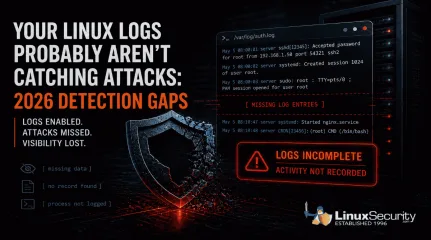
Your Linux Logs Probably Aren’t Catching Attacks: 2026 Detection Gaps
When a Linux system is compromised, the logs should tell you what happened. In a lot of cases, they don’t. . Linux systems generate logs by default, and most environments are already collecting data . That creates a sense of coverage, but during an investigation, those logs often fall short, and this isn’t just a Linux issue; it reflects how modern attacks behave across systems. What you actually get is fragmented activity. A login appears, a process runs, but nothing clearly explains how access was gained, what was executed, or how far the attacker moved, which forces you to piece together a timeline instead of reading one. That’s where things start to break down. Detection gets delayed, attackers stay longer than expected, and response slows down because the data doesn’t fully support what you’re trying to confirm. This isn’t a logging issue. It’s a visibility problem . It tends to break down in a few consistent ways: some attacks leave no trace, some alter the logs after access, others blend in with normal activity, and in some cases, the system never records what actually matters. The Real Problem Isn’t Missing Logs Most environments already have logging enabled. That’s not where things fail. The issue is what those logs actually capture. You can collect authentication events, system messages, and service logs all day. If none of that shows what an attacker did after access, you’re left trying to reconstruct a timeline from incomplete data. The same patterns show up over and over: Activity that leaves no trace Logs that get altered after access Actions that look completely normal Gaps where important behavior isn’t recorded Each one breaks visibility in a different way. When Attacks Leave Little or No Trace Most monitoring assumes something will hit disk. A file changes, a binary drops, or a service gets modified, and those events become the signals you rely on. When that doesn’t happen, there’s nothing to catchbecause the activity you’re watching for never triggers in the first place, which leaves your logs looking clean even while the attack is running. You don’t see a new file or a clear process tied to it, and there’s no alert to follow up on, so what you’re left with is a system that looks normal before and after, with no visibility into what happened in between. The attack runs, escalates privileges, and exits without leaving a clear trail. That gap is the problem. Copy Fail (CVE-2026-31431) is a good example.It allows a local user to escalate privileges entirely in memory. No files are written to disk, and from a logging perspective, nothing stands out, so the only thing you might see is routine kernel output like: kernel: [142.341205] [Firmware Bug]: TSC frequency mismatch... That’s all you see. The system looks healthy. Logging is active, and monitoring is running, but in reality, the attacker has already gained root access without leaving anything in your logs that clearly shows it happened. When Attackers Remove or Alter the Evidence Logs only help if you can trust them. If everything is stored locally, an attacker with enough access can change or remove it. Command history disappears. SSH traces get wiped. What’s left behind looks incomplete, or worse, completely normal. You might see something like this in auth.log: May 5 08:00:01 server sshd[12345]: Accepted password for root from 192.168.1.50 port 54321 ssh2 Looks legitimate, but that line doesn’t tell you how access was gained or what happened after. The entries that would explain that may already be gone. Real-world malware has done exactly this. Variants like Plague have been observed embedding into SSH authentication and stripping out traces of attacker activity while maintaining access. At that point, you’re not analyzing logs . You’re working with a filtered version of reality. When Malicious Activity Looks Normal Not every attack hides. Some just blend in. A valid loginshows up in auth.log. A sudo command looks like routine admin work. A process runs using standard system tools. From the system’s perspective, nothing is wrong. Attackers don’t always need to bypass logging. They just need to operate in a way that looks expected. Once they have access, everything they do can appear legitimate at the log level. You can see the login and the command that followed, but there’s nothing that tells you whether either one should have happened. Without context or correlation, those events don’t stand out as suspicious. They just blend into everything else, which is how a complete record of activity can still miss the attack. Timeline Discrepancy: Missing Intermediate Events The logs show a user login, followed by later activity such as a service starting or a session opening. What’s missing are the events in between. Some activity never shows up in a useful way, and that’s a different kind of failure. You might see the login and the process that followed, but not what was actually executed or what triggered it in the first place. In other cases, you see the result without anything that clearly explains how it happened. Things like credential access, memory interaction, or internal system behavior often don’t produce clear, actionable log entries. The system is still generating data, just not the data you need, which leaves gaps in the timeline right where the important actions took place. There’s no record of what processes ran immediately after the login, so the sequence is incomplete. Because of that, it’s not possible to clearly explain how the later activity was triggered or what actually happened during that gap. What This Means This creates a few problems during an investigation. It’s not clear whether the later activity came directly from that login or from something else running in the background. There’s also the possibility that actions took place that were never logged at all. Without those intermediatesteps, there’s no continuous chain of activity, which makes it difficult to understand the full scope of what happened. What the Logs Actually Show System and authentication logs confirm that a user logged in and that a session was created. Service or application logs show that something happened afterward, but they don’t show the steps that connect those two points. What to Check in Your Own Environment You don’t need new tools to spot the problem. You need to test whether your current setup can answer basic questions. If something happened right now, could you trace privilege escalation from start to finish without guessing? Could you see what commands were actually executed, not just who logged in? Could you confirm that the logs haven’t been altered or removed, and that events are tied to alerts rather than just stored? If you can’t answer those quickly, the issue isn’t logging. It’s visibility, and that gap only shows up when you need it most. Why Logging Alone Isn’t Enough Logging on its own doesn’t give you visibility. It just gives you data. Systems can look fully monitored and still miss the events that matter . Not because logging is broken, but because it doesn’t capture the right activity, doesn’t protect the data, or doesn’t help you understand what you’re seeing. If your logs can’t show what an attacker actually did, they’re not helping you detect them. What’s Next: To bridge these gaps, you have to look beyond traditional files and logs. In our upcoming posts, we will explore how implementing eBPF-based monitoring, File Integrity Monitoring (FIM), and immutable centralized logging can restore your visibility. Want to stay ahead of modern Linux threats? Subscribe to our newsletter to get actionable cybersecurity insights, in-depth technical breakdowns, and best practices delivered straight to your inbox. . Linux logs often miss critical attack details, causing gaps in visibility and hinderingdetection effectiveness during investigations.. Linux logs, detection issues, visibility gaps, log analysis, threat response. . MaK Ulac
 May 05, 2026
•
May 05, 2026
•
102
 linux toolsopen-sourcelog analysis
Understanding Log Management and Analysis Tools for Linux Systems
Apr 24, 2026
•

102
 malwarerootkitsecurity techniques
Linux Rootkits: Detecting, Preventing, and Surviving an Attack
Let’s talk about a threat that’s smart, sneaky, and dangerous to your Linux systems: rootkits. If you’ve ever heard the term tossed around and wondered what a rootkit is and why it’s such a headache, you’re in the right place. These are not your usual malware nuisances —they’re tools that let attackers dig into a system, stay hidden for the long game, and potentially wreak havoc without leaving many breadcrumbs. For Linux admins and infosec pros, rootkits aren’t just pests; they’re an adversary that requires awareness, vigilance, and a specific approach to deal with. . Rootkits have been tools of choice for attackers because they allow stealthy access, often with elevated privileges, while hiding malicious activity. That’s bad enough, but detecting and cleaning them up can feel like walking through a minefield, especially if the attacker knows their craft. Whether you’re a sysadmin managing production servers or you simply want to level up your defenses, understanding what rootkits are, how they get in, and how to neutralize them is essential. What Is A Rootkit? So, what are rootkits? At its core, a rootkit is a set of software tools designed to give an attacker unauthorized access while remaining undetected. Usually, this involves privileged (or "root") access. Once installed, rootkits can do anything from stealing data to monitoring activity or even transforming a system into a "zombie" to carry out further attacks, like Distributed Denial of Service (DDoS) . Sound bad? It gets worse: attackers often use rootkits to conceal other malware, such as trojans or cryptominers. Rootkits don’t just appear out of thin air. They get in when an attacker finds a way to escalate privileges—maybe through a vulnerability, a misconfiguration, or even phishing to steal credentials. Once in, the rootkit installs itself deeply enough to outwit most traditional monitoring tools. Some rootkits even find their way onto systems through legitimate-looking software. Remember the SonyBMG rootkit debacle from 2005 ? It wasn’t about Linux, but it’s still relevant. Their DRM software secretly installed a rootkit on users’ PCs to enforce copy restrictions, which not only caused outrage but opened up gaping security holes that attackers could exploit. What Types of Linux Rootkits Exist? Rootkits aren’t one-size-fits-all. Different types are crafted to operate in different layers of a Linux system, each with its own level of complexity and threat. User-Mode Rootkits These are the simplest type and work at the application or user level. They might replace standard user applications like ls, ps , or netstat with malicious versions that lie about running processes or files. For example, you could run ps -aux and not see anything suspicious because the output is being tampered with. User-mode rootkits are relatively easier to detect since the kernel (hopefully) remains trustworthy in these scenarios. Kernel-Mode Rootkits Kernel-mode rootkits are a lot nastier. They operate at the kernel level, giving the attacker full control over the underlying foundation of the OS. These rootkits often come disguised as Linux Kernel Modules (LKMs), and once they’re loaded, they can mess with system calls, wipe out logs, or make themselves practically invisible. That makes detection challenging because, at this point, you can’t even fully trust the kernel’s output anymore. An example of this? A rootkit modifies the syscall table to redirect file operations or process listings, effectively cloaking itself and its activities. These are a major headache to detect, and removing one often feels like uninstalling your OS piece by piece. What Are Common Rootkit Techniques? Rootkits don’t just sit around once installed. They actively work to hide themselves and their payloads. Two of the most common strategies include: Hooking System Calls: A rootkit will hijack system calls like open , read , or write to manipulate outputs. For instance, if you check the /proc directory for running processes, the malicious rootkit simply omits its own. Tampering with Logs: Some rootkits will quietly delete or modify log entries to erase evidence of intrusions. Checked /var/log/auth.log and found nothing? That doesn’t mean no one was there—it may just mean the attacker erased their tracks. Think about that for a second. These tactics allow attackers to maintain near-total stealth. It’s like letting someone live in your house without ever noticing—messing with your thermostat, peeking into your files—and you have no clue they’re there. How Can I Detect Rootkits? Here’s the challenge: rootkits are specifically designed to avoid detection. Your regular security tooling, no matter how good, probably won’t catch a kernel-mode rootkit. Using tools like a rootkit scanner can help, but don’t rely on it completely. Tools such as chkrootkit or rkhunter can identify known rootkits, but that’s the key phrase: known rootkits. Sophisticated ones, including custom-written attackers, might fly under the radar. A solid detection approach includes: Booting from live media (USB, DVD, etc.) to a clean environment and inspecting your system’s integrity. Deploying tools like Lynis for effective security auditing. Using network packet sniffers, like Wireshark , to analyze your traffic. Suspicious outgoing connections could be a major giveaway. The sad truth: by the time a rootkit is detected, the system may already be compromised beyond repair. In many cases, the best option becomes a complete reinstall. How Can I Prevent Rootkit Infections? Preventing rootkits comes down to minimizing attack vectors. Keep your systems hardened, patched , and thoroughly investigated. Always follow these basics: Use SELinux or AppArmor to enforce security policies. Lockdown permissions: the principle of least privilege should apply everywhere. Regularly audit your systems with tools like rkhunter or chkrootkit. Consider deploying arootkit scanner regularly as part of your workflow. Segment networks to limit the damage of a compromised machine. And yeah, don’t trust just anyone with the key (i.e., credentials). You’d think this is obvious, but weak password policies—or worse, unpatched vulnerabilities—continue to be a playground for attackers. Is Trojan Virus Removal Enough? Some admins think clearing out an infection—like a Trojan virus—restores their system to normal. Here’s the hard truth: if the Trojan came bundled with a rootkit, Trojan virus removal simply won’t cut it. Rootkits are, by design, stealth operators, and removing the obvious infection doesn’t necessarily pull the hidden strings. Reinstall from trusted media when you’re in doubt. Better to go scorched earth than gamble on a compromised system. Our Final Thoughts on Combating Linux Rootkits Rootkits are scary, yes, but they’re not undefeatable. Understanding what rootkits are and how they work is half the battle—the other half is keeping a disciplined approach to monitoring and patching your systems, and sticking to best practices in securing your Linux environment. They’re not new, but what’s old isn’t always easy to see. As Linux admins and infosec pros, it’s on us to stay proactive. Take the time to set up a rootkit scanner, leverage network monitoring, and instill a culture of layered security. After all, nothing is worse than realizing an attacker has been lurking in your systems for weeks—or even months. Stay sharp. Stay protected. Stay rootkit-free. . Rootkits have been tools of choice for attackers because they allow stealthy access, often with elev. let’s, about, threat, that’s, smart, sneaky, dangerous, linux, systems, rootkits. . Brittany Day
Sep 01, 2025
•
102
 security practiceskernel securitysystem hardening
Essential Guide for Securing the Linux Kernel Environment Effectively
With the support of the open-source community and a strict privilege system embedded in its architecture, Linux has security built into its design. That being said, gone are the days when Linux system administrators could get away with subpar security practices. Cybercriminals have come to view Linux as a viable attack target due to its growing popularity, the valuable devices it powers worldwide, and an array of dangerous new Linux malware variants that have emerged in recent years. . It has become apparent that most attacks on Linux systems can be attributed to misconfigurations and poor administration - and failure to properly secure the Linux kernel is often at least partially to blame. Kernel security is a key determinant of overall system security, as the Linux kernel is the foundation of the Linux OS and the core interface between a computer’s hardware and its processes. Luckily, the Linux kernel possesses an assortment of effective built-in security defenses - namely, firewalls that use packet filters built into the kernel, Secure Boot, Linux Kernel Lockdown, and SELinux or AppArmor - that administrators should take full advantage of. In this article, we'll examine the importance of robust kernel security and explore various measures you can take to secure the Linux kernel and protect your systems from malware and other exploits. How Secure Is the Linux Kernel? Kernel security is an ongoing concern for Linux system administrators, and securing the kernel is one of the most complex aspects of securing a Linux system. Even though the Linux kernel undergoes constant scrutiny for security bugs by the “many eyes” of the vibrant, global open-source community, kernel vulnerabilities remain a persistent and serious threat. Flaws are inevitable in any OS, and many Linux kernel bugs present potential security issues, often resulting in privilege escalation or denial-of-service (DoS) attacks. Critical kernel vulnerabilities can often be exploited by remote attackers - withoutrequiring that the victim take any actions. Some of the most notorious Linux kernel security bugs discovered and fixed in recent years include: CVE-2017-18017: This critical vulnerability, which resides in the netfilter tcpmss_mangle_packet function, is highly dangerous due to its central role in filtering network communications by defining the maximum segment size that is allowed for accepting TCP headers. Without these controls, users are susceptible to overflow issues and DoS attacks. The flaw impacts kernel versions before 4.11. CVE-2016-10229: This udp.c bug, which also affects kernel versions before 4.5, allows a remote attacker to execute arbitrary code via UDP traffic, triggering an unsafe second checksum while executing a recv system call with the MSG_PEEK flag. CVE-2016-10150: This use-after-free vulnerability, which impacts kernel versions before 4.8.13, could be exploited by hackers to gain privileges and launch DoS attacks. CVE-2015-8812: This severe vulnerability, which was discovered in the Linux kernel drivers, impacts kernel versions prior to 4.5 and enables a remote attacker to execute arbitrary code or cause a DoS (use-after-free) attack via crafted packets. CVE-2014-2523: This serious netfilter vulnerability, which impacts kernel versions through 3.13.6, is attributed to the incorrect use of a DCCP header pointer. The flaw allows a remote attacker to cause a DoS (system crash) attack or to execute arbitrary code via a DCCP packet that triggers a call to either the dccp_new, dccp_packet, or dccp_error function. Tracking advisories is critical in protecting against kernel vulnerabilities and maintaining a secure, updated system. Subscribing to our weekly Linux Advisory Watch newsletter is an easy, convenient way to stay up-to-date on your Linux distribution's latest advisories and updates issues. What is Kernel Self-Protection, and Why Is It Important? Linux kernel-self protection , or the design and implementation of systems andstructures within the Linux kernel to protect against security flaws in the kernel itself, is an excellent way of adding another layer of security to the Linux kernel. It includes defense methods such as attack surface reduction, memory integrity, probabilistic defenses and the prevention of information exposure. Let’s examine some tips and best practices for securing the Linux kernel by implementing these defense methods to protect your users, your systems and your data. Practical Advice for Securing the Linux Kernel Securing the Linux kernel requires a proactive, multi-layered defense strategy. Practical measures you can take to secure the kernel against vulnerabilities and exploits leading to compromise include: Apply Kernel Security Patches The Linux kernel is patched frequently to mitigate the latest security vulnerabilities discovered and, albeit monotonous, staying on top of kernel security updates is imperative to maintaining a secure Linux system. The most straightforward method of updating the Linux kernel is tracking distribution security advisories and applying the latest updates available directly from your Linux distribution. There are three other methods for updating the kernel: on the command line, with kexec, or with a rebootless live kernel patching tool . Updating the kernel from the command line is the method that is most likely to be covered in your distribution’s documentation. However, a major disadvantage of patching the kernel on the command line is that you will need to suffer the downtime of a system reboot. Administrators can quicken rebooting process by using the kexec system call. However, this method is risky, as it can cause data loss and corruption. The third method - updating the kernel automatically using a rebootless live kernel patching tool such as Livepatch , Ksplice , Kpatch , Kgraft is generally administrators’ method of choice, but is not a replacement for full kernel upgrades, as it only applies patches for security vulnerabilities orcritical bug fixes. Enable Secure Boot in “Full” or “Thorough” Mode UEFI Secure Boot is a verification mechanism for ensuring that code launched by a device's UEFI firmware is trusted. The feature is designed to prevent malicious code from being loaded and executed before the OS has been loaded. By enabling UEFI Secure Boot in “f ull” or “thorough” mode, administrators can decrease the attack surface on x86-64 systems. UEFI Secure Boot requires cryptographically signed firmware and kernels. Thus, no unsigned drivers can be loaded for hardware on systems with UEFI Secure Boot enabled in “full” or “thorough” mode. This makes it far more difficult for an attacker to insert a malicious kernel module into a system and for unsigned rootkits to remain persistent after reboot. However, administrators should be aware that enabling Secure Boot comes with some potential drawbacks. For instance, it requires manual intervention any time a kernel or module is upgraded. Using Secure Boot also activates "lockdown" mode, which disables various features that can be used to modify the kernel. We will cover this in more depth in the following section. Use Linux Kernel Lockdown Linux Kernel Lockdown is a kernel configuration option developed to provide a policy to prevent the root account from modifying the kernel code by strengthening the divide between userland processes and kernel code. Thus, in the event that a root account is compromised, having Lockdown mode enabled will make it far more difficult for the compromised account to compromise the rest of the OS. Although Lockdown was not introduced until the release of kernel version 5.4, work on this feature began over a decade ago, and was spearheaded by Google engineer Matthew Garrett. Lockdown support can be activated to experience Linux Kernel Lockdown benefits with the lockdown= kernel parameter. The module has two modes: “integrity” mode and “confidentiality” mode. It is generally advised to use the “integrity”mode, and to only use the “confidentiality” mode for special systems that contain sensitive information that even root shouldn't be permitted to see, such as the EVM signing key which can be used to prevent offline file modification. Using confidentiality mode blocks access to all kernel memory, preventing administrators from being able to inspect and probe the kernel for purposes such as troubleshooting, development and testing and verifying security measures. Setting lockdown=integrity will block kernel features that allow user-space to modify the running kernel, while setting lockdown=confidentiality will block user-space from extracting sensitive information from the running kernel. Administrators have the option of permanently enforcing either the integrity or the confidentiality lockdown mode via SECURITY_LOCKDOWN_LSM_EARLY . All of these configurations are controlled through the Kconfig SECURITY_LOCKDOWN_LSM option for enabling the module and experiencing Linux Kernel Lockdown benefits. Administrators should be aware that using Lockdown prevents various features and modules that can be used to modify the kernel from loading. For instance, Lockdown disables: Loading kernel modules that are not signed by a trusted key, such as out-of-tree modules including DKMS-managed drivers. Using kexec to start an unsigned kernel image. Hibernation and resume from hibernation. User-space access to physical memory and I/O ports. Module parameters used to set memory and I/O port addresses. Writing to MSRs through /dev/cpu/*/msr. The use of custom ACPI methods and tables. ACPI APEI error injection. Enable Kernel Module Signing & Module Loading Rules The Linux kernel supports digital signatures on loadable kernel modules , ensuring that only known and valid modules can be loaded and decreasing a system’s attack surface with this requirement. Kernel module signing must be enabled in the kernel with settings in CONFIG_MODULE_SIG. Administrators can configure the kernelto require valid signatures, enable automatic module signing during the kernel build phase and specify which hash algorithm to use. Local or remote keys can also be used. In addition, limited module support can be enabled by default using the sysctl kernel.modules_disabled=1 command. Sysctl is a way for administrators to communicate directly with the kernel to control how it functions. These functions can also be configured in the /etc/sysctl.conf file. We explain how administrators can harden this file in the following section. Disabling modules completely can drastically reduce a system’s attack surface, but is only practical in special use cases. Harden the Sysctl.conf File The sysctl.conf file is the main kernel parameter configuration point for a Linux system. By using secure defaults, your whole system will benefit from a more secure foundation. With /etc/sysctl.conf you can configure various Linux network and system settings to improve security by: Limiting network-transmitted configuration for IPv4 Limiting network-transmitted configuration for IPv6 Turning on execshield protection Protecting against syn flood attacks Turning on source IP address verification Securing a server’s IP address against spoofing attacks Logging suspicious packets such as spoofed packets, source-routed packets and redirects Enable SELinux or AppArmor Modern Linux systems include the Mandatory Access Control (MAC) security enhancement systems AppArmor or SELinux (depending on the distribution) installed by default to protect against threats such as server misconfigurations, software vulnerabilities and zero-day exploits - which could potentially compromise an entire system without these controls in place. SELinux is installed and enabled by default on CentOS and RedHat Enterprise Linux OSes, while AppArmor is installed and enabled by default on Ubuntu and SuSE Linux Enterprise systems. These security enhancement systems allow for granular access control with securitypolicies, providing an additional layer of security throughout a system. SELinux defines access controls for the applications, processes, and files on a system, using security policies to enforce these access controls. When an application or process - known as a “subject” - makes a request to access an “object” such as a file, SELinux checks with an access vector cache (AVC), where permissions are cached for subjects and objects. If SELinux is unable to make a decision about access based on the cached permissions, the request is forwarded to the security server, which checks for the security context of the subject and object from the SELinux policy database. Permission is then either granted or denied. If permission is denied, an "avc: denied" message will be available in /var/log/messages. For typical use cases, we recommend that administrators set SELinux to permissive mode . By operating in permissive mode, policy is not enforced and the system remains operational. In other words, SELinux does not deny any operations, but only logs AVC messages, which administrators can then use for troubleshooting, debugging, and policy improvements. Like SELinux, Apparmor isolates applications and processes from each other with per-program profiles built into the kernel, as well as any profiles that an administrator has generated. AppArmor can be set to either enforce these profiles or to complain when profile rules are violated. AppArmor is less complex than SELinux, but in turn offers less control over how processes are isolated. It is unfortunately quite common for administrators to disable SELinux or AppArmor when they encounter an issue as opposed to learning how to fix the issue with these services enabled. This is a poor administration and security practice, and can detract significantly from a system’s overall security posture by leaving the system susceptible to the very attacks that SELinux or AppArmor are designed to prevent. Implement Strict Permissions When all kernelmemory is writable, it’s easy for attacks to redirect execution flow - making it imperative that kernel memory is protected with a tight set of permissions. Permissions should be as strict as is practical in a given environment. Administrators should begin by ensuring that executive code and read-only data is not writable. The CONFIG_STRICT_KERNEL_RWX and CONFIG_STRICT_MODULE_RWX configurations, which seek to make sure that code is not writable, data is not executable, and read-only data is neither writable nor executable, are the default options for the majority of Linux architectures. If these settings are user selectable, an administrator can select ARCH_OPTIONAL_KERNEL_RWX to enable a Kconfig prompt. CONFIG_ARCH_OPTIONAL_KERNEL_RWX_DEFAULT determines the default setting when ARCH_OPTIONAL_KERNEL_RWX is enabled. It is critical that function pointers and sensitive variables, which the kernel looks up and uses to continue execution, are read-only—not writable. Many such variables can be made read-only by setting them “const” so that they reside in the .rodata section instead of the .data section of the kernel. Permissions should always be configured to enforce the segregation of kernel memory from userspace memory. These rules can be enforced either via hardware-based restrictions or via emulation. Blocking userspace memory forces attacks to operate entirely in kernel memory. Use AuditD for Ongoing System Monitoring Carefully monitoring the Linux kernel enables administrators to discover security bugs, breaches or policy violations, allowing them to mitigate potential damage caused by these threats and verify the security of their systems. Using the Linux Auditing System (AuditD) is a popular and effective method of monitoring the events that occur on a system. AuditD is a native feature of the Linux kerne l, installed by default in most distributions and runs automatically, that collects information on system activity, such as file permissions modifications, services being enabled ordisabled, and network events, to facilitate the investigation of potential security incidents. It logs information according to its ules and any custom rules an administrator has added. The kernel is uniquely suited to perform these functions because only the kernel can access a system’s devices and memory. Here’s an example of the type of information the AuditD audit daemon provided. It shows users running specific commands like /usr/bin/sudo and ssh generating a new session key. type=USER_CMD msg=audit(1611763205.568:1621017): pid=1829220 uid=991 auid=4294967295 ses=4294967295 msg='cwd="/" cmd=2F7573722F6C6962363 exe="/usr/bin/sudo" terminal=? res=success'UID="nrpe" AUID="unset" type=CRYPTO_KEY_USER msg=audit(1611762843.231:1620894): pid=1825289 uid=0 auid=0 ses=49526 msg='op=destroy kind=server fp=SHA256:d7:c2:5a7 direction=? spid=1825289 suid=0 exe="/usr/sbin/sshd" hostname=? addr=? terminal=? res=success' UID="root" AUID="root" SUID="root" Here’s an example of “aureport” being used to generate a summary report of events on the system. [root@myhost ~]# aureport Summary Report ====================== Range of time in logs: 01/23/2021 04:54:03.379 - 01/27/2021 11:36:05.388 Selected time for report: 01/23/2021 04:54:03 - 01/27/2021 11:36:05.388 Number of changes in configuration: 67 Number of changes to accounts, groups, or roles: 0 Number of logins: 1457 Number of failed logins: 6249 Number of authentications: 1461 Number of failed authentications: 178 Number of users: 4 Number of terminals: 7 Number of host names: 661 Number of executables: 7 Number of commands: 1 Number of files: 0 Number of AVC's: 0 Number of MAC events: 65 Number of failed syscalls: 0 Number of anomaly events: 0 Number of responses to anomaly events: 0 Number of crypto events: 45395 Number of integrity events: 0 Number of virt events: 0 Number of keys: 0 Number of process IDs: 25064 Number of events: 136817 [root@myhost ~]# aureport -x --summary ExecutableSummary Report ================================= total file ================================= 71421 /usr/sbin/sshd 22796 /usr/sbin/crond 17905 /usr/lib/systemd/systemd 12344 /usr/bin/sudo 290 /usr/libexec/ipsec/pluto 26 /usr/bin/crontab 24 /usr/bin/su AuditD must be properly configured and hardened to ensure optimal security and effectiveness. Administrators should check that AuditD’s configuration is immutable using the control option “-e 2” and confirm that logs are stored in a centralized, secure location—ideally, a server dedicated to accepting remote syslog events. AuditD does have some weaknesses that should be considered - namely, bugginess, excessive overhead, lack of granularity, missing container support, and demanding output. Our Final Thoughts on Improving Linux Kernel Security Linux is becoming an increasingly attractive target among cybercriminals due to its growing popularity and the high-value devices it powers worldwide. Effective security is contingent upon defense in depth, and kernel security is a key element of overall system security that cannot be overlooked. After all, the kernel is the foundation of a system, and if the kernel is not secure, then nothing on the system is secure. Thus, Linux system administrators must prioritize kernel security and remain vigilant about implementing the tips and best practices discussed in this article to protect against security vulnerabilities and prevent exploits. Do you have questions about securing the Linux kernel or want to discuss the topic more? Reach out to us @lnxsec . We're here to help! . Attacks on Linux systems arise from misconfigurations; explore effective kernel security measures against threats.. support, open-source, community, strict, privilege, system, embedded, architec. . Brittany Day
Jan 22, 2025
•
102
microsoftopen sourcesystem monitoringIntroducing Sysmon for Linux: Enhanced Monitoring with eBPF Technology
Thanks to Kevin Sheldrake, co-author of Sysmon for Linux from Microsoft for working with us on this article. Seven years after Microsoft Sysinternals released Sysmon – a system monitoring tool for Windows that reports key system activity via the event log – we were very proud to release the Linux version of the same tool at the Sysinternals @25 celebration event . (You can still catch up on the talks by clicking on the event link .) . Unlike the Linux versions of ProcDump and ProcMon , which were complete rewrites for the Linux platform, Sysmon For Linux is a direct port of the Windows code. This means that the Linux version uses the exact same configuration loader and event filtering engine that are familiar and comfortable to existing Sysmon users. Built on eBPF The key enabling technology that allowed Sysmon For Linux to come to life is eBPF . Originally standing for Enhanced Berkeley Packet Filter, eBPF is a way to run user-specified and user-controlled code inside the Linux kernel, hooked onto any number of the numerous attachment points. This means that software developers can write applications, such as Sysmon, where one part resides in the application-centric ‘userland’ (where everything initiated by a user runs, from your favourite editor to the systemd daemon that starts up and controls Linux); and the other part resides inside the Linux kernel, triggered by events, and able to collect kernel information, which it transmits outside to the other part. The Windows version of Sysmon comprises a service and a driver: the driver uses supported kernel callouts and I/O monitoring capabilities to generate the events, which it communicates to the service that filters the events as per the supplied configuration, before writing them out to the Windows event log. On Linux, we replaced the driver with eBPF programs, ported the service, and wrote the events to Syslog instead. To enable the widest compatibility with the many distributions and versions of Linux, we abstracted theeBPF architecture into a library called SysinternalsEBPF, which allows Sysmon to focus on the task of system observability. This library – which is also available as open source and will soon become the basis for ProcMon For Linux – loads and controls the eBPF programs, and, crucially, informs them how to navigate the Linux kernel internals. Each version of the Linux kernel, and each configuration of it, lays out its data structures in slightly different ways. The standard eBPF approach to locating information within them is called BPF Type Format (BTF) but, whereas eBPF is usually enabled in common modern distributions, enabling BTF often requires users to reconfigure and recompile the kernel themselves. To avoid this disruption, SysinternalsEBPF comes with a database of common kernel layouts, a discovery process that finds the layout itself, and a fallback kernel module that can be compiled (but not actually loaded) to identify the required details precisely. SysinternalsEBPF, and therefore Sysmon, can then work on systems without requiring a custom kernel or the installation of kernel symbols packages. Safe and Sound Traditionally, interacting with the Linux kernel would require the creation of a kernel module, compiled for each specific version. The benefit of eBPF over kernel modules is the safety provided by the eBPF verifier and virtual machine. All eBPF programs are first checked by a verifier, built into the kernel itself, which ensures that programs do not read or write arbitrary memory, and that they exit within a specified number of machine code operations. This prevents kernel crashes and threads from hanging. The eBPF programs run inside a virtual machine (implementing BPF machine code) that limits access to kernel APIs to a minimal set. This prevents eBPF programs from causing arbitrary effects in the kernel and ensures that Sysmon is safe to run. Instead of affecting the kernel itself, Sysmon’s eBPF programs simply transmit their event data to the userland part of Sysmon, via theperf ring buffer. As events are received, they are processed, filtered and output to the Syslog. An Eventful Experience The heart of Sysmon is the events it can generate. New event types – including Linux-specific ones – will be developed over time, but Sysmon was launched with the following: Sysmon State Change Sysmon Configuration Change Process Create Process Terminate File Create File Delete Network Connection Raw Access Read Process Access Sysmon creates these events, like many other tracing programs, by attaching to system call tracepoints. When userland programs need access to resources – such as creation and deletion of files, network sends and receives, or launch and termination of processes – they make their requests by initiating a system call (syscall) to the kernel. Each syscall, and the entire syscall architecture, have tracepoints on their entry and exit points that eBPF programs can be attached to. Here, our telemetry programs get run whenever the specific syscalls are triggered. To avoid Time Of Check, Time Of Use (TOCTOU) race conditions , we obtain our event details (where possible) from the kernel data structures, rather than the syscall parameters specified by userland applications. This handles adversarial programs that attempt to deceive system monitors by switching the contents of their parameter buffers between the time the kernel reads them, and the time the tracing program reads them. By obtaining the details from the kernel data structures themselves, Sysmon reports the actual files, command lines, and network traffic, rather than the ones the sneaky programs want to pretend they were accessing. Filtering and Output As I mentioned at the beginning of this article, we ported the configuration loading and event filtering parts of Sysmon from Windows to Linux. If you already use Sysmon and know how to write configuration files (see 2847054 and sysmon modular for examples) then you can make configuration files for Sysmon For Linux in theexact same way; and you can also rely on the filtering engine to treat your configuration as you’d expect. In terms of output, Sysmon For Linux generates events using the same XML schema as the Windows version, the only difference being that the events are sent to Syslog instead of the Windows event log. If your Security Information and Event Management system (SIEM) can already process Sysmon XML events from Windows, then it can probably also already process events from Linux, if you just set it to collect from Syslog instead. Go Get It! Sysinternals Linux tools are open source and available on GitHub as source, as well as in Microsoft repositories as DEBs and RPMs. All the details to obtain the pre-built versions, and also to build from source, are in the relevant GitHub repositories, where you can also raise issues and submit your own pull requests. Sysinternals for Linux (including ProcMon and ProcDump ) benefit from community involvement and are part of Microsoft’s commitment to open source projects . Go and browse the source code and read the documentation at: SysinternalsEBPF build and install instructions SysmonForLinux install and build instructions We hope that you find Sysmon For Linux useful and effective, and that it fills a functionality gap in your system monitoring on Linux. About the Author Kevin Sheldrake is a penetration tester and researcher who started working in the technical security field in 1997. Over the years, Kev has been a developer and systems administrator of ‘secure’ systems, an infosec policy consultant, a penetration tester, a reverse engineer, and an entrepreneur who founded and ran his own security consulting company. He currently works for Microsoft, porting Sysinternals Sysmon from Windows to Linux. He has a Masters degree, is a Chartered Engineer and, in the past, has been a CHECK Team Leader, a CISSP and held CLAS. Kev has presented at 44CON, Troopers, DeepSec, EMF Camp, DEFCON 4420, 441452 and 441392 on RFID crypto (CrackingHiTag2 Crypto); EMF Camp, DEFCON 4420 and 441452 on hacking embedded devices (Inside our Toys); presented on building debuggers for embedded devices at Securi-Tay (Phun with Ptrace()); and also presented a lengthy take down on the use of NLP in Social Engineering at DEFCON 4420 (Social Engineering LIES!). He is published in PoC||GTFO 0x18 for the write up of his "Exploits With Scratch" talk (44con, EMF Camp). . Unlike the Linux versions of ProcDump and ProcMon, which were complete rewrites for the Linux platfo. thanks, kevin, sheldrake, co-author, sysmon, linux, microsoft, working. . Brittany Day
Nov 22, 2021
•
102
 network securitynetwork administrationsystem monitoring
Establish Secure Remote Logging on Your Slackware Log Server Environment
If a break-in occurs and you want to track the cracker down, the system administrator will first check the log files for evidence of a break-in, so she must be 100% SURE that the log files are valid and haven't been tampered with. . Setting up a Linux Log Server to enhance System Security. Author: chl0ie Date: August 18, 2000 Preface Hackers and Crackers. Two words that have placed "ph33r" in the hearts of e-commerice merchants, .com's worldwide, internet service providers and everyone else thats connected to the net. In the age of the Internet, high speed connections and "always online" modem technology, Hackers and Crackers are (as I write this) scanning and probing the internet looking for vunerable machines to break into. NOTE : REAL (talented) Hackers and Crackers do not normally partake in whats called "Script Kiddie" behavour. Whats a "Script Kiddie"?, perhaps Lance Spitzner describes it best... "The script kiddie is someone looking for the easy kill. They are not out for specific information or targeting a specific company. Their goal is to gain root the easiest way possible. They do this by focusing on a small number of exploits, and then searching the entire Internet for that exploit. Sooner or later they find someone vulnerable Some of them are advanced users who develop their own tools and leave behind sophisticated backdoors. Others have no idea what they are doing and only know how to type "go" at the command prompt. Regardless of the their skill level, they all share a common strategy, randomly search for a specific weakness, then exploit that weakness." They might attack a web server in New York, a mail server in Australia or even a home users machine in Toronto, regardless of WHERE these servers are located, its only a matter of time before someone, skilled or not tries to break in. This type of activity, probing entire networks looking for thatone vunerabile machine can be somewhat compared to a pack of lions scouting a herd of wild buffalo looking to attack the weak and the injured. Introduction What does all this hacker talk have to do with the subject of todays paper? Well as a hacker myself, I understand how a hacker thinks and how a hacker works. When a hacker breaks into a system, the first thing she will want to do is to hide and stay hidden, not wanting to alert anyone that there system has just been broken into. To do this, most hackers will modify system logs to remove any evidence of there existance. These log files hold critical system information that could place the hacker in jail if shes cought. If a break-in occurs and you want to track the cracker down, the system administrator will first check the log files for evidence of a break-in, so she must be 100% SURE that the log files are valid and haven't been tampered with. So how can you be 100% sure log files are valid? easy, setup a machine (and old 486 will do just fine) on your network that does one thing and one thing only, it collects logs from other machines on your network. Even if a hacker breaks into your primary system (perhaps your webserver for example) and tampers with the logs, you will still have another set of log files that have NOT been altered in any way. Before we start : I will demonstrate how to setup a Linux Log Server using Slackware 7.0 but the commands used will work for just about any up to date version of Linux out there. On the command line there are many different ways to execute the same thing, so if the commands listed in this paper do not work for you, try another method. Make sure you have /etc/hosts setup on each machine on your network so other machines know who "logserver" is and its address on your network. A simple echo "192.168.0.2 logserver" > > /etc/hosts will do nicely. The "client machine's" ip address is 192.168.0.1 and the "logserver's" ip address is 192.168.0.2, bothrun slackware 7.0 and both belong to a functional, internal network setup with ip masquerading. Also, commands typed at the console will be in bold text. Configuration Step #1. Configuring the client machines logging facilities. The first step when setting up your log server is to configure your linux machines syslog daemon to send there log files to an alternate location, the logserver. /etc/syslogd.conf is the configuration file that controls how linux will log data and where it will log it. Use your favourite text editor (pico or vi for example) and add the following line: [root@slackware]# vi /etc/syslogd.conf *.* [hit tab a few times] @logserver NOTE: This will tell syslogd to send logs to a machine called "logserver" Step #2. Restart syslogd on the client machine. After making your changes, restart syslogd so it will start with its new configuration. [root@slackware]# killall -HUP syslogd Step #3. Configure your client machines firewall. If your client machine is running a firewall, then you need to add a rule that will allow outgoing udp packets from the client machine to the logserver. [root@slackware]# /sbin/ipchains -A output -p udp -i eth0 -s 192.168.0.1 -d 192.168.0.2 514 -j ACCEPT NOTE : this rule is only for users who are running a firewall on there machine. It allows outgoing udp packets on the client machine (192.168.0.1) on port 514 (syslog port) to the loghost (192.168.0.2). If your not running a firewall, disgard it. Step #4. Configure the logserver for "remote reception". Now that we have configured the client's machine to send log files to a machine called "logserver", lets setup the log server so that it accepts incoming logs from other machines. To stop the syslog daemon, you can find its process ID (PID) and kill it, then restart syslogd with "remote reception" enabled. [root@logserver]# ps -aux | grep "syslogd" root 1292 0.0 0.2 1404 176? S Aug10 0:00 /usr/sbin/syslogd The process ID of syslogd is "1292" so we need to stop syslogd, make the change and then restart it. [root@logserver]# kill 1292 (or try kill -9 1292 if the process did not terminate) Now that the syslog daemon has be shutdown, we can now start it again with "remote reception" enabled. [root@logserver]# /usr/sbin/syslogd -rm 0 NOTE: the -r means "remote reception" and the -m 0 turns of the annoying "--MARK--" timestamp. Step #5. Verify the logserver's syslog daemon is correctly configured. Verify that syslogd has been restarted with remote reception enabled by checking /var/log/messages (or /var/log/secure on some systems) [root@logserver]# cat /var/log/messages Near the bottom you should see.. Aug 11 21:20:30 logserver syslogd 1.3-3: restart. (remote reception) Yup it worked. The linux machine called "logserver" is now setup for remote reception of log files from other machines on the network. Step #6. Configure your firewall. If your logserver is running a firewall, then you need to add a rule that will allow incoming udp packets from the client machine to the logserver. [root@logserver]# /sbin/ipchains -A input -p udp -i eth0 -s 192.168.0.1 -d 192.168.0.2 514 -j ACCEPT This rule is only for users who are running a firewall on their logserver. It allows incoming udp packets from the client machine (192.168.0.1) on port 514 (syslog port) to the logserver (192.168.0.2) If your not running a firewall, disgard it. Step #7. Verify everything works correctly. The last step is to verify that everything is working correctly. To do that, log out of your client machine and log back in, then go to your log server and check /var/log/messages (or /var/log/secure on some systems) and you should see the login from the client machine. If something does go wrong, make sure your network is setup correctly (ie are you able to ping other machines onyour network? and is /etc/hosts setup on each machine?) make sure you have your log servers syslog daemon setup for remote recetpion (/usr/sbin/syslogd -rm 0) and make sure after you edit /etc/syslog.conf on the client machine you restart the syslog daemon (killall -HUP syslogd). [root@slackware]# logout Login: root Password: xxxxxxxx Now check your logservers log file (/var/log/messages or /var/log/secure) and you should see something like this [root@logserver]# cat /var/log/messages Aug 14 18:36:19 slackware login[2893]: ROOT LOGIN on `tty2' NOTE: We are logged onto the logserver and root's login on the client machine showed up in our log files. So everything is working correctly. Congrats. Conclusion When setting up a machine to act as your log server, be sure its as secure as possible and that its only collecting logs from other machines on your network. It should NOT do anything other then that. It should not be running XWindows, a web server, ftp server, mail server etc. Make sure that your log server only does what its supposed to do and nothing more. Just because you have your log files re-directed to a separate machine dose NOT make your logs untouchable but it does however guarantee that you'll have one set of reliable logs and reliability is everything. Biography: Chl0ie is a 21 year old, female Linux cracker from Canada who works as a "Micro Computer Support Specialist". Her facination with Linux and Network Security / Network Administration started about 2 years and in March, 2001 she will be attending the Basser Computer Science Department at the University of Sydney, Australia studying "Unix Network Administration and Network Security". You can reach chl0ie at chl0ie@roadrunner.nf.net Remember, "Linux is user friendly, its just picky about its friends" :> . Setting up a Linux Log Server to enhance System Security. Author: This email address is being protec. break-in, occurs, track, cracker,system, administrator, first. . Brittany Day
Aug 31, 2000
•
102
intrusion detectionfile integritysecurity incidentEffective System Monitoring And Intrusion Detection For Linux Admins
Have you ever suspected or been notified that your Linux system is under attack? How do you determine whether your system has been compromised? This document is intended to explain how an administrator can implement basic security incident investigation techniques.. r> Background A s mentioned in the Intrusion Detection Primer ,the process of preventing and detecting security breaches by monitoring user and application activity is known as intrusion detection. It is a proactive process that requires the constant attention. In this document I explain step-by-step how to monitor user and application activity using standard Linux/Unix commands. This document is intended to be read by novice Linux who are interested in security. Who are the intruders and where are they from? Intruders may be curious teenagers, disgruntled employees, or even professional criminals from rival companies. Attacks can originate from practically anywhere in the world via the Internet or dialup lines. This fact makes intrusion investigation a difficult task. Types of Intrusion Detection Intrusion detection can be broken down into five types. These types include file integrity checking, log file monitoring, host based ID (intrusion detection), network based ID, and administrator based monitoring. Checking file Integrity: This is the process of checking files to determine whether unauthorized changes to files have been made. Many times the program Tripwire is used to automate this process. . r> Background As mentioned in the Intrusion Detection Primer,the process of preventing and detecting. suspected, notified, linux, system, under, attack, determin. . Brittany Day
Jun 29, 2000
•
102
network securityintrusion detectionLinux toolsUnderstanding Intrusion Detection and Network Security Best Practices
Benjamin Thomas, an active LinuxSecurity.com contributor, puts together an Intrusion Detection Primer. It is a collection of six research summaries that outline the basics of Intrusion Detection. . Introduction Internet security and privacy is an issue that is beginning to get the attention of almost all who use computers. Last month the news media was inundated with reports of Internet vandals unleashing DDoS (Distributed Denial of Service) attacks on major websites. Almost all attacks on computer networks can be prevented if system administrators take the appropriate steps to secure and monitor their networks. The process of preventing and detecting security breaches by monitoring user and application activity is known as intrusion detection. In this paper I illustrate what makes systems vulnerable, how they are attacked, how to react when a system is compromised, and give a brief introduction of LIDS(Linux Intrusion Detection System). Intrusion detection is a proactive process that requires constant attention of system administrators. In order to remain secure, network systems must continually be probed for new security weaknesses. Security is a process of staying informed. Intrusion Detection Basics Why is intrusion detection important in today's network environment? Phil Bandy, Michael Money, and Karen Worsted write in the "SANS Institute Intrusion Detection FAQ" (1999) that intrusion detection is important because it is impossible to keep up with the rapid pace of potential threats of computer systems. The Internet is changing rapidly day by day. Businesses are expanding exponentially using the Internet as a resource. Because of its quick evolution, system monitoring and administration is becoming an endless task. Intrusion detection tools make it easier for administrators to keep a secure network environment. Who is attacking our networks? The vandals probing networks for security vulnerabilities may be curious teenagers, disgruntled employees, or corporate criminals from rivalcompanies. Network intrusion is a systematic process. Usually unauthorized access is gained by exploiting operating system vulnerabilities (flaws in installed software). This can be done a number of ways. When an attacker chooses a target, he/she will execute software to determine the remote operating system, search various underground websites for flaws in that particular operating system, and then execute scripts that exploit the victim system. Virtually all server attacks progress in this manner. Intrusion detection tools help system administrators stop network attacks and aid in tracking down the attackers. System flaws that exist in software are the root cause of network intrusions. What are some of the vulnerabilities that exist? What types of software is vulnerable to attack? The next article addresses the type of applications vulnerable to attack, password security, and the importance of security policies. The rapid expansion of client/server networking is taking a toll on information security. Yona Hollander, in "Intrusion Prevention: The Next Step in IT Security," writes that new system vulnerabilities are discovered each day. Because information on intrusion techniques is freely available on the Internet, breaking into systems is an easier feat. Usually, a companies first line of defense is a firewall. When a firewall is compromised, system administrators rely on security assessment tools to simulate attacks, analyze logs, and audit file permissions. Many believe that operating systems are the only applications vulnerable to attack. This is untrue; many network servers such a mail daemons, ftp(file transfer protocol) hosts, and and web browsers have significant problems. If assessment software is out-of-date how will the security hole be found? It won't! Many companies do not have on-hand security experts to analyze their networks. Another major problem is lack of security enforcement. Passwords are widely used, but never long enough or obscure. Words found in the dictionary will not serve asadequate protection. Companies should conduct periodic security audits on all terminals, workstations, and servers. Security policies are also important in a work environment. Some companies go as far as employee termination for repeated violation of security policies. On the spot prevention/detection, security policy enforcement, and limiting local user privileges will create a more secure network. In order to effectively audit a network for security vulnerabilities, one must be familiar with how security can be compromised. Are passwords secure? In most cases, no. Crackers have many systematic methods of circumventing a networks security structure. Robert Graham in "FAQ: Network Intrusion Detection Systems" (2000) writes that user passwords can be obtained very easily. Crackers have many techniques of capturing passwords. One way they can be obtained is called clear-text sniffing. The three most popular Internet protocols HTTP, FTP, and TELNET use plain-text passwords that can be intercepted if an intruder installed a protocol analyzer ( aka Packet Sniffer ) between the client and server. Another way crackers can obtain passwords is by capturing the password ( /etc/passwd ) file on the server, and using a cracker program with a dictionary file to uncover passwords. Bruteforce ( programming a computer to try every possibility) cracking can take significant lengths of time especially if users have chosen passwords greater than 8 charters long. Social Engineering is probably the easiest way to obtain passwords. This is simply a method of calling the target and simply conning them into giving out their password. Usually intruders will call large companies, find vulnerable people, claim to be in the IS department, and ask for the password. This technique is very common. Passwords are the foundation of computer security. Keeping them confidential, using a combination of uppercase/lowercase/numbers, and changing periodically is extremely important. Many administrators spend hours securing network servers,updating software/firmware, and analyzing logs searching for abnormal system activity. Because software is constantly evolving, security is an endless process. Has every intrusion possibly been covered? From time to time systems are compromised because one vulnerability is overlooked. What should be done when a intrusion is detected? Practical UNIX & Internet Security, (1996) written by Simson Garfinkel and Gene Spafford offers much more than security methods. An entire section is devoted to handling events such as break-ins, DoS attacks, and computer security law. When an intrusion is discovered, what steps should be taken? First of all, don't panic! Events that look like system intrusion may actually be software configuration errors. If an intrusion is suspected, react quickly by terminating the network connection. (This can be done by physically unplugging the Ethernet or modem cable.) Next, document all that you observed, and any actions taken to restore the system. Documentation can prove to be a valuable tool when trying to determine which backups to restore. Finally, plan ahead for the next network intrusion by identifying the problem, determining the damage caused, restoring the system, and reporting the incident to the proper authorities. Unexplained reboots, significant hard drive activity, system crashes, and sluggish network connections may all be signs of an intruder. If any of these symptoms exist it would be wise to review /var/log/syslog and /var/log/messages. (These are the standard log files on UNIX based architecture). If an intrusion occurs, organizations such CERT (Computer Emergency Response Team) and FIRST (Forum of Incident Response and Security Teams) should be notified immediately. They can assist in tracking down the criminal. If handled properly, system damage can be minimized when a network intrusion is discovered. If a security breach has been detected and reported to authorities, what else should be done? The attacker could potentially return and utilize malicious backdoorshe/she installed, or exploit other vulnerabilities. How can the intruder be tracked down? The February 2000 issue of Network Magazine contains an interesting article titled " Gauging the Real Hacker Threat to Your Network.." The author, Ramon J. Hontanon, explores incident response, reading intruders' tracks, ways to avoid intrusion, and information warfare. When a security breach is discovered, disconnect the computer from the network, make an external copy of all log files, look for date modification of "static" system utilities, and search for amendments to the passwd file. Following the filesystem check a full TCP (Transport Control Protocal) system scan should be executed. This will uncover newly opened ports, reconfigured services, or installed trojan horses. After a thorough system examination, the log files should be studied to determine the skill level and geographical location of the intruder. Did he make any mistakes, or leave anything uncovered? Using the logfiles to determine, the time of attack and originating host will help uncover the location of the intruder. When not tracking down an intruder, energy should be devoted to internal system auditing. This includes reviewing log files daily, running periodic port scans, and changing system passwords monthly. Systems administrators should also install and maintain the latest kernel security patches that are available. There is no substitute for quick human response and thorough investigations. Searching security websites, and sifting thorough security news groups should be a normal routine. Rather than only taking standard security precautions, many administrators feel that installing intrusion detection software can help lessen the burden of network analysis. Additional software can also help remove unneeded modules, better apply permissions, and implement cryptography. Philppe Biondi, a member of the Linux Intrusion Detection System project, wrote (2000) documentation for LIDS (Linux Intrusion Detection/Defense System). LIDS is a freesoftware package for i386 Linux architecture with the primary goal of protecting against root account intrusions. In order for LIDS to properly secure the server operating system, it must restrict the use of modules, raw memory/disk access, protect boot files, and prevent access to I/O Ports. LIDS will also log every denied access attempt, lock routing tables/firewall rules, and restrict mounting. Another interesting features is it's ability to hide system processes. Users logged into the system will not be able to execute a simple command such as "ps aux" to reveal running daemons. After LIDS is installed it is first executed as a boot image initiated by LILO (Linux Loader). This feature guarantees the system remaining secure throughout the entire boot process. LIDS has proven to be an effective tool in both intrusion detection and prevention. Conclusion Intrusion detection is a process that must be executed by system administrators in order to maintain secure networks. An administrator must understand the importance of protecting his/her network, how exploited vulnerabilities can bring a system to it's knees, and how to react to security incidents. System administrators must stay informed of all system advisories, flaws, and software updates. Not taking appropriate actions to fix known problems can prove to be fatal to network servers. The summaries outlined illustrate various methods of intrusion detection and how to react when a breach has occurred. As our society begins depending more on network systems, information security will become more of an issue. If network administrators do not remain informed of software updates and fail to closely monitor their servers, network security will remain to be problematic. Intrusion detection is a necessary process that must be fully understood and executed to maintain network security. . IntroductionInternet security and privacy is an issue that is beginning to get the attention of almo. benjamin, thomas, active, linuxsecurity, contributor,together, intrusion, detection, prime. . Brittany Day
Mar 13, 2000
•

Get the latest News and Insights
Get the latest Linux and open source security news straight to your inbox.
Community Poll
Should Linux servers automatically install security updates?
Search Topics
Powered By

Linux Security - Your source for Top Linux News, Advisories, HOWTOs and Feature Releases
QUICK LINKS
subscribe to newsletters!
Like staying secure? So do we.
Sign up for updates, tips, and alerts!