


Stay Ahead With Linux Security Features

 threat detection scalability
 Building a SIEM is easier than scaling one. Most open-source deployments start as a simple "all-in-one" server. It is easy to set up, but that design rarely survives the transition from a lab to a production workload. . A SIEM watching 20 endpoints is not doing the same job as one watching 500. More endpoints mean more logs; more logs require more storage; more storage makes search heavier. Eventually, the very architecture that made your lab easy to deploy becomes the reason your production...
 Jun 04, 2026
 security advisory apache
 A newly disclosed attack technique called HTTP/2 Bomb is drawing attention because it targets the software that sits at the front of much of the Linux internet. Apache HTTP Server, NGINX, Envoy, and the ingress layers that many Kubernetes environments depend on can be forced into consuming disproportionate amounts of memory using relatively small amounts of attacker traffic. . For Linux administrators, the concern is not the HTTP/2 protocol itself. It is the possibility that a single...
Jun 04, 2026
 security advisory important
 The compromise of Nx Console shows how much infrastructure now sits behind a single developer account. GitHub repositories, CI/CD pipelines, container build systems, Terraform projects, Kubernetes deployments. None of those systems was the initial target. The workstation was. . Attackers did not need a Linux privilege escalation bug or a remote code execution chain. They needed developers to trust a tool they were already using. For many organizations, that was enough. What Happened? Federal...
Jun 03, 2026
 security advisory open-source
 You remove the malware. You rotate the compromised credentials. You patch the original vulnerability and close the ticket. Two weeks later, the attacker is back. . What happened? You didn't lose the battle at the exploit; you lost it at the cleanup. In many modern Linux intrusions, the malware you found wasn't the main problem—it was the fallback mechanisms left behind. These hooks quietly restore attacker access the moment you look away. If you clean a host but miss these persistence layers,...
Jun 02, 2026
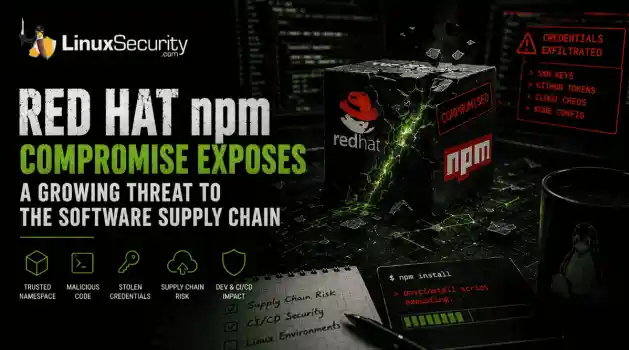 security advisory Red Hat
 Researchers investigating a campaign now tracked as Miasma found that more than 30 packages in Red Hat's @redhat-cloud-services npm namespace had been altered to deliver credential-stealing malware. . The packages weren't being used to deploy ransomware or sabotage systems. From what has been reported so far, the objective appears to have been much simpler: collect credentials from developer environments and use that access elsewhere. GitHub tokens, cloud credentials, SSH keys, and other...
Jun 02, 2026
 Refine features
X Clear Filters
Get the latest News and Insights
Get the latest Linux and open source security news straight to your inbox.
Community Poll
What got you started with Linux?
Loading...

Explore Latest Linux Security features
We found -4 articles for you...
102
 patch managementLinux administrationsecurity practice
Best Open-Source Linux Patch Management Software for Secure Linux Servers
Linux servers already have package managers. For most admins, that creates an assumption that patching is largely solved. Run updates, reboot when needed, move on. In small environments, that can feel true for a long time. Then the environment grows, security advisories start landing more often, and someone asks a simple question you cannot answer cleanly: Which systems are actually patched right now?. That gap is where Linux patch management starts to matter. Installing updated packages is a local action. Patch management is a system-level practice. It is about knowing what exists, what applies, when changes should happen, and how to prove they did. Once you are responsible for more than a handful of Linux servers, especially production systems with uptime expectations, the difference becomes hard to ignore. Linux administrators are usually expected to move fast after a Linux vulnerability is disclosed, but not so fast that they cause downtime or regressions. They are also expected to explain their decisions later, often to people who were not part of the original incident. That combination of speed, caution, and accountability is difficult to manage with ad hoc updates or one-off scripts, even when those scripts are well written. This is why open-source Linux patch management tools keep showing up in real environments. Not because package managers are inadequate, but because coordination, cadence, and visibility become problems of their own. Tools like Uyuni, Foreman with Katello, Rudder, and even automation frameworks like Ansible are all used to fill that gap in different ways. Understanding what each of them actually helps with, and what they do not, is what we’ll explore in this article. What Linux Patch Management Actually Means (and What It Doesn’t) Linux patch management is often described as if it were a single action. In practice, it is closer to a discipline. You start to see the difference once you are responsible for more than one server, and especially once those servers areexpected to behave predictably over time. At its core, Linux patch management is about control. Not control in the sense of locking systems down, but control in the sense of understanding and intent. You know which Linux servers exist. You know which software and kernels they are running. You know which patches apply to which systems, and which of those patches matter right now. You decide when changes happen, how broadly they roll out, and what happens if something goes wrong. Afterward, you can confirm that the change actually took effect and that it stayed in place. That is very different from simply upgrading packages. When you run apt upgrade or dnf update , you are performing a local operation on a single system. The package manager resolves dependencies, pulls newer packages from a repository, and installs them. It does not tell you whether other servers are in the same state. It does not enforce consistency across environments. It does not record why the update happened, when it was approved, or whether it met a defined timeline. If someone asks for proof weeks later, you are usually left reconstructing events from logs, memory, or shell history. Linux patch management exists to close those gaps. It treats patching as an ongoing process rather than a one-time command. That process includes tracking inventory across Linux servers, understanding which patches are relevant to which roles, coordinating updates so they do not collide with uptime requirements, and keeping a durable record of what was applied and when. Over time, the focus shifts away from keeping systems “current” and toward reducing exposure in a controlled, explainable way. For administrators, this is an important shift. The job is no longer just keeping systems updated. It becomes managing Linux vulnerability exposure across an environment, with enough structure that decisions can be repeated, defended, and improved the next time around. Why Does Linux Patch Management Matter for Linux Server Security? Once youseparate Linux patch management from the act of upgrading packages, the security implications become easier to see. Most serious issues do not come from missing tools or obscure exploits. They come from known weaknesses that stayed exposed longer than they should have. In the Linux world, a Linux vulnerability is often public well before it is exploited at scale. Advisories are published. Patches land in distribution repositories. From that point on, time becomes the variable that matters. A server that is unpatched for a week is in a different risk category than one unpatched for a day, even if both are technically vulnerable. Patch management is what makes that distinction visible and actionable. Linux servers tend to make this harder, not easier. Many of them run long-lived workloads. They are stable, carefully configured, and expected to stay online. That stability is valuable, but it also encourages delay. Updates get postponed until a maintenance window that keeps slipping, or until someone has time to test, or until the next planned reboot. Without a defined process, those delays add up quietly. When patch management is informal, patch timing becomes uneven. Less critical systems are often updated first because they are easier to touch. High-value production systems lag behind because the cost of making a mistake feels higher. Over time, risk concentrates in exactly the places you can least afford it. Admins compensate by keeping notes, writing scripts, or relying on memory. None of that scales well, and none of it holds up when you need to explain why a system remained exposed. Linux patch management software does not eliminate risk, but it changes how it is handled. It makes patch timelines explicit instead of implied. It allows updates to be prioritized based on exposure and impact rather than convenience. It replaces individual judgment calls with shared expectations. For Linux server security, that shift is often the difference between reacting to the last incident and being preparedfor the next one. Linux Patch Cadence: How Often Should Linux Servers Be Patched? Patch cadence is one of those topics that sounds simple until you try to apply it consistently. Everyone wants a clear answer. Weekly, monthly, immediately. In practice, Linux environments rarely behave in ways that allow a single rule to work everywhere. There is no universal patch cadence that fits all Linux servers, and pretending otherwise usually creates more risk, not less. What matters is having a cadence that is intentional, understood, and defensible. Once that exists, it can be adjusted as conditions change. Most Linux environments end up with a few overlapping rhythms. Routine updates happen on a regular schedule, often weekly or bi-weekly, covering standard package updates and non-urgent fixes. This creates predictability and keeps systems from drifting too far apart. Alongside that, there is usually a faster path for high-risk issues. When a Linux vulnerability is disclosed that affects exposed services or widely deployed components, waiting for the next routine cycle may not make sense. In those cases, accelerated patching becomes part of normal operations rather than an exception. Then there are the situations no one plans for. Actively exploited vulnerabilities fall into this category. These are the moments when cadence collapses into urgency. The question stops being how often you patch and becomes how quickly you can act without causing harm. Environments that have already defined patch workflows and maintenance expectations handle these moments far better than those that rely on improvisation. Several factors influence how cadence should be set. The role of the server matters. Production systems supporting customer-facing services are different from internal tools or development hosts. Exposure matters as well. Internet-facing systems carry a different risk profile than isolated internal machines. The type of patch matters too. Kernel updates often require reboots and coordination, while manyuser-space patches can be applied with far less disruption. This is where Linux patch management tools start to earn their place. They do not decide cadence for you, but they make it possible to apply different cadences without losing track of what happened where. They help schedule updates into maintenance windows instead of around them. They make overdue systems visible instead of silently forgotten. Over time, cadence stops being a vague intention and becomes something you can actually see and manage. For administrators, this changes the conversation. Patching becomes planned rather than reactive. Decisions about delay or acceleration can be explained in terms of role and risk, not convenience. That alone tends to reduce both security exposure and operational stress. Why Open-Source Linux Patch Management Tools Are Still Popular Open-source patch management tools tend to persist in Linux environments for reasons that have less to do with cost and more to do with control. Once you have spent time managing Linux servers at scale, you start to recognize where rigid tools get in the way and where flexibility actually matters. Linux infrastructure is rarely uniform. Distributions vary. Repository strategies differ. Some systems sit behind strict network boundaries or operate in environments where outbound access is limited. Open-source tools fit more naturally into these conditions because they can be inspected, adapted, and hosted alongside the systems they manage. For many admins, that transparency matters as much as any feature list. There is also a cultural component. Linux administrators are accustomed to understanding how things work under the hood. Open-source patch management tools make fewer assumptions about workflows and leave more room for deliberate design. That can be an advantage when patch cadence, approval steps, or testing requirements differ across environments. That flexibility comes with tradeoffs. Open-source tools generally place more responsibility on the operator.Setup takes time. Maintenance is ongoing. Reporting and governance capabilities vary widely, and they often need to be shaped rather than accepted as-is. In environments where audit or compliance requirements exist, that gap can become visible quickly. Choosing open-source in this space is rarely about convenience. It is about deciding where you want complexity to live. Some teams prefer to accept more operational ownership in exchange for control and transparency. Others discover that they want those benefits but underestimate the effort required to sustain them. Understanding that balance is essential before comparing specific tools. Best Open-Source Linux Patch Management Software (Strengths, Limits & Use Cases) Once you get past definitions and cadence, the question most Linux admins are actually trying to answer is simpler. Which open-source tools can help me manage patching across real servers, with real constraints, without creating new problems? There is no single best option in the abstract. Open-source Linux patch management tools tend to fall into two broad patterns. Some are platforms designed to centralize patching, content, and system state. Others are automation frameworks that can perform patching, but rely on you to design the surrounding process. Both approaches can work. They solve different problems, and they fail in different ways. What matters is how well a tool supports visibility, control, and repeatability across Linux servers, especially when patch cadence needs to change quickly in response to a Linux vulnerability. Comparison: Open-Source Linux Patch Management Options Tool What it is best at Strengths for Linux patch management Limitations Best fit for Uyuni Centralized Linux systems and patch management Strong fleet-wide visibility; structured patch and package workflows; handles mixed Linux distributions well Requires dedicated infrastructure and ongoingmaintenance; operational overhead grows with scale Organizations managing many Linux servers that need centralized control and a consistent patch cadence Foreman + Katello Errata-driven patching and content lifecycle management Clear separation of environments; controlled promotion of patches; strong repository and content governance Initial setup is complex; requires discipline to design and maintain lifecycles Teams that need structured patch promotion from development to production Rudder (Core) Policy-driven operations with patch workflows Central UI for visibility; policy framing aligns well with compliance discussions; supports ongoing state enforcement The depth of patch management depends on configuration and extensions; requires careful validation Teams that want patching integrated into broader operational and compliance policies Ansible (core) Patch automation through playbooks Flexible and lightweight; easy to integrate with existing workflows; good for targeted updates Not a full patch management system; reporting, approvals, and evidence must be built separately Small to mid-sized Linux environments with strong automation and process maturity Looking at this table, a pattern starts to emerge. Platform-style tools like Uyuni and Foreman with Katello tend to shine when the primary challenge is coordination. They give you a shared view of systems, patches, and timing. That becomes increasingly valuable as server counts grow or as environments become more heterogeneous. Automation-first tools like Ansible approach the problem from the opposite direction. They assume you already know what you want to do and give you a reliable way to do it repeatedly. That works well when environments are smaller, or when strong processes already exist around change management and reporting. It becomes riskier when patch management isexpected to provide visibility and evidence on its own. None of these tools eliminates the need for judgment. They amplify whatever structure you already have. If cadence is undefined, they will not define it for you. If ownership is unclear, they will not resolve that ambiguity. What they can do is make intent executable and outcomes observable, which is ultimately what Linux patch management is supposed to achieve. How to Choose Between Open-Source Linux Patch Management Tools Once you have a sense of how these tools differ, the decision usually comes down to what kind of problems you are actually trying to solve. Not what the tool can do in theory, but where your environment tends to break down under pressure. Platform-style tools such as Uyuni or Foreman with Katello tend to make sense when visibility is the main constraint. If you manage a large number of Linux servers, or a mix of distributions, simply knowing which systems are behind and by how much becomes valuable. These tools give you a shared picture of patch state and make cadence enforceable instead of aspirational. They work best when you are willing to invest in the infrastructure and process needed to keep that picture accurate over time. An automation-first approach, using something like Ansible, fits a different pattern. It works when the environment is smaller or when strong operational habits already exist. You know which systems matter most. You already have a change process. What you need is a reliable way to execute updates consistently and quickly. In those cases, automation reduces error and saves time. The risk is that governance and reporting are easy to postpone until suddenly they are needed and hard to reconstruct. The hardest part of this decision is being honest about overhead. Open-source Linux patch management tools do not eliminate work. They move it. Platform tools centralize effort but require maintenance and care. Automation tools reduce friction but demand discipline. Neither approach is wrong, but eachone assumes a different level of maturity in how patching is planned, tracked, and reviewed. Before choosing, it helps to step back and ask a few grounded questions. How many Linux servers are you actually responsible for today, and how many will you be responsible for in a year? How often do patch timelines change in response to a Linux vulnerability? When someone asks for proof of patch status, can you answer without rebuilding the story from logs and memory? Those answers tend to narrow the field quickly. Not because one tool is better than the others, but because the environment itself sets the constraints. Common Linux Patch Management Pitfalls with Open-Source Tools Most problems with open-source Linux patch management do not come from the tools themselves. They come from assumptions. Teams pick a tool, wire it up, and expect patching to become simpler by default. What usually happens instead is that existing habits get amplified. One common pitfall is treating automation frameworks as if they were patch management systems. Running playbooks that update packages can feel like progress, but without centralized visibility, it becomes hard to answer basic questions. Which servers are behind? Which updates were skipped? Which systems missed a critical window after a Linux vulnerability was disclosed? Automation executes intent. It does not define or track it on its own. Another pattern is the absence of a defined cadence or ownership model. Open-source tools make it easy to patch when someone remembers to do it. They do not enforce consistency unless you design for it. Without clear expectations, patching drifts. Some systems stay current. Others quietly fall behind. Over time, risk concentrates in the places that feel hardest to touch. There is also a tendency to rely on “latest packages” as a proxy for security. Being current is useful, but it is not the same as being deliberate. Not every update carries the same risk or urgency. Patch management exists to make those distinctionsvisible. When everything is treated the same, important updates can get lost in routine noise. Finally, self-hosted platforms are often underestimated. Tools like Uyuni or Foreman with Katello bring structure, but they also become part of the infrastructure that needs care. If maintenance of the patch management system itself is neglected, trust in its data erodes. Once that happens, admins revert to side scripts and manual checks, and the original problem returns under a different name. These pitfalls are not failures. They are signals. They usually point to gaps in the process rather than flaws in software. Recognizing them early makes it easier to adjust before patch management becomes another brittle system no one fully trusts. How Open-Source Linux Patch Management Changes Day-to-Day Admin Work The most noticeable change open-source Linux patch management brings is not technical. It is cognitive. The background noise drops. You stop spending as much time wondering whether something was done, or whether it was done everywhere. In environments without structured patch management, patching tends to happen in bursts. Someone notices an advisory. Someone else runs updates on a few systems. Weeks later, another admin is not sure whether a box was included or skipped. Time gets lost to checking, rechecking, and reconstructing what happened. None of that feels dramatic, but it adds up. When patch management is handled through a shared tool, even a simple one, that pattern shifts. Patch schedules become visible instead of implied. Maintenance windows are planned rather than negotiated each time. When a Linux vulnerability is disclosed, the initial question changes from “who can update this now” to “which systems does this affect, and what is the safest path to remediation?” There is also less reliance on tribal knowledge. Instead of remembering which servers are fragile or which ones need special handling, that information gets encoded into workflows. Over time, this makes environmentseasier to operate, not harder. New administrators can understand the patching posture without inheriting a backlog of unwritten rules. None of this eliminates work. Open-source tools still require attention. Repositories need care. Jobs fail. Edge cases appear. The difference is that the work becomes more predictable. Patch management stops interrupting everything else and starts fitting into the rhythm of normal operations. For most admins, that predictability is the real payoff. The Final Takeaway on Open-Source Linux Patch Management Software Linux patch management is easy to misunderstand because the mechanics are familiar. Package managers work. Updates install. Systems keep running. For a while, that is enough. Then scale, security pressure, or compliance questions enter the picture, and the limits of that approach become visible. What patch management adds is not complexity for its own sake. It adds intent. It gives structure to decisions that otherwise happen informally, unevenly, and under stress. For Linux servers, that structure matters because the systems tend to be long-lived, widely varied, and expected to stay stable even as the threat landscape shifts. Open-source Linux patch management tools fit naturally into this space, but only when expectations are clear. Platform-style tools offer visibility and coordination at the cost of operational overhead. Automation-first tools offer flexibility and speed, but rely heavily on discipline and process outside the tool itself. Neither path is inherently better. Each one reflects a different way of managing risk. The right choice depends on how many Linux servers you manage, how often the patch cadence needs to change, how much evidence you are expected to produce, and how much operational ownership your team can realistically support. When those constraints are understood, the decision tends to narrow itself. At that point, Linux patch management stops being a vague responsibility and becomes something concrete. You know what you aremanaging, why you are managing it, and what “good enough” looks like in your environment. That clarity is what ultimately reduces risk and makes the work sustainable. . Explore the best open-source tools for effective Linux patch management and enhance your server security with structured workflows.. Linux Patch Management, Open-Source Tools, Linux Security, Server Management, Patch Automation. . Brittany Day
 Jan 30, 2026
•
Jan 30, 2026
•

Get the latest News and Insights
Get the latest Linux and open source security news straight to your inbox.
Community Poll
What got you started with Linux?
Search Topics
Powered By

Linux Security - Your source for Top Linux News, Advisories, HOWTOs and Feature Releases
QUICK LINKS
subscribe to newsletters!
Like staying secure? So do we.
Sign up for updates, tips, and alerts!
Discover faster search, smarter navigation, and deeper Linux security insights. Read More