Explore top 10 tips to secure your open-source projects now. Read More
×


Stay Ahead With Linux Security HOWTOs

How to Harden My Filesystem system hardening open source security
system hardening open source security We all spend a lot of time defending our systems from external threats, but the amount of damage an attacker can cause often depends on what happens after they get in. A single compromised account doesn't always lead to a major incident. The real danger begins when that account has far more access than it actually needs. That's exactly what the principle of least privilege is designed to prevent. By limiting users, services, and applications to only the permissions required for their jobs, you...
 Jul 20, 2026

How to Learn Tips and Tricksthreat detection system monitoring
threat detection system monitoring For small security and IT teams, the "enterprise" dream of a fully automated SIEM often feels like a distant luxury. It’s a vision built on massive budgets and dedicated engineering teams—things that, frankly, most of us don't have. But here is the reality: you don’t need a six-figure platform to maintain a secure environment. . Linux systems are, by design, incredibly verbose. Every time a user authenticates, a process executes, or a configuration file changes, your system creates a record of...
Jul 17, 2026

How to Learn Tips and Tricksnetwork security centralized logging
network security centralized logging Linux systems generate a steady stream of authentication, service, kernel, and application logs. On most systems, those logs never leave the machine that created them. If you're responsible for ten or twenty servers, that means checking each one separately. If one disappears before you can investigate it, its logs may disappear with it. Centralized logging solves that by sending log messages to another server as they're created. Instead of searching every machine, you have one place to review...
Jul 15, 2026

How to Secure My Networksecurity advisory audit
security advisory audit When you’re digging through an incident, your logs are the only thing you can actually trust. The problem is, attackers know that too. If someone gets root on your server, their first move is almost always to delete the evidence and cover their tracks. . If you aren't actively protecting your logs, you're basically flying blind the second a breach happens. It’s a miserable feeling to realize you have no idea what an attacker did because they wiped the logs before you even got there. In this...
Jul 11, 2026
How to Harden My Filesystemlog analysis security incident
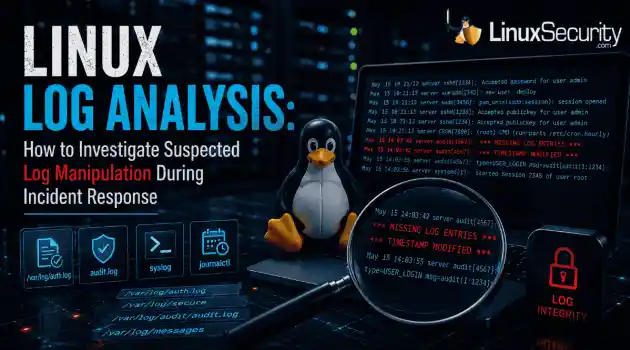
log analysis security incident When an attacker breaks into a Linux system, their work is rarely done. Usually, the real work starts after the initial exploit: hiding their tracks. If you’re a Linux admin or security analyst, there is nothing worse than logging in, running a few commands, and realizing the logs aren't telling the whole story. When logs are missing or look "off," your primary source of truth is compromised. This guide covers how to handle that situation. We’ll walk through the workflow you need to determine...
Jul 10, 2026
 Refine HOWTOs
X Clear Filters
Get the latest News and Insights
Get the latest Linux and open source security news straight to your inbox.
Community Poll
Should Linux servers automatically install security updates?
Loading...
Explore Latest Linux Security HOWTOs
We found 45 articles for you...
160
 access controlSELinuxsystem administration
SELinux Troubleshooting: What to Check Before You Disable SELinux
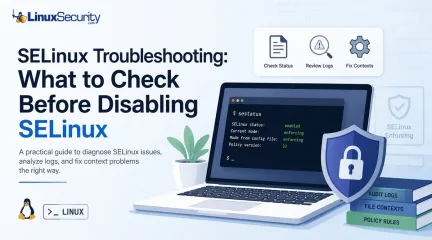
SELinux troubleshooting is a necessary skill for any system administrator. When a service fails despite correct file permissions and ownership, the immediate instinct is often to disable SELinux to confirm if the security policy is the bottleneck. While turning off enforcement frequently "fixes" the immediate symptom, it hides the underlying configuration flaw—such as an incorrect context or a policy violation—that could leave your system exposed. This guide outlines a systematic approach to troubleshooting SELinux without compromising system security. . What is SELinux? Think of what is SELinux as a gatekeeper that doesn’t care who you are—it cares what you’re trying to do. While standard Linux permissions check if you have the "right" to touch a file, SELinux checks if the process itself should be doing that action. It's essentially a mandatory access control system that adds a massive layer of safety, even if your user permissions are wide open. Why does SELinux block access when Linux permissions look correct? This is the classic SELinux permission-denied headache. You can have 777 permissions and still get blocked. Why? Because you’re ignoring the SELinux context . SELinux treats every file like it has a secret "passport." If that passport doesn't match the job the service is doing, the kernel shuts it down. It doesn't matter if your Unix permissions are perfect; if the label is wrong, access is denied. Should you disable SELinux when something breaks? Short answer: No. If you're looking for how to disable SELinux, take a breath. Disabling it is like fixing a flat tire by just throwing the car away. It makes the "error" go away, but it leaves your system vulnerable. Always assume the policy is doing its job until you prove otherwise. Why does everything work after you disable SELinux? It’s a false positive. Everything works because you’ve ripped out the referee, not because your code or file structure is actually correct. You might still have an applicationrunning with the wrong path or binding to a dangerous port, but now the system won't tell you about it. What does SELinux status tell you? Always check SELinux status before doing anything else. It tells you if you're in Enforcing, Permissive, or Disabled mode. If you’re already in Permissive mode and things are still failing, you know your problem isn't SELinux—it's something else entirely. How do you check SELinux status? Keep it simple: run sestatus or getenforce. Knowing how to check SELinux status is your first real step in the investigation. If the output says "enforcing," you know exactly why your app is throwing errors. What are the SELinux modes? Enforcing: The system is actually doing its job. Permissive: It’s a "watch and report" mode. It won't block anything, but it’ll log every single thing that would have been blocked. Disabled: The security framework is dead in the water. Avoid this. What does SELinux permissive mean? SELinux permissive is your best friend during a crisis. It lets your services keep running, but it keeps the "evidence" flowing into your logs. It's the gold standard for troubleshooting. When should you set SELinux to permissive mode? Only when you're 90% sure SELinux is the culprit. Don't leave it here forever. Use it to verify if the app starts working. If it does, you've confirmed it's an SELinux issue and can move on to fixing the labels. Is SELinux permissive mode the same as disabling SELinux? People confuse these all the time. They are not the same. In permissive mode, the system is still checking policy and writing to the audit log. If you disable SELinux, you stop the engine. You lose the logs, you lose the visibility, and you lose the security. Where are SELinux logs? If you're hunting for answers, the SELinux audit log (/var/log/audit/audit.log) is where you'll find them. When you check SELinux logs, you aren't looking for a "success" message; you're looking for the red ink that explains exactly what thekernel hated about your last request. What is an SELinux AVC denial? An SELinux AVC denial is the "who, what, where" of your problem. It's the log entry that says: "Process X tried to do Action Y on Object Z, and I blocked it." It’s the closest thing you’ll get to a clear explanation from the OS. What is an SELinux context? It's basically a security tag. Every file, process, and port has one. If a web server needs to read a file, the file's SELinux context has to match what the web server policy expects. If you moved a file from a home folder to /var/www/html, that label likely didn't update. That's a classic SELinux file context mismatch. Why do SELinux contexts cause permission-denied errors? It's almost always a labeling issue. If you move or restore files, the labels don't always tag along. If you’re seeing errors, you probably need to run restorecon to reset them to their proper state. Why does SELinux break after moving files? Files don't always "inherit" the labels of their new home. You move a file, the system keeps the old label, and the service now thinks that file is an intruder. That's why your app suddenly stops working after a file transfer. What is an SELinux policy? It's the rulebook. Everything is governed by the SELinux policy . Most of the time, the policy is fine, and your application is just trying to do something non-standard. Can SELinux policy block ports or network connections? Absolutely. If your app tries to use a non-standard port, SELinux might shut it down. Check if you need to update the policy or toggle a boolean to allow that specific SELinux port. What are SELinux booleans? Think of booleans as "on/off" switches for common policy exceptions. You don't need to rewrite the whole rulebook; just flip a boolean using getsebool if you need to allow a common, safe action. Should you use audit2allow to fix SELinux problems? Be careful with audit2allow. It effectively writes a new policy based on your last error. If you’re justmislabeling files, audit2allow is overkill—it’ll just mask the problem. Fix the labels first. How do you troubleshoot SELinux without disabling it? Stick to the routine: Check the status. Check the logs for AVC denials. Check the file contexts. Toggle permissive mode if you need to see the "hidden" errors. Fix the labels or booleans. Don't reach for the "off" switch until you've exhausted every other option. Is SELinux worth it? Is SELinux worth it? The learning curve is steep, and it's definitely annoying when it breaks your workflow. But when you realize it’s the only thing keeping a compromised web server from trashing your database, you’ll be glad it's there. Keep it on, learn the basics, and you'll be ahead of 90% of other admins. Want more Linux security news, vulnerability analysis, and software supply chain updates? Subscribe to the LinuxSecurity Newsletter and get the latest threats, advisories, and expert insights delivered directly to your inbox. Related Reading Configuring SELinux: An In-Depth Guide to Securing Your Linux System SELinux vs. AppArmor: Key Trends, Security Insights & Frameworks . Learn how to effectively troubleshoot SELinux without disabling it, ensuring system security and functionality is maintained while correcting errors.. SELinux Troubleshooting, system security, access control, policy enforcement. . Dave Wreski
 Jun 25, 2026
•
Jun 25, 2026
• How to Harden My Filesystem
167
 access controlLinux administrationauthentication
How to Harden SSH on Linux After Disabling Password Authentication
Most SSH hardening advice ends at the same recommendation: Disable password authentication and use SSH keys. . That's good advice. It removes entire classes of attacks, including password spraying, credential stuffing, and brute-force attempts against exposed servers. The problem is what happens next. Many administrators treat SSH keys as the finish line when they are really the beginning of the hardening process. Attackers rarely care whether they obtained access with a password or a private key. They care about getting a foothold. Once they're in, the questions become the same. Can they move laterally? Can they escalate privileges? Can they maintain access? Can they avoid detection? SSH keys solve authentication. They do not solve access control, session management, key sprawl, forgotten accounts, excessive privileges, or weak monitoring. Those are the areas that tend to create problems in production environments. This guide focuses on the controls that matter after password authentication has already been disabled. Disable Direct Root SSH Access Internet-facing SSH services receive constant login attempts against the root account. Attackers already know the username. They only need to find a valid authentication path. Direct root access also removes accountability. If five administrators connect as root, the logs show root. Investigating changes becomes harder because individual actions are no longer tied to individual identities. Check the current configuration: sshd -T | grep permitrootlogin Recommended configuration: PermitRootLogin no Apply the change: sudo systemctl reload sshd Administrators should authenticate using named accounts and elevate privileges through sudo when required. Before disabling root login, verify that at least one administrative account has working sudo access and that console access is available if recovery becomes necessary. A bad sudo configuration has locked out more than a few administrators over the years. Restrict Which Accounts Can Connect Most Linux systems accumulate accounts over time. Migration accounts. Service accounts. Former contractors. Temporary support accounts. Test users who survived long after the project ended. Every account capable of SSH authentication increases exposure. An attacker only needs one overlooked account to establish a foothold Start by identifying which users actually require shell access. For small environments: AllowUsers adminuser backupadmin For larger environments: AllowGroups ssh-admins Verify the active configuration: sshd -T | grep allow Group-based controls are usually easier to maintain because access decisions happen through centralized identity management rather than edits on individual servers. The goal is simple. Most accounts should never receive an SSH prompt. Restrict Where SSH Connections Can Originate Valid credentials from the wrong network should still raise concerns. Many organizations expose SSH directly to the internet because key-based authentication feels sufficient. In practice, reducing exposure often provides more value than adding another authentication mechanism. A compromised key cannot be used against a service that is unreachable. Common approaches include: VPN-only administration Bastion hosts Firewall allowlists Dedicated management networks Example firewall restriction: sudo firewall-cmd \ --permanent \ --add-rich-rule='rule family="ipv4" source address="10.10.10.0/24" service name="ssh" accept' Verify access before removing existing rules. Restricting source networks introduces operational complexity. Administrators working remotely, emergency maintenance windows, and third-party support arrangements all need consideration before implementation. Reduce Authentication Abuse Most attacks against SSH begin before authentication succeeds. Attackers probe exposed services constantly, testing usernames, attempting authentication, and establishing largenumbers of concurrent connections. Several OpenSSH settings help reduce this activity. Review current values: sshd -T | egrep 'maxauthtries|logingracetime|maxstartups' Recommended starting point: MaxAuthTries 3 LoginGraceTime 30 MaxStartups 10:30:60 Reload SSH: sudo systemctl reload sshd These controls will not stop a determined attacker. They reduce opportunities and force attackers to work harder while generating more visible activity in logs. Disable Features You Don't Use Many SSH deployments leave optional functionality enabled simply because it was never reviewed. That creates an unnecessary attack surface. Agent Forwarding Agent forwarding allows authentication requests to pass through intermediate systems. Administrators often use it when connecting through bastion hosts. The risk appears when an intermediary host becomes compromised. An attacker may be able to use the forwarded agent during an active session to authenticate against additional systems. Check the current setting: sshd -T | grep allowagentforwarding Disable if not required: AllowAgentForwarding no Port Forwarding Port forwarding is one of SSH's most useful features. It's also one of the easiest ways to bypass network segmentation. An attacker with legitimate SSH access may create tunnels into systems that were never intended to be reachable from their current location. Disable when unnecessary: AllowTcpForwarding no Review existing workflows before making the change. Database administration tools, internal dashboards, and maintenance procedures often depend on SSH tunnels. X11 Forwarding Most servers no longer require graphical applications. Yet many environments continue running with X11 forwarding enabled. Check: sshd -T | grep x11forwarding Disable if unused: X11Forwarding no If nobody can explain why the feature is enabled, that is usually your answer. Kill Idle Administrative Sessions Abandoned SSH sessionscreate unnecessary risk. An unlocked terminal left connected to a production server may be all an attacker needs after compromising a workstation. Shared administration systems and jump hosts make the problem worse. Review current settings: sshd -T | egrep 'clientalive' Recommended starting point: ClientAliveInterval 300 ClientAliveCountMax 2 This configuration disconnects inactive sessions after roughly ten minutes. Choose values that fit operational requirements. Security teams tend to prefer shorter timeouts. Administrators performing long-running maintenance often prefer longer ones. Add Multi-Factor Authentication SSH keys prove possession of a private key. They do not prove that the person holding that key should still have access. If a workstation is compromised or a private key is stolen, authentication may still succeed. OpenSSH supports multi-factor authentication through PAM integrations and hardware-backed authentication methods. Example configuration: AuthenticationMethods publickey,keyboard-interactive Verify carefully before deployment. Misconfigured MFA can create widespread access failures during maintenance windows. Test with non-production systems first. Monitor SSH as an Administrative Control SSH logs often receive attention only after an incident. That is too late. Administrative access should generate the same level of visibility as privileged activity inside cloud platforms, identity providers, and critical applications. Watch for: Repeated authentication failures New source IP addresses Logins outside normal maintenance windows Unexpected root escalation New SSH keys added to privileged accounts SSH tunnel creation on sensitive systems Examples: journalctl -u sshd grep "Accepted" /var/log/secure grep "Failed" /var/log/auth.log Authentication success should not automatically equal trust. A valid administrator account can still be abused. Final SSH Hardening Checklist Highimpact, low effort: Disable password authentication Disable direct root login Restrict administrative accounts Patch OpenSSH regularly Remove unused SSH keys Restrict source networks where possible Medium effort: MFA for administrative access Disable unnecessary forwarding features Session timeout controls Centralized logging SSH activity alerting Advanced deployments: Bastion hosts SSH certificates Hardware-backed authentication Session recording Centralized access approval workflows Zero Trust access controls Conclusion Password authentication is usually the first SSH control that organizations remove. It should not be the last control they implement Strong SSH security comes from reducing exposure, restricting access, limiting privilege, controlling sessions, and maintaining visibility after authentication succeeds. The goal is not simply to prevent password attacks. The goal is to reduce opportunities for attackers before, during, and after they obtain a foothold. . That's good advice. It removes entire classes of attacks, including password spraying, credential st. hardening, advice, recommendation, disable, password, authentication. . MaK Ulac
Jun 05, 2026
•
How to Secure My Network

166
 security advisoryintrusion detectionaccess control
Elevate Linux Security in 2024 with Advanced Tools and Strategies
As we navigate 2024, the cybersecurity landscape continues to shift and evolve at an ever-increasing pace, increasing in sophistication as open-source environments gain popularity. This trend makes it imperative for administrators and organizations to stay ahead of emerging threats with cutting-edge security tools and strategies. . In this article, I'll guide you through increasing Linux security using cutting-edge tools and technologies designed to protect against advanced and emerging threats. Let's begin by examining the modern Linux security landscape. Understanding the Current Linux Security Landscape Despite their strong security track record, Linux systems remain susceptible to threats such as unpatched software, server misconfiguration, and inadequate endpoint protection. Furthermore, their inherent complexity and the use of third-party applications increase their vulnerability and risk of breaches. Open-source systems, including Linux, have seen an upsurge in targeted cyberattacks by threat actors exploiting vulnerabilities and creating sophisticated malware for Linux systems to attack critical infrastructures. This trend underscores the necessity of keeping vigilant and adopting advanced security solutions. Evaluating Your Linux Security Needs Assessing your Linux environment thoroughly is the first step toward fortifying its defenses. Tools like Lynis can assist with this endeavor by helping identify misconfigurations, out-of-date software installations, and other potential weaknesses in your system. An in-depth security audit identifies vulnerabilities within your system and prioritizes enhancement needs. Identifying critical assets—from customer data to intellectual property—is paramount to implementing tailored security measures that best protect them. High-value targets require multilayered approaches incorporating perimeter defenses, intrusion detection systems, and endpoint protection measures for maximum protection. Advanced Intrusion Detection Systems(IDS) for Linux Intrusion detection systems are indispensable tools for monitoring and analyzing network traffic for signs of malicious activity. In 2024, IDS technologies have become even more sophisticated, with Artificial Intelligence (AI) and Machine Learning integration providing improved anomaly detection and response times. Integration Tips for Snort and Suricata on Linux Systems Snort and Suricata are two prominent IDS solutions for Linux. To integrate Snort into your systems: Install Snort: Use package managers like APT (Debian/Ubuntu) or YUM (CentOS) to install it. Configure Detection Rules: Customize rules based on your network environment. Set Up Logging and Alerting: Ensure logs are correctly configured to alert for suspicious activities. For Suricata: Install Suricata: Follow similar installation steps using package managers. Configure YAML File: Tailor the suricata.yaml configuration file to your network specifics. Enable Emerging Threats Rules: Utilize community-contributed rules for enhanced detection. Automated Vulnerability Scanners and Their Integration Automation in vulnerability management drastically shortens the timeline from vulnerability identification to remediation. Tools like OpenVAS and Nessus automate scanning, rating vulnerabilities, and proposing remedies. Incorporating OpenVAS and Nessus in Your Systems To integrate OpenVAS: Install OpenVAS: Follow installation guides tailored for your distribution. Configure Scans: Schedule regular scans tailored to your environment. Analyze Reports: Use the detailed reports to prioritize and address vulnerabilities. For Nessus: Install Nessus: Download and install from the official site. Create Scan Policies: Customize policies for regular and ad-hoc scans. Review Results: Utilize built-in suggestions for remediation. Enhancing Access Control with SELinux and AppArmor SELinux and AppArmor providemandatory access controls, limiting what processes can do based on defined policies. To configure SELinux: Set Enforcing Mode: Enable SELinux in enforcing mode. Write Custom Policies: Develop policies tailored to your applications. Audit Logs: Regularly review logs for denied actions and adjust policies accordingly. For AppArmor: Install and Enable: Ensure AppArmor is installed and enabled. Create Profiles: Develop profiles for applications. Monitor Alerts: Use tools like aa-logprof to review and update profiles based on observed behaviors. Case Studies on Effective Enforcement Policies Organizations like Red Hat use SELinux to isolate services, blocking lateral movement in case of a breach. AppArmor is effectively used in Ubuntu to confine applications like MySQL , reducing their attack surface. Our Final Thoughts on Using Cutting-Edge Tools to Improve Linux Security Proactive security measures are crucial for Linux environments in the face of ever-evolving cybersecurity threats. Admins can build resilient defenses by integrating cutting-edge tools such as advanced IDS, automated vulnerability scanners, next-gen endpoint protection, and AI-driven solutions. Community-driven open-source projects further enhance security, offering collaborative defense mechanisms. Stay informed, continuously adapt, and engage with the broader security community to safeguard your Linux environment against future challenges. Your vigilance and proactive measures today will profoundly impact your overall security posture tomorrow! . Enhance Linux security in 2024 with advanced tools, strategies, and proactive measures to combat emerging threats.. navigate, cybersecurity, landscape, continues, shift, evolve, ever-increasing. . Anthony Pell
Sep 30, 2024
•
How to Learn Tips and Tricks
166
access controlsystem hardeningservice isolationManage Linux Services for Better Security and System Hardening
One of the most important responsibilities in Linux system administration is managing services. Services are long-running programs that provide different functionalities for users, local systems, or remote computers. . These services enable the networking capabilities we take for granted daily in our digital interactions and are essential to Linux security and hardening. Email transfer, web servers, and printing services are common services. To help you better manage Linux services to streamline and secure your administration efforts, let's examine common Linux services and their functions, the intersection of services and security, and the type of management these services require. Understanding Linux Services Let's begin by looking at some examples of common services and their functions on Linux: sshd: sshd is the Secure Shell (ssh), a remote administration tool essential for Linux systems. Apache Web server: This is a common service used to host websites and web applications. Firewalld: Firewalld filters network traffic according to predefined rules and enhances system security. Common Unix Printing System service (CUPS): The Common Unix Printing System service (CUPS) streamlines the management of print servers. How Does Service Management Impact Linux Security? Managing these services effectively for operational efficiency, enhancing security, and minimizing vulnerabilities is essential. Here are some of the key aspects of service management that relate to security: Configuration settings: Linux services rely on configuration files to dictate their behavior. Administrators need to ensure these settings are configured correctly to avoid security holes. Restarting services: It is important to restart the service after making any changes to the configuration. This will ensure that all the settings are applied. Failure to do this can result in discrepancies in the service's behavior compared to the intended configuration. StartupConfiguration: Using systemctl commands such as enable and disable , administrators can instruct services to start or stop automatically during system boot. This allows them to control the attack surface. Monitor Service Status: By regularly checking service statuses, administrators can quickly address service disruptions and potential security issues. Maintenance of Service Accessibility: It is important to manage service accessibility to reduce the risk of security breaches and to prevent unauthorized entry. Service Removal: Disabling and removing unnecessary services using the systemctl command directly impacts your system's security. Inactive or unused services can be used as entry points for malicious actors. It should be noted that updating your services with the latest security patches to protect against cyber threats is essential for effective and secure service management, and the importance of this best practice must not be overlooked. Why Is Service Management Essential to System Hardening? Hardening Linux systems involves minimizing its attack surface and removing unnecessary components. Service management is crucial to security hardening as it allows administrators to: Identify Unneeded Services and Disable Them: Sysadmins can reduce the security risk of their system by conducting an audit and disabling unnecessary services. Implement Access Controls: Services should have appropriate access controls configured to limit the users who can interact with them. This will prevent unauthorized users from exploiting vulnerabilities. Regular Auditing & Monitoring: Maintaining a secure environment in which services are continuously monitored for abnormal behavior, unauthorized access attempts, or potential security breaches is essential. Implement Service Isolation: By ensuring that services are isolated from critical components of the system, you can reduce the risk of a service compromise affecting the overall security. Our FinalThoughts on Using Service Management to Improve Security Effective service management is crucial to maintaining the functionality of Linux systems. It also helps improve security and hardening. Administrators can improve the security of their systems by implementing good configuration practices, regular updates, access control, and regular monitoring. Service management is an important part of a broader security plan, as it helps to ensure that Linux systems are resilient against cyber threats. We encourage you to continue your educational journey by learning about Linux service configuration, startup options, and more in the tutorial linked below. . Efficiently handling Linux services boosts security measures while reducing potential risks, contributing to streamlined operations.. Linux System Services, Security Hardening, Service Management, Linux Administration, Access Control. . Anthony Pell
Aug 21, 2024
•
How to Learn Tips and Tricks
160
 access controlsystem administrationfile permissions
Understanding File Permissions And Access Control For Secure Data
In today's interconnected world, controlling who has access to and can modify files is important. Understanding file permissions, whether you're a system administrator or developer, is essential to ensuring the security and management of your data. . The tutorial linked below will examine the basics of file permissions and ownership concepts, as well as the mechanisms for access control, equipping you with the knowledge to navigate and control file systems. At the filesystem and resource level, Discretionary Access Control remains a foundational concept for deciding which users can read, modify, or execute sensitive assets. . To ensure secure data management, focus on file permissions, ownership, and access control systems that limit access to authorized users and protect sensitive data. File Permissions, Access Control, Data Management, Security Best Practices. . Anthony Pell
Jun 22, 2024
•
How to Harden My Filesystem
160
 security practicesaccess controlfilesystem
Mastering File Permissions: A Command Line Guide for Linux Users
Linux file permissions enable you to allow or prevent other users from viewing your files, making them crucial to robust security and privacy. But how can you change file and folder permissions on Linux from the Command Line to improve the security of your filesystem? . I found the tutorial linked below very helpful in demonstrating how this can be done, and I thought you would also! Have questions? Please reach out to me on X @lnxsec - I'm here to help! . This guide assists you in efficiently modifying file and folder access rights in Linux through straightforward terminal commands.. Linux File Permissions, Access Control, Command Line Guide. . Brittany Day
Dec 20, 2023
•
How to Harden My Filesystem
166
 access controlSELinuxsystem security
Managing SELinux Policies: Implementation and Customization Guide
In this article, we'll look at how to manage SELinux policies, implement and customize them, and how to troubleshoot problems. . SELinux is an important part of modern Linux security. It's designed to enhance the system's security by allowing users to set fine-grained access control policies for different processes and files. This helps prevent exploits from running as root or modifying system files that are outside their scope. SELinux can be configured in two ways: centrally (through the policy management tool) or locally (at the user level). When you configure SELinux centrally, it's known as "policy management." When you configure SELinux locally, it's called "user space configuration." If you're a Linux administrator who wants to manage SELinux policies or implement them on your own servers, then the article linked below will help you do just that! The link for this article located at Security Boulevard is no longer available. . Grasp the intricacies involved in the oversight and tailoring of AppArmor profiles to significantly bolster your Linux security architecture.. SELinux Management, Access Control Policies, Linux Security Implementation. . Brittany Day
Dec 03, 2023
•
How to Learn Tips and Tricks
166
access controlapplication securitysecurity enhancementsHow to Write SELinux Policies for Secure Application Access
The NSA created the SELinux policy to provide security to applications. SELinux policies best suit an app under specific conditions, which can be found in this tutorial. . Security-Enhanced Linux is a kernel security module created by the National Security Agency to provide a mechanism for access control policies. SELinux includes a set of kernel modifications and user tools to help configure access control policies on Linux. SELinux can cause problems with applications that behave outside the norm. Web servers, like Nginx or Apache, configure apps to serve sites from a directory that doesn't follow the default document root. Get site-specific data from /srv/www instead of /var/www. Apache or Nginx blocks web servers from serving up content from the nonstandard directory unless SELinux is aware of the change. Some admins disable SELinux on their servers due to complications with app configuration due to the policies' restrictions. This could leave servers open to attacks, however. Knowing how to write a SELinux policy enables developers to work with confined rules. . Master crafting SELinux policies to bolster application defense and orchestrate access permissions efficiently within Linux systems.. SELinux Policies, Access Control Policies, Security Enhancement. . Brittany Day
Sep 16, 2023
•
How to Learn Tips and Tricks

Get the latest News and Insights
Get the latest Linux and open source security news straight to your inbox.
Community Poll
Should Linux servers automatically install security updates?
Search Topics
Powered By

Linux Security - Your source for Top Linux News, Advisories, HOWTOs and Feature Releases
QUICK LINKS
subscribe to newsletters!
Like staying secure? So do we.
Sign up for updates, tips, and alerts!