



Government European Commission public sector
European Commission public sector Some of the software the world depends on most is maintained by people most users will never know by name. The project might be sitting inside Linux distributions, enterprise software, cloud platforms, and government systems without most users ever realizing it is there. . The problem is not difficult to find. Critical software components can end up supporting thousands of products and services while being maintained by small teams with limited resources. By the time a vulnerability,...
 Jun 19, 2026
Server Securitysecurity advisory privilege escalation
security advisory privilege escalation The recent Keystone advisory is unusual because the vulnerabilities are scattered across several features but keep affecting the same class of security controls. Application credentials, trusts, RBAC enforcement, project ownership validation, token expiration. Different code paths. Similar failures. . Most require authentication already. The concern is what happens after access exists. Several of the disclosed vulnerabilities affect how Keystone validates identity, ownership, delegation, and...
Jun 19, 2026 Security Vulnerabilities security advisory authentication bypass
security advisory authentication bypass Fortinet has confirmed active exploitation of three FortiSandbox vulnerabilities . One allows attackers to bypass login controls, while the other two enable command execution directly on the appliance. Combined, they create a path from unauthenticated access to direct interaction with a system many organizations trust to analyze suspicious content. . In many environments, FortiSandbox sits between incoming content and the systems responsible for making security decisions about it. Before a...
Jun 18, 2026 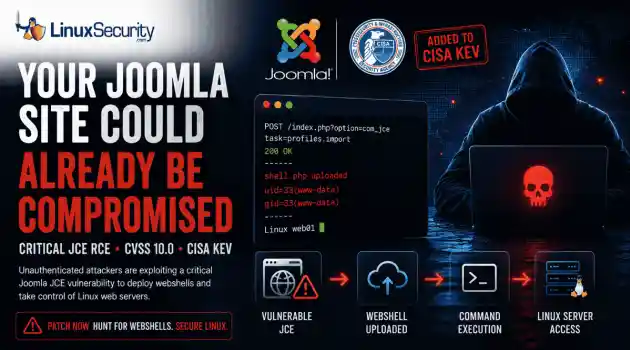
Security Vulnerabilities security advisory critical
security advisory critical The Joomla Content Editor (JCE), one of the most widely deployed editor extensions for Joomla websites, is currently under active attack due to a critical vulnerability. . The issue, tracked as CVE-2026-48907 , affects JCE versions earlier than 2.9.99.5 and carries a CVSS score of 10.0. Because JCE is installed on a large number of public-facing Joomla sites, the vulnerability has quickly become a high-priority target for attackers and automated scanning campaigns. CISA has added the flaw to...
Jun 17, 2026 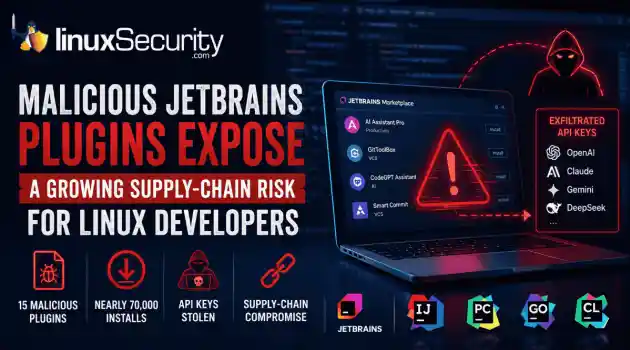
Security Trends security advisory open-source
security advisory open-source At least 15 malicious plugins and nearly 70,000 installs later, developers are being reminded that trusted marketplaces can become supply-chain attack vectors overnight. . How Malicious Plugins Steal API Credentials It’s simple. The user installs a plugin. It asks for API credentials. The developer clicks "Apply." A short time later, those keys could be sent to a third-party server. Think of an API key like a valet key to your house. It doesn't give them the deed to the property, but it lets...
Jun 17, 2026  Refine news
X Clear Filters Get the latest News and Insights
Get the latest Linux and open source security news straight to your inbox.
Community Poll
What got you started with Linux?
Loading...

Explore Latest Linux Security news
We found -4 articles for you...
77
 security advisorysystem managementsoftware updates
APT Package Management Overview in Debian Linux Systems
What Is APT in Linux?. APT is the package management system used in Debian-based Linux distributions to install, update, and remove software. It runs through commands like apt install, pulling software from configured sources instead of downloading it manually. When a program needs other components to work, those are installed at the same time, so nothing is left incomplete. APT sits between the command and the system. It checks what’s already installed, looks at what’s available, and works out the full set of changes before starting the install. That’s why packages usually install cleanly. Everything is resolved first, so you don’t end up chasing missing pieces after the fact. Why APT Is Important for Linux Users APT matters because it keeps software installs from turning into maintenance work later. Centralized software management: Everything comes from defined sources. Instead of downloading programs manually, a linux package manager like APT keeps software organized in one place so it’s easier to track and manage. Automatic dependency handling: Software rarely runs alone. APT pulls in what’s needed alongside it, so installs don’t fail because something small was missed. Consistent updates and patching: The same system that installs software also updates it. Packages stay in sync, and patching doesn’t drift into manual fixes over time. Reduced risk vs manual installs: Most issues come from partial installs or version mismatches. APT resolves that up front, so changes land cleanly instead of leaving cleanup behind. It’s not just about installing software. It’s about keeping the system stable as more gets added over time. How APT Works APT follows a structured flow every time a command runs, which is really how APT works under the surface. Repositories APT doesn’t pull software from random websites. It checks configured sources, called repositories , which are maintained collections of packages the system trusts. Eachrepository holds programs along with details about their versions and what they need to run. When a command runs, APT looks there first instead of reaching out blindly. Package Lists and Updates Before installing anything, APT needs to know what’s available. That’s what sudo apt update does. It refreshes the local list of packages by syncing with those repositories, so the system knows what versions exist and what can be installed. Without the update , APT works with outdated information, which is where install issues usually start. Installation and dpkg Once that list is current, installation becomes predictable. APT figures out what the program needs, pulls those packages, and then passes everything to dpkg, which is the tool that actually installs the files onto the system. APT handles the logic. dpkg handles the actual install. Step What Happens User command apt install or similar is triggered APT Reads package lists and resolves what is needed Repositories Provide package data and files dpkg Installs files onto the system Result Software is installed and usable That flow is what keeps installs consistent. It’s a chain of controlled steps, not a single action firing in isolation. APT vs apt-get: What’s the Difference? The difference between apt and apt-get is that apt is a newer, user-facing command for managing packages, while apt-get is an older, lower-level tool commonly used in scripts. Feature apt apt-get User experience Cleaner output, progress indicators, easier to follow during installs Minimal output, built for consistency Functionality Groups common package tasks into one command More explicit command set, each action separated Best use case Every day use on a system Scripting, automation, and older guides Most systems default to apt for regular work. apt-get tends to stay where output stability matters, like scripts or older automation that hasn’t been touched in a while. Is APT Secure? APT is secure in normal use, but only as long as the sources it pulls from stay controlled. It verifies packages before installing them, so software doesn’t just land on the system unchecked. GPG signature verification: Packages are signed, and APT checks those signatures before anything is installed Trusted repositories: By default, software comes from official sources that are maintained and monitored Maintainer vetting: Packages go through packaging and review processes before they’re published apt-secure: This is what enforces those checks and blocks anything that can’t be verified The signature check is what actually holds this together. Packages are tied to known keys, and APT verifies those before install, so anything that doesn’t match gets stopped early. Problems usually don’t come from APT itself. They show up when new sources get added or trust boundaries change, which is where it starts to matter. Frequently Asked Questions About APT These tend to come up once installs are working and attention shifts to what’s actually being trusted. Can you get a virus from apt-get install? Not if it’s coming from a trusted repository. Packages are signed and verified before installation, so random malware doesn’t just get pulled in. It changes when the source changes. If a repository isn’t trustworthy, APT will still install from it once it’s added, and that’s where bad packages can come through. Why should you trust APT? APT doesn’t install blindly. It checks packages against known keys and only proceeds if they match what the repository claims. That trust is layered. Maintainers, signed packages, and controlled repositories all play a role, so it’s not relying on a single check. How does APT verify packages? Each package is signed with a key. APT checks that signature against its trusted key list before installing anything. If it doesn’t match, the install stops. That’s how modified or tampered packages get caught. Is APT safer than downloading software manually? In most cases, yes. APT pulls from known sources, verifies what it installs, and resolves everything the software needs ahead of time. Manual installs skip those checks. That’s where missing files, bad versions, or modified downloads start showing up. What happens if you add an untrusted repository? APT will treat it like any other source once it’s trusted. That’s the part people miss. At that point, it can install whatever the repository provides, which is how unstable or malicious packages end up on the system. Final Thoughts on APT Security APT ends up being one of those tools that fades into the background once it’s working. It handles installing, updating, and keeping software consistent without turning every change into manual work, which is really the point behind what APT is in Linux in the first place. It’s also why the question of is apt safe doesn’t have a simple yes or no. The system itself is built to verify and control what gets installed, but that only holds if the sources stay trusted and the setup isn’t bypassed. Keep it simple, stick to known repositories, and most of the risk never shows up. . Explore APT in Linux, its role in software management, security features, and why it's essential for users.. APT Package Management, Debian Security, Linux Software Updates. . MaK Ulac
 Mar 23, 2026 •
 Server Security
Get the latest News and Insights
Get the latest Linux and open source security news straight to your inbox.
Community Poll
What got you started with Linux?
Search Topics
Powered By

Linux Security - Your source for Top Linux News, Advisories, HOWTOs and Feature Releases
QUICK LINKS
subscribe to newsletters!
Like staying secure? So do we.
Sign up for updates, tips, and alerts!
Discover faster search, smarter navigation, and deeper Linux security insights. Read More