Explore top 10 tips to secure your open-source projects now. Read More
×



Security Vulnerabilities  security advisory moderate
security advisory moderate For organizations that run a self-hosted Git platform, it’s no longer just about hosting static code repositories. Today, Git servers are responsible for deployment pipelines, API tokens, SSH keys, package repositories, and the automation scripts that push code directly. Confirm that the upgrade addresses known vulnerabilities but also provides production environments. . That makes them trusted systems within the development environment and attractive targets for attackers looking to move...
 Jul 20, 2026

Server Securitydata privacy automation
data privacy automation Every system admin has lived through the same Monday morning ritual. A queue of forty tickets, half of them password resets, permission errors, or disk space warnings that any experienced technician could resolve in under two minutes. The other half require actual judgment. For years, automation promised that software would eventually sort the two apart on its own. That promise is now being tested in production Linux environments. . Early results are reshaping how IT teams think about tier-1...
Jul 17, 2026

Privacydata collection automation
data collection automation You're running a web scraping project to collect pricing data from e-commerce sites. You set up a pool of datacenter proxies, launch your scripts, and within minutes — banned . CAPTCHAs everywhere. Your data pipeline stops before it really begins. . It's a frustrating scenario that plays out daily in ad verification, market research, and multi-account management. The website doesn't know you're doing legitimate research or monitoring. It just sees traffic coming from IP ranges it recognizes as...
Jul 17, 2026

Security Trends security advisory social engineering
security advisory social engineering Business Email Compromise used to be a numbers game — mass-blasted emails, broken English, an obvious "URGENT WIRE TRANSFER" subject line. That era is over. Generative AI has turned BEC into a tailored, low-noise operation that mimics writing style, voice, and even video presence. This piece looks at what's actually changed under the hood, what defenders are testing in response, and why so many organizations are still structurally unprepared for it. . The Infrastructure Problem Nobody Wants to...
Jul 17, 2026

Security Trends cybersecurity Linux documentation
cybersecurity Linux documentation Linux operating systems have gained prominence due to their stability, adaptability, and excellent security options. In the case of developing documentation, designing cybersecurity dashboards, or educational material, visuals are of vital importance when it comes to making things clear. The use of icons allows one to understand the message regarding alerts, authorization, encryption, authentication, or the state of the system just by looking at the visual cue without having to read long...
Jul 17, 2026
 Refine news
X Clear Filters
Get the latest News and Insights
Get the latest Linux and open source security news straight to your inbox.
Community Poll
Should Linux servers automatically install security updates?
Trending News
Loading...
Explore Latest Linux Security news
We found 11 articles for you...
81
 proxy serveronline trackingprivacy feature
Google Chrome's New IP Protection Feature For User Privacy
Google is getting ready to test a new "IP Protection" feature for the Chrome browser that enhances users' privacy by masking their IP addresses using proxy servers. . Recognizing the potential misuse of IP addresses for covert tracking, Google seeks to strike a balance between ensuring users' privacy and the essential functionalities of the web. IP addresses allow websites and online services to track activities across websites, thereby facilitating the creation of persistent user profiles. This poses significant privacy concerns as, unlike third-party cookies, users currently lack a direct way to evade such covert tracking. While IP addresses are potential vectors for tracking, they are also indispensable for critical web functionalities like routing traffic, fraud prevention, and other vital network tasks. The "IP Protection" solution addresses this dual role by routing third-party traffic from specific domains through proxies, making users' IP addresses invisible to those domains. As the ecosystem evolves, so will IP Protection, adapting to continue safeguarding users from cross-site tracking and adding additional domains to the proxied traffic. . Bolster your digital security with the latest update in Google Chrome, introducing a robust IP shielding capability that efficiently conceals users' IP locations.. IP Tracking, Proxy Security, Chrome Privacy Features. . LinuxSecurity.com Team
 Oct 23, 2023
•
Oct 23, 2023
• Privacy
81
 security enhancementlinux distributionprivacy feature
Nitrux 2.8.1 Review: Security Enhancements And KDE Updates
Nitrux 2.8.1, codenamed "sc" for "safer computing," has been released, offering enhanced privacy and security features. While the distribution does not claim to be impenetrable or unhackable, it aims to protect users' privacy and provide tools for online anonymization. . The release is made possible through collaboration with packagecloud, which provides the necessary infrastructure for building the distribution. New users are advised to perform a fresh installation using the latest media. For existing users of version 2.8.0, it is recommended to review the release notes for specific instructions. Notably, Nitrux 2.8.1 employs Linux 6.3.4-1 (Liquorix) as its kernel. Several components of the distribution have been updated in this release. Noteworthy updates include KDE Plasma 5.27.5, KDE Frameworks 5.106.0, and KDE Gear 23.04.1. Additionally, Firefox has been updated to version 113.0.2. The MESA component has also been updated to version 23.2. A significant change in Nitrux 2.8.1 is the switch to Plasma Wayland as the default graphical session. This decision aligns with KDE's focus on improving Wayland support for the upcoming Plasma release. The Maui Shell, primarily developed for Wayland, will also offer future support for XWayland. While the Plasma X11 session is not listed in the SDDM, it can be restored, as explained in the Plasma X11 Session Information. . Nitrux 2.8.1 introduces robust security and privacy features, featuring updated KDE components and enhanced Wayland compatibility.. Nitrux Distribution, Linux Privacy, KDE Plasma Updates, Anonymization Features. . LinuxSecurity.com Team
Jun 02, 2023
•
Privacy

81
 security updateprivacy featureWayland
Tails 5.8: Major Security Improvements And New Features
This release also introduces QR code scanning of Tor bridges and Tor Connection assistant improvements. . The Debian-based Tails 5.8 privacy-focused Linux distribution has been released and it’s a major update that brings exciting new features and better security for those who want to stay anonymous while browsing the Internet. The biggest change in Tails 5.8 is the fact that Wayland is now used as the default display system instead of X.Org Server for an extra layer of security. For Tails specifically, the switch to Wayland reenables the Unsafe Browser, which was disabled a few releases ago due to a security vulnerability in X11. In addition, Wayland enables additional features for the Unsafe Browser, such as sound support, uploads and downloads, alternative input methods for Chinese and other non-Latin languages, as well as accessibility features like a screen reader or virtual keyboard. The link for this article located at 9 to 5 Linux is no longer available. . The Ubuntu-based Pop_OS 22.04 release integrates GNOME 42 for improved performance and introduces functionalities such as expanded support for gaming.. Tails Linux Distribution, Wayland Security, Privacy Features, Tor Browsing. . LinuxSecurity.com Team
Jan 15, 2023
•
Privacy
78
 security advisoryupdatesoftware update
Google Chrome: Version 90 Major Updates For Privacy And Security
Google Chrome 90 has arrived with new privacy features and fixes for 37 security flaws. Chrome users: this is an update you don't want to overlook! . Google has just released Chrome version 90, bringing a privacy update that automatically adds HTTPS to a URL when it is available. Chrome engineers flagged the HTTPS feature in February and Google has been testing it in Chrome 90 previews in the Canary and Beta channels. Additionally, Chrome 90 blocks downloads from HTTP sources if the page URL is HTTPS. . Safari 14 implements enhanced tracking prevention and patches various vulnerabilities to bolster user security.. Google Chrome, Privacy Features, Security Enhancements. . LinuxSecurity.com Team
Apr 15, 2021
•
Vendors/Products
81
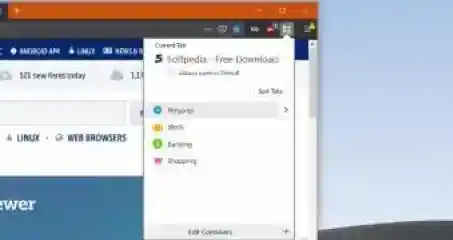 account managementuser securityMozilla Firefox
Enhancing Privacy in Firefox With Multi-Account Containers
Browser makers are working hard to build new privacy features that would protect users when surfing the web, and up to this point, Mozilla seems to be one of the innovators when it comes to such capabilities bundled with browsers. . Mozilla has launched a so-called Multi-Account Containers add-on that technically enables Firefox to separate web browsing into containers where users connect to various accounts online. In just a few words, the purpose of this feature is to allow a better online account separation, technically blocking websites from reading each other’s data. Each container comes with its very own storage and cookies, and more importantly, such content can only be read by the website loaded in that container. The link for this article located at Softpedia News is no longer available. . Learn how Mozillas Multi-Account Containers boost Firefox privacy by segregating web data and cookies for enhanced security. Firefox Containers, Multi-Account feature, browser security, web privacy, user data protection. . LinuxSecurity.com Team
Feb 13, 2020
•
Privacy
78
 security enhancementmozillafirefox
Firefox Introduces NextDNS as New DNS-Over-HTTPS Provider
Are you a Mozilla Firefox user looking to better protect your privacy online? Good news for Firefox users interested in turning on the browser’sDNS-over-HTTPS (DoH)privacy feature – they now have two providers to choose from. Learn more: . The first, of course, is Cloudflare, which Mozilla partnered with during the two-year development and testing of its DoH service, finally turned on for users in September. Not all Firefox users were at ease with this – entrusting DNS privacy to a single company felt like a risk no matter how many assurances were being offered. The link for this article located at Naked Security is no longer available. . Mozilla Firefox enhances user privacy by integrating two DNS-over-HTTPS providers, encrypting DNS queries to prevent interception of user data online. DNS Over HTTPS, Privacy Feature, Mozilla Firefox, Cloudflare, Online Security. . LinuxSecurity.com Team
Dec 18, 2019
•
Vendors/Products
81
 Firefox extensionprivacy featurebrowser vpn
Mozilla Private Network VPN: Enhancing Firefox Privacy Experience
Isthis week’s test pilot launch of Mozilla Private Networkbethe moment browser VPNs finally become a must-have privacy feature? Learn more in an interesting Naked Security article: . Available as a free beta extension for desktop Firefox, initially in the US only, its arrival is certainly promising. It’s not the first browser to offer this feature – that honour goes to Opera – but it is the one with the largest user base that promotes privacy for its own sake. The link for this article located at NakedSecurity is no longer available. . Available as a free beta extension for desktop Firefox, initially in the US only, its arrival is cer. isthis, week’s, pilot, launch, mozilla, private, networkbethe, moment, browser, finally. . LinuxSecurity.com Team
Sep 13, 2019
•
Privacy
81
 network securitymozillafirefox
Firefox: Enhanced Browser Privacy With Encrypted DNS Support
Are you a Firefox user? Mozilla is increasing browser privacy with encrypted DNS. Learn more: . Mozilla is about to turn on-by-default an oft-overlooked privacy feature in Firefox. The desktop version of the browser will soon automatically encrypt your website requests using a feature called DNS-over-HTTPS (DoH), itsaid on Friday. DoH lets browsers send Domain Name System (DNS) requests over the encrypted version of the HTTP protocol. DNS is the service that takes a human-readable name like nakedsecurity.sophos.com and turns it into an IP address a computer can use. Your browser asks a DNS resolver for this information. In turn, it asks several other DNS servers on your behalf. It then returns the IP address linked to that URL so that a browser like Firefox can contact it to download web pages. Your DNS service provider is usually your ISP, but it doesn’t have to be. There are third party commercial DNS services too. The link for this article located at NakedSecurity is no longer available. . Mozilla is enabling encrypted DNS in Firefox for improved browser privacy by default with DNS-over-HTTPS.. Firefox, Encrypted DNS, Network Security, Mozilla, DNS-over-HTTPS. . LinuxSecurity.com Team
Sep 10, 2019
•
Privacy

Get the latest News and Insights
Get the latest Linux and open source security news straight to your inbox.
Community Poll
Should Linux servers automatically install security updates?
Trending News
Search Topics
Powered By

Linux Security - Your source for Top Linux News, Advisories, HOWTOs and Feature Releases
QUICK LINKS
subscribe to newsletters!
Like staying secure? So do we.
Sign up for updates, tips, and alerts!