


Stay Ahead With Linux Security Features

 threat detection scalability
 Building a SIEM is easier than scaling one. Most open-source deployments start as a simple "all-in-one" server. It is easy to set up, but that design rarely survives the transition from a lab to a production workload. . A SIEM watching 20 endpoints is not doing the same job as one watching 500. More endpoints mean more logs; more logs require more storage; more storage makes search heavier. Eventually, the very architecture that made your lab easy to deploy becomes the reason your production...
 Jun 04, 2026
 security advisory apache
 A newly disclosed attack technique called HTTP/2 Bomb is drawing attention because it targets the software that sits at the front of much of the Linux internet. Apache HTTP Server, NGINX, Envoy, and the ingress layers that many Kubernetes environments depend on can be forced into consuming disproportionate amounts of memory using relatively small amounts of attacker traffic. . For Linux administrators, the concern is not the HTTP/2 protocol itself. It is the possibility that a single...
Jun 04, 2026
 security advisory important
 The compromise of Nx Console shows how much infrastructure now sits behind a single developer account. GitHub repositories, CI/CD pipelines, container build systems, Terraform projects, Kubernetes deployments. None of those systems was the initial target. The workstation was. . Attackers did not need a Linux privilege escalation bug or a remote code execution chain. They needed developers to trust a tool they were already using. For many organizations, that was enough. What Happened? Federal...
Jun 03, 2026
 security advisory open-source
 You remove the malware. You rotate the compromised credentials. You patch the original vulnerability and close the ticket. Two weeks later, the attacker is back. . What happened? You didn't lose the battle at the exploit; you lost it at the cleanup. In many modern Linux intrusions, the malware you found wasn't the main problem—it was the fallback mechanisms left behind. These hooks quietly restore attacker access the moment you look away. If you clean a host but miss these persistence layers,...
Jun 02, 2026
 security advisory Red Hat
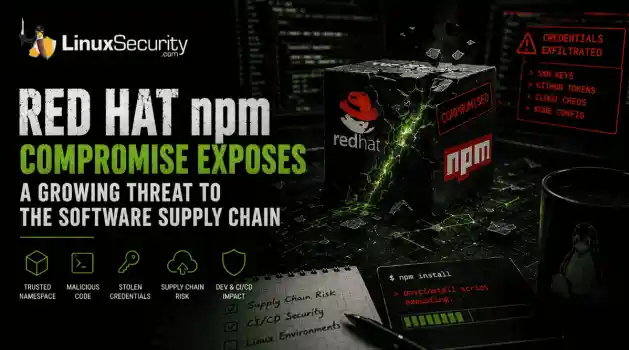
 Researchers investigating a campaign now tracked as Miasma found that more than 30 packages in Red Hat's @redhat-cloud-services npm namespace had been altered to deliver credential-stealing malware. . The packages weren't being used to deploy ransomware or sabotage systems. From what has been reported so far, the objective appears to have been much simpler: collect credentials from developer environments and use that access elsewhere. GitHub tokens, cloud credentials, SSH keys, and other...
Jun 02, 2026
 Refine features
X Clear Filters
Get the latest News and Insights
Get the latest Linux and open source security news straight to your inbox.
Community Poll
What got you started with Linux?
Loading...
Explore Latest Linux Security features
We found -3 articles for you...
102
 network securityopen sourcecyber defense
Enhance Network Security with Open-Source Honeypots for Threat Detection
Security-savvy Linux sysadmins automatically assume they face online and cloud security breaches, for threats targeting Linux grow increasingly pervasive due to its growing popularity as an Operating System (OS). Linux malware reached an all-time high in 2022. . When detecting and protecting against network security threats, traditional intrusion detection and prevention systems typically dispatch too many false positives. Threat hunters are hard to find and can only catch some risks. As a result, administrators and organizations have turned to active defense or deception technologies to help identify malicious actors within their systems. Honeypots are an invaluable offensive network security toolkit for learning the Blackhat community’s tactics and motives. They share gathered information and insights and can be pretty effective when finding lateral movement and attacks in network security, protecting remotely accessible services, and improving active directory security. This article will explore deception technologies, how they work, and what open-source honeypots you can use for free. What Are Deception Technologies & How Do They Work? Deception technology deceives attackers by setting up decoys and traps that imitate actual environments. This cybersecurity defense strategy is triggered if an attacker gains access to one of these environments, and all actions and events get recorded and monitored. These logs can help determine how attackers plan to gain access to a company’s network and what actions they will carry out once they are inside. This information will assist organizations in defending against these attacks in network security. Companies can use security patching on cybersecurity vulnerabilities and strengthen endpoints so attackers cannot use their deceptive methods during the breach. What Should I Prioritize in an Open-Source Deception Tool? Think about these requirements when choosing your open-source deception tool: Concealment : Limit the severity of attacks byconcealing sensitive data rather than treating the tool as a decoy asset. Redirection : A robust tool will drop the attacker in decoy environments that look believable to the hacker. Coverage : Make sure the tool covers the platforms your company uses, such as cloud-based environments, hybrid, IoT, networks, and so on. Effectiveness : The tool should monitor reconnaissance activity, stolen credentials, AD attacks, lateral movement in general, and more. Comprehensiveness : Understand the tool’s scope by considering the deception lures available, its coverage, and whether it checks endpoints. Authenticity : Ensure the tool can fool anyone, or hackers will not fall for the deception technology. Capabilities : Know how the tool operates, whether you perform tasks manually or automatically and easily or with difficulty. Attack reports : See if the tool can identify attacks in network security without having the patterns or signatures previously recorded, and find out if the information collection has a usable format. What Is a Honeypot & How Does It Work? A honeypot is a type of deception technology attached to a network to attract and study environment-access attempts that could be considered attacks in network security. Virtual Machines (VM) set up honeypots so the tool can mitigate compromised services quickly. More than one honeypot in a server is called a honey farm. Honeypots present themselves as vulnerable targets and then send alerts to monitoring security professionals who can study the hacks to patch cybersecurity vulnerabilities. The leading production network is kept separate from the honeypot, which companies isolate in demilitarized zones on the network where applications and data mimic actual environment behavior. Triggering alerts through attempts to communicate with the honeypot is hostile, as this monitoring gives an organization logged activity to understand network security threats and web application security vulnerabilities. Honeynets focus on datacontrol and capture. Since they are highly customizable and flexible, honeynets can mitigate risks with data control and prevent compromise on non-honeynet systems with data capture. Data collection for honey farms provides organizations with all the data in a central location. Open-Source Honeypots that Detect Threats for Free You must research all the free open-source honeypots available to pick the best option that suits your data and network security needs. Make sure to deploy honeypots with caution because incorrect configurations can lead to easier access and compromise from hackers: Modern Honey Network (MHN) is a user-friendly, easy-to-install honeypot that runs on a centraliz ed server. It combines Snort, Kippo, Dionaea, and Conpot. Honeydrive is a GNU/Linux distribution that comes pre-installed. It offers active defense capabilities, and you can view it as the “anti-Kali.” Cowrie is an SSH honeypot miming an interactive SSH server and customizing command responses. It logs brute force exploits in cybersecurity as well as attacker shell interactions. Dionaea is a multi-protocol honeypot that covers everything from FTP to SIP. It excels in SMB decoys and can simulate malware payload execution to analyze multi-part stagers. Cuckoo Sandbox is a sandbox rather than a honeypot, but it is an excellent tool for malware analysis because it provides a detailed report on executed code. Thug is a “honey client” that emulates a web browser to analyze client-side exploits. MongoDB-HoneyProxy is a honeypot proxy mimicking an insecure MongoDB database, logging all traffic to a dummy MongoDB server. ElasticHoney emulates an elastic search instance and searches for attempted remote code execution. Canarytokens helps you track the activity on your network by positioning decoy data across your systems. Honeything is a honeypot for IoT devices supporting the TR-069 (CWMP) protocol. It acts as a modem/router with a RomPager-embedded web server. Conpot canemulate complex infrastructures to attract attackers to a vast industrial complex. The design is easy to deploy, modify, and extend. Moreover, it comes with a web server that can emulate SCADA HMI. GasPot is suitable for organizations in the oil and gas industry since it mimics a Veeder Root Guardian AST, a familiar concept to those in the industry. Final Thoughts on Open-Source Honeypots that Detect Threats for Free Deception technology is critical in detecting and eliminating modern network security threats in Linux systems to maintain and improve security posture. Honeypots have a low false-positives rate, so you can trust their effectiveness in identifying cybersecurity vulnerabilities. Open-source honeypots can be a free and reliable way to stop malware and attacks in network security before facing any damage. Are you using one of these honeypots? Comment below- we’d love to hear how your experience has been! . Open-source honeypots serve as vital cybersecurity tools, simulating vulnerabilities to attract malicious actors and detect threats effectively and accurately. Open Source Honeypots, Network Security Tools, Cyber Defense Solutions. . Zaid AlBukhari
 Dec 12, 2022
•
Dec 12, 2022
•
102
 security advisoryEnGarde Secure Linuxfirewall configuration
EnGarde Secure Linux: Implement PSAD for Active Network Scan Detection
Having a great defense involves proper detection and recognition of an attack. In our security world we have great IDS tools to properly recognize when we are being attacked as well as firewalls to prevent such attacks from happening. However, certain attacks are not blindly thrown at you - a good attacker knows that a certain amount of reconnaissance and knowledge about your defenses greatly increases the chances of a successful attack. How would you know if someone is scanning your defenses? Is there any way to properly respond to such scans? You bet there is... . Eckie S. The Port Scan Attack Detector (psad) is an excellent tool for detecting various types of suspicious traffic, including port scans from popular tools such as Nmap, DDoS attacks, and other efforts to brute force certain protocols on your system. By analyzing firewall logs, psad can not only pick up on certain attack patterns, but even manipulate firewall rules to properly respond to suspicious activity. This article will walk the reader through an EnGarde Secure Linux implementation of psad, from the initial iptables rules setup to the deployment of psad on the server side. By the end of the article, the user will be able to detect certain Nmap scans and have psad respond to these scans by blocking the source. Prerequisites +---------------------------------------------------------------------------You will need: - A machine with EnGarde Secure Community 3.0.18 or above installed to do your development on. These commands should NOT be run on a production server since psad will eventually deny any type of access from the remote scanning machine! - A separate machine on the same network with Nmap installed on it. You will be running certain scans on the server from this machine. Once you have all the above you may log in as root, transition over to sysadm_r, and disable SELinux: [psad_server]# newrole -r sysadm_r Authenticating root. Password: [psad_server]# setenforce 0 Throughout the HowTo, the server will be referred to as psad_server and the Nmap scanning machine as nmap_scanner. Install psad +---------------------------------------------------------------------------EnGarde Secure Linux makes the installation of psad a breeze due to its Guardian Digital Secure Network (GDSN). You can install the package through the command line: [psad_server]# apt-get install psad ...or login to WebTool and download the package from the package manager interface. We shall get around to the setup of psad after we configure the firewalls on psad_server to log packets: iptables Rules Setup +---------------------------------------------------------------------------Since iptables is installed out of the box on EnGarde Secure Linux, you only have to run two simple commands to start logging packets with iptables: [psad_server]# iptables -A INPUT -j LOG [psad_server]# iptables -A FORWARD -j LOG From here on out incoming packets (especially those of Nmap scans) will be logged. Let's see if we can start detecting such scans by setting up psad to do so. psad Configuration +---------------------------------------------------------------------------On psad_server, use your favorite editor to modify the /etc/psad/psad.conf file. We're interested in the following tunables: EMAIL_ADDRESSES HOSTNAME SYSLOG_DAEMON ETC_SYSLOGNG_CONF The EMAIL_ADDRESSES should be whichever email addresses you wish to have psad send feedback to. This feedback includes error messages and alerts of potential dangerous scans depending on danger levels which can be fine-tuned for your purposes. - The HOSTNAME tunable will be the hostname of the psad_server machine. - The SYSLOG_DAEMON refers to the logging daemon for the machine. For EnGarde Secure Linux, this should be set to 'syslog-ng'. - The ETC_SYSLOGNG_CONF refers to the direct path of the syslog-ng daemon's configuration file. For EnGarde Secure Linux, this should be set to '/etc/syslog-ng.conf'. - Once you've properly configured those tunables, you can start the psad daemon: [psad_server]# /etc/init.d/psad start [ SUCCESSFUL ] psad Daemons Note: As far as danger levels are concerned, these range from one to five and are assigned to the IP addresses from which an attack or scan is detected. They are assigned based on the number of packets sent, port range, the time interval of the scan, whether or not the signatures of the packets match up with psad signature attacks, and the IP address where the packet originated from. Depending on the number of such packets, a level is assigned as per the configuration file. For more information on danger levels and ideas for fine-tuning them, please refer to the resources at the end of the article. psad - Active Detection +---------------------------------------------------------------------------We will now use psad to detect certain Nmap scans. On the Nmap scanning machine, run a TCP connect() scan by executing the following: [nmap_scanner] nmap -sT 1.2.3.4 Replace 1.2.3.4 with the IP address of your psad_server. If we check the /var/log/psad/fwdata file on the psad_server, you will find the following: Feb 2 11:58:11 psad_server kernel: IN=eth0 OUT MAC=00:0c:29:78:22:73:00:0c:76:4b:f6:3e:08:00 SRC=5.6.7.8 DST=1.2.3.4 LEN=60 TOS=0x00 PREC=0x00 TTL=64 ID=23609 DF PROTO=TCP SPT=49021 DPT=113 WINDOW=5840 RES=0x00 SYN URGP=0 We can see that SRC will have the IP address of the nmap_scanner machine, and DST will have the address of the psad_server. Also note that PROTO=TCP, showing that the attack was a TCP connect() scan. If you had previously configured psad to send email alerts, you will begin receiving emails concerning this scan showing lots more data than these log messages can ever produce. There are configuration tunables in the /etc/psad/psad.conf file to limit and even disable email: EMAIL_LIMIT ALERTING_METHODS EMAIL_ALERT_DANGER_LEVEL EMAIL_LIMIT defines the maximum number of emails a configured user will receive for a given IP address. ALERTING_METHODS can be set to noemail, nosyslog, and ALL, depending on whether you want only syslog-ng messages, email alerts, or both. EMAIL_ALERT_DANGER_LEVEL is the minimum danger level that must be hit in order for psad to send email alerts concerning a detection. The default setting is one, so you can expect lots of emails for this tutorial's purpose. Here is an example email showing psad output of the previous Nmap scan: Subject: [psad-alert] DL2 src: nmap_scanner.yournetwork.com dst: psad_server.yournetwork.com Danger level: [2] (out of 5) Scanned UDP ports: [32772: 1 packets, Nmap: -sU] iptables chain: INPUT, 1 packets Source: 5.6.7.8 DNS: nmap_scanner.yournetwork.com OS guess: Linux (2.4.x kernel) Destination: 1.2.3.4 DNS: psad_server.yournetwork.com Overall scan start: Mon Feb 2 11:57:19 2008 Total email alerts: 2 Complete TCP range: [64-49400] Complete UDP range: [32772] Syslog hostname: unknown Global stats: chain: interface: TCP: UDP: ICMP: INPUT eth0 40 1 0 [+] TCP scan signatures: "P2P Napster Client Data communication attempt" dst port: 5555 (no server bound to local port) flags: SYN sid: 564 chain: INPUT packets: 1 classtype: policy-violation As you can see, psad does a wonderful job of taking packet data from logs, analyzing it and producing useful information on the type of scans used. psad - Active Defense +--------------------------------------------------------------------------- One ofthe more prominent features of psad is its active defense implementation - being able to detect Nmap scans is nice, but how do you respond? Let's configure psad to automatically block the source of such scans upon detection. Before implementing this feature, it is obvious for certain security veterans who are reading this article that there is a definite tradeoff for enforcing an active response policy. Although malicious traffic will be blocked, there is always the risk of blocking out valid traffic. Certain attackers can exploit active defenses and turn it against the target by attempting to spoof valid addresses, thus blocking out otherwise harmless traffic. This only happens in cases where the active response system has been configured to respond to nearly ALL types of potentially harmful traffic, including port scans or port sweeps. This also applies to traffic which does not require bidirectional communication with the target. A better strategy to employ is to only respond to traffic where bidirectional communication is required i.e. TCP connections. Even then, one must take care to tailor their active response to certain types of TCP connections, such as attempted SQL injection attacks, etc. Please be sure you are absolutely positive of how your detection scheme is working before deploying an active defense. Using your favorite editor, modify the /etc/psad/psad.conf file. We're interested in the following tunables: ENABLE_AUTO_IDS AUTO_IDS_DANGER_LEVEL ENABLE_AUTO_IDS should be set to 'Y' to enable the automated IDS response. AUTO_IDS_DANGER_LEVEL, for this HowTo's sake, will be set to '3'. This danger level is customizable and the setting we use in this HowTo is for demonstration purposes only. Restart the psad on the psad_server: [psad_server]# /etc/init.d/psad restart [ SUCCESSFUL ] psadwatchd Daemon [ SUCCESSFUL ] psad Daemon [ SUCCESSFUL ] kmsgsd Daemon [ SUCCESSFUL ] psad Daemons From the nmap_scanner machine, we'll run an Nmap SYN scan along with the '-P0' switch - this type of scan uses noping and does not fully complete a TCP connection, resulting in fast scans. This usually requires root privileges, and is considered more of a dangerous scan - just the type of scan that psad detects at a higher danger level. [nmap_scanner]# nmap -sS -P0 -n 1.2.3.4 Replace the '1.2.3.4' with the IP address of your psad_server machine. psad will detect the SYN scans, and since the danger level of this scan is 3, it manipulates the iptables rules to block the source of the scans. This can be verified on the psad_server by running the following command: [psad_server]# psad --fw-list [+] Listing chains from IPT_AUTO_CHAIN keywords... Chain PSAD_BLOCK_INPUT (1 references) pkts bytes target prot opt in out source destination 820 36080 DROP all -- * * 5.6.7.8 0.0.0.0/0 Chain PSAD_BLOCK_OUTPUT (1 references) pkts bytes target prot opt in out source destination 0 0 DROP all -- * * 0.0.0.0/0 5.6.7.8 Chain PSAD_BLOCK_FORWARD (1 references) pkts bytes target prot opt in out source destination 0 0 DROP all -- * * 0.0.0.0/0 5.6.7.8 0 0 DROP all -- * * 5.6.7.8 0.0.0.0/0 You will even receive an email alerts that inform you of the scan detection, as well as an email informing you that iptables rules have been added to auto- block the nmap_scanner! Wrapping It All Up +--------------------------------------------------------------------------- Congratulations, you've successfully implemented psad to actively detect and respond to signature Nmap scans! Keep in mind this is one of the more basic setups for psad. You can go even further and adjust danger levels to suit degrees of paranoia, put psad into forensics mode, incorporate the software with DShield, and even manually use psad to manipulate iptables rules. A great resource for psad research is 'Linux Firewalls' by Michael Rash. Rash includes several chapters on psad covering not only theory but advanced implementation of psad from start to finish. If you wish to gain suggestions for an advanced, finely-tuned active defense setup with psad, be sure to check this bookout! Have fun implementing an active defense against those who try to scan your system! Resources +--------------------------------------------------------------------------- / https://guardiandigital.com/ 'Linux Firewalls' by Michael Rash 'Knock, Knock, Knockin' on EnGarde's Door' features/knock-knock-knockin-on-engardes-door-with-fwknop . Learn how to implement the Port Scan Attack Detector (psad) for Intrusion Detection within EnGarde Linux to detect and respond to unauthorized network scans. Port Scan Attack Detector, Network Attack Response, EnGarde Secure Linux, Nmap Detection, Active Defense Setup. . Anthony Pell
Jul 16, 2010
•


Get the latest News and Insights
Get the latest Linux and open source security news straight to your inbox.
Community Poll
What got you started with Linux?
Search Topics
Powered By

Linux Security - Your source for Top Linux News, Advisories, HOWTOs and Feature Releases
QUICK LINKS
subscribe to newsletters!
Like staying secure? So do we.
Sign up for updates, tips, and alerts!
Discover faster search, smarter navigation, and deeper Linux security insights. Read More