Audit Linux privileges now to limit compromise, escalation, and system-wide damage. Review Linux Privileges×


Stay Ahead With Linux Security Features
 security advisory vulnerability
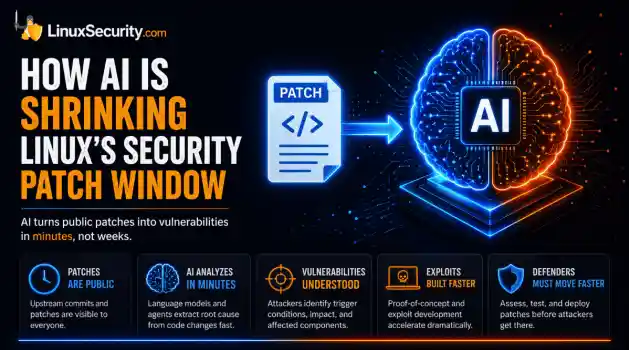
 For decades, Linux defenders relied on a comfortable assumption: a public security patch did not imply an imminent vulnerability. While open-source openness made vulnerability fixes public to everyone on kernel.org or the Linux Kernel Mailing List (LKML), converting a raw commit into a weaponized exploit took a significant amount of manual effort. This delay, estimated in weeks or months, gave businesses enough time to assess exposure, organize testing windows, and push changes across...
 Jul 27, 2026
 security advisory path traversal
 Two newly fixed storage bugs in Kubernetes showed more than just a problem with path traversal. They found a common security flaw in the cloud: powerful parts often think that requests accepted by a higher system are safe to run. This is a simple lesson for the platform and security teams: RBAC can accept a request without showing that its parameters will stay within a certain filesystem boundary. This is clear from a new study from SentinelLabs into flaws in the Kubernetes CSI drivers for NFS...
Jul 24, 2026
 security advisory update
 A large volume of Linux security updates and advisories this week across major distributions once again, but it wasn't just the volume that was the story. Where maintainers and security teams focused their attention was evident in the concentration of fixes targeting Linux kernel updates, identity services, DNS infrastructure, and internet-facing software. . Instead of looking at each advisory in isolation, administrators gain more value from the general trends they reveal about Linux security...
Jul 23, 2026
 identity management security tactics
 For years, we secured our Linux infrastructure by building walls: VPCs, security groups, and hardened SSH configurations. We treated the cloud like a virtual data center, assuming that if we kept the "bad guys" out of the network, our workloads were safe. . That model is no longer sufficient. Today, one of the most common paths from an initial compromise to a major cloud breach is the identity assigned to your Linux workload. When an attacker gains code execution on a Linux instance—through a...
Jul 17, 2026
 security practices patch management
 Most of us don't hear about a kernel vulnerability until a CVE lands in our inbox or the vulnerability scanner starts complaining. By then, the patch isn't new anymore. Kernel developers may have been passing it around for review, arguing over the implementation, or revising it for days before anyone outside that community noticed it. None of those discussions are secret. They're sitting in mailing list archives, Git commits, and patch reviews where they've been the whole time. The strange...
Jul 14, 2026
 Refine features
X Clear Filters
Get the latest News and Insights
Get the latest Linux and open source security news straight to your inbox.
Community Poll
Are host-based firewalls still worth using?
Loading...

Explore Latest Linux Security features
We found -4 articles for you...
102
 security researchmalware analysislinux techniques
Advanced Anti-Debugging Techniques: Detecting Breakpoints in Linux
In the previous part of our Hacker's Corner series, we covered anti-debugging using a trivial self-modifying code. Here, instead of blocking debugging completely, we will detect various debugger-induced activities.. Breakpoints A breakpoint is intentional "pause" in normal execution of a program, generally used to inspect the internals of said process in more detail. This is the *most* used feature of any debugger. On x86 CPUs, there are two types of breakpoints: hardware breakpoints and software breakpoints. While they overlap to a certain degree they are not exactly the same. In most of debugging cases, you will be using software breakpoints, which do not need any special hardware support. These are implemented using same interrupt mechanism which is used by pretty much everything else. On x86, 3rd interrupt is used to implement a breakpoint. When you set a breakpoint, your debugger overwrites target address (where you want to put the breakpoint) with INT 3 (0xCC in hex). When this instruction gets executed, debugger gets the control back from target process, and can inspect its state (registers, memory etc). To resume the execution, debugger will silently remove breakpoint, execute the instruction, and set the breakpoint again before letting the process resume (until it terminates, or breaks). Features like step over, step out are also implemented using "transparent" software breakpoints, which are set and removed automatically by debugger. Generally, you can set any number of software breakpoints; however these cannot be set on non-code address (i.e. these can break the program only when target address content is executed; but not if the address is read from or write to). Hardware breakpoints, on the other hand, are much more powerful and flexible than software breakpoints. These can be set to break not only on execution, but also on memory access (read and write both), I/O port access etc. These debuggers are set by writing into special "debug registers" which are largelyplatform specific (and not all platforms will have support for hardware breakpoints). On x86, registers DR0-3 and DR6-7 are used to set these breakpoints (DR4-5 are reserved as of now). If you have ever used "watchpoints" which let you break when certain memory address is accessed, you have used hardware breakpoints. Here, one can try looking this inside a debugger, and then claim that this is not how software breakpoints work: (gdb) break main Breakpoint 1 at 0x116d (gdb) disassemble main Dump of assembler code for function main: 0x0000000000001169 : push rbp 0x000000000000116a : mov rbp,rsp 0x000000000000116d : lea rsi,[rip+0xe91] # 0x2005 0x0000000000001174 : lea rdi,[rip+0x2f05] # 0x4080 0x000000000000117b : call 0x1040 0x0000000000001180 : mov rdx,rax 0x0000000000001183 : mov rax,QWORD PTR [rip+0x2e46] # 0x3fd0 0x000000000000118a : mov rsi,rax 0x000000000000118d : mov rdi,rdx 0x0000000000001190 : call 0x1050 0x0000000000001195 : mov eax,0x0 0x000000000000119a : pop rbp 0x000000000000119b : ret End of assembler dump. (gdb) Here, we cannot see any interrupt instruction; not because there is none; but because our debugger is lying here. It will show you disassembly as it looked before setting any breakpoints so that it matches with what compiler generated from source. Detecting Software Breakpoint Since we know that software breakpoints are set by overwriting 0xCC at first byte of instruction, we can easily check for such breakpoints in our code: - Find where our target function (or any chunk of code) is located in memory - Read 1 byte from address - If byte is 0xCC, a breakpoint has been set A trivial implementation looks something like this: #include bool isBreakpointPresent(unsigned char *func) { bool result = *func == 0xCC; return result; } void secret() { for (int i = 0; i <10; ++i) { std::cout
 Jul 18, 2022
•
Jul 18, 2022
•

Get the latest News and Insights
Get the latest Linux and open source security news straight to your inbox.
Community Poll
Are host-based firewalls still worth using?
Search Topics
Powered By

Linux Security - Your source for Top Linux News, Advisories, HOWTOs and Feature Releases
QUICK LINKS
subscribe to newsletters!
Like staying secure? So do we.
Sign up for updates, tips, and alerts!