Explore top 10 tips to secure your open-source projects now. Read More
×


Stay Ahead With Linux Security Features

 open-source rootkit
 Most of us think of Linux rootkits as ancient history—the stuff of 90s hacking forums and clunky malware that would crash your system if you looked at it the wrong way. But if you think they’ve gone away, you’re mistaken. They’ve just gotten smarter. . Modern attackers aren't using the noisy tools of the past. Today’s threats are surgical. Many of today’s most advanced Linux rootkits operate at the kernel level or abuse legitimate system features to blend in with normal traffic. They’re...
 Jul 09, 2026
 security advisory hardening
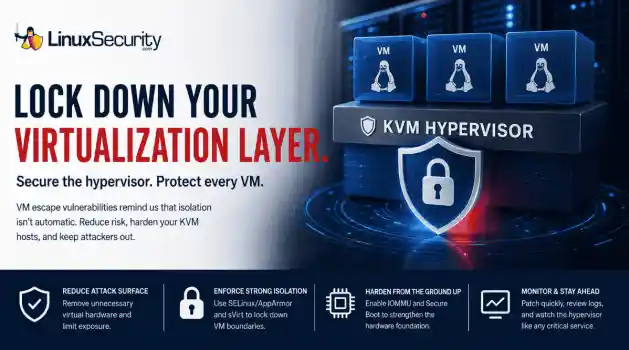
 A 16-year-old KVM vulnerability recently hit the news, and honestly? It’s a healthy dose of reality. We like to think of our hypervisors as these impenetrable walls, but this is a reminder that VM isolation isn't a permanent guarantee. Even in the most mature Linux virtualization stacks, you’ve got code paths that haven't been touched in over a decade, just waiting for the right researcher to pull on the wrong thread. For those of us running KVM hosts, this isn't just about grabbing the latest...
Jul 07, 2026
 security advisory linux
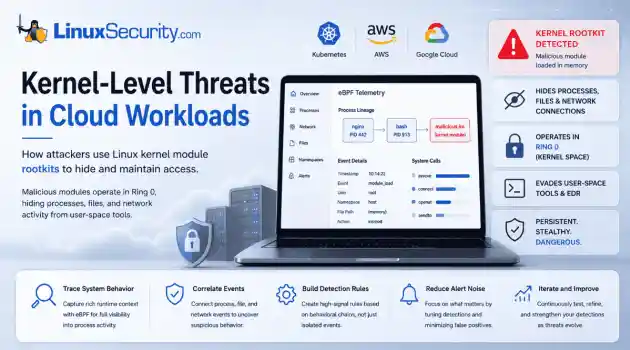
 If you think you know what’s running on your Linux host, you’re probably wrong. Not because you’re bad at your job—but because the kernel is lying to you. . I remember the first time I saw a kernel-level rootkit in the wild. We were debugging a performance spike on a cluster of web servers. Everything looked fine. top showed nominal CPU usage, ps listed the expected worker processes, and our security agent—a standard EDR tool—reported that the system integrity was "Green." But the network...
Jul 02, 2026
 network security threat detection
 If you’re relying on standard network logs to protect your Linux infrastructure, you’re flying blind. Most organizations believe they have network security monitoring because they’re capturing traffic, but they’re actually just collecting noise. Real security—the kind that stops an attacker—happens in the gaps between the network, the process, and the host. When an attacker breaches a Linux server, they rarely reach for a custom zero-day. They use what’s already there: curl, bash, python, or...
Jun 30, 2026
 unauthorized access security practices
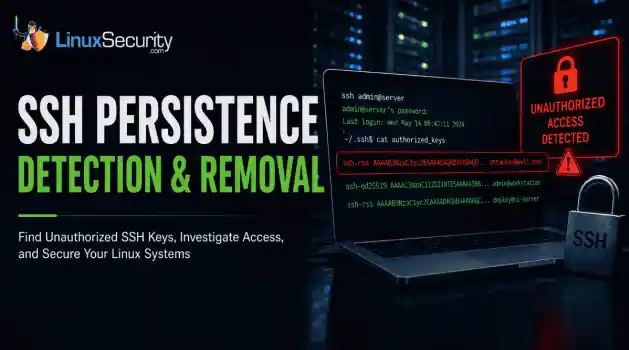
 SSH persistence usually does not look malicious at first. The login succeeds normally, the session opens cleanly, and the account already exists on the server, which is exactly why attackers continue using SSH keys after gaining a foothold on Linux systems. . Once a public key is added to authorized_keys , the server treats future access as trusted authentication. Attackers no longer need password resets or repeated exploit chains every time they reconnect because the server now accepts the...
Jun 26, 2026
 Refine features
X Clear Filters
Get the latest News and Insights
Get the latest Linux and open source security news straight to your inbox.
Community Poll
Is application sandboxing truly safe?
Loading...
Explore Latest Linux Security features
We found 10 articles for you...
102
 security advisorydenial of servicecritical
Critical NGINX Vulnerability CVE-2026-42945: What Linux Admins Should Check Now
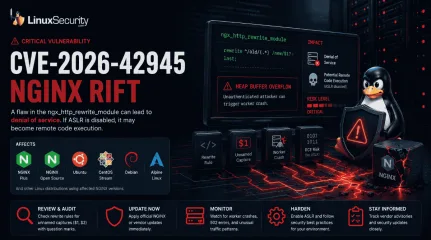
New flaw leads to denial-of-service on affected NGINX configurations. If ASLR is disabled, it may become a remote code execution. . Known as NGINX Rift, CVE-2026-42945 affects NGINX’s ngx_http_rewrite_module and can allow unauthenticated attackers to crash worker processes with crafted requests. That matters because NGINX often sits at the edge of Linux infrastructure, handling web traffic, redirects, reverse proxy rules, API routing, load balancing, and application delivery. The configuration requirement may look narrow at first, but active exploitation changes the urgency. Vulnerable rewrite rules can sit in production for years without anyone reviewing them closely, leaving exposed NGINX servers as more than just another routine patch item. For Linux administrators, the immediate question is simple. Are any internet-facing NGINX systems using risky rewrite patterns, and have they been updated through official vendor channels? What You Need To Know CVE-2026-42945 affects NGINX Plus and NGINX Open Source. The flaw exists in the ngx_http_rewrite_module . The issue is tied to rewrite configurations using unnamed PCRE captures such as $1 or $2 , with replacement strings that include a question mark. An unauthenticated attacker can send crafted HTTP requests to trigger a heap buffer overflow in the NGINX worker process. The most likely impact is denial of service through worker crashes and restarts. Remote code execution may be possible in weakened environments, especially where ASLR is disabled. Administrators should prioritize official NGINX and vendor update s, then audit rewrite rules across internet-facing systems. Who Should Prioritize This First Not every NGINX server is automatically vulnerable. The risk depends on version, configuration, exposure, and whether vulnerable rewrite logic is reachable by an attacker. Still, some environments should move faster than others. Administrators should prioritize: Internet-facing NGINXservers Reverse proxies handling untrusted traffic API gateways using rewrite rules Kubernetes ingress deployments based on NGINX behavior Older virtual host configurations inherited from previous applications Containers or images that package NGINX directly Systems using unnamed capture references such as $1 or $2 Linux systems where ASLR has been disabled This is especially important for servers that have accumulated rewrite logic over time. Redirects, backend mappings, language routing, legacy URL support, and API path changes are often copied between systems and forgotten. That is where risk can sit unnoticed. Why This NGINX Flaw Matters NGINX is everywhere in Linux environments. It sits in front of web apps, Kubernetes ingress controllers, API gateways, cloud services, containers, and internal dashboards. In many environments, it is the first layer that handles untrusted traffic before a request ever reaches the application. That is what makes this flaw different from a bug buried deep inside one service. An attacker does not need shell access. They do not need stolen credentials. They do not need to reach the backend directly. If the vulnerable rewrite configuration is exposed, crafted HTTP requests may be enough to crash NGINX worker processes and disrupt availability. In production, that could look like intermittent 502 errors, failed API calls, broken redirects, unstable ingress behavior, or repeated worker restarts. In shared reverse proxy or Kubernetes environments, one exposed traffic layer may affect several services behind it. The second concern is how quickly bugs in edge-facing services attract attention. CVE-2026-42945 affects a widely used component and sits in rewrite logic that many teams probably have not reviewed in years. Public proof-of-concept activity has also been reported, which makes patching and configuration review harder to delay. What Makes CVE-2026-42945 Important The vulnerability is not triggered simply because NGINXis installed. According to F5’s advisory , the flaw exists when a rewrite directive is followed by a rewrite, if, or set directive and an unnamed PCRE capture, such as $1 or $2 , is used with a replacement string that includes a question mark. Under those conditions, crafted HTTP requests may cause a heap buffer overflow in the NGINX worker process. That creates a practical problem for Linux teams. Rewrite rules are often old. They are copied between servers, inherited from previous application versions, reused across reverse-proxy templates, and buried in site configs that no one has touched in years. In large environments, administrators may not immediately know which NGINX deployments use vulnerable rewrite patterns. That delay matters in response, since the vulnerability reportedly dates back many years, meaning older, long-lived systems may be exposed if they have not been updated through vendor channels. Old configuration logic has a way of surviving infrastructure migrations. A server might move from bare metal to the cloud. A site might move behind a load balancer. A service might become part of a containerized platform. But the rewrite rules often stay almost exactly the same. Quick 5-Minute Check Administrators should begin by identifying where NGINX is running, especially on internet-facing Linux systems. Check installed NGINX versions: nginx -v Review the active configuration: nginx -T Search for rewrite directives: nginx -T 2> /dev/null | grep -n "rewrite" Search for unnamed capture references: nginx -T 2> /dev/null | grep -E '\$[0-9]' Administrators should pay close attention to rewrite logic that uses captures such as $1 or $2 , especially when the replacement string includes a question mark. Additional priorities should include: Reviewing NGINX virtual host and site configuration files Checking reverse proxy and API gateway rewrite rules Auditing Kubernetes ingress configurations that rely on NGINX behavior Reviewing container images that package older NGINX versions Confirming whether ASLR is enabled on Linux systems Prioritizing externally reachable NGINX deployments first This quick check will not replace patching, but it can help teams find the highest-risk systems faster. Patching Is the Priority The safest response is to update NGINX through official channels. Administrators should apply fixes from F5, NGINX, or their Linux distribution rather than manually modifying source code or relying only on partial configuration changes. Organizations should monitor advisories and package updates from: Red Hat Ubuntu Debian Fedora SUSE AlmaLinux Rocky Linux NGINX upstream sources Cloud image and container image providers should also be checked closely. NGINX is often embedded in base images, reverse proxy containers, ingress controllers, and application delivery stacks. Updating the host operating system alone may not update every NGINX instance running across the environment. That is where teams often miss exposure. A patched server does not help if an older NGINX container is still deployed in production. Temporary Mitigation Requires Configuration Review For organizations that cannot patch immediately, configuration review becomes the next priority. F5’s advisory indicates that the vulnerable condition involves unnamed PCRE captures in certain rewrite patterns. Some reports have recommended replacing unnamed captures, such as $1 and $2 , with named captures where appropriate, but this should be tested carefully before production rollout. Administrators should be careful here. Rewrite rules can affect routing, redirects, authentication flows, API paths, application compatibility, SEO behavior, and backend request handling. A rushed change can break production traffic even if the security goal is valid. The better approach is controlled review: Identify exposed NGINX systems Find rewrite rules using unnamed captures Map whichapplications depend on those rules Test named-capture replacements in staging Deploy patched NGINX packages as soon as they are available Monitor logs for crashes, abnormal requests, and repeated worker restarts Temporary configuration changes can reduce exposure, but they should not become a substitute for patching. Why ASLR Still Matters One of the more important details in the current reporting is the difference between denial of service and code execution. On default hardened Linux systems, the most likely impact appears to be worker process crashes and restarts. That can still be serious, especially against high-traffic services where repeated crashes can degrade availability. But remote code execution becomes a larger concern when exploit mitigations are weakened. ASLR, or Address Space Layout Randomization, makes memory corruption exploitation harder by randomizing where code and data are loaded in memory. If ASLR is disabled, attackers may have a more reliable path from memory corruption to code execution. Administrators can check ASLR status with: cat /proc/sys/kernel/randomize_va_space A value of 2 generally indicates full randomization. A value of 0 means ASLR is disabled. If ASLR is disabled on exposed Linux systems, that should be treated as a serious hardening gap beyond this one vulnerability. Memory corruption flaws become more dangerous when basic exploit mitigations are turned off. Cloud and Kubernetes Environments Need Extra Review This gets more complicated in cloud and Kubernetes environments. If a vulnerable rewrite rule is exposed through an ingress controller or reverse proxy, the impact may not stop at one application. Crafted requests could repeatedly crash NGINX worker processes, trigger restarts, break routing, or affect several services sitting behind the same ingress layer. Cloud-hosted reverse proxies and API gateways run into the same problem. NGINX is used because it is fast, flexible, and familiar. But thatflexibility is also where old risk builds up. Teams add redirects, backend mappings, path normalization, language routing, legacy URL support, and API rewrites. Then those rules get copied, reused, migrated, and forgotten. Years later, they may still be running in production. That is why teams should check more than just traditional Linux servers. They should also review container images, Helm charts, ingress controller configurations, CI/CD deployment templates, and cloud images that include NGINX. Default Impact vs. Weakened-System Impact The impact depends heavily on configuration and hardening. Condition Likely Risk Vulnerable rewrite config exposed NGINX worker crash or denial of service ASLR enabled Exploitation is harder ASLR disabled Remote code execution risk may increase NGINX is used in the ingress or shared proxy layer Multiple services may be affected The older NGINX container is still deployed Host patching may not fully remove exposure This is why administrators should treat the issue as both a patching task and a configuration review task. Immediate Actions for Linux Admins Patch affected NGINX deployments immediately. Audit rewrite rules using unnamed captures such as $1 and $2 . Prioritize internet-facing NGINX servers and reverse proxies. Check container images and Kubernetes ingress deployments. Confirm ASLR is enabled on exposed Linux systems. Monitor logs for worker crashes, abnormal requests, and restart loops. Review vendor advisories for updated NGINX packages. Test any rewrite-rule mitigation before production rollout. Why Exposed Infrastructure Bugs Still Matter Linux servers now sit underneath nearly every modern environment. They power web applications, containers, cloud platforms, CI/CD systems, internal tools, and customer-facing services. Attackers know that edgeservices are valuable because they process untrusted traffic all day. A flaw in a public-facing web server, reverse proxy, or ingress layer can create immediate operational risk, even before attackers reach the application behind it. CVE-2026-42945 is a reminder that mature infrastructure components still need close attention. Old code paths, legacy rewrite behavior, and inherited configuration patterns can carry risk for years. Because in modern Linux environments, attackers do not always need to compromise the application first. Sometimes, they only need the traffic layer in front of it. Want more Linux security breakdowns and vulnerability response checklists? Subscribe to our newsletter for weekly infrastructure, hardening, and security updates. Related Reading Enhance Nginx Security With 25 Best Practices for Linux Linux Security in 2026 Hardening Monitoring and Defense Strategies Container Security Misconfigurations Kubernetes Threats Understanding Container Security Best Practices for Linux Admins The Linux Kernel in 2025: Security Enhancements, Emerging Threats & Best Practices . Known as NGINX Rift, CVE-2026-42945 affects NGINX’s ngx_http_rewrite_module and can allow unauthen. leads, denial-of-service, affected, nginx, configurations, disabled. . MaK Ulac
 May 18, 2026
•
May 18, 2026
•
102
 security advisorycriticalprivilege escalation
Linux Kernel Fragnesia Critical Privilege Escalation CVE-2026-46300
Linux administrators are once again dealing with a familiar problem: a local Linux foothold that can potentially become full root access. . A newly disclosed kernel vulnerability called Fragnesia ( CVE-2026-46300 ) affects the Linux kernel’s XFRM ESP-in-TCP subsystem and could allow unprivileged attackers to escalate privileges to root on vulnerable systems. The issue matters because modern Linux attacks rarely begin with root access. Attackers typically compromise a lower-privileged process first, then use local privilege escalation vulnerabilities to take over the underlying host. At first glance, the vulnerability may sound similar to Dirty Frag . But Fragnesia is being tracked separately and has received its own patch. That distinction matters because it highlights an ongoing issue inside Linux environments: kernel networking and page-cache attack surfaces are still producing serious privilege escalation risks. And for administrators, local privilege escalation bugs are rarely “minor.” What You Need To Know Fragnesia is tracked as CVE-2026-46300 The flaw affects the Linux kernel’s XFRM ESP-in-TCP subsystem Researchers say it may allow arbitrary byte writes into the kernel page cache of read-only files Successful exploitation could allow local attackers to gain root privileges Systems using ESP/XFRM-related functionality may require special mitigation considerations Administrators should prioritize official kernel patches from Linux vendors Why Local Privilege Escalation Still Matters Modern Linux attacks usually do not start with root access. An attacker gains a small foothold first. Maybe through a vulnerable application, exposed service, stolen credentials, container breakout, or compromised developer account. From there, the goal is escalation. That is where vulnerabilities like Fragnesia become dangerous. Once an attacker reaches root, the entire system changes hands. Security tools can be disabled Persistence can beestablished quietly Credentials, containers, workloads, and neighboring systems all become easier targets This matters even more in environments like cloud infrastructure, container hosts , CI/CD runners, shared Linux systems, developer workstations, and Kubernetes environments. In those environments, attackers do not necessarily need remote kernel exploitation. They only need a local foothold that can be turned into something bigger. What Makes Fragnesia Important One of the more significant details in the disclosure is that Fragnesia reportedly does not require a race condition to corrupt the page cache. That lowers complexity. Race-condition exploits are often harder to execute reliably because timing matters. Remove the race condition, and exploitation becomes more predictable under the right circumstances. The vulnerability also affects a subsystem many administrators may not actively monitor day to day: ESP/XFRM networking functionality tied to IPsec behavior. That creates a practical problem. Vulnerable components can sit quietly inside production systems without drawing much attention until a disclosure like this appears. In large Linux environments, especially cloud-heavy ones, many teams may not immediately know whether affected functionality is enabled, exposed, or actively being used. That delay matters during patch cycles. What Admins Should Check Right Now Administrators should begin by identifying whether affected networking modules are loaded on exposed systems. lsmod | grep esp lsmod | grep xfrm Teams should also verify currently running kernel versions: uname -r Additional priorities should include: Reviewing Linux vendor advisories for patched kernels Validating updates for cloud images and managed infrastructure Prioritizing shared Linux systems and container hosts Reviewing Kubernetes worker nodes and CI/CD infrastructure Confirming whether IPsec VPN dependencies could be impacted by temporary mitigations Patching Is the Priority Fragnesia has received its own patch, and administrators should rely on official kernel updates from their Linux distribution rather than attempting manual kernel changes. Organizations should closely monitor advisories and updated packages from vendors including: Red Hat Ubuntu Debian Fedora SUSE AlmaLinux Rocky Linux Cloud image providers and managed infrastructure platforms should also be monitored closely as updated kernels become available. As with most kernel vulnerabilities, delayed patching expands the window for attackers. Local privilege escalation flaws become significantly more dangerous once attackers already have access somewhere inside the environment. Temporary Mitigations May Affect VPNs For organizations unable to patch immediately, temporary mitigations reportedly follow the same general approach associated with recent ESP/XFRM-related issues. That may involve blocking or unloading affected modules such as esp4 or esp6. Administrators should be careful here. Disabling ESP/XFRM-related modules can interfere with IPsec VPN functionality , encrypted tunnels, and secure network communications that rely on those components. In production environments, aggressive mitigation steps can create operational problems if applied broadly without testing. That tradeoff is one of the more difficult realities of kernel vulnerability response. Security fixes are not always operationally clean, especially when networking infrastructure is involved. Why This Matters for Kubernetes and Cloud Environments Consider a Kubernetes worker node running multiple workloads. If an attacker compromises a vulnerable containerized application and gains limited local access to the underlying host namespace, a privilege escalation vulnerability like Fragnesia could potentially allow escalation to root on the node itself. From there, attackers may gain access to credentials, neighboring workloads, orchestration tooling, or cluster secrets. That is one reason local privilege escalation vulnerabilities continue to matter heavily in modern Linux infrastructure. Why Linux Kernel Bugs Continue To Matter Linux systems now sit underneath nearly every modern environment. They power containers, cloud workloads, CI/CD infrastructure, virtualization platforms, enterprise applications, and internet-facing services. Attackers know that, and increasingly, Linux attacks do not rely on noisy malware or obvious system crashes. Many operate quietly inside normal administrative activity until privilege escalation opens the door to full control. That is why vulnerabilities like Fragnesia deserve attention even when they require local access first. Because in modern infrastructure, attackers rarely need to start with root. They just need a reliable path to get there. Immediate Actions for Linux Admins Patch affected kernels immediately Verify whether ESP/XFRM modules are loaded Review IPsec VPN dependencies before mitigation Prioritize shared systems and container hosts Monitor vendor advisories for updated kernels Want more Linux security breakdowns and kernel vulnerability analysis? Subscribe to our newsletter for weekly infrastructure and security updates. Related Reading: Dirty Frag Linux Privilege Escalation Explained How To Secure the Linux Kernel Against Exploits Container Escape Vulnerabilities Explained for Linux Admins Linux Security Hardening Tips for Keeping Servers Safe Dirty Pipe: One of Linux’s Most Serious Recent Vulnerabilities . A newly disclosed kernel vulnerability called Fragnesia (CVE-2026-46300) affects the Linux kernel’. linux, administrators, again, dealing, familiar, problem, local, foothold. . MaK Ulac
May 14, 2026
•

102
 security advisorydenial of servicecritical
Linux Systems Running Wireshark May Be Exposed to Remote Attacks
Wireshark is one of those tools Linux teams quietly depend on everywhere: SOC pipelines, packet capture nodes, incident response systems, and long-running forensic environments. That’s what makes the newly disclosed vulnerabilities in Wireshark 4.6.5 more serious than a routine software update. . The release fixes more than 40 security flaws, including remote code execution (RCE), denial-of-service conditions, infinite loops, and decompression bugs affecting multiple protocol dissectors. For Linux administrators running Wireshark or tshark in production analysis environments, delaying this patch creates unnecessary exposure on systems that often already have elevated network visibility and capture permissions. What Happens When Systems Get Exploited? The immediate problem isn’t just that Wireshark crashes. Wireshark sits deep inside monitoring and triage workflows. When dissectors lock up, crash, or start chewing through CPU cycles, analysts lose visibility exactly when traffic volume or investigation pressure is already high. Some of the flaws trigger infinite parsing loops that never fully resolve malformed packets. Others corrupt memory hard enough to kill the process outright. On standalone analyst workstations, that usually means lost sessions and delayed inspection. Inside larger capture environments, though, the impact spreads further. Queues back up, packet drops increase, forensic timelines get gaps, and automated alerting pipelines start operating on incomplete data. The remote code execution cases are the more dangerous category because they shift the risk model entirely. A packet analysis system is normally treated as trusted infrastructure. It ingests internal traffic, sees sensitive protocols, and often has broad network access for visibility purposes. If malformed traffic can compromise that system directly, the monitoring layer itself becomes another pivot point inside the environment. That changes containment priorities fast. A compromised capture node is no longerjust blind. It can potentially be used for lateral movement, traffic manipulation, credential collection, or staging follow-on attacks against systems that assume the sensor is trustworthy. In environments handling enterprise telemetry or incident response data, that’s a serious escalation path even if the original exploit starts with something as small as a crafted packet stream. Why This Matters for Linux Systems In most enterprise setups, these tools don’t sit on laptops. They run on Linux boxes tied into pipelines, feeding SIEMs, enriching alerts, sometimes running unattended for days. That changes the blast radius. A crash is annoying. An infinite loop quietly eating CPU across a capture node is worse. And Remote code execution (RCE) on a box that already has visibility into network traffic, often running with elevated capture permissions, that’s where it stops being a tooling issue and starts looking like lateral movement prep. What Are the Risks? The issues cluster into a few buckets. Different failure modes, same entry point, packet parsing under load, or malformed input. 1. Remote Code Execution (RCE) This is the part that matters most, even if it’s not the majority of bugs. A few key components handle complex protocol logic, and that’s where things tend to break in ways that aren’t just crashes. Affected components include TLS Dissector ( CVE-2026-5402 ), SBC Codec ( CVE-2026-5403 ), RDP Dissector ( CVE-2026-5405 ), and Profile Import ( CVE-2026-5656 ). These aren’t edge protocols either, they show up in normal traffic, which makes filtering your way out of risk unrealistic once capture is already happening at scale. 2. Denial of Service (DoS) and System Hangs Most of the issues fall into this category. Not about taking over the system, more about making the tool stop working the way it should. In simple terms, this is a denial of service. Wireshark either crashes and stops, or it keeps running but gets stuck processing a packet and never completes it,so it can’t move on to the rest of the traffic. Dissector crashes affect more than 20 protocols, including Monero, ICMPv6, HTTP, and MySQL (CVE-2026-5299 through CVE-2026-6870). When this happens, the capture process can exit without warning, leaving gaps in data or incomplete analysis. The loop issues behave differently. Protocols like SMB2 and OpenFlow (CVE-2026-5407, CVE-2026-6521) can trap the process in a cycle where it keeps using CPU but doesn’t produce results, which slows everything down and, over time, can block other analysis tasks that depend on it. 3. Core Engine Decompression Flaws This sits a bit lower in the stack, but it cuts across multiple protocols. Compression handling tends to be reused, so one flaw propagates further than expected. zlib and LZ77 issues (CVE-2026-6535, CVE-2026-6533) can corrupt decompression flows and break parsing in ways that aren’t always obvious in logs, sometimes showing up as partial decodes, sometimes as full pipeline failures, depending on how the data flows through the dissector chain. Overview of Affected Components The spread is broad, not concentrated in one module. Critical protocols like TLS, RDP, SBC, and profile import paths tie to code execution paths (CVE-2026-5402, 5403, 5405, 5656), while looping issues show up in SMB2, TLS, MBIM, and OpenFlow (CVE-2026-5407, 6528, 6519, 6521). At the same time, more than 20 dissectors carry crash-level bugs (CVE-2026-5299 through CVE-2026-6870), and the decompression layer underneath, via zlib and LZ77 (CVE-2026-6535, CVE-2026-6533), adds another failure path that doesn’t care which protocol triggered it, only that compressed data passed through. The Role of AI in Security Research The Wireshark team pointed out that AI-assisted reporting helped surface many of these issues. That tracks with what we’re seeing elsewhere, wide sweeps across similar code paths instead of one-off bug hunting. It speeds up discovery, but it also changes expectations. When entire classesof parsing logic get scanned together, you don’t just fix a bug, you uncover families of them, which is likely why this release looks dense rather than incremental. Practical Remediation Steps for Linux Administrators Start with version verification . It sounds basic, but older nodes tend to linger in capture pipelines longer than expected. Run wireshark --version and confirm where you stand. Then update using your package manager, apt for Debian or Ubuntu, dnf for RHEL, CentOS, or Fedora, keeping it targeted so you’re not pulling unrelated upgrades into sensitive environments unless planned. Privilege handling is the next pressure point. Running Wireshark as root is still common in rushed setups, but it widens the outcome of any successful exploit. Use the Wireshark group instead with usermod -aG wireshark $USER and apply it with newgrp wireshark , which doesn’t remove risk but trims impact. Finally, keep an eye on capture pipelines. Not everything fails loudly. Infinite loops and partial crashes can quietly degrade visibility, and in a SOC context, that’s often worse than a hard failure because nothing alerts you until gaps show up somewhere downstream. If you’re tracking issues like this, Linux security newsletters are a great way to keep them on your radar. . The release fixes over 40 security flaws including RCE, DoS, and packet parsing issues in Wireshark for Linux systems.. Wireshark Remote Code Execution Linux Patch. . MaK Ulac
May 06, 2026
•
102
 security advisorycriticallocal privilege escalation
Ubuntu PackageKit Critical Local Privilege Escalation CVE-2026-41651
Most information security best practices are built on a single, comfortable assumption: that the "root" gate is locked and only the administrator holds the key. We assume that unless we explicitly hand over credentials, the core of the system is off-limits. . But the recent discovery of Pack2TheRoot (CVE-2026-41651) just blew that theory apart. For over 12 years, a local privilege escalation flaw has lived in the default install of almost every major Linux distribution. It didn't require a complex network exploit or a social engineering scheme. It sat in PackageKit—a background service designed for "convenience", and it allowed any unprivileged user to walk through the front door and claim root privileges in seconds. This isn't just a bug write-up. It’s a case study in how trust is enforced (and how it fails) in modern system security. The Hidden Layer of Server Security Everyone Ignores When we talk about how to secure a server, we usually focus on the perimeter: hardening SSH, configuring firewalls, and managing user identities. But there is an invisible layer of "helper" services running in the background that most admins never touch. PackageKit is the poster child for this hidden attack surface. It’s a D-Bus abstraction layer designed to make software updates "seamless" for desktop users and web-based management tools like Cockpit. Because it’s meant to be user-friendly, it’s often installed and activated by default. The problem? You can harden your network security all day, but if PackageKit is sitting there waiting to be triggered by a local D-Bus call, you’ve left a root-level power tool sitting on the counter for anyone to pick up. True server security isn't just about who can get into the box; it's about what the box is allowed to do once they're there. How the PackageKit Trust Model Breaks System Security The technical failure here is a classic Time-of-Check to Time-of-Use (TOCTOU) race condition , but the design failure is much deeper In a healthysystem security model, trust should be "atomic, it either exists or it doesn't. PackageKit breaks this by splitting trust across layers. It checks if a user is authorized to start an update (via polkit), but then it relies on "transaction flags" to decide how that update happens. Attackers found they could initiate a legitimate request and then, in the millisecond before the system executed the command, overwrite those flags. By the time the system actually acts, it’s no longer running the authorized update; it’s running the attacker’s malicious code with full root authority. This is what happens when trust is split: the gap between the "check" and the "action" becomes a playground for exploits. Why Endpoint Security Doesn’t Catch This This is where the reality of endpoint security gets uncomfortable. Most security tools are designed to look for "bad" things: known malware signatures, suspicious network traffic, or unauthorized binary execution. The process is a legitimate system daemon ( packagekitd ). The action is a legitimate system function (installing a package). The authorization was technically "passed" at the start. Security tools trust the same system components that attackers abuse. If your endpoint security strategy is purely reactive, it will stay silent while the system's own "trusted" tools are used to dismantle it from the inside. The Cross-Distro Problem: An Infrastructure Security Failure When a vulnerability is this widespread, it stops being a 'Linux bug' and becomes a massive failure in infrastructure security, as detailed on the OSS-Security mailing list . This wasn't a misconfiguration or an edge case; it was the default behavior shipped to millions of users. Distribution Default Status Risk Profile Ubuntu Enabled by default Critical (Widely used in Cloud/Desktop) Fedora Enabled by default High (bleeding-edge defaults) Debian Standard Install High (The backbone of many servers) Rocky/RHEL Active if using Cockpit Medium-High (Enterprise standard) When the "standard" image is vulnerable out of the box, scale becomes your biggest risk. If you are managing a fleet of a thousand servers based on these defaults, you aren't just managing servers—you're managing a thousand open windows. Breaking the Data and Information Security Models We need to be clear about the stakes: Root access is total access. All your information security best practices assume that you have control over what software is running on your hardware. Once an attacker can install arbitrary packages via PackageKit, that control is gone. They can install kernel modules, sniff network traffic, or bypass every data security best practice you’ve implemented. If they have root, they don't need to crack your database encryption; they can just pull the keys directly from memory. Your entire policy model is built on the assumption that software installation is a privileged, controlled act. Pack2TheRoot turns that act into a free-for-all. How to Secure a Server Right Now (Without Waiting) Most environments should not be running PackageKit at all. If you are running a server, you likely use apt , dnf , or an automation tool like Ansible to manage packages. You don't need a middleman. Here is how to secure a server against this class of "default" vulnerabilities: Check: See if the service is lurking on your system. systemctl status packagekit Disable: If you don't need a GUI or Cockpit-based updates, kill the service and mask it so it can't be "woken up" by other processes. sudo systemctl stop packagekit sudo systemctl mask packagekit Patch: If you absolutely must use it, verify you are on PackageKit version 1.3.5 or higher Investigate: Look for the "crash" signal in your logs. The exploit often causes the daemon tocrash immediately after it grants root access. journalctl -u packagekit | grep "status=6/ABRT" The Real Lesson: Stop Trusting Default System Behavior If there is one thing that cybersecurity best practices consistently get wrong, it’s the idea that "default" equals "safe." Defaults prioritize usability. They want the system to "just work" for the broadest number of people. But security assumes correct behavior, and reality breaks both. If a 12-year-old flaw can sit in default installs across every major distro, the problem isn’t a lack of patching—it’s a lack of skepticism. The most dangerous systems are the ones that look normal. Security isn't about the tools you've installed; it's about the trust you've refused to give. Stop trusting that the "standard" install has your back. Start validating the foundation. . A critical flaw in PackageKit exposes root access on various Linux distros. Discover how to protect your systems now.. PackageKit security, linux privilege escalation, Ubuntu critical risk, system security best practices. . MaK Ulac
Apr 27, 2026
•
102
 security advisorycriticalremote code execution
The Ni8mare Chain: How n8n RCE Turns Auth Bypass Into Linux Host Compromise
n8n (CVE-2025-68613) is an open-source automation tool used to connect APIs, databases, and SaaS apps into workflows. It is commonly used to move data between systems, trigger jobs, and tie services together, and in many environments, it also holds credentials and access to internal services. . A remote code execution issue disclosed in December 2025 did not look unusual at first. Patches were released late last year in versions 1.120.4, 1.121.1, and 1.122.0. It was treated as a routine update. The issue lies in how workflow expressions are evaluated. User input was not properly isolated from the Node.js runtime. That gap allows an authenticated user to execute code with the same privileges as the n8n process. On March 11, 2026, CISA added it to the Known Exploited Vulnerabilities catalog. Active exploitation was confirmed, with a March 25 deadline for federal systems. That is where this stops being routine. What looked like a normal patch cycle is now an active exposure window for systems still running older versions. Actively Exploited n8n RCE Puts Linux and Docker Hosts at Risk CISA adding this to the Known Exploited Vulnerabilities catalog confirms active exploitation. The patch has been available since December, but exposed systems stayed unpatched. This isn’t a new issue. It’s one that remained unpatched long enough to be exploited. The n8n vulnerability allows authenticated remote code execution. On its own, that would limit exposure. In practice, attackers are not using it alone. They are pairing it with CVE-2026-21858 (Ni8mare), a separate issue that exposes internal files without authentication. Those files include session data and encryption keys. Enough to recreate or take over valid sessions. Ni8mare provides the session, and the n8n RCE executes within it, so the exploit still follows the expected path but no longer depends on legitimate access. Because Ni8mare targets how n8n handles webhooks, attackers don’t need valid credentials to reach the application,and in many cases, a single exposed webhook or form node is enough to start interacting with the instance and pulling internal data. Why Linux Admins Should Care About the n8n RCE Vulnerability n8n usually runs on Linux hosts, most often Ubuntu or Debian, and a lot of deployments go through Docker or Compose, which looks isolated at first glance but sits closer to the host than people expect. The RCE executes with the same privileges as the n8n process, so the access gained reflects what the service already has, which in real environments typically includes: /etc and system configuration files .ssh directories and private keys Environment variables acting as the primary secret store Internal APIs and services wired into workflows That access exposes high-value data directly, including API keys, OAuth tokens, database credentials, and CI/CD secrets. Most of this lives in environment variables or stored configurations, so what starts at the application layer does not stay there and turns into broader Linux system access tied to whatever those credentials can reach. In newer deployments, that access often extends into AI-related systems. n8n is increasingly used to orchestrate LLM workflows, which means it may have write access to vector databases or internal knowledge stores. Once compromised, that access can be used to modify stored data or influence how downstream systems retrieve and generate information. Attack activity is not just opportunistic. Proof-of-concept exploit code has been published by researchers, and scanners built around it are already circulating. Exposed n8n instances are easy to identify and target at scale. How the n8n RCE Vulnerability Leads to Full Linux System Access At a basic level, n8n lets users build workflows that include small bits of logic called expressions. These are supposed to run in a restricted environment so they can’t affect the rest of the system. That restriction is where the problem is. n8n confirmed in their securityadvisory that these expressions were not properly isolated from the underlying Node.js runtime, which means user-controlled input could break out of that restricted environment and run as normal system code. Once that happens, the application is no longer in control. The code runs with the same permissions as the n8n service itself, which allows attackers to execute system commands, read files like /etc/passwd or SSH keys, access environment variables, and modify workflows or behavior. This is why the impact goes beyond the application. The web interface becomes a direct path to system-level access. How n8n RCE Leads to Full Linux Host Compromise in Docker Environments n8n often runs through Docker Compose, and a lot of those setups run containers as root while also mounting /var/run/docker.sock for automation, which means the app isn’t really contained. It has direct access to the Docker daemon on the host. Once RCE lands inside that container, it doesn’t stay there, because talking to Docker is already part of what the service is allowed to do. With access to the socket, attackers can start new containers, set privileges, mount whatever they want, and the host filesystem is usually the first target. Something as simple as: docker run --privileged -v /:/host alpine cat /host/etc/shadow …is enough to read from the host directly, and from there it’s not just file access, it’s the ability to spin up privileged containers and run commands outside the original container entirely, because nothing is being escaped. The access was already there. Container compromise leads straight to host access in these setups, not because of a complex breakout, but because the configuration hands over control by default, which turns a workflow-level RCE into full Linux host takeover without needing anything extra. Thousands of Exposed n8n Instances Increase Real-World Risk Over 24,000 internet-facing n8n instances have been identified, and many are still publicly accessible, weaklyauthenticated, or running outdated versions, which makes it easy to scan for and exploit at scale. n8n sits in the middle of automation pipelines, so access to one instance usually extends beyond the application itself. Here’s what that access connects to: Cloud services Internal APIs Databases SaaS platforms In newer deployments, that scope expands further because n8n is being used for AI orchestration, where it often has write access to: Vector databases Internal knowledge systems Automation pipelines tied to sensitive data That combination of exposure and reach is why this is getting automated, with scanners and proof-of-concept code already circulating in n8n RCE scanner and exploit code already in circulation, because a single exposed instance is rarely just a single system. What Attackers Do After Exploiting n8n Servers Once RCE is established, attackers start by pulling what the process already has access to, which usually includes environment variables, connected services, and credentials tied to workflows, all available without changing anything or triggering obvious alerts, and that initial access is enough to map out what the instance is connected to. From there, the .n8n directory becomes the priority, because it holds the instance encryption key, and once that key is retrieved, attackers can decrypt stored credentials, which typically include: AWS credentials GitHub tokens Slack tokens Database access With credentials exposed, access doesn’t stay tied to the original exploit, and persistence gets layered in through system changes like reverse shells or cron jobs, but also inside n8n itself through modified or injected workflows that run through webhooks or schedules and blend into normal automation. Those same credentials are then used to pivot into cloud environments, internal networks, and source code repositories, so what started as access to a single service turns into a foothold across connected systems. How to Secure n8n on Linux Servers and Docker Environments If an instance is exposed or was exposed recently, assume access already happened and work from that position, because patching alone doesn’t remove credentials or persistence. This is not a container escape. The access comes from how the container is configured. Immediate Actions to Secure n8n After RCE Exposure Start with containment, not patching, because exposed systems should be treated as already accessed. Remove public access to n8n immediately (block port 5678 or restrict via firewall/VPN) Disable or restrict workflow editing to trusted users only Stop or isolate the service if exposure is confirmed Patching should still be applied, but it does not remove existing access: update to: 1.120.4+ 1.121.1+ 1.122.0+ Assume compromise if the instance was reachable before patching: rotate all credentials: API keys OAuth tokens database credentials n8n encryption key Focus on what the process could access, not just the application itself. Long-Term Fix: Securing n8n with Task Runner Isolation (2.x) Patching fixes the bug, but the execution model is what made it exploitable. n8n 2.x introduces Task Runner isolation Separates execution from the core application Reduces sandbox escape risk tied to expression evaluation Treat 1.122.0 as a short-term fix and plan migration to 2.x. How to Harden n8n on Linux Servers Reduce exposure at the service level, not just the application version. Remove public access to the n8n UI (port 5678) Restrict workflow creation and edit permissions Audit user access and roles Docker Security Fixes for n8n Deployments Most real-world risk comes from how containers are configured. Do not run containers as root remove /var/run/docker.sock unless absolutely required restrict container capabilities segment network access How to Detect n8n Server Compromise Look for signsof use, not just presence, because compromised systems often keep running normally. Review workflows for unknown nodes or external webhooks. Inspect logs for unusual execution patterns or unexpected triggers. Check for new users, cron jobs, or unauthorized SSH keys. n8n Security Checklist: 60-Second Audit Quick validation of exposure, configuration, and activity. Version below 1.122.0 → update immediately Port 5678 is publicly accessible → restrict access /var/run/docker.sock mounted → remove unless required Unexpected /webhook/ POST requests → investigate for Ni8mare activity Workflows recently modified → review for unknown changes Credentials not rotated after exposure → assume compromise and rotate Logs show unusual workflow execution or triggers → trace source and scope Why the n8n RCE Vulnerability Is More Than a Patch Issue This started as a workflow bug and turned into system-level access because of where n8n sits and what it connects to. Patching closes the entry point, but it does not remove exposed credentials or undo access that has already been established. In environments where n8n is tied into automation pipelines, that access often extends beyond the original host into cloud services, internal systems, and anything those credentials touched. . A remote code execution issue in n8n exposes Linux hosts, requiring urgent attention from Linux administrators and security teams.. n8n security, Linux RCE, n8n vulnerabilities, Docker security, automation exploits. . MaK Ulac
Mar 18, 2026
•
102
 security advisorysecurity issuecritical
Active Wing FTP Exploits Demand Immediate Action from Linux Admins
Picture this: It’s July 2, 2025, and you’re unwinding from a long day, only to hear about a zero-day vulnerability being actively exploited. If you’re running Wing FTP Server on Linux—or any other OS, for that matter—you might’ve just lucked into a sleepless night. CVE-2025-47812 is here, and it’s not messing around. Attackers are already out there, leveraging it to turn vulnerable servers into their playgrounds. If your servers are part of a production setup, the stakes are even higher. . We’re talking about a remote code execution vulnerability, exploitable by anyone with an internet connection and just enough knowledge to craft the exploit. And let me be blunt: when successfully exploited, this flaw doesn’t just dent your system—it can tear the entire thing wide open, handing attackers SYSTEM or root access, depending on the platform. Whether it's sensitive data, system integrity, or just your peace of mind, CVE-2025-47812 wants it all. So, What’s the Deal with CVE-2025-47812? Wing FTP Server hosts are at risk if they’re running versions prior to 7.4.4. This newly disclosed vulnerability takes advantage of how the server processes null bytes and Lua injection in the username field during authentication. Null bytes, it turns out, are tricky little devils, and the way they’re mishandled here lets crafty attackers disrupt session handling and inject malicious Lua code into session files. From there, the exploit chain practically executes itself. How Does This Flaw Work? Here’s a simplified rundown of the exploit sequence: The Initial Jab Attackers hit the server’s loginok.html endpoint using a carefully crafted POST request. The payload includes a null byte (%00) and malicious Lua code appended to the username parameter. This isn’t just gibberish—it’s a calculated move to mess with how the server parses data. Dropping the Payload The manipulated login request causes Wing FTP Server to store malicious Lua code in session files.Normally, these files are innocuous bits of session data, but now they've become loaded weapons, sitting on your server. Execution, No Questions Asked The next time Wing FTP Server loads those session files—for example, when the malicious “user” interacts with the server—the embedded Lua code executes. And if you’re running as root, congratulations, the attacker is now root too. Sticking Around Persistent attackers might go the extra mile to create new backdoor accounts, install malicious binaries, or just quietly wait for the right moment to exfiltrate data. Even after you think you’ve booted them out, their hooks could still be deep in your system. Why Should You Care About This Threat? It’s not just about the mechanics; it’s about the implications. Successful exploitation means the attacker gets full administrative rights over your server. Think about that for a second—full control. All it takes is an unpatched Wing FTP Server exposed to the internet or, worse, running with weak credentials or anonymous access switched on. The fact that this exploit surfaced just one day after public disclosure is chilling. It tells you two things: (1) there’s a low technical barrier to pulling this off, and (2) attackers are organized enough to deploy quickly. This isn’t some wannabe hacker; these are pros picking servers apart in real time. What Linux Admins Should Do In Response to CVE-2025-47812 Here’s the deal: If you’re running Wing FTP Server and you haven’t patched it yesterday, there’s no time left to procrastinate. Start by checking your version. Anything older than 7.4.4 is vulnerable. Upgrade immediately. You can grab the latest version from Wing FTP’s official site . It comes with specific fixes for null byte injection and Lua execution vulnerabilities. While you’re at it, let’s clean house. Patching is just step one. This is a wake-up call to revisit everything you thought you knew was "secure." Here’s a checklist to get started: LockDown Authentication: Disable anonymous access. Unless you have a painfully good reason to allow it, shut it off. Also, it is crucial to enforce strong passwords. Randomized, long, and never reused. Make it harder for someone to brute force or guess their way in. Restrict Network Exposure: Limiting where your server is reachable from can’t be overstated. Roll out firewall rules that restrict Wing FTP access to known, trusted IPs. Got HTTP/S or FTP/S functionality enabled, but not using it? Kill it. Every open port is just another potential way in. Dig Through the Logs: Heads-up! Attackers aren’t subtle. Check your logs for any user entries that look out of place. Exploit attempts may show up as malformed usernames like anonymous\n or session files with strange Lua scripts planted inside. Look for .lua session files with odd filenames—maybe around 64 random hex characters. Got inflated session files? That’s a potential red flag. Commands like curl , wget, or even whoami in forensic data? Someone’s likely made themselves at home. Stop Future Damage: Apply an SELinux or AppArmor profile to Wing FTP so the app can only do what it’s supposed to. Lock down the permissions of the Wing FTP directory. Install runtime protection tools like auditd or something heavier to catch anything sketchy in real time. And here’s a simple but often skipped step: Backups . If you haven't been keeping encrypted, offline backups of critical data, do it now. A backup could mean the difference between a headache and an outright disaster. Our Final Thoughts: Be Proactive, Not Lucky CVE-2025-47812 isn’t the kind of vulnerability you can afford to ignore. Whether you’re the one staying up 24/7 to fight the fire or just the admin who wants to stay a step ahead, patching your system should be non-negotiable by now. The exploitation is active, it’s automated, and it’s effective. Don’t be the server admin who gets caught with their guard down. Even after patching, securitydoesn’t end there. This incident should remind us all that our systems are only as secure as the attention and care we give them. So stay sharp. Because as soon as this CVE fades, we can be sure there’s another one waiting in the shadows. . Active exploitation of CVE-2025-47812 in Wing FTP Server demands urgent upgrades for Linux security.. picture, you’re, unwinding, about. . Brittany Day
Jul 14, 2025
•
102
 security advisorydenial of servicecritical
Apache HTTP Server 2.4.64 security patch: major threats resolved and risks
Apache HTTP Server 2.4.64 is here, and it’s carrying quite a load of security fixes that Linux admins absolutely need to pay attention to. Whether your Apache deployment is running simple HTTP workloads or juggling SSL/TLS-heavy configurations, let’s be clear—if you're on anything between 2.4.0 and 2.4.63, your system just got a target painted on it. . This article isn’t about convincing you to upgrade. It’s about understanding why not upgrading isn’t really an option. There’s a reason 2.4.64 is making waves: some of the vulnerabilities fixed in this release carry serious implications, spanning everything from denial-of-service (DoS) attacks to session hijacking and beyond. If you’re responsible for production web servers, read on. We'll cover what’s lurking in previous versions, who’s at risk, and how to tighten your configuration for maximum security in the face of these threats. Why Does This Release Matter? Let’s jump directly into why Apache HTTP Server 2.4.64 should matter to anyone running Linux-based servers. The update is tackling vulnerabilities that have persisted across various configurations—HTTP/2, mod_ssl, mod_proxy, header manipulation—the list goes on. It’s not just one bad bug; it’s a collection of exploits that, if left unpatched, give attackers tools for information disclosure, unauthorized access, session hijacking, and even proxy abuse. Take CVE-2024-42516 , for example—HTTP response splitting flaws have plagued web servers for years. Attackers who can control headers like Content-Type might manipulate HTTP responses, inject malicious code into your web pages, or poison your cache. Now, imagine this mixed with web applications that rely too heavily on dynamic headers. It’s an injection attack waiting to happen. And then there’s CVE-2025-53020 , where HTTP/2 processing mishandles memory management. Anyone running HTTP/2 workloads could see their server go down under the weight of a DoS attack. This isn't an obscure side case—itaffects Apache versions as far back as 2.4.17. But those are just two examples. Vulnerabilities related to Server-Side Request Forgery (SSRF), TLS session resumption, unescaped SSL error logs—you name it, 2.4.64 patched it. If you’re still lingering on 2.4.63 (or earlier), understand this: these flaws don’t stay theoretical for long. Exploits evolve fast, and real-world attackers don’t care if you’ve been busy balancing VM migrations or troubleshooting Kubernetes deployments. Understanding The Specific Risks: Who's in the Crosshairs? The severity of these vulnerabilities depends heavily upon your Apache configuration. Some setups are more exposed than others: mod_ssl-heavy deployments: If your server relies on SSL for critical workloads, CVE-2025-23048 and CVE-2024-47252 hit close to home. Poor logging practices or misconfigured TLS options can open doors to attackers manipulating error logs or bypassing virtual host access controls. HTTP/2 users: Servers running HTTP/2 backends are particularly susceptible to memory-related abuse ( CVE-2025-53020 ) and assertion failures ( CVE-2025-49630 ). Both vulnerabilities translate directly into DoS risks. Windows-based Apache setups: Windows admins, especially those using mod_rewrite or mod_headers with UNC paths, are staring down CVE-2024-43394 —a clever SSRF exploit with NTLM authentication leaks. Yes, this is a Linux-centric article, but mixed environments are increasingly common, and someone on your team is likely babysitting Apache on Windows. They need this update, too. Proxy configurations: Misuses of mod_proxy (e.g., interactions with mod_headers, ProxyPreserveHost settings) amplify potential risks tied to outbound traffic and desynchronization attacks. And let’s be honest. Default configurations are rarely ideal, especially when managing directives like SSLEngine optional, which the Apache team outright deprecated for security reasons this time around. If your setup hasn’t been revised in a while,you could inadvertently amplify your server’s exposure. What Happens If You Don’t Update? Let’s talk consequences. Here’s a snapshot of what happens if you skip or delay upgrading to 2.4.64: Denial of Service (DoS) Improper handling of HTTP/2 traffic or proxy modules could choke server resources. Imagine your infrastructure grinding to a halt just because someone dumped deliberately malformed requests into your pipeline. Sensitive Data Exposure Vulnerabilities like unescaped data in SSL logs (CVE-2024-47252) can deliver error log entries into the hands of malicious actors. Combine this with access control bypass issues (CVE-2025-23048), and your server might unintentionally hand out details about backend systems or client certificates. Exploitation of Business Logic Attackers leveraging response-splitting flaws (CVE-2024-42516) could hijack session tokens or execute JavaScript payloads to compromise web applications and backend systems. The cascade effect damages more than just your server; it hurts your users and business reputation. The point is, failing to upgrade doesn’t just weaken your server. It makes you an active participant in enabling attacks, whether it's by becoming part of an aggressive botnet or inadvertently leaking session-level credentials. Practical Steps to Secure Your Apache Deployment Alright, now that we’ve established the stakes, here’s what admins should do to stay ahead of threats: Upgrade First, Audit After: Move to version 2.4.64 as soon as possible, then evaluate your configuration. Look at directives like ProxyPreserveHost, wildcard SSL certificate usage, and obscure legacy settings that might conflict with updated security practices. Prioritize SSLStrictSNIVHostCheck: This is a critical directive for setups with multiple virtual hosts. Enabling it ensures trusted certificates never bleed between domains. If you’re unsure whether this applies to your hosts, test it manually—this isn’t the time for guesswork. Eliminate Vulnerable Features: The Apache team highlighted inherent risks with SSLEngine optional settings. If you use legacy TLS configurations, it’s time to cut them loose entirely rather than relying on half-patched solutions. Harden Proxy Configurations: If your workloads involve mod_proxy, restrict access to only required endpoints. Test SSRF-resilience by probing setups with direct outbound requests, especially on larger multi-domain deployments. Monitor Logs and Alerts: Vulnerabilities patched in mod_ssl and error log escaping remind us how valuable robust monitoring systems are. Tools like tail, regex, or centralized logging solutions should flag anomalies before attackers can exploit them further. Wrapping It All Up: What Makes Updating to Apache HTTP Server 2.4.64 So Critical? Apache HTTP Server 2.4.64 isn’t just another step in the ongoing march of updates; it’s a release that deserves immediate attention from Linux admins and security professionals alike. With eight CVEs addressed—including vulnerabilities that span HTTP response handling, proxy configurations, and memory management—the risks for unpatched servers are anything but trivial. The complexities of modern infrastructure demand proactive attention to security. Whether you’re responsible for a single VM or a sprawling hosting ecosystem, failing to act on this update is a gamble with stakes far too high. Review your configurations, upgrade promptly, and build a habit of monitoring LinuxSecurity advisories —you’re not just maintaining servers; you’re defending everything they stand for. Remember, as an admin, you’re the linchpin for keeping systems functional and secure. Make this patch a top priority! . Learn the critical reasons why upgrading Apache HTTP Server 2.4.64 is essential for Linux admins facing multiple risks.. apache, server, carrying, quite, security, fixes, linux. . Brittany Day
Jul 12, 2025
•
102
 security advisorycriticalauthentication
CISA Alerts on Critical CVEs 2025-49151, 49152, 49153 in MICROSENS NMP Web+
If you’re managing industrial networks, critical manufacturing systems, or infrastructure that demands tight security, you’ll want to sit down for this one. MICROSENS NMP Web+, a popular network management platform, is in the spotlight after researchers discovered several critical vulnerabilities that essentially gift-wrap your systems for attackers. This isn’t just a fix-it-whenever-you-can scenario. We’re staring at vulnerabilities with CVSS v4 scores as high as 9.3—serious problems that require immediate attention. . These aren’t obscure bugs tucked away behind a labyrinth of layered defenses. Instead, CISA has warned they’re the kind of issues attackers can exploit with relative ease, targeting vulnerabilities in authentication and file management. If you’re running MICROSENS NMP Web+ version 3.2.5 (or earlier), it’s time to prioritize. Let’s dive into what’s at stake, how to mitigate it, and what your Linux and IT teams need to focus on today, not tomorrow, not next week. The Vulnerabilities — Breaking Down the Risks Here’s the quick rundown: three major vulnerabilities have been identified in MICROSENS NMP Web+, and they’re as bad as they sound. CVE-2025-49151 — Hardcoded Security Constants (CWE-547) This one’s a jaw-dropper. An attacker can reverse-engineer hardcoded constants to forge JSON Web Tokens (JWTs), bypassing authentication entirely. Think about that for a second: no credentials, no access control—just walk right in. The CVSS score is 9.3, and for good reason. CVE-2025-49152 — Insufficient Session Expiration (CWE-613) A less flashy but still dangerous issue: JWTs in these versions don’t expire. Once someone gains access, they can hold onto it indefinitely, effectively creating a golden ticket into your system. The CVSS score here is 8.7—still high but slightly less terrifying compared to the first one. CVE-2025-49153 — Path Traversal (CWE-22) If overwriting files and executing arbitrary code sounds like yourworst nightmare, pay attention to this one. It’s a path traversal vulnerability, allowing attackers to manipulate file paths and execute commands, even without authentication. Again, this lands at a 9.3 CVSS score—another critical severity issue. For context, these issues don’t just put a single system at risk. When exploited, the vulnerabilities could allow attackers to compromise an entire network, particularly in tightly integrated industrial control environments. The potential damage is magnified in critical infrastructure deployments—power plants, manufacturing lines, transportation systems—all key targets in the cybersecurity landscape lately. Why Does This Matter Right Now? These vulnerabilities don’t just open doors—they blow holes into the walls of systems that were already under constant threat from motivated attackers. The industrial and manufacturing spaces lean heavily on MICROSENS’ tools. These environments typically operate under tight uptime restrictions—patching isn’t fast or easy, but these CVEs aren’t the kind you let sit in your queue. Affecting industries around the globe, the vulnerabilities specifically target systems deployed in critical operational frameworks, where even slight disruptions could mean enormous downtime costs, safety implications, or worse. Attackers know this, and with the disclosed details public, there’s no reason to assume they won’t exploit it. What Should You Do — Immediately? Hands-on Linux admins, IT security pros, and network engineers—this is your checklist, plain and simple. Upgrade to MICROSENS NMP Web+ v3.3.0. MICROSENS has already released a fix in version 3.3.0. Regardless of the complexity of your patching workflow, deploying this update must be your top priority. Sticking to version 3.2.5 or earlier will only leave you exposed. Delays are not an option. Download the patched version, run your standard test environments (if you absolutely must), and roll it out. While you’re at it, triple-checkthat post-upgrade processes clear out any potential access granted to old JWT tokens, since these vulnerabilities leveraged persistent security issues. Harden Your Networks. If your systems are directly exposed to the internet, you've got a much bigger problem. Move quickly to isolate NMP Web+ servers and devices behind firewalls. Not doing so is practically handing attackers the keys. Segment these systems away from your general enterprise network, ideally with strict traffic rules governing cross-communication. Secure Remote Access. If remote management is required—and let’s face it, it often is—don’t rely on default configurations. Layer in a robust VPN (that you’ve recently updated), enforce multi-factor authentication (MFA) , and closely monitor all access attempts. It’s basic hygiene but effective. Implement Defense-in-Depth Strategies. No single tool is perfect. Combine intrusion detection systems, endpoint protection, and well-tuned logging mechanisms to catch suspicious activity quickly. If something smells fishy—a strange configuration change, odd traffic spikes—investigate it immediately. Educate Your Teams. This isn’t just a sysadmin problem—it’s systemic. Make sure your entire IT and security staff understand the nature of these vulnerabilities and how they might be weaponized. A well-trained team can often act as an initial line of defense against exploit attempts. Understanding The Bigger Picture When it comes to vulnerabilities like these, patches are the lifeline, but they’re only part of a larger puzzle. An effective response requires changes to the entire security model—reducing the attack surface, limiting trust relationships, and being constantly vigilant. MICROSENS’ latest release helps close the gaps, but exploits targeting software like NMP Web+ are a reminder of the ongoing challenges in managing critical infrastructure systems. The stakes are high because the environments where this software is deployed depend on uptime,and attackers know it. But that doesn’t mean we have to stand helplessly. Proper segmentation, tight controls, and timely patches will go a long way toward keeping your systems out of harm’s way. Don’t waste time on this one. Coordinate with your teams, upgrade to MICROSENS NMP Web+ v3.3.0, and build in the kinds of layered defenses that can blunt future threats. The risks are real, but with swift action and a strong strategy, you can avoid becoming the next headline. . Critical vulnerabilities in MICROSENS NMP Web+ demand immediate action and patching to protect industrial systems.. you’re, managing, industrial, networks, critical, manufacturing, systems, infrastructure. . Brittany Day
Jul 02, 2025
•

Get the latest News and Insights
Get the latest Linux and open source security news straight to your inbox.
Community Poll
Is application sandboxing truly safe?
Search Topics
Powered By

Linux Security - Your source for Top Linux News, Advisories, HOWTOs and Feature Releases
QUICK LINKS
subscribe to newsletters!
Like staying secure? So do we.
Sign up for updates, tips, and alerts!