Audit Linux privileges now to limit compromise, escalation, and system-wide damage. Review Linux Privileges×


Stay Ahead With Linux Security Features
 security advisory vulnerability
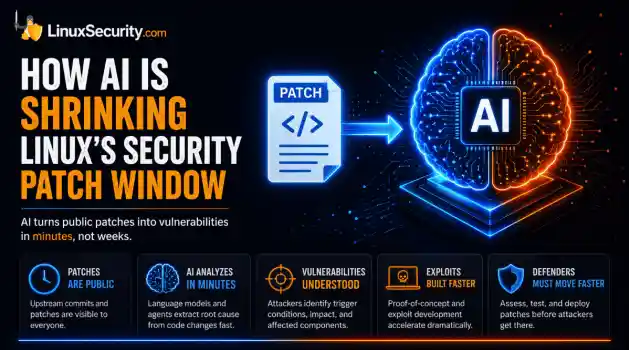
 For decades, Linux defenders relied on a comfortable assumption: a public security patch did not imply an imminent vulnerability. While open-source openness made vulnerability fixes public to everyone on kernel.org or the Linux Kernel Mailing List (LKML), converting a raw commit into a weaponized exploit took a significant amount of manual effort. This delay, estimated in weeks or months, gave businesses enough time to assess exposure, organize testing windows, and push changes across...
 Jul 27, 2026
 security advisory path traversal
 Two newly fixed storage bugs in Kubernetes showed more than just a problem with path traversal. They found a common security flaw in the cloud: powerful parts often think that requests accepted by a higher system are safe to run. This is a simple lesson for the platform and security teams: RBAC can accept a request without showing that its parameters will stay within a certain filesystem boundary. This is clear from a new study from SentinelLabs into flaws in the Kubernetes CSI drivers for NFS...
Jul 24, 2026
 security advisory update
 A large volume of Linux security updates and advisories this week across major distributions once again, but it wasn't just the volume that was the story. Where maintainers and security teams focused their attention was evident in the concentration of fixes targeting Linux kernel updates, identity services, DNS infrastructure, and internet-facing software. . Instead of looking at each advisory in isolation, administrators gain more value from the general trends they reveal about Linux security...
Jul 23, 2026
 identity management security tactics
 For years, we secured our Linux infrastructure by building walls: VPCs, security groups, and hardened SSH configurations. We treated the cloud like a virtual data center, assuming that if we kept the "bad guys" out of the network, our workloads were safe. . That model is no longer sufficient. Today, one of the most common paths from an initial compromise to a major cloud breach is the identity assigned to your Linux workload. When an attacker gains code execution on a Linux instance—through a...
Jul 17, 2026
 security practices patch management
 Most of us don't hear about a kernel vulnerability until a CVE lands in our inbox or the vulnerability scanner starts complaining. By then, the patch isn't new anymore. Kernel developers may have been passing it around for review, arguing over the implementation, or revising it for days before anyone outside that community noticed it. None of those discussions are secret. They're sitting in mailing list archives, Git commits, and patch reviews where they've been the whole time. The strange...
Jul 14, 2026
 Refine features
X Clear Filters
Get the latest News and Insights
Get the latest Linux and open source security news straight to your inbox.
Community Poll
Are host-based firewalls still worth using?
Loading...
Explore Latest Linux Security features
We found -1 articles for you...
102
 security advisoryopen sourcedatabase
RavenDB: A Trusted NoSQL Solution for Secure Data Management
RavenDB , the veteran transactional NoSQL database, is used by hundreds of startups and many Fortune 500 companies around the world thanks to its reputation as an agile , safe , efficient , and stable database. RavenDB can integrate with and complement almost any existing data system with its impressive set of built-in features . . Read on to learn what competitive advantages RavenDB offers and how it has become so trustworthy, effective, and easy to use. We recommend RavenDB for its: Agility Zero to MVP consistently chooses RavenDB over SQL thanks to its adaptability, and over MongoDB thanks to its indexing prowess, which hyper-boosts performance by running operations and calculations in the indexes instead of repetitively in queries. Safety Why are there no known RavenDB breaches , while thousands of MongoDB and MySQL servers get hacked every year on average? Efficiency When e-book giant Rakuten Kobo switched from CouchBase to RavenDB , they saw 80% reduced costs in high-performance cloud usage, query performance improvement in orders of magnitude when under load, and better stability. Similarly, switching from MongoDB to RavenDB enabled IoT Bridge to go from 30 safe transactions/second to 120,000/second and automatically create indexes in response to new types of queries. Stability Beatman has been thriving with RavenDB for over 10 years to give its customers the fastest path to a successful application launch imaginable. In this article: How RavenDB has Earned LinuxSecurity’s Trust High Security is the Default in RavenDB Developer-friendly model of listening to its users Easy onboarding RavenDB 5.4: New Features & Capabilities Instant message streaming via ETL to Kafka Resilient and persistent queuing via ETL to RabbitMQ Data-driven insights, live visualization, and observation via integration with Grafana How RavenDB Has Earned LinuxSecurity’s Trust High Security is the Default in RavenDB. Youwon't likely find examples of hacked RavenDB servers, while thousands of SQL and MongoDB servers are breached every year. Data Security is crucial, so RavenDB makes it quick, easy, and fail-safe to certify, encrypt and back up databases. Basically, RavenDB is intuitive to secure and doesn't allow an unsecured database to run in production. By listening to its users, RavenDB has become a model of what it means to be a developer-friendly database. They offer readily available training and thorough documentation to allow for fast adoption of features. In each release, it utilizes communication from its customers to strengthen its legacy of offering efficient, versatile, stable, and highly secure distributed database services. For over a decade, RavenDB has been leveraging open-source development to pioneer data management innovation. As open source security advocates, we love RavenDB’s open-source approach to managing and securing data. It has enabled the renowned fully transactional, distributed NoSQL document database to surpass competitors in areas including usability, integration, and data security. RavenDB Founder, CEO, and Lead Developer Oren Eini feels that RavenDB’s use of the open-source development model has enhanced the database’s feature set and contributed to its immense popularity. He explains, “It is extremely beneficial to be able to engage in a proper discussion with a customer, and the fact that our entire codebase is open-source and available in our code repository has made it easy to get to the root cause of issues quickly .” RavenDB’s intense focus on usability is another critical factor that enhances the level of security the database offers developers. Eini explains, “Usability and security are closely tied. Our approach to security embodies operational simplicity and automation.” Intuitive Onboarding for New Users thanks to a Unique Philosophy on Support. RavenDB treats onboarding and support as an expense, instead of an actual revenue source. This isdone to force it to be more intuitive and effective. Its CEO and head department engineers are on the support team to provide fantastic tech support while keeping their fingers on the pulse of users’ needs. This positions them to add to or improve its already impressive set of features and onboarding materials. When a customer gets stuck and reaches out for help, it triggers feature enhancements and the improvement of onboarding services, such as documentation, training, code-walkthroughs, and developer advocacy. RavenDB has made it as easy as possible to learn how to set up a safe, efficient, agile, and stable system. See for yourself how easy it is to start a database and implement various features. Click the link for a summarized intro to RavenDB , including comparisons with other leading databases. RavenDB 5.4: New Features & Capabilities RavenDB offers the adaptability of document-based data modeling, with its unique cost and time-saving indexes, and game-changing integrations with other data systems such as OLAP, SQL, and more. The release of RavenDB 5.4 brings various new features and capabilities to the open-source NoSQL document database, most notably Kafka ETL for messaging, RabbitMQ for queueing & Grafana for data visualization and observability. RavenDB can now seamlessly integrate with existing ecosystems, pushing events into Kafka topics, and talking to the RabbitMQ message broker. In addition, those using Grafana can now pull and visualize data from their RavenDB database. Let’s explore these defining new features of RavenDB 5.4 in more depth. ETL to Kafka Kafka is one of the standard solutions for event streaming, used by thousands of companies around the world to build high-performance data pipelines. With RavenDB 5.4, instead of implementing application code pushing messages and events to Kafka, users can now offload this task to their database. Kafka ETL support allows RavenDB to take the role of message producer in a Kafka architecture. This ongoing taskwill extract data from the database, transform it with a custom script, and load the resulting JSON object to a Kafka destination. Not only will this shorten development time, but users will also be able to rely on this persistent mechanism that implements a retry process to resiliently push their messages to Kafka. ETL to RabbitMQ Further supporting the implementation of distributed systems, 5.4 has added Ongoing Tasks that can transform and enqueue documents from RavenDB into RabbitMQ’s queueing infrastructure. Instead of implementing code that would push messages to RabbitMQ, users can rely on a robust and reliable ETL mechanism that will extract documents from their database, transform them with a custom script, and hand them over to RabbitMQ. Not only will this shorten development time, but users will also be able to rely on this persistent mechanism that implements a retry process to resiliently enqueue their messages. With these ETL features, RavenDB opens up a whole new world of architectural patterns and dramatically reduces complexity. Grafana Data Source Plugin Grafana is one of the leading open-source solutions for data visualization and observability. Until this version, RavenDB was offering exposure of telemetry data to Grafana via the Telegraf plugin. With RavenDB 5.4, users can now use their RavenDB database as a Data Source for Grafana. With Grafana’s analytics and interactive visualization capabilities, users can understand their data quickly, observe trends and patterns, and make informed decisions. Final Thoughts Transparency, efficiency, and observability are high-priority characteristics that should be taken into consideration when evaluating a NoSQL database, and RavenDB has demonstrated excellence in all of these key areas. The release of Version 5.4 enhances usability and improves data visualization and observability for clients, making it a fantastic option for developers looking for a fast, secure, and user-friendly database for the development of businessapplications. RavenDB 5.4 can be downloaded download . About RavenDB RavenDB is a fully transactional distributed NoSQL document database that delivers a friction-free development and deployment experience, high availability, and world-class performance with zero effort. Supporting on-premise, cloud deployments, and edge deployments, its multi-master replication allows you to sync your data globally even in hybrid scenarios. For more information, visit https://ravendb.net/ . . Discover the benefits of RavenDB and why it s esteemed as a reliable NoSQL database for secure, efficient data management. NoSQL Database, RavenDB, Open Source Security, Data Management, Transactional Database. . Brittany Day
 Aug 24, 2022
•
Aug 24, 2022
•
102
 information securityopen sourcedatabase
RavenDB 5.0: Security-Focused NoSQL Database Meets Open Source Innovation
RavenDB is at the forefront of data management innovation - leveraging open-source development and an intense focus on usability to offer efficient, versatile and highly secure database services to business application developers worldwide. The latest release of the open-source NoSQL document database, RavenDB 5.0, accommodates both local and hosted environments, and adds time series support and document compression to its robust feature set. . As open source security enthusiasts, we are particularly interested in RavenDB’s open-source approach to managing and securing data - and how this approach has enabled RavenDB to surpass competitors in areas including usability, integration and data security. To gain an in-depth understanding of the company’s latest release, we spoke with RavenDB Founder, CEO and Lead Developer Oren Eini about the defining features of RavenDB and RavenDB Cloud, some notable use cases, security considerations - and more. Secure, User-Friendly Data Management for Both On-Premise and Hosted Environments Through RavenDB 5.0 and RavenDB Cloud , the RavenDB 5.0 release brings efficient, integrated and highly secure data management supported by a robust feature set to both on-premise and database-as-a-service clients. All of the purpose-driven components that comprise RavenDB 5.0 were built from the ground up - resulting in a database that is fast, fully integrated and widely available. RavenDB also offers enhanced data security through usability - a defining characteristic that sets the database apart from its competitors. The company uniquely views support as a cost center as opposed to a revenue center. Insight gained through RavenDB support calls is used to modify the database to make such calls unnecessary in the future. Eini explains, “Viewing support as a revenue center disincentivizes vendors to create user-friendly products, which has drastic negative implications for data security. Usability and security are closely tied. Database breaches continuallydemonstrate that having complex security is equivalent to having no security at all.” Eini elaborates, “Our approach to security embodies operational simplicity and automation.” The Power of Community Another defining characteristic of RavenDB is the company’s transparent, open-source approach to development. Eini feels that RavenDB’s use of the open-source development model has both contributed to the popularity of the database and greatly enhanced its feature set. He explains, “Feedback provided by members of the open-source community has been pivotal in improving RavenDB. It is extremely beneficial to be able to engage in a proper discussion with a customer, and the fact that our entire codebase is open-source and available in our code repository has made it easy to get to the root cause of issues quickly.” Eini adds, “Being a part of the open-source community has also enhanced the features we offer. RavenDB’s automatic indexing support and transparent data encryption, for instance, were created by the open-source community and are now among the database’s central features.” The release of RavenDB 5.0 adds two key new features to a rapidly-expanding list: time series support, which enables users to track time serie s data, and document compression, a feature that analyzes documents to identify commonalities between them and efficiently compresses data between documents. The document compression feature cut cloud storage costs in version 5.0 by an impressive 50%. RavenDB vs. RavenDB Cloud: How Do The Two Compare? RavenDB 5.0 and RavenDB Cloud make the RavenDB 5.0 release ideal for developers looking to deploy an on-premise database, as well as those seeking a hosted platform. Eini explains the benefits of both scenarios, “For some users such as healthcare and financial institutions, having full control over the entire stack is important. Others need a database that can be deployed on the edge, where connectivity isn’t assured. For these users, the ability todeploy on location, without any external requirement, is very important.” He elaborates, “Running on cloud enables developers to push all the operations overhead to someone else, making it much easier to provision and make changes on the fly.” That being said, the on-premise and cloud versions of RavenDB are essentially identical, both running the same binaries and offering the same capabilities. In terms of security, both take similar measures to protect sensitive data, including X509 certificate authentication and encryption of all data over the wire, the ability to limit connections to specific IP addresses or ranges at the network level and full auditing support for all operations. RavenDB Cloud integrates a selection of additional awareness behaviors and automated security measures. Environmental information is incorporated into RavenDB instances to allow them to better calibrate themselves to environmental factors. For example, when using burstable instances, RavenDB Cloud reports the status of CPU credits to reduce background tasks when running low. In RavenDB Cloud, backups are encrypted by default, whereas the on-premise version of RavenDB requires users to select an encryption key if the database is not already encrypted. Despite these differences, Eini feels that the level of security that users can expect from RavenDB Cloud and RavenDB 5.0 is roughly comparable. He reflects, “The main difference is the additional steps that on-premise users have to go through. With RavenDB Cloud’s fully-managed services, virtually everything is done for the user.” He adds, “With both versions, we pay a lot of attention to the security of the system in general.” Although RavenDB Cloud offers a high level of convenience through increased automation and fully-managed services, the majority of RavenDB customers run on-premise or edge systems. Over 70% of these systems run on Linux, with the rest running on Windows servers. It is very common for RavenDB to be deployed on the edge. “RavenDBcan operate in a disconnected manner, but the data will be synced to a central location - usually on the cloud,” Eini explains. “We have a customer who has deployed RavenDB inside industrial robots running Raspberry Pi and another running RavenDB in a Point of Sale system.” RDI Software, a landmark RavenDB customer, has deployed the database on edge to over 36,000 restaurant locations, where the platform processes upward of 500,000 USD per minute. The company has a unique requirement for a database: robustness above all else. “The typical employee for a fast food restaurant is a teenager on minimum wage - not exactly your ideal IT worker. As such, we have to deal with very old hardware, used in often hazardous environments and operated by people with very little experience”, Eini explains. He elaborates, “RavenDB has been used in this capacity for over half a decade, because it is able to handle this situation and doesn’t require constant supervision. In particular, RavenDB’s zero admin capabilities mean that the database is able to adjust, independently, to each individual environment and behavior.” The Bottom Line RavenDB’s transparent open-source approach to data management and intense focus on operational simplicity make the database ideal for security-conscious users looking for a fast, user-friendly platform for business application development. Through RavenDB 5.0 and RavenDB Cloud, the RavenDB 5.0 release brings security, usability and efficiency to local and hosted environments alike. Visit ravendb.net to learn more about the database, and to download RavenDB 5.0 or RavenDB Cloud . Connect with RavenDB on social media: Twitter | Facebook | LinkedIn . RavenDB 5.0 is an advanced NoSQL database that enhances security, usability, and fosters open-source development, making it ideal for modern programmers. RavenDB, NoSQL Database, Data Management, Open Source Security. . Brittany Day
Oct 19, 2020
•

102
 securityopen-sourcedatabase
RavenDB: Innovative NoSQL Database for Data Management and Security
When it comes to using a NoSQL document database to store, manage and retrieve documents, reliability, privacy, efficiency and ease-of-use are essential in optimizing productivity and ensuring data security. However, the unfortunate reality is that many NoSQL document databases fail to embody these important characteristics, leaving users frustrated - and often at risk. . Ranked among the top 10 Document Databases Worldwide by DB-Engines, RavenDB is an impressive NoSQL database that is pioneering document management with a unique, innovative open-source approach - providing users with an all-in one platform that is fast, scalable, integrated, fully-automated and secure. To gain insight into how RavenDB has been able to surpass the majority of other NoSQL databases available in these regards, we spoke with RavenDB Founder, CEO and Lead Developer Oren Eini about the project’s history and evolution, the unique set of benefits that RavenDB offers users and how the use of open-source development has helped give RavenDB a winning edge over its competitors. From Inspiration to Reality: The History and Evolution of RavenDB After years of working as a database performance consultant, software developer, programmer and entrepreneur, Oren Eini recognized the same mistakes being made in many of the projects he analyzed - plaguing all applications using these relational databases and resulting in unstructured data. The issues he noticed were most often not with the way the database was set up, but instead could be attributed to the complexity of the model and the impedance mismatch between the way the data was stored in a relational database and the way the application modeled the data. Beyond the relational world, there existed a host of databases under the NoSQL umbrella that had varying data models and use cases. Within this realm, Eini recognized the value of document databases for business applications, but was appalled at the state of these databases at the time. In particular, the lack oftransactions and the kind of interface users were presented with were decidedly not user friendly - putting the burden of transactions on the user while providing minimal insight into the data in the database. Convinced that there had to be a better way to process the critical information powering modern applications, Eini began envisioning a solution to this problem. He recalls: “I started thinking about the kind of database that I wanted to create. Thinking about it wasn’t enough at some point. I remember being woken at the middle of night and looking at the ceiling, seeing how the different components of the database would be put together.” In 2009 Eini began his work designing a NoSQL document database ahead of its time. His goal was to create the first transactional document database, prioritizing seamless integration and ease-of-use for both developers and operating teams. The first version of RavenDB was built using C#, and focused on providing a user-friendly database for business applications - which RavenDB continues to excel at today. Once coding began, the project made quick progress, and secured its first client - a Norwegian institution for wildlife preservation - in 2010. By 2015, one million developers worldwide had downloaded RavenDB and by 2018, with the releases of RavenDB 4.0 and 4.1, the database had a remarkable three million downloads. The following year, RavenDB Cloud was launched, offering a Database as a Service to AWS, Azure and Google Cloud users. The current release, RavenDB 5.0.2 (which can be downloaded download ), is the most comprehensive update to date, offering a robust set of features that made it easy for developers to integrate the document database into their applications. All of the components that comprise RavenDB 5.0.2 were built entirely from scratch to work harmoniously, resulting in a database that is simple to operate, fast, integrated and widely available. The release of version 5.0.2 introduced two key features: time series support and documentcompression. Time series support enables users to track time series data such as stock price, heart rate or location and document compression analyzes documents to identify commonalities between them, creating a dictionary that is used to compress data efficiently between documents. The new document compression feature has cut cloud storage costs in version 5.0.2 by an impressive 50%. RavenDB looks forward to the release of version 5.1 in Q4 of 2020, which will introduce the filtered replication feature. RavenDB is a distributed database with support for multiple concurrent writers in the cluster. A common deployment pattern is to deploy RavenDB instances on the edge, a s well as a RavenDB cluster in a central location. This pattern allows users to share data among many locations, providing the benefit of a local database with the ability to work in disconnected mode. At the same time, when there is connectivity between the edge and the central cluster, RavenDB will automatically sync the data between them. The filtered replication mode in version 5.1 extends this support even further, allowing users to define fine-grained security rules for data flows between the edge instances and the central cluster by controlling which edge machine will see what kind of data. Achieving Excellence through the Use of Open-Source Development RavenDB is an open-source database released under an OSI approved license (the AGPL for the server and MIT for the clients), a factor that Eini feels has both contributed to the adoption of the database and greatly enhanced its feature set. RavenDB’s automatic indexing support, for instance, was created by the open-source community and now stands out as one of the database’s central features. RavenDB is the epitome of an open-source success story - a testament to the power of community involvement and the benefits associated with source code transparency. Eini explains how the project’s open-source approach has impacted RavenDB’s success: “Being open-sourcehas allowed us to create a community around the project - one that has enriched the project significantly. Code contributions are only a part of this.” He elaborates: “Feedback provided by the community has been crucial in improving RavenDB. It really helps when you can have a proper discussion with a customer, and the fact that our entire codebase is open-source and available in our code repository has made it easy to get to the root cause of issues quickly.” Enhanced Security through Usability Along with the project’s unique and beneficial open-source philosophy, RavenDB’s impressive usability sets the database apart - especially when it comes to security. Unlike many vendors, the company considers support to be a cost center, not a revenue center. In other words, insight gained through support calls is used to modify the product to make such calls unnecessary in the future. Viewing support as a revenue center disincentivizes vendors to create user-friendly products - in this sense, it literally doesn’t pay to make software easy to use. This philosophy has drastic negative implications on security - which is closely tied with usability. Database breaches continually demonstrate that having complex security is equivalent to having no security at all. Eini compares this to a lock: “The best lock on the world isn’t going to be used if it takes too long to open and close. History has a wealth of examples of security measures that were awkward to use, and thus, ignored.” In contrast, RavenDB’s approach to security embodies simplicity and automation. The database has a binary security property - it is either running in a secured mode, or it is not. There aren’t a ton of configuration options or compatibility matrices to go through. Eini explains: “We put a lot of emphasis on the usability of the secured setup and users can go through the entire process with no knowledge of security and still end up with a secured system. In addition, RavenDB will flat out resist if you try toput it in a potentially insecure position. We intentionally made it so it would be very easy to fall into the pit of success.” Arguably the most important aspect of RavenDB’s security is the fact that it is largely automated. By selecting the defaults during the initial setup, the following will occur: RavenDB will assign a subdomain under “*.ravendb.community” to the user’s instance. RavenDB will use this to answer the Let’s Encrypt DNS challenge and generate an HTTPS certificate which will serve as the server certificate. RavenDB will update the DNS to point to the IP provided. RavenDB will generate a client certificate which can be used to authenticate to the server. None of the above require users to do anything more complex than select the name that they want their instance to have and the IP it should resolve to. The end result is that users can go to a URL such as: a.my-db.ravendb.community and authenticate immediately. There is no complex security checklist to go through, and no multi-step commands that must be entered in order to achieve the right setup. RavenDB handles all of this to mitigate the risk of security issues and exploits due to users’ failure to ‘lock the barn doors’. Key Takeaways Transparency, usability and automation are essential to the security and success of a database. RavenDB excels in all of these areas. The NoSQL document database is pioneering data management through the use of open-source development and an intense focus on usability and automation. RavenDB is an excellent option for developers looking for a fast, secure and easy-to-use database for the development of business applications. Visit ravendb.net to learn more about the database. RavenDB version 5.0.2 can be downloaded ravendb . Connect with RavenDB on social media: Twitter | Facebook | LinkedIn . Celebrated as one of the leading Graph Databases on the globe by DB-Engines, ArangoDB is a remarkable NoSQL solution.. NoSQL Document Database, RavenDBFeatures, Open-Source Security, Data Management Solutions. . Brittany Day
Oct 05, 2020
•
102
 data protectiondata managementserver security
In-Depth Analysis Of Arkeia Backup Software For Optimal Data Management
This document is a review of the Arkeia backup software combined with theEcrix rakpak dual 66G drive, discussion of the features, security, usage, documentation, and support. . . Software Package: Arkeia . Vendor: Knox Software . Server Hardware Used: Guardian Digital Linux Lockbox Dual PIII 866Mhz, 512Mb Ram, 70G RAID 5 in 4 x 18G SCSI hot-swap disks. . Tape Backup: VXA rakPak 1U rackmount backup device with 2 x 66G backup drives. Introduction Knox Software, Inc. of Burlingame California has an excellent client/server backup product called Arkeia. Is was released in two versions, the professional version, and the free. Both can be downloaded from Arkeia's website: . It was designed to serve as a backup solution for administrators who have to manage large-scale networks that consist of many platforms. It can backup any Linux or Windows based server or client onto a single centralized server. This enables an administrator to more efficiently manage/schedule backups, data archival, and system recovery. Free Version Professional Version The free version of Arkeia is fully enabled for Linux. It can be used for both commercial or personal use. The free version provides interactive and periodic backup, the use of one Linux backup server, two client machines, a single SCSI tape drive, and no time restriction. The standard professional version provides everything the free version does with an additional 10 client computers on a network, 30 client hardware/OS configurations, and nine server hardware/OS configurations. Arkeia can be scaled for any network size. Over the past five years the Internet and private networks have grown exponentially. Tools such as dump, tar, and cpio are becoming increasing less efficient to use because administrators are having to alter scripts to keep up with theirevolving network. Although in many situations scripts work great, Arkeia can handle many unique situations helping administrators work more efficiently. Why spend hours scripting, testing, scripting, testing, when backups can be scheduled with Arkeia in minutes. Judging from past experience, Arkeia ranks at the top of my list for Linux network based backup solutions. Backups are an essential part of security; they must be taken seriously. System Requirements 32 MB RAM a SCSI card (Adaptec AH2940 recommended) Supported tape drive a 486 or Pentium-class processor 1 GB hard disk or up a Linux V 2.0 or later, TCP/IP services present We used: a Guardian Digital Linux Lockbox 2200 Dual PIII 866Mhz, 512Mb Ram, 70G RAID 5 in 4 x 18G SCSI hot-swap disks. Tape Backup: VXA rakPak 1U rackmount backup device with 2 x 66G backup drives. Supported Operating Systems: BSD, Compag / Digital, FreeBSD, HPUX, Linux, Microsoft, Novell, SCO, Silicon Graphics, SUN Systems, Unixware, AIX 3.2 RS6000, AIX 4.x RS6000, BSD 3.0 (intel), BSD 4.0 (intel), DGUX 4 AViiON, Digital Unix OSF/1 3.2, Compaq Tru64 UNIX, ICL DRS/NX (intel), ICL DRS/NX (sparc), freeBSD 2.2.6 (intel), freeBSD 3.2 (intel), freeBSD 4.0 (intel), HP-UX v10.x, v11.x , HP-UX v9.x, Linux (alpha), Linux ARM At our request, Ecrix sent us a VXA rakPak, a 1U rackmount backup device with two 66G backup drives. We thank Ecrix for their support by giving us the opportunity to evaluate Arkeia using their backup hardware. I have been searching for a reliable, cost effective, and fast backup solution. The Ecrix drive boasts "66 Gigs on a tape" with up to 6MB/sec making it one of the best that I have seen. On the Ecrix website, it outlines extreme scenarios that show how reliable the system can be. It outlines accounts where the drive correctly restored tapes that have been boiled, frozen, and dunked in coffee. Impressive! If you built your kernel with SCSI tape support, yourjob is done . Address it like any other SCSI tape drive and setup will be complete. [ben@backup scsi]$ cat /proc/scsi/scsi Attached devices: Host: scsi0 Channel: 00 Id: 10 Lun: 00 Vendor: ECRIX Model: VXA-1 Rev: 2524 Type: Sequential-Access ANSI SCSI revision: 02 Host: scsi0 Channel: 00 Id: 11 Lun: 00 Vendor: ECRIX Model: VXA-1 Rev: 2524 Type: Sequential-Access ANSI SCSI revision: 02 Host: scsi2 Channel: 01 Id: 00 Lun: 00 Vendor: MegaRAID Model: LD0 RAID5 52500R Rev: H795 Type: Direct-Access ANSI SCSI revision: 02 If you're in the market for an innovative backup solution, check out the Ecrix's rakPAK. It combines two of the award winning VXA tape drives in a 1U rack-mountable solution. Larger solutions are available. The Ecrix drive and Arkeia seem to be a perfect match because of their Linux support and expeditious performance. Installation At times, installation can be tricky. It is recommended that you are familiar with all documentation before starting. It is best to install the client(s), GUI, and then server. Installing on a "clean system" is helpful. The installation process is straight forward. Download the appropriate packages from Arkeia, (either tar.gz, or RPM) and install as normal. The tar.gz format contains standard installation scripts while the RPM format can be installed with a simple rpm -Uvh . If you are using a highly modified Linux system you may have a little trouble, but installation isn't impossible. At first, basic configuration can be somewhat of a daunting task. Because Arkeia was clearly designed to be an enterprise solution, set aside ample time to organize your network's backup routine. It is in your best interest to be familiar with terms such as savepack, drivepack, and pool before beginning. The documentation is helpful here. Note: Each tape in the backup system must be defined. Thetapes are grouped into tape pools. Savepacks are the selected network computers and directories to be backed up. Multiple savepacks can be defined and saved to different pools. In the beginning this may be confusing. Over time this concept has proved to be logical and efficient. Hang in there! When installed, Arkeia creates the directory /usr/knox. This is used to keep a database of backed up files for each system. This database consists of a directory tree structure which contains images of what has been backed up. If the system to be backed up contains many directories it tends to eat up filesystem inodes. If you are in a situation where your server stores large amounts of data, it is probably best to implement the Reisor FS. Also, it is a good idea to make a separate tape dump of /usr/knox after each backup in order to obtain high restore speeds. Without that, you'll have to use tools such as readarkeia and arkrstb which are slow. Usage/Features After installation, you should have no problems configuring a backup procedure. Knox Software, Inc. has does a great job creating an easy-to-use, user friendly graphical user interface. The GUI can be accessed and managed from many platforms because it was written in Java. It consists of text menus, buttons, text fields, and check boxes. Each window provides a help button to assist users with the appropriate functions. If you are already familiar with other backup packages you will feel right at home. Backups can be scheduled as either periodic or interactive. An interactive backup is useful when wanting to create a backup manually and monitor the status throughout the entire process. Periodic backups used when automation is necessary. You will have to option to execute a full backup, or one of the two types of incremental backups. .... Feature Highlight: Centralized Network backup Centralized administration Command/GUI line interface Automatic e-mail reports Automatic backup rerouting on drive failure Client-side compression before network transit Guaranteed data integrity Unlimited file size File name size according to the OS (no name truncation) Priorities Report / statistic on a media usage Restricted logical access to the media Encrypted backups Management of an unlimited number of media Automated libraries/robotics drivers Many other features are included. A complete list can be found funct full. Combined with a Guardian Digital Linux Lockbox 2200, and a VXA rakPak, Arkeia works at amazing speeds. Knox Software claims that Arkeia delivers speeds that are up to 200-300% faster than rival software. I can not confirm this. However, it did push the network to its fullest potential. "In the case of network and system errors, Arkeia is designed to restart, recover and survive. Arkeia's systems management facility allows prioritization of other processing activities while a backup is in progress and leverages standard TCP/IP protocol to intelligently monitor network errors. Should a network error occur restarts the backup procedure from the point of interruption." Security Arkeia is required to be run as root. It maintains an access control list to keep track of usernames and passwords for each client and server. If the authentication information is invalid Arkeia will deny access. Various roles can also be defined in the userlist. Users can be created to allow full administration, backup only, restore only, or any combination. Operation controls can be added for each user/client. One aspect that I was not completely happy about was the default user. On the server end the default administrative user was "root" with an EMPTY password. I understand that Arkeia did this to reduce support overhead, but many people simply leave it that way, not necessarily understanding the implications. On the client side, the default username was "Administrator." This required amanual change each time the software was used. I recommend that you change the default password as soon as you install the software. Anything is better than being empty. Also, I do not see any reason why someone could be stopped from bruteforcing the password. The reporting on this aspect is lacking and could easily go unnoticed. Blowfish and DES encryption types can be used to encrypt the data from the client before it is sent to the server. This is only available with the professional version and not the freely-available version. Support When I have problems with hardware or software I turn straight to documentation. Often its faster to look something up rather than bother someone else. Unfortunately, Arkeia's documentation needs improvement. Many of the topics covered in the manuals are not completely explained or leave off serious details. When faced with this situation, I resorted to trial and error. Knox Software offers telephone technical support but I was never in a situation where I needed it. Also, you will find that Arkeia has an extensive FAQavailable online. It answers many of the common questions regarding installation, backup, configuration, and restoration. Arkeia's standard support page is available here: Another useful resource is the Arkeia user mailing list. An archive can be found here: To subscribe, please visit: The list did prove to be helpful with quick responses. Bottom Line Arkeia is a great Linux backup solution because of its enterprise-level scalability, reliability, and easy to use interface. In a multi-platform environment, it is ideal because of its flexibility. Because Arkeia is freely available for download, you have the ability to test-drive it on your network before making a significant purchase. I recommend giving it a try. Although the GUI interface is excellent, be prepared to do some reading a learn a few procedures. Being highly configurable, patience and the initiative to learn is required. For years, Linux lacked anenterprise level network/client backup system. Arekia has proven itself and may suit your needs. ( "Remember Boss, Linux is free! If you choose NT, you'll have to buy a SERVER LICENSE and BACKUP SOFTWARE." ) Other Backup Resources Book: UNIX Backup and Recovery , by: W. Curtis Preston, Curtis W. Preston, Gigi Estabrook (editor) O'Reilly. How to perform a secure remote backup over an insecure network By Aviel D. Rubin /news/server-security Linux.com Backup Listings You searched for index.phtml/backup/security - Linux.com Backup & Archival Software for Unix Unix System Administrator's Resources has moved Review: ARCserveIT v6.61 Advanced Edition for Linux features/arcserveit-v661-advanced-edition-for-linux . Arkeia Backup software provides powerful data protection with multi-platform support for Windows, Linux, and macOS, along with flexible scheduling and cloud integration. Arkeia Backup, Data Management Tools, Server Backup Solutions. . Brittany Day
Jan 19, 2001
•

Get the latest News and Insights
Get the latest Linux and open source security news straight to your inbox.
Community Poll
Are host-based firewalls still worth using?
Search Topics
Powered By

Linux Security - Your source for Top Linux News, Advisories, HOWTOs and Feature Releases
QUICK LINKS
subscribe to newsletters!
Like staying secure? So do we.
Sign up for updates, tips, and alerts!