


Stay Ahead With Linux Security Features

 threat detection scalability
 Building a SIEM is easier than scaling one. Most open-source deployments start as a simple "all-in-one" server. It is easy to set up, but that design rarely survives the transition from a lab to a production workload. . A SIEM watching 20 endpoints is not doing the same job as one watching 500. More endpoints mean more logs; more logs require more storage; more storage makes search heavier. Eventually, the very architecture that made your lab easy to deploy becomes the reason your production...
 Jun 04, 2026
 security advisory apache
 A newly disclosed attack technique called HTTP/2 Bomb is drawing attention because it targets the software that sits at the front of much of the Linux internet. Apache HTTP Server, NGINX, Envoy, and the ingress layers that many Kubernetes environments depend on can be forced into consuming disproportionate amounts of memory using relatively small amounts of attacker traffic. . For Linux administrators, the concern is not the HTTP/2 protocol itself. It is the possibility that a single...
Jun 04, 2026
 security advisory important
 The compromise of Nx Console shows how much infrastructure now sits behind a single developer account. GitHub repositories, CI/CD pipelines, container build systems, Terraform projects, Kubernetes deployments. None of those systems was the initial target. The workstation was. . Attackers did not need a Linux privilege escalation bug or a remote code execution chain. They needed developers to trust a tool they were already using. For many organizations, that was enough. What Happened? Federal...
Jun 03, 2026
 security advisory open-source
 You remove the malware. You rotate the compromised credentials. You patch the original vulnerability and close the ticket. Two weeks later, the attacker is back. . What happened? You didn't lose the battle at the exploit; you lost it at the cleanup. In many modern Linux intrusions, the malware you found wasn't the main problem—it was the fallback mechanisms left behind. These hooks quietly restore attacker access the moment you look away. If you clean a host but miss these persistence layers,...
Jun 02, 2026
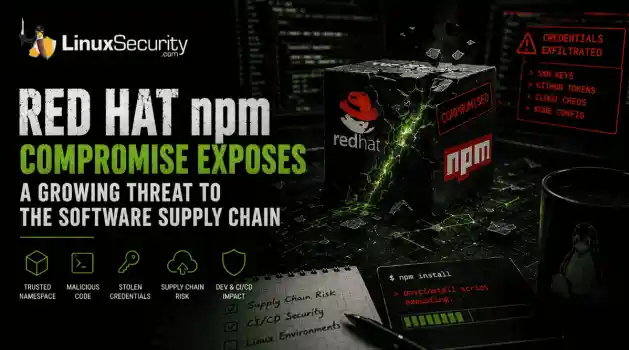 security advisory Red Hat
 Researchers investigating a campaign now tracked as Miasma found that more than 30 packages in Red Hat's @redhat-cloud-services npm namespace had been altered to deliver credential-stealing malware. . The packages weren't being used to deploy ransomware or sabotage systems. From what has been reported so far, the objective appears to have been much simpler: collect credentials from developer environments and use that access elsewhere. GitHub tokens, cloud credentials, SSH keys, and other...
Jun 02, 2026
 Refine features
X Clear Filters
Get the latest News and Insights
Get the latest Linux and open source security news straight to your inbox.
Community Poll
What got you started with Linux?
Loading...
Explore Latest Linux Security features
We found -3 articles for you...
102
 linux solutionssecurity featurescost management
Business Intelligence with Open-Source Tools for Linux: Secure Solutions
Business intelligence platforms are specific technologies based on creating a system that enables companies to monitor and analyze data like never before. What is the goal of these systems? . It is simple to collect data from multiple sources onto a single platform (a great solution, especially for the lazy!). This data can include sales, financial data, accounting, and more. The data is then organized and sorted into a visualization that makes it easy to understand, often with the help of data visualization tools, enabling companies to make strategic decisions using insights derived from real-time data analytics and efficient data integration tools. Why organizations need BI platforms To succeed in the dynamic corporate world, today's organizations must be data-driven and foster a data-driven culture. For this to be possible, leaders need a modern business intelligence platform that enables everyone to observe and understand data. Business intelligence platforms go beyond business analytics software packages. They support the organization's BI strategy by making accessing and analyzing data easier. Basic analytics platforms import, clean up, analyze, and forecast data. On the other hand, business intelligence platforms are more effective and dynamic and adapt to the development of your BI strategy. Standard features of BI platforms A platform for enterprise use supports business agility without compromising governance or security. Here are five aspects to consider when evaluating a modern BI platform. Total cost of ownership without surprises Open Open-source BI tools are often customizable and work seamlessly with data integration tools to support complex business environments. Many organizations, especially smaller ones, switch to open-source software to meet their data mining and ad hoc reporting needs. When evaluating platforms, however, consider the total cost of ownership. Do not decide based on the price alone. Do a complete comparison. To all the other extra elements, add theneed to make that “free” platform work in your business environment (today and in the future). Free tools are anything but free and can contribute to a sizeable total cost. Often, they make other products, subjects, and infrastructure necessary to meet enterprise-wide requirements. Although there are online resources for learning how to use open-source software, those resources will not tell you how to use the platform for your organization's specific needs. In other words, no matter how customizable, an open-source solution cannot be as flexible as your organization is dynamic. In contrast, superior commercial open-source BI tools have built-in resources, support, and enterprise scalability. Dynamic dashboards One of the most popular features of a BI platform is the ability to create and customize dashboards. People can create forms, charts, and graphs that can be updated almost in real-time. It is also possible to publish dashboards on separate internal platforms. One should choose a platform offering self-service capabilities, allowing users to leverage data visualization tools to create intuitive and interactive dashboards. This way, everyone can access the data, create their analytics , and assist the organization in creating a culture of analytics. Intuitive visual analytics Choose an intuitive visual analytics platform. This allows you to explore data, offering visual information wherever you are visually. The platform should also allow you to share results by creating beautiful visualizations, all from the same intuitive interface, without switching between different products for different types of analytics. Do not just watch a demo. Sign up for a free trial version and test the platform. Try answering multiple questions to test the processing power and efficiency of the tool. The power to drive your BI strategy Even the most potent BI reporting platform is only valid if it can easily connect to the data. The right analytics platform provides optimized native connections to thedata, and it does not matter if you are in Hong Kong or Beijing. You can easily access analytics wherever you are. The platform must allow access and analysis of data in real-time without downloading it, and it must be possible to run a query with little or no coding effort quickly (we do not like to overwork ourselves!). The BI platform must also allow you to deploy analytics wherever you want: in the cloud, on the local server, or hosted off-site. The platform must also integrate seamlessly with your existing data strategy, combining real-time data analytics and data integration tools to revolutionize your current data infrastructure. In addition, it must be easily integrated into other companies' portals and business applications. In this way, you can cater to users wherever they are. This flexibility is critical when evaluating business intelligence programs and choosing a BI platform. Tools that are not flexible increase the total cost of ownership. Data Integrity and Security with Open Source BI Tools As Linux admins, we know that securing our systems is a top priority. Data protection is critical when it comes to open-source BI tools. While open-source platforms may seem risky, many tools like Apache Superset and Metabase have robust security features. They allow us to store and transmit encrypted data, ensuring our analytics are as secure as any commercial offering. These tools help us maintain data integrity and protect our insights, all while ensuring compatibility with modern business intelligence platforms for seamless performance. Managing Total Cost of Ownership with Open Source BI Tools Open-source BI tools might appear free, but we Linux admins recognize there can be hidden costs. Sometimes, additional products or infrastructure are needed to meet all business needs. However, great tools like KNIME and Redash scale well and integrate advanced data visualization tools and real-time data analytics for optimal performance. These features help us predict and managecosts better than some proprietary solutions. By leveraging these tools, we avoid unexpected expenses and get the support we need without blowing our budgets. Flexibility and Integration of Open Source BI Tools Flexibility is critical in our dynamic business environments. Open-source BI tools like Metabase and KNIME shine here, offering powerful data integration tools that align perfectly with leading business intelligence platforms. They integrate smoothly with other business applications and portals, making our lives easier. We can cater to users wherever they are without compromising performance or security. These tools are adaptable, helping us keep up with ever-changing business demands without being locked into a rigid system. Examples of Open Source BI Tools As Linux administrators, understanding and implementing the right open-source BI tools can significantly transform your data analysis and decision-making processes. This section explores industry-leading options like Apache Superset, with its cutting-edge data exploration capabilities; Metabase, known for its intuitive, user-friendly analytics interface; KNIME, which excels in comprehensive, scalable data workflows; and Redash, celebrated for its effortless data connectivity and query execution. By diving into these tools, you'll learn how each can enhance your data infrastructure, making it more secure, scalable, and efficient. Discovering these BI solutions' unique strengths and features will empower you to make informed choices that drive better insights and business outcomes, ensuring you're equipped with the best tools to handle the complexities of modern data environments. Apache Superset Apache Superset is a modern and intuitive platform for exploring and visualizing data. It integrates real-time data analytics with user-friendly data visualization tools. It is easy to navigate, supports a wide range of data connectors, and very skillfully handles high-volume data. Its flexibility and solid security features make it agreat choice for embedding powerful analytics into our setups. Metabase Metabase lets us ask questions and get answers from our data quickly. It’s designed to be simple so everyone in our organization can use it, not just the data experts. It also secures data access, ensuring only authorized users can view sensitive information. KNIME KNIME is perfect for data analytics and integration. It's scalable, which means it grows with our team’s needs. KNIME offers robust security features, so we can be confident our data transformation processes stay protected. Redash Redash helps democratize data access while emphasizing secure sharing, making it a perfect addition to any organization's suite of business intelligence platforms. It connects multiple data sources and supports real-time interaction, making it a versatile and safe option for all our data needs. It Makes Us More Efficient Users While Keeping Data Secure The right platform for your organization must enable everyone to interact with and benefit from the data, regardless of skill level. It allows your organization to foster a data culture, putting data at the center of everyone's business decisions. To maximize the value of your data, you must deploy controlled self-service analytics on a scale. In addition, to make the entire organization more efficient, you need an analytics tool that the business loves and the IT department trusts. The right business intelligence software allows the organization to equip itself with a business-centric, IT-enabled approach to analytics. It enables the IT department to establish a secure and controlled environment that protects data and ensures its integrity without compromising business agility and innovation. . Explore how open-source BI tools enhance data management with secure solutions for Linux admins to drive insights and efficiency.. business, intelligence, platforms, specific, technologies, based, creating, system, enables. . MaK Ulac
 Nov 25, 2024
•
Nov 25, 2024
•
102
 IT environmentnetwork security toolkitdata visualization
Maximize IT Efficiency With Open-Source Monitoring Solutions
Understanding how an IT environment is performing is vital for telemetry data. By gathering this information and monitoring it closely, administrators can identify issues and potential problems before they cause significant disruptions. . The most critical method for identifying performance and network security issues is monitoring. This helps ensure that things are running efficiently and identifies potential network security threats, such as cryptominers consuming all the CPU resources or a Denial-of-Service attack. Several open-source network security toolkits are available for collecting and monitoring telemetry data. These tools can gather data from various sources, including server logs, application performance monitors, and network traffic monitors. Data can be analyzed to find cyber security trends and patterns, which can then be used to improve security posture and performance in an IT environment. Let’s look at a guide to open-source monitoring tools , where we’ll introduce you to the monitoring world and show you how to get started with popular network security toolkits. What Are The Benefits of Open-Source Monitoring? Open-source monitoring provides many benefits for users. Organizations can save money and time while getting the required features and functionality. In addition, open-source monitoring tools are often more flexible and customizable than their commercial counterparts, making them better suited to meet an organization's specific needs. These tools are usually free, saving organizations a considerable amount of money, mainly if they already use other open-source software from application security trends. Additionally, many open-source tools come with features and plugins that can customize the application further to meet an organization’s specific needs. Open-source monitoring solutions tend to be more flexible than commercial options, giving organizations more control over monitoring and a better understanding of how it works. You can use it to your advantage. Time-series data is information collected regularly, tracking when the intel was collected depending on the tool used and the intervals set by the server. Time-series data allows users to analyze data security trends in user behavior or find correlations in the network logs that can help in multiple ways. Most of the tools mentioned below use time-series data to help users better understand what is going on in the network. Grafana Grafana is an open-source data visualization tool that can monitor various data sources. It is a popular tool for developers and DevOps professionals, as it can create custom dashboards and alerts and has a wide range of plugins that allow you to extend its functionality. InfluxDB, Prometheus, and ElasticSearch permit you to access Grafana across various platforms, as dashboards monitor everything from CPU usage to network traffic. Grafana can be deployed on the cloud or premises where users do not need to have their data streamed over the cloud. Graphana’s dashboard offers various visualization selections, including geo maps, heat maps, and histograms. The dashboard also contains different individual panels with varying functionalities that can be used to query, visualize, set up alerts, and easily understand the data presented with the help of metrics. Once alerts are set up, Grafana can send alerts through Slack or any other communication platform preferred. Moreover, Grafana has built-in support for Graphite (which we will discuss later), and utilizing both network security toolkits together allows users to get customized data results by adding expressions such as add, filter, avg, max, min, and so on. Prometheus With Prometheus , you can collect metrics from your system applications and then visualize and query that data to help you troubleshoot network security issues. Prometheus is an excellent option for open-source monitoring because it is easy to set up and use, has many integrations with other tools and services, and offers various forks andderivatives for personalizing your platform. To start with Prometheus, you must install the software on your servers. Then, start collecting metrics from your systems and applications. Finally, use the PromQL query language to query your data and generate graphs and dashboards. The main Prometheus features include multidimensional data modeling using time-series data and PromQL, a flexible source for leveraging multifaceted data. Moreover, it does not rely on distributed storage, uses a pull model (meaning it actively “pulls” data over http), pushes time-series data, monitors target discovery, and has multiple visualization options to select. Once alert conditions are established, Prometheus can send notifications through email, Slack, or other external systems. Prometheus monitoring includes service and host metrics, website uptime and status, and cron jobs. This permits the server to scrape data from HTTP servers with published files on HTTP endpoints that run 24/7. Monitoring the operating system can help to gain information on hard disk storage and website status checking through black box exporters. Configuring the Prometheus.yml file to the specific endpoint on a target URL allows the user to receive information on response time. Prometheus is also used to monitor cron jobs and see if they run at specified intervals. It can push the last successful job and compare current times to it, generating an alert if the time exceeds the defined threshold. Like Grafana and Graphite, Prometheus and Grafana can combine for a great data visualization setup. Grafana has preferred visualization dashboard features, while Prometheus’s back end proves strong. Therefore, once queries are run from the Grafana dashboard, it fetches data from Prometheus. Graphite Graphite is a popular open-source monitoring tool that can track application security trends and infrastructure performance. It is easy to set up and provides many features and plugins to make it even more powerful. Graphite is highly scalable and can be easily integrated with other tools and systems to track the performance of your applications and infrastructure, making it a valuable addition to your network security toolkit. Graphite metrics are straightforward using scripts, applications, or command lines. Pushing metrics with the command line is simple and requires three values: a metric name, a numeric value, and an epoch timestamp. The resulting command will look like “echo “ex.bar 41 `date +%s`” | nc graphite-server. 2003,” where 2003 is the selected port. Graphite is also excellent for automatically refreshing after every action, meaning feedback is instantaneous. Moreover, it is a great tool to use when more than just one person monitors data. Graphite URLs can be copied and shared, and if the URL is altered through additions and graph changes, the new URL can be sent with the updates. However, the most convincing aspect of Graphite is the extensive library available for statistical and transformative functions. As of the latest version, there are more than 100 available functions. Fluentd Fluentd is an open-source data collector for the unified logging layer. It was initially developed by Treasure Data, Inc. (now Fluree PBC) and is now a Cloud Native Computing Foundation (CNCF) project. Fluentd enables you to integrate data gathering and consumption to improve security posture through data utilization and comprehension. Using a simple configuration file, this network security toolkit specifies input and output sources and sinks. Inputs can be files, system logs, HTTP endpoints, etc. Outputs can be files, databases, or message queues. Fluentd also has plugins for various data sources and outputs that the Fluentd community maintains. Fluentd joins all aspects of processing log data to collect, filter, buffer, and output logs across multiple sources and destinations. Moreover, it has 500+ plugins from the community’s contributions, allowing more customization and better logging use. Fluentd utilizes minimalresources and has built-in reliability, supporting memory and file-based buffering to prevent inter-node data loss. ELK If you're looking for a powerful and open-source monitoring solution , look no further than ELK. It comprises of three main components: ElasticSearch is a flexible and powerful search engine that indexes and searches for data from any source. Logstash is a data processing pipeline to collect, parse, and filter data. Kibana is a visualization tool that can create dashboards and visualizations to help you make sense of your data. ELK is an excellent choice for open-source monitoring solutions because it is flexible and scalable. It can monitor anything from small-scale to broadly distributed systems and is also simple to set up and use. ELK offers a variety of visualization options that include area charts, heat maps, horizontal bar charts, line charts, pie charts, and vertical bar charts. ELK also has data options such as tables, gauges, goals, metrics, coordinate and region maps, timelion and visual builder series, and more. These options allow users to choose what data is shown and how, a helpful tool in understanding what the logs contain. SigNoz SigNoz is an open-source application monitoring tool that provides observability for developers. Uniquely designed to run smoothly on Kubernetes, SigNoz is the go-to tool for infrastructure running on the platform. What makes SignNoz unique? User-friendly UI for easy navigation and use. In-depth application metrics and ability to trace issues to the individual line of code. Smooth Kubernetes operation, perfect for any platform running Kubernetes. Logstash Logstash is a server-side data processing pipeline. Its unique strength lies in its robustness and versatility, capable of ingesting from various data sources and shipping it to a preferred 'stash' like Elasticsearch. What makes Logstash unique? It supports diverse data types and has a rich input, filter, and output pluginselection. Simplifies the distribution and collection process of the data. The super-easy setup process is ideal for real-time insights. Graylog Graylog is a centralized log management solution that stands out for its ability to handle vast amounts of machine data. What makes Graylog unique? High-capacity log data management that is perfect for handling terabytes of machine data. Easy-to-use web interface for smooth user experience. Correlation of all log data in real-time for rapid responses to incidents. Syslog-ng Syslog-ng is a flexible logging system. Known for its scalability, Syslog-ng is powerful and can process millions of logs per second. What makes Syslog-ng unique? Flexible and adaptable to different logging needs. It has an enterprise-level speed, which makes it ideal for managing logs from a vast network infrastructure. Ability to collect, process, filter, and store log data. Logwatch Logwatch is a customizable log analysis tool. With its ability to simplify scanning through multiple logs, users can focus more on the crucial changes that might indicate potential security breaches. What makes Logwatch unique? There is an abundance of customization options, perfect for various needs. Simplifies scanning of logs for more focus on essential changes. Ability to send precise analysis reports. Apache Flume Apache Flume is a robust service designed for efficiently collecting, aggregating, and moving large amounts of log data. Its fault-tolerant nature makes it perfect for managing large-scale, real-time data streams. What makes Apache Flume unique? Its fault-tolerant nature and linear scalability make it best for large-scale data. Supports streaming data flows, ideal for real-time analysis. Customizable implementations according to user needs. How To Choose the Right Open-Source Monitoring Tool for Your Needs Consider a few things before choosing if you're looking for an open-source monitoring tool. There are four main typesof monitoring you can choose from are as follows: System Performance tracks system resources like CPU and memory usage. Application Performance looks at how well your applications are running. This can include response time, error rates, and throughput. Network Performance checks network resources like bandwidth and latency. Security identifies network security threats and cyber security vulnerabilities. Final Thoughts on Open-Source Log Analytics & Monitoring While there are challenges concerning the functionality of these open-source tools, the benefits far outweigh these setbacks. Open-source monitoring provides a cost-effective way to start monitoring today and achieve better visibility into your system's performance. These network security toolkits can be a perfect starting point for monitoring. Get started today. . Unlock the potential of open-source monitoring to tackle network security issues and enhance IT efficiency effectively.. understanding, environment, performing, vital, telemetry, gathering. . Zaid AlBukhari
Dec 05, 2022
•


Get the latest News and Insights
Get the latest Linux and open source security news straight to your inbox.
Community Poll
What got you started with Linux?
Search Topics
Powered By

Linux Security - Your source for Top Linux News, Advisories, HOWTOs and Feature Releases
QUICK LINKS
subscribe to newsletters!
Like staying secure? So do we.
Sign up for updates, tips, and alerts!
Discover faster search, smarter navigation, and deeper Linux security insights. Read More