Overly broad permissions can turn one compromised account into a much larger security problem. Learn how to reduce unnecessary access, review privileges, and apply least privilege across modern Linux systems. Review Linux Privileges×


Stay Ahead With Linux Security Features

 identity management security tactics
 For years, we secured our Linux infrastructure by building walls: VPCs, security groups, and hardened SSH configurations. We treated the cloud like a virtual data center, assuming that if we kept the "bad guys" out of the network, our workloads were safe. . That model is no longer sufficient. Today, one of the most common paths from an initial compromise to a major cloud breach is the identity assigned to your Linux workload. When an attacker gains code execution on a Linux instance—through a...
 Jul 17, 2026
 security practices patch management
 Most of us don't hear about a kernel vulnerability until a CVE lands in our inbox or the vulnerability scanner starts complaining. By then, the patch isn't new anymore. Kernel developers may have been passing it around for review, arguing over the implementation, or revising it for days before anyone outside that community noticed it. None of those discussions are secret. They're sitting in mailing list archives, Git commits, and patch reviews where they've been the whole time. The strange...
Jul 14, 2026
 Linux security cyber attacks
 Every Linux server in your fleet produces thousands of events every minute. From journald logs and auditd records to kernel-level eBPF hooks, your systems are constantly talking. Most of that noise is just the mundane churn of system services, CI/CD runners, or routine administrative automation. But among that noise, an attacker might be establishing a foothold, moving laterally, or setting up persistence. The challenge for any security team is: how do you separate the routine from the...
Jul 13, 2026
 open-source infrastructure risk
 Security scanners flag exposed API keys in public repositories every day. The initial response is usually predictable: delete the commit, revoke the credential, and move on. That’s a mistake. . In a real Linux environment, an API key never stays in one place. By the time it hits a public repo, it’s already everywhere. It’s in the CI/CD pipeline. It’s in your container registry. It’s in the build logs. It’s in the backups. Git makes this worse because the history never dies. Deleting a file in...
Jul 11, 2026
 open-source rootkit
 Most of us think of Linux rootkits as ancient history—the stuff of 90s hacking forums and clunky malware that would crash your system if you looked at it the wrong way. But if you think they’ve gone away, you’re mistaken. They’ve just gotten smarter. . Modern attackers aren't using the noisy tools of the past. Today’s threats are surgical. Many of today’s most advanced Linux rootkits operate at the kernel level or abuse legitimate system features to blend in with normal traffic. They’re...
Jul 09, 2026
 Refine features
X Clear Filters
Get the latest News and Insights
Get the latest Linux and open source security news straight to your inbox.
Community Poll
Should Linux servers automatically install security updates?
Loading...
Explore Latest Linux Security features
We found 13 articles for you...
102
 security advisorymalwareLinux infrastructure
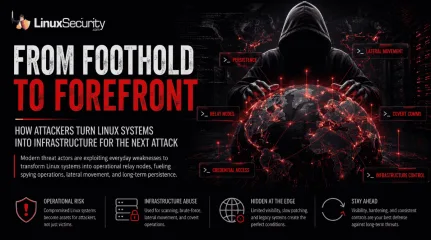
Linux Infrastructure Under Siege by FamousSparrow Espionage Campaign
The recent FamousSparrow attacks reportedly relied on exposed web applications, ProxyLogon exploitation, and other well-known server-side vulnerabilities. . None of those intrusion paths is unusual in large enterprise environments. That is exactly what makes these campaigns dangerous. The recent telecom attacks reportedly relied on familiar weaknesses: exposed SSH services, weak credentials, unpatched applications, and poorly monitored edge devices. Once attackers gain foothold access, infected Linux systems can become relay nodes for persistence, scanning, brute-force activity, and covert communications. That should concern anyone running Linux in production environments because telecom networks are often a preview of where advanced threat operations move next. Long-lived infrastructure, inconsistent patch cycles, exposed management services, containerized workloads, and limited visibility at the network edge create ideal conditions for persistence. Once attackers establish foothold access, compromised Linux systems can become relay nodes for scanning, brute-force activity, lateral movement, and covert command infrastructure. The dangerous part is how ordinary the intrusion paths look. SSH exposure. Weak credentials. Unpatched services. A forgotten Tomcat instance is still reachable from the internet. Nothing dramatic. Then the malware settles in and the compromised host stops behaving like a victim system. It becomes infrastructure for the next stage of the operation. Linux Infrastructure Is Becoming Operational Infrastructure The campaign, tied to a China-linked activity cluster tracked as UAT-9244, reportedly relied on multiple malware families operating across Linux and Windows environments. One of the Linux payloads, known as PeerTime, supports several architectures commonly found in embedded and network infrastructure: ARM AArch64 MIPS PowerPC x86 That architecture spread tells you exactly what the operators expected to encounter. Routers. Embeddedappliances. Virtualized infrastructure. Linux systems often sit quietly at the edge of production networks where monitoring is weaker, patching moves slowly, and visibility gaps accumulate over time. The Malware Is Built to Blend Into Infrastructure One detail stands out immediately: the Linux malware reportedly uses peer-to-peer communication methods and BitTorrent-style traffic patterns instead of relying entirely on centralized command-and-control servers. That complicates detection. Security teams often look for outbound traffic heading toward suspicious external infrastructure. Peer-to-peer communications blur those indicators because the traffic can resemble legitimate network behavior, especially in environments already handling massive amounts of east-west traffic and routing activity. The malware also appears designed to turn compromised Linux systems into Operational Relay Boxes , or ORBs. Once foothold access is established, the infected host becomes part of the attacker’s infrastructure: relaying malicious traffic staging brute-force attempts scanning external targets masking the attacker's origin supporting lateral movement At that point, the compromised system is no longer just a victim. It becomes an operational asset for future intrusions. Attackers Are Exploiting Operational Weaknesses, Not Just Vulnerabilities The reporting around the campaign mentions brute-force activity against exposed services such as SSH, PostgreSQL, and Tomcat. This is where Linux infrastructure often breaks down operationally. A forgotten administrative interface stays exposed because removing it would interrupt production traffic. Legacy credentials remain active longer than anyone intended. Containers get deployed quickly while visibility tooling arrives months later. Edge systems stay online for years without a proper security review because nobody wants downtime on a telecom backbone. The environment becomes predictable because most large organizations alreadyhave systems like these sitting quietly inside production networks. Attackers only need one foothold to start building persistence. One exposed SSH service with weak credentials. One management interface is reachable from the wrong segment. One outdated appliance is still using inherited sudo rules from a deployment nobody remembers clearly anymore. Embedded Linux Systems Continue to Be a Blind Spot Most enterprise detection pipelines focus heavily on endpoints, cloud workloads, and centralized servers. Embedded Linux infrastructure rarely receives the same level of visibility. That creates a dangerous imbalance since attackers automate reconnaissance and defenders still struggle with inventory. Many organizations cannot confidently identify every Linux-based edge device connected to their production network. Telecom environments are especially vulnerable because infrastructure tends to accumulate over time: legacy routing appliances vendor-maintained systems virtual network functions container hosts proxy infrastructure monitoring nodes management gateways Some of these systems barely generate logs worth reviewing. Others forward telemetry inconsistently or rotate authentication records before analysts ever inspect them. Meanwhile, the malware adapts across architectures and continues operating normally. Containerized Infrastructure Expands the Attack Surface One report noted that the malware checks whether Docker is installed before execution. Small detail. Important implication. Modern Linux infrastructure increasingly depends on containerized workloads. Once attackers land inside a container host or orchestration environment, the opportunities expand quickly: mounted secrets CI/CD runners orchestration tokens internal registries service credentials management APIs Compromising infrastructure supporting telecom operations creates long-term operational value for espionage groups. They are not looking for immediate destruction; theywant durable access inside environments where traffic flows continuously and administrative changes happen cautiously. Traditional Linux Hardening Is No Longer Enough Basic hardening still matters: Disable unused services Restrict exposed SSH access enforce key-based authentication remove weak sudo configurations patch internet-facing systems aggressively isolate management interfaces But those controls alone do not address infrastructure abuse. Organizations need visibility into Linux systems traditionally treated as “network equipment” instead of monitored compute assets. That includes: embedded Linux appliances telecom routing systems container hosts virtualized network infrastructure jump boxes edge proxies Watch for: unusual outbound peer-to-peer traffic authentication bursts against PostgreSQL or Tomcat SSH activity originating from infrastructure segments long-lived relay connections unexplained process renaming container execution anomalies Most importantly, stop assuming edge infrastructure is low-risk because it does not resemble a traditional endpoint. What Linux Teams Should Audit Right Now Exposed SSH services are reachable externally Dormant administrative accounts Internet-facing Tomcat or PostgreSQL instances Unmonitored Docker hosts Long-lived outbound peer-to-peer connections Infrastructure segments generating unexpected SSH traffic Linux Malware Is Evolving Alongside Infrastructure The telecom sector matters because these environments give attackers exactly what they want: long-lived infrastructure, massive amounts of routing visibility, and operational environments where administrative changes happen slowly and cautiously. That makes Linux infrastructure extremely valuable for espionage operations focused on persistence instead of disruption. The intrusion paths in this campaign were not especially sophisticated. Exposed SSH services. Weak credentials.Unpatched applications. Poorly monitored edge systems. The same operational weaknesses defenders have been dealing with for years. The difference is what happens after the compromise. Once foothold access is established, the infected system stops functioning like a normal victim. It becomes part of the attacker's operational infrastructure. Relay infrastructure. Scanning infrastructure. Infrastructure supporting brute-force activity, lateral movement, and covert communications. And because many of these Linux systems sit quietly at the edge of the network with limited visibility, attackers can maintain that infrastructure far longer than most organizations realize. Subscribe to the Linux Advisory Watch newsletter for the latest Linux security threats, vulnerabilities, and defense guidance before they become tomorrow’s incident. Stay ahead of campaigns targeting SSH, edge systems, containers, and critical Linux infrastructure. Related Reading NoaBot: SSH Brute-Force Attack on Linux Servers Tsunami Botnet Malware Targets Linux SSH Servers Through Brute Force Apache Tomcat Critical RCE Flaw CVE-2025-24813 Exposes Servers Plague: A Stealthy PAM-Based Backdoor Targeting Linux Systems Mitigation Techniques For Espionage Threats On Linux Systems . Attacks exploit common Linux misconfigurations, evolving malware blends into infrastructure, posing espionage risks.. Linux Malware, SSH Exposure, Telecom Security, Malware Espionage, Operational Security. . MaK Ulac
 May 22, 2026
•
May 22, 2026
•
102
 malwarerootkitsecurity techniques
Linux Rootkits: Detecting, Preventing, and Surviving an Attack
Let’s talk about a threat that’s smart, sneaky, and dangerous to your Linux systems: rootkits. If you’ve ever heard the term tossed around and wondered what a rootkit is and why it’s such a headache, you’re in the right place. These are not your usual malware nuisances —they’re tools that let attackers dig into a system, stay hidden for the long game, and potentially wreak havoc without leaving many breadcrumbs. For Linux admins and infosec pros, rootkits aren’t just pests; they’re an adversary that requires awareness, vigilance, and a specific approach to deal with. . Rootkits have been tools of choice for attackers because they allow stealthy access, often with elevated privileges, while hiding malicious activity. That’s bad enough, but detecting and cleaning them up can feel like walking through a minefield, especially if the attacker knows their craft. Whether you’re a sysadmin managing production servers or you simply want to level up your defenses, understanding what rootkits are, how they get in, and how to neutralize them is essential. What Is A Rootkit? So, what are rootkits? At its core, a rootkit is a set of software tools designed to give an attacker unauthorized access while remaining undetected. Usually, this involves privileged (or "root") access. Once installed, rootkits can do anything from stealing data to monitoring activity or even transforming a system into a "zombie" to carry out further attacks, like Distributed Denial of Service (DDoS) . Sound bad? It gets worse: attackers often use rootkits to conceal other malware, such as trojans or cryptominers. Rootkits don’t just appear out of thin air. They get in when an attacker finds a way to escalate privileges—maybe through a vulnerability, a misconfiguration, or even phishing to steal credentials. Once in, the rootkit installs itself deeply enough to outwit most traditional monitoring tools. Some rootkits even find their way onto systems through legitimate-looking software. Remember the SonyBMG rootkit debacle from 2005 ? It wasn’t about Linux, but it’s still relevant. Their DRM software secretly installed a rootkit on users’ PCs to enforce copy restrictions, which not only caused outrage but opened up gaping security holes that attackers could exploit. What Types of Linux Rootkits Exist? Rootkits aren’t one-size-fits-all. Different types are crafted to operate in different layers of a Linux system, each with its own level of complexity and threat. User-Mode Rootkits These are the simplest type and work at the application or user level. They might replace standard user applications like ls, ps , or netstat with malicious versions that lie about running processes or files. For example, you could run ps -aux and not see anything suspicious because the output is being tampered with. User-mode rootkits are relatively easier to detect since the kernel (hopefully) remains trustworthy in these scenarios. Kernel-Mode Rootkits Kernel-mode rootkits are a lot nastier. They operate at the kernel level, giving the attacker full control over the underlying foundation of the OS. These rootkits often come disguised as Linux Kernel Modules (LKMs), and once they’re loaded, they can mess with system calls, wipe out logs, or make themselves practically invisible. That makes detection challenging because, at this point, you can’t even fully trust the kernel’s output anymore. An example of this? A rootkit modifies the syscall table to redirect file operations or process listings, effectively cloaking itself and its activities. These are a major headache to detect, and removing one often feels like uninstalling your OS piece by piece. What Are Common Rootkit Techniques? Rootkits don’t just sit around once installed. They actively work to hide themselves and their payloads. Two of the most common strategies include: Hooking System Calls: A rootkit will hijack system calls like open , read , or write to manipulate outputs. For instance, if you check the /proc directory for running processes, the malicious rootkit simply omits its own. Tampering with Logs: Some rootkits will quietly delete or modify log entries to erase evidence of intrusions. Checked /var/log/auth.log and found nothing? That doesn’t mean no one was there—it may just mean the attacker erased their tracks. Think about that for a second. These tactics allow attackers to maintain near-total stealth. It’s like letting someone live in your house without ever noticing—messing with your thermostat, peeking into your files—and you have no clue they’re there. How Can I Detect Rootkits? Here’s the challenge: rootkits are specifically designed to avoid detection. Your regular security tooling, no matter how good, probably won’t catch a kernel-mode rootkit. Using tools like a rootkit scanner can help, but don’t rely on it completely. Tools such as chkrootkit or rkhunter can identify known rootkits, but that’s the key phrase: known rootkits. Sophisticated ones, including custom-written attackers, might fly under the radar. A solid detection approach includes: Booting from live media (USB, DVD, etc.) to a clean environment and inspecting your system’s integrity. Deploying tools like Lynis for effective security auditing. Using network packet sniffers, like Wireshark , to analyze your traffic. Suspicious outgoing connections could be a major giveaway. The sad truth: by the time a rootkit is detected, the system may already be compromised beyond repair. In many cases, the best option becomes a complete reinstall. How Can I Prevent Rootkit Infections? Preventing rootkits comes down to minimizing attack vectors. Keep your systems hardened, patched , and thoroughly investigated. Always follow these basics: Use SELinux or AppArmor to enforce security policies. Lockdown permissions: the principle of least privilege should apply everywhere. Regularly audit your systems with tools like rkhunter or chkrootkit. Consider deploying arootkit scanner regularly as part of your workflow. Segment networks to limit the damage of a compromised machine. And yeah, don’t trust just anyone with the key (i.e., credentials). You’d think this is obvious, but weak password policies—or worse, unpatched vulnerabilities—continue to be a playground for attackers. Is Trojan Virus Removal Enough? Some admins think clearing out an infection—like a Trojan virus—restores their system to normal. Here’s the hard truth: if the Trojan came bundled with a rootkit, Trojan virus removal simply won’t cut it. Rootkits are, by design, stealth operators, and removing the obvious infection doesn’t necessarily pull the hidden strings. Reinstall from trusted media when you’re in doubt. Better to go scorched earth than gamble on a compromised system. Our Final Thoughts on Combating Linux Rootkits Rootkits are scary, yes, but they’re not undefeatable. Understanding what rootkits are and how they work is half the battle—the other half is keeping a disciplined approach to monitoring and patching your systems, and sticking to best practices in securing your Linux environment. They’re not new, but what’s old isn’t always easy to see. As Linux admins and infosec pros, it’s on us to stay proactive. Take the time to set up a rootkit scanner, leverage network monitoring, and instill a culture of layered security. After all, nothing is worse than realizing an attacker has been lurking in your systems for weeks—or even months. Stay sharp. Stay protected. Stay rootkit-free. . Rootkits have been tools of choice for attackers because they allow stealthy access, often with elev. let’s, about, threat, that’s, smart, sneaky, dangerous, linux, systems, rootkits. . Brittany Day
Sep 01, 2025
•

102
 security advisoryantivirusmalware
Strengthening Linux Server Security: All-Inclusive Measures Against Malware
Linux servers are a far more dominant force in the industry than people give them credit for. Sure, many personal computers run on Windows, but Linux is the operating system behind roughly 81% of all the websites. One reason for this is that it’s more resilient to the majority of threats that most of their counterparts face. . While Linux is generally more resilient to viruses, these devices and servers almost always exist on the same network as devices using other systems. So, even though they cannot suffer the brunt of the attack, they can spread viruses and malware to other devices in the network. This is why Linux admins must learn to protect and future-proof their servers. You can’t just slap an antivirus like a flex tape and hope you’ve solved all the problems. Your approach needs to be far more holistic than that. In this article, I’ll provide tips admins can implement to secure their servers against malware, viruses, and other malicious threats. Understanding the Linux Server Security Paradigm The first thing worth pointing out is that Linux isn’t immune to all sorts of malware. Many people believe this, which is incredibly dangerous, especially when you consider that you’re not taking measures to protect yourself from a threat you don’t know exists. Ransomware may be less common on Linux than Windows, but it’s not unheard of. The number of Linux ransomware instances has increased dramatically. This is especially problematic for major financial institutions, where changes and updates are much slower than with smaller teams. There are also tools known as cryptocurrency miners, which can latch onto your system and drain resources for your use. In this case, you have an OS that’s supposed to be faster, simpler, and more reliable, and it’s anything but that. Moreover, since you’re not even aware of the severity of this threat, this is the last thing that will cross your mind during diagnostics. Lastly, you need to be aware of rootkits and stealthymalware that require kernel-level access to function. They can manipulate system calls and logs, cloaking their activity and making them incredibly hard to detect. Rootkits, which allow unauthorized entry to the kernel level of servers, require a comprehensive approach. Linux admins should employ tools explicitly designed to detect rootkits—such as Chkrootkit or rkhunter—while implementing strict kernel integrity checks to detect unapproved changes promptly. Setting tripwires that notify administrators about changes in crucial files or configurations that could indicate rootkit activity is also an effective strategy. What Is The Role of Antivirus in Linux Server Security? Most of the Internet is on Linux servers, which means that the attack surface for malicious third parties is the largest it’s ever been. Every server manager needs an elaborate guide on server antivirus software and the right platform to keep everything secure. One of the main reasons you need an antivirus for Linux is to safeguard against reckless user behavior. Think of it as a life vest for someone on a boat. You hope they won’t make a mistake, but if they do, it’s better if they’re in a vest. Servers handle a lot of sensitive data, meaning some specific use cases demand extra security on your part. This is especially true when you consider all the regulatory matters organizations face today. Advancing Beyond Antivirus: Comprehensive Security Strategies To secure the data on your server, you need to employ more holistic strategies. This is especially true if it’s company data that we’re talking about. One strategy used for this is HIPS (host-based intrusion prevention system), a method for protecting endpoint devices. We’ll discuss it more in the next section. Another strategy you can use is to install something like fail2ban . This prevents brute-force login attacks. The best part is that it also helps monitor other networking protocols (like HTTP, FTP, etc.). Beyond conventional antivirus and rootkit measures, behavioral analysis is a strategy that detects abnormal activities that could indicate an attempt at a breach. This involves employing advanced security systems with machine learning algorithms to understand standard server operation patterns so deviations can be flagged as potential security incidents. Administrators can monitor unusual system calls, log changes, or network traffic spikes to detect threats that traditional antivirus tools might miss. Secure configurations and regular system updates are essential things you must insist on. The system regularly fixes all the bugs and problems, but it may become outdated. Even worse, when the patch notes come out, you’re virtually broadcasting to the world all the flaws, putting all legacy systems in even greater jeopardy. These updates need to be systemic and scheduled to be reliable. Implementing Host Intrusion Prevention Systems (HIPS) Previously, we’ve mentioned HIPS; however, it’s such a monumentally important cybersecurity feature that it deserves a section of its own. This system employs several methods, from resetting the connection and blocking traffic to logging the malicious activity for future investigation. HIPS is incredibly accurate at detecting anomalies and deviations in bandwidth, protocols, and ports. Every time an activity varies outside an acceptable range, the system will be alerted. What’s unique about HIPS, however, is that it won’t respond immediately. An anomaly is not always an attack, as not every lump is a tumor. HIPS aims to protect the server without disrupting its regular working order. Reinforcing Linux Server Security through Best Practices You must find the right way to harden your Linux server to the best of your abilities. First, you want to enable strong authentication and create an SSH key pair. This way, you will create a more secure means of accessing your servers. This will make all brute-force attacks nearly impossible, as itoffers much more complex protection than a regular password. Think of it as a cybersecurity equivalent of in-depth defense, a martial concept where you have defensive lines one behind another. By removing unnecessary software, you limit third-party software’s access to your servers. In a way, this enables you to plug all the cybersecurity leaks. Anticipating Future Threats: The Importance of Proactive Security Measures The biggest challenge in cybersecurity is that the landscape is constantly shifting. There are always new threats, challenges, exploits, and problems for you to discover. To address this, you must conduct frequent and significantly more effective audits. Injection flaws, broken authentication, data exposure, and XSS can all be solved effectively if you notice them in time and have the right tools to solve them. Tools like Burpsuite and SQLmap can quickly fix the problem. However, to solve a problem, you must first know you have one. In other words, you need a schedule, a system, and the right toolset. Without all three, you won’t be as quick to adjust to changes. Our Final Thoughts on Improving Linux Server Security A considerable portion of the internet runs on Linux servers, so you must put in extra effort to keep them secure. The art of improving the cybersecurity of Linux servers has massive ramifications for the entirety of the digital world. To enhance server security, you must understand their threats, use the right tools, and ensure you’ve hardened the system enough to become as resilient as possible. Moreover, you must always anticipate and be ready for future threats. . Shield your Linux servers from malware and potential risks by implementing robust security measures and utilizing effective tools.. Linux Server Security, Malware Protection, Antivirus Strategies, Rootkit Detection. . Brittany Day
Sep 12, 2024
•
102
 security measuresmalwarephishing
DISGOMOJI Spyware: Targeting Indian Government with Emoji Commands
DISGOMOJI malware represents an innovative development in cyber espionage tactics, particularly its refined approach to targeting government agencies in India. Originating from altering an open-source cybersecurity project previously known as discord-c2, its appearance reinforces an emerging trend of adapting and evolving existing tools into intricate cyberespionage campaigns.. DISGOMOJI's deployment is highly sophisticated. It employs Discord's widespread use to communicate command and control (C2) messages using emojis, effectively concealing malicious activities within seemingly innocent traffic and complicating efforts to detect and neutralize this threat. A recent analysis by cybersecurity firm Volexity reports that the DISGOMOJI malware appears to be targeting systems running the Linux distribution BOSS, which is widely utilized by Indian government entities. The attackers behind this initiative--identified by Pakistan-based threat actor UTA0137--is clearly intent on infiltrating and potentially breaching Indian government infrastructure. DISGOMOJI appears to gain entry through phishing attacks , an effective and common method for credential theft and malware delivery. What distinguishes DISGOMOJI is its persistent mechanism and use of emoji commands, like using a camera with the flash emoji to take screenshots or the Fox Emoji to zip all Firefox profiles on target devices. Such commands demonstrate its clever design and allow attackers to acquire sensitive data without leaving a trace on compromised systems. DISGOMOJI's open-source nature and adaptable design create a further risk; the malware can be adjusted and deployed against additional targets beyond India's government. Furthermore, its ability to bypass Discord's attempts at shutting down malicious servers by managing tokens to allow attackers to update client configuration easily demonstrates the difficulty of countering such an advanced threat. Additional Considerations The open-source nature of DISGOMOJI raises importantissues about the duality of publicly available cybersecurity tools and projects. While open-source projects provide great resources for research, education, and legitimate defensive purposes, they also serve as blueprints that could be modified maliciously. Linux administrators and cybersecurity professionals, particularly in industries vulnerable to being targeted by espionage-focused malware, should view DISGOMOJI as an illustration of cyberspace's ongoing arms race. This would emphasize the necessity for constant vigilance, education on emerging threat vectors, and implementation of multilayered security measures that detect and prevent such targeted threats. DISGOMOJI malware targeting Linux systems marks a striking change in cyber threats targeting these environments. While traditional malware relies on textual-based command and control (C2) mechanisms, DISGOMOJI's use of emoticons for command transmission through Discord is both novel and alarming - bypassing security systems designed to monitor more conventional indicators of compromise thereby creating new difficulties for detection and mitigation. How Does DISGOMOJI Compare with Other Linux Malware and Ransomware? To better assess this threat, it would be useful to compare DISGOMOJI against other significant malware threats like other significant Linux malware and ransomware such as DISGOMOJI that has appeared lately. When comparing them side-by-side, several aspects stand out: Method of Communication: Most Linux-targeting threats, like Ebury botnet, employ traditional botnet communication methods like IRC channels or HTTP-based C2 infrastructures for command and control (C2). But DISGOMOJI stands out by employing popular, legitimate services for C2, making its traffic harder to distinguish from benign communications. Targeting and Sophistication: Where Mirai uses brute-force attacks against IoT devices to create large botnets for DDoS purposes, DISGOMOJI appears more focused on espionage with targeted attacks against specificgovernment agencies - suggesting an even higher level of sophistication behind its operations that may include state actors. Stealth and Persistence: DISGOMOJI utilizes advanced stealth techniques, such as displaying a decoy PDF, to avoid detection while employing persistence mechanisms like cron jobs and XDG autostart entries, similar to those used by other sophisticated malware. This makes it more complex and more challenging for security analysts to detect and remove it, making it resistant to removal. How Concerned Should Linux and InfoSec Administrators Be? Linux and InfoSec administrators should view DISGOMOJI with great concern due to its unique C2 strategy, targeted nature, sophisticated deployment mechanisms, and sophisticated persistence mechanisms. Awareness and preparation can greatly reduce its threat; an understanding that Linux systems are susceptible to targeted attacks is paramount, so security posture adjustments must be made accordingly. mes Mitigation Strategies Administrators need to implement various mitigation strategies to protect themselves from threats such as DISGOMOJI: Enhance Monitoring and Detection : Employ advanced monitoring solutions capable of analyzing network traffic behavior and detecting anomalous patterns such as using legitimate services like Discord for potential C2 communications. Regular System and Patch Updates and Patching : Regular system and application updates help protect against vulnerabilities that could serve as entryways to infections, acting as initial infection vectors for hackers and cybercriminals. Phishing Awareness Training : Since DISGOMOJI utilizes phishing as the initial entryway into their network, training staff to identify and respond to any attempted phishing is an essential defense against infection. Segregation : By isolating critical networks and restricting access to essential services only, network segmentation helps contain any malware outbreaks should an infection arise. Application Whitelisting andRestricted Script Execution : Block any unapproved applications from running and restrict script execution capabilities to limit malware's ability to launch payload or establish persistence. Utilize Security Tools with Machine Learning Capabilities : For effective defense against new attack vectors, implement solutions that leverage machine learning for threat identification and blocking using behavioral analysis. This approach may be more successful in blocking threats with novel behaviors than traditional solutions. Improved Email Filtering : Email security measures must be strengthened with robust filtering rules to prevent phishing scams from succeeding. Discord Usage Policy : Organizations should implement policies to review and potentially restrict the use of Discord and similar platforms when necessary or monitor its usage on sensitive systems. Community Vigilance : As this open-source malware is spread widely through threat vectors, cybersecurity communities should remain vigilant in monitoring and sharing intelligence on variations of DISGOMOJI malware as a collective defense approach. While DISGOMOJI poses a substantial threat to Linux systems, increased awareness, advanced detection tools, and robust security practices can reduce its threat. . The ANIMALI malware employs groundbreaking methods to infiltrate IoT devices in corporations, using animal symbols to bypass security measures.. DISGOMOJI Malware, Linux Malware, Cyber Espionage Tools, Phishing Defense. . Dave Wreski
Jun 17, 2024
•
102
 network securitymalwaresecurity awareness
Protecting Your Linux Systems Against Emerging Malware Threats
If you’ve been keeping up with the latest IT security news, you may have noticed the increase in the number of attacks on network security within Linux systems. Cloud Snooper, EvilGnome, HiddenWasp, QNAPCrypt, GonnaCry, FBOT, and Tycoon have become prime malware variants to be aware of when working. . Linux is considered a highly secure operating system, so these cloud security breaches may leave users concerned about the integrity of the company. In this article, LinuxSecurity.com aims to put these recent Linux attacks into perspective, provide some background on Linux malware, and shed some light on other concerns users might have. The Modern Linux Threat Landscape in a Nutshell Despite the heralded safety landscape on Linux operating systems, network security threats, including malware and viruses, have grown to be serious concerns for Linux users. Attacks in network security have targeted Linux, as threat actors hope to obtain a Return on Investment when accessing such systems. As of March 2018, 15,762 new Linux malware variants were developed , which is a notable increase from the 4,706 new variants developed by March 2017 . The evolution of malware research in recent years has offered superior visibility into exploits in cyber security that threaten Linux servers. A vulnerable server of any sort is an open door for data and credential theft, DDoS attacks, cryptocurrency mining, and web traffic redirection. Most significantly, it can be used to host malicious Command and Control (C&C) servers. Just over a year ago, bringing to conclusion a collaborative three-year effort, security researchers identified various OpenSSH backdoors, including the notorious Linux/Ebury backdoor, which could be used to compromise servers with dangerous malware. Simultaneously, ESET researchers exposed 21 Linux-based malware families , 12 of which were previously undocumented. In a sense, these findings confirmed an evolving, increasingly dangerous array of data and network security threats, putting Linuxusers and their systems at risk. A Brief History of Linux Malware The increasing prevalence of Linux malware in recent years arguably creates the illusion of a new network security threat targeting Linux systems; unfortunately, though, Linux malware has been around for quite some time. The first piece of Linux malware, dubbed Stoag, was identified in 1996. Staog was a basic virus that attempted to gain root access by attaching itself to running executables, but it did not spread very successfully and was rapidly patched. Stoag made its claim to fame as the first piece of Linux malware, but Bliss, recognized in 1997, was the first Linux malware variant to grab headlines. Similar to Stoag, Bliss was a fairly mild infection that attempted to grab permissions via compromised executables, but it could be deactivated with a simple shell switch, fortunately. Guardian Digital CEO and LinuxSecurity.com founder Dave Wreski commented on the evolution of Linux malware, “Over the years, malware targeting Linux systems has become both more sophisticated and more common; however, up until fairly recently, Linux malware was still relatively scarce and primitive compared to the variants that threatened proprietary operating systems. As of 2018, there had not yet been a single widespread Linux malware attack or virus comparable to those that frequently target Microsoft Windows - which can be attributed to a lack of root access and rapid updates to the majority of Linux vulnerabilities.” Unfortunately for Linux users, the era of complete data and network security has ended, as the Linux threat landscape has remodeled to become significantly more complex and dangerous to users. Why Is Linux Malware A Growing Concern for Administrators? Much to the dismay of Linux system administrators and users, all of 2019 and the start of 2020 were plagued with emerging malware campaigns targeting Linux servers. These attacks in network security demonstrated new and dangerous tactics for spreading, allowing such cloudsecurity breaches to remain undetected prior to compromising servers. Let’s go over the main Linux malware strains that have popularized in the past couple of years. CloudSnooper CloudSnooper uses a unique combination of sophisticated techniques to sneak into Linux and Windows servers so the malware can communicate freely with command and control servers through firewalls. CloudSnooper enables threat actors to work through servers “from the inside out” and is the first example of an attack formula that combines a bypassing technique with a multi-platform payload, targeting both Windows and Linux systems. While each individual element of CloudSnooper’s Tactics, Techniques, and Procedures (TTPs) has been observed previously, these aspects have not been utilized in combination until now. Experts in cyber security trends predict that this package of TTPs will be used as blueprints for dangerous new firewall attacks that could put data and network security in the line of fire. In sophisticated exploits in cyber security utilizing CloudSnooper, hackers pawned Amazon Web Services (AWS) servers and set up a rootkit, which enabled the cybercriminals to remotely control servers. Once they did this, the threat actors funneled sensitive data from compromised Windows and Linux machines to Command and Control (C2) servers. Security researcher Willem Mouton describes the attack: “From a technical perspective, it is a thing of beauty, as well as the fact that they made it cross-platform.” EvilGnome Discovered in July 2019, EvilGnome disguises itself as a Gnome shell extension so it can remain undetected by security software while spying on desktop users. EvilGnome is delivered via a self-extractable archive created using the make self shell script, and the infection is automated with the help of an autorun argument left in the headers of the self-executable payload. When downloaded on a Linux system, the malware is capable of stealing files, taking desktop screenshots, and capturing audio recordings fromthe user’s microphone so they can be downloaded and utilized in other modules. EvilGnome attacks have been linked to the Gamaredon Group, a Russian Advanced Persistent Threat (APT) group notorious for developing custom malware variants. Both hacker groups use the same hosting provider and engage with the same C2 domains. Nothing has been confirmed regarding the connection between the groups, but Linux malware experiences have been similar between EvilGnome and Gamaredon Group. Therefore, it is highly likely that these attacks on network security come from the same source. HiddenWasp In early 2019, security researchers discovered a new strain of Linux malware created by Chinese hackers, which could be used to remotely control infected systems. Dubbed HiddenWasp, this sophisticated malware consists of a trojan, a user-mode rootkit, and an initial deployment script. HiddenWasp is deployed as a second-stage payload and is capable of running terminal commands, interacting with the local filesystem, and more. HiddenWasp displays similarities to several other Linux malware families, including Azazel, ChinaZ, and Adore-ng, suggesting that some of its code may have been borrowed. Unlike common Linux malware, HiddenWasp is not focused on DDoS activity or crypto-mining. Instead, it is a trojan used solely for targeted remote control. QNAPCrypt This past summer, security researchers identified a rare instance of Linux ransomware targeting Network-Attached Storage (NAS) servers. The malware, which they named QNAPCrypt, is an ARM variant that encrypts all files; however, unlike standard ransomware, the ransom note is delivered solely as a text file without any message on the screen. Each victim is provided with a unique Bitcoin wallet, a tactic that helps conceal the identity of the attackers. Once a system is infected, the ransomware requests a wallet address and a public RSA key from the C2 before file encryption. Fortunately, this is a flaw in QNAPCrypt’s design that enables victims to temporarily blockthreat actors’ operations to protect further data and network security. Despite this weakness, QNAPCrypt represents the “evolution and adaptation of an attack to bypass security controls.” Unfortunately, it isn’t very common for Linux system administrators to deploy endpoint monitoring to network file servers. GonnaCry GonnaCry is an emerging Linux ransomware variant under active development in Python and C for research purposes. Lead developer Tarcisio Marinho explains the motivation behind his work: “Since the worldwide spread of the Wannacry ransomware in May 2017 affected so many countries and companies, I kept wondering: Is it really hard to mess with a company’s or a person’s life with a computer? The answer is yes, it’s possible. And ransomware is a computer virus so powerful to do so.” GonnaCry begins its work by finding the files it will encrypt. Once it has identified these, the malware starts its encryption routine and creates a desktop file that will help the decryptor access the path, key, and IV used to encrypt each file. The ransomware then frees the memory allocated by the files on the computer. GonnaCry does not rival notorious variants like WannaCry and Petya in complexity, but according to Marinho, “The basic structure is working.” FBOT FBOT is a client variant of the infamous Mirai botnet that targets Linux IoT devices. According to the “Malware Must Die!” blog, FBOT re-emerged on February 9, 2020, after a month of inactivity, offering several technical updates , including advances in its infection method and its increased propagation speed. “Malware Must Die!” reflects on the re-emergence of FBOT and the future of Linux IoT malware: “We are in an era where Linux or IoT malware is getting into better form with advantages. It is important to work together with threat intelligence and knowledge sharing to stop emerging malicious activity before it becomes a big problem for all of us later on.” Tycoon Tycoon is an emerging strain of Java-basedransomware that targets both Linux and Windows systems. This dangerous ransomware variant, which was discovered by Blackberry security researchers, uses a little-known file format, making it highly difficult to detect before it detonates its file-encrypting payload. The researchers who discovered Tycoon reported that this was the first time they had seen a ransomware module compiled into a Java image (JIMAGE) file format. JIMAGE files are rarely scanned by anti-malware engines, and malicious JIMAGE files stand a good chance of going undetected as a result. BlackBerry explains in a blog post , “Malware writers are constantly seeking new ways of flying under the radar. They are slowly moving away from conventional obfuscation and shifting towards uncommon programming languages and obscure data formats.” BlackBerry researchers say that they have recently observed roughly a dozen “highly targeted” Tycoon infections, and the attackers appear to carefully select their victims, favoring small- and medium-sized businesses in the software and education industries. However, as is often the case, the researchers suggest that the actual number of infections is likely much higher. Knowing the various network security threats taking control of Linux systems is vital in making sure you take care of your server to prevent cyber security vulnerabilities from being exploited. Tips & Tools for Defending Linux Servers Against Malware With attacks in network security targeting Linux servers becoming increasingly common and dangerous, defending against malware and other advanced Linux threats is more critical than ever in maintaining a secure Linux system. Here are some tips and tools to consider when securing your Linux system, all of which can mitigate cyber security vulnerabilities and provide more data and network security: Double-check all cloud configurations, as user misconfiguration and lack of visibility are the top causes of cloud security breaches. Ensure that remote access portals are properlysecured. Many network-level attacks are made possible because attackers find their way in through a legitimate, insecure remote access portal by impersonating a trusted source. Create a complete inventory of all devices connected to a network and update all security software used on these devices frequently. Make sure that all external-facing services are fully patched. Be aware that firewall security is not a substitute for an organization’s own cloud security measures, and security patching should be done regularly. Set special rules in your firewall to block control packets specific to Cloud Snooper. Enable multi-factor authentication on all security dashboards or control panels used internally to prevent threat actors from disabling security software in the event of an attack. Review system logs regularly. It’s rare that threat actors are able to take over servers without leaving some trace of their actions, such as log entries showing unexpected or unauthorized kernel drivers being activated. Keep in mind, however, that criminals who already have root powers can tamper with your logging configuration and the logs themselves, making it more difficult to spot malicious activity. Remember that a comprehensive, defense-in-depth approach to security is essential in protecting your system from modern, advanced exploits in cyber security. How Can I Rapidly and Accurately Identify and Eliminate Linux Malware? If malware does get downloaded on your system, being able to rapidly and accurately identify and eliminate it is critical to protecting yourself, your users, and your files. Luckily, there are various effective open-source network security toolkits that can be used to detect and remove malware on your system: Linux Malware Detect: Linux Malware Detect is a malware cloud security scanner that can be used to detect malware in shared Linux environments. It utilizes threat data from network edge intrusion detection systems to identify and extract malware that is actively beingused in attacks and generates signatures for detection. This tool also derives threat data from user submissions and community resources. The Rootkit Hunter & Check Rootkit: The Rootkit Hunter (Rkhunter) and Check Rootkit ( chkrootkit ) are tools that scan local systems, identifying any potentially malicious software, such as malware and viruses that mask their existence on a system. Volatility: Volatility is an open-source memory forensics cloud security framework for incident response and malware analysis. Lynis: Lynis is a command-line application that scans a local or remote system to help an auditor identify potential network security issues. Cuckoo Sandbox: Cuckoo Sandbox is an excellent privacy sandbox for malware analysis. This tool allows you to safely execute possible malware samples, and it provides a comprehensive report on the code executed. Kali Linux: Kali Linux is a Linux distribution used for penetration testing, ethical hacking, and digital forensics. The included security penetration and management tools can be used for network discovery and other research purposes, as well as to identify potential cybersecurity vulnerabilities. Kali Linux includes many of the other network security. Malware as a Business The malware market is rapidly expanding and evolving, forcing the security industry to keep pace. The success of this market drives rapid innovation, perpetuating growth and encouraging further malicious activity. Threat actors are cr eating and utilizing increasingly agile and sophisticated malware strains in their attacks on network security, challenging engineers to build stronger defenses against them. Traditional antivirus software is no longer effective in detecting and combating advanced, modern exploits in cyber security. Protecting against today’s sophisticated malware threats requires a comprehensive, defense-in-depth approach to digital security. According to Verizon, 92.4 percent of malware is delivered via email . Thus, an effectiveemail security strategy is imperative in preventing dangerous and costly infections. Malware is a serious network security threat to all businesses, as an infection can result in significant downtime, recovery costs, and reputation damage. Small businesses face a heightened risk because they often lack the resources and funding necessary to support a full-time IT department. Guardian Digital EnGarde Cloud Email Security provides fully managed, multi-layered email protection against malware, phishing, and other persistent email-borne network security threats. Through a transparent, collaborative, open-source approach to software development, Guardian Digital is able to access and provide resources and tools from an innovative global community in a way that no other vendor can. This approach, combined with decades of industry experience and engineering expertise, enables Guardian Digital to offer flexible enterprise-grade solutions to businesses of all sizes at competitive prices. Key benefits of EnGarde’s protection include: Advanced real-time defenses against social engineering and impersonation attacks Email encryption and sender authentication protocols detect fake “From” addresses and block them automatically Neutralizes network security threats associated with malicious attachments and links A scalable cloud-based system simplifies deployment and increases availability Tighter data and network security, adaptive implementation, and eliminated risk of vendor lock-in through the use of a community-powered open-source approach to software development Professional engineering services, as Guardian Digital expert engineers take the time to learn about each client’s key assets, operations, and specific needs Passionate, knowledgeable, around-the-clock customer support services Final Thoughts on Linux Malware Despite the growing number of data and network security threats targeting Linux systems, there is still solid evidence that Linux is secure by design. There is avibrant worldwide community that provides strong arguments and seeks to improve security posture by scrutinizing all resources introduced, allowing companies to have more transparency with their open-source code once it is accessible to all operating systems intended. Because of the workers constantly reviewing the source code in Linux kernels, cyber security vulnerabilities are identified and remedied faster than flaws that exist in the opaque source code of proprietary operating systems like Microsoft Windows. Threat actors recognize and exploit such weaknesses, directing the majority of their attacks at proprietary software, platforms, and operating systems. According to ESET security researchers, the Operation Windigo botnet, which uses Cdorked web servers to compromise Apache and more, has been detected in 26,000 infections since May 2013. The infamous ZeroAccess Windows-based botnet had infected nearly two million Windows PCs before it was taken down in December 2013. The digital threat landscape is rapidly evolving to become more advanced and dangerous. While the majority of attacks in network security still victimize proprietary operating systems, threat actors are experimenting with newer targets like Linux. Linux users should undoubtedly be aware of the growing risk that their systems face and recognize that as this new decade unfolds, prioritizing system data and network security and maintenance is more critical than ever. In many cases, malware attacks can be attributed to administration issues and cyber security vulnerabilities in individual accounts instead of to poor operations. Guardian Digital CEO Dave Wreski states, “Although it may be easy to blame the rise in Linux malware in recent years on security vulnerabilities in the operating system as a whole, this is unfair and largely untrue. The majority of malware exploits on Linux systems can be attributed to misconfigured servers.” On a broader scale, the rise of Linux malware should serve as a wake-up call for the securityindustry to allocate more resources to detect these network security threats. As Linux malware continues to become more complex, even more common malware will target Linux frequently and still fly under the radar. . Linux is considered a highly secure operating system, so these cloud security breaches may leave use. you’ve, keeping, latest, security, noticed, increase. . Brittany Day
Jun 18, 2023
•
102
 network securitymalwaresecurity threats
ManageEngine Patch Manager Plus Protecting Linux From Malware Threats
Linux is widely recognized for its impressive levels of security and stability offered to admins and organizations. However, the popular open-source operating system is not immune to malware, viruses, and other network security threats. . In fact, attackers now view the OS as a viable target due to its rapidly growing user base, its high-value servers, and the devices it powers worldwide. The number of new Linux malware variants reached a record high in the first half of 2022, as nearly 1.7 million samples were discovered. Threat actors frequently exploit unpatched cyber security vulnerabilities in software and applications to gain access to corporate networks, enable malicious code, and compromise critical systems. Thus, having a reliable patch management strategy in place is crucial in identifying and remediating network security issues before they are exploited by adversaries in damaging malware attacks. Despite the critical importance of effective data and network security, too many organizations still neglect to implement the Linux patch management best practices. This could be due to limited time and resources, the threat of numerous cyber security vulnerabilities throughout an entire network, and minimal opportunities to prioritize such risks prior to them resulting in attacks on network security. In this article, we introduce an automated Linux patch management solution that can help your organization overcome these obstacles, defend against Linux malware and other malicious network security threats, and maintain complete visibility and control over your system. Why Is Linux Malware A Serious & Growing Threat for Businesses? The evolution of malware research has provided superior visibility into attacks in network security threatening Linux servers. Just like any other software, unpatched cybersecurity vulnerabilities in Linux can be exploited by malware operators to gain unauthorized access to a system. A vulnerable server is an open door for data and credential theft, DistributedDenial-of-Service (DDoS) attacks, cryptocurrency mining, and web traffic redirection, leaving it susceptible to becoming a host for Malicious Command and Control (C&C) servers. Anandraj Paul, Head of Development for Endpoint Security at ManageEngine, elaborates, “Unpatched vulnerabilities can also be leveraged to install backdoors or create botnets which can be used to launch further attacks or steal resources from the infected Linux system. These flaws are often targeted by automated attacks that spread rapidly and infect many systems within a short period of time.” In recent years, the Linux malware network security threats have become more sophisticated , with attackers leveraging advanced techniques such as fileless malware , weaponized documents, code injection, and Zero-Day attacks that can compromise systems. With the rise of cryptocurrency, mining malware, ransomware , and banking trojans, Linux is a target for gaining financial data through servers, desktops, and IoT devices like routers, cameras, and smart appliances, all of which are often more vulnerable to attacks since due to cybersecurity vulnerabilities and weak data and network security practices. These network security threats have magnified the importance of having the right technology and systems in place to detect and remediate network security issues that these advanced malware attacks exploit. With the rapid evolution seen in recent years, Linux malware is now harder to detect and mitigate, so cybersecurity trends need to be implemented immediately. Modern malware can evade detection by traditional antivirus solutions through the use of advanced techniques such as polymorphism, rootkits, and encryption. Rangaraj Santhanam, Head of Linux Development for Endpoint Security at ManageEngine, explains, “Threat actors are also increasingly using Linux malware to specifically target organizations, industries, and even individuals. These targeted attacks can be more difficult to detect because they are customized to evade securitymeasures that the target may have in place.” Linux implementation into business-critical systems and on the cloud has increased the attack surface for Linux malware. Linux security expert and LinuxSecurity.com Founder Dave Wreski, warns, “It is critical that organizations are able to find and fix unpatched security bugs before cybercriminals have the opportunity to exploit them to infect devices and systems with harmful malware that can lead to downtime and compromise. Implementing an automated patch management and compliance solution is an efficient and effective way to ensure that security bugs aren’t left unaddressed.” Comprehensive, Automated Protection Against Unpatched Security Vulnerabilities Leaving Businesses Susceptible to Attack ManageEngine Patch Manager Plus is a comprehensive security patching solution for Linux, Windows, and macOS that offers automated patch deployment for endpoints. It's available both on-premises and on the cloud. With Patch Manager Plus in use, businesses can scan endpoints to detect missing patches, test patches, automate and customize patch deployment, make use of pre-built, tested, ready-to-deploy packages, and gain better visibility and control by conducting powerful audits and accessing comprehensive reports. ManageEngine Patch Manager Plus addresses growing Linux malware threats by: Patching known cybersecurity vulnerabilities in real time for admins before attackers can exploit them. Automating patch management processes, from detecting, testing, approving, and deploying patches to ensure that network security issues are consistently patched across all Linux systems to reduce the quantity of missed or delayed patches and to negate the possibility of any manual error. Integrating cloud security scanners that identify and patch vulnerabilities rapidly, all from a single console. Patching for Linux OS and third-party applications, including enterprise-use ones like Red Hat, SUSE, and Ubuntu, and more general distros like Debian, CentOS, Pardus,Oracle Linux, and Rocky Linux. Improving compliance by utilizing in-depth reporting capabilities to meet regulatory requirements for patching and maintaining system data and network security. Here are the benefits of using Patch Manager Plus to protect your cybersecurity vulnerabilities: Blazing speed: Automate patch management to get more endpoints patched in less time. Flexibility: Gain the ability to customize deployment policies to meet your enterprise's patching needs. Reliability: Secure networks by applying timely patches to OS and applications. Compliance: Achieve 100% patch compliance status across all systems. Visibility: Use powerful audits and reporting to better analyze and fix network security issues faster. Patch Manager Plus includes reporting capabilities like: System Health Reports: Patch Manager Plus classifies the systems in the network based on their vulnerability: “Highly vulnerable,” “Healthy,” and “Health Not Available.” Leveraging this report, admins can have a holistic view of the health status of their systems during audits. System Compliance Graph: Admins can get an overview of the systems that are compliant or non-compliant in the network. Missing Patches by Severity: Right from the console, admins can access an overview of the patches missing in the network based on their severity: Critical, Important, Moderate, Low, and Unrated. This ensures timely remediation and prioritization of cybersecurity vulnerabilities based on their severity. For these reasons, ManageEngine Patch Manager Plus meets all of the LinuxSecurity team’s criteria for an effective and efficient Linux patch management solution that organizations can deploy to protect against malware and other network security threats that exploit unpatched problems. Final Thoughts on Patch Manager Plus’ Linux Malware Protection Linux malware is a serious and growing network security threat but can be prevented with responsible administration and the implementation of acomprehensive patch management and compliance solution like ManageEngine Patch Manager Plus. Wreski concludes, “The majority of malware attacks on Linux systems can be attributed to misconfigured servers and unpatched vulnerabilities. Having a patch management solution in place that you can count on to fix security bugs before they are exploited in damaging cyberattacks is of critical importance in protecting against Linux malware and improving your organization's overall security posture.” Sign up for a free 30-day trial of ManageEngine Patch Manager Plus and improve your security posture through your patch management and compliance strategies to defend an unlimited number of endpoints against Linux malware and other dangerous, pervasive attacks in network security. . Fortify Unix platforms against emerging vulnerabilities via automated update solutions for strong antivirus defense and safety.. Malware Management, Patch Solutions, Network Security Products, Linux Protection Strategies, Cybersecurity Compliance. . Brittany Day
May 01, 2023
•
102
 Linux securitymalwaresecurity tools
History And Security Strategies For Linux Malware Threats
Linux is an open-source operating system that has been popular among developers and IT professionals for its stability and security . However, over the years, Linux has faced its fair share of security threats in the form of malware. In this article, we will discuss the history of malware on Linux and what measures are being taken to stop it. . The first known instance of malware on Linux was in 1999, when a worm named “Ramen” spread rapidly through the Internet. Ramen exploited vulnerabilities in Linux systems, causing significant damage to infected machines. This was a wake-up call for the Linux community, which had previously considered the platform to be immune to malware. In the years that followed, Linux faced numerous malware attacks, including viruses, Trojans, and spyware. The most notable of these was the “Slammer” worm, which caused widespread damage to the Internet in 2003. Slammer targeted a vulnerability in Microsoft SQL Server and was able to infect Linux systems that were running the software. Despite the increasing threat of malware, the Linux community continued to develop and improve the security of the platform. In 2005, the Linux Kernel Security Project was launched to focus on the development of secure kernel-level code. This was followed by the launch of the Linux Malware Detect project, which aimed to provide a fast and efficient way to detect malware on Linux systems. In recent years, the threat of malware on Linux has become more sophisticated, with attackers leveraging advanced techniques such as fileless malware and weaponized documents to compromise systems. To counteract these threats, the Linux community has continued to develop new security technologies and techniques. For example, the introduction of containers and virtualization technologies has helped to isolate systems and reduce the attack surface of Linux systems. Top Six Malware Threats Affecting Linux Servers Linux servers, although less vulnerable than Windows servers, are not immune to malwarethreats. In this article, we will discuss the top six malware threats that affect Linux servers. SSH Brute Force Attacks These attacks target the Secure Shell (SSH) protocol, a protocol used for remote login to a server. The attacker repeatedly tries to guess the login credentials through automated processes until they succeed. To protect against these attacks, it is recommended to implement strong passwords, limit login attempts, and use key-based authentication. Rootkit A rootkit is a type of malware that gives attackers unauthorized access to a server by hiding their presence and activity. This makes it difficult to detect and remove rootkits, as they often modify system files and alter the behavior of security tools. Regular system scans and updates, as well as using a host-based intrusion detection system, can help mitigate the risk of a rootkit attack. Cryptojacking Cryptojacking is a type of attack where the attacker hijacks the server's resources to mine cryptocurrency. This type of attack can slow down the server and consume large amounts of resources, potentially causing performance issues. Implementing software that blocks known malicious domains and IP addresses, as well as regularly updating the system, can help prevent cryptojacking attacks. Backdoors Backdoors are a type of malware that allows an attacker to bypass normal authentication procedures and gain unauthorized access to a server. Backdoors can be installed through various means, including exploiting vulnerabilities, phishing attacks, or through malicious software downloads. Regular system scans and updates, as well as monitoring network traffic, can help detect and prevent backdoor attacks. Botnets Botnets are a network of infected computers that can be controlled remotely by an attacker. They are often used to launch distributed denial-of-service (DDoS) attacks or send spam. Botnets can infect Linux servers through vulnerabilities, phishing attacks, or through malicious software downloads. Regular system updates andscans, as well as monitoring network traffic, can help prevent botnet attacks. Web Shells A web shell is a type of malware that allows an attacker to remotely execute commands on a server through a web interface. They are often used to carry out malicious activities, such as data theft or DDoS attacks. Web shells can be installed through various means, including exploiting vulnerabilities, phishing attacks, or through malicious software downloads. Regular system scans and updates, as well as monitoring network traffic, can help detect and prevent web shell attacks. Linux servers are not immune to malware threats, and it is important to take steps to protect against these attacks. Implementing strong passwords, limiting login attempts, using key-based authentication, regularly updating the system, and monitoring network traffic are some of the ways to protect against these threats. It is important to be vigilant and stay informed of the latest threats, as the cybersecurity landscape is constantly evolving. Open Source Proactive Approach to Security The Linux community has also adopted a proactive approach to security , with the development of secure coding practices and regular security audits of the Linux codebase. In addition, the Linux Foundation hosts a range of security projects and initiatives aimed at improving the security of Linux systems. To further enhance the security of Linux systems, the community has developed a range of security tools and utilities. These include firewalls, intrusion detection systems, and antivirus software. These tools are designed to detect and prevent malware infections, and to help administrators respond quickly to security incidents. One of the key strategies for stopping malware on Linux is to educate users about the importance of security. The Linux community has been working hard to raise awareness of the threat of malware and to provide users with the information and tools they need to keep their systems secure. This has included the development ofonline resources, such as security blogs and forums, and the creation of security training programs for users and administrators. Is Linux More Susceptible to Malware Attacks Than Other Operating Systems? Linux has historically been considered more secure than other operating systems , such as Windows, due to its open-source architecture, which allows for a more transparent development process and easier identification of vulnerabilities. Additionally, the Linux community has a strong focus on security and promptly addresses vulnerabilities when they are discovered. However, the popularity of Linux-based systems, such as Android, has increased the attack surface and made Linux a more attractive target for malware authors. Additionally, as with any operating system, Linux is only as secure as the practices and configuration of the individual users and organizations running it. Overall, while Linux is less susceptible to malware attacks than other operating systems, it is still important to follow best practices for security and regularly update software to minimize the risk of an attack. What Can Be Done to Stop Malware Attacks on Linux? To stop malware attacks on Linux, the following steps can be taken: Keep software up-to-date : Regularly update the operating system and installed applications to fix vulnerabilities and prevent exploits. You can use tools such as apt-get or dnf on Debian and Red Hat based systems, respectively. Use strong passwords: Implement strong password policies and use unique, complex passwords to prevent brute-force attacks. You can use tools such as pam_cracklib to enforce strong password policies. Use anti-malware software: Install and run anti-malware software that can detect and remove malware. Examples of anti-malware software for Linux include ClamAV, Sophos Antivirus, and Malwarebytes. Enable firewalls: Enable the built-in firewall or install a third-party firewall to block unauthorized network access and prevent malwarefrom spreading. Examples of firewalls for Linux include ufw, iptables, and firewalld. Practice safe browsing: Be cautious when downloading and installing software and avoid clicking on suspicious links or attachments. You can use browser extensions , such as uBlock Origin or NoScript, to block unwanted scripts and advertisements that could be malicious. Limit user privileges: Limit the privileges of users and run applications as a non-privileged user whenever possible. You can use tools such as sudo or su to run applications as a non-privileged user. Use a sandbox: Run applications in a sandbox environment to contain any potential malware and prevent it from affecting the rest of the system. You can use tools such as Firejail or AppArmor to create a sandbox environment for applications. Regular backups: Regularly backup important data to prevent data loss in case of an attack. You can use tools such as rsync or duplicity to perform backups. These methods, along with the specific tools and applications mentioned, can help to reduce the risk of malware attacks on Linux systems. However, it's important to stay vigilant and continuously update security measures as new threats emerge. Technologies Currently Under Development to Stop Malware Attacks on Linux There are several technologies currently under development to stop malware attacks on Linux, including: Machine learning Machine learning algorithms are being developed to detect and prevent malware attacks in real-time, by analyzing patterns of behavior and identifying suspicious activity. Applications: ClamAV: An open-source antivirus engine that uses machine learning to detect malware. OSSEC: A host-based intrusion detection system that uses machine learning to detect threats. Containerization Containerization technologies, such as Docker and Kubernetes, are being used to isolate applications and prevent malware from spreading across the system. Applications: Docker: Apopular open-source platform for building, shipping, and running distributed applications in containers. Kubernetes: An open-source platform for automating deployment, scaling, and management of containerized applications. Sandboxing Sandboxing technologies allow applications to run in a confined environment, limiting the ability of malware to access the underlying system and reducing the risk of infection. Applications: Firejail: A lightweight sandboxing tool for Linux that can be used to run applications in a confined environment. AppArmor: A Linux security module that provides fine-grained control over application behavior and can be used to enforce sandboxing. Virtualization Virtualization technologies, such as virtual machines, are being used to create isolated, secure environments for running applications, reducing the risk of malware infections. Applications: KVM: A full virtualization solution for Linux that can be used to create isolated virtual machines. VirtualBox: An open-source virtualization platform that can run multiple operating systems on a single physical machine. Endpoint protection Endpoint protection solutions are being developed to provide comprehensive security for devices running Linux, including anti-malware, firewall, and intrusion detection and prevention. Applications: ClamAV: An open-source antivirus engine that provides endpoint protection for Linux devices. AIDE: A file and directory integrity checker that can detect changes to the file system and alert administrators to potential malware infections. File-integrity monitoring File-integrity monitoring tools are being developed to detect changes to the file system, alerting administrators to potential malware infections and helping to prevent data loss. Applications: Tripwire: An open-source file-integrity monitoring tool that can detect changes to the file system and alert administrators to potential malware infections. OSSEC: A host-basedintrusion detection system that provides file-integrity monitoring and can detect changes to the file system. Patch management Automated patch management solutions are being developed to make it easier to keep systems up-to-date and secure against known vulnerabilities. Applications including yum, dnf and apt-get provide a convenient and automated way to manage software updates and security patches on Linux systems, reducing the time and effort required to keep systems secure and up-to-date. They help to stop malware attacks by ensuring that known vulnerabilities are patched, making it more difficult for attackers to exploit those vulnerabilities and gain access to systems. These technologies are aimed at improving the security of Linux systems and reducing the risk of malware attacks, while also making it easier to manage security and ensure that systems remain protected over time. Our Thoughts In conclusion, the history of malware on Linux has been a story of evolution, as the Linux community has adapted to changing security threats and improved the security of the platform. Today, Linux is considered to be one of the most secure operating systems available, and the Linux community continues to work hard to keep it that way. Whether it’s through the development of new security technologies, the adoption of secure coding practices, or the education of users, the Linux community is committed to protecting Linux systems from the threat of malware. . Explore the evolution of Linux-related malware, its ramifications, and the continuous initiatives by the community to address and mitigate security vulnerabilities effectively.. Linux Malware, Malware Detection, Open Source Security, Cyber Threats, System Security. . Dave Wreski
Feb 06, 2023
•
102
 network securitymalwarerootkit
Malware Detection and Network Security Tips for Linux Users
The best and most secure Operating System (OS) by design is Linux. Most devices, including Android OS, mobile operating systems, Chromebooks, and tablets, use Linux as a baseline. Unfortunately, Linux has become a target for viruses and malware despite general beliefs that the OS is immune to such data and network security threats. No OS is capable of completely removing online risks. . We must recognize that Linux, though safer than other servers, can still fall victim to attacks in network security. Therefore, users must take precautions and integrate robust cybersecurity projects to protect businesses. Beforehand, however, you need to check your current Linux OS to make sure you are not facing compromise. This article will cover the Linux network security issues, cloud security scanners, and best practices to consider when dealing with any exploits in cybersecurity. What Threats Do Linux Users Face? Companies must utilize new strategies and network security toolkits to combat the growing popularity of Linux malware and ransomware . Regardless of what OS you use, whether Windows or Linux, you need to understand the risk your business faces. Linux was worth 5.33 billion USD in 2021, and its value has since increased, as there is an expectation that Linux will hold a value of around 22.15 billion USD by 2029. Due to Linux’s recognition as a strong combatant against malware attacks in network security, such exploits in cybersecurity have only expanded. Threat actors implement cross-platform ransomware between Android, Linux, and iOS to make their impact more harmful. Therefore, companies must research what network security threats they face and what services will help mitigate such risks best. Malware Malware is a blanket term for viruses and software designed to disrupt a smartphone, personal computer, laptop, or server by interfering with a computer network’s functions to create data leaks and cloud security breaches. Here are a few attacks to know when using Linux: State-Sponsored Attacks State-sponsored attacks occur when organizations and individuals monitor countries or nations to gain information. During the Russia-Ukraine dispute, companies deployed Wiper malware to see how nation-state groups reacted to the war. Internet of Things (IoT) Malware IoT houses a family of viruses, including Mozi, Mirai, and XorDDos, that can launch Denial-of-Service (DoS) attacks once they take over a server. Linux malware attacks in network security increased by thirty-five percent in 2021 because of these viruses. Cryptojacking Cryptojacking involves attackers using software specifically designed to generate cryptocurrencies through computational resources. The first cryptojacking case reported was in 2018, when a threat actor infiltrated Tesla's Kubernetes. The most significant crypto-miner families are Sysrv and XMRig. Ransomware Ransomware blocks access to your device and encrypts all your data. Notable ransomware gangs like Hive, REvil, DarkSide, and Conti carefully plan and execute malware samples to target assets in a Linux host during a cloud security breach. Conti and Defray777/RansomExx currently work together to inflict harm on businesses. Rootkits Rootkits are malicious software programs malicious hackers use to gain privileged, administrative access to an OS, interfering with how your computer functions and processes data. Once activated, a rootkit can cause more damage, as it can integrate Trojans, keyloggers, bots, and ransomware to harm your data and network security. Lightning framework, or Swiss Army Knife, can be a backdoor that grants threat actors the opportunity to install rootkits with Secure Shell (SSH). Popular Open-Source Malware/Virus/Rootkit Scanners Here are a variety of open-source cloud security scanners and network security toolkits to consider when integrating cybersecurity projects into your Linux system and business: Lynis Lynis is an incredible open-source cloud security audit scanner that assists securityprofessionals and system administrators by scanning devices and security systems. Lynis hardens your devices against cloud security breaches and data leaks. This scanner works well with Linux, BSD, and macOS devices. Chkrootkit Check Rootkit helps protect your device from malware, botnets, and rootkits through easily navigable resources. It's simple to install, which is excellent for beginners, and it has been repeatedly tested to ensure it can still combat data and network security threats. Linux Malware Detect Linux Malware Detect (LMD) is one of the best open-source malware scanners available, as it uses signatures created through network Intrusion Detection Systems to detect malware. This Linux malware scanner goes through specific files and systems based on your needs. ClamAV ClamAV works well for all devices, including macOS, BSD, and Windows. It includes a GUI version to catch malware, viruses, and trojans. This is the most frequently utilized anti-virus software for Linux users, and you can install it right here. Top Tips to Prevent Malware Attacks on Linux Here are a few practical solutions to protect your data and network security on Linux: Use Strong Passwords Simple-to-remember passwords are the easiest to guess, so you must implement complicated, strong passwords on Linux devices and applications. Passwords should consist of letters, numbers, and special characters, and you should turn on Multi-Factor Authentication (MFA) to keep your servers extra safe. Restrict User Access Minimize user privileges only to what workers need and nothing more. This keeps your Linux devices protected from network security threats. Only trusted users who need advanced access should be granted such privileges. Use a VPN When browsing online, use a VPN so your Linux device does not pick up viruses from different websites. Every device and server has a VPN, such as this one for Chrome . Install a suitable VPN so you can browse safely. Pay Attention to Fine Logs Linuxdevices offer several logs with tons of information you can scan, so read the information for any possible discrepancies or exploits in cybersecurity. You can use various network security toolkits to perform this scanning automatically, saving time and energy. Keep Your Device Updated People with old or un-updated devices face the brunt of attacks in network security that infect their systems with viruses. You must keep your servers up-to-date to avoid ten times more cybersecurity vulnerabilities than fully updated businesses. Make sure to update your Linux device regularly. Our Final Thoughts on How to Check if Your Linux System is Infected with a Virus Malware and ransomware on Linux devices have become a growing issue, so you must protect your business with all methods applicable. Remember the network security threats you might face and the scanners and tips we have recommended to assist you. Use these best practices to stay on track in protecting your Linux devices and systems against attacks in network security that could lead to compromise. . Safeguard your Linux environments against malicious entities through robust scanning solutions, proactive measures, and an all-encompassing reference for individuals.. Linux Malware Detection, Cybersecurity for Linux, Linux Security Practices, Linux Network Threats, Open Source Security Tools. . Brittany Day
Jan 23, 2023
•

Get the latest News and Insights
Get the latest Linux and open source security news straight to your inbox.
Community Poll
Should Linux servers automatically install security updates?
Search Topics
Powered By

Linux Security - Your source for Top Linux News, Advisories, HOWTOs and Feature Releases
QUICK LINKS
subscribe to newsletters!
Like staying secure? So do we.
Sign up for updates, tips, and alerts!