Audit Linux privileges now to limit compromise, escalation, and system-wide damage. Review Linux Privileges×


Stay Ahead With Linux Security Features
 security advisory vulnerability
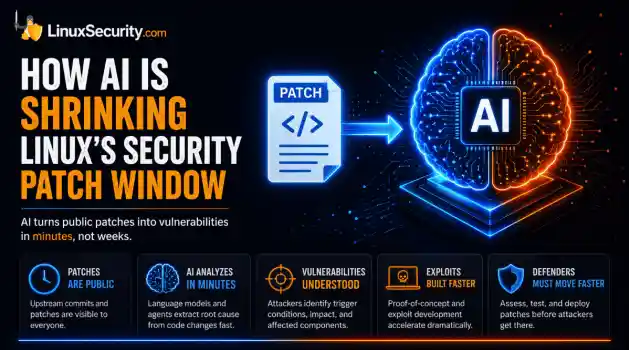
 For decades, Linux defenders relied on a comfortable assumption: a public security patch did not imply an imminent vulnerability. While open-source openness made vulnerability fixes public to everyone on kernel.org or the Linux Kernel Mailing List (LKML), converting a raw commit into a weaponized exploit took a significant amount of manual effort. This delay, estimated in weeks or months, gave businesses enough time to assess exposure, organize testing windows, and push changes across...
 Jul 27, 2026
 security advisory path traversal
 Two newly fixed storage bugs in Kubernetes showed more than just a problem with path traversal. They found a common security flaw in the cloud: powerful parts often think that requests accepted by a higher system are safe to run. This is a simple lesson for the platform and security teams: RBAC can accept a request without showing that its parameters will stay within a certain filesystem boundary. This is clear from a new study from SentinelLabs into flaws in the Kubernetes CSI drivers for NFS...
Jul 24, 2026
 security advisory update
 A large volume of Linux security updates and advisories this week across major distributions once again, but it wasn't just the volume that was the story. Where maintainers and security teams focused their attention was evident in the concentration of fixes targeting Linux kernel updates, identity services, DNS infrastructure, and internet-facing software. . Instead of looking at each advisory in isolation, administrators gain more value from the general trends they reveal about Linux security...
Jul 23, 2026
 identity management security tactics
 For years, we secured our Linux infrastructure by building walls: VPCs, security groups, and hardened SSH configurations. We treated the cloud like a virtual data center, assuming that if we kept the "bad guys" out of the network, our workloads were safe. . That model is no longer sufficient. Today, one of the most common paths from an initial compromise to a major cloud breach is the identity assigned to your Linux workload. When an attacker gains code execution on a Linux instance—through a...
Jul 17, 2026
 security practices patch management
 Most of us don't hear about a kernel vulnerability until a CVE lands in our inbox or the vulnerability scanner starts complaining. By then, the patch isn't new anymore. Kernel developers may have been passing it around for review, arguing over the implementation, or revising it for days before anyone outside that community noticed it. None of those discussions are secret. They're sitting in mailing list archives, Git commits, and patch reviews where they've been the whole time. The strange...
Jul 14, 2026
 Refine features
X Clear Filters
Get the latest News and Insights
Get the latest Linux and open source security news straight to your inbox.
Community Poll
Are host-based firewalls still worth using?
Loading...
Explore Latest Linux Security features
We found -3 articles for you...
102
 network assessmentvulnerability scanneropen source tool
Top Linux Vulnerability Scanners in 2026: A Guide to Open-Source Security Tools
Computer systems, software, applications, and Linux servers are all vulnerable to network security threats. Failure to identify these cybersecurity vulnerabilities, often through modern vulnerability scanning tools, can leave companies exposed . Running vulnerability scans regularly makes it easier to spot weaknesses and close them through security patching. Assessment results help developers and network administrators understand potential network security issues so they can implement the right defensive measures against them. In this article, we’ll discuss what a vulnerability scanner is and introduce our top free, adaptable tools, including practical vulnerability assessment tools and open-source vulnerability scanning software designed to improve security without adding cost. What is a Vulnerability Scanner? A Linux vulnerability scanner assesses the network security issues in a system or application. Scanners automate website, server, and cloud security auditing to improve security posture by checking for threats. Vulnerability scanners can also provide a prioritized list of issues you should patch. This list describes the type of vulnerability and the steps to fix it. Some vulnerability tools integrate with patch management systems, but fully automated patching is uncommon — most scanners focus on detection and reporting. It’s crucial to patch problems quickly because leaving them unaddressed puts a system at higher risk of attack. These network security threats let hackers enter your system and exploit weaknesses, potentially causing serious damage to your business. Vulnerability scanning tools rely on large databases of known flaws to automatically test systems — this is where a vulnerability scanner Linux setup shows its strength. Like fail2ban or antivirus software, these scanners are essential in maintaining maximum data and network security. The best open-source vulnerability assessment tools make this process affordable and adaptable for anyenvironment. Types of Vulnerability Scanners Vulnerability scanners are often categorized into types such as network-based, host-based, web application, and cloud-based. Database scanning tools also exist, but they are usually considered a subset of host or application-level scanning. Network-based vulnerability scanners Network-based vulnerability scanners scan the devices, services, and ports across a network to find weaknesses like misconfigurations, open ports, or version issues. They don’t generally monitor traffic in real time — instead, they take snapshots of your network at scheduled intervals. On wired and wireless subnets alike, they help you map out network exposures so you can take action before attackers find them. Host-based vulnerability scanners Even though web hosting and Linux servers include built-in protections, weak spots remain. A Linux security scanner can be installed on every host to provide in-depth insight into potential vulnerabilities, whether from insiders or outsiders with partial access. Web application vulnerability scanners Web applications are a common attack target, especially those relying on user input or integrations. A vulnerability scanner Linux setup can help test for issues such as SQL injection, cross-site scripting, and insecure configurations — areas that attackers often probe to gain access. Cloud-based vulnerability scanners The growing shift to cloud security solutions , especially with remote work, has pushed more companies to adopt cloud-focused scanning. Instead of just checking websites, these tools look at virtual machines, containers, and APIs. A Linux vulnerability scanner built for the cloud can catch weaknesses in those environments before they’re exploited. Top Linux Vulnerability Scanners in 2026 These tools range from lightweight scripts to full vulnerability assessment software platforms used in enterprise environments. Many vulnerability scanners are available online that you can purchase, grab for free,or run as open source. The key is choosing a Linux vulnerability scanner you can rely on. Here are some free and open-source vulnerability scanners worth considering. Modern teams are shifting toward actively maintained alternatives, increasingly leveraging AI-assisted vulnerability scanners to help prioritize critical risks and reduce noise in their security workflows. Aircrack-NG Open Source Vulnerability Scanner Aircrack-ng is an open-source wireless auditing toolkit used for Wi-Fi security. It captures traffic and can crack WEP and WPA keys, but it’s not a general-purpose vulnerability scanner and doesn’t cover web application issues. Here are Aircrack-ng’s key benefits : Support for a wide range of wireless hardware and protocols Coverage of Wi-Fi security issues, including WEP and WPA-PSK cracking Command-line driven, with extensive documentation and tutorials Can perform both active and passive scanning Aircrack-ng’s specialized focus on wireless networks makes it a useful tool for testing and improving Wi-Fi security. For a broader Linux setup, it’s often combined with other tools in a full security stack (see our best secure Linux distros ). Anchore Open Source Vulnerability Scanner Anchore is an open-source Docker container policy compliance and static analysis tool. It looks inside container images to analyze and evaluate them against security and policy requirements. The result is a report that indicates whether each image passes or fails, making Anchore one of the more practical open-source vulnerability assessment tools for container security. Anchore runs static analysis at the build or registry stages. It does not run real-time or runtime scans; it focuses on image content before deployment. Anchore checks image contents — packages, dependencies, configurations — to catch problems early. It also integrates with registries and CI/CD pipelines, which makes it easier to fold into DevOps workflows. Anchore is often describedas a Linux vulnerability scanner for containerized environments, though its focus is image analysis. It’s well-suited for teams running containerized workloads that need a reliable way to find and track vulnerabilities. Security teams also use it alongside other open source VAPT tools to cover more ground in testing. Here are Anchore’s key features: Scans container images for known vulnerabilities and provides detailed reports Breaks down image contents, including software packages and dependencies Gives you control to define and enforce policies, making sure that only trusted images are deployed. Integrates directly into CI/CD pipelines to catch issues early Anchore is actively maintained and supported by a strong open-source community. You can find it on Anchore Engine and adapt it to your environment as part of a broader container security stack. Arachni Open Source Vulnerability Scanner Arachni is an open-source vulnerability scanner built for web applications. It was widely used for its speed and flexibility, and for a while, it was one of the more capable tools in this space. Here are Arachni’s key benefits: Detects common web vulnerabilities like SQL injection, cross-site scripting, and directory traversal Built for scanning dynamic applications — it does not cover static HTML content. Customizable scan options and detailed reports Works with other security frameworks and toolkits Includes documentation and tutorials for setup and use Arachni’s scanning engine combined heuristics and signatures to catch issues that other tools sometimes missed. The modular setup meant you could extend it or plug in new modules as needed. For years, it was a go-to for web app testing on Linux, but that time has passed. Note: Arachni hasn’t been updated since 2017. You can still find the Arachni scanner, though it’s long outdated Burp Suite Free Edition Open Source Vulnerability Scanner Burp Suite Free Edition is a proprietarytool with a free version, not an open-source vulnerability scanner. It’s part of the larger Burp Suite platform and is often used for web application security testing by intercepting and modifying HTTP requests. Here are Burp Suite Free Edition’s benefits: Runs on multiple operating systems and platforms Provides manual testing features for web applications It lets you intercept and modify HTTP requests and analyze responses User-friendly interface with documentation and tutorials Can be paired with other frameworks and toolkits The Free Edition does not include automated scanning for issues like SQL injection or cross-site scripting — that’s only available in the Professional or Enterprise editions. Still, the ability to intercept and work with requests makes it useful for testing smaller applications and APIs. For Linux users, it’s often added to a toolkit as a linux vulnerability scanner companion, even though its scope is limited in the free version. Clair Open Source Vulnerability Scanner Clair is an open-source vulnerability scanner project designed for container security. It’s API-based, letting you query and analyze container layers for known issues. Clair regularly collects vulnerability metadata from multiple sources, indexes container images, and exposes this information through an API for security teams to use in their workflows. Here are Clair’s key benefits: Comprehensive coverage of container images and their associated vulnerabilities Support for many container image formats and registries Integration with orchestration systems like Kubernetes and Docker Swarm Reports that are detailed but easy to work with Performs static image analysis before deployment — it does not scan in real time and is not designed to detect wireless vulnerabilities. Clair is focused on containerized environments, not general-purpose scanning. Security teams often add it to their stack as a linux vulnerability scanner for images, usingit to flag problems before containers move into production. You can find and contribute to the project on Clair GitHub . Lynis Open Source Host Vulnerability Scanner Lynis is an open-source vulnerability scanner built for hosts, especially Linux and other UNIX-based systems. Lynis is widely used among vulnerability assessment tools for Linux system auditing and hardening, valued for its lightweight design and flexibility. You’ll find it running on everything from production servers to lab VMs. Key features include: Detects misconfigurations, weak permissions, service issues, and vulnerabilities Opportunistic scanning that adapts to the system without external dependencies Compliance checks for standards like PCI, HIPAA, and CIS Clear reports with scoring and step-by-step guidance Customizable controls to fine-tune what gets tested Installation is straightforward and works across most major distributions. The Lynis installation guide explains the basics, while administrators on Ubuntu or Rocky can follow a setup tutorial tailored to those platforms. Once installed, Lynis scans in stages — detecting components, applying the right tests, and producing both logs and reports with prioritized findings. Reports are one of its strengths. They don’t just list issues; they provide warnings, suggested fixes, and a scoring system to track improvements over time. The complete Lynis guide shows how to interpret these results and fold them into regular security workflows. Beyond scanning, Lynis plays a role in system hardening. Many organizations pair it with other Unix hardening tools to enforce stronger defaults across fleets of servers. That combination gives teams a practical way to improve resilience without adding commercial software or heavy overhead. Metasploit Open Source Vulnerability Scanner and Framework Metasploit is a penetration-testing framework that can identify and exploit holes in systems and networks. While it’s sometimes lumpedin with scanners, Metasploit is not a traditional vulnerability scanner — it’s a framework for exploitation and validation. For that reason, teams usually run a vulnerability scanner on linux first, then use Metasploit to validate the findings. Metasploit can be used to test for: Remote code execution SQL injection Cross-site scripting (XSS) Directory traversal Buffer overflow issues Authentication bypasses File inclusion problems Misconfigured services and applications Beyond listing issues, Metasploit can launch controlled attacks and exploit them directly. That makes it useful for testing defenses and showing what a real compromise would look like. With its large library of modules and payloads, it’s a standard framework for penetration testers and red teams. Nmap Open Source Vulnerability Scanner Nmap is best known as a network mapper and port scanning tool. It was built for network discovery, finding hosts, services, and open ports, and it remains one of the most widely used tools in security. With its scripting engine (NSE), Nmap can also probe for specific flaws; however, it’s not a comprehensive vulnerability scanner. It doesn’t patch or sandbox systems; it focuses on reconnaissance. Key things Nmap can do: Scan large networks quickly and identify live hosts Detect open ports and the services running on them Fingerprint operating systems and service versions Run scripts to check for misconfigurations and known vulnerabilities Because of that flexibility, Nmap is often treated as a linux vulnerability scanner even though that’s not its primary role. For administrators, it’s a way to map networks and spot weak points before attackers do. Linux setups can be extended with custom scripts, making it a bridge between simple port scanning and deeper assessment tools. Nmap is still under active development and works across all major platforms. That consistency is why it’s trusted in open-source security circles.It’s flexible enough for quick scans but can also be tuned for deeper checks. For a closer look at how it fits into Linux workflows, see our guide on Nmap basics . OpenSCAP Open Source Vulnerability Scanner OpenSCAP is an open-source framework for compliance and vulnerability scanning. It’s widely used in enterprise Linux environments because it combines automated compliance checks with configuration management and security assessments. Key benefits of OpenSCAP: Runs on multiple operating systems and platforms Automates compliance checks with standards like PCI-DSS and CIS benchmarks Manages configurations at scale across large environments Integrates with other security frameworks and toolkits Open-source, with ongoing development and community support OpenSCAP is more than a simple scanner. It can audit Linux systems against compliance baselines, report vulnerabilities, and suggest remediation steps. For administrators who want a Linux vulnerability scanner with built-in compliance features, it’s one of the most practical open-source vulnerability assessment tools available today. OpenVAS Open Source Vulnerability Scanner OpenVAS is an open-source vulnerability scanner used across many Linux distributions. It’s free under the GNU General Public License (GPL) and actively maintained by Greenbone. Because of that support, OpenVAS is one of the most comprehensive vulnerability scanning tools available today. OpenVAS utilizes an automatically updated community-sourced vulnerability database of over 50,000 known Network Vulnerability Tests. It thoroughly examines entire systems and tests both authenticated and unauthenticated protocols. The scanning is detailed, providing an in-depth look at how well protected your computers and servers are. OpenVAS can also run from external servers to give administrators the perspective of an attacker, allowing issues to be fixed before they can be exploited. Some of the criticalbenefits of OpenVAS include: Support for multiple operating systems, making it a dependable Ubuntu vulnerability scanner Ability to scan for more than 50,000 known vulnerabilities Customizable scanning options and detailed reports Integration with other network security toolkits and frameworks Ongoing development and improvement from the Greenbone community OpenVAS works as both a linux vulnerability scanner and a linux security scanner, giving administrators detailed reports and compliance checks. It’s still actively maintained by Greenbone, which makes it a dependable option in the open-source space. Trivy Open Source Vulnerability Scanner Trivy is an open-source vulnerability scanner that detects CVEs in open-source software. Trivy has become a popular option among lightweight vulnerability scanners for container environments, providing a quick explanation of network security issues so developers can decide whether to use it for security patching. Most scanners run static image checks after the fact, but Trivy can be integrated earlier in the process. Teams often add it to build pipelines or IDEs so vulnerabilities surface during development, not just in production. With strong backing from Aqua Security and the open-source community, Trivy has wide support and steady updates. It also complements other open-source VAPT tools well, making it a practical choice for anyone who needs a lightweight Linux vulnerability scanner in containerized environments. Wapiti Open Source Vulnerability Scanner Wapiti is an open-source vulnerability scanner designed for web applications. It’s known for speed and accuracy, and many security professionals use it to test sites and services running on Linux. Key benefits of Wapiti include: Finds common flaws like SQL injection, cross-site scripting, and file inclusion Works with both static pages and dynamic content Customizable scans to fit different environments Generates clear, actionable reports Can be extended or paired with other toolkits Wapiti’s scanning engine combines heuristics with signatures, increasing its ability to detect issues that lighter tools might overlook. Its modular setup also makes it easy to adapt. While it doesn’t cover wireless networks, it remains a practical linux vulnerability scanner for web application testing. Wireshark Open Source Protocol Analyzer Wireshark is an open-source protocol analyzer, often referred to as a packet sniffer. It doesn’t scan for vulnerabilities — instead, it shows you what’s happening on the network. Security teams, universities, and even government agencies use it to trace issues and spot suspicious traffic. It can capture data across various protocols, including Bluetooth, wireless, Ethernet, Token Ring, and Frame Relay. The output isn’t locked to a complex interface either. You can export results into plain text, which makes them easier to read and share, even with less technical users. Key benefits of Wireshark: Captures and inspects network traffic in real time Works with a wide range of protocols Filters traffic for targeted analysis Visualizes network patterns and anomalies Backed by strong documentation and community support Useful for finding bottlenecks and performance issues Wireshark is not a linux vulnerability scanner, but it adds another layer to security workflows. By analyzing network traffic in detail, it can highlight behaviors that other scanners might miss. SQLmap Open-Source Vulnerability Scanner SQLmap is a penetration testing tool designed to detect and exploit SQL injection vulnerabilities. It automates much of the process, helping security teams evaluate risk and document results. While sometimes grouped with linux vulnerability scanner tools, SQLmap is focused specifically on SQL injection, not general system flaws. Sqlmap is written in Python and runs on any system with a Python interpreter. It can recognize password hashes and supportsmultiple techniques to detect SQL injection. An SQL injection attack targets a database by inserting malicious code into input fields, search forms, or login pages. More on this type of attack can be found in the OWASP SQL Injection guide . SQL injection can expose sensitive data, allow changes to records, or even hand control of a system to an attacker. These attacks are common in: Web applications that rely on user input Content management systems and e-commerce platforms Legacy systems with outdated database code Mobile apps that query a backend database through APIs Mitigation requires secure coding practices such as parameterized queries and strict input validation. Sqlmap itself supports a wide range of databases, including Oracle, PostgreSQL, MySQL, SQL Server, and Access. Within the space of open source vulnerability assessment tools, it remains one of the most recognized options for testing SQL injection. OnSecurity (Honorable Mention) It’s designed to run continuous checks on internet-facing assets, carrying out more than 70,000 tests for missing patches, weak or default passwords, and common misconfigurations. The platform keeps an inventory of assets and applies CVSS scores to each issue, making it clear which ones matter most. Alerts show up in the portal but can also be pushed to Slack or Microsoft Teams. If needed, findings can even be turned into tickets in Jira or ServiceNow. While OnSecurity isn’t open source, some teams still use it alongside community tools. For those managing Linux environments, a linux vulnerability scanner that’s community-driven and transparent often remains the preferred option. Final Thoughts on Using Open-Source Vulnerability Scanning Tools to Secure Your Linux Systems Regular scanning is one of the simplest defenses against attack. A properly configured vulnerability scan can flag weak spots early. That might be a misconfigured service, an outdated package, or a forgotten policy rule. Catching theseissues before they’re exploited gives teams time to respond. It also reduces guesswork and provides a clearer view of overall risk. The open-source ecosystem has grown wide. Wireshark looks at traffic. OpenVAS digs into hosts and services. Nmap maps networks and finds what’s running where. None covers everything, but together they paint a fuller picture of your environment. That mix is what allows administrators to prioritize fixes instead of chasing noise. Cost is another reason these tools matter. Open-source scanners are free to use, and they don’t stand still. Communities update signatures, refine features, and share improvements. They’re transparent enough to audit and flexible enough to adapt to different workflows. For example, see our work on open-source security automation and this guide to open-source security scanners. Used consistently, these scanners form the backbone of an open-source security program. They won’t replace strategy, but they give it something solid to stand on. . Running vulnerability scans regularly makes it easier to spot weaknesses and close them th. computer, systems, software, applications, linux, servers, vulnerable, network, security. . MaK Ulac
 Apr 14, 2026
•
Apr 14, 2026
•
102
 Linux administrationnetwork assessmentNessus
Step-By-Step Nessus Setup Guide For Effective Network Scanning
There are a number of security scanners out there. Most of them are vendor specific, and each boasts a number of vulnerability checks to determine what is secure on your system and what is not. So what if you are a hardcore open source paranoid like myself who wouldn't think to spend a dime on the latest commercial security scanner from CyberSlueths or CrackerCops? Well there is a superior alternative that is regularly updated, free, and open source. It's called Nessus, and it is by far the best scanner available. . The first time I encountered Nessus was when I was looking into what crackers use to scan for vulnerabilities of systems that they plan to exploit. The logic here is that by first scanning yourself using their tool of choice, you are taking the initative in preventing the exploitation, since you are aware of what they are looking for and have already taken steps to prevent it. That is the beauty of Nessus. It is an incredibly versitile and extremely efficient application that not only identifies nasty vulnerabilities that could be exploited, but tells you how to prevent hackers from taking advantage of your system, and even gives you a risk level for each vulnerability it discovers. There are many tricks and tweeks that that can used within Nessus, including its own scripting language, the Nessus Attack Scripting Language (NASL), which you can use to write your own security tests. But those subjects are beyond the scope of this article. At first, I intended just to download and install Nessus, do a quick scan of my systems, and be on my merry way, safer and a little more secure, just like I would do with Nmap, the excellent port scanner from insecure.org. But what happened was a little more complicated. Nessus is composed of two parts: a client and a server. The server is in charge of the attacks, whereas the client is the front end, so that you can perform scans of your whole network via your local workstation. So there is a little more to setting it up than your typical application. That is what this article covers. I'll show you how to get Nessus onto your machine as quickly and painlessly as possible, without having to spend hours fiddling with it or pulling out your hair due to the fact that you missed one little thing. I began with a fresh installation of Red Hat 7.0. Make sure when you install that you select the custom option and choose the development load so that you'll have all the necessary libraries and compilers. Then follow these instructions step by step in order to get Nessus up and running. 1. Make sure /usr/local/bin is in your path. To check, at the command line, type echo $PATH If it is not in your path, add usr/local/bin to the /etc/profile file. Remember: If you have to add this to your path, you have to log out and log back in for the change to take effect, or you can type: export PATH=$PATH:/usr/local/bin 2. Add /usr/local/lib to the /etc/ld.so.conf file. Then go to /sbin and type: ./ldconfig 3. Nessus uses Nmap for port scans so you'll want to go to https://insecure.org/ and download the Nmap tarball and untar it. tar -zxvf nmap-VERSION cd nmap ./configure make su (to super user) make install To make sure that it is properly installed, type nmap at the command line and you should get a list of options and flags. This shows you that it has been properly installed. 4. In your home directory, create a new sub-directory ' mkdir Nessus ' 5. Download the Nessus tarballs into your new Nessus directory. 6. In the Nessus directory, you should have four tarballs. You absolutely must have all four for Nessus to work. You want to untar, configure, make, andmake install in this order exactly. su (into superuser) tar -zxvf nessus-libraries-VERSION cd nessus-libraries ./configure make make install After you finish the make install of the libraries, you get a prompt to make sure that you have /usr/local/lib in the /etc/ld.so.conf file, and to type ldconfig . But since we already covered this in step two, all you need to do is go back to /sbin and run ./ldconfig again. 7. Go back to the Nessus directory, and just like in step six, untar, configure, make, and make install the other three downloaded files in this order. libnasl nessus-core nessus-plugins 8. At this time go back to /sbin and run ./ldconfig again. 9. Go to /usr/local/sbin and, as superuser, type: ./nessus-adduser This runs a script that starts by generating some primes. Then you should see a prompt that asks you to add a user. You will get another prompt for Authentication method, cipher or plaintext. The default is cipher, so just hit Enter. It should then ask you if your user name is a local user. Type y and hit enter. It then tells you that it is treating your user name as a local user. After this, the add-user program prompts you to add rules such as where you can or cannot scan. I leave this blank since I am the only one using my machine and I want to scan everything in my network. And since this is a quick start guide, we don't want to complicate things. Then hit Ctrl - d, and the program will ask you if your selections are correct. If they are, type y and hit Enter. Once more the program generates some primes. Now you will be asked for a passphrase and you will be prompted to repeat it twice more. Then you will get a confirmation that theuser was added and you will be returned to a shell prompt. 10. To run Nessus the Nessus daemon must be running. In the /user/local/sbin type ./nessusd which will start the daemon. (It will continue to run while you are using the scanner. When you finish using the scanner, kill it by typing Ctrl - c). If you choose to have the daemon running in the background all the time type ./nessusd -D and then you can close that terminal window without killing the process. 11. Return to your home directory as a normal user and not superuser. Type: nessus and the nessus program begins with a password prompt. Your login name should be the same user name that you entered in the nessus-adduser program. Then click the login button and you are ready to go. You then see different option tabs that you can click through: Nessusd host, Plugins, Preferences, Scan options, Target selection, User, and Credits. These options are generally preconfigured so that while you are getting aquainted with Nessus you don't have to worry about changing the settings.There is one exception: if you are planning to run a scan against your own local host where you have Nessus running, you must only use the Nmap TCP scan and disable the other five. According to the man pages, there is a bug that will prevent them from working properly. There you have it. A quick and easy step-by-step guide to getting Nessus up and running on your system. As I mentioned earlier, Nessus is extemely versatile and there are an infinite number of ways that it can be configured and utilized. In no way is this article a substitute for the man pages, README files or the online instructions found at the nessus.org site. I strongly encourage you to read all availible documentation so that you'll have a better understanding of thescanner itself since such a powerful and diverse tool can be used just as easily to exploit systems as to secure them. Resources: Nessus Homepage https://www.tenable.com/ Nmap Homepage https://insecure.org/ Author Bio: Paul Christensen currently works for Penguin Computing as a Linux Support Specialist. He is a regular contributor to "Best of Technical Support" in the Linux Journal and spends the rest of his free time working with Open Source security applications. . Learn how to set up Nessus, the open-source scanner, with strategic steps for effective vulnerability assessment and improved network security. Nessus Setup Guide, Open Source Scanning Tool, Network Vulnerability Assessment. . Brittany Day
May 07, 2001
•


Get the latest News and Insights
Get the latest Linux and open source security news straight to your inbox.
Community Poll
Are host-based firewalls still worth using?
Search Topics
Powered By

Linux Security - Your source for Top Linux News, Advisories, HOWTOs and Feature Releases
QUICK LINKS
subscribe to newsletters!
Like staying secure? So do we.
Sign up for updates, tips, and alerts!