Explore top 10 tips to secure your open-source projects now. Read More
×


Stay Ahead With Linux Security Features

 identity management security tactics
 For years, we secured our Linux infrastructure by building walls: VPCs, security groups, and hardened SSH configurations. We treated the cloud like a virtual data center, assuming that if we kept the "bad guys" out of the network, our workloads were safe. . That model is no longer sufficient. Today, one of the most common paths from an initial compromise to a major cloud breach is the identity assigned to your Linux workload. When an attacker gains code execution on a Linux instance—through a...
 Jul 17, 2026
 security practices patch management
 Most of us don't hear about a kernel vulnerability until a CVE lands in our inbox or the vulnerability scanner starts complaining. By then, the patch isn't new anymore. Kernel developers may have been passing it around for review, arguing over the implementation, or revising it for days before anyone outside that community noticed it. None of those discussions are secret. They're sitting in mailing list archives, Git commits, and patch reviews where they've been the whole time. The strange...
Jul 14, 2026
 Linux security cyber attacks
 Every Linux server in your fleet produces thousands of events every minute. From journald logs and auditd records to kernel-level eBPF hooks, your systems are constantly talking. Most of that noise is just the mundane churn of system services, CI/CD runners, or routine administrative automation. But among that noise, an attacker might be establishing a foothold, moving laterally, or setting up persistence. The challenge for any security team is: how do you separate the routine from the...
Jul 13, 2026
 open-source infrastructure risk
 Security scanners flag exposed API keys in public repositories every day. The initial response is usually predictable: delete the commit, revoke the credential, and move on. That’s a mistake. . In a real Linux environment, an API key never stays in one place. By the time it hits a public repo, it’s already everywhere. It’s in the CI/CD pipeline. It’s in your container registry. It’s in the build logs. It’s in the backups. Git makes this worse because the history never dies. Deleting a file in...
Jul 11, 2026
 open-source rootkit
 Most of us think of Linux rootkits as ancient history—the stuff of 90s hacking forums and clunky malware that would crash your system if you looked at it the wrong way. But if you think they’ve gone away, you’re mistaken. They’ve just gotten smarter. . Modern attackers aren't using the noisy tools of the past. Today’s threats are surgical. Many of today’s most advanced Linux rootkits operate at the kernel level or abuse legitimate system features to blend in with normal traffic. They’re...
Jul 09, 2026
 Refine features
X Clear Filters
Get the latest News and Insights
Get the latest Linux and open source security news straight to your inbox.
Community Poll
Should Linux servers automatically install security updates?
Loading...
Explore Latest Linux Security features
We found -2 articles for you...
102
 security advisoryopen-sourcesecurity incident
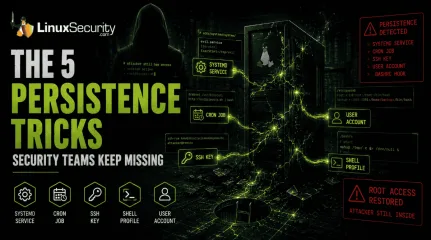
Linux Persistence Hunting: The 5 Techniques Security Teams Miss Most
You remove the malware. You rotate the compromised credentials. You patch the original vulnerability and close the ticket. Two weeks later, the attacker is back. . What happened? You didn't lose the battle at the exploit; you lost it at the cleanup. In many modern Linux intrusions, the malware you found wasn't the main problem—it was the fallback mechanisms left behind. These hooks quietly restore attacker access the moment you look away. If you clean a host but miss these persistence layers, you haven't evicted the attacker; you've just cleared the path for them to return. Why Persistence Matters Getting into a system is often the easy part. Staying there is what matters. Persistence gives attackers a way to survive password resets, malware removal, and even patching efforts. If the persistence mechanism remains in place, they may not need to repeat the original compromise at all. Why Linux Persistence Remains a Problem Persistence on Linux is often harder to spot because attackers frequently abuse features administrators already use every day. A cron job doesn't look suspicious by itself. Neither does a systemd service nor an SSH key. During an investigation, it's easy to focus on the malware and overlook the configuration change that allowed it to come back. Quick-Hunt Checklist Persistence Type Primary Location Quick Hunt Command Systemd /etc/systemd/system/ systemctl list-unit-files --state=enabled Cron /etc/cron* ls -la /etc/cron* SSH Keys ~/.ssh/authorized_keys cat ~/.ssh/authorized_keys Shell Profiles ~/.bashrc grep -Ri "curl|wget" /home/*/.* User Accounts /etc/passwd cat /etc/passwd 1. Systemd Service Persistence ( MITRE T1501 ) Systemd is the heartbeat of modern Linux. Attackers abuse it to ensure their code runs as a background service,starting automatically on boot. What to investigate: Beyond just listing enabled services, look for files in /etc/systemd/system/ or /usr/lib/systemd/system/ that were modified recently. The "Aha!" Moment: Don't just check for "weird" names. Check the ExecStart path in the unit file. If it points to /tmp, /dev/shm, or a hidden directory in /home, it is almost certainly malicious. Watch for services running as root that initiate network connections immediately upon starting. 2. Cron-Based Persistence ( MITRE T1053.003 ) Cron jobs are the "reliable" backup. Even if you kill their malware process, a cron job can be. Attackers love cron because it acts like a built-in recovery mechanism. If malware is deleted or a process crashes, a scheduled task can quietly bring it back. Start by reviewing: /etc/crontab /etc/cron.d/ /var/spool/cron/ One of the fastest ways to find suspicious activity is to search for @reboot entries. These trigger automatically whenever a system starts and are frequently used to relaunch malware after remediation efforts. Encoded payloads or commands that download content with curl or wget before piping it into a shell should be treated as immediate red flags. 3. SSH Authorized Key Backdoors ( MITRE T1098.004 ) An SSH key is one of the cleanest persistence mechanisms available to an attacker. Once their public key is added to ~/.ssh/authorized_keys, they can access the system without relying on passwords and often without triggering much attention. When auditing systems, don't just look at the key itself. Look at the account behind it. A key attached to a dormant account, a service account, or a user who hasn't logged in for months should immediately raise questions. The same goes for keys that appear suddenly with no change request, documentation, or clear owner. One of the most common mistakes during incident response is removing malware while overlooking an attacker-controlled SSH key. Passwords can be reset in minutes. Aforgotten authorized key can provide access for months. 4. Shell Startup File Persistence ( MITRE T1546.004 ) Injecting a command into .bashrc or .profile is a classic move. Every time a user (or an admin) opens a terminal, the malicious command runs. What to investigate: Use grep -Ri "curl\|wget\|nc\|bash" /home/*/.* to scan all hidden files in user directories. The "Aha!" Moment: These are often missed because they hide inside otherwise legitimate config files. Look for nohup commands or backgrounded processes (&) that shouldn't be there. If you see a line that suddenly initiates an outbound connection, an attacker is piggybacking on your session. 5. User Account Creation ( MITRE T1136.001 ) Not every persistence mechanism involves code. In many intrusions, the attacker simply creates another user and grants it elevated privileges. Once that account exists, the original malware may no longer be necessary. Review /etc/passwd and compare what you find against your organization's approved accounts. Then verify: Group memberships Sudo permissions Last login activity Account creation timelines An account named "backup," "support," or "service-admin" may not look suspicious at first glance, which is exactly why attackers use them. The Reality: Why One Mechanism Isn't Enough During a recent investigation into a compromised web server, the security team successfully identified and disabled a malicious systemd service. They thought the incident was closed. However, the attacker had also placed a hidden cron job in /etc/cron.d/ that checked for the service every hour. If the service was missing, the cron job simply re-downloaded the binary and re-enabled the service. The attacker regained full root access within 60 minutes of the "remediation." Attackers assume you are thorough—but they bet you aren't complete. You must hunt for the entire ecosystem, not just the one artifact you found first. Your Weekly Hunting Workflow Don't wait for an alert tostart looking. Pick one high-value Linux server this week and run this sequence: Scan Autostarts: systemctl list-unit-files --state=enabled Audit Tasks: find /etc/cron* -type f Validate Keys: find /home -name authorized_keys Check Profiles: grep -Ri "curl\|wget\|bash" /home/*/.* Verify Users: cat /etc/passwd Timeline Hunt: find /etc -mtime -30 Persistence hunting is the difference between a clean server and one that is still compromised. Most organizations scan for viruses but never validate their persistence locations. That gap is exactly what attackers count on you to leave open. You've found an unauthorized SSH key on a high-privilege account. Before you delete it, what secondary indicators are you going to check to ensure the attacker doesn't have an active cron job or malicious service waiting to replace that key the moment it vanishes? Related Reading Understanding Linux Persistence Mechanisms and Detection Tools Detecting Systemd Abuse on Linux Servers for Better Security Exploitation of Cron Jobs in Linux for Enhanced Persistence Methods Linux Malware in Cloud Environments: Trends and Admin Implications . What happened? You didn't lose the battle at the exploit; you lost it at the cleanup. In many modern. remove, malware, rotate, compromised, credentials, patch, original, vulnerability. . Dave Wreski
 Jun 02, 2026
•
Jun 02, 2026
•
102
 security measuresopen sourcesecurity incident
PHP Server Breach Highlights Urgent Need For Enhanced Security Measures
This weekend’s PHP hack serves as the latest reminder of the importance of server security-and the need to do better. . Just two days ago (Sunday, March 28), hackers were able to breach the internal Git repository of the immensely popular PHP programming language used by almost 80% of all websites on the Internet, and have added a backdoor to the PHP source code. According to a message that the PHP team posted on its mailing list late Sunday night, the malicious code was added to the PHP source code through the accounts of two core PHP team members, Rasmus Lerdorf and Nikita Popov, neither of whom were involved. Popov stated in this message: “We don’t yet know how exactly this happened, but everything points towards a compromise of the git.php.net server.” Luckily, the backdoor mechanism was first spotted by Michael Voříšek , a Czech-based software engineer, before it made it into production. As a result of this security breach, the PHP team made the collective decision on Monday, March 29, to move source code management operations from its internal Git server to its official GitHub account, which will be PHP’s official Git repository going forward. Although we are pleased that this backdoor was mitigated before it made it into production, the incident highlights the need for stronger PHP security through the implementation of preventative server security measures and secure server administration. Had this backdoor made it into production, the malicious code would have allowed threat actors to execute their own malicious PHP commands on victims’ servers. On a broader scale, the majority of attacks on PHP servers can be attributed to misconfigurations and poor server administration. In another notable security incident that occurred less than three years ago which has yet to be explained today, hackers compromised the official website of the PHP PEAR extensions system and hosted a backdoored version of the PHP PEAR package manager for nearly six months. This string ofPHP hacks should serve as a collective call to action for the open-source community to hold open-source projects accountable for the security of their source code and their servers to prevent future vulnerabilities and hacks. And it is not only core team members who are responsible. Users should be contributing to the security of the projects they benefit from, whether it be by reviewing source code, making a donation or helping others get involved. The security of open-source projects is highly dependent upon community involvement, and regardless of your education, experience or skill set, there is something you can do to contribute to the security of Open Source. Right now, attackers are running the show. It’s time to come together as a community and level up! What are your thoughts on this weekend’s hack? Need guidance on how you can get involved in improving PHP security? Let’s chat! Connect with us on social media: Twitter | Facebook . The recent compromise of Apache's server underscores the critical importance of integrating robust security protocols in publicly available software initiatives.. PHP Security, Open Source Security, Server Management. . Brittany Day
Mar 30, 2021
•

102
 intrusion detectionfile integritysecurity incident
Effective System Monitoring And Intrusion Detection For Linux Admins
Have you ever suspected or been notified that your Linux system is under attack? How do you determine whether your system has been compromised? This document is intended to explain how an administrator can implement basic security incident investigation techniques.. r> Background A s mentioned in the Intrusion Detection Primer ,the process of preventing and detecting security breaches by monitoring user and application activity is known as intrusion detection. It is a proactive process that requires the constant attention. In this document I explain step-by-step how to monitor user and application activity using standard Linux/Unix commands. This document is intended to be read by novice Linux who are interested in security. Who are the intruders and where are they from? Intruders may be curious teenagers, disgruntled employees, or even professional criminals from rival companies. Attacks can originate from practically anywhere in the world via the Internet or dialup lines. This fact makes intrusion investigation a difficult task. Types of Intrusion Detection Intrusion detection can be broken down into five types. These types include file integrity checking, log file monitoring, host based ID (intrusion detection), network based ID, and administrator based monitoring. Checking file Integrity: This is the process of checking files to determine whether unauthorized changes to files have been made. Many times the program Tripwire is used to automate this process. . r> Background As mentioned in the Intrusion Detection Primer,the process of preventing and detecting. suspected, notified, linux, system, under, attack, determin. . Brittany Day
Jun 29, 2000
•

Get the latest News and Insights
Get the latest Linux and open source security news straight to your inbox.
Community Poll
Should Linux servers automatically install security updates?
Search Topics
Powered By

Linux Security - Your source for Top Linux News, Advisories, HOWTOs and Feature Releases
QUICK LINKS
subscribe to newsletters!
Like staying secure? So do we.
Sign up for updates, tips, and alerts!