Audit Linux privileges now to limit compromise, escalation, and system-wide damage. Review Linux Privileges×


Stay Ahead With Linux Security Features

 security advisory path traversal
 Two newly fixed storage bugs in Kubernetes showed more than just a problem with path traversal. They found a common security flaw in the cloud: powerful parts often think that requests accepted by a higher system are safe to run. This is a simple lesson for the platform and security teams: RBAC can accept a request without showing that its parameters will stay within a certain filesystem boundary. This is clear from a new study from SentinelLabs into flaws in the Kubernetes CSI drivers for NFS...
 Jul 24, 2026
 security advisory update
 A large volume of Linux security updates and advisories this week across major distributions once again, but it wasn't just the volume that was the story. Where maintainers and security teams focused their attention was evident in the concentration of fixes targeting Linux kernel updates, identity services, DNS infrastructure, and internet-facing software. . Instead of looking at each advisory in isolation, administrators gain more value from the general trends they reveal about Linux security...
Jul 23, 2026
 identity management security tactics
 For years, we secured our Linux infrastructure by building walls: VPCs, security groups, and hardened SSH configurations. We treated the cloud like a virtual data center, assuming that if we kept the "bad guys" out of the network, our workloads were safe. . That model is no longer sufficient. Today, one of the most common paths from an initial compromise to a major cloud breach is the identity assigned to your Linux workload. When an attacker gains code execution on a Linux instance—through a...
Jul 17, 2026
 security practices patch management
 Most of us don't hear about a kernel vulnerability until a CVE lands in our inbox or the vulnerability scanner starts complaining. By then, the patch isn't new anymore. Kernel developers may have been passing it around for review, arguing over the implementation, or revising it for days before anyone outside that community noticed it. None of those discussions are secret. They're sitting in mailing list archives, Git commits, and patch reviews where they've been the whole time. The strange...
Jul 14, 2026
 Linux security cyber attacks
 Every Linux server in your fleet produces thousands of events every minute. From journald logs and auditd records to kernel-level eBPF hooks, your systems are constantly talking. Most of that noise is just the mundane churn of system services, CI/CD runners, or routine administrative automation. But among that noise, an attacker might be establishing a foothold, moving laterally, or setting up persistence. The challenge for any security team is: how do you separate the routine from the...
Jul 13, 2026
 Refine features
X Clear Filters
Get the latest News and Insights
Get the latest Linux and open source security news straight to your inbox.
Community Poll
Should Linux servers automatically install security updates?
Loading...
Explore Latest Linux Security features
We found 3 articles for you...
102
 security managementcloud securityopen source security
Container Security Misconfigurations That Still Go Unnoticed
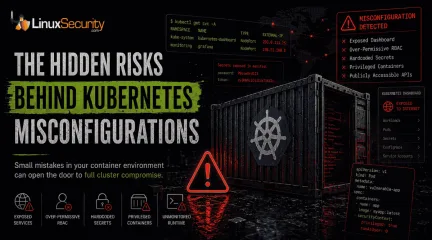
Container security has long carried a reputation for resilience, but attackers have increasingly shifted their focus toward something easier to exploit: the Kubernetes environments surrounding the containers themselves. . Instead of breaking Kubernetes directly, attackers are abusing exposed dashboards, overly broad permissions, insecure APIs, and containers running with far more access than they actually need. Many of these weaknesses are not hidden particularly well. They survive because clusters change constantly, deployments move quickly, and temporary configurations often remain in place long after production rollout. The pattern has become increasingly common across cloud environments. A service account keeps cluster-admin privileges after troubleshooting. A management dashboard stays exposed after testing. API keys end up sitting directly inside YAML manifests. Individually, these mistakes look minor. Combined, they create an attack surface that attackers now constantly scan for. What Is a Container Misconfiguration? At its core, a misconfiguration is just an environment left insecure by mistake. It usually stems from settings that are far too open or protections that were simply never toggled on. This usually happens during the "move fast and break things" phase of a deployment. A team needs an application online by Friday, so they use temporary settings for testing that somehow survive the trip into the live environment. Over time, those weak settings create security gaps that attackers exploit with minimal effort. The pattern is repetitive and predictable: Containers running with full administrator privileges. Secrets or API keys are stored in plain text within the manifest. Open ports exposed to the public internet for "ease of access." Unused services left running as background noise. RBAC permissions that grant users far more power than their role requires. Attackers hunt for these mistakes because they are common and require almost zerosophistication to exploit. In many cases, a single weak setting can give an attacker access to an entire cloud environment before a defender even realizes a pod was compromised. Why Kubernetes Security Is a Moving Target Most Kubernetes security problems aren’t exotic. They come from rushed deployments and permissions that nobody cleaned up later. The same mistakes appear over and over again: Containers running as root because fixing permissions took too long. API keys are sitting directly inside YAML files. Public ports left exposed after testing. RBAC rules granting cluster-admin access because narrowing permissions broke something once, and nobody revisited it. Old manifests are reused across new deployments without anyone reviewing the original security settings. Those mistakes matter because Kubernetes connects everything together. Compromise one over-privileged container, and attackers often gain access far beyond the application itself—secrets, neighboring workloads, the Kubernetes API, sometimes even the wider cloud account. The real problem is visibility. Kubernetes environments change constantly, and insecure settings spread fast through reused manifests and inherited configurations. At scale, small mistakes quietly turn into incident response problems. The "Root" of the Problem: Over-Privileged Containers One of the oldest Kubernetes problems still causes some of the worst incidents. Containers running with far more privilege than they need. Teams leave workloads running as root because it avoids permission issues during setup, makes debugging easier, or just survives from an early deployment nobody revisited later. That shortcut opens the door wider than most people realize. Once an attacker gets into a privileged container, they can often reach beyond the application itself. That can mean accessing the host system, stealing credentials, installing malware, or moving into other containers on the same server. One compromised workload canquickly turn into a wider cluster breach when permissions are too broad. Publicly Exposed Services: The Windows We Leave Open Another common failure is exposing internal Kubernetes services directly to the internet. Usually not on purpose. A load balancer gets configured too broadly. A dashboard stays reachable after testing. Network rules remain open longer than they should. Small deployment decisions. Big exposure. Attackers look for these systems constantly because they’re often easier to exploit than hardened front-end applications. Kubernetes dashboards, management APIs, monitoring panels, backend services—anything that was meant to stay internal becomes a potential entry point once it’s exposed publicly. An exposed dashboard is especially dangerous because it can reveal far more than most teams expect: secrets, environment variables, deployment settings, service accounts, sometimes even direct administrative control depending on how permissions were configured. Organizations often don’t realize these services are public until suspicious traffic appears in logs or cloud usage spikes unexpectedly. The fix is straightforward, but teams skip it constantly. Internal management systems should sit behind VPN access, identity-aware authentication, or tightly restricted network policies—not directly on the public internet. The Visibility Gap: Unmonitored Runtime Activity Most teams have gotten good at scanning container images before deployment, but far fewer monitor what happens after those containers go live. This creates a massive visibility problem. A scanned, "clean" container can still be compromised through a logic flaw in the application itself. Once an attacker is inside, they may try to download a binary from an external IP or start an unexpected reverse shell to maintain persistence. Without runtime monitoring, this behavior is essentially invisible. This is why tools like Falco or Dynatrace are critical. You need to be alerted the moment a container suddenlytries to execute /bin/sh or starts scanning the internal network—activities that no healthy web server should ever be doing in a production environment. Why Misconfigurations Remain a Major Threat Misconfigurations remain one of the leading causes of Kubernetes and container-related breaches. In many cases, the issue is not a sophisticated zero-day exploit. It’s an environment that was never fully secured in the first place. Three Kubernetes Checks Most Teams Can Run in 15 Minutes Most Kubernetes security problems aren’t advanced. They come from rushed deployments, leftover permissions, and configurations nobody revisited after the cluster went live. The dangerous part is how long these issues sit there unnoticed. 1. Find Containers Running With Too Much Privilege A lot of clusters still have containers running as privileged or root because it made setup easier at some point. That shortcut matters more than people think. Once an attacker gets into one of those containers, they can often reach the host system, pull credentials, or move into other workloads running on the same node. Run this and see what comes back: kubectl get pods --all-namespaces -o jsonpath='{.items[?(@.spec.containers[*].securityContext.privileged==true)].metadata.name}' If the list includes anything outside core infrastructure components, it’s worth investigating. Most application containers don’t need that level of access. 2. Check for Overly Broad RBAC Permissions RBAC problems are everywhere in Kubernetes environments. Permissions get expanded during troubleshooting, someone adds cluster-admin access temporarily, then nobody removes it later. Over time, the access model drifts into chaos. That becomes dangerous fast during a breach. If a compromised ServiceAccount has broad permissions, the attacker may be able to access secrets, deploy workloads, modify namespaces, or interact directly with the Kubernetes API across the cluster. One weak pod can turn into fullorchestration-layer access surprisingly quickly. Look through ClusterRoles and watch for wildcard permissions using *. Those rules usually grant far more access than anyone intended. 3. Run a Basic Misconfiguration Scan Kubernetes changes constantly. New workloads appear every day, policies drift, and old YAML gets reused. Manual review doesn’t scale well once clusters grow beyond a certain point. That’s where lightweight scanning tools help. Kube-Bench is useful for checking whether the cluster aligns with CIS benchmark recommendations. Kubescape goes wider and looks for insecure configurations, exposed services, risky RBAC settings, and known vulnerabilities across workloads and manifests. Neither tool fixes the environment for you, but both are good at surfacing the problems teams stop noticing after staring at the same cluster for too long. Basic Hygiene Still Prevents the Majority of Breaches Advanced cloud security tools are important, but many container-related incidents still come down to basic defensive hygiene . The most effective protections are often the most boring: Enforcing least privilege access and disabling unnecessary privileges. Scanning images regularly and monitoring runtime activity for anomalies. Applying network segmentation and removing unused workloads. Keeping Kubernetes components updated and auditing RBAC consistently. Restricting public exposure to the absolute minimum. None of these steps is especially new or complicated. The challenge is maintaining them consistently as environments grow and change. Final Thoughts: What To Do Next Monday Morning Container adoption is moving faster than most teams can secure it. The biggest risks usually aren’t zero-days or advanced exploits. They’re the everyday configuration mistakes that stay sitting in production for months because nobody noticed them during deployment. If you want to harden a Kubernetes cluster quickly, start with the basics. Run a Kube-Bench scan tosee how your cluster configuration stacks up against CIS benchmarks. Audit your "Privileged" pods using a simple kubectl query to see who actually has root access. Check for exposed dashboards or unauthenticated APIs. As cloud infrastructure becomes more dynamic, visibility becomes just as important as prevention. Security teams need to understand not only what they deploy, but also how workloads behave after deployment. Because in many modern breaches, attackers aren’t discovering new weaknesses—they’re simply finding the misconfigurations nobody fixed. Stay Ahead of the Threat: Sign up for our newsletter for weekly deep-dives into cloud-native security. Container Security Misconfigurations Leading to Threats Kubernetes Security: Top Strategies for 2026 Against Emerging Threats . Unlock your Kubernetes security with key checks to combat common misconfigurations that cloud environments face.. Kubernetes Security, Container Management, Misconfiguration Detection, Cloud Environments, Security Best Practices. . MaK Ulac
 May 07, 2026
•
May 07, 2026
•
102
 security managementincident responseconfiguration management
Integrating Ansible Into Linux Security Management for Automation
The US government reported the OPM Breach, one of the country's greatest hacks, in 2015. Over 22 million past and present employees' personnel records were compromised by hackers believed to be based in China. According to experts, the consequences of such a large-scale breach may persist for almost 40 years. . Breaches like this are why many firms are starting to automate their cybersecurity operations. If institutions try to manually protect themselves against these attacks, the fight becomes man vs. machine, with the organization facing extremely bleak chances. In short, studies suggest that it could be prudent to let the machines fight it out regarding cybersecurity. Linus Torvalds and his colleagues created Linux in 1991 to manage several services in a computer system. This open-source system has proven helpful to cybersecurity professionals for its safety functions and customizability. Ansible, on the other hand, was developed to automate IT processes. We are happy to announce that when Linux’s defensive features combine with Ansible’s automation abilities, the result is a digital stronghold. Thus, to address everything from workflow optimization to security improvements, we’ll discuss four essential methods for integrating Ansible with Linux security administration. Integration With Artificial Intelligence For Enhanced Automation Whether interested in tech development or being a usual internet user, many of us already know that the Artificial Intelligence industry rides on a superpower. This power is its ability to transform the structures and procedures that have molded how things are done in all spheres of life. When it comes to security automation, AI has genuinely upped the game. Cybersecurity teams can increase insights, effectiveness, and economies of scale through artificial intelligence-driven automation. AI can be integrated with Linux and Ansible for command interpretation, anomaly detection, forecasting analytics, or even self-learning automation tasks. WhenAnsible and AI-driven monitoring tools are combined, abnormalities and performance problems can be proactively detected, allowing for automatic repair measures. Additionally, AI approaches can handle regulatory and security processes within Ansible automation workflows, improving threat detection, vulnerability assessment , and compliance inspections. You may not grasp the advantage of the automated workflow regarding security protection, but it’s more than necessary in the current age, when the human eye may not detect some patterns. A friend works in an IT company and recently shared his story about how their AI-powered anomaly detection system identified and eliminated a potential data breach in real time. This system integrates with its Linux-based infrastructure and Ansible automation workflows and continuously monitors network traffic and user behavior patterns. By leveraging advanced Machine Learning algorithms , it can quickly spot any deviations from the norm and trigger automatic containment measures. In this incident, the AI system detected an unusual spike in data transfers from a specific user account outside regular business hours. Within seconds, it flagged the activity as a potential threat and initiated a predefined incident response playbook through Ansible. Integration with Security Information and Event Management (SIEM) Systems Ansible's automation capabilities can seamlessly integrate with Security Information and Event Management (SIEM) systems to enhance an organization's security protection. SIEM systems are designed to collect, analyze, and correlate security events from various sources, providing a centralized view of an organization's security landscape. By integrating Ansible with SIEM systems, security teams can automate collecting and feeding relevant security data into the SIEM platform. For instance, Ansible playbooks can extract log files from Linux servers, network devices, and applications and transform and normalize the data before ingesting it intothe SIEM system. This automation saves time, reduces the risk of human error, and ensures that the SIEM system has access to comprehensive and up-to-date security data for analysis. Continuous Security Testing and Vulnerability Management It is not a secret that by integrating Ansible with security testing tools and vulnerability scanners, organizations can automate identifying and remediating security weaknesses in their systems and applications. For example, Ansible playbooks can schedule and execute regular vulnerability scans across the Linux infrastructure using popular tools such as Nessus or OpenVAS , which can identify known vulnerabilities, misconfigurations, and outdated software versions. Once the scans are complete, Ansible can automatically show the results and generate in-detail reports highlighting the identified vulnerabilities and their levels. Furthermore, Ansible can implement security testing in the software development lifecycle (SDLC) . Security tests can be automatically executed whenever new code changes are pushed by integrating Ansible with continuous integration and continuous deployment (CI/CD) pipelines. This allows for early detection and remediation of security issues before they enter production environments. By embracing continuous security testing and vulnerability management with Ansible, organizations can proactively identify and address security weaknesses, ensuring their Linux systems remain secure and resilient against evolving cyber threats. Secure Configuration Management Let’s say you have dozens or even hundreds of Linux servers, each needing to be configured with the same security settings. Keeping track of all those configurations manually would be a nightmare, and you would definitely need a flexible management system. Ansible lets you define reusable instructions, called playbooks, that specify the desired security settings for your Linux systems. It can include password complexity requirements, file permissions restricting access, andnetwork configurations blocking unauthorized connections. By running these playbooks across all your servers, Ansible ensures that all systems have the same secure configuration, eliminating any inconsistencies that attackers could exploit, which is an intuitive functionality I love the most. One of the most powerful things about Ansible, in terms of flexibility and intuitiveness, is that it guarantees the desired state of your systems. Even if someone accidentally changes a server's configuration, it can detect and automatically fix the difference to match your defined secure configuration. This ensures that your systems stay secure, even in the face of human error. By using Ansible for secure configuration management and hardening, you can lay a solid foundation for the security of your Linux environment. This proactive approach helps prevent security breaches, reduces the risk of unauthorized access, and ensures your systems comply with industry best practices and regulations. Incident Response and Forensic Analysis Automation Imagine a security crisis - alarms blaring and time ticking. You need to act fast and find a solution. This is where the role of automated solutions seems priceless for security teams. To explain how this process works, let’s start by saying that a tool like Ansible can be programmed to jump into action when a security threat is detected. It can automatically collect evidence for forensic analysis, such as system logs, network traffic, and even snapshots of the affected devices' memory and hard drives. Ansible securely stores this evidence in a central location, ensuring it stays tamper-proof and can be used for later investigation. Ansible can also be your secret weapon for analyzing the evidence. It can run specialized programs to recover deleted files, identify suspicious processes, or even analyze network traffic for unusual activity. By automating these tasks, Ansible helps security teams quickly understand what happened and reconstruct the timeline of theattack. But it doesn't stop there. Ansible can also automate steps to contain and eliminate the threat. Once the culprit is identified, it isolates compromised systems, blocks malicious connections, and patches vulnerabilities to prevent further attacks. This automation ensures a fast and consistent response, minimizing the damage caused by the incident. I love that Ansible can even improve communication and collaboration during a crisis. By connecting with platforms like Slack or Teams, it can automatically notify the right people, keep everyone updated on the situation, and share critical information throughout the incident response process. This ensures everyone is on the same page and can work together effectively. Patch Management Patch management is the systematic process of identifying and fixing security flaws in an organization by applying updates to various technology systems. It is crucial as it helps companies maintain network security and lower cyber risk by fixing vulnerabilities in sensitive assets. You might not understand how tedious this process can be, especially when done manually until you ask IT Admins, who tell you it can take entire weekends. The good news is that Ansible playbooks can speed up the process and help you check for bugs and other threats. At the end of the day, it is a win-win situation for everyone: Patches are fixed, system engineers do not have to do those tedious installations, and the business’s data is protected. Configuration Management Here is your 101 guide to server configuration management with Ansible. Since its provisioning scripts are written in YAML , Ansible is a simple IT automation tool with an easy user experience. Numerous integrated modules allow you to simplify chores such as dealing with templates and updating applications. Its easily understandable vocabulary and streamlined system requirements make it a suitable option for newbies in configuration management. As of now, you can see how Ansible is a simple tool with alot of power. With modules, you can handle many configuration management responsibilities; all you need is SSH access to the host. You have the option to use arbitrary commands in situations where a module is unable to accomplish the task at hand. However, playbooks are where Ansible shines. You can specify system settings and plan installations using playbooks, a configuration management tool. Compliance Monitoring Tasks related to compliance monitoring can also be automated using Ansible in conjunction with security monitoring technologies. Monitoring compliance entails comparing system configurations to industry standards and legal requirements. By automating compliance monitoring tasks, organizations can guarantee they are fulfilling compliance responsibilities and spot possible security vulnerabilities. More specifically, Ansible can be used to check Linux system configurations and report on compliance status. Our Final Thoughts on Integrating Linux Security Automation With Ansible Combining Ansible with Linux security automation is a strong way to improve system security, speed up tedious administrative tasks, and guarantee system design. By using Ansible's powerful automation features, organizations can set compliance standards, automate repetitive operations, adopt preventive safety precautions, and act promptly regarding safety concerns. Implementing the abovementioned methods can help teams improve their offensive strategy and reduce vulnerabilities. Integrating Ansible and Linux security automation offers an efficient and successful way to protect private information , strengthen infrastructure, and maintain operational stability, which will strengthen and sustain business operations. . Combining Ansible with Linux security enhances automation, regulatory adherence, and threat mitigation for robust safeguarding.. Ansible Automation, Linux Security, Security Workflow, Incident Response. . Brittany Day
Jun 29, 2024
•

102
 security managementuser profilesecurity features
Discover New User Profiles And Enhanced Features on LinuxSecurity
Soon we will launch a brand new LinuxSecurity with a completely new experience. As part of a select group of LinuxSecurity users, we'd like to offer you early access to take the site for a spin and let us know what you think. How does it work for you? . Here's a preview of some of the benefits and added capabilities of the new site we know you'll love: Easier, More Intuitive Site Navigation Find what you’re looking for easily and efficiently with more intuitive site navigation. Readily access the information you’re most interested in by customizing the distribution security advisories and RSS feeds you track in your User Profile , and bookmarking site content for easy future access. Personalized User Profiles Enhanced User Dashboard with ability to bookmark articles, track comments and customize your view. Enjoy a rich, interactive user experience with the ability to easily contribute content and view article comments you have given and received. Valuable, Expert Commentary Expert commentary on the week's most significant news that you can use to secure your systems. Engage with community members and security experts on the topics that impact us most. See you there! Explore LinuxSecurity Now> . Unveil the latest enhancements in LinuxSecurity designed for seamless usability and enhanced control in your cybersecurity administration.. User Profiles, Site Navigation, Security Management, Community Interaction. . Brittany Day
May 15, 2021
•
102
 security managementsudosystem administration
Mastering Sudo: Essential Insights for Secure Command Access Management
This month the editors at LinuxSecurity.com have chosen sudo as the Open Source Tool of the Month! . Every good systems adminstrator knows that you should never log directly into your machine as root: you should always log in as a normal user then, as you need root access, su(1) to root. The dangers and perils of performing unnecessary operations as root are well-known and the main problem with su -- that the person using it needs the root password -- is more than obvious. Every good product finds a need and fills it, and that's exactly what sudo did, according to it's Wikpedia page , "around 1980." sudo (su "do") "allows a system administrator to delegate authority to give certain users (or groups of users) the ability to run some (or all) commands as root or another user while providing an audit trail of the commands and their arguments." Setting up sudo is a snap: use visudo(8) to safely edit /etc/sudoers, add the appropriate aliases and user specifictions, and then run sudo to test it. Because you use your own password "to sudo to root" the systems administrator does not have to divulge the root password and because of sudo's flexibility, you can run individual commands instead of having to drop to a full-blown shell. For example, to restart apache, you can just run "sudo /etc/init.d/httpd restart" instead of "su -; /etc/init.d/httpd restart; exit". For the month of April we will post as many articles and HOWTO's on sudo as possible, so if you have any of your own and would like to see them featured on LinuxSecurity.com, send them along! . Every good systems adminstrator knows that you should never log directly into your machine as root: . month, editors, linuxsecurity, chosen, source. . Brittany Day
Apr 01, 2008
•
102
system hardeningsecurity managementpatch managementManaging Security in Linux 2004: Strategies and Routines for Success
This article examines the process of proper Linux security management in 2004. First, a system should be hardened and patched. Next, a security routine should be established to ensure that all new vulnerabilities are addressed. Linux security should be treated as an evolving process. . Introduction As Linux continues to gain popularity in the business world, security issues are something that cannot be ignored. In 2003, several well known Linux distributors had servers compromised. In one particular case, the vulnerability was well known in advance, but most vendors took entirely too much time to release an update. Similarly, most security problems that users face are known well in advance. As with any system, security on Linux is a process. It requires full commitment and due diligence. The secret is determining your own vulnerabilities and fixing them before anything catastrophic happens. Although Linux security is entirely in the hands of system administrators, several improvements have been made at the kernel level. With the release of kernel version 2.6, users will now be able to take advantage of the Linux Security Module allowing greater levels of security customization, modularization, and ease of management. Another thing that has changed in the past several years is that today more of us are reliant on automated software update services. Rather than download and install patches manually, it is now easier to subscribe to a trusted source and let the system manage itself. As long as the integrity of the trusted source remains strong, automated management works flawlessly. As soon as something questionable happens, it is necessary to re-evaluate. Solve the Problem Addressing Linux security is like solving any problem. It must be approached with a purpose and plan. If you have been using Linux and neglecting security, it is now time to face it head on. Although the task may seems daunting in the beginning, it will soon be apparent that securing a Linux system isactually very strait forward. In general security can be summed up into several steps. First, live by the minimum necessary rule. For example, turn off all unnecessary services, remove all programs that are not being used, and only give access when it is absolutely critical to a particular job function. Taking this simplistic approach will not only increase security, but over time will make life easier. It will eventually mean less stale-accounts to remove, less software to patch, and greater system performance. Next, keep a software inventory of all versions used. Use this information to conduct the research necessary to ensure that all have been patched appropriately. Doing this, will greatly reduce the risk of being compromised by a known vulnerability. As simple as it may sound, doing this will make the system no longer an easy target, therefore be much less likely compromised. Unless the attacker is highly motivated highly sophisticated a hardened system will not be appealing. Because most organizations have tens to hundreds of systems to manage, living by the minimum necessary rule, and establishing a security patch baseline is not always easy. The only way to approach Linux security is by developing a detailed plan. If server roles can be modularized, it may be much easier to determine what software is actually necessary for operation. Similarly, if multiple Web servers are on the network, they should all have the same basic set of software which again makes management easier. Planning for security, rather than trying to bolt it on after implementation is the key to success. Setup a Routine After a security plan is established and well underway, it also necessary to have a security routine. Security patches are released daily and your organization must have a way to deal with these. Hardening a system will only ensure a high level of security a single point in time. As time moves forward and vulnerabilities arediscovered and exploits are made public, the system will become more vulnerable each day. To address this, it is necessary to monitor mailing lists, subscribe to our newsletter Linux Advisory Watch, or subscribe to an automated patch management system. When evaluating Linux distributions, it is important to take into account the frequency, timeliness, and reliability of security updates. Unfortunately, some distributions have been known to only release updates every several months in inconsistent intervals. Others are very good and release patches very soon after the vulnerability is known. Some may wish to apply security updates daily, but it is probably more reasonable to apply them weekly. Of course, exceptions should be made for very critical updates. If production servers are going to be updated, it is advisable to first try them out in a testing environment. This is to minimize any damage that a flawed patch may cause. Also, do not forget to check the MD5 checksums of all downloaded patches. This can be done easily using the command-line tool 'md5sum.' To ensure overall system integrity, it is beneficial to a tool such as tripwire. Being the new year, it is now the best time to establish a routine. Excuses can always be made, but now is the best time to start. Determine what is necessary to keep your systems operating securely, and pick a day each week to devote to this. Time should be spent applying security patches, reviewing logs, reviewing active user accounts, and looking for anomalies. Devoting just a little time specifically security each week can make a huge difference. It is always better to address problems before they crop up. Concluding Remarks Security requires both dedication and commitment. 2004 can be a good year if you expect security problems and then develop specific plans to address each of them. After the basics have been addressed, now is the time to establish a routine thatwill ensure security is addressed on a reoccurring basis rather than waiting for problems to surface. To maintain proper Linux security, it must be a regular part of an organization's operational maintenance. Being the beginning of a new year, it is now the perfect time to establish routines that will promote greater security. Linux is a wonderful operating system and holds a huge amount of potential. Security should not be major concern as long as it is handled properly. . Master essential approaches to Linux security control, including timely updates and routine procedures, to guarantee continuous protection during 2004.. Linux Management, Security Practices, System Hardening. . Brittany Day
Jan 06, 2004
•
102
security managementsystem administrationsecurity best practicesEssential Time Synchronization Methods For Security Management
Maintaining accurate time is required for security. Many tools and devices exist to ensure that accurate time is maintained on an organization's system. It makes the job of analysis and system administration much easier to deal with, as well.. "...my immediate challenge was making sure that the filters provided clues about his location...it occurred to me to ask Andrew whether he had time synchronization running...." "I assume it's in place," was Andrew's response. "Assume? We checked and of course the Well wasn't running time synch, neither were we...." "I don't ever want to hear the A-word again," I told Andrew". This was a conversation between Tsutomu Shimomura and his assistant Andrew as they were tracking Kevin Mitnick, in the book: Takedown . Tsutomu's response is in no way harsh. If you are going to prosecute, your logs have to show the correct date and time. If today is Novemeber 25 2002 and a server that has been compromised shows the date and time as October 15, 2002 13:02 you have no way to know if the time between those days are accurate. Not only would it be difficult to hold up in court, it can make restoring from backup difficult, because it will take a while to go through the backups and find a clean up-to-date copy. Accurate time is crucial in all areas of computing, not just security, and all areas of our life. "It can change the opinion of a customer. It can be a breaker of trust. It can be a costly problem for businesses, managers, security folks and just about everyone."(Huston) Most computer systems come with tools to assist in accurate time synchronization (time synch). Time synch includes maintaining the accurate time and date. Some distributions, like EnGarde Linux, come with XNTP, a Network Time Protocol (NTP) daemon, already running and ready to synchronize with external time servers. NTP, XNTP, and rdate are just a few tools that can synchronize time on servers. Time assists in correlating logs across multiple systems. In the case of Tsutomu trackingKevin Mitnick, each server having accurate time was critical to locating him successfully and for prosecution. If the clocks weren't synchronized, it would be far more difficult to match events taking place on different machines, a necessary step to tracing someone who is connected through a string of computers on the Internet."(Shimomura) All servers should be running time synch software including mail, web, firewalls, centralized-logging servers, etc.. One important scenario where time synch may be overlooked is when an organization uses a technique called "Port Mirroring" on their switch to setup an Intrusion Detection Sensor (IDS). When Port Mirroring is enabled, the traffic on a port, usually the main router's port, is copied to the IDS port where network traffic can be checked for malicious network activity or to gather network statistics. This is a great technique because the IDS can't be accessed unless someone physically goes to the server. The problem is that the time on the sensor can be off by minutes or hours and the date can be off by days, weeks, or months because it doesn't have a network connection to allow it to synchronize to an external server. This is not practical or acceptable for proper analysis of network traffic and security monitoring. The IDS needs a second network card connected to the network with either no network services running or only SSH with user and host-based access control. This is done so that the IDS has a normal network connection and is able to synchronize with an external time server. That will make correlating logs with a server that has been compromised or is under attack much easier. NOTE: If you use UTC time be sure that you know the math to convert to your timezone, be certain of it. Also, be certain you can do the math fast and keep up with the changes of the time during the different seasons. Time synchronization suggestions: The best way to implement time synchronization is to have one or two internal servers (depending on thesize of the network) synchronize with three external public time servers (most software will try one and then the others if one doesn't respond). Public Time Servers List: /~mills/ntp/servers.html . and run a client on each server and workstation that synchronizes to those internal servers. Some public time services only allow one or two IP addresses from a network to sync with their server. You may also need to get permission to synch with some servers but there are some public ones that don't require permission. DON'T ABUSE IT! They will block you! Some time synch software uses key authentication to allow the remote server to adjust the client's hardware clock's time. BE VERY CAREFUL WITH THE PERMISSIONS YOU GIVE A REMOTE SERVER TO MODIFY ANTHING ON YOUR SYSTEMS, REGARDLESS OF KEY EXCHANGES. Usually, the local server's time synch client can set the hardware clock or another local program can set it. For example, in Linux the program " hwclock " can synchronize the hardware clock with the system's time clock. Don't set your clients to synch at the same time to one server, it may overwhelm the time server and cause a Denial-of-Service or crash it. If a server continues to lose time then there may be some other hardware or software issues causing the problem or even the computer's battery may need to changed. (If you remove the system's battery then that may cause your BIOS password protection to be disabled so be sure your BIOS password wasn't reset when you reboot the computer) . Conclusion Please make it a priority to implement time synchronization in your organization. It is critical to your overall business operation and not just for system administration or security. Remember the words from one of the best, "From my point of view running time synch is an absolute, non-negotiable requirement, for the essence of everything I do is related to time." (Shimomura) Managers, ensure that your admins have time synchronization setup on all servers and workstations. If not, pleasemake it a priority for your organization and don't "assume" that it is in place or settle for "assume" as a response. Also, Managers, we need your support! References "Linux Security". 2002. Linux Security - The Community's Center for Security . / Shimomura, Tsutomu and John Markoff. Takedown: The pursuit and capture of Kevin Mitnick, America's most want computer outlaw - By the man who did it . New York: Hyperion, 1996. "Time Issues Revisited", Huston, Brent. ITworld.com Security Strategies . /. Duane Dunston is a Computer Security Analyst at STG Inc. for the National Climatic Data Center in Asheville, NC. He received his B.A. and M.S. degrees from Pfeiffer University and he has his GSEC certification from SANS. He hangs out at Old Europe Cafe, Early Girl's eatery, Anntony's, and any place with good tea and hot chocolate. Duane has been working in security for 5 years and wishes he had the funding for a "Basic Security Tour" so he could provide the world with hands-on training on how to implement the security recommendations from the Sans Top 20 List of the most common vulnerabilities. He knows that applying these recommendations to any network can minimize the most common types of attacks. Not only does he enjoy his work in computer security, he also likes to get involved in its ever-growing technologies. Duane says, "Security is one of those jobs where you have to stay abreast of new technologies and new ways that attackers are compromising computer systems. Security keeps evolving and the industry has to keep up with it, that is why we need well-trained, evolving security professionals supportive managers to help us with this ongoing process". . Accurate timing is crucial for safety and operational processes. Establishing effective time alignment measures is imperative.. Time Synchronization, Network Time Protocol, Log Management, IDS Monitoring, System Administration. . Duane Dunston
Dec 23, 2002
•
102
security managementbest practicesworkstation securityComprehensive Guide to Best Practices for Securing Linux Workstations
There is no silver bullet in security; rather, due diligence and knowledge are the best foundations for solid management of risk. The focus of this document is distinctively on workstations: those located in a corporate environment, those situated at the house, and the myriad of situations that fall somewhere in-between. . Securing the Home Front Best Practices guide for securing the Linux workstation Table of Contents Preface Introduction Physical Access Software Defense Resources Preface The following white paper is provided as a best practices guide to the Linux community for securing the Linux workstation. All efforts have been exerted to be OS-agnostic and distribution specific techniques have been noted. Rather then delve into specific configurations, a broad overview of numerous available security resources are presented. All too often, casual Linux users are left with the daunting task of maintaining their system security and lack a concise roadmap to direct them to the proper resources. Newsgroups, mailing lists, and IRC can also be useful in solving really difficult issues. Though not required, prior Linux experience is recommended. The author welcomes any typos, mistakes, and all general feedback. Introduction "We will play both offense -- massing our resources to meet the most immediate threats - and defense - working to fill our most glaring gaps." Tom Ridge Director of the Office of Homeland Security There is no silver bullet in security; rather, due diligence and knowledge are the best foundations for solid management of risk. Each user requires a varying degree of security specific to their situation and Linux is equally flexible in its implementation thereof. The focus of this document is distinctively on workstations: those located in a corporate environment, those situated at the house, and the myriad of situations that fall somewhere in-between. This document is organized bymethodology and a list of resources is provided at the end to supplement software packages and technologies referenced throughout the paper. Finally, it is imperative to dispel a popular myth within the Linux community that certain distributions are more secure than others. While true that different flavors of Linux cater to separate audiences, the security of any given distribution is solely marked by the competence of its administrator. Be wary of claims such as, "secure by default" and realize that security is always evolutionary. If carefully maintained, any distribution can be secured as well as another. Physical Access The workstation is just as susceptible to physical attacks as the expensive server locked away in the closet. By its very nature, it is more accessible and more prone to being tampered with, and therefore must be adequately defended. An obvious preventative technique is to not keep passwords written on sticky notes or loose pieces of paper, regardless of convenience. Setting a strong password and changing it monthly is another strategy. However, if the workstation is not logged out of and is left unattended, then a strong password is all for naught. Always configure the screensaver to initiate after a certain period of time (10 minutes of inactivity, for example) and require the system to prompt for a password. An unattended keyboard can allow someone to forcibly kill X Windows by executing Ctrl+Alt+Backspace. Requiring a strong password and not having the machine automatically login any user will prevent this type of attack. The XF86Config file can be edited to disable the Ctrl+Alt+Backspace keystroke, which is not a bad idea, but if the workstation is set to automatically login a user, this defense is breached. A more dangerous vulnerability exists in that a workstation can be rebooted by executing Ctrl+Alt+Delete. Tweaking the /etc/inittab file and changing the default id:3:initdefault line to ~~:S:wait:/sbin/sulogin prevents the attacker from booting into single user mode and changing the root password. Additionally, commenting out this line: #ca::ctrlaltdel;/sbin/shutdown -t3 -r now by adding a pound sign in front of the statement disables Ctrl+Alt+Delete and prevents the system from being rebooted by anyone lacking administrative privileges. Lastly, be sure to set a password when installing a boot loader such as GRUB or LILO. To further deter an attacker, utilize a BIOS password for additional security. Software Defense Hardening the distribution is made simpler when less work is involved in executing and maintaining security. A key point worth mentioning again: security maintenance is a continuing process and not something done once and soon forgotten. Furthermore, attention must be paid to programs installed after the initial installation. Nothing is worse than having the false sense of security provided by a newly secured system shattered by an exploit based on a subsequently installed and insecure piece of software that is improperly configured. In almost all scenarios, a smaller OS installation is preferred. Less software installed yields less to be concerned with and physically updated. Every software package, whether binary or source, is vulnerable. Having excess software to protect is a waste of bandwidth, time, and resources. Only select the packages required and do not settle for bloated installations. The Center for Internet Security published a Linux Security Benchmark which consists of a PDF document and a Red Hat-based toolset to help secure a Linux installation. It's an invaluable resource and provides all the technical detail necessary to secure a Linux workstation or server with instructions simple enough for a newbie to follow. Next, always keep software updated. If nothing else, this protects the workstation from previously discovered vulnerabilities. Almost every distribution has an automated method such as RedHat's up2date and Debian's apt-get. Utilizing md5sum is highly advisable. Most distributed Linux software comes with rarely used .sig or .asc files that contain a "signature" for the binary or software package. Simply download the package, including the accompanying signature file, and open a terminal window. Type md5sum package_name and it will produce a long string of characters. Compare the produced string to that within the signature file to verify the authenticity of the package. Take advantage of Intrusion Detection Systems such as Snort or Tripwire. Their effectiveness depends on being instituted immediately after a fresh install with clean binaries. They take a "snapshot" of the system and alert the administrator if any tampering is present or if replacement binaries are introduced to the system. The maintainer is still responsible for acting upon these warnings and appropriately diagnosing the system. PGP stands for Pretty Good Privacy and GnuPG is offered for many variants of Unix including Linux. Encrypting and digitally signing email not only allows for accountability, but it is also a relatively secure way of exchanging important information such as password changes or business correspondence. Network security is beyond the scope of this document, but a workstation should always reside behind a firewall or other security device. Doing so will prevent a great deal of attacks from ever reaching their intended target. Properly configuring iptables and/or ipchains as a built-in firewall is very important to system security. Distribution hardening scripts do exist, notably Bastille Linux for Red Hat Linux. While highly effective, these scripts take some control out of the hands of the administrator and should not coax one into believing that a system is entirely secured. Additionally, hardening scripts tend to be version specific and may not conform to the specific needs of the user. Resources Center for Internet Security - LinuxSecurity Benchmark LinuxSecurity.com md5sum Usage Nmap (network scanning tool) Service Ports List OpenSSH (ssh & scp) Snort Tripwire GnuPG IP Firewall HOWTO (ipchains & iptables) Bastille Linux Linux Security HOWTO (very comprehensive) . Securing the Home Front Best Practices guide for securing the Linux workstation Table of Contents Pr. there, silver, bullet, security, rather, diligence, knowledge, foundations. . Brittany Day
Aug 02, 2002
•
102
access controlkernel patchsecurity managementStrengthen Linux Security With Medusa Kernel Patch For Access Control
Medusa is a kernel patch that improves security by providing a seamless protective layer between system resources and applications, providing access control to system resources.. Brief A project called Medusa provides a Linux kernel patch that intercepts certain kernel routines and queries an extra-kernel security provider. While this is similar to PAM, it has a number of advantages. First and foremost, applications are ignorant of the security system; they don't have to be specially coded to take advantage of the system. Second, security applies to a wide range of system resources, with a high level of granularity. Medusa, therefore, provides not only file-level access control, but can also be configured to control access to processes, or virtually any other system resource. Detailed Introduction Security in Linux, for a long time, has been no better than Unix in general; that is to say, "not good". Linux security has been better than for manyother common operating systems, but suffers from one fundamental flaw: the superuser. Linux vs. MVS security In Unix, if you compromise one user in particular, 'root', you have access to the entire system; no actions are denied you. You can hack the system and then cover your tracks, erasing log files and emplacing back-doors. This is a greater problem than it initially appears, because of the fact that many daemons run as root. Bugs in the daemons often lead to exploits which leave the intruder with root access, without the intruder ever having to have dealt with the normal Linux authentication mechanism. Fixing security problems by addressing each bug in the daemons is akin to cutting heads off a hydra. The bugs need to be addressed, but a better solution is one where it the amount of damage that can be caused by the exploit of a bug in a program is minimized. MVS does not have this problem. Root's responsibilities are divided up among multiple administrative users, so that no one user alone can compromisea system. It does this through a mechanism in the kernel that queries an external security manager program when certain kernel routines are called. Examples of these routines are exec(), kill(), nice(), and the various file access methods. If the security manager allows the action, the kernel goes ahead and performs the action. Taking the security manager out of the kernel has numerous advantages. It allows the security manager to be updated without recompiling the kernel, it allows systems administrators to (more) easily implement their own security extensions, and in decoupling the kernel from security decisions, it makes the system more objectified. There are several things that can be done with MVS-style security that simply can't be done with vanilla Unix, and which are not available with any one extension mechanism. PAM allows Linux to swap out authentication mechanisms, but the software that uses PAM must be PAM aware, and PAM's functionality domain is strictly in authentication. You can not, for instance, provide file system ACLs using PAM alone. While there are some file systems and extensions to file systems which implement ACLs, they do not provide ACL control of processes. There are few, if any, process control extensions, and those that do exist generally don't provide the ability to restrict root's god-like powers over the system. Enter Medusa Medusa, at FORNAX Magazín | Články o produktoch a službách na internete , is a project to provide MVS-like security management for Linux. At this point, Medusa only exists for the Linux kernel. Together with PAM, Medusa provides all of the tools that are needed to make Linux as secure as MVS. Medusa consists primarily of a kernel patch and a security agent. The kernel patch provides intercepts for certain kernel functions. When one of these kernel functions is called, Medusa takes over and passes state information to the security agent process which uses the information to decide whether or notto allow the action. The security agent, called "constable", can choose to allow or deny the action, as well as redirect the action. Redirecting simply means performing some other action than the one requested. With Medusa in place, the granularity of control over system security is much better than that of vanilla Linux. One of the most important ways that Medusa can help secure a system is in restricting root. For example, a new user, called "logadmin" could be created. This user would be given complete control over the log files and the syslog daemon. Even root would not be able to delete log files or kill the syslog daemon. Therefore, even if root were compromised, the intruder would not be able to cover his or her tracks. Obviously, a secure system would require more than just this, and would require a number of security checks for certain actions which alone could compromise a system. Another example of what can be done with Medusa is a configuration that could allow all local processes access to /etc/passwd, but all network processes that try to access /etc/passwd can be redirected to /net/passwd. Yet another feature of Medusa is the ability to grant access in a way impossible with vanilla Linux security: user-defined ACLs. For example, user X could configure an ACL which would allow users Y and Z to renice X's "setiathome" process during the hours of 9:00 to 17:00, M-F. File level ACLs are also possible with Medusa. The advantage here is that Medusa ACLs are compatible across file systems, whereas most ACL mechanisms work by patching the file system code and therefore only work on one type of file system. Rudimentary tests show that it contributes little overhead, and Medusa can be configured to bypass itself if the constable daemon is not running. This means that you can install Medusa and play with the constable configuration file, restarting the constable daemon, without worrying too much about locking up your system; if you feel like not usingMedusa while you are testing it, simply don't run constable. When you have your system configured the way you want it, and you are comfortable with your security model, you can replace the init daemon with an init wrapper supplied by Medusa which first runs constable and then runs the standard init daemon, thus ensuring that your security mechanism can't be bypassed with a simple reboot. Summary Medusa is easy to install, it is small, and it is powerful. Medusa provides high granularity in the control over system security. It also provides the mechanism by which the greatest security hole that Linux inherited from Unix can be solved: the root user. Disclaimer I have no association with the Medusa development group, aside from the fact that I use their software. . BriefA project called Medusa provides a Linux kernel patch that intercepts certain kernel routines a. medusa, kernel, patch, improves, security, seamless, protective, layer, between. . Brittany Day
Mar 05, 2000
•

Get the latest News and Insights
Get the latest Linux and open source security news straight to your inbox.
Community Poll
Should Linux servers automatically install security updates?
Search Topics
Powered By

Linux Security - Your source for Top Linux News, Advisories, HOWTOs and Feature Releases
QUICK LINKS
subscribe to newsletters!
Like staying secure? So do we.
Sign up for updates, tips, and alerts!