Explore top 10 tips to secure your open-source projects now. Read More
×



Server Security data privacy automation
data privacy automation Every system admin has lived through the same Monday morning ritual. A queue of forty tickets, half of them password resets, permission errors, or disk space warnings that any experienced technician could resolve in under two minutes. The other half require actual judgment. For years, automation promised that software would eventually sort the two apart on its own. That promise is now being tested in production Linux environments. . Early results are reshaping how IT teams think about tier-1...
 Jul 17, 2026

Privacydata collection automation
data collection automation You're running a web scraping project to collect pricing data from e-commerce sites. You set up a pool of datacenter proxies, launch your scripts, and within minutes — banned . CAPTCHAs everywhere. Your data pipeline stops before it really begins. . It's a frustrating scenario that plays out daily in ad verification, market research, and multi-account management. The website doesn't know you're doing legitimate research or monitoring. It just sees traffic coming from IP ranges it recognizes as...
Jul 17, 2026

Security Trends security advisory social engineering
security advisory social engineering Business Email Compromise used to be a numbers game — mass-blasted emails, broken English, an obvious "URGENT WIRE TRANSFER" subject line. That era is over. Generative AI has turned BEC into a tailored, low-noise operation that mimics writing style, voice, and even video presence. This piece looks at what's actually changed under the hood, what defenders are testing in response, and why so many organizations are still structurally unprepared for it. . The Infrastructure Problem Nobody Wants to...
Jul 17, 2026

Security Trends cybersecurity Linux documentation
cybersecurity Linux documentation Linux operating systems have gained prominence due to their stability, adaptability, and excellent security options. In the case of developing documentation, designing cybersecurity dashboards, or educational material, visuals are of vital importance when it comes to making things clear. The use of icons allows one to understand the message regarding alerts, authorization, encryption, authentication, or the state of the system just by looking at the visual cue without having to read long...
Jul 17, 2026

Security Vulnerabilities security advisory linux distribution
security advisory linux distribution ESET researchers identified 11 old and forgotten Linux UEFI shim bootloaders at versions 0.9 and below that can be used to bypass UEFI Secure Boot on any UEFI-based machine that trusts Microsoft’s Microsoft Corporation UEFI CA 2011 third-party certificate authority, regardless of the installed operating system (OS). Reported shims can be exploited to execute untrusted code during system boot, enabling attackers to deploy malicious UEFI bootkits even on systems with UEFI Secure Boot enabled.....
Jul 16, 2026
 Refine news
X Clear Filters
Get the latest News and Insights
Get the latest Linux and open source security news straight to your inbox.
Community Poll
Is continuous patching actually viable?
Loading...
Explore Latest Linux Security news
We found 206 articles for you...
79
 security advisorysecurity updateencryption
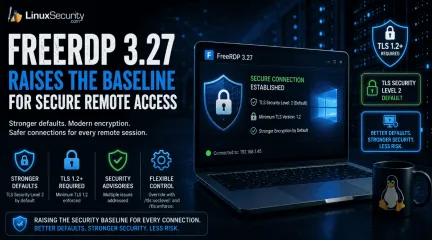
FreeRDP 3.27 Raises the Baseline for Secure Remote Access
Remote access tools do not need dramatic new features to improve security. Sometimes the more useful change is quieter, like stronger defaults that make weak encryption harder to use by accident. . What FreeRDP Is and Why This Release Matters FreeRDP is an open-source implementation of Microsoft’s Remote Desktop Protocol, used as both a library and a set of clients across Linux, Windows, macOS, Android, and other systems. In Linux environments, it is often the practical RDP client administrators reach for when they need console access to Windows hosts, jump systems, lab machines, or remote desktops without moving through a full Windows workstation. FreeRDP 3.27 matters because it changes the floor for encrypted remote access. The release sets the default TLS security level to 2 and requires at least TLS 1.2 , while still leaving client-side override options through /tls:seclevel: and /tls:enforce: for environments that have not caught up yet. That is the operational detail. A Linux RDP client connecting with safer defaults creates fewer accidental weak sessions, fewer legacy negotiation surprises, and less cleanup later when remote access security gets reviewed after a finding. What Changed in FreeRDP 3.27 FreeRDP 3.27 is not a feature-heavy release. The important changes are in the defaults that control encrypted connections and RDP security. TLS security level 2 is now the default. TLS 1.2 or newer is required by default. Multiple security advisories were addressed as part of the release. Environments that still rely on older TLS configurations should be tested before deployment. In practical terms, FreeRDP now makes it harder to fall back to weaker encryption settings and easier to force TLS 1.2 or newer across remote access deployments. For administrators using FreeRDP as a Linux RDP client, the change is mostly about reducing the number of weak connection paths that remain available simply because nobody disabled them. Why Stronger Remote AccessSecurity Defaults Matter Remote access tools tend to accumulate compatibility settings over time. They stay around because somebody still has an old server, an old gateway, or a forgotten system that breaks when defaults change. That flexibility comes with a cost. Permissive settings can keep weak remote access security configurations alive for years. Secure remote access becomes harder to enforce when legacy encryption remains available by default. Weak TLS settings often persist long after they should have been retired. Raising the minimum requirement removes many of them by default. TLS 1.2 is still a valid baseline. The problem is usually what sits below it. When admins look up TLS 1.2 end of life or a TLS 1.2 vulnerability, they are usually trying to understand whether old TLS support is still exposed anywhere in the environment. TLS 1.2 vs 1.3 is a separate decision. TLS 1.3 is better where both sides support it, but FreeRDP’s change is simpler than that. Requiring TLS 1.2 or newer, it cuts off older negotiation paths that still show up during remote desktop security reviews and remote access assessments. What Admins Should Check Before Updating FreeRDP 3.27 raises the default security baseline, but stronger defaults do not replace existing remote access security controls. Before updating, administrators should verify a few things: Test connections to older RDP servers, gateways, and legacy systems that may not fully support TLS 1.2 or newer. Review Azure AD (Entra ID) and authentication-related changes if those features are part of the deployment. Confirm that logging, MFA, access restrictions, and patch management processes continue to operate as expected. Validate that existing remote access security solutions still behave correctly after the upgrade. The release aligns with common remote access security best practices, but it is only one layer. Secure remote access depends on authentication controls, monitoring, patching, and accessmanagement. FreeRDP can support those efforts, but it is not a complete answer to how to secure remote access by itself. FreeRDP Reflects the Secure-by-Default Shift FreeRDP 3.27 is part of a broader move toward stronger remote access security defaults. The release does not introduce a new security model. It removes more of the weak negotiation paths that tend to survive in long-lived environments simply because nobody revisited the configuration. For organizations using FreeRDP, the change is straightforward. Secure remote access becomes less dependent on manual hardening and less likely to inherit outdated settings by default. Administrators still need to test systems, validate compatibility, and maintain their remote access security controls, but FreeRDP 3.27 raises the baseline in the right direction. Want more Linux security news, vulnerability analysis, and remote access security updates? Subscribe to the LinuxSecurity Newslette r for the latest threats, advisories, and practical guidance on Linux systems. Related Reading Securing Remote Access to Linux Servers: Best Practices for 2026 Mastering SSH for Secure Linux Remote Server Management How Secure Is Linux? Exploring Security Design and User Privilege Models Oracle Linux 10 FreeRDP Important Security Update ELSA-2026-5939 . FreeRDP 3.27 emphasizes stronger remote access defaults with TLS 1.2 level security for enhanced protection.. FreeRDP remote access encryption TLS Linux. . MaK Ulac
 Jun 16, 2026
•
Jun 16, 2026
• Security Projects
210
 security advisoryremote accessimportant
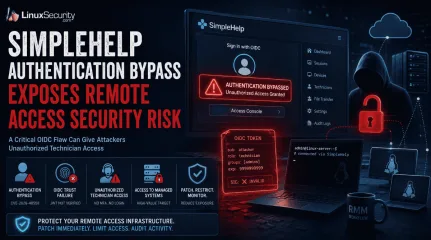
SimpleHelp Authentication Bypass Exposes Remote Access Security Risk
Remote support platforms sit close to the systems attackers want most: administrator workflows, technician accounts, and managed endpoints. That is why the SimpleHelp OIDC flaw is more serious than a routine authentication bypass vulnerability. For organizations running these platforms on Linux-based infrastructure, the risk is compounded by the ease with which these services are deployed and integrated into larger management stacks. . What Is SimpleHelp and Why Is It a High-Value Target? SimpleHelp is a remote support software platform used by IT teams, managed service providers, and internal support groups to access systems, assist users, transfer files, and manage endpoints from a central console. In many Linux-heavy environments, it becomes a core part of the daily administrative workflow. That level of trust changes the impact of a security issue. A vulnerability affecting a public-facing website might expose a single application. A flaw affecting SimpleHelp can expose the access layer administrators use to reach dozens, hundreds, or even thousands of managed devices. Operational Impact The platform also overlaps with functions commonly associated with remote monitoring and management (RMM) deployments: Persistent Visibility: Organizations use SimpleHelp RMM capabilities to maintain persistent visibility into Linux endpoints, provide unattended access, and deploy fixes across distributed environments. Trusted Bridges: Once a technician authenticates, the platform acts as a trusted bridge into systems that would otherwise remain isolated from external access. Administrative Foothold: A foothold inside a remote support system can expose technician sessions, privileged workflows, connected clients, and administrative functions already trusted throughout the environment. From an operational perspective, this makes remote support software an attractive target. An attacker does not necessarily need to compromise every Linux endpoint individually if they can gain access to themanagement platform responsible for those endpoints. What Is CVE-2026-48558? CVE-2026-48558 is an authentication bypass vulnerability affecting certain SimpleHelp deployments that use OpenID Connect (OIDC) authentication. The issue is tracked in the GitHub Advisory Database . The issue sits in the identity validation process rather than the traditional username-and-password flow. Under specific conditions, the application can accept identity information that should not be trusted, allowing an attacker to obtain technician access without successfully completing the authentication process administrators expect. How the OIDC Authentication Bypass Works The decision that matters happens when SimpleHelp receives an identity token and decides whether that token represents a legitimate user. Additional technical analysis and indicators of compromise have been published by Horizon3.ai researchers . OIDC Trust Depends on Token Verification: An OIDC token is not proof of identity by itself; it contains claims like usernames and group memberships. The Necessity of JWT Signature Verification: Before SimpleHelp can trust any of these claims, it must perform JWT signature verification and validate the supporting claims. The Failure Point: Without proper JWT signature verification, the entire authentication process becomes dependent on data the application should never have trusted. This is also where MFA bypass concerns enter the discussion. Many administrators assume their identity provider's MFA requirement protects downstream applications automatically. In reality, that protection depends on the application correctly validating the token it receives. If SimpleHelp accepts a forged token, the vulnerability can undermine the assurance administrators normally associate with MFA-protected OIDC logins. Why This SimpleHelp Flaw Is Serious A login bypass affecting a low-privilege application might expose a handful of records. A login bypass affecting remote support software isdifferent because the account behind the login often has visibility into systems, users, and administrative operations that already hold a trusted position inside the environment. Unauthorized Technician Access Can Become Endpoint Access In many Linux deployments, technicians use the platform to launch support sessions or perform administrative actions via command-line tools. An attacker who gains unauthorized technician access is not starting from scratch; the platform already contains trusted pathways into managed assets. Existing support workflows, endpoint inventories, technician permissions, and administrative functions—often managed via scripts and automation—may already be available through the same interface. This is why platforms associated with remote monitoring and management operations receive so much scrutiny during investigations. A compromise of the management layer can provide access to systems that were never directly exposed to the internet. Who Is Affected by CVE-2026-48558? Organizations should verify their deployment against the SimpleHelp vendor advisory . The highest-risk environments generally share a few characteristics: Vulnerable Versions: SimpleHelp versions identified as vulnerable by the vendor. OIDC Usage: Deployments configured to use OIDC authentication rather than local authentication alone. Public Accessibility: Internet-facing or broadly accessible SimpleHelp portals. High-Value Targets: Environments where technician accounts have access to large numbers of managed endpoints. RMM Workflows: Organizations using SimpleHelp RMM for remote administration or support operations. How Organizations Should Mitigate the SimpleHelp Vulnerability The first priority is to patch affected SimpleHelp systems and move to a fixed version as soon as possible. Because this involves an identity validation flaw, perimeter controls alone are insufficient. Limit Exposure: If the platform is running on a Linux server, restrict access to the loginportal and administrative interfaces through VPNs, local firewall rules (like nftables or iptables), or network segmentation. Audit Technician Accounts: Remove accounts that are no longer required and verify that administrative privileges are assigned only where necessary. In environments built around remote monitoring and management, old technician accounts often survive much longer than intended. Review OIDC Configuration: The vulnerability centers on identity trust. Verify your identity provider integrations, token validation settings, and signing key configuration. Prioritize Logging: Review authentication logs, technician account activity, and unexpected remote sessions. These artifacts may provide the first indication that the platform was used in ways administrators did not intend. Final Takeaway: Identity Trust Failures Can Expose Managed Infrastructure CVE-2026-48558 is more than an isolated authentication bypass vulnerability. It affects a trusted access path inside a platform used to reach systems across managed environments. When identity validation fails in that kind of system, the risk extends well beyond a single login event. Remote access security depends on more than successful authentication—it depends on ensuring every system in the chain correctly validates the identity information it receives before granting access to resources that sit close to the infrastructure administrators are trying to protect. Does your team have a specific incident response checklist for Linux-based remote management platforms, or would you like to explore how to audit your OIDC token validation settings further? Want more Linux security news, vulnerability analysis, and remote access security updates? Subscribe to the LinuxSecurity Newsletter and get the latest threats, advisories, and expert insights delivered directly to your inbox. Subscribe to the LinuxSecurity Newsletter Related Reading Securing Remote Access to Linux Servers: Best Practices for 2026 Mastering SSHfor Secure Linux Remote Server Management How Secure Is Linux? Open Source, User Privilege, and Defense Tactics Explained Does Linux Give Users a False Sense of Security? . SimpleHelp's OIDC vulnerability presents serious security risks due to improper authentication validation, affecting Linux environments.. authentication risk, remote access security, simplehelp exploit, identity validation, linux security update. . MaK Ulac
Jun 16, 2026
•
Security Vulnerabilities

77
 security advisoryremote accessLinux administration
Securing Remote Access to Linux Servers: Best Practices for 2026
Linux runs the internet. More than 96% of the world’s top one million web servers operate on Linux-based systems. That makes every linux server a target by default. Attackers do not go where defenses are strongest; they go where the infrastructure is exposed. . Attackers do not need to break everything. One weak login is enough. One open port, one forgotten service, one stale account that still works from three jobs ago. That is usually where server security starts to fail, not in some dramatic exploit chain. Remote access has always been the soft spot in Linux administration. SSH gets hit constantly. Bots hammer exposed ports, old credentials resurface, and misconfigured services sit there longer than anyone wants to admit. The work is basic, but it matters: cut the exposure, tighten authentication, read the logs, and shut down whatever should not be reachable. SSH Is Still the First Line of Defense If your server is on the internet, someone is already trying to log in. That is just the baseline now. Default SSH settings are built for convenience, and convenience is not what you want on a public-facing box. Start by moving SSH away from port 22 . It will not stop someone who is actually targeting you, and it is not a replacement for real hardening. But it does cut out a lot of low-effort scanning, which means cleaner logs, less firewall noise, and fewer false positives wasting your time when something real starts moving. SSH needs more than a port change. Limit who can log in. Disable root login. Review allowed users. The daemon should expose only what the admin workflow actually needs, because anything extra becomes something else to patch, monitor, or explain later. Ditch Password Authentication Entirely Passwords are a liability. Brute-force attacks, credential stuffing, phishing, reused creds, all of it gets easier when password-based SSH login stays enabled. Switch to SSH key pairs and treat passwords as something that should not be part of remote serveraccess anymore. Generate an Ed25519 key. It is faster and more secure than RSA at comparable key lengths. Copy the public key to the server, then open /etc/ssh/sshd_config and set: PasswordAuthentication no PubkeyAuthentication yes PermitRootLogin no Restart the SSH daemon after editing the file. Keep your existing session open and test the new connection in another terminal before you close anything. Locking yourself out of your own server is a rite of passage, but it does not need to happen today. Two-Factor Authentication Adds the Second Wall Key-based authentication is strong. Adding two-factor authentication makes remote login much harder to abuse if a private key gets stolen from a laptop, copied by malware, or pulled from a bad backup. The key should not be the whole story. Google Authenticator works cleanly with PAM on most major distros. Duo Security is better suited for teams that need centralized management and reporting. Either way, 2FA adds a pause point that attackers cannot easily automate around. This is not about making admin work annoying. It is about assuming one control may fail. That assumption is usually correct. Firewall Rules Should Be Simple and Strict A firewall should block everything by default and open only what is needed. Not what might be useful later. Not what was needed during setup and then forgotten. Needed now. On Ubuntu and Debian systems, ufw keeps the basics readable: ufw default deny incoming ufw default allow outgoing ufw allow from 203.0.113.5 to any port 2222 ufw enable Replace the IP and port with your own. If you manage servers from a fixed IP or a small trusted range, allowlisting those addresses is one of the cleaner firewall rules you can put in place. It cuts down noise before authentication even starts. Every exception should have a reason. A temporary open port has a habit of becoming permanent if nobody writes it down. VPNs and Encrypted Tunnels Keep Access Controlled VPNs sit in a usefulplace for Linux administrators. They are not magic, and they do not replace SSH hardening, but they keep management traffic inside a controlled path instead of leaving SSH exposed to the wider internet. For teams, that means fewer public login surfaces. For individual admins, it also means steadier access to documentation sites, package mirrors, security databases, and research tools that may be restricted or throttled by region. The practical value is simple enough: admin traffic moves through an encrypted tunnel before it reaches the server. For Linux administrators, understanding proper VPN setup on Linux is useful because it protects management traffic and keeps work resources reachable without opening more services than needed. A VPN should sit in front of good server-side controls, not replace them. Fail2Ban Handles the Repetitive Noise No sysadmin watches authentication logs manually all day. Fail2ban does that job quietly. It parses auth logs, spots repeated failures, and bans offending IPs through firewall rules without waiting for a human to intervene. Set the SSH jail with a reasonable maxretry value. Three to five failed attempts is enough for most systems. Use a ban time of at least an hour, and consider longer bans for repeat offenders on servers that get hit constantly. Fail2Ban will not stop every attacker. Distributed botnets can rotate IPs, and slow attempts can slip under thresholds. Still, it removes a lot of junk from the board, and that makes real triage easier. The Principle of Least Privilege Is Where Cleanup Starts The principle of least privilege sounds obvious until you audit a real server. Every user, service, daemon, and cron job should have only the permissions it needs. No more. Production systems rarely look that clean. Shared root access hangs around. Old sudoers entries survive because nobody wants to break a workflow. Service accounts get more permission than they need, then nobody revisits them for two years. That is how smallcompromises get room to spread. Start with the accounts. Then check sudo access. Then review services. A restricted account gives an attacker less room for lateral movement, fewer files to touch, and fewer commands that matter. Good places to look: /etc/sudoers and files under /etc/sudoers.d/ old user accounts that no longer need access services running as root without a clear reason shared admin credentials cron jobs and automation tokens This is not glamorous work. It is the kind of cleanup that prevents a bad login from turning into a full host compromise. Keep Systems Patched Relentlessly Patching still gets missed. Not because admins do not know better, but because maintenance windows slip, staging takes time, and production systems always have some reason to wait. Attackers like that. Old vulnerabilities are still useful because plenty of systems remain unpatched after fixes are available. The exploit does not need to be new if the target is behind. That is the uncomfortable part. Enable automatic security updates where it makes sense. On Debian and Ubuntu, unattended-upgrades handles this cleanly. On Red Hat-based systems, dnf-automatic does the same job. For critical systems, test patches in staging first, but do not let testing become a permanent excuse. Intrusion Detection Gives You Something to Work With Most attacks should be blocked by authentication controls, firewall policy, and patching. Intrusion detection is for cases that get through or start from inside. You need to know when something changed. AIDE can build a cryptographic baseline of the filesystem and alert when important files are modified. Auditd gives deeper syscall-level visibility, which helps when you need to know what ran, who ran it, and when. The output can be noisy. Tuning takes time. Still, during incident response, noisy data beats no data. Knowing which files changed and which commands executed is the difference between focused triage and weeks of forensicguessing. Logging Has to Be Active There is no such thing as useful logging if nobody reads the logs. Disk space full of ignored auth events is not security. It is storage. Track the things that show real access and real change: successful logins, failed login bursts, sudo use, new source IPs, service restarts, and edits to sensitive files. Logwatch can send daily summaries for smaller setups. Graylog or the Elastic Stack works better when multiple servers need centralized search, alerting, and dashboards. Even a rough script that emails you when someone authenticates from a new IP is better than nothing. Crude tools catch real compromises all the time because they are actually watched. SSH Certificates Help Teams Scale Access Managing individual SSH keys is fine when the team is small. Ten people, a few servers, clear ownership. Past that, key management starts to rot. SSH certificates, signed by an internal Certificate Authority, bring control back into one place. Certificates can expire automatically. Access can be scoped by user and host. Revocation does not require manually removing keys from every server. This is where remote access starts to scale without chaos. It also gives security teams a cleaner way to answer a basic question during an audit: who could log in, where, and for how long? Zero-Trust Architecture Fits Modern Infrastructure The old model was simple. Protect the perimeter, then trust what is inside. That model does not fit modern infrastructure anymore. Cloud instances, remote workers, contractors, multi-region deployments, and private admin panels all blur the perimeter. There may not be one clean “inside” to trust. Zero-trust architecture starts from the opposite assumption: every access request is untrusted until it proves otherwise. Tools like Tailscale can apply this model to SSH and internal services without a full infrastructure rebuild. Cloudflare Access can do similar work for web-based admin panels. The point is not thelabel. The point is to stop treating network location as proof of safety. Disable What You Do Not Need Every open port is an attack surface. Every running service that is not actively used is another thing to patch, monitor, and defend. Most servers accumulate small exposures over time. Run: ss -tulpn That shows listening sockets. Cross-reference the output against what the server actually needs to do. If a service should not be running, disable it: systemctl disable --now servicename Minimal cloud images are usually cleaner than old bare-metal systems, but drift still happens. A temporary service gets enabled during troubleshooting. A package opens something unexpected. A test daemon stays up because nobody circled back. Check anyway. Keep Up With a Field That Keeps Moving Security is not finished after one hardening pass. A checklist from 2022 may miss newer attack patterns, deprecated recommendations, or defaults that changed since the server was first built. That happens fast. Use official distribution security guides, vendor advisories, and reputable cybersecurity resources. You do not need to read everything. You do need a habit that keeps your assumptions from going stale. The best teams turn lessons into runbooks. They patch the process after the incident, not just the host. Backups and Recovery Still Matter Hardening remote access reduces risk. It does not remove the need for recovery. Ransomware, destructive intrusion, failed patching, admin error, and compromised automation can still take systems down. Backups should be offline, off-site, and tested. If you have never restored a backup, you do not really know if you have one. It is just a hope sitting in storage. Automate backups, verify them regularly, and keep at least one copy beyond the reach of the production server. If an attacker gets root on the box, they should not be able to delete every recovery path. Final Thoughts: Layers, Not Silver Bullets No single tool secures remote access to a Linux server . Not SSH keys alone. Not a firewall alone. Not 2FA alone. Security works better as a stack, where one layer catches what another misses. Start with the basics. Harden SSH , disable password authentication, configure firewall rules , and limit who can access the service. Add two-factor authentication, install fail2ban , patch consistently, and review access with the principle of least privilege in mind. Then go deeper. Add intrusion detection, centralize logs, use SSH certificates for teams, tighten exposed services, and move toward a zero-trust architecture where it makes sense. Review the setup every few months. Attackers are patient, systematic, and persistent, so the defensive work has to be the same. . Secure your Linux servers by tightening remote access protocols, implementing SSH keys, and utilizing 2FA for better protection.. remote access security, linux servers, ssh configuration, firewall management. . MaK Ulac
May 13, 2026
•
Server Security
210
 security advisorycriticalremote access
CUPS Exploit Chain Still Reaches Root Access, Despite 2024 Fixes
The Common Unix Printing System (CUPS) still sits on millions of Linux systems, usually in the background, rarely monitored, and often trusted more than it should be. We saw a wake-up call in late 2024 when a series of vulnerabilities revealed how printer auto-discovery could be abused to enable remote code execution. . That chain had a constraint. Something had to trigger it. A user had to interact with a printer or a job had to run, for the exploit to land. That safety net is gone. A new exploit chain, tracked as CVE-2026-34980 and CVE-2026-34990, builds on the same surface but removes that dependency entirely. No user interaction, no timing requirement. What’s left is a far more predictable path from network access to root-level impact, closer to a controlled execution path than an opportunistic exploit. Quick Recap: What Happened in 2024? To understand the contrast, we have to anchor back to our 2024 blog post . The 2024 issues—specifically the chain involving CVE-2024-47176 and CVE-2024-47076—primarily abused the cups-browsed service. An attacker could send a crafted UDP browsing packet to systems running cups-browsed, advertising a malicious IPP printer. Source: MITRE, Common Weakness Enumeration (CWE) The core limitation was the trigger. While the system would ingest the malicious configuration, the actual execution of code only happened when a user attempted to print to that device. It was a "trap" that relied on timing and user behavior. It was dangerous, but less streamlined than what we are seeing now. The 2026 version removes the friction and replaces it with a direct, scriptable assault. What’s New in 2026: A Cleaner, More Dangerous Chain The shift in 2026 is defined by a move toward zero-interaction, unauthenticated exploitation. This new chain moves from a simple network request directly to a root file overwrite. According to the latest research by Asim Viladi Oglu Manizada , the combination of CVE-2026-34980 and CVE-2026-34990 allows an attacker tobypass the need for any human in the loop. The first vulnerability handles the initial code execution as the lp user, while the second provides a mechanism for local privilege escalation. This results in a root-level impact that increases post-exploitation flexibility. Where This Attack Actually Works This attack isn't a "magic bullet" for every Linux desktop, but it hits exactly where enterprise risk is highest. The target must expose a shared PostScript CUPS queue. As detailed in Asim’s configuration breakdown, shared printer queues are common in corporate environments. They simplify access and reduce friction for users, but they often remain enabled long after their initial deployment. In many cases, these are inherited configurations that no one revisits. So while the exploit is not "default everywhere," it appears frequently enough in real environments to be practical. The risk aligns with how organizations actually deploy and use print services. How the Attack Works: Technical Flow The technical logic follows a sequence that exploits the breakdown of trust boundaries between job handling and system-level execution. Identification: The attacker identifies an exposed CUPS service, typically on port 631, with a shared PostScript queue. The Payload: The attacker sends a Print-Job containing "smuggled" newlines. This exploits a parsing bug in CVE-2026-34980, where CUPS fails to sanitize hidden commands in the page-border option. RCE: The system is tricked into treating part of the job as a trusted PPD: control record. A follow-up raw print job then makes the server execute an attacker-controlled command or binary as the lp user. Escalation: Under CVE-2026-34990, the attacker coerces the service into authenticating to a malicious local listener, capturing a valid "Local" authentication token. Root Overwrite: The attacker creates a temporary queue pointed at a file like /etc/sudoers.d/pwn. Printing to it results in an arbitrary root file overwrite, effectivelygranting persistent root-level access. Why CUPS Keeps Appearing in Exploit Chains At this point, it is no longer useful to treat each CUPS vulnerability as an isolated issue. The pattern is consistent. CUPS was designed in a different era. It assumed a level of trust within local networks that no longer exists. Exposure: CUPS is often reachable over internal networks, and sometimes even the public internet. It is rarely treated as a hardened service. Complexity: Print jobs move through multiple layers, including filters and interpreters. Each layer expands the attack surface and creates opportunities for parsing issues. Weak Isolation: Print processing interacts more closely with system-level components than most services should. When something breaks, it does not fail quietly. Who Owns the Risk There is no single point of failure here. The risk accumulates across layers of the ecosystem. Upstream developers at OpenPrinting are managing decades of design debt. Hardening a service this complex while maintaining backward compatibility is a slow crawl. Distributions play a role as well; many ship with insecure default configurations to ensure "out of the box" functionality. Enterprise environments create the final conditions for success by maintaining shared queues on flat internal networks. Even the security industry shares responsibility, as print infrastructure is rarely treated as a priority during audits or threat modeling. What This Means in a Real Environment Consider a typical corporate setup. Printers are shared across departments, and CUPS is accessible within the internal network. An attacker gains an initial foothold—perhaps through phishing or a compromised endpoint—and scans for internal services. CUPS responds. The configuration matches what the exploit requires. At that point, the print service becomes more than infrastructure; it becomes a path to escalation. No alerts fire, and no user needs to click anything. Theattack blends into normal service behavior, providing the attacker with a silent, root-level anchor inside the network. Reducing Exposure Without Breaking Operations Reducing risk starts with limiting where the service is reachable. Configuration matters as much as the code itself. Scope Sharing: Printer sharing should be scoped carefully, not left open by default. Segmentation: Systems responsible for print services should not sit in the same trust zone as critical infrastructure. Monitoring: Inspect print job activity. Anomalous behavior, like unauthorized local printer creations, is difficult to detect if you aren't looking at the logs. Patching: Systems running vulnerable versions of CUPS should be updated as patches become available from your distribution. Final Takeaway The 2026 CUPS vulnerability is not just another entry in a growing list. It is a signal. The attack surface has not been contained, and attackers are successfully removing friction from their exploits. Pattern recognition matters more than individual CVEs. If print services are still treated as background infrastructure, this will not be the last time they show up in an exploit chain. Is your current internal security policy monitoring port 631 for unusual traffic, or is the print server still a blind spot in your infrastructure? . Discover the dangers of CUPS vulnerabilities, highlighting recent exploits and their risks in enterprise environments.. CUPS vulnerabilities, remote code execution, Linux printing exploits. . MaK Ulac
Apr 07, 2026
•
Security Vulnerabilities
77
 security advisoryremote accesslinux
Linux Strapi Medium Redis RCE Threats from Malicious npm Packages
The first week of April 2026 marked a significant escalation in supply chain tactics. A coordinated campaign involving 36 malicious npm packages, disguised as Strapi CMS plugins, was uncovered by security researchers. This was not a broad, opportunistic "grab" for credentials. Forensic evidence, including hardcoded credentials and internal hostname checks, reveals a surgical strike against the cryptocurrency platform Guardarian. By weaponizing a trusted development workflow, attackers achieved a total compromise. Moving from initial execution to database theft and long-term persistence in minutes. . Attack Delivery: npm Postinstall Execution The campaign bypassed traditional runtime security by embedding malicious code in the of the package.json file. According to official npm documentation , these lifecycle scripts execute automatically upon installation. In a modern CI/CD pipeline or a developer’s local environment, this creates a zero-click infection vector. Because many build servers run with elevated or container-root privileges, the malware immediately inherits the ability to probe the underlying Linux host without further user interaction. Initial Exploitation: Redis RCE and Shell Access Once the postinstall hook fires, the malware doesn't just sit there—it immediately goes to work on the underlying Linux infrastructure. The most aggressive tactic identified by researchers was the weaponization of locally accessible Redis instances. The Redis Persistence Trick: Using the CONFIG SET command, the script reconfigures the Redis working directory to point directly to /var/spool/cron/crontabs/. By forcing a database "save" to this directory, the attacker effectively injects a malicious cron job into the system scheduler. This ensures that even if the npm process is killed, the attacker’s shell script re-downloads and executes every 60 seconds. Breaking Out with Reverse Shells: To bridge the gap between the application and the attacker, the payloads spawn multiplereverse shells—primarily on port 4444—to establish a persistent command link. In a particularly bold move, the script utilizes mknod and dd to create raw device nodes. This technique allows the malware to read directly from the disk blocks, potentially bypassing standard filesystem permissions to scrape sensitive data like SSH private keys or raw database files. Expansion: Moving Laterally Through the Stack With a foothold established, the malware shifts from exploitation to a full-scale reconnaissance mission. It doesn't just look for local files; it looks for the keys to the entire cloud kingdom. The payloads perform a comprehensive sweep of the environment, systematically harvesting secrets from CI/CD logs and configuration files. This includes a total "environment dump" where the malware captures every active variable in process.env—snagging everything from AWS session tokens to internal JWT secrets. Beyond the host, the script maps out the local network, probing for Docker sockets and Kubernetes API endpoints, searching for a way to pivot from a single compromised container to the broader production cluster. Expansion: Credential Harvesting and Infrastructure Access As the attack progressed, it shifted from exploitation to reconnaissance. The malware collected environment variables, configuration data, and credentials from the host system. It accessed .env files and application configs, extracted API keys and JWT secrets, and searched for cloud and container credentials, including Kubernetes service account tokens . The payload also gathered basic network information and checked for access to Docker sockets and internal services, which could be used to move further inside the environment. Targeting Indicators: Guardarian References The smoking gun for this being a targeted operation lies in the hostname check. One payload variant remained dormant unless the host identified itself as prod-strapi. Furthermore, the malware included hardcoded PostgreSQL credentials totarget databases named guardarian, guardarian_payments, exchange, and custody. This level of specificity strongly indicates that the attackers had prior knowledge of the target's internal infrastructure and used this npm campaign as a persistent "backdoor" into the company's financial core. Persistence and Evasion Techniques To ensure long-term access, the attackers utilized sophisticated persistence mechanisms that avoid standard filesystem detection: Hidden Processes: Payloads ran a background /proc scanner for 10 minutes after the main script exited. Fileless Execution: Later variants avoided the disk entirely, running a detached process via node -e that stayed in system memory long after the npm install process was terminated. SSH Backdoors: The script attempted to append rogue public keys to ~/.ssh/authorized_keys, providing a permanent "front door" for the attackers. Supply Chain Risk in CI/CD Pipelines This incident is part of a 2026 surge in "high-velocity" supply chain hits, arriving just days after the Axios maintainer account was hijacked to push malicious Remote Access Trojans. Industry reports confirm that the npm ecosystem is now a primary vector for targeting CI/CD pipelines. When pipelines blindly execute unverified code during the build phase, the "trusted" dependency graph becomes a Trojan horse for the entire production environment. Sonatype’s latest research suggests these attacks have increased by over 200% year-over-year. Mitigation and Response Organizations using Strapi or Node-based workflows should follow these recovery protocols immediately: Audit for Shadow Plugins: Legitimate Strapi plugins are strictly scoped under @strapi/. Any unscoped plugin versioned at 3.6.8 is a red flag. Rotate All Credentials: Assume any.env file or database password on an infected host is now compromised. Inspect Persistence: Check /etc/crontab and /tmp/ for hidden Node.js processes or scripts. Block C2 Egress: Block alloutbound traffic to known C2 infrastructure and restrict outbound connections from production servers. . A coordinated attack using malicious npm packages escalates supply chain threats impacting Strapi on Linux systems.. npm malware, Strapi security, CI/CD risks, Linux attacks, supply chain. . MaK Ulac
Apr 06, 2026
•
Server Security
74
 security advisoryremote accesscompliance
ZTNA and Security Control in Linux Environments for CISOs
In 2025, the CISO’s job isn’t just about stopping breaches—it’s about enabling business without compromising security. Whether it’s remote access to Linux servers, meeting new compliance mandates, or defending against constant phishing attempts, ZTNA provides the control and flexibility needed to adapt. . The old perimeter is gone. Linux is everywhere. And Zero Trust is no longer optional. Let's take a closer look at what drives the transformation, and why ZTNA has shifted from trend to survival strategy for the highly interconnected, rapidly changing times we work and live in. The Perimeter Is Dead—and Has Been for a While One of the biggest wake-up calls in corporate security was the overnight, explosive rise of work-from-home and cloud adoption. Employees overnight were not just working at home, but were transporting sensitive corporate assets along with them to coffeehouses, airports, hotel rooms, and anywhere Wi-Fi was accessible. Applications shifted to the cloud, information started to pass through hybrid environments, and third-party vendors needed access as urgently as did full-time employees. In such a situation, relying on a hardened perimeter around a network made decreasingly little sense. Attackers weren’t knocking nicely at the door—they were already inside the network, invisibly lingering for months. ZTNA responds to that by saying, in effect: nobody receives default trust, and all access must first be tested, authenticated, and regularly re-validated. For CISOs, that’s a much more realistic and controllable model. Phishing Is Here to Stay, and ZTNA Can Limit the Blast Radius It's no surprise that phishing remains such an effective attack vector. One incorrect click, one stolen credential, and someone gets in. That the breach happens at all is only the first problem—how quickly an attacker can laterally move after gaining entry continues to be the larger issue. ZTNA does not stop phishing directly, but it does have a significant role to playwhen it comes to damage control. Because the user has access to very limited resources, even when the credentials are compromised, the attacker cannot simply move about anywhere in the environment. That level of segmentation implies the potential fallout when a breach occurs is considerably lower, buying the security team precious time to respond. This is especially critical in Linux-heavy environments, where a single compromised credential—such as for an SSH session—can lead to privilege escalation and lateral movement across core systems. ZTNA’s fine-grained access controls help limit access at the application or service level, reducing risk even when attackers breach the first line of defense. Why ZTNA Matters More in Linux Environments Linux is everywhere—from cloud servers to DevOps pipelines to embedded systems. It's the backbone of modern infrastructure, and with that reach comes unique security challenges. Native tools like auditd, SELinux, and role-based access controls are powerful, but they weren’t designed for today’s distributed, identity-centric world. ZTNA adds what Linux alone can’t: centralized, policy-driven control over who can access what, from where, and when. It reduces the attack surface by limiting access at the application and service level—especially critical in environments where SSH access can open the door to full-blown privilege escalation. Rather than leaving access in place indefinitely, Just in Time Provisioning helps teams grant permissions only when they are actually needed and retire them quickly afterward. For CISOs managing Linux-heavy infrastructure, ZTNA offers something rare: real containment. Even when credentials are compromised, lateral movement is curtailed, visibility is preserved, and policy enforcement remains intact—no matter where the workload lives. Regulatory Pressure Is Increasing Compliance is another catalyst for CISOs doubling down on ZTNA. Data protection laws are getting tighter all over the globe. Whether GDPR in the EU, CCPA for the state of California, or the rising number of sector-specific guidelines, organizations have to show that data security is important to them—and that includes knowing precisely who has access to what. In Linux-based environments , those expectations can be difficult to meet using native tools alone. While Linux offers strong logging via auditd and role-based restrictions with tools like SELinux, ZTNA adds a policy-driven access layer that simplifies compliance. It makes it easier to prove who accessed what, when, and under what conditions—without relying on manually parsing system logs. That kind of transparency and control is exactly what auditors want to see. Legacy VPNs Are Becoming a Liability VPNs were the standard response to remote access for a long time. But today, they are becoming ever more like a bludgeon. VPNs provide total network access, which isn't what you want when you want to constrain movement as much as you can. And they are a favorite target for hackers, a surprising percentage of whom use unfixed vulnerabilities in old VPN applications. Remote administration becomes far safer when privileged remote access is used to control how elevated sessions are initiated, approved, and recorded. ZTNA, on the other hand, grants application-level access that's controlled and fine-grained. You don't need to unleash the entire network when the user only needs to interact with a single app. Organizations taking this approach often extend it through SASE implementation , which combines ZTNA with cloud-native network security controls to deliver consistent access policy enforcement across every environment. And because ZTNA offerings are cloud-native, they are easier to upgrade, scale, and maintain—something that's urgently relevant for security professionals, who are always required to do more with fewer resources. ZTNA’s principles align with the foundational framework defined in NIST SP 800‑207 , which formalizes ‘never trust, alwaysverify’ as the core of a zero‑trust architecture—shifting security focus from network perimeters to continuous authentication and authorization of users and devices. For practical implementation guidance, NIST's NCCoE practice guide SP 1800‑35 offers 19 example ZTA deployments using off-the-shelf technologies, along with lessons learned from industry collaboration. This makes it an invaluable resource for organizations planning real-world ZTNA rollouts. Hybrid Work is the New Default One of the biggest cultural shifts in the corporate workplace has been the expectation of hybrid work. Employees desire flexibility, and employers who desire the best employees need to offer it. But to a CISO, it brings a giant security question mark. ZTNA perfectly complements that new model. It supports secure access anywhere, any device, any network. And it provides a measure of consistency to the access experience, reducing the friction to the user and the headache to the IT department. You don't have to have a group of VPN clients, segments of the network, or distinct branches of the office. Everything gets handled at the identity and policy level. Conclusion: ZTNA Is the New Security Baseline As we go deeper into 2025, the role of the CISO continues to evolve—from gatekeeper to enabler. It's no longer enough to prevent breaches; the job now requires supporting remote teams, defending complex Linux environments, meeting compliance demands, and keeping pace with threats that mutate faster than ever. ZTNA meets that challenge head-on. It reduces risk without adding friction, aligns with modern infrastructure, and gives security teams the control they need—without slowing anyone down. That’s why ZTNA isn’t just a line item in the budget anymore. It’s the foundation of a forward-looking security strategy. . Explore how ZTNA addresses security challenges anticipated in 2025, enhancing Linux systems with sophisticated access management and regulatory compliance measures.. ZTNASecurity, Linux Remote Access, CISO Compliance, Zero Trust Network Access. . MaK Ulac
Aug 13, 2025
•
Network Security
215
 remote accessdevice managementsoftware solutions
Discover Top Linux Device Management Solutions for the Year 2026
Enterprise environments power everything from development machines and servers to kiosks and IoT devices. However, managing these endpoints, especially across distributed teams, isn’t as straightforward as managing them on mainstream platforms like Windows or Android. That’s where Linux device management comes in. . Regardless of whether you are an IT administrator responsible for managing Ubuntu or Arch Linux laptops in a development team or overseeing field devices on Raspberry Pi, selecting the appropriate Linux device management software is essential for maintaining a balance between security, compliance, and productivity. Let’s explore the top contenders in Linux mobile device management for 2026. This isn’t just another checklist. We’re diving into each tool’s standout strengths and evaluating how they serve today’s hybrid Linux ecosystems. Swif.ai MDM AI-Governance Platform Swif.ai is a unified mobile device management platform covering macOS, Windows, iOS, Android, and Linux. It provides policy enforcement controls intended to support compliance with frameworks such as SOC 2, ISO 27001, and CMMC, and includes predefined compliance templates. The platform can integrate reporting data with audit management tools such as Vanta and Drata. For Linux environments, it supports multiple distributions, including Ubuntu and NixOS, and provides centralized visibility into device configuration and compliance posture. What differentiates it: Swif.ai integrates AI-assisted monitoring into traditional MDM controls, allowing IT teams to surface deviations, misconfigurations, and compliance risks without relying solely on reactive troubleshooting. Key Capabilities : Policy-based compliance enforcement Configuration drift monitoring Automated governance workflows Centralized Linux device oversight Real-time posture visibility Security state analytics Trial/Pricing : Available upon request Best suited for : Enterprises seeking automatedgovernance and compliance oversight for Linux environments Scalefusion MDM Scalefusion has rapidly emerged as one of the most user-centric solutions in the Linux device management space. It offers intuitive, script-based enrollment and supports Ubuntu and other Debian distributions, making it ideal for startups, education environments, and enterprise setups with remote Linux fleets. Its centralized dashboard gives real-time access to vital system data such as battery health, encryption status, and OS compliance, all at a glance. Scalefusion also streamlines everyday tasks with policy-based automation and secure kiosk mode, ensuring devices stay locked to purpose. Why it stands out: Because it comes with Linux shell programming, remote terminal access, and application control, IT has full command-line control over Linux machines that are far away without making them harder to use. Notable Features: Linux Kiosk Mode Remote terminal for troubleshooting Location tracking and geofencing Password & browser policy control Granular content and app management Wi-Fi and peripheral settings Trial/Pricing: 14-day free trial; starting at $2/device/month (billed annually) Ideal for: Enterprises with Linux-first or mixed-device infrastructure SOTI MobiControl SOTI MobiControl brings enterprise mobility management (EMM) into the Linux realm with its comprehensive control for remote access, content distribution, and device lockdown. IT teams can enforce location-based rules through geofencing and reduce downtime via remote view and control capabilities. What makes it unique: Its automated lock methods and task scheduler help cut down on manual work and make endpoints more resilient. Features at a Glance: Linux device lock & monitoring File sync and content push Remote diagnostics Geofencing policies Device health alerts Trial/Pricing: 30-day trial for 25 devices; pricing upon request Best suited for: Logistics and fieldoperations relying on Linux tablets or rugged devices ManageEngine Endpoint Central (UEM) Endpoint Central from ManageEngine is a full-fledged UEM that supports Linux endpoints separately. Patch management, fixing security holes, and automatic security enforcement are some of its best features. All of these are necessary for keeping Linux systems safe in real-world work settings. Unique proposition: This solution excels at automating repetitive tasks, such as OS patching and application deployments, across a mix of Linux flavors. Key Capabilities: Malware detection & privilege control Patch management for Linux distros Asset discovery and audit reports Browser hardening & app whitelisting Remote access tools Trial/Pricing: 30-day free trial; pricing on request Good for: IT teams with compliance-heavy environments JumpCloud JumpCloud brings identity-centric Linux device management into the spotlight. It offers robust user access policies, remote patching, and directory-level controls for Linux systems backed by cloud-native agility. Differentiator: It bridges the gap between Linux system control and identity and access management, all under one platform. Top Features: Password management & authentication Remote enrollment commands Patch workflows Admin script automation User directory sync with SSO Trial/Pricing: 30-day trial; starts at $9/user/year Ideal for: Cloud-native businesses and DevOps-focused orgs SureMDM by 42Gears SureMDM is another strong Linux MDM platform offering a simplified yet powerful interface for managing Linux endpoints. Its emphasis on remote command execution and content filtering makes it an excellent tool for enforcing usage boundaries. Why it’s valuable: The tool's remote Linux desktop control and web access blocking capabilities offer granular control over internet exposure on devices. Core Features: Linux kiosk mode App and OS updates Script execution viaterminal Remote file transfer Website blocking rules Trial/Pricing: 30-day free trial for 100 devices; starts at $3.99/month. Target use cases: Digital signage, POS systems, and education tech setups Esper for Linux IoT Devices Esper is gaining popularity in the Linux-powered IoT space. It enables teams to manage embedded Linux devices such as kiosks, wearables, and POS systems by supporting custom firmware, secure OS updates, and telemetry dashboards. Standout strength: Deep control over Linux containers and full A/B OTA updates for mission-critical deployments. Key Features: Secure device provisioning Containerized app deployment OS version control Fleet-wide telemetry insights API integrations Best for: IoT and embedded Linux device management Trial/Pricing: Custom quote on request Fleetsmith (Now Open Source Forks) Although acquired by Apple, open-source forks of Fleetsmith’s original Linux client still see community updates. While limited in UI capabilities, they offer basic inventory management, scripted device configurations, and SSH-based remote controls. Use case: For organizations with a strong DevOps team and a preference for self-hosted Linux device management solutions. Pros: Lightweight agent Free and open-source Easily extensible with shell scripts Limitations: No GUI or official support Good for: Advanced users managing internal Linux fleets Choose the Best Linux Device Management Tool Selecting the right Linux remote device management tool depends on the nature of your infrastructure, your IT maturity, and whether you prioritize GUI simplicity, CLI power, or integration flexibility. Scalefusion leads with a great blend of ease of use, depth, and affordability, which is ideal for growing businesses and cross-platform teams. ManageEngine and JumpCloud shine in compliance-focused or identity-heavy setups. For IoT projects, Esper brings unmatched control over embedded Linuxenvironments. Linux device management in 2026 is no longer an afterthought—it’s the backbone of secure, productive, and compliant enterprise operations. . Regardless of whether you are an IT administrator responsible for managing Ubuntu or Arch Linux lapt. enterprise, environments, power, everything, development, machines, servers, kiosks. . MaK Ulac
Jun 16, 2025
•
Desktop Security
83
security advisoryremote accessmalware campaignUNC5174: SNOWLIGHT & VShell Malware Threat Overview for Linux
Recently, the infamous China-linked threat actor UNC5174 has launched a sophisticated campaign targeting Linux systems, employing an evolved variant of the SNOWLIGHT malware and a new tool called VShell. This campaign's sophistication lies in its use of advanced techniques and an open-source Remote Access Trojan (RAT) notorious for its stealth and efficiency. . As Linux security admins, it's crucial to understand the workings of this threat, which leverages domain mimicry and fileless payloads to establish covert communications and persistent access to critical systems. Recognizing the dangers of such state-sponsored attacks is the first step in fortifying defenses. By adopting proactive measures like stringent monitoring, system hardening, and robust access controls, we admins can significantly mitigate this risk and safeguard our environments from similar emerging cyber threats. Let's examine what makes SNOWLIGHT malware unique and dangerous, how it operates, and practical countermeasures you can implement to fortify your Linux environments. An Overview of the New SNOWLIGHT Malware Campaign Source: sysdig UNC5174 has long been considered one of the premier cyber threat actors, yet why are they now back in the spotlight after previous campaigns? Their latest attack presents new obstacles and risks. Focused on targeting Western entities and various non-governmental organizations (NGOs), UNC5174 recently enhanced its toolset by adopting the SNOWLIGHT malware variant as a dropper. At the same time, VShell acts as a Remote Access Trojan (RAT), providing UNC5174 with an efficient yet stealthy means to infiltrate Linux systems with impunity. This threat's C2 infrastructure is notable. Threat actors use sophisticated techniques, such as domain squatting—where domains similar to legitimate ones are created for no obvious purpose other than mimicking Google or Telegram domains—to evade detection and carry out phishing attacks . Such advanced obfuscation increases this attack'seffectiveness while simultaneously complicating detection and mitigation efforts. How the SNOWLIGHT Malware Operates The operational mechanics of the SNOWLIGHT and VShell malware are particularly intricate. SNOWLIGHT acts primarily as a dropper, facilitating deployment of additional fileless payloads that remain resident in system memory rather than leaving physical footprints that traditional detection methods might pick up on. VShell enhances this evasiveness as an inconspicuous covert tool, enabling remote access and control over an infected system. Its popularity among Chinese cybercriminals demonstrates its reliability and effectiveness. Using WebSockets C2 communications, VShell ensures data exchange without risk of interception. Understanding the Dangers of Fileless Techniques SNOWLIGHT and VShell payloads employ fileless techniques , making this an especially dangerous threat. Traditional antivirus and antimalware solutions using signature-based detection have difficulty recognizing these payloads because they do not persist as files. Rather, they execute directly in memory, bypassing many standard security checks. WebSockets allow malware to blend seamlessly with normal web traffic and complicate network defenders' tasks by making distinguishing between legitimate traffic and malicious communications more challenging than ever. Distinguishing Features of the New Campaign Although UNC5174 is notorious for its previous attacks, its latest attack campaign stands out due to a few distinct features. VShell significantly enhances stealth and operational efficiency, further signaling an evolution towards improved tactics, techniques, and procedures. UNC5174 has also taken an aggressive domain mimicry strategy. Registering new domains and expanding their catalog with subdomains mimicking popular brands increases the odds that phishing emails successfully deceive target recipients. This advanced domain squatting tactic ensures their attack infrastructure remains robust yet deceptiveand provides reliable means for data exfiltration or theft. Implementing Effective Countermeasures Given the complex and sophisticated operations of UNC5174, we, Linux security administrators, should implement multifaceted defensive strategies against its campaigns. Real-time monitoring and anomaly detection are key. System hardening is also essential in mitigating such threats. It restricts script and binary execution in sensitive directories to reduce the attack surface area and sets file permissions so that only trusted processes can modify critical system files or configurations. Robust access controls and policy enforcement can successfully block SNOWLIGHT persistence mechanisms by restricting the use of cron jobs, which are often utilized to maintain malware persistence. Regularly auditing crontab files will validate changes to stop unauthorized persistence. Enhancing Network Security and User Awareness Phishing remains one of the primary attack vectors used by UNC5174 threat actors, so raising user awareness regarding its dangers, particularly domain squatting and impersonation attempts, is essential. Advanced email filters may prevent many such attempts, while intrusion prevention systems (IPSs) can detect harmful email attachments or links and block them before they reach victims. DNS security is also crucial. Regular audits of DNS servers can identify potential weaknesses that could allow domain spoofing or squatting attacks, while endpoint detection and response (EDR) solutions can identify fileless malware behaviors to further fortify system defenses. Our Final Thoughts on Mitigating the SNOWLIGHT Threat UNC5174 poses an unprecedented challenge to us, Linux security admins. Combining advanced fileless malware like SNOWLIGHT with a versatile VShell tool makes these threats evasive and dangerous. However, with an understanding of the threat landscape and dedicated implementation of stringent security practices, administrators can defend effectively againstadvanced persistent threats. Proactive monitoring, ongoing user education, and adopting cutting-edge detection technologies are crucial in maintaining secure and resilient systems. By remaining informed and prepared for threats like UNC5174's SNOWLIGHT, we can protect our networks against even the most advanced cyberattacks. . Grasping the implications of the UNC5174 threat is crucial for Linux security professionals, emphasizing sophisticated strategies and defensive actions.. UNC5174, SNOWLIGHT, VShell, malware, Linux security. . Brittany Day
Apr 16, 2025
•
Hacks/Cracks

Get the latest News and Insights
Get the latest Linux and open source security news straight to your inbox.
Community Poll
Is continuous patching actually viable?
Search Topics
Powered By

Linux Security - Your source for Top Linux News, Advisories, HOWTOs and Feature Releases
QUICK LINKS
subscribe to newsletters!
Like staying secure? So do we.
Sign up for updates, tips, and alerts!