Audit Linux privileges now to limit compromise, escalation, and system-wide damage. Review Linux Privileges×


Stay Ahead With Linux Security Features
 security advisory vulnerability
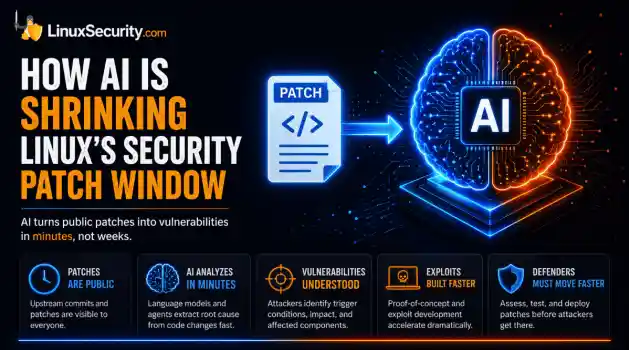
 For decades, Linux defenders relied on a comfortable assumption: a public security patch did not imply an imminent vulnerability. While open-source openness made vulnerability fixes public to everyone on kernel.org or the Linux Kernel Mailing List (LKML), converting a raw commit into a weaponized exploit took a significant amount of manual effort. This delay, estimated in weeks or months, gave businesses enough time to assess exposure, organize testing windows, and push changes across...
 Jul 27, 2026
 security advisory path traversal
 Two newly fixed storage bugs in Kubernetes showed more than just a problem with path traversal. They found a common security flaw in the cloud: powerful parts often think that requests accepted by a higher system are safe to run. This is a simple lesson for the platform and security teams: RBAC can accept a request without showing that its parameters will stay within a certain filesystem boundary. This is clear from a new study from SentinelLabs into flaws in the Kubernetes CSI drivers for NFS...
Jul 24, 2026
 security advisory update
 A large volume of Linux security updates and advisories this week across major distributions once again, but it wasn't just the volume that was the story. Where maintainers and security teams focused their attention was evident in the concentration of fixes targeting Linux kernel updates, identity services, DNS infrastructure, and internet-facing software. . Instead of looking at each advisory in isolation, administrators gain more value from the general trends they reveal about Linux security...
Jul 23, 2026
 identity management security tactics
 For years, we secured our Linux infrastructure by building walls: VPCs, security groups, and hardened SSH configurations. We treated the cloud like a virtual data center, assuming that if we kept the "bad guys" out of the network, our workloads were safe. . That model is no longer sufficient. Today, one of the most common paths from an initial compromise to a major cloud breach is the identity assigned to your Linux workload. When an attacker gains code execution on a Linux instance—through a...
Jul 17, 2026
 security practices patch management
 Most of us don't hear about a kernel vulnerability until a CVE lands in our inbox or the vulnerability scanner starts complaining. By then, the patch isn't new anymore. Kernel developers may have been passing it around for review, arguing over the implementation, or revising it for days before anyone outside that community noticed it. None of those discussions are secret. They're sitting in mailing list archives, Git commits, and patch reviews where they've been the whole time. The strange...
Jul 14, 2026
 Refine features
X Clear Filters
Get the latest News and Insights
Get the latest Linux and open source security news straight to your inbox.
Community Poll
Are host-based firewalls still worth using?
Loading...
Explore Latest Linux Security features
We found 0 articles for you...
102
 information securityreconnaissancenetwork analysis
Exploring Open Source Intelligence (OSINT) Techniques And Tools For Cybersecurity Applications
Open Source Intelligence (OSINT) is the practice of collecting information from published or publicly available sources for intelligence purposes. . The term ‘Open Source’ within Open Source Intelligence refers to the public nature of the analyzed data; publicly available information includes blogs, forums, social media sites, traditional media (TV, radio, and publications), research papers, government records, and academic journals. The scope of this information is almost infinite, concerning various people, companies, and organizations. Individuals who leverage Open Source Intelligence can span from IT security professionals and state-sanctioned intelligence operatives with ethical intentions to malicious hackers with unethical intentions. Understanding The History of Open Source Intelligence The history of Open Source Intelligence dates back to the emergence of intelligence to support a government’s decisions and actions. However, it was not used in a systematic way until the United States established the Foreign Broadcast Monitoring Service (FBMS) in response to the Japanese attack on Pearl Harbor. In 1947, it was renamed the Foreign Broadcast Intelligence Service (FBIS) under the newly established CIA. In 2005, following the 9/11 attacks and the passage of the Intelligence Reform and Terrorism Prevention Act, FBIS - with other research elements - was transformed into the Director of National Intelligence's Open Source Center (OSC). Since its establishment, the OSINT effort has been responsible for filtering, transcribing, translating/interpreting, and archiving news items and information from many foreign media sources. What Role Does Open Source Intelligence Play in Different Industries? OSINT is essential for many fields, such as law enforcement, risk and fraud management, human resources, cybersecurity, and military operations. It can be used to identify data breaches, uncover vulnerabilities, back up decision-making processes, aid customer due diligence, or help users stayupdated. In business, OSINT can be used for penetration testing, breach detection, ethical hacking, and chatter monitoring. Using OSINT is also crucial when keeping tabs on vast amounts of information. Information technology users using OSINT often target three essential tasks: discovering public-facing assets, discovering relevant information outside the organization, and collecting and grouping discovered information into an actionable form. By finding public-facing assets using OSINT, IT professionals can find information that anyone can find on or about a company's assets without resorting to unethical means such as hijacking. Using OSINT to discover relevant information outside an organization helps IT professionals expand from exploring only tightly defined networks, thus increasing their scope of discovery. Using OSINT tools to help collect and group this discovered information helps shape this information into more valuable and actionable intelligence. Within fraud detection and prevention, OSINT can be used as manual review support for anti-fraud systems. For instance, if an anti-fraud system’s ruleset was insufficient to assess the case correctly, OSINT can be used as a backup assessment. OSINT can also search carder forums or the dark web to see what information is trending and what professionals should prepare for. What Techniques Are Used in Open Source Intelligence? OSINT reconnaissance involves using publicly available resources to gather information on a person or organization. OSINT reconnaissance techniques fall into three categories: passive, semi-passive, and active. Passive reconnaissance often involves searching the web using applications such as search engines. This reconnaissance method is hard to detect since no direct engagement is involved, and only archived information is collected. Semi-passive reconnaissance usually consists of searching the web to find data, but can also utilize software solutions to non-intrusively gather information. Active reconnaissance is when data iscollected directly from the target, offering more accurate and timely information. This type of probing can be detectable. The best reconnaissance technique is dependent on the organizational needs of a team. However, following a general process helps lay the foundations for effective intelligence gathering. The Open Web Application Security Project (OWASP) outlines this 5-step OSINT process. This process begins with source identification, where we can find the information for the specific intelligence requirement. Next comes harvesting, collecting relevant information from the identified source. Data processing deals with processing the identified source’s data and extracting meaningful insights. The analysis step combines the processed data from multiple sources. Reporting is the last step, creating a final report on the findings. Using OSINT investigative skills , such as identifying visual clues in photos (e.g., terrain, architecture, shadows, street signs) and leveraging tools like Google Earth or reverse image search, investigators can geolocate images effectively to uncover critical insights, enhancing their OSINT investigative expertise. What Types of Open Source Intelligence Tools Exist? OSINT tools can be divided into three main categories. Discovery tools are used to search for any information that might be found on the web. Good discovery tools can be as simple as search engines. Scraping tools ensure only the required information is filtered through for extraction to a database. Scraping tools are helpful in hiding the presence of bulky data transfers and preventing irrelevant information from mixing with relevant information. Aggregation tools help combine related information from scraping tools to display a clearer picture of what the data represents, all in a presentable format. These can be instances of relations and connections between datasets. There are many free and paid open source intelligence tools available for a variety of purposes, such as searching metadata andcode, researching phone numbers, investigating identities, verifying email addresses, analyzing images, detecting wireless networks, and analyzing packets. However, some of these tools are limited by a paywall. Here is a list of the latest open-source intelligence tools that are free and can be used to their full potential: Nmap Scraping Tool Nmap (Network Mapper) is a free, open-source tool for vulnerability checking , port scanning, and network mapping. It allows you to scan your network and discover everything connected to it, and a wide variety of information about what’s connected and other valuable information. At its heart lies port scanning, which is helpful for administrators. Nmap utilizes a large number of scanning techniques, such as UDP, TCP connect (), TCP SYN (half-open), and FTP. It also offers various scan types such as Proxy (bounce attack), Reverse-ident, ICMP (ping sweep), FIN, ACK sweep, Xmas, SYN sweep, IP Protocol, and Null scan. Nmap can also do limited deployments of network port scans or scheduled network port scans, which is helpful since massive port scans would likely trigger security alerts by the target. Users can control the depth of each scan with light or limited scans for information regarding the port status or more detailed scans for relaying information about the operating systems using these ports. Nmap can do operating system detection via TCP/IP fingerprinting, stealth scanning, dynamic delay and retransmission calculations, parallel scanning, detection of down hosts via parallel pings, decoy scanning, port filtering detection, direct (non-portmapper) RPC scanning, fragmentation scanning, and flexible target and port specification. These qualities make Nmap very versatile. Previously, controlling these scans used to require training in console commands. However, with the new Zenmap graphical interface , experienced admins can more easily use commands to help them identify a target. This makes Nmap a helpful tool for experts and professionals involved inpenetration testing. However, the tool is still very technical and not recommended for novice users. Use Scenario: A user wants to use Nmap to identify a host’s operating system. They want to identify the host’s operating system because they are performing an inventory sweep of their network and want to identify any older assets. The user uses the- A switch to determine the OS for a remote system. For example, running: $ nmap -A localhost. yields an output that says the host is running Linux 3.7 - 3.9. Using Nmap, the user could identify that the host was running a deprecated operating system. Wireshark Scraping Tool A packet analyzer tool, Wireshark, effectively lets users put their network traffic under a microscope, allowing them to zoom in on the root cause of a particular problem. Wireshark captures network traffic on local networks such as Ethernet, Bluetooth, Wireless (IEEE.802.11), Token Ring, etc (packet capture). It then breaks the packets of these local networks down (filtering) before storing the data from these packets for purposes such as offline analysis (visualization). Wireshark has many uses within the industry, such as network analysis and network security. For instance, network administrators may use Wireshark to troubleshoot network problems, while network security engineers may use Wireshark to examine security problems. Quality assurance engineers may use Wireshark to verify network applications, while developers may use it to debug protocol implementations. Beyond these uses in the industry, Wireshark can also be used as a learning tool. Those new to information security can use Wireshark to understand network traffic analysis, how communication occurs when particular protocols are involved, and where it goes wrong when certain issues present themselves. Wireshark can also help novice users learn more about network protocol internals, such as those concerning TCP/IP. However, to properly use Wireshark, a user should first learn exactly how a network operates,such as understanding the three-way TCP handshake and various protocols, including TCP, UDP, DHCP, and ICMP. Use Scenario: A user has an issue with their home network; their internet connection is very slow. Using Wireshark, the user drills down into a packet to identify a network problem. They discovered quickly that their router thought a common destination (Youtube) was unreachable using the Wireshark interface. The issue was easy to find since Wireshark’s interface marks any packet in black to reflect an issue. Once realizing this, the user restarts the cable modem to fix the problem. GHunt Discovery Tool This OSINT tool allows users to analyze a target’s Google history based on factors such as a Gmail address. From a Gmail address, GH unt can extract the target’s name, Google ID, Youtube account, and active Google services. GHunt can also discover a target’s phone model and make, firmware and installed software, public photos, and even the target’s physical location with the right data. Within the industry, white hat hackers and penetration testers may use Ghunt to test whether the emails they find are reasonable and whether they can leak other information. However, they can also be used for threat hunting to identify and track threats. This tool can also be used to understand the extent of a user’s or business’s internet footprint. These qualities make GHunt a great threat intelligence collection and attack simulation tool. Use Scenario: A user’s friend has been receiving strange messages from a “secret admirer” through their email. These messages contain statements that make them feel uncomfortable. The user decides to find the identity of this “secret admirer,” but cannot find their name from the Gmail address alone. The user chooses to use GHunt to investigate their Gmail account. By typing: $ python3 hunt.py
 Sep 04, 2025
•
Sep 04, 2025
•
102
 data securitysecurity practicesnetwork protection
Data Security Best Practices for Strengthening Linux Networks
When it comes to managing Linux systems, there’s one thing every admin knows: security is a constant battle. Sure, you've set up the basics—firewalls, permissions, maybe even automated updates—but is your data truly safe? Cyber threats aren't just about flashy headlines. They’re subtle, persistent, and driven by attackers exploiting overlooked vulnerabilities. . Take cloud security breaches , for example. They're on the rise, and businesses are losing millions—not just in money but in customer trust. And here's the catch: even the best tools won't save you from gaps in your approach. If you're running Linux systems in the cloud or managing sensitive data, it's not just a question of if someone will try to breach your defenses—it’s when. So, let’s talk about what you can actually do to lock down your systems without losing sleep over it. The reality is that Linux gives you a solid foundation , but there’s no magic button here—it’s up to you to make the system formidable. Are you proactively encrypting drives? Do you have multi-factor authentication in place? Have you patched that weird buffer overflow vulnerability lurking in last year’s software version? These are practical questions, but they boil down to one principle— cybersecurity best practices. From insider threats to malware spikes (Linux malware jumped 50% recently—50%), the risks keep evolving. The good news? There’s no shortage of tools and tactics you can deploy right now. Let’s walk through them and make your systems a fortress rather than just a gate someone’s plotting to bypass. What Is Data Security and Why Is It Essential? Data security focuses on maintaining computer security so that threat actors do not compromise sensitive information. With robust data security measures in place, unauthorized users cannot access confidential resources on which they can install malware . Companies with more sensitive data usually create a set of parameters to determine when to delete information beforecybercriminals can gain access. Data security services must understand where sensitive information is on a server. Many companies are vulnerable to a data breach with all the information stored in their systems. Many executives may not know where to find confidential information. As a result, cybercriminals, once they hack a system, have an advantage in combining all of the information and finding what is useful for their attacks on network security. What Common Data Security Risks Do Organizations Face? IT security teams must be aware of the latest data and network security threats that could cause system crashes, account takeovers, and general compromise. Here are the main issues to be vigilant about: Malware can quickly infiltrate a system , leading to data loss, corruption, and inaccessibility. Hackers exploit software and cybersecurity vulnerabilities that have yet to undergo security patching. Linux users can activate automatic updates to prevent these risks. Employees can pose insider threats , as they can initiate cloud security breaches that can compromise data. Linux systems have fire-permission levels that administrators can set so individuals and groups have limited access to sensitive data they can misuse. Email phishing attacks have grown increasingly realistic and convincing. Researchers blame AI tools like ChatGPT for helping hackers craft misleading content faster. Kali Linux is a valuable tool that simulates phishing attacks to improve security posture through training. Cybercriminals can instigate physical security attacks by stealing devices from unsuspecting strangers. Individuals may leave their phones and laptops on public transit, and cybercriminals can hack sensitive data from these platforms. Location Magic and Prey are compatible network security toolkits that Linux admins can use to track misplaced or stolen devices. What Types of Data Security Should I Implement? IT security teams must take comprehensive approaches todata protection, so they should familiarize themselves with these best practices for strong data security: File encryption scrambles the data, making it less valuable and inaccessible to unauthorized users. To keep disk information secure, Linux users can install Full Disk Encryption (FDE) or use file encryption tools like Tomb , eCryptfs , and Cryptmount . Organizations must retain visibility into relevant activities to keep cloud security frameworks robust. Linux provides monitoring tools that administrators can configure based on their needs. This customization, granularity, and permission options strengthen security. Businesses should stay up-to-date with security patching to handle web application security vulnerabilities that could permit hacking. Administrators must engage in comprehensive, frequent privacy sandboxing and testing, deploy data encryption methods, and oversee access controls and permissions. Admins and companies should use Multi-Factor Authentication on cloud security frameworks to decrease opportunities for unauthorized cybercriminals to reach and use the cloud for malicious purposes. Spread cloud metadata across several locations so hackers only get a portion of your data if they enter your server. Verify and review cloud provider security practices to ensure you are still content with their services and how they protect your server. What Techniques and Best Practices Help Strengthen Linux Data Security? Companies can improve their computer security posture and brand image simply by following a variety of well-known safeguards. Here are a few of the suggestions we recommend you consider: Set up regular data backups to minimize your risks of lost data. Categorize your data by importance and then protect what is most vital first to avoid downtime and cloud security breaches from impacting your data. Speak with an IT team and other cybersecurity professionals to determine where and how often you should back up data. ImplementTwo-Factor Authentication as an additional cloud security protection measure. This requires users to input both a password and an additional security code, such as a fingerprint or text message code. Hackers can only access data if they have both pieces of information, reducing the chances of compromised information. Security patching can keep hackers from exploiting network security issues and using them to enter your server. Automatic updating on Linux can minimize this data risk. Configure your Linux Operating Systems (OS) with ultimate security with the open-source technology that helps thousands of users combat network security threats. Disable external root access to prevent unauthorized access and data loss. Make sure that the root account is the only one with a 0 ID, as those with the same number could bypass security and cause severe damage to your server. What Data Security Toolkits Can I Use on Linux? Linux has various open-source cybersecurity tools companies can use to safeguard data on top of the best practices we mentio ned above. Here are a few helpful data security toolkits we recommend: SELinux is a security enhancement for Linux that increases administrative control over user privileges. Administrators can specify who can read, write, or execute a file while setting data movement rules. ClamAV is a virus-detection service that offers on-demand file scanning. It provides automatic signature updates and is compatible with numerous types of data. Rkhunter uses online databases with safe files to check your system for backdoors, rootkits, and local exploits. Tripwire is a Linux intrusion detection system that provides insight into what is happening on your network so you can act more proactively with that knowledge. Wireshark is a network protocol analyzer that scans data traffic and signals so you can spot anomalies more quickly. Our Final Thoughts on the Importance of Robust Linux Data Security Let’s face it: data securityboils down to vigilance and action. No patch, toolkit, or encryption method will save your system if you’re not actively working to stay ahead of threats. Being a Linux admin isn’t just about keeping the system running; it’s about knowing it inside and out. Are your backups reliable? Is multi-factor authentication actually implemented, or is it just on the to-do list? Did you comb through who really has root-level access, or are there unnecessary accounts lingering in your system? Little lapses create big vulnerabilities that attackers love to exploit. The fixes might not feel glamorous, but they’re what keep you out of harm’s way—the encrypted drives, patched software, and relentless monitoring all add up to a system that’s a fortress, not a ticking time bomb. At the end of the day, security is about staying proactive, not getting complacent. No one wants to get that call about a breach, but avoiding it takes constant effort on your part. Attackers don’t take days off, and the rise in threats like malware spikes and sophisticated phishing campaigns proves it. The good news? Linux gives you all the tools you need to fight back—it’s flexible, open, and built to be fortified. But it’s on you to use them effectively. So, take a step back, revisit your security posture, and tighten the screws where they’re loose. Focus on what matters: safeguarding your data and protecting the trust your users place in your system. You’ve got this—the tools are there; now’s the time to make use of them! . Emphasizing digital safety is a vital strategy to safeguard data and enhance your reputation.. Data Protection, Cybersecurity Tools, Securing Linux, Cloud Security Best Practices. . Brittany Day
May 30, 2025
•

102
network securityLinux securitysecurity assessmentEthical Hacking: Essential Skills for Strengthening Linux Defenses
Ethical hacking, or analyzing a system without permission to try and discover vulnerabilities that hackers can use, is an essential part of maintaining robust Linux security. Ethical hacking helps prevent cyberattacks before they happen by identifying vulnerabilities before they are exploited by malicious actor. . Hacking has a poor reputation and is generally thought of as having malicious intent, but ethical hacking is essential and helps organizations and the open-source community maintain a robust cybersecurity posture. To help you better understand the importance of ethical hacking, let's examine its role in network security, how it differs from malicious hacking, how it is carried out, and more in this comprehensive guide. What Is Hacking? While a hacker was once defined as someone skilled in information technology who uses their technical knowledge to achieve a goal or overcome an obstacle, hacking has evolved over the years. Today, hacking compromises digital devices and networks through unauthorized access to an account or computer system. Although hacking is not always malicious, people commonly associate it with illegal activity and data theft. Malicious and ethical hackers are becoming increasingly sophisticated in their methods, tactics, and techniques to obtain sensitive information, often enabling them to go completely unnoticed. Modern hacking is a multibillion-dollar industry and is critical in finding and fixing vulnerabilities before malicious actors exploit them. What Types of Hacking Exist? There are many types of hacking, but all involve breaking into a computer to extract or damage information. Here are the most common types of hacking: Physical hacking involves physically accessing a computer, such as breaking the machine through its casing. System hacking involves penetrating a computer's security measures to steal data or gain control over the system. Wireless hacking refers to exploiting vulnerabilities in wireless networks, which canallow unauthorized access to networks and systems. Cyber espionage is stealing confidential information from another organization for economic gain or political purposes. Cyberterrorism refers to any terrorist activity conducted through cyber means, such as hacking computer systems or releasing malicious software. What is Ethical Hacking? Ethical hacking is the term for testing computer security to identify and exploit vulnerabilities. It aims not to damage or disrupt systems but to identify and fix potential vulnerabilities . There are many different types of ethical hacking, including penetration testing, vulnerability assessment, and red teaming. Penetration testing is the most common type of ethical hacking. It involves trying to breach security measures on a system using various techniques such as social engineering and password cracking . Vulnerability assessment is often used to find existing vulnerabilities in a system, while red teaming tests how well a company's security measures defend against attacks from outsiders. You can learn all the skills of an ethical hacker by enrolling in the ethical hacking certification course. Although ethical hacking can be fun and exciting, taking precautions is essential. Always use caution when entering any system you do not have access to, and remember that cybersecurity is everyone's responsibility. What Is the Difference Between Ethical and Malicious Hackers? Ethical hackers are individuals who use their technical skills to identify and examine issues in computer systems. Malicious hackers, on the other hand, engage in attacks against other people or organizations with the intent of causing harm. Businesses typically hire ethical hackers to help them identify network and system vulnerabilities. On the other hand, malicious hackers often work for criminal organizations or governments who use their hacking abilities for illegal purposes, such as stealing information or disrupting operations. What Is The Role of anEthical Hacker? Ethical hackers use their hacking skills to help companies and organizations improve the security of their systems. They work independently or as part of a team and usually have a background in computer science or information technology. Ethical hackers use various techniques to identify systems' weaknesses and protect data. In addition to penetration testing, they may attempt to trick employees into revealing sensitive data, test whether laptops and mobile devices are properly stored and protected, and explore all possible ways a malicious hacker may exploit an organization. An ethical hacker’s job is to approach and replicate a malicious hacker's methods, tactics, and techniques but stop short of following through on an attack. Ethical hackers may employ some or all of the following strategies to find vulnerabilities: Port scanning using tools like Nmap to scan an organization’s systems and locate open ports Examining security patch installations to check that they cannot be exploited Using social engineering techniques to manipulate psychology, such as dumpster diving (rummaging through trash cans for passwords or other sensitive information that can be used to launch an attack), shoulder surfing to gain access to critical information, or employing kindness to trick employees into sharing their passwords Attempting to evade IDS (Intrusion Detection systems), IPS (Intrusion Prevention systems), honeypots , and firewalls Sniffing networks, bypassing and cracking wireless encryption, and hijacking web servers and web applications Investigating issues related to laptop theft and employee fraud Ethical hackers report any vulnerabilities or concerns and work with a company or organization to fix any security vulnerabilities or address any issues they have identified. They may also provide advice on how to improve system security overall. Ethical hackers are legally required to report any issues they find since this is privileged information that couldbe used for illegal purposes. It should be noted that even the most sophisticated ethical hacking skills are wasted if the organization fails to respond adequately to any problems or weaknesses found and reported. Ethical Hacks and Ethics in Hacking Ethical hacking is the practice of testing a system for vulnerabilities and exploits. The goal is to assess the security of an information system, network, or computer system. Ethical hacking can be used to find and exploit system vulnerabilities for purposes such as unauthorized access, data theft or destruction, or reconnaissance. The ethical hacker must adhere to a set of principles called the Ethical Hacking Principles of Practice (EHP). These principles are designed to help the ethical hacker abide by the laws and regulations governing their activity, protect the privacy of individuals involved, respect intellectual property rights, and avoid causing harm. There are several ways to do ethical hacking. One way is to use penetration testing tools. These tools allow you to scan for system vulnerabilities and test their protection. Another way to do ethical hacking is to use manual methods such as scanning networks for open ports or checking whether users have proper permissions. You can also use social engineering attacks to get users to reveal sensitive information. Finally, you can use spoofing techniques to make it look like someone else is trying to attack a system. While ethical hacking is often rewarding, there is also a risk of contracting malicious hackers who may want to harm your system. To protect yourself, it would be best always to take precautions, such as using a firewall and updating your software. How Do Hackers Establish a Connection to the Network? There are many ways a hacker can establish a connection to the network. Some of the most common ways that hackers sneak past security to infiltrate business networks include: Weak IP Addresses By rapidly scanning through billions of IP combinations, hackers search fora weakly secured IP address and then make a connection once one is found. This allows them to invade an organization’s network using the digital address of one of their machines. Exploiting weak IP addresses is perhaps the easiest way for hackers to identify weakly secured networks to hack quickly. Phishing scams Email phishing scams typically masquerade as legitimate mass emails from a trusted authority or organization. The email asks readers to click a malicious link and verify account data, such as login credentials. Once the data has been handed over, hackers can access the account information they need to infiltrate the network further. Sub-par Software While downloading an unreputable free software solution or using a cheap and unknown option might sound like a good idea, you’re putting your network at serious risk. These sub-par solutions could enable backers to access your network to obtain sensitive information or install viruses. Vulnerable Software Hackers frequently exploit vulnerable, unpatched software to infiltrate the target network. This is why delaying patching or failing to patch software is so dangerous. Admins and IT teams must track security advisories and apply patches as soon as they are released. Password Hacking People too often rely on default passwords that are easy to look up or easy to guess options like password123. These weakly designed passwords make it easier for hackers to access accounts. What Tools Are Used for Ethical Hacking? Various ethical hacking tools can be used for penetration tests and debugging systems. Some popular tools include: Nmap: Nmap , short for “Network Mapper,” is an open-sourced tool for network discovery and auditing. It is now one of the most widely used tools by system administrators for network mapping. Nmap searches for hosts and services on a network. Netcat: Netcat is a simple network utility for sending data between computers using the TCP/IP protocol. Wireshark: Wireshark isa free software application that captures and analyzes network packets. Angry IP Scanner: Angry IP Scanner is a lightweight program that can scan ports and IP addresses of any range. It uses a multi-threaded approach for fast scanning, creating a separate thread for each IP address. Metasploit: Metasploit is a powerful tool that can probe systematic vulnerabilities on networks and servers. These are just a few ethical hacking tools that can be used for penetration testing and security research. Each tool has its strengths and weaknesses, so it is vital to choose one that will fit the specific needs of the investigation. Ethical Hacking FAQs How can I be an ethical hacker? Hackers who perform ethical hacking are responsible for protecting and improving organizations' technology. Detecting vulnerabilities that could lead to a security breach is one of the most critical services they provide to these organizations. Identifying vulnerabilities and reporting them to an organization is the job of an ethical hacker. Is ethical hacking easy? Even if you already have a background in cyber security, it is hard to stay up to date even if you are an ethical hacker. There are many resources online, but many are wrong and outdated. How long will it take to become a hacker? It may take anywhere between 18 months and six years for a person to be fully proficient in ethical hacking. It will probably take you longer to learn hacking and coding if you have no prior experience in hacking or programming. If you are looking to obtain your Certified Ethical Hacker (CEH) qualification, you must have two years of relevant information security work experience and pass a four-hour exam consisting of 125 multiple-choice questions. This certificate remains valid for three years. Is becoming a hacker hard? This question can be answered briefly: almost anyone can learn how to hack a computer. As a result, there is a longer answer to this question. To summarize, it is a good choicefor people who are energetic and enthusiastic about challenging activities and have particular backgrounds and personality types. These learning environments would be most suitable for people familiar with programming languages and have a baseline vocabulary upon which they can base their material. Our Final Thoughts on the Importance of Ethical Hacking in the Realm of Linux Security Ethical hacking is the process of testing a network or system for vulnerabilities. Although it can be gratifying, it can also be quite challenging. You must understand computer security and malicious behavior to do ethical hacking effectively. This article provides the basics to start practicing ethical hacking responsibly. The next step is to take an ethical hacking certification course to help you quickly learn the essential tools and hacking skills required. Best of luck on your journey! . Hacking has a poor reputation and is generally thought of as having malicious intent, but ethical ha. ethical, hacking, analyzing , system, without, permission, discover, vulnerabilities. . Brittany Day
Jun 13, 2024
•
102
 security advisorynetwork securitycloud security
Exploring Future Network Security Trends with Linux Solutions
Network security threats have grown alarmingly sophisticated, and IT professionals struggle to stay on top of the most recent computer security news about how to keep digital assets safe. Organizations need to build cloud security frameworks that are dynamic and adaptable, just like the risks they could encounter. Linux is an open-source, transparent option that users can implement to provide the ultimate security for their servers. . Linux data and network security stem from its technical capabilities and global community, where security professionals offer wisdom and collaboration that sets the company apart while helping bolster cloud protection more than the business can do on its own. Through Linux Security, specialists can combine their expertise to scrutinize, innovate, and improve security posture against network security risks. This article will discuss how Linux reshapes the security software development landscape, its various services, the future of network security with Linux, and a few tools to consider implementing into your server. What Makes Linux the Foundation for Modern Security? Linux is a crucial piece of cloud security framework due to its functionality and open-source model . As a result, Linux is a collaborative platform whose global community allows for constantly improving, dynamic, secure Operating Systems (OS) across all digital environments. Let’s break down the main components of Linux Security software: Linux’s open-source nature permits a network of developers to monitor systems and implement security patching on newly identified cybersecurity vulnerabilities before cloud security breaches. SELinux and AppArmor are various Linux Security features in larger Mandatory Access Control (MAC) systems. This structure helps companies enhance file permissions and restrict access based on user privilege to prevent internal attacks in network security. The Linux community greatly affects how effectively data and network security toolkits work onLinux systems. OpenSSL, OpenSSH, and other cybersecurity projects have become industry benchmarks through the collaborative support of this global community. Peer reviews, continuous integration, and automated testing within Linux help OSes improve security posture over time. Linux is not just an OS. Its community-crafted digital security landscape combines open-source software with a comprehensive cloud security framework to keep digital environments safe and resilient. What Emerging Technologies Are Collaborating with Linux? Linux has a knack for adapting to new technologies quickly and efficiently while providing users with ironclad data and network security. Artificial Intelligence , cloud computing, Machine Learning , blockchain, and IoT have yet to slow Linux developers down, and they plan to keep it that way. Here is how Linux collaborates with new tools online: Artificial Intelligence (AI) and Machine Learning (ML): AI and ML software are compatible with Linux Security, as they can provide a reliable, secure backdrop for innovative work that utilizes such technologies. Developers depend on Linux to support them as they push AI and ML to its limits. Blockchains: Linux is a pillar for stability and security since it maintains a foundation that can promise decentralization and blockchain application support. Internet of Things (IoT): Linux's services adapt to the latest updates on IoT and edge computing software. As IoT becomes more mainstream, Linux tailors its system to the newest demands, ensuring that technology remains secure and efficient. DevOps: Linux has become a network security toolkit in the dynamic DevOps world, as it can blend into various environments while remaining reliable for servers. Cloud Security Framework: Companies embrace Linux when working with the cloud since it provides the versatility and robustness to keep files protected. Linux is at the forefront of the evolution of technology because it offers many secure, versatilebenefits that can effectively power today's digital landscape. What Cybersecurity Trends Does Linux Expect to See in the Future? Here are a couple of the exciting, challenging developments we expect to encounter as the digital landscape continues to expand and evolve: Embracing the Quantum Leap As quantum computing network security threats become more prevalent, we plan to craft new lightweight cryptography methods and cloud security protocols that can withstand privacy sandboxing and automated testing. The World of Cyber-Physical Systems Linux must expand its data and network security platform to safeguard and protect sensitive information in the digital and physical realms. We support these integrated systems by adapting robust security measures to meet unique demands. What General Cybersecurity Tools Does Linux Security Offer? Securing Linux systems requires a layered, defense-in-depth strategy that incorporates various tools that serve unique purposes that broaden your data and network security landscape. Here are the main categories of online safety you must consider and how they can fortify your Linux digital environment: Combat malware with antivirus software : This program can work as a cloud security scanner for known and emerging network security threats since it understands and adapts to malicious behaviors online. ClamAV and Bitdefender blend traditional signature-based malware detection with advanced behavioral analysis to stop malware. Firewalls are vigilant gatekeepers on your system : Scrutinize traffic with a firewall that blocks and permits traffic according to how secure such communication is. UFW and Firewalld are some of the most popular, effective, user-friendly options on Linux. Linux Intrusion Detection Systems (IDS) monitor traffic patterns : IDS scans for any cloud security breaches on a network. It notifies you of any odd system logs and traffic that could be a network security threat. Snort, Suricata, and OSSEC offer this critical layer ofsecurity. Open-source vulnerability scanners can identify weak spots : Utilize scanners to discover cybersecurity vulnerabilities that require security patching before moving forward. OpenVAS, Nessus, and Nikto can notify you of risks and offer advice about how to patch such issues. Network monitoring tools analyze network traffic : Monitoring tools can observe and notify you of performance and network security issues. Troubleshoot with network security toolkits like Wireshark and Ntop that help Linux users improve security posture. These tools will keep your server robust and impenetrable against various threats, creating a comprehensive data and network security blanket for your Linux systems. What Are the Best Network Security Toolkits on Linux? Here are a few of our standout security tools available for Linux since they offer various brands of protection in an accessible, affordable format: Nmap: The Network Explorer Nmap highlights open ports, running services, and potential security holes. Apart from being a cloud security scanner, Nmap can map out network topologies and pinpoint Linux Operating System (OS) details in an easy-to-use format that offers various features from which you can benefit. ClamAV: Vigilant Virus Protection ClamAV is an open-source antivirus engine that scans Linux and Windows systems quickly and thoroughly. ClamAV diligently checks for known viruses to keep your system clean and secure, whether it's files, directories, or email attachments. It's particularly adept at screening for malicious emails entering your inbox. Wireshark: The Network Detective Wireshark monitors network traffic by breaking down complex network communications into understandable segments, which makes it invaluable for troubleshooting network security issues and investigating cloud security breaches. SQLMap: The Web Application Guardian SQLMap protects against web application security vulnerabilities and SQL attacks in network security. This "bodyguard"has detection and defense techniques that determine and take care of a threat based on the database structure and content. Rkhunter: The Silent Sentinel Rkhunter constantly scans your system for rootkits and other malicious software, quietly overseeing critical system files and directories to prevent tampered, damaged systems. Lynis: The Security Audit Tool Lynis focuses on cloud security auditing Linux systems to identify cybersecurity vulnerabilities and misconfigurations before cybercriminals can exploit them. These advisories help improve security posture with its user-friendly approach and practical, actionable solutions and recommendations for security patching. These network security toolkits offer unique, secure, resilient benefits that can help shield your Linux system from any risks headed your way. Final Thoughts on the Future of Linux-Based Security Linux Security software has a variety of challenges to stay on top of while helping companies ensure data and network security on their servers. Here are the biggest concerns we have: Staying Ahead in the Tech Race : Technology’s not just moving fast – it’s sprinting. Therefore, Linux must adapt to the latest cybersecurity trends so that we can stay ahead of network security threats. Maintaining Usable Security : As more risks develop and more defense mechanisms are created, Linux must ensure its software is still easy to navigate and configure so users do not encounter road bumps that could compromise their safety. Filling in the Talent Pool : Organizations must invest in Linux Security modules, education, and training so that more people understand every detail. Then, companies can utilize each network security toolkit to their advantage. The journey for Linux Security is about being fast, intelligent, and user-friendly while building a community of Linux Security whizzes. We must consider these web application security issues while progressing in cybersecurity. . Unix-like systems offer robustprotection against cyber threats due to their flexibility, collaborative development, and advanced protective mechanisms.. Network Security Tools, Cloud Security Framework, Open Source Solutions, Linux Security Solutions. . Anthony Pell
Nov 22, 2023
•
102
 network securitysecurity practicesonline threats
Conducting Email Phishing Training With Kali Linux Tools
So long as you navigate the Internet, you will encounter a phishing attack attempt sooner or later. Cybersecurity professionals seek solutions to these threats so that attacks in network security are not as common and harmful to online users. . Phishing can be highly damaging and have widespread consequences for victim organizations, including financial losses, data theft, and severe reputational harm. Therefore, companies have incorporated network security training courses for employees to respond to an attack appropriately. Cybersecurity teams send spoofed emails, create fake login pages, and otherwise behave as genuine scammers so they can test how workers mitigate an attack. Kali Linux is an open-source, Debian-based Linux security training platform for digital forensics and penetration tests. Using open-source network security toolkits with Kali Linux allows people to run phishing simulations so companies can identify cybersecurity vulnerabilities and take care of them immediately, reducing the chance of a phishing attack. This article will discuss how you can conduct your own email phishing training using open-source tools on Kali Linux to help improve your organization's security posture, protect against cyberattacks, and mitigate data and cloud security breaches. What Is Email Phishing? Email phishing occurs when cybercriminals create fake emails to get recipients to provide personal details and sensitive information that malicious parties can later use in exploits in cybersecurity. Phishing targets generally receive urgently toned messages claiming to contain information regarding a missed delivery, a late payment, or an unfulfilled order. Some phishing attacks take a positive approach by asking victims to provide information in exchange for supposed prizes or funds. When victims click on the links in a message, hackers redirect the user to phishing pages where threat actors can harvest sensitive information without the user’s knowledge. Phishing attacks could ask recipients todownload seemingly harmless files that contain malware to infect entire networks. Over ninety percent of modern cyberattacks begin with a phishing email due to their effectiveness in execution. What Best Practices Help Combat Phishing Attacks? Whether you’re an individual user or involved with organizational cybersecurity, it is vital to engage in the best email security practices that will keep you safe and set an example for your employees on how to avoid an attack: Check the legitimacy of an email before immediately trusting the content. Understand the components of a phishing email . Only open links and attachments that are not suspicious. Apply electronic signatures to emailed documents to protect your messages. Schedule regular employee Linux security training sessions and utilize privacy sandboxing tactics to discuss how to handle an attack with phishing simulations. Install a spam filter to screen for malicious content in your system. Look out for and report well-known and emerging phishing network security threats. View phishing prevention as everyone's responsibility. Implement a comprehensive, adaptive, cloud-based email security solution . While these security practices cannot wholly stop attacks in network security, they can significantly reduce the likeliness of a successful attack. Teaching your employees how to take phishing prevention seriously can assist your company in recognizing and stopping more cloud security breaches and issues. Why Is Security Awareness Training Critically Important? Security Awareness Training (SAT) is an organization-wide effort that helps people identify and protect themselves against network security threats at work and while using the Internet at home. SAT is an integral part of organizations’ cybersecurity defenses. A 2022 study that exposed participants to five categories of emails found that people generally had trouble recognizing modern phishing attacks. Although fifty percent of the people identified red flagslike spelling and grammar mistakes, more ambiguous and less obvious attacks were challenging to detect. Organizations must implement SAT because human error is an element in most cyberattacks. The people who organize phishing attacks know how to tap into what people want and what they're most likely to believe. In addition, many people work in high-pressure environments with numerous expectations placed on them. Those realities may mean they need to take more time to study emails to determine validity. However, individuals should get continual education about what constitutes a phishing attack. In that case, they'll be more alert to suspicious characteristics and know not to engage with emails with these data and network security issues. It's also essential that any SAT efforts center on online threats. Some people spend dozens of hours online weekly, so it's highly likely they'll eventually encounter Internet dangers. Security awareness training will equip each employee to spot and avoid risks. As a result, organizations have better protection from cyberattacks that could halt operations, make them lose money and customers, or mean the business must recover from reputational damage. How Should I Conduct Email Phishing Training? Internal testing and Linux security training will help people become more aware of and avoid common email phishing strategies. Fortunately, Kali Linux is a great network security toolkit that offers excellent open-source options that help facilitate phishing training. Running phishing training at your business allows you to create authentic examples of phishing attacks and see how employees respond to them. You can then find gaps in workers’ awareness and focus on those in upcoming training sessions. What Training Tools Does Kali Linux Offer? Kali Linux is an open-source distribution toolkit for people who run penetration tests and perform cloud security audits. The service has over six hundred penetration tests that are free to use and easily customizable to anorganization's needs. Here are a few of the best phishing tools for Kali Linux users: PhishMailer PhishMailer allows you to create email templates from more than 20 well-known companies. Python 3 developers tested this tool, and you need Python 3 software. While Phishmailer is a user-friendly interface, there have been no updates for years. Install it by cloning the repository with the git clone command: git clone https://github.com/BiZken/PhishMailer The following command will install it and let you access the tool’s directory: cd Desktop git clone https://github.com/BiZken/PhishMailer cd PhishMailer/ Now that you've downloaded the tool, run it with the following command: python3 PhishMailer.py You’ll then have the opportunity to enter several pieces of information about your phishing target so you can simulate attacks in network security effectively. Next, the tool will generate a link you can open in a browser. Once a phishing target enters their email and password on the fake page, you’ll get relevant details, as seen below. Within two minutes of installing, I created this Dropbox sample phishing message. Each link in this screenshot (even the "I'm not sure" link) directs to my sample phishing site. BlackPhish BlackPhish is a robust but lightweight phishing email simulator tool. It is still in the beta testing phase, so there could be network security issues when using it, but it has a user-friendly interface and six email templates. Developers tested it on Kali Linux 2019.4, but compatibility checks on other platforms are ongoing. Install BlackPhish by moving to the desktop and using the following command: cd Desktop git clone https://github.com/yangr0/BlackPhish While inside the tool’s directory, continue the installation with the following command: cd Blackphish sudo bash install.sh Finally, run BlackPhish with the command: sudo python3 blackphish.py After doing that, you’ll reach the main screen.Choose the type of phishing simulation you want to make by pressing its corresponding number and the Enter key. Progressing through the steps will give you further options to customize the content, and you’ll get a preview of how the simulated message will look to users. Eventually, you’ll receive relevant information if someone falls for the phishing trick. Lockphish Lockphish creates phishing content that gets placed on a smartphone's lock screen, allowing hackers to gain a phone user's login credentials. Android and iOS smartphones, as well as Windows PC operating systems, can be put to the test with Lockphish. The tool has an IP tracker and can automatically detect the kind of device a person has unless it is a Mac computer, which the server does not pick up. Start the installation by cloning Lockphish from its GitHub repository with the following command: git clone https://github.com/jaykali/lockphish. Then, use this command to reach the Lockphish directory: cd lockphish Grant Lockphish root access before running it by using the command: sudo chmod +x lockphish.sh Finally, run the tool by inputting: ./lockphish.sh Doing this will launch the tool’s main screen, as seen below: You then need to choose a website that Lockphish will use for their redirect. YouTube is the default selection. Press the Enter key after selecting the desired website, and this will cause ngrok to download within Kali Linux and configure the phishing servers on the local host. The Lockphish screen will provide you with several options to change the parameters, as shown below: Next, the simulated phishing attack mimics the users’ lock screens. Once a person enters credentials, such information gets captured and reaches the Lockphish user through a ngrok tunnel. Once a target clicks the phishing link, you’ll get information about them, as shown below. Socialphish Socialphish is an open-source tool with over thirty templates for famous websitesthat users can modify to create believable attacks with which to trick users. This tool is easy to use and only takes up additional space. Written in Python , you can generate phishing websites based on Spotify, Facebook, Instagram, WordPress, Microsoft, and more. To install Socialphish, move a Kali Linux terminal to your desktop and create a directory titled “Socialphish.” Then enter the Socialphish directory and clone the tool from GitHub phishing with these commands: To access the tool’s contents and give permissions, input “ls” and “chmod +x socialphish.sh” Run the tool by typing in “./socialphish.sh” Once everything is set up, you can choose a phishing page from the options listed. ShellPhish ShellPhish focuses on impersonating Facebook, Twitter, Instagram, and eighteen other websites with templates that can help companies obtain ID and password credentials. Install ShellPhish, move it to the Desktop on the Kali Linux terminal, and create a directory. Clone the service and type the commands needed to execute ShellPhish. Once you have done this, you will see the options from which to choose when deciding on a sandboxing attack. Zphisher Zphisher grew in popularity following the influx of attacks on Target. With thirty templates and easy navigation tools, Zphisher is a favorite for testing data retrieval attempts. The service also has frequent updates that help you work with the most recent options available. Like with other tools, install the server, move it to your desktop, and clone the directory so you can run the command on your computer. When it starts running, choose a phishing page to use for your scam and the method you want to use to achieve the breach: Blackeye With Blackeye, you can execute attacks efficiently through over thirty templates or create your own customized template if you like. Install Blackeye and set up the following commands: Next, run the tool with “bashblackeye.sh” to launch an attack. King Phisher King Phisher allows you to test and promote multiple phishing campaign simulations simultaneously. Flexible and user-friendly, you can use this service for training or simple explanations. You can embed images, create Integrated Sender Policy Framework (SPF) checks, and detect the geolocation of victims. Install Kingphiser with “mkdir king-phisher,” “cd king-phisher,” “wget-q” and GitHub phishing links. Then, create your phishing pages. Ghost Phisher This cloud security audit and attack software can create false access points to which victims connect and input information that hackers hijack. Ghost Phisher has Python Programming Language and Python Qt GUI libraries. You can use penetration tests, credential logging, frequently updated support, and more. Hidden Eye Hidden Eye allows users to test keylogging and location-tracking attacks for Kali Linux phishing tools. You can customize most social media, e-commerce, and business pages. Capture the victim's keystrokes, perform live attacks, and create server URL type selection. Final Thoughts on Kali Linux Open-Source Phishing Training Tools Whether your organization has five or 500 team members, phishing testing and training are essential to minimizing cyber security vulnerabilities and other data and network security issues. Even if most employees know the characteristics of a phishing attempt, cybercriminals frequently update their methods, so victims need to keep watch. As you evaluate phishing training tools, consider those that will truly imitate a phishing attack so that you can make the content appear as realistic and believable as possible to the target audience. Remember that people of certain ages and backgrounds may be more or less likely to fall for phishing attempts than others. Before considering whether to use a tool, spend time using and becoming familiar with it. You can then determine if the tool will meet your goals and expectations. Finally,remember phishing training is not a one-and-done exercise. Making it a regular part of training and preparedness will improve the security posture for the company as well as your workers’ understanding of phishing in general. . Phishing can be highly damaging and have widespread consequences for victim organizations, including. navigate, internet, encounter, phishing, attack, attempt, sooner, later. . Anthony Pell
May 29, 2023
•

Get the latest News and Insights
Get the latest Linux and open source security news straight to your inbox.
Community Poll
Are host-based firewalls still worth using?
Search Topics
Powered By

Linux Security - Your source for Top Linux News, Advisories, HOWTOs and Feature Releases
QUICK LINKS
subscribe to newsletters!
Like staying secure? So do we.
Sign up for updates, tips, and alerts!