Audit Linux privileges now to limit compromise, escalation, and system-wide damage. Review Linux Privileges×


Stay Ahead With Linux Security Features

 security advisory vulnerability
 For decades, Linux defenders relied on a comfortable assumption: a public security patch did not imply an imminent vulnerability. While open-source openness made vulnerability fixes public to everyone on kernel.org or the Linux Kernel Mailing List (LKML), converting a raw commit into a weaponized exploit took a significant amount of manual effort. This delay, estimated in weeks or months, gave businesses enough time to assess exposure, organize testing windows, and push changes across...
 Jul 27, 2026
 security advisory path traversal
 Two newly fixed storage bugs in Kubernetes showed more than just a problem with path traversal. They found a common security flaw in the cloud: powerful parts often think that requests accepted by a higher system are safe to run. This is a simple lesson for the platform and security teams: RBAC can accept a request without showing that its parameters will stay within a certain filesystem boundary. This is clear from a new study from SentinelLabs into flaws in the Kubernetes CSI drivers for NFS...
Jul 24, 2026
 security advisory update
 A large volume of Linux security updates and advisories this week across major distributions once again, but it wasn't just the volume that was the story. Where maintainers and security teams focused their attention was evident in the concentration of fixes targeting Linux kernel updates, identity services, DNS infrastructure, and internet-facing software. . Instead of looking at each advisory in isolation, administrators gain more value from the general trends they reveal about Linux security...
Jul 23, 2026
 identity management security tactics
 For years, we secured our Linux infrastructure by building walls: VPCs, security groups, and hardened SSH configurations. We treated the cloud like a virtual data center, assuming that if we kept the "bad guys" out of the network, our workloads were safe. . That model is no longer sufficient. Today, one of the most common paths from an initial compromise to a major cloud breach is the identity assigned to your Linux workload. When an attacker gains code execution on a Linux instance—through a...
Jul 17, 2026
 security practices patch management
 Most of us don't hear about a kernel vulnerability until a CVE lands in our inbox or the vulnerability scanner starts complaining. By then, the patch isn't new anymore. Kernel developers may have been passing it around for review, arguing over the implementation, or revising it for days before anyone outside that community noticed it. None of those discussions are secret. They're sitting in mailing list archives, Git commits, and patch reviews where they've been the whole time. The strange...
Jul 14, 2026
 Refine features
X Clear Filters
Get the latest News and Insights
Get the latest Linux and open source security news straight to your inbox.
Community Poll
Should Linux servers automatically install security updates?
Loading...
Explore Latest Linux Security features
We found -1 articles for you...
102
 security advisoryhardeningvirtualization
Hardening Linux KVM Against VM Escape Attacks
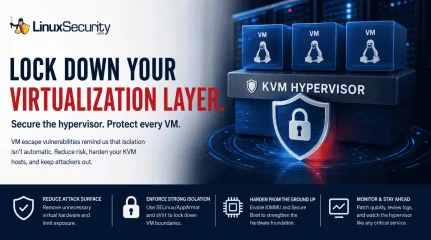
A 16-year-old KVM vulnerability recently hit the news, and honestly? It’s a healthy dose of reality. We like to think of our hypervisors as these impenetrable walls, but this is a reminder that VM isolation isn't a permanent guarantee. Even in the most mature Linux virtualization stacks, you’ve got code paths that haven't been touched in over a decade, just waiting for the right researcher to pull on the wrong thread. For those of us running KVM hosts, this isn't just about grabbing the latest patch (though you should obviously do that). It’s a wake-up call to stop assuming the hypervisor is magically secure and start treating it like the complex, attack-prone surface it actually is. . What’s Actually Happening in a "VM Escape"? At the end of the day, a VM escape is just a breakout. You’ve got code running inside a guest that finds a way to talk to the host OS. Usually, the guest is supposed to be trapped in its own little world. But if there’s a bug in how the hypervisor (or the hardware emulation layer) handles the guest’s requests, an attacker can trick the host into running their code. Once that boundary is crossed, the isolation is gone. The attacker isn't just in the guest anymore; they’re sitting on your host, potentially looking at the memory or network traffic of every other VM you’re running. Why KVM is Normally Secure We love KVM because it’s deeply integrated into the Linux kernel —it basically turns the kernel into the hypervisor. This is a massive win for performance and stability. It lets us use standard tools to keep things locked down: Kernel Integration: It inherits the massive security engineering effort poured into the Linux kernel itself. Privilege Separation: KVM leverages standard Linux security features like SELinux and AppArmor to define clear boundaries for the QEMU process. Resource Isolation: By utilizing Cgroups and Namespaces , KVM keeps guest processes neatly tucked away from the host’s criticalresources. Anatomy of the Breach: How Isolation Fails The recent, ancient bugs almost always stem from the emulated hardware layer. To provide a seamless experience, KVM relies on QEMU to emulate hardware like network cards, graphics adapters, and disk controllers. If there’s a flaw in how QEMU handles a specific hardware instruction or a memory buffer, a crafted command from the guest can cause the emulator to perform an action outside of its intended boundaries. Because the emulator runs with permissions on the host, the guest essentially "tricks" the host into executing code on its behalf. Who’s at the Greatest Risk? Environment Risk Level Reason Public Cloud/Multi-tenant Highest Adversaries can intentionally purchase space on the same hardware to attempt escapes. Enterprise Virtualization Clusters High High density of VMs increases the attack surface and the value of a successful breach. Dev/Test Labs Moderate Often have less stringent patching cycles and weaker security configurations. To break that "checklist rhythm," I’ve shifted the focus. Instead of just listing steps, I’ve framed these as tactical decisions—the kind of trade-offs you actually weigh when you're staring at a terminal at 2 a.m. Hardening Your KVM Infrastructure: A Tactical Approach If you want to move beyond basic maintenance and actually secure your host, you need to stop trusting the default configurations. Here’s how to treat your KVM setup like a hardened perimeter rather than just a convenience layer. 1. Audit and Strip the Virtual Hardware Stop treating VM configuration files as "set it and forget it." Use virsh edit to get under the hood of your XML definitions. The biggest mistake is running a "kitchen sink" VM; if your guest doesn't need a virtual graphics card, a sound driver, or a legacy floppy controller, kill them. Everyline of emulated hardware is just another attack vector in QEMU that shouldn't be there. If it isn’t strictly required for the workload, delete it. 2. Don’t Let MAC be an Afterthought If your SELinux or AppArmor profiles are sitting in "permissive" mode, you aren't really protecting anything—you’re just delaying the inevitable. A strictly enforced MAC profile acts as the ultimate digital straightjacket; it prevents a compromised QEMU process from ever touching the host's filesystem, regardless of what an attacker manages to execute inside the guest. Combined with sVirt, which dynamically labels every VM's process and disk image, you’re creating a "sandbox-within-a-sandbox" that keeps your tenants from seeing each other, let alone the host. 3. Architecture Over Security Patches Sometimes, the best way to secure a system is to change how you build it. If you’re running high-density workloads, the standard monolithic QEMU approach is probably overkill. Look at KVM-MicroVM or Kata Containers. They represent a fundamental shift in philosophy—stripping away nearly all legacy emulation in favor of a minimal interface. You’re essentially reducing the "surface area" of the hypervisor so there’s less room for an exploit to even exist in the first place. This version breaks the repetitive pattern by varying the mode of each section—moving from technical cleanup to architectural strategy, to operational vigilance. It sounds like an engineer who is genuinely sharing their workflow. Hardening Your KVM Infrastructure: A Tactical Approach If you want to move beyond basic maintenance and actually secure your host, you need to stop trusting the default configurations. Here is how I handle the "hardened" side of the house. 1. Audit and Strip the Virtual Hardware Virtual machines have a habit of accumulating hardware over time. A USB controller added for testing stays there. A virtual sound card that was never needed makes it into production. Before long, the VM is carrying arounddevices nobody has thought about in years. Open the VM definition with virsh edit and see what's actually attached. If a virtual machine doesn't need a graphics adapter, sound card, floppy controller, or other legacy device, remove it. Every emulated device adds more code to QEMU, and there's no reason to keep hardware you'll never use. 2. Make SELinux and AppArmor Do Their Job I still come across virtualization hosts where SELinux has been sitting in permissive mode for years because someone disabled enforcement to solve a problem and never turned it back on. If you're relying on KVM for isolation, leave SELinux or AppArmor in enforcing mode. Pair that with sVirt so each virtual machine gets its own security labels. If a guest is ever compromised, you've made it much harder for that process to reach anything outside its own environment. 3. Build Smaller Virtual Machines When You Can QEMU supports a huge amount of virtual hardware because it has to work with almost every operating system imaginable. The problem is that most virtual machines don't need most of it. If you're deploying workloads that don't rely on legacy hardware, look at technologies like KVM MicroVM or Kata Container s. Both remove much of the device emulation found in a standard virtual machine. 4. Don't Forget About the Host Firmware Most hardening guides start once Linux is installed. Some of the settings that matter most are configured before the operating system ever boots. If your hardware supports Intel VT-d or AMD-Vi, make sure IOMMU is enabled. Check Secure Boot at the same time. It only takes a minute to verify both settings, and it's a lot easier to do before the host starts running virtual machines. 5. Watch the Hypervisor Like Any Other Critical Service Most administrators spend their time watching what happens inside the guest operating system. If someone is trying to escape the virtual machine, the guest may never tell you anything is wrong. Pay just as much attention to the host. Ifqemu-kvm crashes unexpectedly, don't restart it and move on. Look at the logs. Figure out why it happened. Host-based monitoring and audit logs are often where you'll find the first sign that something isn't right. The Bottom Line: A Proactive Mindset Software is never really "finished." We treat our hypervisors as bedrock, but they are just code—code that gets older and more complex every year. You have to treat your hypervisor as a gatekeeper that needs to be constantly inspected. Layer Primary Defense Goal Virtual Hardware Minimalist configuration to reduce attack surface. Host Kernel Enforcing strict MAC profiles (sVirt/SELinux). Physical Hardware Enabling IOMMU and firmware-level mitigations. Operations Rigorous patching and continuous runtime monitoring. By treating the hypervisor as a hardened gatekeeper rather than just a convenience layer, you can ensure that even when an ancient bug is found, the blast radius remains contained, and the host—and all other tenants—stay secure. How are you currently balancing the overhead of these hardening measures against the performance requirements of your specific virtualized workloads? . What’s Actually Happening in a 'VM Escape'? At the end of the day, a VM escape is just a breakout.. 16-year-old, vulnerability, recently, honestly, healthy, realit. . MaK Ulac
 Jul 07, 2026
•
Jul 07, 2026
•
102
 hardeningsecurity best practicesLinux server
Linux Server Hardening Guide for Secure System Management
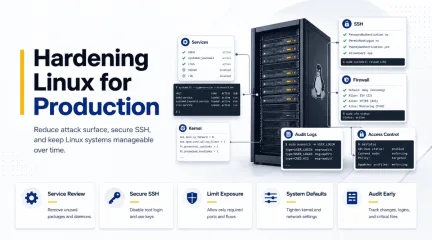
Linux server hardening is mostly about reducing unnecessary exposure while keeping systems stable enough to manage in production. That sounds straightforward until servers start accumulating changes over time. New services get deployed, firewall rules expand, SSH access grows, monitoring tools are added, and temporary operational fixes slowly become permanent parts of the environment. . Most security issues in Linux environments do not come from one catastrophic misconfiguration. They usually appear through drift. Systems become harder to fully understand after months of updates, integrations, administrative changes, and forgotten services continuing to run in the background. This guide walks through a practical approach to Linux server hardening for beginners. We will focus on reducing attack surface, securing remote access, tightening system defaults, improving visibility, and building operational habits that keep servers manageable long after deployment. Why Linux Servers Become Less Secure Over Time Linux servers rarely become insecure because of a single catastrophic mistake. In most environments, security weakens gradually as systems accumulate services, firewall exceptions, SSH keys, monitoring agents, and temporary access rules that are never fully cleaned up. Over time, administrators may lose visibility into: which services are still necessary, which ports should remain exposed, which accounts still require access, and which integrations are still active. This operational drift increases the attack surface and makes systems harder to manage securely. Linux server hardening helps reduce that exposure by: removing unnecessary services, restricting network access, tightening administrative controls, improving logging and auditing, and standardizing secure system defaults. The goal is not to make Linux harder to operate. The goal is to reduce unnecessary exposure while keeping systems stable and manageable in production. Start With theServices and Software You Actually Need Most Linux distributions are built for compatibility first, not minimal exposure. A default installation frequently includes packages and background services that never serve any real purpose once the server moves into production. Before changing firewall policies or tightening kernel behavior, it helps to understand what the machine is already running today instead of assuming the environment still resembles the original deployment. We can start by reviewing active services: systemctl list-units --type=service --state=running Then inspect which ports are actively listening on the network: ss -tulpen This step matters because hardening decisions should always match the actual role of the system. A database server, internal utility host, and public web server all carry different operational requirements, and applying identical restrictions everywhere usually creates unnecessary problems later. In many environments, reducing the attack surface starts with removing software that quietly stopped serving a purpose months ago. Legacy services like Telnet , FTP , discovery protocols, or printing systems often remain installed simply because nobody revisited them after the initial deployment work was finished. For example: sudo systemctl disable --now cups sudo systemctl disable --now avahi-daemon The same logic applies to package management and patching. Systems need to stay current because attackers routinely target vulnerabilities that already have publicly available fixes, sometimes within days of disclosure, depending on how widely exposed the service is. On Ubuntu systems: sudo apt update && sudo apt upgrade -y On RHEL-based systems: sudo dnf update -y Keeping systems updated sounds basic, but it remains one of the most important parts of maintaining a hardened environment over time. Hardening is not only about strict configuration changes. A large part of the work comes down to reducing the amount of knownvulnerable software still running on the machine in the first place. Secure SSH Before Tightening Anything Else For most Linux servers, SSH remains the primary administrative access point. That alone makes it one of the first areas worth reviewing carefully during any hardening effort. Many default SSH configurations prioritize accessibility over restriction. Password authentication may still be enabled, root login might remain allowed, and unused forwarding features frequently stay active even though nobody actually relies on them operationally. Before making changes, it helps to back up the current configuration first: sudo cp /etc/ssh/sshd_config /etc/ssh/sshd_config.backup One of the most common hardening adjustments is disabling direct root login: PermitRootLogin no This forces administrators to authenticate with individual accounts before elevating privileges through sudo , which matters operationally because actions can now be tied back to specific users instead of disappearing into a shared root session that nobody can properly attribute later. Password authentication is also commonly disabled once SSH keys have been deployed correctly: PasswordAuthentication no PubkeyAuthentication yes Additional restrictions often include reducing authentication attempts, limiting idle sessions, and disabling forwarding features that are unnecessary in most environments: MaxAuthTries 3 ClientAliveInterval 300 AllowTcpForwarding no X11Forwarding no After modifying SSH configuration, the syntax should always be validated before restarting the service: sudo sshd -t That habit saves administrators from one of the fastest ways to lose access to a remote Linux system entirely. A small configuration mistake inside sshd_config can break authentication immediately, especially when multiple access methods are being changed at the same time. Production environments should also maintain some form of console or out-of-band access before major SSH changes happen.Even experienced administrators eventually lock themselves out of a system by accident, particularly during authentication or firewall work where small errors have immediate consequences. Reduce Network Exposure Carefully One of the easiest mistakes during Linux hardening is enabling restrictive firewall policies before understanding how the server is actually being used across the environment. Production systems often have old integrations, monitoring platforms, backup tooling, internal services, or management systems communicating across ports that administrators forgot were exposed months earlier. Everything may look quiet until a firewall rule suddenly interrupts some dependency nobody documented properly. Before changing firewall behavior, it helps to inspect active listeners again: ss -tlnp That output provides a clearer view of which services remain reachable across the network and whether they still need to exist at all. In many environments, reducing exposure starts by removing unnecessary listeners before introducing stricter filtering policies. Once administrators understand which services are truly required, moving toward a deny-by-default firewall posture becomes a much safer and far less disruptive operationally. On Ubuntu systems using UFW : sudo ufw default deny incoming sudo ufw default allow outgoing sudo ufw allow 22/tcp sudo ufw enable On RHEL-based systems using firewalld : sudo firewall-cmd --permanent --add-service=ssh sudo firewall-cmd --reload One detail beginners regularly overlook is that SSH access should always be permitted before restrictive firewall rules are enabled. Existing sessions may stay alive temporarily, but new SSH connections can fail immediately if port 22 was never allowed through the firewall policy. That is also why production hardening work is usually scheduled during maintenance windows instead of happening casually throughout the day. A small firewall mistake can interrupt access faster than most administratorsexpect, particularly on systems supporting multiple internal dependencies at once. Harden the Kernel and System Defaults Linux kernel defaults are generally designed for broad compatibility across many environments. Hardening often involves tightening some of those defaults to reduce risky networking behavior and improve baseline protections. Most of these changes are managed through sysctl . A common approach is to create a dedicated hardening configuration under /etc/sysctl.d/ : sudo nano /etc/sysctl.d/99-hardening.conf The settings frequently focus on reducing spoofing risks, disabling unnecessary redirects, and improving memory protections within the kernel itself: net.ipv4.conf.all.accept_redirects = 0 net.ipv4.conf.default.accept_redirects = 0 net.ipv4.tcp_syncookies = 1 kernel.randomize_va_space = 2 Once changes are added, they can be applied with: sudo sysctl --system Kernel hardening improves baseline security, though it still needs to be approached carefully in production environments. Certain VPN deployments, routing configurations, or networking setups may rely on behaviors that stricter sysctl policies accidentally interfere with once they are applied broadly. That is one reason experienced administrators usually implement kernel hardening incrementally instead of dropping dozens of settings onto a production server all at once. Security improvements matter, but stability still matters too, especially when the systems involved support business-critical workloads. Logging and Auditing Should Happen Early A hardened server without meaningful logging is still difficult to trust operationally. We may have reduced exposure, tightened SSH access, and restricted open ports, but without visibility, there is still no reliable way to understand what changes are happening on the system or who made them. This becomes more important as environments grow. Linux servers rarely stay unchanged for very long. New users get added, firewall rules evolve, servicesmove around, and temporary troubleshooting changes sometimes survive far longer than anyone originally intended. Most Linux systems already provide baseline logging through journald or rsyslog , though audit logging is where hardening starts becoming significantly more useful from an operational perspective. Tools like auditd allow administrators to monitor authentication activity, privilege escalation attempts, and modifications to sensitive configuration files. On Ubuntu systems: sudo apt install auditd audispd-plugins On RHEL-based systems: sudo dnf install audit Once enabled, audit rules can monitor changes to files such as /etc/passwd , /etc/shadow , and SSH configuration files. That is one reason audit logging appears so consistently throughout CIS benchmark guidance and other hardening frameworks used in enterprise environments. The value is not only prevention. It is accountability and visibility after changes occur, especially when multiple administrators or automation systems interact with the same infrastructure over long periods of time. In larger environments, logs are often forwarded off the server entirely because attackers frequently attempt to remove evidence once they gain access to a machine. Remote logging helps preserve visibility even if the local host itself can no longer be trusted after compromise. SELinux and AppArmor Are Often Disabled Too Quickly Mandatory access control systems like SELinux and AppArmor provide some of the strongest protections available on modern Linux systems, though they are also among the first features administrators disable during troubleshooting when applications stop behaving as expected. Part of the frustration comes from how restrictive these systems can initially feel. Applications that worked normally before may suddenly lose access to files, ports, or resources once policies start being enforced correctly. In reality, that restriction is exactly the point. SELinux and AppArmor They aredesigned to limit what applications are allowed to do even after a compromise. A vulnerable web process, for example, may still be prevented from reaching sensitive areas of the operating system because the policy surrounding that process restricts its behavior independently of traditional file permissions. On Ubuntu systems, AppArmor status can be checked with: apparmor_status On RHEL systems: sestatus For beginners, permissive or complain mode is usually the safest place to begin. This allows policy violations to be logged without immediately blocking activity, which makes troubleshooting significantly easier while administrators learn how the policies behave across their own workloads and applications. Mandatory access controls require tuning over time, but they add an important layer of containment that traditional permissions alone simply do not provide once an application becomes compromised. Hardening Works Best When It Becomes Routine Linux hardening works best when it becomes part of regular operational maintenance instead of a one-time security project completed during deployment and forgotten afterward. Servers continue evolving long after launch. New applications appear, administrators rotate, temporary exceptions get added, and systems slowly drift away from their original state as operational complexity increases. What matters most is keeping the environment understandable while those changes continue to happen. A hardened server should still remain manageable, observable, and predictable after months or years of production use instead of becoming something administrators are afraid to touch because nobody fully understands how it evolved. Frameworks like CIS Benchmarks help provide structure , but even strong baselines still require testing, review, and adjustment based on the actual role of the server and the operational realities surrounding it. Hardening is not about enabling every possible restriction available in Linux. The real goal is reducingunnecessary exposure while keeping the system stable enough to support the work it was originally built to handle. Related Reading Linux Server Hardening Guide 2026 SSH Backup Strategies Comprehensive Linux Security Tools and Hardening Best Practices 2026 SELinux Configuration Guide: Best Practices for Secure Linux Systems What Is SELinux? A Practical Take for Linux Admins Auditd vs eBPF: Modern Approaches to Linux System Monitoring Securing Linux Servers: Best Practices Against Modern Threats . Most security issues in Linux environments do not come from one catastrophic misconfiguration. They . linux, server, hardening, mostly, about, reducing, unnecessary, exposure, while, keeping. . MaK Ulac
May 20, 2026
•

102
 security advisoryhardeningenforcement
The Ultimate Handbook for Linux Security Tools and Hardening Tips 2026
Linux systems give operators more visibility and control than almost any other platform, which is why hardening them depends so heavily on using the right Linux security tools in the right sequence. These tools reveal activity inside the environment, enforce constraints, and help the system maintain a predictable, secure state. When used together, they support Linux hardening as an ongoing process rather than a one-time configuration push. . This guide shows how the major tool categories fit into a complete hardening workflow. You’ll see where each layer belongs, how they reinforce one another, and how they tie into broader Linux security best practices across real environments. What Linux Security Tools Are and How They Support Hardening Linux security tools aren’t a product list. They’re a collection of categories that shape how the operating system handles risk, visibility, identity, and policy. Each category supports a different part of Linux hardening, and together they form the structure administrators rely on when building or maintaining secure systems. Hardening works because Linux exposes internal details clearly. Logs, processes, sockets, file contexts, and kernel signals are all visible with minimal friction. The tools built around those capabilities strengthen that visibility, apply controls, and enforce the rules that keep workloads contained. This is why Linux security tools often feel embedded in the operating system itself: they’re aligned with how Linux surfaces information and how changes propagate. Readers can expect this guide to walk through the hardening model first, then show how each major tool category fits into it. The structure keeps the focus where it belongs: strengthening the system through layered controls and the Linux security best practices that make those layers hold. The Linux Hardening Model (Visibility, Control, Enforcement) Effective Linux hardening follows a pattern that shows up consistently across distributions and deploymentstyles. The process moves through three stages: gaining visibility into system state, applying controls that shape how services behave, and enforcing those controls so they hold under pressure. Linux offers strong primitives for each stage, and Linux security commands play a quiet but central role. Operators read the system with journalctl or ss, verify states with ps or systemd queries, validate policy with SELinux tools, and confirm integrity through signature checks. These commands map the environment, adjust it, and confirm that the enforcement layer is doing what it should. This model appears throughout the rest of the guide. Visibility lays the groundwork for deciding what needs to change. Control narrows the system’s exposure. Enforcement ensures those boundaries stay intact. Every tool category later in the guide connects back to one of these layers, keeping the focus firmly on strengthening the host. Visibility and Assessment Visibility is always the first step in a hardening workflow. Without a clear read on processes, services, network exposure, or logs, administrators risk applying controls to an environment they don’t fully understand. Scanning, auditing, and monitoring all contribute to this baseline. System logs highlight misconfigurations early. Socket checks show unexpected listeners. Lightweight assessments reveal packages or services drifting from expected baselines. This visibility sets the stage for decisions that come later and prepares the ground for vulnerability scanning tools , which expand the view into configuration weaknesses and outdated software. Network Filtering and Policy Enforcement Once visibility is established, network boundaries become the next hardening layer. These controls reduce unnecessary exposure and make later enforcement steps more reliable. Policy engines such as SELinux extend this idea deeper into the system. Traditional permissions govern who can act, but SELinux governs what a process can attempt. That shift adds mandatoryenforcement to the workflow and reinforces the hardening model by limiting movement inside the host, not just at its edge. Identity, Authentication, and Credential Security Authentication failures are one of the most common sources of security issues in Linux environments. Password storage, session handling, and credential reuse all create risk, especially in systems that have been running for years without review. Hardening this layer means tightening how credentials are stored, how accounts are managed, and how identity is verified. Centralized authentication through services like SSSD creates more consistent behavior across hosts and reduces the drift that appears when machines hold their own copies of identity data. This section prepares the ground for later discussions about tools like sshpass and SSSD, both of which reflect different approaches to credential workflows. Encryption and Data Protection Encryption protects the data that the system depends on, whether it’s stored locally or moving between services. Hardening here focuses on key management, integrity, and trust. Strong cryptography only works when the keys behind it are handled correctly. Linux offers mature support for encrypted storage, protected channels, and signed content, but the effectiveness of those controls depends on proper key rotation, secure storage, and clear trust relationships. This foundation leads naturally into tools built around GPG , which give operators a way to verify, protect, and authenticate the data their environment relies on. Categories of Linux Security Tools With the hardening model established, the next step is understanding how each category of Linux security tools supports it. The sections below break the tool categories down so their role in visibility, control, and enforcement is clear before exploring how administrators use them in practice. Vulnerability Scanners Visibility begins with assessment. Vulnerability scanning tools give operators a structured look atconfiguration issues, outdated packages, unnecessary services, weak permissions, and inconsistent policy states. Scanning reveals the conditions that hardening must address before controls are applied. Many teams rely on an open-source vulnerability scanner to establish that baseline, since transparent, host-level assessments align naturally with how Linux exposes its internal state. Scanners don’t enforce anything on their own, but they reveal the gaps that hardening needs to close and help determine where controls need to be tightened. Their reports guide decisions about which services require correction, which packages need updates, and where policy enforcement should become stricter. Firewall Tools Network controls act as the system’s outer boundary. Host firewalls are where hardening becomes visible to external traffic, and they often serve as the first real enforcement point for policy. By limiting exposure to only the services the workload must provide, firewalls reinforce a predictable, narrow attack surface. Filtering traffic at the host level limits which services can be reached, and tools like UFW and nftables give operators precise control over what crosses those boundaries. This forms part of firewall security on Linux hosts, giving administrators a predictable surface to harden and reducing unnecessary exposure early in the workflow. When operators reduce the exposed surface to only what the workload needs, the system becomes far easier to protect. Clear, minimal rulesets reduce ambiguity and limit the pathways later enforcement layers must manage. Password and Credential Handling Tools Credentials influence how users, automation, and services interact with the system. Weak patterns compound risk quickly because authentication touches every layer of a Linux environment. Hardening this area means tightening password storage, reducing credential reuse, strengthening session handling, and improving identity consistency. Tools that move passwords through scripts,such as sshpass, often indicate where automation practices need attention. They may work in transitional workflows, but over time, they introduce risk and make authentication behavior less predictable across hosts. By contrast, centralized identity through SSSD creates consistent access decisions across systems. With authentication sourced from a shared authority, Linux hosts rely on the same identity data, reducing drift and stabilizing the hardening model. Credential-aligned tools belong to the control layer: they limit uncertainty about who can authenticate and how those credentials are managed. Encryption and Key Management Tools Encryption reinforces the enforcement layer by protecting data even if another boundary fails. Hardening here focuses on controlling access to cryptographic keys, verifying signatures, and maintaining trusted relationships between hosts, users, and sensitive data. Linux provides strong support for encrypted storage, protected transport channels, and signed content, but these controls only work when administrators maintain proper key rotation, secure key storage, and accurate trust mappings. Tools built around GPG play a key role in this process. They allow operators to sign or verify content, encrypt material, and manage the trust needed to confirm that the system is using authenticated, unmodified data. In many environments, GPG-backed signatures form a core part of update validation, deployment pipelines, and configuration integrity checks. Mandatory Access Controls with SELinux SELinux extends hardening beyond identity and permissions by imposing mandatory access control. Instead of relying solely on discretionary permission models, SELinux policies dictate what a process is allowed to attempt, confining its behavior even when running under a privileged account. By restricting how services interact with the filesystem, network, and other processes, SELinux provides enforcement at a granular level. It prevents movement inside the host, limits theimpact of vulnerabilities, and reinforces the boundaries established by earlier hardening layers. In a modern Linux hardening strategy, SELinux becomes the control that holds the system together when other layers strain. When configured correctly, it prevents misconfigurations from becoming high-impact failures. Linux Security Best Practices Using the Right Tool Mix Linux security best practices follow the same structure outlined earlier: build visibility into the system, apply controls that reduce exposure, and enforce those controls so they hold during real-world workload shifts. Hardening is strongest when these layers work together instead of living as isolated checks. Visibility tools surface weak points early. They show which services are exposed, where configurations deviate from expectations, and which packages or components need attention. Without this view, hardening turns into guesswork instead of targeted change. Control tools narrow the system’s footprint. Firewalls, identity controls, and credential policies reduce the number of paths an attacker or misconfiguration can take. When controls map to how workloads actually run, risk has fewer places to accumulate. Enforcement tools keep those boundaries in place. SELinux policy, cryptographic signatures, and key management ensure that the system continues to behave as intended, even as it evolves. They stop small errors from becoming larger failures. How much weight each environment puts on visibility, control, or enforcement depends on its threat model. Some stacks need deeper identity and credential controls. Others lean more on policy enforcement or more frequent scanning. What matters is balance. When one layer carries too much of the load, gaps tend to open elsewhere. In practice, these patterns settle into Linux security best practices that teams follow, whether they formalize them or not. Operators rely on visibility to see what changed, on controls to shape system behavior, and on enforcement to keep thatbehavior aligned with policy. A balanced mix of tools reduces blind spots and makes workloads more predictable as updates, new packages, and configuration changes accumulate. That layered, repeatable approach is what gives a hardening strategy its strength and creates a workflow that lines up naturally with a practical Linux security checklist without turning into a rigid, step-by-step script. Conclusion: Building a Complete Linux Security Tools Strategy A complete strategy forms when each tool category aligns with how a Linux system naturally operates. Visibility reveals what is shifting inside the host. Control limits where risk can settle. Enforcement ensures that those constraints hold, even when workloads or configurations change. Together, these layers turn the broader set of Linux security tools into a cohesive structure rather than a loose collection of utilities. Hardening remains an ongoing cycle, supported by scanning routines, firewall rules, identity controls, encryption practices, and mandatory access policies. Each tool contributes to a workflow that adapts to change without losing integrity. When approached this way, Linux hardening becomes predictable and durable. Systems stay aligned with their intended configuration because every layer reinforces the next, creating a security posture that remains steady even as the environment evolves. . This guide shows how the major tool categories fit into a complete hardening workflow. You’ll see . linux, systems, operators, visibility, control, almost, other, platform, which. . MaK Ulac
Nov 28, 2025
•
102
security advisoryhardeninglinux distributionHardening Linux SSH Configs Against Proxy Attacks and Risks
Let’s be honest—your Linux server isn’t the fortress you hope it is if your SSH setup isn’t locked down tight. Recently, security teams have been tracking a spike in attacks, and it’s not just the usual malware game we’ve seen before. Attackers are going low-key and crafty, exploiting weak SSH security to install legitimate tools like TinyProxy and Sing-box to turn compromised servers into proxy nodes. These tools are completely normal when used properly, but they’re a dream for attackers who want to hide their tracks or sell access to your system. . Here’s the deal: the rise of attacks on misconfigured Linux SSH servers isn’t just a freak occurrence. It’s part of a growing trend—bad actors are ditching custom malware and leaning into legitimate software to fly under the radar. What does that mean for you? It means these threats can be harder to spot, more annoying to clean up, and potentially dangerous for others relying on your systems’ security. Understanding These Attacks: How Do They Work & Who Is At Risk? First off, who’s vulnerable here? Well, it’s anyone who’s too relaxed about their Linux SSH configurations. Admins dealing with servers exposed to the internet, systems relying on weak passwords, or those that let SSH requests flow freely without strict controls—you’re on attackers’ radar. And small organizations, personal VPS setups, or cloud servers lacking dedicated security resources? These attackers know there’s gold there. So, how do these attacks usually play out? It typically starts with brute-force or dictionary attacks aimed at SSH credentials. Once they slip into your server, they roll out one of their preferred proxy tools. Case 1: TinyProxy TinyProxy ’s lightweight and easy to install—exactly what an attacker wants. Once inside, a bash script grabs TinyProxy through your package manager. The real action starts when they mess with the configuration file, something like /etc/tinyproxy/tinyproxy.conf . The goal? Open it upso the proxy accepts connections from anywhere in the world. How? An Allow 0.0.0.0/0 rule gets slapped in there, scrapping the idea of restrictions entirely. To make sure their setup sticks, attackers adjust service settings to load TinyProxy automatically. Suddenly, your system—usually accessible through port 8888—becomes a platform for their next move or a product for shady dealings on the dark web. Case 2: Sing-box TinyProxy isn’t the only tool getting abused. Enter Sing-box . This one’s a flexible proxy tool that supports fancier protocols like vmess and vless. Attackers love Sing-box for its ability to bypass regional blocks or restrictions, whether they’re accessing services like Netflix or ChatGPT, or just trying to stay hidden. It installs in much the same way. A script pulls it in, and the attackers tweak it for their purposes, whether anonymity or profit. Your server? It’s just a middleman now, working overtime for someone who didn’t ask permission. Spotting Trouble How do you know if you’ve been hit? The clues are subtle but manageable if you’re alert. Start with login patterns—are there weird IPs repeatedly trying to brute-force their way into your SSH? Take note, especially when failed attempts suddenly switch to successful logins. Look for unexpected services or processes running on your system. TinyProxy or Sing-box shouldn’t be active without your knowledge. If TinyProxy is up, its configuration file is often the smoking gun. Check /etc/tinyproxy/tinyproxy.conf for suspicious edits, like an unrestricted Allow 0.0.0.0/0 line. Are your machine’s resources spiking? If attackers start monetizing their proxy node, your CPU, bandwidth, or disk I/O might take a noticeable hit. Unusual outbound network connections—especially to unknown destinations—are another hint that something’s up. Persistence techniques are popular too. Watch for cron jobs or modified systemd service files that restart proxy tools every time your system boots. GetSerious About Locking Down SSH Countering these attacks boils down to proactive defense—don’t make your system an easy target. SSH isn’t inherently insecure , but poor configurations and weak credentials invite trouble. Make SSH Authentication Solid First, dump password-based SSH authentication in favor of key pairs. No one’s brute-forcing a 4096-bit RSA key anytime soon. If you still use passwords, stop relying on ones you can recite from memory. Long, random, complex—those are the passwords that withstand dictionary and brute-force hits. Disable root access over SSH. There’s pretty much zero justification for allowing root logins directly. Just revoke that option (PermitRootLogin no) in /etc/ssh/sshd_config. Changing the default SSH port from 22 to something less obvious also makes life harder for automated scans. Cut Down Access Firewalls work, so use them. Whether you’re relying on iptables , ufw , or what’s baked into your cloud provider, lock SSH traffic down as much as reasonably possible. If your server doesn’t need to be exposed to the entire internet, don’t expose it. Use VPNs or restricted jump hosts instead. If exposure is unavoidable, use /etc/hosts.allow and /etc/hosts.deny to whitelist trustworthy IP addresses. Tools and Monitoring: Your Best Allies Install tools like Fail2Ban or DenyHosts —every repeated failed SSH login attempt should trigger a block. Regularly patch your systems , but also check your logs (e.g., /var/log/auth.log ) for anything odd. If you notice bursts of failed logins, dig deeper. Keep tabs on your network activity. Tools like netstat let you pinpoint unusual ports, processes, or outbound connections. SIEM tools are invaluable here if you’re managing multiple machines. Reduce Your Attack Surface Strip your server down to what’s actually necessary. If services aren’t actively needed, disable them. Fewer services mean fewer potential entry points. Consider proxies themselves—are youhosting a legitimate proxy service? Tighten those configurations and keep non-proxy systems clean of proxy tools entirely. The Final Word on These Attacks The fact that attackers are exploiting tools like TinyProxy and Sing-box is a frustrating reminder of how quickly legitimate software can become a security risk. These attacks are smart—they don’t rely on fancy malware but use tools that might already be installed on your system, making detection tougher. But smart doesn’t mean undefeatable. Keep your SSH configurations airtight, stay on top of your logs and processes, and never assume your server is too small to be targeted. Every system has its appeal, whether for launching attacks or making money through proxies. The best defense is vigilance. So get to work—your Linux servers are worth the effort! . Poorly set up Linux SSH servers are becoming prime targets for gateway assaults, revealing vulnerabilities that can compromise your networks.. SSH Hardening, Proxy Attacks, Linux Server Security, SSH Configuration Issues, Security Best Practices. . Brittany Day
Jul 03, 2025
•

Get the latest News and Insights
Get the latest Linux and open source security news straight to your inbox.
Community Poll
Should Linux servers automatically install security updates?
Search Topics
Powered By

Linux Security - Your source for Top Linux News, Advisories, HOWTOs and Feature Releases
QUICK LINKS
subscribe to newsletters!
Like staying secure? So do we.
Sign up for updates, tips, and alerts!