Audit Linux privileges now to limit compromise, escalation, and system-wide damage. Review Linux Privileges×


Stay Ahead With Linux Security Features

 security advisory vulnerability
 For decades, Linux defenders relied on a comfortable assumption: a public security patch did not imply an imminent vulnerability. While open-source openness made vulnerability fixes public to everyone on kernel.org or the Linux Kernel Mailing List (LKML), converting a raw commit into a weaponized exploit took a significant amount of manual effort. This delay, estimated in weeks or months, gave businesses enough time to assess exposure, organize testing windows, and push changes across...
 Jul 27, 2026
 security advisory path traversal
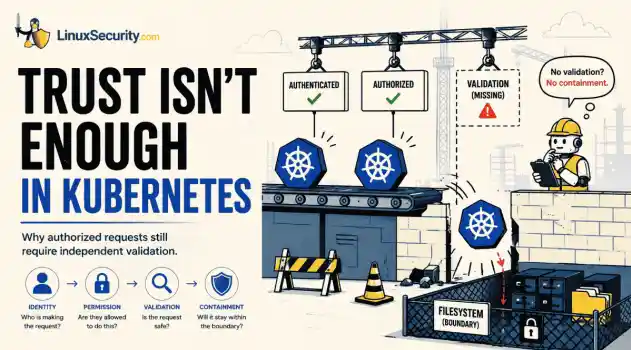
 Two newly fixed storage bugs in Kubernetes showed more than just a problem with path traversal. They found a common security flaw in the cloud: powerful parts often think that requests accepted by a higher system are safe to run. This is a simple lesson for the platform and security teams: RBAC can accept a request without showing that its parameters will stay within a certain filesystem boundary. This is clear from a new study from SentinelLabs into flaws in the Kubernetes CSI drivers for NFS...
Jul 24, 2026
 security advisory update
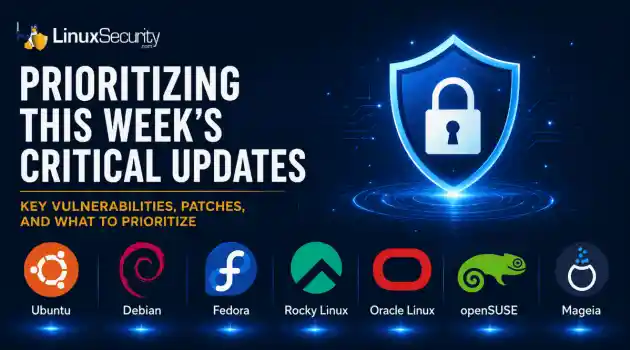
 A large volume of Linux security updates and advisories this week across major distributions once again, but it wasn't just the volume that was the story. Where maintainers and security teams focused their attention was evident in the concentration of fixes targeting Linux kernel updates, identity services, DNS infrastructure, and internet-facing software. . Instead of looking at each advisory in isolation, administrators gain more value from the general trends they reveal about Linux security...
Jul 23, 2026
 identity management security tactics
 For years, we secured our Linux infrastructure by building walls: VPCs, security groups, and hardened SSH configurations. We treated the cloud like a virtual data center, assuming that if we kept the "bad guys" out of the network, our workloads were safe. . That model is no longer sufficient. Today, one of the most common paths from an initial compromise to a major cloud breach is the identity assigned to your Linux workload. When an attacker gains code execution on a Linux instance—through a...
Jul 17, 2026
 security practices patch management
 Most of us don't hear about a kernel vulnerability until a CVE lands in our inbox or the vulnerability scanner starts complaining. By then, the patch isn't new anymore. Kernel developers may have been passing it around for review, arguing over the implementation, or revising it for days before anyone outside that community noticed it. None of those discussions are secret. They're sitting in mailing list archives, Git commits, and patch reviews where they've been the whole time. The strange...
Jul 14, 2026
 Refine features
X Clear Filters
Get the latest News and Insights
Get the latest Linux and open source security news straight to your inbox.
Community Poll
Are host-based firewalls still worth using?
Loading...
Explore Latest Linux Security features
We found -3 articles for you...
102
 open source toolssecurity toolsLinux tools
Top Linux Malware Scanners for Detection and System Hardening
In this blog, we will break down the most relevant examples, so you’ll see exactly what kinds of attacks are active today and why scanning tools are necessary to catch them before they cause damage. . What Types of Malware Do Users and System Administrators Face Today? Linux isn’t immune to attacks, which is why a linux malware scanner is important. The number of linux malware families has grown in recent years. Admins deal with trojans, ransomware, worms, botnets, keyloggers, and rootkits. In some cases, zero-day exploits give attackers a way in before patches are available. Cryptojacking This attack mines cryptocurrency with stolen CPU cycles. On Linux, it often runs quietly on servers or cloud instances where usage spikes can go unnoticed. Certain cryptojacking malware goes as far as killing competing processes to maximize resource usage, a tactic that also makes detection harder — unless a linux malware scanner is in place to catch unusual patterns before they spiral. Newer approaches also use browser-based mining techniques, such as WebAssembly, so even client machines can be pulled into the operation. Xbash Xbash was first reported in 2018. Written in Python, it blended ransomware, cryptomining, and botnet features in one package. While it isn’t dominating headlines in 2025, it remains a reference point for how linux malware evolves. Its design showed early on that attackers would merge multiple techniques to maximize impact, a trend that continues in more recent campaigns and underscores why relying on a linux malware scanner is critical for visibility. XorDDoS XorDDoS is still one of the most active linux malware families. It began by brute-forcing SSH on servers, but newer builds don’t stop there. They hit Docker containers and cloud workloads, adapting to whatever environment gives them reach. Campaigns also rely on fallback servers to keep command-and-control alive, even when some nodes are blocked. The result is a botnet that’s harder to shake off and moreflexible than it was a few years ago — making a dependable linux malware scanner one of the few tools that can reliably spot its activity. The takeaway: Linux malware keeps evolving, and it becomes clearer when you look at how secure Linux is . Attackers usually succeed because of misconfigurations, not the OS. Regular linux malware analysis and consistent use of a trusted linux malware scanner are essential to detect issues early and prevent serious damage. Emerging Linux Threats in 2025 Older malware families are still active, but new names are appearing too. In mid-2025, researchers reported Plague, a malicious PAM module that hides inside authentication and gives attackers a quiet, persistent way back in. Around the same time, PXA Stealer showed up — an infostealer aimed at Linux that goes after browser data, saved passwords, and other sensitive information. XorDDoS hasn’t gone away either. What started as brute-force SSH attacks has stretched into Docker containers and cloud systems. Recent campaigns also rely on fallback servers to keep command-and-control alive even if parts of the network are taken down. Taken together, these examples show how linux malware is no longer just about rootkits or cryptominers. It’s moving toward stealthier, data-driven attacks — and catching them early means relying on a trusted linux malware scanner. The pace of rising malware threats to Linux makes a strong linux malware scanner more critical than ever. What If There's Malware? Choosing the Right Linux Malware Scanner If malware is found or suspected, running a linux malware scanner is the first step. The tools below can help audit your system and uncover traces of compromise. Lynis: Beyond a Linux Malware Scanner Lynis is an open-source auditing tool for UNIX-based systems. While not a dedicated linux malware scanner, it runs a deep security scan, testing defenses and pointing out areas for hardening. Many administrators take it a step further by setting Lynis to run automaticallyon a schedule — a process covered in our guide to automating audits with Lynis . The tool reviews system details, installed packages, and configuration issues. It also checks for weak user accounts, wrong file permissions, firewall settings, and other risks. Key uses: Security auditing – thorough checks with clear recommendations. Compliance testing – verifies systems against security standards. System hardening – practical steps to strengthen defenses. Vulnerability detection – highlights weak points that linux malware could exploit. We demonstrated a full example of this process in our article on performing Linux security audits with Lynis , where common findings and fixes are explained. Lynis works methodically, covering everything from accounts to software to firewall rules. Its reports make it a reliable linux malware scanner for administrators who want a clear view of their system’s security. To see what a full audit report looks like in practice, we broke down each stage in our guide to auditing Linux systems with Lynis . How to install via terminal: root@sage:~# dnf install lynis Note: While the basic setup is simple, there are additional audit modes and options worth knowing. Our Lynis Linux security audit tool guide walks through those details for admins who want full control over the process. How to check Lynis Commands: root@sage:~# lynis -h | grep " " This should output: [ Lynis 3.1.5 ] Lynis comes with ABSOLUTELY NO WARRANTY. This is free software, and you are welcome to redistribute it under the terms of the GNU General Public License. See the LICENSE file for details about using this software. 2007-2025, CISOfy - https://cisofy.com/lynis/ Enterprise support available (compliance, plugins, interface and tools) [+] Initializing program Usage: lynis command [options] Command: audit audit system : Perform local security scan audit system remote : Remotesecurity scan audit dockerfile : Analyze Dockerfile show show : Show all commands show version : Show Lynis version show help : Show help update update info : Show update details Options: Alternative system audit modes --forensics : Perform forensics on a running or mounted system --pentest : Non-privileged, show points of interest for pentesting Layout options --no-colors : Don't use colors in output --quiet (-q) : No output --reverse-colors : Optimize color display for light backgrounds --reverse-colours : Optimize colour display for light backgrounds Misc options --debug : Debug logging to screen --no-log : Don't create a log file --profile : Scan the system with the given profile file --view-manpage (--man) : View man page --verbose : Show more details on screen --version (-V) : Display version number and quit --wait : Wait between a set of tests --slow-warning : Threshold for slow test warning in seconds (default 10) Enterprise options --plugindir : Define path of available plugins --upload : Upload data to central node More options available. Run '/usr/bin/lynis show options', or use the man page. Lynis Audit Command: root@sage:~# lynis audit system This should output: [ Lynis 3.1.5 ] ################################################################################ Lynis comes with ABSOLUTELY NO WARRANTY. This is free software, and you are welcome to redistribute it under the terms of the GNU General Public License. See the LICENSE file for details about using this software. 2007-2025,CISOfy - https://cisofy.com/lynis/ Enterprise support available (compliance, plugins, interface and tools) ################################################################################ [+] Initializing program ------------------------------------ - Detecting OS... [ DONE ] - Checking profiles... [ DONE ] --------------------------------------------------- Program version: 3.1.5 Operating system: Linux Operating system name: Fedora Linux Operating system version: 42 Kernel version: 6.16.7 Hardware platform: x86_64 Hostname: sage --------------------------------------------------- Profiles: /etc/lynis/default.prf Log file: /var/log/lynis.log Report file: /var/log/lynis-report.dat Report version: 1.0 Plugin directory: /usr/share/lynis/plugins --------------------------------------------------- Auditor: [Not Specified] Language: en Test category: all Test group: all --------------------------------------------------- - Program update status... [ NO UPDATE ] [+] System tools ------------------------------------ - Scanning available tools... - Checking system binaries... [+] Plugins (phase 1) ------------------------------------ Note: plugins have more extensive tests and may take several minutes to complete - Plugins enabled [ NONE ] [+] Boot and services ------------------------------------ - Service Manager [ systemd ] - Checking UEFI boot [ ENABLED ] - Checking Secure Boot [ DISABLED ] - Checking presence GRUB2 [ FOUND ] - Checking for password protection [ OK ] - Checkrunning services (systemctl) [ DONE ] Running the lynis audit system creates two files: lynis.log and lynis-report.dat. On distributions like Ubuntu and Rocky Linux, some of the commands and paths differ — something we explained in our guide to running a Lynis security audit . The log is a record of each test the audit runs and the outcome it reports. The report is more focused, pulling out the issues it detects, listing possible vulnerabilities, and offering suggestions to harden the system. Below is an example of a lynis-report.dat file: report_version_major=1 report_version_minor=0 report_datetime_start=2025-09-22 19:34:08 auditor=[Not Specified] lynis_version=3.1.5 os=Linux os_name=Fedora Linux os_fullname=Fedora Linux 42 (Adams) os_version=42 linux_version=Fedora os_kernel_version=6.16.7 os_kernel_version_full=6.16.7-200.fc42.x86_64 hostname=sage test_category=all test_group=all plugin_directory=/usr/share/lynis/plugins lynis_update_available=0 binaries_count=4350 binaries_suid_count=/usr/bin/at /usr/bin/atq /usr/bin/atrm /usr/bin/chage /usr/bin/chfn /usr/bin/chsh /usr/bin/crontab /usr/bin/fusermount /usr/bin/fusermount-glusterfs /usr/bin/fusermount3 /usr/bin/gpasswd /usr/bin/grub2-set-bootflag /usr/bin/mount /usr/bin/mount.nfs /usr/bin/mount.nfs4 /usr/bin/newgrp /usr/bin/pam_timestamp_check /usr/bin/passwd /usr/bin/pkexec /usr/bin/sg /usr/bin/staprun /usr/bin/su /usr/bin/sudo /usr/bin/sudoedit /usr/bin/umount /usr/bin/umount.nfs /usr/bin/umount.nfs4 /usr/bin/unix_chkpwd /usr/bin/userhelper /usr/bin/vmware-user /usr/bin/vmware-user-suid-wrapper /usr/sbin/grub2-set-bootflag /usr/sbin/mount.nfs /usr/sbin/mount.nfs4 /usr/sbin/pam_timestamp_check /usr/sbin/umount.nfs /usr/sbin/umount.nfs4 /usr/sbin/unix_chkpwd /usr/sbin/userhelper binaries_sgid_count=/usr/bin/locate /usr/bin/lockdev /usr/bin/plocate /usr/bin/screen/usr/sbin/lockdev binary_paths=/var/lib/snapd/snap/bin,/usr/bin,/usr/sbin,/usr/local/bin,/usr/lib64/ccache vm=2 container=0 systemd=1 plugins_enabled=0 hostid=95d4692a387be7f441ca6e1213a446e9ae6e0bde hostid2=0936e5cd8a0702ef829eaf6c24e715cfb0b335c6a96c0ec19fe69c00c59ecbe5 running_service_tool=systemctl running_service[]=abrt-journal-core running_service[]=abrt-oops running_service[]=abrt-xorg running_service[]=abrtd running_service[]=accounts-daemon running_service[]=alsa-state running_service[]=atd running_service[]=auditd running_service[]=avahi-daemon running_service[]=bluetooth running_service[]=chronyd Chkrootkit Rootkits are hard to detect and often give attackers hidden access to a system. Chkrootkit is a lightweight script that scans binaries for tampered commands and known signatures. It’s still useful, but since it depends on a fixed signature set, it can miss newer or more advanced threats. Some administrators address this gap by pairing Chkrootkit with AIDE, a file integrity monitor that spots unexpected changes in system files. How Does Chkrootkit Protect You from Rootkits? Detection: It scans system binaries for signs of rootkits, checking for tampered commands and known malicious signatures. Simplicity: Chkrootkit’s use of basic commands makes it accessible for beginners, reducing the learning curve typically associated with security tools. This tool is precious for its targeted approach, focusing on one of the most elusive types of malware. Pairing it with integrating AIDE with Chkrootkit extends its coverage to file integrity monitoring as well. How to install via terminal: root@sage:~# dnf install chkrootkit How to check Chkrootkit Commands: root@sage:~# chkrootkit -h Usage: /usr/lib64/chkrootkit-0.58/chkrootkit [options] [test ...] Options: -h show this help and exit -V show version information and exit -l show available tests and exit -d debug -q quiet mode -x expert mode -r dir use dir as the root directory -p dir1:dir2:dirN path for the external commands used by chkrootkit -n skip NFS mount points -T fstype skip mount points of the supplied file system type Chkrootkit Running: root@sage:~# chkrootkit ROOTDIR is `/' Checking `amd'... not tested Checking `basename'... not infected Checking `biff'... not found Checking `chfn'... not infected Checking `crond'... not infected ... Chkrootkit with Grep: root@sage:~# chkrootkit | grep -E "INFECTED|not infected|not tested|nothing found|Vulnerable" ROOTDIR is `/' Checking `amd'... not tested Checking `basename'... not infected Checking `biff'... not found Checking `chfn'... not infected Checking `crond'... not infected ... These are the messages Chkrootkit prints during its tests: INFECTED – the command was likely modified by a known rootkit. not infected – no known rootkit signature was found. not tested – the test wasn’t run, often because the command isn’t available. nothing found – the command to be checked doesn’t exist on the system. Vulnerable but disabled – the command is infected but not active (not running or disabled in inetd.conf ). Chkrootkit in Expert mode: root@sage:~# chkrootkit -x Searching for suspicious strings in binaries... /usr/bin/awk: not infected /usr/bin/ls: not infected /usr/sbin/sshd: not infected ... Chkrootkit in Expert mode with Grep: root@sage:~# chkrootkit -x | egrep '^/' /usr/bin/awk: not infected /usr/bin/ls: not infected /usr/sbin/sshd: not infected ... The parameters in chkrootkit -x | egrep '^/' run Chkrootkit in expert mode. This tells it to include pathname strings in system commands, which can reveal suspicious patterns in the binaries. Since Chkrootkit relies on a fixed signature set, this option gives it a bit more reach. Rootkits are still a real problem. They letattackers hide access through weak spots or misconfigurations, making effective Linux rootkit detection and prevention critical for long-term security. Chkrootkit isn’t perfect, but used with a linux malware scanner, it can flag signs of compromise and point you toward cleanup. Linux Malware Detect (LMD): A Dedicated Linux Malware Scanner Linux Malware Detect is a free, open-source linux malware scanner. It pulls in threat data from intrusion detection systems and uses that to build signatures, so it’s aimed at catching malware that’s actually active in the wild. Why consider LMD? Active monitoring –the signatures are updated often, so this linux malware scanner doesn’t fall behind on new threats. Broad coverage – it can scan for many kinds of linux malware, which makes it useful as a general tool. For admins who want something simple but effective, LMD is a solid option. It keeps up with the threat landscape without adding much overhead. How to install via terminal: root@sage:~# wget http://www.rfxn.com/downloads/maldetect-current.tar.gz HSTS in effect for www.rfxn.com:80 Saving 'maldetect-current.tar.gz' HTTP response 200 [https://www.rfxn.com/downloads/maldetect-current.tar.gz] maldetect-current.ta 100% [=========================================================> ] 1.58M --.-KB/s [Files: 1 Bytes: 1.58M [6.65MB/s] Redirects: 0 Todo: 0 E] Linux Malware Detect has to be downloaded from the R-fx Networks – Linux Software & Blog website. We use the command wget rfxn to get the download and save it in our current working directory. How to extract the download (LMD): root@sage:~# tar -zxvf maldetect-current.tar.gz maldetect-1.6.6/ maldetect-1.6.6/files/ maldetect-1.6.6/install.sh maldetect-1.6.6/README maldetect-1.6.6/LICENSE maldetect-1.6.6/CHANGELOG maldetect-1.6.6/conf.maldet ... root@sage:~# cd maldetect-1.6.6 We use the tar -zxvf maldetect-current.tar.gz command to extract the tar file.After extraction, you’ll see a new folder, usually named maldetect-1.6.6. After extraction, you’ll see a new folder, usually named something like maldetect-1.6.6 (the current release as of 2025). The version number may be different if a newer release is available, so adjust the command to match what you see with cd maldetect-1.6.6. Run the Install Script: root@sage:~/maldetect-1.6.6# ./install.sh ./install.sh sh /path/to/install.sh Doing this should output: Created symlink '/etc/systemd/system/multi-user.target.wants/maldet.service' → '/usr/lib/systemd/system/maldet.service'. Linux Malware Detect v1.6.6 (C) 2002-2023, R-fx Networks ; (C) 2023, Ryan MacDonald ; This program may be freely redistributed under the terms of the GNU GPL installation completed to /usr/local/maldetect config file: /usr/local/maldetect/conf.maldet exec file: /usr/local/maldetect/maldet exec link: /usr/local/sbin/maldet exec link: /usr/local/sbin/lmd cron.daily: /etc/cron.daily/maldet maldet(1533069): {sigup} performing signature update check... maldet(1533069): {sigup} local signature set is version 20250225482944 maldet(1533069): {sigup} new signature set 202509223097979 available maldet(1533069): {sigup} downloading https://cdn.rfxn.com/downloads/maldet-sigpack.tgz maldet(1533069): {sigup} downloading https://cdn.rfxn.com/downloads/maldet-cleanv2.tgz maldet(1533069): {sigup} verified md5sum of maldet-sigpack.tgz maldet(1533069): {sigup} unpacked and installed maldet-sigpack.tgz maldet(1533069): {sigup} verified md5sum of maldet-clean.tgz maldet(1533069): {sigup} unpacked and installed maldet-clean.tgz maldet(1533069): {sigup} signature set update completed maldet(1533069): {sigup} 17638 signatures (14801 MD5 | 2054 HEX | 783 YARA | 0 USER) After installation, let’s edit the configuration file: root@sage:~# vi /usr/local/maldetect/conf.maldet Using the vi /usr/local/maldetect/conf.maldet command, we can update the configuration file of maldet toedit some settings. Email Alerts: email_alert="1" email_addr="
 Sep 24, 2025
•
Sep 24, 2025
•
218
 network securityLinux systemscybersecurity research
Comprehending Malware Risks on Linux and Strategies for Protection
If you’ve been keeping up with the latest IT security news, you may have noticed the increase in the number of attacks on network security within Linux systems. Cloud Snooper, EvilGnome, HiddenWasp, QNAPCrypt, GonnaCry, FBOT, and Tycoon have become prime malware variants to be aware of as a Linux admin. . Linux is considered a highly secure operating system , but Linux users are no longer immune to malware, ransomware and other pervasive security threats. In this article, we aim to put these recent Linux attacks into perspective, provide some background on Linux malware, and shed some light on other concerns users might have. The Modern Linux Threat Landscape in a Nutshell Despite the heralded safety landscape on Linux operating systems, network security threats, including malware and viruses, have grown to be serious concerns for Linux users. Attacks in network security have targeted Linux, as threat actors hope to obtain a Return on Investment when accessing such systems. The evolution of malware research in recent years has offered superior visibility into exploits in cyber security that threaten Linux servers. A vulnerable server of any sort is an open door for data and credential theft, DDoS attacks, cryptocurrency mining, and web traffic redirection. Most significantly, it can be used to host malicious Command and Control (C&C) servers. Just over a year ago, bringing to conclusion a collaborative three-year effort, security researchers identified various OpenSSH backdoors, including the notorious Linux/Ebury backdoor, which could be used to compromise servers with dangerous malware. Simultaneously, ESET researchers exposed 21 Linux-based malware families , 12 of which were previously undocumented. In a sense, these findings confirmed an evolving, increasingly dangerous array of data and network security threats, putting Linux users and their systems at risk. A Brief History of Linux Malware The increasing prevalence of Linux malware in recent years arguably creates theillusion of a new network security threat targeting Linux systems; unfortunately, though, Linux malware has been around for quite some time. The first piece of Linux malware, dubbed Stoag, was identified in 1996. Staog was a basic virus that attempted to gain root access by attaching itself to running executables, but it did not spread very successfully and was rapidly patched. Stoag made its claim to fame as the first piece of Linux malware, but Bliss, recognized in 1997, was the first Linux malware variant to grab headlines. Similar to Stoag, Bliss was a fairly mild infection that attempted to grab permissions via compromised executables, but it could be deactivated with a simple shell switch, fortunately. Guardian Digital CEO and LinuxSecurity.com founder Dave Wreski commented on the evolution of Linux malware, “Over the years, malware targeting Linux systems has become both more sophisticated and more common; however, up until fairly recently, Linux malware was still relatively scarce and primitive compared to the variants that threatened proprietary operating systems. As of 2018, there had not yet been a single widespread Linux malware attack or virus comparable to those that frequently target Microsoft Windows - which can be attributed to a lack of root access and rapid updates to the majority of Linux vulnerabilities.” Unfortunately for Linux users, the era of complete data and network security has ended, as the Linux threat landscape has remodeled to become significantly more complex and dangerous to users. Why Is Linux Malware A Growing Concern for Administrators? Much to the dismay of Linux system administrators and users, recent years have been plagued with emerging malware campaigns targeting Linux servers. These attacks in network security demonstrated new and dangerous tactics for spreading, allowing such cloud security breaches to remain undetected prior to compromising servers. Let’s go over the main Linux malware strains that have popularized in the past couple of years. CloudSnooper CloudSnooper uses a unique combination of sophisticated techniques to sneak into Linux and Windows servers so the malware can communicate freely with command and control servers through firewalls. CloudSnooper enables threat actors to work through servers “from the inside out” and is the first example of an attack formula that combines a bypassing technique with a multi-platform payload, targeting both Windows and Linux systems. While each individual element of CloudSnooper’s Tactics, Techniques, and Procedures (TTPs) has been observed previously, these aspects have not been utilized in combination until now. Experts in cyber security trends predict that this package of TTPs will be used as blueprints for dangerous new firewall attacks that could put data and network security in the line of fire. In sophisticated exploits in cyber security utilizing CloudSnooper, hackers pawned Amazon Web Services (AWS) servers and set up a rootkit, which enabled the cybercriminals to remotely control servers. Once they did this, the threat actors funneled sensitive data from compromised Windows and Linux machines to Command and Control (C2) servers. Security researcher Willem Mouton describes the attack: “From a technical perspective, it is a thing of beauty, as well as the fact that they made it cross-platform.” EvilGnome Discovered in July 2019, EvilGnome disguises itself as a Gnome shell extension so it can remain undetected by security software while spying on desktop users. EvilGnome is delivered via a self-extractable archive created using the make self shell script, and the infection is automated with the help of an autorun argument left in the headers of the self-executable payload. When downloaded on a Linux system, the malware is capable of stealing files, taking desktop screenshots, and capturing audio recordings from the user’s microphone so they can be downloaded and utilized in other modules. EvilGnome attacks have been linked to the Gamaredon Group, a Russian AdvancedPersistent Threat (APT) group notorious for developing custom malware variants. Both hacker groups use the same hosting provider and engage with the same C2 domains. Nothing has been confirmed regarding the connection between the groups, but Linux malware experiences have been similar between EvilGnome and Gamaredon Group. Therefore, it is highly likely that these attacks on network security come from the same source. HiddenWasp In early 2019, security researchers discovered a new strain of Linux malware created by Chinese hackers, which could be used to remotely control infected systems. Dubbed HiddenWasp, this sophisticated malware consists of a trojan, a user-mode rootkit, and an initial deployment script. HiddenWasp is deployed as a second-stage payload and is capable of running terminal commands, interacting with the local filesystem, and more. HiddenWasp displays similarities to several other Linux malware families, including Azazel, ChinaZ, and Adore-ng, suggesting that some of its code may have been borrowed. Unlike common Linux malware, HiddenWasp is not focused on DDoS activity or crypto-mining. Instead, it is a trojan used solely for targeted remote control. QNAPCrypt This past summer, security researchers identified a rare instance of Linux ransomware targeting Network-Attached Storage (NAS) servers. The malware, which they named QNAPCrypt, is an ARM variant that encrypts all files; however, unlike standard ransomware, the ransom note is delivered solely as a text file without any message on the screen. Each victim is provided with a unique Bitcoin wallet, a tactic that helps conceal the identity of the attackers. Once a system is infected, the ransomware requests a wallet address and a public RSA key from the C2 before file encryption. Fortunately, this is a flaw in QNAPCrypt’s design that enables victims to temporarily block threat actors’ operations to protect further data and network security. Despite this weakness, QNAPCrypt represents the “evolution and adaptation of anattack to bypass security controls.” Unfortunately, it isn’t very common for Linux system administrators to deploy endpoint monitoring to network file servers. GonnaCry GonnaCry is an emerging Linux ransomware variant under active development in Python and C for research purposes. Lead developer Tarcisio Marinho explains the motivation behind his work: “Since the worldwide spread of the Wannacry ransomware in May 2017 affected so many countries and companies, I kept wondering: Is it really hard to mess with a company’s or a person’s life with a computer? The answer is yes, it’s possible. And ransomware is a computer virus so powerful to do so.” GonnaCry begins its work by finding the files it will encrypt. Once it has identified these, the malware starts its encryption routine and creates a desktop file that will help the decryptor access the path, key, and IV used to encrypt each file. The ransomware then frees the memory allocated by the files on the computer. GonnaCry does not rival notorious variants like WannaCry and Petya in complexity, but according to Marinho, “The basic structure is working.” FBOT FBOT is a client variant of the infamous Mirai botnet that targets Linux IoT devices. According to the “Malware Must Die!” blog, FBOT re-emerged on February 9, 2020, after a month of inactivity, offering several technical updates , including advances in its infection method and its increased propagation speed. “Malware Must Die!” reflects on the re-emergence of FBOT and the future of Linux IoT malware: “We are in an era where Linux or IoT malware is getting into better form with advantages. It is important to work together with threat intelligence and knowledge sharing to stop emerging malicious activity before it becomes a big problem for all of us later on.” Tycoon Tycoon is an emerging strain of Java-based ransomware that targets both Linux and Windows systems. This dangerous ransomware variant, which was discovered by Blackberry securityresearchers, uses a little-known file format, making it highly difficult to detect before it detonates its file-encrypting payload. The researchers who discovered Tycoon reported that this was the first time they had seen a ransomware module compiled into a Java image (JIMAGE) file format. JIMAGE files are rarely scanned by anti-malware engines, and malicious JIMAGE files stand a good chance of going undetected as a result. BlackBerry explains in a blog post , “Malware writers are constantly seeking new ways of flying under the radar. They are slowly moving away from conventional obfuscation and shifting towards uncommon programming languages and obscure data formats.” BlackBerry researchers say that they have recently observed roughly a dozen “highly targeted” Tycoon infections, and the attackers appear to carefully select their victims, favoring small- and medium-sized businesses in the software and education industries. However, as is often the case, the researchers suggest that the actual number of infections is likely much higher. Knowing the various network security threats taking control of Linux systems is vital in making sure you take care of your server to prevent cyber security vulnerabilities from being exploited. Tips & Tools for Defending Linux Servers Against Malware With attacks in network security targeting Linux servers becoming increasingly common and dangerous, defending against malware and other advanced Linux threats is more critical than ever in maintaining a secure Linux system. Here are some tips and tools to consider when securing your Linux system, all of which can mitigate cyber security vulnerabilities and provide more data and network security: Double-check all cloud configurations, as user misconfiguration and lack of visibility are the top causes of cloud security breaches. Ensure that remote access portals are properly secured. Many network-level attacks are made possible because attackers find their way in through a legitimate, insecure remoteaccess portal by impersonating a trusted source. Create a complete inventory of all devices connected to a network and update all security software used on these devices frequently. Make sure that all external-facing services are fully patched. Be aware that firewall security is not a substitute for an organization’s own cloud security measures, and security patching should be done regularly. Set special rules in your firewall to block control packets specific to Cloud Snooper. Enable multi-factor authentication on all security dashboards or control panels used internally to prevent threat actors from disabling security software in the event of an attack. Review system logs regularly. It’s rare that threat actors are able to take over servers without leaving some trace of their actions, such as log entries showing unexpected or unauthorized kernel drivers being activated. Keep in mind, however, that criminals who already have root powers can tamper with your logging configuration and the logs themselves, making it more difficult to spot malicious activity. Remember that a comprehensive, defense-in-depth approach to security is essential in protecting your system from modern, advanced exploits in cyber security. How Can I Rapidly and Accurately Identify and Eliminate Linux Malware? If malware does get downloaded on your system, being able to rapidly and accurately identify and eliminate it is critical to protecting yourself, your users, and your files. Luckily, there are various effective open-source network security toolkits that can be used to detect and remove malware on your system: Linux Malware Detect: Linux Malware Detect is a malware cloud security scanner that can be used to detect malware in shared Linux environments. It utilizes threat data from network edge intrusion detection systems to identify and extract malware that is actively being used in attacks and generates signatures for detection. This tool also derives threat data from user submissions andcommunity resources. The Rootkit Hunter & Check Rootkit: The Rootkit Hunter (Rkhunter) and Check Rootkit ( chkrootkit ) are tools that scan local systems, identifying any potentially malicious software, such as malware and viruses that mask their existence on a system. Volatility: Volatility is an open-source memory forensics cloud security framework for incident response and malware analysis. Lynis: Lynis is a command-line application that scans a local or remote system to help an auditor identify potential network security issues. Cuckoo Sandbox: Cuckoo Sandbox is an excellent privacy sandbox for malware analysis. This tool allows you to safely execute possible malware samples, and it provides a comprehensive report on the code executed. Kali Linux: Kali Linux is a Linux distribution used for penetration testing, ethical hacking, and digital forensics. The included security penetration and management tools can be used for network discovery and other research purposes, as well as to identify potential cybersecurity vulnerabilities. Kali Linux includes many of the other network security. Malware as a Business The malware market is rapidly expanding and evolving, forcing the security industry to keep pace. The success of this market drives rapid innovation, perpetuating growth and encouraging further malicious activity. Threat actors are cr eating and utilizing increasingly agile and sophisticated malware strains in their attacks on network security, challenging engineers to build stronger defenses against them. Traditional antivirus software is no longer effective in detecting and combating advanced, modern exploits in cyber security. Protecting against today’s sophisticated malware threats requires a comprehensive, defense-in-depth approach to digital security. According to Verizon, 92.4 percent of malware is delivered via email . Thus, an effective email security strategy is imperative in preventing dangerous and costly infections. Malware is a seriousnetwork security threat to all businesses, as an infection can result in significant downtime, recovery costs, and reputation damage. Small businesses face a heightened risk because they often lack the resources and funding necessary to support a full-time IT department. Guardian Digital EnGarde Cloud Email Security provides fully managed, multi-layered email protection against malware, phishing, and other persistent email-borne network security threats. Through a transparent, collaborative, open-source approach to software development, Guardian Digital is able to access and provide resources and tools from an innovative global community in a way that no other vendor can. This approach, combined with decades of industry experience and engineering expertise, enables Guardian Digital to offer flexible enterprise-grade solutions to businesses of all sizes at competitive prices. Key benefits of EnGarde’s protection include: Advanced real-time defenses against social engineering and impersonation attacks Email encryption and sender authentication protocols detect fake “From” addresses and block them automatically Neutralizes network security threats associated with malicious attachments and links A scalable cloud-based system simplifies deployment and increases availability Tighter data and network security, adaptive implementation, and eliminated risk of vendor lock-in through the use of a community-powered open-source approach to software development Professional engineering services, as Guardian Digital expert engineers take the time to learn about each client’s key assets, operations, and specific needs Passionate, knowledgeable, around-the-clock customer support services Our Final Thoughts on Protecting Against Linux Malware Despite the growing number of data and network security threats targeting Linux systems, there is still solid evidence that Linux is secure by design. There is a vibrant worldwide community that provides strong arguments and seeksto improve security posture by scrutinizing all resources introduced, allowing companies to have more transparency with their open-source code once it is accessible to all operating systems intended. Because of the workers constantly reviewing the source code in Linux kernels, cyber security vulnerabilities are identified and remedied faster than flaws that exist in the opaque source code of proprietary operating systems like Microsoft Windows. Threat actors recognize and exploit such weaknesses, directing the majority of their attacks at proprietary software, platforms, and operating systems. According to ESET security researchers, the Operation Windigo botnet, which uses Cdorked web servers to compromise Apache and more, has been detected in 26,000 infections since May 2013. The infamous ZeroAccess Windows-based botnet had infected nearly two million Windows PCs before it was taken down in December 2013. The digital threat landscape is rapidly evolving to become more advanced and dangerous. While the majority of attacks in network security still victimize proprietary operating systems, threat actors are experimenting with newer targets like Linux. Linux users should undoubtedly be aware of the growing risk that their systems face and recognize that as this new decade unfolds, prioritizing system data and network security and maintenance is more critical than ever. In many cases, malware attacks can be attributed to administration issues and cyber security vulnerabilities in individual accounts instead of to poor operations. Guardian Digital CEO Dave Wreski states, “Although it may be easy to blame the rise in Linux malware in recent years on security vulnerabilities in the operating system as a whole, this is unfair and largely untrue. The majority of malware exploits on Linux systems can be attributed to misconfigured servers.” On a broader scale, the rise of Linux malware should serve as a wake-up call for the security industry to allocate more resources to detect these networksecurity threats. As Linux malware continues to become more complex, even more common malware will target Linux frequently and still fly under the radar. . Linux is considered a highly secure operating system, but Linux users are no longer immune to malwar. you’ve, keeping, latest, security, noticed, increase. . Brittany Day
Mar 19, 2025
•


Get the latest News and Insights
Get the latest Linux and open source security news straight to your inbox.
Community Poll
Are host-based firewalls still worth using?
Search Topics
Powered By

Linux Security - Your source for Top Linux News, Advisories, HOWTOs and Feature Releases
QUICK LINKS
subscribe to newsletters!
Like staying secure? So do we.
Sign up for updates, tips, and alerts!