Audit Linux privileges now to limit compromise, escalation, and system-wide damage. Review Linux Privileges×


Stay Ahead With Linux Security Features

 security advisory update
 A large volume of Linux security updates and advisories this week across major distributions once again, but it wasn't just the volume that was the story. Where maintainers and security teams focused their attention was evident in the concentration of fixes targeting Linux kernel updates, identity services, DNS infrastructure, and internet-facing software. . Instead of looking at each advisory in isolation, administrators gain more value from the general trends they reveal about Linux security...
 Jul 23, 2026
 identity management security tactics
 For years, we secured our Linux infrastructure by building walls: VPCs, security groups, and hardened SSH configurations. We treated the cloud like a virtual data center, assuming that if we kept the "bad guys" out of the network, our workloads were safe. . That model is no longer sufficient. Today, one of the most common paths from an initial compromise to a major cloud breach is the identity assigned to your Linux workload. When an attacker gains code execution on a Linux instance—through a...
Jul 17, 2026
 security practices patch management
 Most of us don't hear about a kernel vulnerability until a CVE lands in our inbox or the vulnerability scanner starts complaining. By then, the patch isn't new anymore. Kernel developers may have been passing it around for review, arguing over the implementation, or revising it for days before anyone outside that community noticed it. None of those discussions are secret. They're sitting in mailing list archives, Git commits, and patch reviews where they've been the whole time. The strange...
Jul 14, 2026
 Linux security cyber attacks
 Every Linux server in your fleet produces thousands of events every minute. From journald logs and auditd records to kernel-level eBPF hooks, your systems are constantly talking. Most of that noise is just the mundane churn of system services, CI/CD runners, or routine administrative automation. But among that noise, an attacker might be establishing a foothold, moving laterally, or setting up persistence. The challenge for any security team is: how do you separate the routine from the...
Jul 13, 2026
 open-source infrastructure risk
 Security scanners flag exposed API keys in public repositories every day. The initial response is usually predictable: delete the commit, revoke the credential, and move on. That’s a mistake. . In a real Linux environment, an API key never stays in one place. By the time it hits a public repo, it’s already everywhere. It’s in the CI/CD pipeline. It’s in your container registry. It’s in the build logs. It’s in the backups. Git makes this worse because the history never dies. Deleting a file in...
Jul 11, 2026
 Refine features
X Clear Filters
Get the latest News and Insights
Get the latest Linux and open source security news straight to your inbox.
Community Poll
Should Linux servers automatically install security updates?
Loading...
Explore Latest Linux Security features
We found 9 articles for you...
102
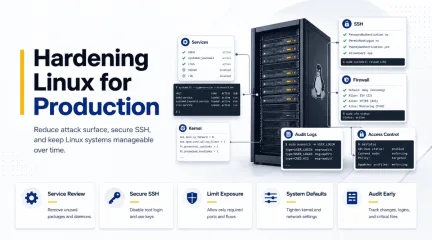 hardeningsecurity best practicesLinux server
Linux Server Hardening Guide for Secure System Management
Linux server hardening is mostly about reducing unnecessary exposure while keeping systems stable enough to manage in production. That sounds straightforward until servers start accumulating changes over time. New services get deployed, firewall rules expand, SSH access grows, monitoring tools are added, and temporary operational fixes slowly become permanent parts of the environment. . Most security issues in Linux environments do not come from one catastrophic misconfiguration. They usually appear through drift. Systems become harder to fully understand after months of updates, integrations, administrative changes, and forgotten services continuing to run in the background. This guide walks through a practical approach to Linux server hardening for beginners. We will focus on reducing attack surface, securing remote access, tightening system defaults, improving visibility, and building operational habits that keep servers manageable long after deployment. Why Linux Servers Become Less Secure Over Time Linux servers rarely become insecure because of a single catastrophic mistake. In most environments, security weakens gradually as systems accumulate services, firewall exceptions, SSH keys, monitoring agents, and temporary access rules that are never fully cleaned up. Over time, administrators may lose visibility into: which services are still necessary, which ports should remain exposed, which accounts still require access, and which integrations are still active. This operational drift increases the attack surface and makes systems harder to manage securely. Linux server hardening helps reduce that exposure by: removing unnecessary services, restricting network access, tightening administrative controls, improving logging and auditing, and standardizing secure system defaults. The goal is not to make Linux harder to operate. The goal is to reduce unnecessary exposure while keeping systems stable and manageable in production. Start With theServices and Software You Actually Need Most Linux distributions are built for compatibility first, not minimal exposure. A default installation frequently includes packages and background services that never serve any real purpose once the server moves into production. Before changing firewall policies or tightening kernel behavior, it helps to understand what the machine is already running today instead of assuming the environment still resembles the original deployment. We can start by reviewing active services: systemctl list-units --type=service --state=running Then inspect which ports are actively listening on the network: ss -tulpen This step matters because hardening decisions should always match the actual role of the system. A database server, internal utility host, and public web server all carry different operational requirements, and applying identical restrictions everywhere usually creates unnecessary problems later. In many environments, reducing the attack surface starts with removing software that quietly stopped serving a purpose months ago. Legacy services like Telnet , FTP , discovery protocols, or printing systems often remain installed simply because nobody revisited them after the initial deployment work was finished. For example: sudo systemctl disable --now cups sudo systemctl disable --now avahi-daemon The same logic applies to package management and patching. Systems need to stay current because attackers routinely target vulnerabilities that already have publicly available fixes, sometimes within days of disclosure, depending on how widely exposed the service is. On Ubuntu systems: sudo apt update && sudo apt upgrade -y On RHEL-based systems: sudo dnf update -y Keeping systems updated sounds basic, but it remains one of the most important parts of maintaining a hardened environment over time. Hardening is not only about strict configuration changes. A large part of the work comes down to reducing the amount of knownvulnerable software still running on the machine in the first place. Secure SSH Before Tightening Anything Else For most Linux servers, SSH remains the primary administrative access point. That alone makes it one of the first areas worth reviewing carefully during any hardening effort. Many default SSH configurations prioritize accessibility over restriction. Password authentication may still be enabled, root login might remain allowed, and unused forwarding features frequently stay active even though nobody actually relies on them operationally. Before making changes, it helps to back up the current configuration first: sudo cp /etc/ssh/sshd_config /etc/ssh/sshd_config.backup One of the most common hardening adjustments is disabling direct root login: PermitRootLogin no This forces administrators to authenticate with individual accounts before elevating privileges through sudo , which matters operationally because actions can now be tied back to specific users instead of disappearing into a shared root session that nobody can properly attribute later. Password authentication is also commonly disabled once SSH keys have been deployed correctly: PasswordAuthentication no PubkeyAuthentication yes Additional restrictions often include reducing authentication attempts, limiting idle sessions, and disabling forwarding features that are unnecessary in most environments: MaxAuthTries 3 ClientAliveInterval 300 AllowTcpForwarding no X11Forwarding no After modifying SSH configuration, the syntax should always be validated before restarting the service: sudo sshd -t That habit saves administrators from one of the fastest ways to lose access to a remote Linux system entirely. A small configuration mistake inside sshd_config can break authentication immediately, especially when multiple access methods are being changed at the same time. Production environments should also maintain some form of console or out-of-band access before major SSH changes happen.Even experienced administrators eventually lock themselves out of a system by accident, particularly during authentication or firewall work where small errors have immediate consequences. Reduce Network Exposure Carefully One of the easiest mistakes during Linux hardening is enabling restrictive firewall policies before understanding how the server is actually being used across the environment. Production systems often have old integrations, monitoring platforms, backup tooling, internal services, or management systems communicating across ports that administrators forgot were exposed months earlier. Everything may look quiet until a firewall rule suddenly interrupts some dependency nobody documented properly. Before changing firewall behavior, it helps to inspect active listeners again: ss -tlnp That output provides a clearer view of which services remain reachable across the network and whether they still need to exist at all. In many environments, reducing exposure starts by removing unnecessary listeners before introducing stricter filtering policies. Once administrators understand which services are truly required, moving toward a deny-by-default firewall posture becomes a much safer and far less disruptive operationally. On Ubuntu systems using UFW : sudo ufw default deny incoming sudo ufw default allow outgoing sudo ufw allow 22/tcp sudo ufw enable On RHEL-based systems using firewalld : sudo firewall-cmd --permanent --add-service=ssh sudo firewall-cmd --reload One detail beginners regularly overlook is that SSH access should always be permitted before restrictive firewall rules are enabled. Existing sessions may stay alive temporarily, but new SSH connections can fail immediately if port 22 was never allowed through the firewall policy. That is also why production hardening work is usually scheduled during maintenance windows instead of happening casually throughout the day. A small firewall mistake can interrupt access faster than most administratorsexpect, particularly on systems supporting multiple internal dependencies at once. Harden the Kernel and System Defaults Linux kernel defaults are generally designed for broad compatibility across many environments. Hardening often involves tightening some of those defaults to reduce risky networking behavior and improve baseline protections. Most of these changes are managed through sysctl . A common approach is to create a dedicated hardening configuration under /etc/sysctl.d/ : sudo nano /etc/sysctl.d/99-hardening.conf The settings frequently focus on reducing spoofing risks, disabling unnecessary redirects, and improving memory protections within the kernel itself: net.ipv4.conf.all.accept_redirects = 0 net.ipv4.conf.default.accept_redirects = 0 net.ipv4.tcp_syncookies = 1 kernel.randomize_va_space = 2 Once changes are added, they can be applied with: sudo sysctl --system Kernel hardening improves baseline security, though it still needs to be approached carefully in production environments. Certain VPN deployments, routing configurations, or networking setups may rely on behaviors that stricter sysctl policies accidentally interfere with once they are applied broadly. That is one reason experienced administrators usually implement kernel hardening incrementally instead of dropping dozens of settings onto a production server all at once. Security improvements matter, but stability still matters too, especially when the systems involved support business-critical workloads. Logging and Auditing Should Happen Early A hardened server without meaningful logging is still difficult to trust operationally. We may have reduced exposure, tightened SSH access, and restricted open ports, but without visibility, there is still no reliable way to understand what changes are happening on the system or who made them. This becomes more important as environments grow. Linux servers rarely stay unchanged for very long. New users get added, firewall rules evolve, servicesmove around, and temporary troubleshooting changes sometimes survive far longer than anyone originally intended. Most Linux systems already provide baseline logging through journald or rsyslog , though audit logging is where hardening starts becoming significantly more useful from an operational perspective. Tools like auditd allow administrators to monitor authentication activity, privilege escalation attempts, and modifications to sensitive configuration files. On Ubuntu systems: sudo apt install auditd audispd-plugins On RHEL-based systems: sudo dnf install audit Once enabled, audit rules can monitor changes to files such as /etc/passwd , /etc/shadow , and SSH configuration files. That is one reason audit logging appears so consistently throughout CIS benchmark guidance and other hardening frameworks used in enterprise environments. The value is not only prevention. It is accountability and visibility after changes occur, especially when multiple administrators or automation systems interact with the same infrastructure over long periods of time. In larger environments, logs are often forwarded off the server entirely because attackers frequently attempt to remove evidence once they gain access to a machine. Remote logging helps preserve visibility even if the local host itself can no longer be trusted after compromise. SELinux and AppArmor Are Often Disabled Too Quickly Mandatory access control systems like SELinux and AppArmor provide some of the strongest protections available on modern Linux systems, though they are also among the first features administrators disable during troubleshooting when applications stop behaving as expected. Part of the frustration comes from how restrictive these systems can initially feel. Applications that worked normally before may suddenly lose access to files, ports, or resources once policies start being enforced correctly. In reality, that restriction is exactly the point. SELinux and AppArmor They aredesigned to limit what applications are allowed to do even after a compromise. A vulnerable web process, for example, may still be prevented from reaching sensitive areas of the operating system because the policy surrounding that process restricts its behavior independently of traditional file permissions. On Ubuntu systems, AppArmor status can be checked with: apparmor_status On RHEL systems: sestatus For beginners, permissive or complain mode is usually the safest place to begin. This allows policy violations to be logged without immediately blocking activity, which makes troubleshooting significantly easier while administrators learn how the policies behave across their own workloads and applications. Mandatory access controls require tuning over time, but they add an important layer of containment that traditional permissions alone simply do not provide once an application becomes compromised. Hardening Works Best When It Becomes Routine Linux hardening works best when it becomes part of regular operational maintenance instead of a one-time security project completed during deployment and forgotten afterward. Servers continue evolving long after launch. New applications appear, administrators rotate, temporary exceptions get added, and systems slowly drift away from their original state as operational complexity increases. What matters most is keeping the environment understandable while those changes continue to happen. A hardened server should still remain manageable, observable, and predictable after months or years of production use instead of becoming something administrators are afraid to touch because nobody fully understands how it evolved. Frameworks like CIS Benchmarks help provide structure , but even strong baselines still require testing, review, and adjustment based on the actual role of the server and the operational realities surrounding it. Hardening is not about enabling every possible restriction available in Linux. The real goal is reducingunnecessary exposure while keeping the system stable enough to support the work it was originally built to handle. Related Reading Linux Server Hardening Guide 2026 SSH Backup Strategies Comprehensive Linux Security Tools and Hardening Best Practices 2026 SELinux Configuration Guide: Best Practices for Secure Linux Systems What Is SELinux? A Practical Take for Linux Admins Auditd vs eBPF: Modern Approaches to Linux System Monitoring Securing Linux Servers: Best Practices Against Modern Threats . Most security issues in Linux environments do not come from one catastrophic misconfiguration. They . linux, server, hardening, mostly, about, reducing, unnecessary, exposure, while, keeping. . MaK Ulac
 May 20, 2026
•
May 20, 2026
•
102
 security best practicesnetwork threatdeveloper practices
Understanding Security Threats In Open-Source Software Supply Chains
When you think of supply chains, your mind probably jumps to physical products—a t-shirt passing through farms, factories, trucks, and stores before landing in your hands. Now take that same idea and apply it to software. . Each application, library, or tool you use passes through a digital supply chain, made up of developers, repositories, package managers, and ultimately, end-users. But here’s the catch: every link in that chain is a potential target for cybercriminals looking to exploit weaknesses, inject malicious code, or cripple downstream systems. If you work with open-source software , this isn’t some distant hypothetical—it’s a very real security challenge you might face right now. The rise in open-source software supply chain attacks is alarming, with incidents growing exponentially every year. Why? Because targeting the chain lets attackers impact not just one company but potentially thousands. Whether it’s a repository compromise, vulnerability in shared dependencies, or malicious packages sneaking through, every phase has its risks. The question isn’t whether you’re exposed—it’s what you’re doing to discover and mitigate those risks before they escalate. Let’s break this down and figure out how to tighten your defenses at every level without getting buried in complexity. What Is Supply Chain Security and Why Is It So Important? As the name suggests, supply chain security protects the resources passed along in the trading process from network security threats. Cybersecurity vulnerabilities are assessed during the development process so companies can stop weaknesses from affecting other companies in the open-source software supply chain. Robust security is crucial because open-source supply chains have various vulnerabilities that cybercriminals can target. Just one open-source supply chain attack can affect hundreds or thousands of end-users. Open-source logistic software plays a vital role in stopping these security threats. Many programs todaybuild on open-source tools , which involve contributions from various developers and users who bring more cybersecurity vulnerabilities to the forefront so they can be addressed to strengthen overall data and network security to prevent breaches. What Supply Chain Security Threats Should I Be Aware Of? Cybersecurity vulnerabilities can arise at any point in the software supply chain. Let’s discuss the various components at risk: Developer Practices A software’s initial developers are the first link in the supply chain, where the first risks arise. Because this phase lays the groundwork for the entire project, how these developers approach their work has a massive impact on open-source supply chain security. The reality is that even experienced developers can make mistakes, so security threats in this phase often arise from simple failure to adhere to security best practices, such as: Using multifactor authentication on developer accounts. Having a formal change-tracking process. Giving each release a unique identifier. Testing for bugs and unexpected behavior throughout the development cycle. Documenting and managing a project’s dependencies. Cryptographically signing a project’s integrity. Tracking and addressing cybersecurity vulnerabilities in open-source security toolkits used in development. Developers may overlook these procedures due to distractions or time crunches. However, as simple as they are, ignoring these tactics can leave a company facing various security issues in its software supply chain. Repositories The next phase in the software supply chain is a repository or a server that hosts publicly available software packages where developers place their open-source code for others to use. Repositories have been the most used app development for in-house or licensed code, and the Linux Foundation reports that now 70%–90% of software solutions use open-source resources. Because these repositories are so large, managing themcan lead to threat oversights. Code in them may lack notes or dependencies, creating future cybersecurity vulnerabilities or misconfigurations. Weak access controls could let cybercriminals inject malicious code into these repositories. Downloading a software package is also fairly easy without crucial security features. Project Dependency Managers After downloading software from a repository, developers and users often use Project Dependency Managers (PDMs), which are programs that automate installation, updating, or configuration tasks to help watch over the open-source supply chain and maintain data and network security. Unfortunately, it is easy to over-apply PDMs, as they automate a lot, but they don’t modify the software and can’t check it for reliability issues or other cybersecurity vulnerabilities. As a result, teams may overestimate what these security toolkits can do, thus missing critical security checks in the process. Vulnerability Databases Because modern programs are often the result of dozens or thousands of software packages, it’s almost impossible to keep track of all cybersecurity vulnerabilities and dependencies. Developers turn to databases like the Common Vulnerabilities and Exposures Program and the National Vulnerability Database Programs to assist workers in maintaining open-source supply chain security. However, this phase in the supply chain can introduce risks of its own. Databases need help to keep up with the rapidly changing world of cybercrime, so their records may need to be completed or made more accurate once other security threats are identified. End-User Practices The final step in the supply chain is using the software. End-users can sometimes find or introduce new cybersecurity vulnerabilities as they use a program. Most network security issues and incidents result from end-user errors. However, if errors are manageable, then it could just be a design flaw that developers should try to fix. In open-source software supply chains,end-users are also crucial in addressing network security threats, as they can discover and report problems to developers so they can patch them and update notes in repositories, creating a cycle of open-source supply chain security improvements. Supply Chain Vulnerabilities in Open Source While open-source software offers the advantage of having multiple contributors that can find cybersecurity vulnerabilities, this can also introduce some unique risks. Most notably, malicious code has more chances to enter the open-source supply chain because so many people can contribute to repositories. Since open-source tools spread so widely, an attack on one storage or database could affect many parties down the line. In one notorious instance, an attacker compromised an open-source scripting language server to push two malicious updates in the repository. Later that same year, an attacker inserted password-stealing malware into two packages for a popular open-source PDM. One of these packages saw 14 million weekly downloads, so this one attack could have affected tens of millions of projects. The rapid growth in these attacks is easy to understand, as a single open-source supply chain attack can have far-reaching consequences, and this software has become an industry standard. Addressing Security Concerns for the Open-Source Software Supply Chain Many businesses still overlook open-source software security because these cybersecurity vulnerabilities are easy to miss when focusing on internal processes. Teams are concerned with ensuring their workflows and in-house programs are secure, taking attention away from network security threats earlier in the open-source supply chain, where attacks are far more accessible. Open-source software’s collaborative nature makes it easy for cybercriminals to insert malicious code into various aspects of the system. However, that same collaboration is also the key to better open-source supply chain security. The industry should encourage all supply chainparties, from initial developers to end users, to share their findings, discuss network security issues, and collaborate to label and review repositories effectively. Then, the community can benefit from others’ experience and expertise. Following the NIST’s secure software development framework and engaging in the best security practices is also essential. If more teams adopt these principles and standards, the software supply chain will become more standardized, enabling more helpful collaboration. Supply Chain Security Best Practices While every development cycle is unique, some practices apply to every software supply chain. That starts with a risk assessment. Map out your supply chain to see all your dependencies, revealing where cybersecurity vulnerabilities can arise. Once you know where you’re most likely to encounter network security issues, you can address them appropriately. Next, modernize your processes. Outdated technology can create data silos, making it difficult to spot potential network security threats and risks, creating more room for human error, and taking too long to respond to security alerts efficiently. Modern network security toolkits with automation, encryption, data consolidation, and file and access monitoring are crucial to spotting and preventing open-source supply chain threats. To make those permissions measurable and enforceable across teams and partners, an IGA solution helps organizations govern identities, review access rights, and reduce excessive privilege throughout the supply chain. You should also review and update your permissions throughout the supply chain. Most companies should give supply chain partners less access. Restrict permissions throughout the supply chain so everyone can only access what they need, and use strict identification and verification tools to enforce these policies. Be sure to verify every bit of code before deploying it. Scan everything before using it in the development process. If you find a vulnerabilityor bit of malicious code, alert others in the open-source community. Proactively hunting threats will ensure others’ oversight doesn’t affect you. Our Final Thoughts on Improving Open-Source Software Supply Chain Security Securing your open-source software supply chain isn’t just a task—it’s a responsibility shared among all contributors, from developers to end-users. You can’t rely on the idea that “someone else will catch it.” Every link in the chain matters, and cracks anywhere can ripple outward, leaving vulnerabilities that attackers love to exploit. Whether you’re choosing dependencies, hardening repository access, or locking down permissions, every small step counts toward protecting your systems—and, more importantly, your users. Addressing these challenges takes a sharp eye, steady habits, and, honestly, a little teamwork sprinkled throughout the lifecycle. But don’t let the scale of this responsibility feel overwhelming. You have tools, frameworks, and a community to lean on. Most importantly, this isn’t a fixed target; it’s an evolving process that thrives on iteration. When you regularly assess risks, modernize workflows, tighten permissions, and verify every bit of code before deployment, you're building security into the foundation of your processes. It’s not about the perfect solution—it’s about staying adaptable and proactive. The threats to open-source software supply chains aren’t going away. But with diligence and collaboration, you can build processes that keep the attacks at bay and ensure your systems are as resilient as possible. . The landscape of open-source software supply chains presents distinct vulnerabilities. Discover effective strategies to pinpoint and alleviate these dangers.. Supply Chain Risks, Open Source Security, Cybersecurity Practices, Network Threats. . Brittany Day
May 23, 2025
•

102
 data protectionthreat mitigationsecurity best practices
Essential Cybersecurity Compliance Practices and Threats for Linux Users
Security is an essential consideration when using computers and other technological devices. Linux admins and organizations must be informed about applicable legal measures related to the safety of their systems to ensure compliance and protect against possible risks. . Seeking legal advice from a cybersecurity lawyer can be highly advantageous in mitigating security threats and facilitating compliance. Let’s examine cybersecurity regulations impacting your systems and data, the threats Linux users face, best practices for enhancing Linux security, and the future of cybersecurity regulations for Linux users. Understanding Cybersecurity Regulations Cybersecurity regulations are laws or rules that govern information security and the prevention of cyber threats. These regulations apply to several sectors, such as healthcare, finance, and government. Unfortunately, Linux users must learn about these regulations to meet the requirements and prevent their systems from being at risk. Some of the most significant cybersecurity regulations include: HIPAA: HIPAA, also known as the Health Insurance Portability and Accountability Act, is a law in the United States that deals with health information privacy. Users of the Linux operating system in healthcare facilities must meet HIPAA requirements. This is the one most Americans are familiar with. GDPR: GDPR stands for General Data Protection Regulation, the legal power to secure personal data in the EU area. GDPR rules apply to any Linux users who process individuals’ data. PCI-DSS: The Payment Card Industry Data Security Standard, often called PCI DSS , is a set of regulations that describes how to handle credit card information. Anyone dealing with credit card data using Linux is bound to comply with PCI-DSS policies. Linux users can ensure their systems are secure and conform to the existing security standards. Applying such measures can also prevent other types of security threats, reducing the chances of data violation. Practical Examples of Emerging Trends in Cybersecurity and Their Impact on Linux Users Let's discuss emerging cybersecurity trends and their practical implications for Linux administrators and DevOps engineers. How are advancements in Artificial Intelligence (AI) and Machine Learning , the proliferation of Internet of Things (IoT) devices , and the widespread adoption of cloud computing shaping cybersecurity practices for Linux users? I've collected a few examples to illustrate how these trends can be integrated into your Linux environments to enhance system security while ensuring compliance with evolving regulatory standards. Using this knowledge, you should be able to leverage these cutting-edge tools and strategies to safeguard your infrastructure. AI-Driven Intrusion Detection Systems (IDS) How it Works: AI-enabled IDS can analyze network traffic in real time, identifying unusual patterns that may signify a security threat. These systems can differentiate between normal and malicious behavior. Impact on Linux Users: Linux users can deploy open-source AI-driven IDS solutions like OpenAI’s Gym or TensorFlow within systems like Snort or OSSEC . Ensuring these tools are correctly integrated and maintained can help comply with emerging regulations that mandate advanced threat detection capabilities. Securing IoT Devices with Linux-based Gateways How it Works: Many IoT devices operate on Linux-based platforms. Linux gateways can be configured to use Network Firewalls and Access Control Lists (ACLs) to monitor inbound and outbound traffic, ensuring only authorized communications occur. Impact on Linux Users: As IoT regulations develop, Linux users might need to adopt these security practices to comply with new standards. For instance, securing smart devices in a home automation setup using Linux-based Home Assistant, configuring proper firewall rules, and network segmentation could be necessary to meet compliance. Encryption of Data in Cloud Storage How it Works: With the increasing use of cloud services like AWS, Google Cloud, or Azure , encryption becomes vital. Encrypting data at rest and in transit ensures that sensitive information is protected from unauthorized access. Impact on Linux Users: Linux users can use tools like GnuPG or Linux Unified Key Setup (LUKS) to encrypt data before uploading it to the cloud. As new regulations might require stricter data protection measures, ensuring compliance with solutions like Amazon S3 encryption or Google Cloud’s Key Management Service (KMS) will be crucial. By integrating these practical examples into our workflows, Linux users can improve their protection against threats and remain compliant with evolving regulations. Compliance Requirements for Linux Users Linux users must meet existing compliances, including data protection regulations, access operation, control, and incident response. They must also ensure their systems are correctly set to satisfy these needs and have the tools to secure themselves against malicious threats. Some of the compliance requirements for Linux users include: Data Protection: Linux users must ensure that the information stored on it is secure from other parties who should not access it. This includes measures such as providing the confidentiality of data through encryption, limiting access to data, and implementing measures of backing up and recovery. Access Control: It also warns Linux users that access to their systems is restricted to personnel. Some ways include authentication, authorization, accounting (AAA), and good passwords. Incident Response: Linux users need strategies to help them respond once a security threat surfaces. This encompasses incident response management and periodic security checks and evaluations. Linux users can be assured that their systems are protected and meet specific security standards and regulations. Moreover, adopting these measures may also prevent possible security breaches and/orthreats, thus enhancing security. Best Practices for Robust Linux Security The ways to secure Linux are configuration, use of patches , and vulnerability scans. Linux users must ensure that the systems they configure implement these best practices and have the tools and assets to combat these threats. Some of the best practices for Linux security include: Secure Configuration: Linux users must confirm that their systems follow the best security practices. This involves implementing secure password management practices and configuring intrusion detection and firewall systems. Vulnerability Scan: Regular vulnerability scans are needed for Linux users to find possible security issues. Patch Management: Linux users must install the most recent security updates on their PCs. Linux users may ensure their systems are safe from threats and significantly reduce the likelihood of security breaches. By implementing secure design, patch management, and vulnerability scanning, Linux users may confirm that their systems are safe and compliant with relevant security standards. Tools and Resources for Linux Security Linux users have a combination of tools available to improve their security. These tools and resources include intrusion detection systems, firewalls, and encryption software. Consider consulting a team of professional cybersecurity lawyers to guarantee that your security standards comply with all appropriate laws and regulations. Some of the tools and resources available to Linux users include: Firewalls: Linux users can use firewalls to limit system access and protect against potential threats. Encryption Software: Linux users can use encryption software to protect sensitive information from unauthorized access and disclosure. Intrusion Detection Systems: Linux users can use intrusion detection systems to detect potential security threats. Future of Cybersecurity Regulations for Linux Users New technology and changing securitythreats may influence cybersecurity laws, affecting Linux users in the future. Linux users must keep up with the most recent changes to cybersecurity laws and compliance standards as the operating system continues to gain popularity. Some of the trends that may affect cybersecurity regulations for Linux users include: Artificial Intelligence and Machine Learning: The increasing use of artificial intelligence and machine learning in cybersecurity may lead to new regulations and guidelines for Linux users. Internet of Things (IoT): The growing number of IoT devices may lead to new security threats and regulations for Linux users. Cloud Computing: The increasing use of cloud computing may lead to new security threats and regulations for Linux users. By staying informed about these emerging trends and developments, Linux users can ensure their systems are secure and compliant with relevant security regulations. Our Final Thoughts on Cybersecurity Regulations and Compliance Cybersecurity regulations and compliance requirements are critical for Linux users to protect their systems from potential threats and provide compliance. By understanding these regulations and implementing best practices for Linux security, Linux users can protect their systems and confirm compliance. Linux users should consult a cybersecurity lawyer to guarantee they meet all the necessary compliance requirements. Cybersecurity lawyers play a critical role in today's digital age by safeguarding entities and individuals from illicit data access, managing the legal aspects of cybercrime, and ensuring compliance with cybersecurity laws and policies. Their expertise is essential for navigating the complexities of cybersecurity threats and implementing effective strategies to mitigate risks and protect sensitive information. . Mitigate security threats and achieve compliance with essential cybersecurity practices for Linux users and systems.. security, essential, consideration, using, computers, other,technological, devices, linux. . Brittany Day
Sep 27, 2024
•
102
 security best practicesdigital securitycommunity trust
Cultivating a Collaborative Cybersecurity Culture Against Phishing
Remember when you were sent an email from a purported "bank" informing you of suspicious transactions? Phishing attacks - those deceptive attempts at stealing your information through deception - can be overwhelming and potentially stressful, but not with cybersecurity awareness! . Developing a collective culture around cybersecurity awareness can turn these "phishing for trouble" emails into collective eye rolls rather than cause anxiety among internet denizens. Let’s delve into phishing, why it is such a problem for organizations, and practical measures organizations can implement to increase cybersecurity awareness and strengthen their digital security posture to protect against phishing attacks. What is Phishing, and Why Should We Care About This Threat? Imagine this: an email purporting to be from one of your favorite online stores offers you an irresistible discount that you simply must have. So you click through, enter your credit card information to "claim" it, and WHAM! Your data has just entered the wrong hands (not the kind you would want it with!). Phishing emails (and text messages, phone calls, and even phone numbers - phishers can be clever!) are designed to trick people into disclosing sensitive data or clicking malicious links , which could result in stolen passwords, bank accounts being depleted, and other damaging repercussions. Here is an example of just how sneaky these phishers can be: One of my friends almost fell victim to an email that appeared from Netflix. The email claimed an issue with her payment information and instructed her to click a link to "update" it. Luckily, she double-checked the sender's address (it didn't quite match) before clicking through and thus avoided an impending data disaster. Businesses are just as vulnerable to phishing attacks. A recent news story detailed how one such company lost significant funds due to a phishing email purporting to come from a trusted vendor. When opened, the email contained a malicious attachment with an invoicethat downloaded malware onto their network. Phishing attacks can have devastating financial and emotional repercussions for individuals and organizations. Therefore, we must remain alert to threats like these and take proactive steps to safeguard ourselves and our organizations against potential dangers. Building a Culture of Cybersecurity Smarts: It's Not Just About Boring Training Videos Let's face it: traditional security training can be about as exciting as watching paint dry. But building a culture of cybersecurity awareness goes way beyond a one-time snoozefest. We're talking about fostering a shared responsibility for online safety, where everyone – from the CEO to the intern – is on the same page. Here's how we can make it happen: Leaders Who Walk the Walk, Not Just Talk the Talk: Imagine your boss championing cybersecurity awareness – pretty cool, right? Leaders who openly discuss online safety and integrate security best practices into company policies set the tone for everyone else. They can initiate phishing prevention training sessions, lead by example with good cyber hygiene practices, and make clear that security is a top priority. Learning Shouldn't Feel Like Homework: Ditch the outdated training manuals! Gamified simulations, interactive workshops, and bite-sized online modules can keep employees engaged and make learning about cybersecurity fun (not fun , but less painful). Consider incorporating real-world scenarios and case studies to make the training relatable. Employees might find it helpful to see examples of recent phishing attempts and how they were identified. Real-World Scenarios, Not Fake News: Instead of memorizing a list of red flags (which phishers are constantly changing anyway), train employees to identify suspicious elements in emails. This could involve urgency, generic greetings, odd grammar, and links that look fishy (pun intended). Encourage employees to think critically about the content of the email and the sender's identity. Doesthe email address seem legitimate? Is the tone consistent with how the sender usually communicates? Championing Security in Open-Source Projects In the vast and collaborative world of open source, security becomes a collective responsibility. It is not only about the code written but also about the practices followed and the culture fostered within communities. Leaders in open-source projects play a critical role in setting the tone for how security is addressed. Leaders can emphasize security in open-source projects and the communities surrounding them in the following ways: Security by Design: Strong leaders can advocate for and implement security-by-design principles from the start of the project. This involves integrating security into the software development lifecycle, such as conducting code reviews with a security focus and using static and dynamic code analysis tools. Establishing a Security Workgroup: Open source projects can benefit from having a dedicated team or workgroup focusing on security issues. Leaders can initiate this by identifying volunteers or contributors with a keen interest in security to form a task force responsible for identifying security vulnerabilities , developing patches, and disseminating information on best practices. Contributor Guidelines with Security Focus: Project leaders should ensure that their contribution guidelines include sections on security. By providing clear instructions on how to contribute to the project securely, they set a standard that helps prevent vulnerabilities at the source. The Importance of Transparency and Disclosure Leadership in open-source projects entails a commitment to transparency, especially regarding security. When a vulnerability is discovered, it's crucial to disclose it responsibly: Clear Vulnerability Disclosure Policies: Develop a clear policy for reporting, reviewing, and disclosing vulnerabilities. Encourage users and contributors to report security issues and provide a securechannel. Security Updates and Patch Releases: Communicate regularly with the user community about security updates, patches, and releases . Make this information easily accessible, ensuring users can quickly protect themselves against known vulnerabilities. Strengthening Community Trust: By showing that the leadership is proactive in managing security, trust within the community is reinforced. This encourages a more security-minded contribution base and user community. Encouraging Best Practices Through Example Leadership in open-source projects is as much about setting precedents as it is about governance. When leaders uphold high standards for security, the entire community is inspired to follow. This encompasses advocating for secure coding practices and involves using and endorsing tools that help maintain the project's integrity. Here’s how leaders can set a benchmark for security practices by leveraging open-source tools: Embracing Open Source Security Tools In the spirit of open source, numerous community-developed tools are at the forefront of software security . These tools provide functionalities ranging from static code analysis to network monitoring and are essential for safeguarding projects against common vulnerabilities. Static Code Analysis Tools SonarQube : An open-source platform for continuously inspecting code quality, SonarQube can detect bugs, vulnerabilities, and code smells across several programming languages. Leaders can integrate SonarQube into their CI/CD pipeline to ensure code is scrutinized for security issues before merging. Brakeman : Specifically designed for Ruby on Rails applications, Brakeman is a static analysis tool that scans Rails applications for vulnerabilities and security issues. It can be used as part of the development process to catch potential security flaws early on. Network Security and Monitoring Wireshark : As a network protocol analyzer, Wireshark is invaluable for troubleshooting networkissues, but it's also a powerful tool for analyzing the security of network protocols. Open-source leaders can use Wireshark to educate contributors on the importance of secure network practices. Snort : A free network intrusion detection system (NIDS), Snort can perform real-time traffic analysis and packet logging on IP networks. It helps detect probes or attacks, including operating system fingerprinting attempts, semantic URL attacks, and buffer overflows. Vulnerability Scanning and Management OpenVAS : The Open Vulnerability Assessment System offers a framework of services and tools for vulnerability scanning and management. Regular project infrastructure scans can uncover vulnerabilities before attackers exploit them. Clair : An open-source project designed by CoreOS, Clair statically analyzes vulnerabilities in application containers. With the rise of containerized applications, using Clair can help maintainers secure their projects' dependencies. Leading by Example Leaders of open-source projects can influence the community by not only using but also sharing insights gained from tools like SonarQube and Wireshark—including how these were integrated into CI/CD processes or case studies on how Wireshark helped resolve security issues—with their peers. Furthermore, leadership may involve giving back by contributing to these tools, either through improving features or developing plugins explicitly tailored to the project's needs. Empowering Employees to Be Our Digital Bodyguards - Because We All Need One! Think of your employees as the first defense against those pesky phishing attempts. By equipping them with the right skills, we can turn them into digital security ninjas: Spotting the Phish Factor: Train employees to recognize common phishing tactics. Think, "Is this email really from my bank, or is it just trying to be?" Encourage a healthy dose of skepticism when dealing with emails and online requests. Phrases like "urgent action required" or"limited-time offer" can be red flags. Verification is Key: Hovering over a link to see the actual URL (without clicking on it!) or contacting the sender directly through a trusted channel (like a phone number you know is legit) are simple steps that can help verify an email's legitimacy. It's always safer to err on the side of caution. If something about an email feels off, it probably is. Security Beyond the Office Walls: Cybersecurity awareness shouldn't stop at the office door. Encourage employees to extend these practices to their personal lives. Sharing educational resources about creating strong passwords and securing home Wi-Fi networks can go a long way. Consider offering workshops or webinars for employees and their families to promote good cyber hygiene habits in everyday life. Phishing Champions: Identify enthusiastic and tech-savvy employees who can act as "phishing champions" within their teams. These champions can help answer questions, share best practices, and keep cybersecurity awareness among their colleagues. How Can Organizations Build a Culture of Open Communication and Trust? A crucial element of a strong cybersecurity culture is open communication and trust. Employees should feel comfortable reporting suspicious emails or concerns about online security without fear of reprisal. This can be achieved by: Establishing Clear Reporting Channels: Make it easy for employees to report suspicious activity. This could involve setting up a dedicated email address, a hotline, or an anonymous reporting system. Positive Reinforcement: Recognize and reward employees who report suspicious emails or identify potential security risks. This shows appreciation for their vigilance and encourages others to raise concerns. Focus on Learning: When a phishing attempt is reported, use it as a learning opportunity for everyone. Analyze the email, discuss the red flags, and share this information with the broader team. By fostering a culture of opencommunication and trust, we can create a safe space for employees to ask questions and share concerns, ultimately strengthening our overall cybersecurity posture. Our Final Thoughts: Keeping Our Digital World Safe, One Email at a Time Cybersecurity awareness is an ongoing battle, but we can create a culture of online safety by working together. Let's make "No Phishing Allowed" a reality and turn those phishing attempts into a collective sigh of relief (and maybe a little laughter at how transparent they've become). Remember, everyone has a role in keeping our digital world safe. So, stay vigilant, stay informed , and let's outsmart those phishers together! . Fostering a robust environment centered on cybersecurity diminishes the threats posed by phishing and equips staff to act as vigilant protectors in the digital realm.. Phishing Awareness, Cybersecurity Culture, Employee Training, Open Source Security, Digital Safety. . Brittany Day
Jun 12, 2024
•
102
 network securitydata securitysecurity best practices
Best Practices For Securing Docker Containers Against Network Threats
Docker containers provide a convenient way to deploy data management software. However, securing Docker containers that run sensitive data workloads requires careful configuration. Docker's lightweight container technology has become popular in current cybersecurity trends. Docker runs all applications, including databases, data pipelines, analytics tools, and other data management software. . According to Docker's 2021 survey, forty-nine percent of application containers hold sensitive data. However, securing data within containers presents challenges: Data management software often requires access to mount points, volumes, file systems, and networks. Containers run with shared access to the underlying host kernel. Images may contain sensitive data like credentials or configuration details. This article will discuss the Docker containers, FAQs, and other valuable details about this cybersecurity service to help reduce your chances of facing data or cloud security breaches . What Is Container Security? Have you ever found yourself up late at night dealing with improperly configured systems, patching vulnerabilities before they become real issues, or worrying about security gaps and vulnerabilities in an attempt to address potential security threats? For Linux security admins, such instances demonstrate why container security must be prioritized over other forms of defense. But what is container security? At its core, container security refers to protecting containerized applications and their images from vulnerabilities, misconfigurations, and potential threats, such as cyberattacks. Your role as a Linux security professional goes well beyond simply managing individual systems — it involves ensuring the secure operation of an entire organization, particularly as containerized deployments increase rapidly. Containers offer speed and efficiency yet also present unique complexities that require special care in their implementation and management. Ensuring secure containers ismore than just technical: it must protect trust between your team members and the organization, as well as maintain credibility for all systems within them. Your daily work likely involves dealing with real-world obstacles, such as inheriting container images and undocumented dependencies, rapid deployment cycles, or pressure from customers to release quickly - issues that directly tie into the need for robust container security practices. Protecting the host environment doesn't just involve setting SELinux policies or restricting namespaces - it means making sure every isolated container contributes to safeguarding the greater system. Assume you're trying to secure your house. Involve a combination of locks, routines, and vigilant monitoring to keep everything secure. Checking runtime integrity, allocating resources efficiently, and monitoring container activity are all vital forms of defense against attackers. When investing in container security, you're not just investing in technology - you're protecting the dedication and steadfastness that went into building strong systems by your team. Security for containers goes far beyond administrative work - we all take great pride in making sure infrastructures can withstand whatever comes their way! What Is Docker & Why Is Image Security Important? Docker is an open-source platform for developing, shipping, and running container applications. Containers package an application's code with all dependencies, such as libraries, binaries, and configuration files. This storage allows the application to run quickly and reliably from one computing environment to another. Docker containers share the host system's main OS kernel, but each runs in isolation. Here are a few concepts to keep in mind when securing Docker Images: Patch application security vulnerabilities that could lead to compromised accounts and containers by having Images create a runtime foundation for containers. Prevent cybercriminals from finding exploits in cybersecurity bybuilding base Images and sharing them across projects and teams. Isolate host systems so you can safely share host kernels and access resources. Overall, Docker Images users must prioritize having the ultimate security on their server to keep their containers safe. What Are the Security Advantages of Docker Containers? Docker containers have numerous notable data and network security benefits. Here are the most valuable ones to consider: Lightweight and immutable infrastructure : Share the host kernel without needing separate OSes for each container, reducing the attack surfaces and limiting exploits in cybersecurity that cybercriminals can utilize to their advantage. Isolation between containers : Utilize kernel namespaces and control groups to limit application damage if a threat actor compromises one container. Application-centric security : Focus your security policies and controls on individual applications instead of the entire OS so you can scan for cybersecurity vulnerabilities. Principle of least privilege : Restrict root access and only grant employees resources they need and nothing more, preventing chances of harmful attacks on network security. An ecosystem of tools : Benefit from endless network security toolkits that assist with vulnerability management, monitoring, runtime security, secrets management, and network segmentation. These advantages of Docker containers can make them incredibly beneficial to organizations that need a more comprehensive platform for managing their business. What Are the Security Limitations of Docker and Data Containers? Although Docker containers can prove effective for a business, organizations still encounter network security issu es when running data management software within a Docker. Here are the more common concerns: Host kernels oversee everything since containers require board access to file systems and volumes, expanding the attack surface and leaving platforms susceptible to container escapes. Secrets management and hardcoding can pose challenges and risks when injecting data into containers during runtimes. Configuring network segmentation and overlay networks to make monitoring, restricting, and isolating container communications more secure can be complex. Running multiple data services in a container increases the risk of lateral movement if a service faces compromise. Compliance requirements may dictate encryption, rigorous access controls, and auditing capabilities not native to Docker. Employees must restrict host system calls and resources only to those who need such access. Docker containers can have various advantages when organizations correctly configure such services. However, various network security issues can result if a business does not appropriately manage its containers. Docker Container Security FAQs Should I Encrypt Data Volumes Attached to Containers? We highly recommend encrypting volumes to protect data at rest outside the container. Bolster proper access controls to keep data secure. What's the Most Effective Way to Isolate Data Services from Each Other in Docker? Put services into separate container networks with restricted access between each one. Limit volume-sharing between containers. How Can I Monitor and Audit Activity on Sensitive Data Within Containers? Tools like Sysdig Falco allow the capture of system calls and logging container activity. Integrate additional cloud security audits and alerts with an SIEM . Do I Still Need Antivirus Software if Running Data Solutions in Docker? Implementing antivirus software is less critical with container isolation, but see if any of your solutions provide AV scanning that detects malware . Best Practices for Securing Data Containers Docker containers provide inherent data and network security advantages over regular virtual machines. Docker containers have network security toolkits that allow users to utilize some of the Docker security best practices for data management.Ensuring these benefits fortifies and strengthens your company’s data-handling process. This holistic security and data management approach positions Docker containers as a robust solution for modern software deployment and testing scenarios. By integrating the best test data management practices, developers can prevent exposing sensitive information and ensure that data and Docker network security remain consistent across different testing environments. Here are a variety of Docker container security options you can choose from when deciding on how to bolster your cloud security frameworks: Docker Daemon Security Restrict daemon access to specific users via TLS mutual authentication and certificates. Integrate the daemon with your OS authorization framework using SELinux or AppArmor . Monitor daemon activity closely using tools like Falco to detect anomalous behavior and other network security issues. Docker Image Security Ensure your base image packages only come from trusted sources when installing them. Avoid storing actual data within images and focus only on necessary configuration. Scan images for cybersecurity vulnerabilities using Trivy, Anchor, or similar network security toolkits during the build. Sign images via Docker Content Trust and enable image verification before deployment. Container Runtime Security Leverage Docker security profiles to restrict container capabilities based on the principle of least privilege. Prevent container escape to host using namespaces, control groups, and additional SELinux/AppArmor policies. Employ strict resource limits on containers via control groups. Mask sensitive mount points like /proc to limit host access. Secrets Management Pass sensitive credentials securely at runtime via network security toolkits like HashiCorp Vault, AWS Secrets Manager, etc. Integrate secrets management with your identity provider, like Active Directory, Okta, and Auth0. Rotate secrets periodically. Network Security Place data services in separate container networks with firewall rules and policies restricting inter-network access. Disable inter-container communication between containers holding different data. Route outbound traffic from containers through proxies , firewalls, and VPNs . Do not allow direct Internet access. Integrate Docker networks with existing corporate virtual networks and network security websites or groups. Kernel Namespaces Give each container its own namespace to utilize. Isolate processes and system resources from other containers and hosts. Control Groups (Cgroups) Oversee and limit the use of container resources. Prevent attacks in network security by implementing container resources that prevent containers from impacting one another. Linux Kernel Capabilities Grant employees specific privileges without providing full root access. Minimize risk by preventing more employees than necessary from having complete access to a container. Docker Content Trust Signature Verification Improve security posture with image signature verification. Enforce security policies regarding image usage to keep your exchanges secure. Use Namespaces Map root users and non-root users on the host container. Prevent container breakout risks to bolster data and network security. These container security practices can guarantee higher protection for your entire server, keeping your business, employees, clients, and sensitive data safe against the newest network security threats. Additional Best Practices to Enhance Data Security Lockdown and monitor data containers further with these other solutions for data and network security that you can implement on top of the practices we recommended above: Protect data at rest outside containers with whole-disk and volume encryption. Harden container environments with security-focused operating systems like Tails Linux. Detect network securitythreats with IDS/IPS by monitoring container network traffic. Improve security posture with tools that provide fine-grained controls for data. Integrate Docker with cybersecurity platforms that provide unified policy enforcement, network and cloud security auditing, and compliance reporting. Final Thoughts on Securing Docker Containers Containers running sensitive data management workloads require stringent data and network security measures and implementing Docker container security best practices to avoid exploitation. Locking down daemon access, building secure Images, hardening runtime settings, managing secrets carefully, and segmenting networks are all essential starting points for bolstering your business’s ability to fight against threats. Linux security modules, encryption, activity monitoring, and advanced data cybersecurity platforms can further enhance protections. With vigilant security across all aspects of the container environment, companies can safely unlock the benefits of Docker for their organization. . Docker images can contain critical information; explore strategies to safeguard them from vulnerabilities with proper handling methods.. Docker Best Practices, Container Security Solutions, Data Management Security. . Anthony Pell
Oct 06, 2023
•
102
 network securitycyber threatsweb application
Comprehensive Guide to Penetration Testing Methods for Web Applications
Web applications are an integral part of most business operations responsible for storing, processing, and transmitting data. However, these systems are sometimes exposed to web application security vulnerabilities and risks. They attract malicious hackers who exploit these application security trends for their personal gain, thereby raising major web application concerns. . To address this growing concern, a thorough penetration testing web application should be performed to assess and identify the network security issues within them proactively. Pentesting a website is an effective way of identifying security gaps so they can be addressed immediately. In this article, we will discuss what penetration testing is and how to utilize it to protect your web applications from current and future network security threats. What is a Web Application Penetration Test? Penetration testing web applications is a technique that aims at evaluating and gathering information concerning the possible cyber security vulnerabilities and flaws in the web application system. This tactic gathers detailed information on how these network security issues could compromise the web application and impact business operations. Pentesting a website involves simulating attacks in network security on the application to gain insight into an attacker’s perspective. This could be using SQL injection techniques and others that include steps like scoping, reconnaissance, gathering information, discovering web application security vulnerabilities, exploits in cyber security, and developing reports. Penetration testing for websites can be performed manually or automated to help you find weaknesses in your application security trends so that the logic, coding, and security configurations can be adjusted to mitigate such network security issues. Why do Businesses Need Penetration Testing? Considering the evolving threat landscape and growing rate of cybercrime, performing penetration testing on websites so youcan take into account all web application security vulnerabilities that could compromise your data is essential. Organizations must consider pentesting a website as a part of the Software Development Life Cycle (SDLC) to ensure the best practices to use against various web application security vulnerabilities. Here are some reasons why we believe penetration tests are important for business: A penetration test is an effective way to identify unknown cybersecurity vulnerabilities. The test helps validate the effectiveness of the overall security measures implemented. The Penetration Test is essential to augment the web application firewall from the web application security perspective. Penetration tests help businesses identify and prioritize resources to mitigate network security issues. The test helps users discover the most vulnerable route for attacks in network security and their possible impact. The test helps you find security flaws and loopholes that can result in sensitive data and/or cloud security breaches. Why does the Web Application Require a Penetration Test? The basic objective of performing a penetration test is to identify known and unknown cybersecurity vulnerabilities and implement measures to mitigate them. The assessment helps you find flaws in web application systems as well as the effectiveness of security measures, policies, and procedures being implemented. The reason why pentesting a website is so valuable is so network security issues can be identified and taken care of ahead of time. Here are the three main components evaluated when pentesting a website: Evaluates People Penetration tests evaluate how well prepared and aware the employees are of the current network security threats and whether or not they are equipped to deal with risks and potential cloud security breaches. It further helps determine whether or not employees require advanced training programs in terms of cyber security and techniques. This can help workers to protectsensitive data from any cyber security vulnerabilities. Evaluate Process Pentesting a website also determines whether or not the processes implemented are effective and in line with the cybersecurity programs. It is important to verify whether or not the processes have been set as per the established policies and employee integration. The penetration test helps discover loopholes in the process and facilitates fixing these network security issues in the process. Evaluate Policies Security policy forms the base of any business operations and processes. It also forms the foundation of any cybersecurity program. So, penetration testing for websites may also detect gaps in policies and facilitate the addition or implementation of new policies. For instance, certain companies may focus on preventing network security threats by implementing certain security policies. However, they may not have specific policies for dealing with incidents of breaches or attacks in network security. During the process of penetration tests, such gaps in policies are highlighted, and businesses should implement policies that focus on responding to attacks. The test further highlights whether or not the security personnel is equipped to respond to situations and further prevent significant damage. Prioritization of Resources By revealing the network security issues and problems within web applications, penetration test reports can help decision-making in regards to prioritizing resources to immediately fix the gaps that need immediate attention. This information works as a guide for developers and programmers to fix web application security vulnerabilities by building strong code and secure websites. Now that we are aware of the importance of a web application penetration test let us learn and understand the different network security threats to defend against. Web Application Vulnerability Types Advancements in technology and the evolving threat landscape have resulted in the discovery of new types of webapplication security vulnerabilities. Open Web Application Security Project (OWASP) is an open community of IT professionals who aim to highlight network security issues to make the web safer for users and other entities. Below are some of the most common web application threats listed in the OWASP Community: Injection An injection is a web application security flaw that enables various types of attacks in network security. Malicious actors stage an attack to access sensitive data by inputting certain malicious information into a web application, causing alterations to the system and to command execution, and compromising data and web application services. Leveraging such flaws, attackers may delete, alter, or damage data and create Denial of Service attacks that can impact your business. Broken Authentication Broken authentication facilitates cybercriminals to stage attacks on users as a result of exploits in cyber security. A threat actor accesses information like passwords and keys that help to compromise a user’s identity. The hacker impersonates a legitimate user and gains unauthorized access to the systems, networks, and applications. This can be a result of cyber security vulnerabilities such as poor identity and access management controls, poor session oversight, and poor credential management. Sensitive Data Exposure Any sensitive and important data meant to be protected against unauthorized access could be breached during Sensitive Data Exposure attacks in network security. These web application security vulnerabilities can put companies at higher risk levels. The most common Sensitive Data Exposure attack is the Lack of Secure Sockets Layer (SSL) protocol that authenticates and encrypts data, misconfigures cloud storage locations, transmits data in clear text, utilizes outdated or weak encryption algorithms and cryptography keys, and more. This network security threat is very different from data and network security breaches, where hackers steal information and reveal data.Instead, Sensitive Data Exposure is a vulnerability that is generated unknowingly, leaving information visible to the public. Broken Access Control Access controls are critical to prevent unauthorized access and data breaches in systems and applications. To ensure maximum and high-level security, implement effective IAM and PAM controls. However, broken access controls can tamper with these efforts, as broken access controls are web application vulnerabilities that allow hackers to gain unauthorized access to sensitive data and resources. This can result in a high-level risk of data tampering, alteration, damage, or theft. Attackers can take advantage of these weaknesses to stage their attacks and impact business operations. Security Misconfiguration Security misconfiguration is a vulnerability wherein the security controls of the web applications are misconfigured or left with unsafe security patching. Security misconfigurations are one of the most common web application security vulnerabilities that enter systems due to a company's failure to change default passwords and security settings. These breaches can result from utilizing default passwords, not enforcing secure password policies, ignoring unpatched software, incorrectly configuring files, implementing poor web application firewalls, and more. Cross-Site Scripting Cross-site scripting is a kind of attack wherein malicious scripts are injected into a trusted web application. This works by manipulating a vulnerable web application, executing malicious code, and compromising the user’s interaction with the application. Typically, when the malicious script is injected, the user opens a web page on their browser where the malicious code downloads and executes in the browser, redirecting users from a legitimate site to a malicious one. Cross-site scripting vulnerabilities grant attackers the ability to hijack the user’s session and take over the account, thereby resulting in account compromise. Insecure Direct Object References Insecure Direct Object References (IDOR) are network security issues that occur in a web application when a developer utilizes an identifier for direct access to an object in the internal database and does not implement additional access control and authorization checks. This results in data access and compromise. Although IDOR is not a direct network security threat, it allows hackers to stage attacks in network security that provide them access to unauthorized data. Cross-Site Request Forgery Cross-Site Reference Forgery (XSRF, “Sea Surf,' or Session Riding) is an attack that tricks the victim into submitting their identity and privilege to perform unwanted activities. These attacks in network security use social engineering techniques that force users to perform undesired actions, such as changing information in a web application. There are numerous ways in which the user can be tricked to perform this forced and unwanted activity. If an attacker generates a malicious request via an email or chat, users could log into the web application from where attackers can transfer funds, make unauthorized purchases, change email addresses, and more. Failed Logging & Monitoring Insufficient logging and monitoring is a vulnerability that occurs due to log failures. When the organization's log fails to capture necessary information, such as logs and audits, an organization’s activities and events can leave trails that allow for cloud security breaches and other attacks in network security. Logs and audits are reports on the happenings and activities in your systems, networks, and applications that can detect anomalies and incidents impacting the security of the organization’s operations and infrastructure. Collecting the right event log data is essential to preventing and mitigating network security issues and threats. Some of the most common web application security vulnerabilities include failed logins, failed logs of error, failed logs of high-value transactions, failed application and logmonitoring, and lack of real-time alerts, detection, escalation, and response. Such problems can lead to high-level security risks and breaches. Penetration Testing Process Active and Passive Reconnaissance The initial first step to a Web Application Penetration Test is to conduct an active and passive reconnaissance. This is also popularly known as the evidence-gathering stage, where the tester gathers information from freely available data by probing the web application. Active Reconnaissance Active reconnaissance means directly looking at the target system to get an output. The attacker engages with the target system and conducts a port scan to find any web application security vulnerabilities. Passive Reconnaissance Passive reconnaissance means collecting information that is readily available on the internet. This process does not require any direct engagement with the target system and is mostly done by using public resources or using platforms like Google for collecting information. Scanning This is the second step of pentesting a website. At this stage, workers inspect the application to understand its performance on a real-time basis. This step involves identifying open ports and discovering cybersecurity vulnerabilities in the application. The basic objective of conducting a web application scan is to determine network security issues and misconfigurations in web-based applications so that they can be mitigated. Gaining Access After collecting all relevant information pertaining to the application, the tester stages an attack on the application to uncover a target’s weaknesses . Thereafter, the tester tries to take advantage of these exploits in cyber security to escalate privileges, steal data, and intercept traffic. This is done to gauge the level of risk, damage, and impact that can be caused if web application security vulnerabilities are ignored. Maintaining Access Next, testers see if they can maintain prolonged access and presence in the exploitedapplication. This is to understand whether the attacker can gain in-depth access to sensitive systems, networks, and information for the duration of time they are actively inside the web application. This process typically imitates the advanced persistent network security threats that an attacker stages to remain in the application for months at a time to steal sensitive information. Report & Analysis The results of pentesting a website are compiled into a report and provide details regarding the web application security vulnerabilities exploited, the sensitive data exposed, and the amount of time a penetration tester maintained access and remained undetected. All the information collected from the test is then analyzed, and security solutions are provided as actionable guidance for closing security gaps. The report helps organizations with security patching to protect against all network security threats. Testing Methods Pentesting a website can be done through various methods depending on the objectives you hope to achieve through an assessment. Let’s discuss the different types of penetration testing methods: External Testing An external penetration test involves targeting the assets of the company that are visible to the internet, including web applications, company websites, emails, and domain name servers. Applications face simulated attacks in network security from externally visible devices and applications, gaining unauthorized access to extract valuable data. Internal Testing An internal penetration test involves targeting the assets of the company from inside the company, posing as a malicious insider. This does not necessarily mean simulating a rogue employee, but instead, it could involve staging an attack using various social engineering tactics in hopes of stealing the employee’s credentials. This test exposes the insider threats that sensitive data is exposed to in an organization. Such screening helps identify employees who are likely to respond to socialengineering or phishing attacks and try to mitigate the cyber security vulnerabilities at risk. Blind Testing In blind testing, the tester simulates a real-life attack on applications but with information gained from the security team. The organization’s security team will know when and where an attack will occur so they can prepare for it accordingly. However, they will have limited information about the breach strategy and techniques. The blind testing strategy highlights the effectiveness of the organization’s current cyber security program and gives an insight into how an actual attack would take place. Double-Blind Testing In the double-blind testing technique, the security team will have no prior knowledge of the simulated attack. So, similar to a real-world attack, the team will not have time to build their defenses. This testing technique helps examine the security monitoring systems, incident identification, alert systems, and response procedures of the organization, all of which are valuable in finding any web application security vulnerabilities that could interfere with the security patching process. Targeted Testing Targeted testing is a scenario wherein both the tester and security team work together in the process of targeted testing on the application. Both parties are aware of the activities and stages of testing that will be performed. Overall, targeting testing can be utilized as an important training exercise that provides the security team with real-time feedback from a hacker’s perspective. Final Thoughts on Web Application Penetration Testing Pentesting a website helps to identify where there are web application security vulnerabilities and exploits in cyber security in general. Finding these weaknesses is useful for helping workers to do any security patching needed ahead of time so that real-time attacks are not as harmful, if harmful at all. We suggest organizations proactively run a web application penetration test to address potential network securityissues that could impact the company during a security incident. Depending on the goals of a penetration test, testers can utilize techniques that provide organizations with opportunities to improve security posture and general defenses against various network security threats. Performing the web application penetration test is a great way to patch security gaps and vulnerabilities that may otherwise go unnoticed. . Conducting vulnerability assessments is essential for reducing online application threats and protecting confidential information and operational workflows.. Penetration Testing Strategies, Cyber Threat Assessment, Web App Defense Techniques. . Justice Levine
Jul 23, 2023
•
102
 network securitysecurity best practicesmalware defense
Guide to Business Cybersecurity: Best Practices Against Cyber Threats
Businesses have been increasing the amount of technology they integrate into their workflows. In America, 94% of businesses use technology to improve efficiency. . Virtual tools allow them to complete tasks quickly and accurately with fewer resources. However, these employed processing and storage techniques are prone to cyberattacks that can corrupt a business’s electronic system, resulting in data and money loss and a negatively impacted reputation. Companies must implement the best cybersecurity practices and solutions for smooth and secure business operations. Cybersecurity entails securing your data, servers, programs, and systems against external and internal attacks in network security. Here is a guide to help you understand various cybersecurity vulnerabilities and how to implement protective measures against them. What Are Common Types of Cyberattacks Businesses Experience? To protect your system against different types of cyberattacks, you must understand the various kinds, their origin, and the harm they can do. Here are the more common risks to keep in mind: Password Guessing Attacks A password-guessing attack entails hackers trying to guess an organization’s usernames and passwords. The sample information they use comes from previous data and cloud security breaches, which occur when employees keep the same weak or default passwords for multiple logins and command servers. Hence, the credentials are easy to remember. To avoid password-guessing attackers, encourage employees to use unique and complex passwords with a mixture of letters and numbers. Advise them to type the password when logging into the company’s servers rather than having the system remember it. It’s also best to introduce a password-changing policy where everyone must reset their passwords after a set period. Organizations should also use password cracking, or the technique of retrieving passwords from encrypted data stored in or communicated by a computer, to help identify easily hackablepasswords and test passwords to create stronger ones. Many great open-source password-cracking network security toolkits are available to assist. Distributed Denial of Service Attacks Distributed Denial of Service attacks (DDoS) occur when a hacker paralyzes an organization’s system with a massive influx of fake activity, such as messages, requests, and web traffic. DDoS attacks are made through malware-infected, interconnected devices (computers, servers) on botnets. This attack weakens business cybersecurity measures, allowing hackers to access data. Identifying DDoS attacks is challenging because their symptoms, like slower servers, are confused with regular high traffic. On closer inspection, the fake activity comes from one IP address and occurs at odd hours of the day. You can eliminate these types of cyberattacks by creating a black hole to remove the fake traffic or limit the requests a server receives in a certain period. Malware Attacks Malware attacks are when hackers infiltrate software through private networks to access information. Some types of malware attacks include: Keyloggers : These track the information users type with keyboards, such as passwords and Social Security Numbers. Ransomware entails encrypting vital data where the hacker forces users to pay a ransom to access it. If their demands are unmet, they threaten to delete, sell, or publish it on the dark web. Spyware : This monitors a user’s online activity, like web browsing, to gather personal information for hackers. It can also hack into webcams and turn them on to collect sensitive and identifiable information. Adware : Also known as spam, adware is relatively harmless. It decreases the performance of your computer but can download other harmful malware without your knowledge. Malware attacks enter networks through viruses, trojan horses, and worms. They spread quickly in interconnected systems, but you can eliminate them through updated antivirus software and properauthentications. Phishing Attacks In phishing attacks, hackers deceive employees through fake websites and emails to release private information, such as login credentials, credit card numbers, and Social Security information. Threat actors disguise themselves as trusted agencies, like banks, to obtain sensitive information. In a survey, 57% of organizations reported facing successful online or email phishing attacks. Spear phishing attacks are personalized to target a specific organization or person, creating emails using their names to make it harder to distinguish them. Authentication software and awareness programs can reduce the chances of victimizing such cyberattacks. Business Cybersecurity Best Practices Many businesses use outsourced IT support to implement the best cybersecurity practices. These third-party companies are skilled in managing and updating cybersecurity elements to guarantee data and network security. If you want to save money, consider applying cybersecurity yourself. Here are the most essential, best cybersecurity practices businesses need to prevent most cyberattacks. Use a Secure OS It is no secret that the OS you choose is a key determinant of your security online. After all, your OS is the most critical software running on your computer, managing memory, processes, software, and hardware. Experts agree that Linux is a highly secure OS and, arguably, the most secure OS by design. Some key factors that contribute to Linux being a more secure OS than Windows for businesses include: The Open-Source Security Advantage : Linux source code undergoes constant, thorough review by members of the vibrant, global open-source community so that any cybersecurity vulnerabilities in Linux can be identified and eliminated rapidly. A Superior User Privilege Model : Unlike Windows, where “everyone is an admin,” Linux greatly restricts root access through a strict user privilege model. Because Linux users have low automatic access rights andrequire additional permissions to open attachments, access files, or adjust kernel options, spreading malware and rootkits on a Linux system is harder. Built-In Kernel Security Defenses : The Linux kernel offers a selection of built-in security defenses , including firewalls that use packet filters in the kernel, the UEFI Secure Boot firmware verification mechanism, the Linux Kernel Lockdown configuration option, and the SELinux or AppArmor Mandatory Access Control (MAC) security enhancement systems. Admins can add layers of data and network security to their systems by enabling these features and configuring them during Linux kernel self-protection. Security through Diversity : A high level of diversity is possible within Linux environments due to the many Linux distributions (distros) available and the different system architectures and components featured. This diversity helps satisfy users’ requirements and can protect against different types of cyberattacks by making it difficult for adversaries to efficiently craft exploits in network security that can be used against a wide range of Linux systems. Highly Flexible & Configurable : There are vastly more configuration and control options available to Linux admins than to Windows users, many of which can be used to enhance security. For instance, Linux sysadmins have the ability to use SELinux or AppArmor to lock down their system with security policies offering granular access controls, providing a critical additional layer of security throughout a system. Despite the key benefits Linux offers, it is crucial to remember Linux is not a “silver bullet” in security. The OS must be correctly and securely configured, and sysadmins must practice secure, responsible administration to prevent attacks on network security. Use Antivirus Software Antivirus software scans, detects and removes known malware from a computer. It runs in the background and occasionally pops up to notify you of potential network security threats froma website, download link, or hardware. However, since new malware codes constantly appear, ensuring your antivirus software is constantly updated is crucial. Use a Firewall & a VPN A firewall is a barrier between an organization’s network and the public internet. It constantly monitors and filters traffic into the personal network according to your organization’s data and network security policies. In simpler words, firewalls ensure that different types of cyberattacks, like DDoS, do not enter the organization. Like antivirus software, you must regularly update firewalls to prevent newer network security threats. Firewalls also perform NAT and VPN functions. Network Address Translation (NAT) hides IP addresses, allowing users to access the internet with more security and privacy. In contrast, a Virtual Private Network (VPN) creates a tunnel between private and public networks, ensuring that the data packets shared remain secure. Use Two-Factor Authentication Two-factor authentication (2FA) is an extra layer of protection used after you enter your username and password. The second authentication check can be one of three types: Something you know : This can be a personal PIN or question, such as the name of your first pet. Something you have : This includes verification through something users would often have. For example, you can gain access by entering a one-time passcode (OTP) sent to your phone. Something you are : This authentication includes fingerprints, eye scans, and voice prints. Invest in Security Awareness and Training Programs You must train your employees regarding the best cybersecurity practices so they can be aware of common hacking and phishing attacks and techniques. Since employees are the first defense against specific cyberattacks, preparing them can protect your organization’s data, network security, and all your business systems. You should also instruct employees not to plug unknown devices into PCs, download unknown orunsafe files, open spam emails on the business’s computers, or enter their passwords on random websites to avoid malware attacks. Similarly, employees must use different computers for payment processing and web surfing to prevent identity theft incidents. Your employees must have the right platform to report cloud security breaches, such as suspicious emails they receive or a sudden increase in server traffic. The IT department must promptly address such concerns to ensure these cyberattacks are not established or spread. What Should I Do After a Cyberattack? Despite your best efforts, your system can still be susceptible to cyberattacks. As soon as the attack is identified, you must contain it. Disconnect your computers from the internet and isolate essential computers from the interconnected devices . As an extra precaution, consider changing the sensitive file passwords. You can also configure additional email authentication methods like MTA-STS to prevent man-in-the-middle attacks like TLS downgrades and DNS spoofing on future attacks. You must then identify the attack’s source. The network connections at the time will help your IT department understand any cybersecurity vulnerabilities that would have allowed the threat to bypass security measures and what further improvement they require. You must also analyze the information you lost and take measures accordingly. For example, if you lose payment processing credentials, you must report the incident to law enforcement agencies and change your passwords. Be transparent about the cyberattack with clients, as their data and network security may also be compromised. Final Thoughts on Business Cybersecurity Data is essential for businesses, allowing companies to make informed decisions that increase profit margins. A greater reliance on technology also makes businesses susceptible to different types of cyberattacks, like the ones mentioned in this guide, so safeguarding data is a must, albeit complex. You canindependently apply the best cybersecurity practices, like choosing a secure OS, using antivirus software and firewalls, and two-factor authentication to protect your business’s sensitive data. Without the proper experience and knowledge, your business will remain susceptible to attacks on network security. Hiring trained IT professionals or considering outsourcing to a cybersecurity provider is best. They will ensure your data and network security measures are constantly updated, and your employees are trained in security protocols. . Understanding prevalent cyber threats and implementing strong security measures is vital for tech-dependent businesses. Business Cybersecurity, Cyber Attack Prevention, Cybersecurity Tools, Malware Defense, Security Best Practices. . Brittany Day
Mar 13, 2023
•
102
 cybersecuritysecurity best practicesJoomla
Strengthen Your Joomla Website Security: Best Practices for 2022
Looking to secure your Joomla website? Here are some best practices to prevent your Joomla website from getting hacked by cyberattackers in 2022. . The evolution of internet services and better connectivity have improved content consumption among users. There are more than 1.7 billion websites on the internet. Businesses need to stand out in a market crowded with high content volume. This is where a content management system like Joomla can help. However, companies need to have specific measures in place regarding Joomla website security. But before we discuss the problems with Joomla Security and its solutions. Joomla has been the second most preferred CMS after WordPress. There are more than 4,172,773 live Joomla websites on the internet. However, many security issues related to the Joomla website need reliable solutions. For example, CVE-2017-8917 is one of the most significant SQL injection attacks in 2017 that affected several Joomla websites. However, it is not a single occurrence, and there have been several cyberattacks on the Joomla website. First, let’s understand the history of Joomla website security issues. Brief History of Joomla Security Problems Like all other CMSes in the market, Joomla has its vulnerabilities, making it a problem for many website developers. According to a report, cross-site scripting (XSS) is one of the most significant contributors to Joomla website security issues. However, if you consider the competition, Joomla still comes out as a winner in security. There are several features Joomla has pre-built but different extensions and templates which can be vulnerable. According to research from just last year, Joomla has been subjected to more than 100 vulnerabilities due to extensions. Different Joomla extensions were tested for cyberattacks like rXSS, sXSS, DOM XSS, and SQLite during the research. Extension Identifying path Installation percentage rXSS sXSS DOMXSS SQLite Akeeba Backup com_akeeba 59.6% 3 0 0 0 AcyMailing com_acymailing 34.4% 5 0 0 1 Advanced Module Manager com_advancedmodules 12.4% 0 1 0 0 JEvents com_jevents 11.9% 5 2 0 1 eXtplorer com_extplorer 11.4% 6 0 0 0 Phoca Gallery com_phocagallery 4.7% 18 0 0 0 Community Builder com_comprofiler 3.6% 1 0 0 0 Ark Editor com_arkeditor 3 0.1% 5 0 1 0 Ozio Gallery com_oziogallery 1.7% 0 31 0 0 Sigplus /media/sigplus 1.2% 0 1 3 0 Another key security challenge is updates. Over the years, there have been several versions of Joomla with exposed vulnerabilities. For example, all the versions of Joomla before 3.9.5 suffered from the Cross-Site Request Forgery (CSRF) attacks. Also known as the CVE-2019-10945 , it was a directory traversal bug that helped attackers execute the CSRF attacks. Similarly, there are several different vulnerabilities that attackers have exposed across different Joomla versions. Another key source of Joomla security issues is the underlying PHP. It is also important to understand that Joomla is written in PHP. Joomla is based on the Object-oriented programming approach, and MySQL acts as a database. So, problems in PHP can cascade to Joomla websites. You can find several Stackoverflow conversations on PHP causing Joomla website issues. This is why you need to have specific securitybest practices for PHP-related problems. For example, privilege escalation is an attack where attackers gain access to admin privileges. CVE-2016-8869 is one such PHP-based vulnerability linked to Joomla servers that provide elevation of privilege escalations. However, there are several key security best practices that you can use to secure the server. Joomla Server Security Joomla website security depends on several factors, one of which is server vulnerabilities. So, before you install Joomla, it becomes key to ensure that PHP and server are secure. Fortunately, Joomla provides a security checklist that you can use to secure the server. Here are some of the points you need to consider from the checklist, Use Apache .htaccess to password-protect sensitive directories and block exploits with access restrictions. Joomla provides preconfigured .htacess files, which you can place in the FTP root file and leverage the “Least Privilege” approach to run PHP tools. PHP Being Run as an Apache Module can lead to ownership issues and security nightmares. However, you can select a server host that will run the PHP as a “cgi process” and phpSuExec configurations. It allows administrators to isolate each malicious script and manage them. Use PHP disable_functions to disable specific functions that can harm Joomla security. The code that you can use is disable_functions = show_source, system, shell_exec, passthru, exec, phpinfo, popen, proc_open Control server File permissions to ensure that attackers can’t gain access to admin controls, especially you can restrict code change access. Setup a backup and recovery process to ensure that you don’t lose out on the key website data, and if there is a ransomware attack, information remains safe. Apart from the checklist, there are many Joomla security best practices that you can use to secure PHP and servers. Harden Your PHP Configuration PHP is the core of your Joomla website security, and that is why it becomesvital to harden its protection. One way to achieve high-level PHP security is by making specific changes in the php.ini of your Joomla website. Here are some best practices to follow, Hide PHP versions so that attackers are unaware of specific vulnerabilities in the underlying architecture for exploits. Whitelist specific directories through PHP configurations Disable error display to the end-user device. Disable PHP functions like Exec, passthru, shell_exec, system, proc_open, proc_close,proc_terminate, popen, curl_exec,curl_multi_exec, etc. Change the default database prefix Changing the default database prefix can help you prevent SQL injections which attackers use to gain access to super administrator privileges. All the latest versions of Joomla already do this during initial installation, but here are the steps to follow for changing the default database prefix for existing installations and to understand more about how to access the Joomla! database directly. Log in to your Joomla! backend and go to the global configuration Find a database option and change the database prefix to something random Now phpMyAdmin and access your database to export the default configurations Select all the code from your exported information and copy it on notepad Next, go to phpMyAdmin and delegate existing data Now, replace jos_ with your default database prefix in notepad Copy the code to your SQL in phpMyAdmin and run queries. Install a Digital Certificate A digital certificate is based on cryptographic encryptions ensuring secure communication between a browser and your website server. SSL or Secure Sockets Layer certificates help secure Joomla websites from attacks like Man in the middle attack(MITM). Apart from that, it also prevents code injections into your Joomla server. The best part about installing an SSL certificate is that it helps with higher search engine rankings for your Joomla! website. One of the critical aspects of Google’s guidelinesfor search engine optimization is the HTTPS protocol. SSL certificates allow your Joomla websites to enforce HTTPS protocol. Installation of individual SSL certificates for a multi-domain Joomla website can be costly. Fortunately, you can install a multi-domain SSL certificate that secures all the domains through a single certificate. While these Joomla security best practices help ensure your server and PHP, you need other measures to cope with extension vulnerabilities. Joomla Application Security Securing your Joomla web apps needs more than configuring the PHP right. It's not just about the server either, as you will be dealing with several extensions and templates which enhance customer experience. Keep your Joomla core up to date The first thing you should do is check that your instance is running the latest patch of Joomla. Official releases will update with new features and functional bug fixes, but more importantly patch security vulnerabilities. Keep extensions up to date After updating your Joomla core, check your third-party extensions. Vulnerable plugins are a common attack vector for adversaries targeting a CMS-based site. Remove unused and known-vulnerable extensions More third-party code means a larger attack surface. Frequently audit the plugins installed on your site by visiting the Extension Manager in Control Panel and remove any that aren’t in use. Audit privileged users Joomla allows three privileged user groups to access areas of the Control Panel: Managers — access to content creation features and system information in the backend Administrators — access to most administration functions but not Global options Super Users — access to all administration functions with complete control Enable two-factor authentication Two-factor authentication is an excellent defense measure which you should take advantage of, especially for privileged users who hold Manager, Administrator or Super User status. See our reference toAdminExile in the Extensions section below for ideas on how to do this. Monitor your site for malicious content Check the status of your Joomla site on a regular basis and take immediate action if issues are detected. When investigating a potentially compromised website, use the on-demand VirusTotal URL scanner to narrow down the manner of infection. Subscribe to Joomla’s official Security Announcements Joomla publishes vulnerability advisories on the Security Announcements page. Subscribe to email notifications via FeedBurner or add the RSS feed to your reader of choice to stay up-to-date with resolved issues in the core software. Extensions and template security Extensions and templates can be obsolete, deprecated, and have legacy vulnerabilities. So, it becomes essential to monitor for security patches that are released time and again for these extensions. Apart from that, you can use the approach of lean data access. Restrict access to data through these extensions and secure your Joomla websites. Here, you can use multi-factor authentications to ensure that the data access is secure. It is a security best practice where you validate the data access through multiple authentications. One example of multi-factor authentications is 2FA or two-factor authentications. Here, users need to verify their email address, password, and a separate passcode sent to their devices. Make Use of Web Application Firewalls (WAF) Web Application Firewalls to help secure your websites from different OWASP-defined malware, ransomware, and cybersecurity attacks. It helps monitor, filter, and block malicious traffic to your web application. Further, WAF can prevent unauthorized data access and secure information on the app. The best part of using a WAF is how you can customize it according to security needs. It adheres to your security policies and helps identify secure traffic. All of the above security best practices are a great way to secure your Joomla website, but you need to scan itregularly for sudden changes. Joomla Security & Vulnerability Detection Extensions Securitycheck by Texpaok is a modular interface designed to manage the entire extension quickly and easily with a firewall that has been tested against more than 90 SQL, LFI, and XSS attack patterns, and includes features such as IPv6 support, blacklist, whitelist and more. OWASP Joomla! Vulnerability Scanner is an open-source project, developed with the aim of automating the task of vulnerability detection and reliability assurance in Joomla CMS deployments. Implemented in Perl, this tool enables seamless and effortless scanning of Joomla installations, while leaving a minimal footprint with its lightweight and modular architecture. RSFirewall! was developed by RSJoomla!, to be used to protect your Joomla! website from intrusions and hacker attacks. It's backed up by a team of experts that are trained to be always up to date with the latest known vulnerabilities and security updates. Watchful Client is a webmaster toolbox that automates tasks such as creating website backups, scanning for signs of intrusion, and bulk-updating the extensions you trust. You can also scan your site for the use of security best practices, perform a deep scan to look for potential security threats, and generate website reports for your clients. The AdminExile Plugin has long been a favored and highly rated extension in the JED. AdminExile is a Joomla system plugin designed to secure access to the /administrator URL and prevent unauthorized access to the /administrator login form itself. AdminExile implements many different types of access control, including access keys, IPv4/6 Block/Allow Lists (IP and CIDR netmasks supported), Brute Force detection, front-end Restriction, ost Key Recovery, and stealth mode to prevent access by unauthorized actors. The Brute Force Stop plugin stores information on failed login attempts, so that when reaching a configurable number of such failed login attempts the attacker's IPaddress can be blocked. Monitor Site for Changes There are a number of resources at your disposal to identify something that has gone wrong on your Joomla website. In the event of a security breach, it is important to employ a tool such as integrity monitoring and auditing/alerts. Eyesight Eyesite scans your directory structures, storing the details of every file in a database table including the file date/time, size, and md5 checksum of the file. Every time Eyesite re-scans the directory structure, it re-calculates the md5 checksum of each file, and compares it to the one stored in the database. Eyesite is then able to detect any files in the directory tree that are new, changed, or deleted. If any changes are detected, Eyesite sends you an email. Mail Catcher Mail Catcher is a utility component for Joomla! that catches, logs and monitors emails sent in your site. It is useful for developers and administrators by monitoring and keeping track of all emails sent from Joomla site for debugging and administration purposes. Mail Catcher also tracks extensions that send emails regularly and frequently like newsletters or subscription systems, and will help you see if the emails were sent as intended. Integrity Monitoring Integrity checks are crucial when auditing your Joomla installation by giving you an early warning of an intrusion on your website. File Integrity Monitoring tools should be installed on a server where a baseline cryptographic checksum of the critical files and registry entries can be created and you’ll receive a notification if a file or record is modified. Consider using Samhain or OSSEC Syscheck or Tripwire Open Source for these tasks. Let us know if you’d like to see more on these topics. Auditing / Alerts Auditing tools provide visibility into user activity on the website. Some things the administrator should be questioning include: Who is logging in? Should they be logging in? Why are they changing that post? Why are they logging inwhen they should be sleeping? Who installed that plugin? Why are they taking that action? Logging activity is also extremely important which is why you must use a tool that logs and alerts you of any actions taken on your website, including: User authentication successes and failures User creation/removal File uploads Article and page creation Article and page publishing Extension installation Template modifications Settings modifications Protect phpMyAdmin Security PhpMyAdmin is a MySQL/mariadb administration application written in PHP that allows an admin to interact with the database through their web browser, greatly simplifying many common administrative tasks. Many admins choose to use phpMyAdmin to help with more advanced Joomla database functions. However, it is critical that you ensure access to the Joomla database is limited and protected with the best security settings. Here are a few tips you should know about to ensure you’re not allowing threat actors to subvert your Joomla security by attacking the database directly through a vulnerable phpMyAdmin configuration. Be sure you are using a digital certificate to encrypt access to your phpMyAdmin installation. Be sure you have protected phpMyAdmin with a password, and don’t allow direct root access. Change the default phpMyAdmin login URL to something only known to you. Restrict access to the phpMyAdmin application by IP addresses. Many of these options and parameters are set in the apache configuration included with the installation. Final Checks: Run a Security Scan If you want to ensure the Joomla website tweaking the configurations is not enough. You need to monitor the website and scan for vulnerabilities. Especially any new version update or addition of a feature can lead to unknown vulnerability. It can open a backdoor for attackers to execute cyberattacks. Another security best practice to secure the Joomla website is to conduct extensive penetrationtesting. A pen test helps ensure the resilience of systems against the penetrative force of different cyberattacks. There are many Joomla vulnerability scanners and pen test tools that you can use. Here are a few to get started. Security Check - protects your website for more than 90 attack patterns, and it has a built-in vulnerability check to test installed extensions for any security risk. Joomscan - finds known vulnerabilities of Joomla Core, Components, and SQL Injection, Command execution Many of these can be found in the Joomla Extensions Directory. Also, consider PHP code scanners and other more general web application security scanners. Conclusion As the number of internet users grows, the risks of a possible cyberattack become more prevalent. Joomla security will need more aggressive monitoring, altering and restricting the data access policies. The best practices we discussed here will help you overcome the security challenges of Joomla websites and ensure adherence to security policies. However, which best practices to use will depend on specific website requirements. . The evolution of internet services and better connectivity have improved content consumption among u. joomla, website, looking, secure, practices, prevent. . Brittany Day
Jun 07, 2022
•

Get the latest News and Insights
Get the latest Linux and open source security news straight to your inbox.
Community Poll
Should Linux servers automatically install security updates?
Search Topics
Powered By

Linux Security - Your source for Top Linux News, Advisories, HOWTOs and Feature Releases
QUICK LINKS
subscribe to newsletters!
Like staying secure? So do we.
Sign up for updates, tips, and alerts!