


Stay Ahead With Linux Security Features
 network security threat detection
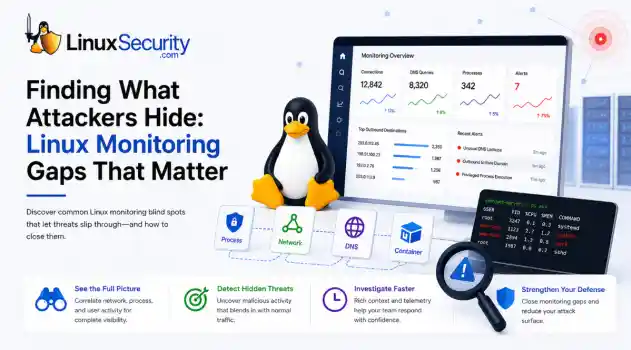
 If you’re relying on standard network logs to protect your Linux infrastructure, you’re flying blind. Most organizations believe they have network security monitoring because they’re capturing traffic, but they’re actually just collecting noise. Real security—the kind that stops an attacker—happens in the gaps between the network, the process, and the host. When an attacker breaches a Linux server, they rarely reach for a custom zero-day. They use what’s already there: curl, bash, python, or...
 Jun 30, 2026
 unauthorized access security practices
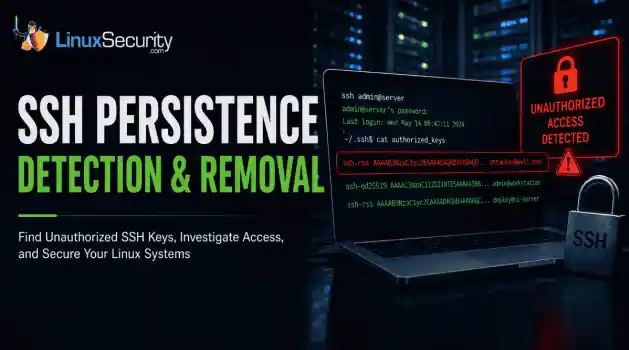
 SSH persistence usually does not look malicious at first. The login succeeds normally, the session opens cleanly, and the account already exists on the server, which is exactly why attackers continue using SSH keys after gaining a foothold on Linux systems. . Once a public key is added to authorized_keys , the server treats future access as trusted authentication. Attackers no longer need password resets or repeated exploit chains every time they reconnect because the server now accepts the...
Jun 26, 2026
 network security threat detection
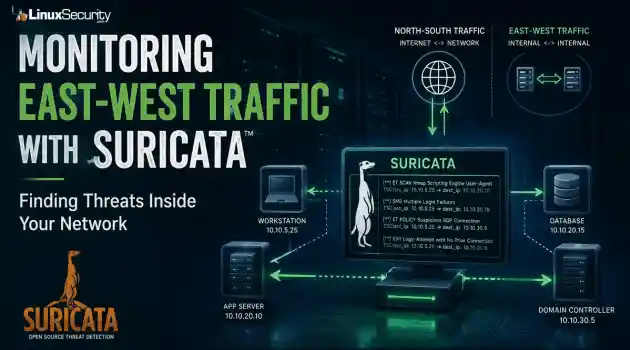
 Most security teams are locked into a perimeter-first mindset. They obsess over north-south traffic—the data hitting the edge—while ignoring the reality of the modern data center. Once an attacker gets a foothold, they don't stay at the edge. They pivot. They move laterally. That's the east-west traffic problem: the internal chatter between servers, microservices, and databases that we treat as "trusted" simply because it’s inside the fence. . Using Suricata for east-west monitoring isn't...
Jun 24, 2026
 security advisory infrastructure risks
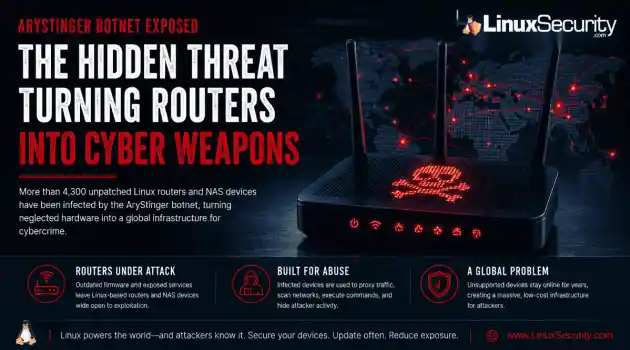
 More than 4,300 internet-facing devices have been pulled into a newly documented router malware campaign called AryStinger. The infected systems are mostly not enterprise servers. They are older routers, NAS appliances, and embedded Linux devices that stayed online long after anyone was likely checking them. . QiAnXin XLab researchers found that the campaign is leaning on known vulnerabilities, including flaws that have been public for years. That is the important part. AryStinger does not...
Jun 22, 2026
 security advisory risk management
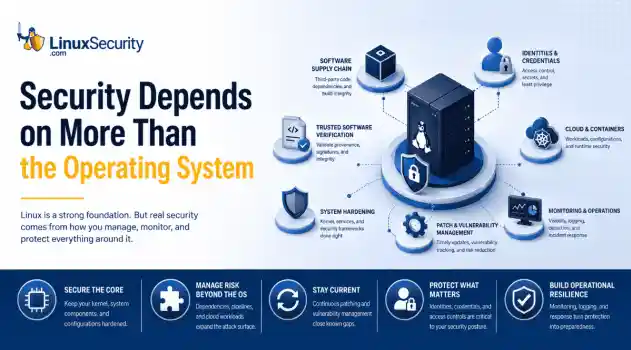
 If more than 12 million enterprise systems can be exposed by flaws in a security control designed to harden Linux, it's probably worth asking whether Linux gives people a false sense of security. That's a question that has come up repeatedly throughout 2026. . This year alone, researchers have disclosed privilege-escalation vulnerabilities, root-level kernel flaws, and multiple supply-chain compromises affecting Linux environments. That doesn't mean Linux suddenly became insecure. It means...
Jun 15, 2026
 Refine features
X Clear Filters
Get the latest News and Insights
Get the latest Linux and open source security news straight to your inbox.
Community Poll
Can sandbox isolation stop malware?
Loading...
Explore Latest Linux Security features
We found 3 articles for you...
102
 security practicesnetwork monitoringsoftware management
Common Sysadmin Mistakes and Best Practices for Network Security
It is valuable to learn from any administrative mistakes you make rather than repeat the same issue again. System administrators, or sysadmins, make mistakes but utilize what they learn to develop more skills, advance their careers, and improve their capabilities. It's also helpful to learn from the blunders of others, so today, we will discuss ten common administrative mistakes sysadmins make and how to address such problems. . Overuse of Privilege Escalation Sudo access permits users to control who runs commands on the system, as well as permits such users to do so with elevated privileges. Sysadmins can delegate permissions so workers can perform certain root commands and provide an audit record of actions and arguments. Adversaries can escalate privileges by implementing poorly configured methods that take away the need for a password. It's easy for sysadmins to get frustrated every time workers require sudo access for a minor task, so rather than finding an alternative, a system administrator will grant permanent sudo access to specific programs for users. This gives workers a clear path to the root software so they can utilize interactive shells and write to file systems. However, these types of common administrative mistakes give threat actors more advantage should they be able to breach into a sudo-accessed area of a system. A mitigation solution would be to implement privileged account management. Even if an attacker has terminal access, they must know the password to run anything in sudo-accessed files. Sysadmins can also restrict file and directory permissions by modifying files to require passwords so users with greater privileges cannot initiate dangerous processes. Key Takeaways: Use privilege account management. Restrict files and directories. Avoid using sudo if you don't have to. Use of Outdated Software Many of us are guilty of postponing a software update. As a system administrator, this laziness can be detrimental to your organization.It is critical that sysadmins track security advisories and network security issues and install security updates as soon as they become available. Many servers have been affected because a year-old fix was never installed, and instead, these servers were compromised by a zero-day attack. Cybersecurity vulnerabilities can result from a lack of proper security patching done in due time. Hackers can sometimes see the updated patches and use them to instigate attacks in network security for systems that haven't upgraded yet. Missing updates might not always be due to mismanagement but could be because it would damage a legacy app. If it's a crucial server, a few minutes of downtime during a scheduled maintenance window is preferable to losing hours or days because the box has been effectively compromised due to a network security threat. Test patches as soon as they are issued and set up a schedule for releasing updates. Perhaps there are ways to quarantine the servers to limit risk or to adopt new technologies to lessen reliance on legacy services. Security patching can be a political minefield in real life. If a higher-ranking manager prohibits a system from being patched, make sure everyone understands the consequences of not doing so. Bring the issue to the attention of the proper stakeholders and management so that everyone works to mitigate such cyber security vulnerabilities and avoids making such common administrative mistakes. Key Takeaways: Test patches as soon as they are available. Quarantine servers if you can't push a crucial update. Make sure that management understands the importance of the update. Bad Password Management Although passwords are still one of the most secure ways of authentication available, they are one of various cyber security vulnerabilities at risk when misused . Password management is helpful in this situation, as it is a collection of guidelines to follow while saving and managing passwords to keep systems as secure as possible and preventunwanted access that could result in network security issues. Servers are frequently set up with weak administrator credentials or the same password for other machines. Because many people still make this basic mistake, brute-force attacks utilizing common passwords work. This network security threat becomes much worse when numerous machines share the same password, making it one of these common administrative mistakes. Sysadmins should utilize a key file instead of using the same root password on all computers. Each server should have a public key file, and the private key should be paired with the public key on the system admin's desktop. Key Takeaways: Don't use the same root password on all machines. Use a key file instead. Make sure admin credentials are strong. Do not have a list of passwords stored in a text file. Troubleshooting Incorrect VLAN Assignment Sysadmins use Virtual Local Area Networks (VLANs) to segment and organize networks. Segmenting has several benefits, including greater security since devices can only connect with other VLAN systems, as those are the only ones visible to users. VLANs can aid in controlling broadcast traffic and the movement of end systems around a network. Users will be sent to the wrong VLAN if not correctly configured in these common administrative mistakes. This is why sysadmins have to deal with difficulties like network devices being unable to connect to switch ports, failed device registration efforts, and the inability to connect the device to critical servers. To ensure that the device has the right IP address, test the switch port. Check which VLAN is configured on that port using a VLAN tag and make the necessary modifications. With documentation, you can avoid having cybersecurity vulnerabilities within your VLAN settings. VLAN is frequently assigned to the wrong port due to a lack of communication. Sysadmins, for example, would never know that specific ports need to be adjusted to be compatible with new services if therewas no documentation. Key Takeaways: Reconfigure ports to support new services. Check switch configuration to validate new VLAN assignments. Test the port to see which VLANs are supported. Monitoring Log Files for Tampering and Attack Signals Log files keep track of what's going on behind the scenes, so if something goes wrong with a complex system, you can refer to a complete record of events that occurred before the failure. This record includes transactions, errors, and intrusions. An Advanced Persistent Threat (APT) in your organization or other attacks in network security could result in your log files, typically in the form of transaction issues. Sysadmins keeping track of log files can increase the chance of catching and stopping an intruder before any severe damage can occur. Log filtering software can help you analyze the data and find relevant log messages to prevent persisting common administrative mistakes. Key Takeaways: Write logs to two separate locations and compare hashes. Don't log passwords or failed passwords from logins. Use log-filtering software to help find relevant information. IP Address Conflict At any one time, one IP address is assigned to each device on a network by default. However, two devices sharing the same IP address can prevent users from connecting to a network. The default Dynamic Host Configuration Protocol (DHCP) configuration on your router could be to blame, as well as manual human error. Having a good DHCP server on your network is critical to protect your devices from IP conflicts. Bad DHCP servers may contain cyber security vulnerabilities that cause IP conflicts by incorrectly assigning IP addresses to network devices during dynamic IP allocation. Sysadmins should reconfigure the router to assign DHCP addresses to the top end of your subnet, leaving the static IP addresses out of the mix to avoid these common administrative mistakes. Key Takeaways: Check IP conflicts that arise from DHCP servers. Check BYOD policies. Release and renew your IP address. Preventing DNS Failures The Domain Name System (DNS) is a decentralized and hierarchical naming system for identifying computers, services, and other resources accessible via the Internet or Internet Protocol networks. DNS failure prevents users from accessing the internet and other critical applications. A failed connection request occurs when the client PC cannot resolve the server name with the server's IP address. Cache poisoning, DDoS, and DNS rebinding attacks in network security are some exploits that adversaries might use to induce DNS failure. Workstations may be configured to use their DNS server for highly active networks, resulting in a DNS traversal to your ISP's servers and overloading the router. To directly access their DNS servers, sysadmins need to change the client's DHCP settings. Disable DNS recursion to prevent DNS poisoning attacks. Have a server that will activate in the event of the nameservers failure to ensure data and network security. Key Takeaways: Properly configure DHCP settings. Be prepared with a DNS failover. Disable DNS recursion to prevent cache poisoning. Not Using Security Audits Best Practices A security audit is a thorough examination of your company's information system. Often, this examination compares the security of your system to a checklist of industry best practices, externally defined standards, or federal regulations. The audit thoroughly examines all aspects of your IT infrastructure, including operating systems, servers, digital communication and sharing abilities, network security toolkits, apps, and data storage and gathering methods. A security audit will give a roadmap of your organization's primary information cyber security vulnerabilities, identifying where it is meeting and where it is not fulfilling the requirements set forth by the organization. For firms that deal with individuals' sensitive and confidential data, security audits are essentialfor building risk assessment plans and mitigation measures. On the market, there are a variety of Computer-Assisted Audit Techniques (CAATs) that can help sysadmins automate the audit process to help with common administrative mistakes. CAATs go through the processes of an audit regularly, looking for cybersecurity vulnerabilities and generating audit reports automatically. Key Takeaways: Understand that audits are essential for security. Enlist a third-party auditor. Use CAATs to automate the audit process. Poor SSH Key Management SSH is a secure protocol commonly used to connect to Linux servers. By establishing a remote shell, it provides a text-based interface. All commands you enter in your terminal are transferred to the remote server and executed after you connect. Any commands you type into your terminal are transferred across an encrypted SSH tunnel and executed on your server for the length of your SSH session. SSH is used by sysadmins frequently alongside SSH keys. Mismanagement of SSH keys exposes you to data and network security threats and puts you out of compliance with industry regulations. If your keys are lying around or you frequently hand them out to everyone, that's very bad for security. Having an improper key management setup could also affect compliance needs. SSH key management is a set of network security toolkits, policies, and processes that enable sysadmins to safeguard and manage such digital key pairs to prevent future common administrative mistakes. Users can utilize secure shell keys to authenticate themselves to your network, servers, or other systems and securely transfer files without logging in every time. Key Takeaways: Keep an eye on the SSH key rotation. SSH keys should be tied to a specific person rather than an account several people can access. Find and keep an inventory of all SSH keys. Improperly Configured & Open Ports Ports allow devices to communicate with one another. To perform their tasks, internet-facingservices, and applications listen on ports for a connection from the outside. Communication between hosts via the internet is impossible wi thout ports. One of the most common administrative mistakes takes place when a port is left open when it should be closed. An administrator may have opened a port to fulfill a request and then forgotten about it, or a program may have automatically changed a firewall configuration, leaving some ports open without your knowledge. Ports that aren't absolutely necessary should be closed as soon as possible to mitigate this network security threat. Sysadmins can also run port scans with network security toolkits like Nmap regularly. Key Takeaways: Check for open ports with vulnerability scanners. After opening a port for requests, remember to close them. Check for ports that may have been opened from the firewall configuration. Final Thoughts on Avoiding Common Administrative Mistakes as Sysadmins Learning from others' mistakes can also be an invaluable tool to grow as a sysadmin without compromising company security in the process. In this article, we looked at ten common administrative mistakes that sysadmins make regarding security and tips for avoiding these pitfalls. We encourage you to explore this LinuxSecurity must-read article on top tips for securing your Linux system so that you can better protect your company against any and all cybersecurity vulnerabilities. A common oversight by sysadmins involves underestimating the significance of a robust secure remote access solution . Thus, it is crucial to integrate a dependable remote access system which safeguards against unauthorized entries and counteracts potential threats from remote links, essential measures for ensuring network security. Have you made any of these mistakes, or do you have additional advice for avoiding these issues? We'd love to discuss this with you! . Explore common sysadmin pitfalls and preventative measures to enhance network security and operationalpractices effectively.. Sysadmin Mistakes, Network Security Practices, Security Audits, Password Management, Software Updates. . James Bogert
 Aug 01, 2023
•
Aug 01, 2023
•
102
 cybersecuritySELinuxsystem administration
Key Skills For Linux Administrators: Crafting A Standout Resume
If you’ve thought about becoming a professional Linux administrator but you’re not sure where to start, this article is for you. . In it, we’ll explore some of the most important skills expected of someone working in the role. Many of them you’ll already be familiar with, but some may surprise you. Much of our focus will be on cybersecurity and how to make sure you’re ready to deal with security issues from day one. We’ll also cover what sort of administrator skills you’ll need and look at what to include in your resume to give you the best chance of success. What Is a Linux Administrator? The typical Linux administrator’s business agreement contract won’t necessarily specify every aspect of the job description. That’s because the role involves being a jack-of-all-trades and every day is different. Broadly speaking, you’ll be responsible for overseeing every element of both hardware and software management, not only for the physical but also the virtual systems. On a day-to-day basis, that can mean sundry tasks like backup, building new systems, maintenance, configuring and installing new applications. On occasion, it will mean disaster recovery, which is not always the most fun day. One area that is absolutely crucial is network security. Any good Linux sysadmin worth the name will have a broad technical knowledge of the subject. What Linux Administrators Should Know about Security If you’re thinking about embarking on cybersecurity training for Linux systems, here are the fundamentals you should make sure are covered: Creating a good firewall policy Familiarity with Netfilter interpreters like ufw and firewalld is a good start. To have a full grounding in network-wide firewall implementation, though, you should be looking to acquire a solid understanding of both the iptables ruleset and nftables (which uses the nft command line tool). Even though nftables has superseded iptables to a certain extent, you’ll still come across manyiptables-protected networks in the real world, so it’s vital that you be able to work with them. Securing your Linux server Besides implementing an effective firewall, there are many other ways of securing your server, and you should be aware of all of them. Some of these are standard practice across the cybersecurity field e.g. good password hygiene, configuring 2FA, antivirus protection. But some are more Linux-specific. For instance, it’s important to disable the root login on a business server. That’s because the elevated administrative permissions can give cybercriminals a way in. Being able to use SELinux Security Enhanced Linux ( SELinux ) implements a Mandatory Access Control permission system in the Linux kernel. It was designed to protect against unauthorized use and is an integral part of every experienced Linux sysadmin’s toolkit. The SELinux status can be disabled, permissive, or enforcing (which you can think of as off/watching but not doing/watching and actively protecting respectively). Make sure you can use the getenforce command and the sestatus utility to find the system’s current status. Intrusion detection and prevention There are many Intrusion Prevention Systems (IPS) available whose primary function is to monitor network traffic and stop attacks. These have largely replaced the earlier Intrusion Detection Systems (IDS), which detected intrusions and sent an alert to the sysadmin but didn’t actually do anything else. Not very helpful. You’ll need a thorough knowledge of how to set up tools like OSSEC, Tripwire and fail2ban so that protection is set at the appropriate level. Configuring data encryption There are two approaches to data encryption with Linux: full-disk encryption, which encrypts the block device before it is mounted on the system, and file-based encryption, which encrypts a file or folder only using native filesystem features. For networks, you’ll usually be using full-disk encryption, so you should be aware of youroptions for implementing block device encryption. You can use LUKS (Linux Unified Key Setup) encryption in all modern installers. Using Pluggable Authentication Modules (PAM) It’s worth learning about PAM configuration files early on, so you land on your feet when dealing with advanced authentication and security considerations. Rather than having to write new authentication checks for each authentication method used by an app, PAM allows for a separate specialized authentication procedure to be used, whether the user is being authenticated via security certificate, biometric protocol like fingerprint identification and so on. Configuring Linux system auditing A vital weapon in the sysadmin’s security armory is the audit daemon (auditd). It generates log entries displaying information about what’s happening on the network. This helps you track potential violations of security. It’s important to know how to define audit rules, search the logs and create reports from the data provided. It helps you get to know your system much better and assists in the improvement of your security protocols. Knowing your vulnerability scanning tools Every system has its security flaws, and a crucial part of your role will be finding them before an attacker does. Luckily, there are many vulnerability scanning tools to choose from. At the very least, you should be familiar with OpenVAS, Archery and Lynis. Other excellent tools include Prowler (vuln), Safety, and salt-scanner. Being familiar with container security Because containers are so easy to implement, portable and simple to configure, you’re likely to use them often. They do share the host system’s kernel, though, which can become a potential attack vector. So it’s prudent to consider security on your Linux containers. Some angles of approach include employing user namespaces, SELinux MAC, restricting syscalls and setting resource limits. Conducting penetration testing The open-source nature of Linux means that thekinds of tools available for penetration testing are also often the same ones used by hackers themselves. So there’s really no excuse not to be prepared for a realistic attack scenario. Make sure you know all about the most common pentesting tools so you can use them fluently. These include Kali Linux, BackBox, Parrot Security OS, and BlackArch. Knowing your open-source SIEM tools SIEM (Security Information and Event Management) describes a security and auditing system that comprises a number of different analysis and monitoring elements. There are all-rounder solutions available (e.g. LogRhythm, QRadar, ArcSight) but they are expensive, so knowing what’s available in terms of open-source equivalents is a good idea. You’ll find you need to use several as they all tend to have different strengths and weaknesses. Upping your overall Linux cybersecurity skills To sum up, there are a few areas you should be focusing on when brushing up your cybersecurity skills. Broadly speaking, you can divide these into the following: System and network administration. Knowledge of regular expressions. Strong facility with SELinux and AppArmor. In-depth knowledge of open-source security tools. Bash scripting. Important Linux Administrator Skills that Should Be Included on Your Resume Feeling confident? Ready to fire up that online electronic signature software and sign your new contract? Hold on there just one minute; you haven’t got the job yet. Let’s take a look at the kinds of skills you’ll be expected to demonstrate to secure and shine at an interview. The most vital are: A clear understanding of OWASP: a good familiarity with the Open Web Application Security Project (OWASP) is fundamental to operating in this sector. Cloud computing skills: Cloud Ops are key in today’s workplace. Make sure you understand cloud architecture and migration, as well as how hybrid cloud environments work. Cyber security skills: these shouldinclude mitigation using Linux hacking software, as well as monitoring and prevention for possible DDoS attacks. Knowledge on APT (Advanced Package Tool) will also be useful. System monitoring and administration: VMware, MySQL, Python, and RHEL skills. Security Training and Certifications to Add to Your Linux Resume Knowing your stuff is one thing; being able to prove it quite another. Consider certification. The most commonly asked for certifications at the moment are: CISSP - Certified Information Systems Security Professional CISA - Cybersecurity and Infrastructure Security Agency CEH - Certified Ethical Hacker Why Making a Good Resume Can Help You Stand Out from the Rest as a Linux Administrator It’s a competitive industry and everyone needs an edge. Take the time to focus on sharpening up your resume so it really packs a punch. Remember the golden rule: tailor your resume to the role in question. Generic resumes tend to lack the kind of sparkle recruiters are looking for. It’s also vital to maximize your prospects by focusing on your strengths. If you’re relatively young, you may lack experience in the industry, so play up your qualifications and any hands-on projects you’ve succeeded with. On the other hand, more experienced candidates may need to focus on proving that they’re up to date with the latest developments in the sector. Ready, Set, Go! Being a Linux administrator is hugely rewarding. Sure, it’s a role full of challenges, and some days are harder than others. But you’ll never be bored, and if you have a true passion for Linux, there’s a job out there for you. So get yourself ready, make sure you’re all set, and yes – soon enough, you’ll be breaking out that contract generator software and hitting the ground running on your first day. Good luck! . As the need for skilled Linux admins grows, building a strong skill set is essential. Key skills include Linux OS knowledge, shell scripting, and system securityexpertise.. Linux Administrator Skills,Cybersecurity Skills,Firewall Management,Resume Building,Cloud Security. . Brittany Day
Oct 24, 2022
•

102
 open sourcesystem administrationLinux advocacy
Celebrating 24 Years of LinuxSecurity as a Security Resource for Everyone
LinuxSecurity.com , the open-source community’s go-to source for security news and information, celebrates providing the Linux community with timely, authoritative industry content for nearly two and a half decades. . The site is a valuable resource for Linux users, system administrators and ethical hackers - informing community members of the latest cyber security-related news, trends and advisories. The comprehensive website design is packed with informative guides and articles to help system administrators, security analysts and developers get answers to their top Linux and open source security questions. LinuxSecurity.com is a resource for information and discussion pertaining to security matters that affect Linux users. The site provides content related to topics including hacking, open-source security products/projects, cryptography, blockchain, AI, machine learning and much more. The LinuxSecurity.com audience is fairly diverse, yet shares a passion for Linux and Open Source and an awareness of the importance of security. Some key features of LinuxSecurity.com include: HOWTOs, Feature Articles and industry news Original feeds for RSS readers Industry polls to highlight trends and current events Newsletters to receive the latest industry analysis Book reviews & interviews with leading experts New comment system and community forums A recent Feature Article examines how Linux users can upgrade their threat detection strategy by deploying honeynets. Since 1996, Linuxsecurity.com has been the most comprehensive resource for all things in the world of security and Open Source. And as Open Source continues its rise in securing the world's information, LinuxSecurity.com is continuing its pursuit of being at the forefront of this exciting growth. “LinuxSecurity.com was started in an effort to chronicle the open-source revolution and to bring the complicated and fast-paced nature of open-source and security to the community in away that was easy to follow,” writes Dave Wreski, open-source security pioneer and founder of the site. “We have watched the site go from something started by a few geeks decades ago to a valuable resource viewed by millions.” Paul D. Robertson, Cybersecurity Expert and moderator of Security-Wizards on Facebook agrees: "From threat intelligence to how-to information, Linuxsecurity.com continues to be a paragon of great information for developers, security professionals and regular users. Two decades of outstanding content are a phenomenal achievement!" Creating an account on LinuxSecurity.com is easy, and provides access to a host of valuable features within the site. Register using a social media account or on the site itself. Newsletters are available that cover topics including current security advisories and a digest of the latest news for the week. A new feedback system makes it easier to reach the site administrators, contribute an article, or address general concerns. LinuxSecurity.com is powered by Guardian Digital, Inc. , the open-source email security company, as a way to give back to the community. Guardian Digital builds business email solutions with an intense focus on security- with unrivalled customer support, designed to ease information technology overhead for its customers. Through LinuxSecurity.com, Guardian Digital aims to help educate and inform as many members of the open-source community as possible about the merits of Open Source. Connect with us: Twitter | Facebook . Essential asset for Linux enthusiasts, system administrators, and ethical penetration testers, delivering updates and perspectives on digital security.. LinuxSecurity, Cybersecurity Resources, Security News, System Admin Insights, Open Source Advocacy. . Brittany Day
Jun 16, 2020
•
102
 security managementsudosystem administration
Mastering Sudo: Essential Insights for Secure Command Access Management
This month the editors at LinuxSecurity.com have chosen sudo as the Open Source Tool of the Month! . Every good systems adminstrator knows that you should never log directly into your machine as root: you should always log in as a normal user then, as you need root access, su(1) to root. The dangers and perils of performing unnecessary operations as root are well-known and the main problem with su -- that the person using it needs the root password -- is more than obvious. Every good product finds a need and fills it, and that's exactly what sudo did, according to it's Wikpedia page , "around 1980." sudo (su "do") "allows a system administrator to delegate authority to give certain users (or groups of users) the ability to run some (or all) commands as root or another user while providing an audit trail of the commands and their arguments." Setting up sudo is a snap: use visudo(8) to safely edit /etc/sudoers, add the appropriate aliases and user specifictions, and then run sudo to test it. Because you use your own password "to sudo to root" the systems administrator does not have to divulge the root password and because of sudo's flexibility, you can run individual commands instead of having to drop to a full-blown shell. For example, to restart apache, you can just run "sudo /etc/init.d/httpd restart" instead of "su -; /etc/init.d/httpd restart; exit". For the month of April we will post as many articles and HOWTO's on sudo as possible, so if you have any of your own and would like to see them featured on LinuxSecurity.com, send them along! . Explore the ways in which sudo improves administrative oversight and safeguards security by enabling precise command execution control.. Sudo Tool, System Management, Secure Access, User Privileges. . Brittany Day
Apr 01, 2008
•
102
access controlsystem administrationfile permissionsFile Permissions: Common Mistakes And How To Correct Them
Greetings, gentle reader, and welcome to linuxsecurity.com and our new recurring series of articles on security related mistakes and how to avoid them. I'm your host, Pax Dickinson, and today we'll be reviewing basic Linux file and directory permissions and how to avoid some common pitfalls in their use, in this episode of Hacks From Pax. . One common mistake Linux administrators make is having file and directory permissions that are far too liberal and allow access beyond that which is needed for proper system operations. A full explanation of unix file permissions is beyond the scope of this article, so I'll assume you are familiar with the usage of such tools as chmod , chown , and chgrp . If you'd like a refresher, one is available 49 on linuxsecurity.com. I've witnessed systems administrators whose response to a user complaining about being denied access to a given file is to chmod 777 the file (or entire directory tree) in question. This is an absolutely disastrous security practice, the administrator has just granted write access to the file to any user on the system. Any compromised service will allow an attacker to modify the file, which could result in further access depending on the file in question. For example, an attacker gaining write access to a script that is occasionally run by root can parlay this seemingly minor security hole into full root access for himself. Never make files world-writable. Most files do not need to be world readable either. You can search for world-writable files under your current directory by issuing the following command: find . -perm -2 -print A related mistake is in the misuse of suid root binaries. These are programs which can be launched by a user but run with all the privileges of root. These programs are needed to perform tasks such as changing a user's password, since that requires a write to the system's password file which normally cannot be modified by anyone but root. A flaw that allows an attacker to gain a shell prompt in sucha program can give an attacker root access to the system. These binaries should be carefully limited and must be kept up to date with appropriate security patches to minimize their risk. A common backdoor installed by successful attackers is a copy of /bin/sh set suid root. This can be run by any user on the system, without a password, and will result in full root access. Suid root bits should never be set on a shell script, as they are impossible to make secure. In fact, because of their insecurity, modern versions of Linux do not allow their use and will not respect the suid or sgid bits on shell scripts. Don't try to make shell scripts suid root. If you must, investigate suidperl , which is safer but still should be used carefully and only when absolutely necessary. You can search your system for suid and sgid files by issuing the following command: find / -type f -perm +6000 -ls A close eye should also be kept on the file permissions within the /dev directory. Improper permissions here can allow users to read or write directly to hardware devices such as hard disks and network interfaces. Most devices should only be writable by root, and readable only by the group they belong to, with the exception of terminal devices ( /dev/tty and /dev/pty ), /dev/null and /dev/zero . Generally device files only exist within the /dev directory, but this is not required. An attacker my attempt to replicate a device file outside of this directory in order to gain access to otherwise protected data. You can search the /dev directory for world writable files by issuing the following command: find /dev -perm -2 -print You can locate all device files on your system by issuing this command: find / ( -type b -o -type c -o -type s -o -type p ) -ls As you can see, the find command is extremely useful for keeping an eye on the file permissions of your system. A script that runs several find commands can be launched by cron periodically to monitor your file permissions.Combining this with an intrusion detection system, discussed later in this series of articles, will help you both implement and maintain a high security environment. It may be a cliche to say this, but security truly is a process and absolutely requires an ongoing commitment. Stay secure, and I'll see you soon, in the next episode of Hacks From Pax! -- Pax Dickinson has over ten years of experience in systems administration and software development on a wide variety of hardware and software platforms. He is currently employed by Guardian Digital as a systems programmer where he develops and implements security solutions using EnGarde Secure Linux. His experience includes UNIX and Windows systems engineering and support at Prudential Insurance, Guardian Life Insurance, Philips Electronics and a wide variety of small business consulting roles. . One common mistake Linux administrators make is having file and directory permissions that are far t. greetings, gentle, reader, welcome, linuxsecurity, recurring, series, articles. . Anthony Pell
Jun 24, 2005
•
102
security managementsystem administrationsecurity best practicesEssential Time Synchronization Methods For Security Management
Maintaining accurate time is required for security. Many tools and devices exist to ensure that accurate time is maintained on an organization's system. It makes the job of analysis and system administration much easier to deal with, as well.. "...my immediate challenge was making sure that the filters provided clues about his location...it occurred to me to ask Andrew whether he had time synchronization running...." "I assume it's in place," was Andrew's response. "Assume? We checked and of course the Well wasn't running time synch, neither were we...." "I don't ever want to hear the A-word again," I told Andrew". This was a conversation between Tsutomu Shimomura and his assistant Andrew as they were tracking Kevin Mitnick, in the book: Takedown . Tsutomu's response is in no way harsh. If you are going to prosecute, your logs have to show the correct date and time. If today is Novemeber 25 2002 and a server that has been compromised shows the date and time as October 15, 2002 13:02 you have no way to know if the time between those days are accurate. Not only would it be difficult to hold up in court, it can make restoring from backup difficult, because it will take a while to go through the backups and find a clean up-to-date copy. Accurate time is crucial in all areas of computing, not just security, and all areas of our life. "It can change the opinion of a customer. It can be a breaker of trust. It can be a costly problem for businesses, managers, security folks and just about everyone."(Huston) Most computer systems come with tools to assist in accurate time synchronization (time synch). Time synch includes maintaining the accurate time and date. Some distributions, like EnGarde Linux, come with XNTP, a Network Time Protocol (NTP) daemon, already running and ready to synchronize with external time servers. NTP, XNTP, and rdate are just a few tools that can synchronize time on servers. Time assists in correlating logs across multiple systems. In the case of Tsutomu trackingKevin Mitnick, each server having accurate time was critical to locating him successfully and for prosecution. If the clocks weren't synchronized, it would be far more difficult to match events taking place on different machines, a necessary step to tracing someone who is connected through a string of computers on the Internet."(Shimomura) All servers should be running time synch software including mail, web, firewalls, centralized-logging servers, etc.. One important scenario where time synch may be overlooked is when an organization uses a technique called "Port Mirroring" on their switch to setup an Intrusion Detection Sensor (IDS). When Port Mirroring is enabled, the traffic on a port, usually the main router's port, is copied to the IDS port where network traffic can be checked for malicious network activity or to gather network statistics. This is a great technique because the IDS can't be accessed unless someone physically goes to the server. The problem is that the time on the sensor can be off by minutes or hours and the date can be off by days, weeks, or months because it doesn't have a network connection to allow it to synchronize to an external server. This is not practical or acceptable for proper analysis of network traffic and security monitoring. The IDS needs a second network card connected to the network with either no network services running or only SSH with user and host-based access control. This is done so that the IDS has a normal network connection and is able to synchronize with an external time server. That will make correlating logs with a server that has been compromised or is under attack much easier. NOTE: If you use UTC time be sure that you know the math to convert to your timezone, be certain of it. Also, be certain you can do the math fast and keep up with the changes of the time during the different seasons. Time synchronization suggestions: The best way to implement time synchronization is to have one or two internal servers (depending on thesize of the network) synchronize with three external public time servers (most software will try one and then the others if one doesn't respond). Public Time Servers List: /~mills/ntp/servers.html . and run a client on each server and workstation that synchronizes to those internal servers. Some public time services only allow one or two IP addresses from a network to sync with their server. You may also need to get permission to synch with some servers but there are some public ones that don't require permission. DON'T ABUSE IT! They will block you! Some time synch software uses key authentication to allow the remote server to adjust the client's hardware clock's time. BE VERY CAREFUL WITH THE PERMISSIONS YOU GIVE A REMOTE SERVER TO MODIFY ANTHING ON YOUR SYSTEMS, REGARDLESS OF KEY EXCHANGES. Usually, the local server's time synch client can set the hardware clock or another local program can set it. For example, in Linux the program " hwclock " can synchronize the hardware clock with the system's time clock. Don't set your clients to synch at the same time to one server, it may overwhelm the time server and cause a Denial-of-Service or crash it. If a server continues to lose time then there may be some other hardware or software issues causing the problem or even the computer's battery may need to changed. (If you remove the system's battery then that may cause your BIOS password protection to be disabled so be sure your BIOS password wasn't reset when you reboot the computer) . Conclusion Please make it a priority to implement time synchronization in your organization. It is critical to your overall business operation and not just for system administration or security. Remember the words from one of the best, "From my point of view running time synch is an absolute, non-negotiable requirement, for the essence of everything I do is related to time." (Shimomura) Managers, ensure that your admins have time synchronization setup on all servers and workstations. If not, pleasemake it a priority for your organization and don't "assume" that it is in place or settle for "assume" as a response. Also, Managers, we need your support! References "Linux Security". 2002. Linux Security - The Community's Center for Security . / Shimomura, Tsutomu and John Markoff. Takedown: The pursuit and capture of Kevin Mitnick, America's most want computer outlaw - By the man who did it . New York: Hyperion, 1996. "Time Issues Revisited", Huston, Brent. ITworld.com Security Strategies . /. Duane Dunston is a Computer Security Analyst at STG Inc. for the National Climatic Data Center in Asheville, NC. He received his B.A. and M.S. degrees from Pfeiffer University and he has his GSEC certification from SANS. He hangs out at Old Europe Cafe, Early Girl's eatery, Anntony's, and any place with good tea and hot chocolate. Duane has been working in security for 5 years and wishes he had the funding for a "Basic Security Tour" so he could provide the world with hands-on training on how to implement the security recommendations from the Sans Top 20 List of the most common vulnerabilities. He knows that applying these recommendations to any network can minimize the most common types of attacks. Not only does he enjoy his work in computer security, he also likes to get involved in its ever-growing technologies. Duane says, "Security is one of those jobs where you have to stay abreast of new technologies and new ways that attackers are compromising computer systems. Security keeps evolving and the industry has to keep up with it, that is why we need well-trained, evolving security professionals supportive managers to help us with this ongoing process". . Accurate timing is crucial for safety and operational processes. Establishing effective time alignment measures is imperative.. Time Synchronization, Network Time Protocol, Log Management, IDS Monitoring, System Administration. . Duane Dunston
Dec 23, 2002
•
102
Linux securitysecurity strategiesopen sourceBob Toxen's Perspective On Linux Security Pitfalls And Solutions
In this interview, Bob introduces his new book, discusses the "seven deadly sins" of Linux security, and outlines the benefits of the open source software model. He also points out the pitfalls that many system administrators fall into and how to avoid them. . R ecently I got the opportunity to speak to > Bob Toxen, the author of " Real World Linux Security: Intrusion Prevention, Detection and Recovery ." He is a long time contributor to many Linux/Unix projects and currently works as an independent consultant. When Bob isn't securing Linux systems, writing articles/books, he is riding around Atlanta in his Rolls-Royce Silver Shadow proudly displaying his front "Linux" license plate. You will find that Bob's approach to security is one that is simple but effective. I encourage you to take the time and read what he has to say. You'll come away with a new perspective on security. LinuxSecurity.com - Please give our readers a brief introduction to your new book, "Real World Linux Security: Intrusion Prevention, Detection and Recovery." Who does the book appeal to? Where can it be purchased? Bob Toxen - Rather than simply providing a guide to crackers or serving as a theoretical treatise, it is a very "hands on" step-by-step guide to securing almost any Linux or Unix system to the extent desired. Along the way I explain why the various things must be done to secure a system, in a way that does not require a PhD in computer science. It helps any system administrator understand how and why Linux and Unix can be made secure and enables administrators to gain a deeper understanding of security and why Linux and Unix do things the way that they do. I mention a number of real incidents to give people a "feel" for what they might encounter in a real break-in and to avoid the "this cannot happen to me" mentality. I have used humor throughout the book to make it fun. One of the unique features is Chapter 2, "Quick Fixes For Common Problem". It allows a systemadministrator to take care of the most severe problems without a large investment in time. I realize that most system administrators are overworked and that "if it takes too long" they will not bother. There are jokes or puns behind almost every example. Many of the examples are complete and ready for use. I also explain the most common attacks and some of the most subtle. This is done to smash common misconceptions that prevent people for solving security problems. One of the most common misconceptions is that throwing a firewall up between the a company network and the Internet magically will solve all of the security problems. I did this by explaining how easily a cracker can tunnel through a firewall or do an end run around it. In later chapters, various subsystems, problems, and techniques are examined in depth. The use of security tools are explained in detail. Methods of detecting attacks, locking the would-be cracker out automatically, and paging and emailing the SysAdmin are shown. Ways to recover quickly from successful attacks are discussed in depth. Many of the ideas, such as the technique that can be used by an E-Commerce site for protecting customers' credit card data and the "Adaptive TCP Wrappers" and "Cracker Trap" are my own ideas. The reader will not see them elsewhere. Rather than their being "crackpot" ideas, though, the best security experts could not break my credit card solution. While my Adaptive TCP Wrappers and Cracker Trap solutions may not be appropriate for large sites, they are very effective for home systems and small to medium shops and have proven themselves to be very effective in a year of continuous use at several sites. The book offers complete IP Chain examples, including the use of a DMZ and how to separate services on different servers for maximum security. There is extensive cross-referencing, including page numbers, that also allow the book to be used as a reference to look up related problems. There is an extensive index and appendices listingonline and other resources. The accompanying CD-ROM contains the security programs and scripts I created to easily detect open ports, implement the "Adaptive TCP Wrappers", "Cracker Trap", automatic paging and light flashing alert, defaced web page detector, implement firewall rules, etc., as well as many popular security-related tools. The book can be purchased online now at, Borders.com, Amazon.com , bn.com, and fatbrain.com. It is stocked in SoftPro, Borders, and MicroCenter stores and at some Barnes & Noble stores. Some stores have been having trouble keeping it in stock; readers may want to phone ahead and have a copy reserved. Almost any bookstore can order it for pickup in a few days. The ISBN is 0-13-028187-5. The publisher is Prentice Hall. --- Bob mentions TCP Wrappers and IPChains. If you would like to further research these topics, here are a few resources that may be helpful. Both TCP Wrappers and IPChains are instrumental in the development of a secure network. TCP Wrappers: An introduction to TCP wrappers Linux Security: TCP-Wrappers? Linux Security Administrator's Guide IPChains: Linux IPCHAINS-HOWTO A Firewall for Linux with Ipchains Linux Networking: Using Ipchains LinuxSecurity.com - What lead you to writing a book? How did you find a publisher and approximately how long did it take to write. Bob Toxen - The number one reason for writing it was to help Linux win the war to provide quality software to the world. Even my non-computer friends are trying Linux and finding it productive. I do not know of anyone who has replaced a Linux system with another operating system unless forced to by someone who does not have to maintain it. I saw the greatest weakness with Linux being that almost nobody knows how to secure it. I think that it is capable of being orders of magnitude more secure than Windows, including 2000 and NT, and my goal with the book was to provide this knowledge to everyone. I think thatthis will help turn the tide. The royalties I stand to make on book sales are far less than the value of the time that I took away from my Linux and Unix consulting business to write it. I consider this to be my major contribution to Linux. A publisher found me and asked me to write a book on one of several Linux topics. I picked security. I thought that my 25 years of Unix with a continuing interest in security, 5 years of Linux, and 10 years of network programming gave me a unique ability to write on security. Unfortunately, that publisher subsequently stopped returning phone calls, possibly due to a competing project. Having already done the basic book design and having started writing it, I went to the 1999 Atlanta Linux Showcase and met Miles Williams of Prentice Hall. While a quick but poor quality product can be more profitable, Miles allowed me to "do it right". I already had worked part time for almost a year. After that, I worked almost all of my waking moments, seven days a week for six months writing and editing the book. My six excellent technical reviewers cut me no slack. Vulnerabilities that I did not originally talk about were discussed. Unnecessary material was removed. Unclear passages were rewritten, sometimes several times. Miles had me alter the organization a bit for better clarity. I am very grateful to have had two of the world's leading Linux and Unix security experts as technical reviewers to help me make it complete and accurate. These were Kurt Seifried of and Mike Warfield, Wizard of Internet Security Systems. Two other reviewers were experienced Linux system administrators and helped me make rough parts more understandable. One newbie friend asked to read drafts. While targeted for the experienced SysAdmin, she understood almost all of it. We worked to add clarity to the remaining bits. The sixth reviewer has a strong security bent and had lots of suggestions. Eric Raymond wrote the Foreword. Steve Bourne, creator of the Bourne Shell, provided acover quote. LinuxSecurity.com - Please explain the "Seven Deadly Sins of Linux Security" and how you cover this topic in your book. Bob Toxen - These are the most common problems that allow a Linux or Unix system to be broken into. Larry Gee wrote this part of the book as well as the section on Samba. These sins are: 1. Weak passwords 2. Open network ports 3. Old software versions 4. Poor Physical Security 5. Insecure CGIs [web server helper programs] 6. Stale and unnecessary accounts 7. Procrastination We explain how each problem can be avoided. I explain how good passwords can be created. I discuss how a system can be scanned for open network ports and I provide a program that I wrote on the accompanying CD-ROM that does this more easily than netstat and which also recognizes the most common cracker server ports. It also flags any port above 1023 in the listen state that is not known to be legitimate and which may be a cracker server waiting for the word to attack. I explain how to get on mailing lists to be notified when security fixes are available for various Linux and Unix distributions. I explain why CGIs tend to be insecure and that this endangers a web server's most important data even though they do not run as root. While procrastination may be obvious, many break-ins are at least partially due to it. By listing this as one of the deadly sins, I hope to get many system administrators to resolve the other problems NOW. --- LinuxSecurity.com offers many resources that are helpful in reducing the level of system vulnerability due to the "seven deadly sins." Here I have outlined articles that provide additional information on each of the topics above. Choosing Secure Passwords Scanning and Defending Networks with Nmap Scanning Tools Keeping Up to Date Physical Security User, System, and Process Accounting Security is an Interactive Sport LinuxSecurity.com - I understand that your book provides solutions and further explanations of problems mentioned in Bruce Schneier's book, " Secrets and Lies: Digital Security in a Networked World. " What are some examples of the problems and your proposed solutions? Bob Toxen - Bruce's book should be required reading for all CEOs and managers who think that a firewall and Windows solves their computer security problems. Bruce seems to take the attitude now that because security never can be perfect, we ought to simply give up. My words are my own opinions. Both Bruce and I discuss the problems of laptop computers containing confidential data being stolen, risking the data's exposure. My book explains how to keep data on the disk in an encrypted form using the Free Software Foundation's GPG program that implements PGP security. I also suggest that the reader use the PPDD encrypted disk driver that encrypts all data before writing it to the disk. He says that many laptops are stolen at airports. I explain the technique and how to prevent it from being used against you. Bruce talks about the problems of buffer overflow attacks as if it was a never ending unsolvable problem. He says that in 1998 over 66% of all CERT advisories were for buffer overflow vulnerabilities and that during two weeks in 1999, 18 buffer overflow security flaws were found in Windows NT. The latter problem can be avoided by replacing those NT systems with Linux. His statistics for 1998 (which include non-Linux systems) are, of course, obsolete now. In 2000 there were few buffer overflow vulnerabilities discovered and most of these could have been blocked by one of several techniques I discuss in the book. My favorite is installing Libsafe. It's easy to install and use. It blocks approximately 50% of buffer overflow vulnerabilities. It works by being invoked instead of some standard dynamic library routines that crackers commonly take advantage of. It provides hardened versions of these routines usedto overflow buffers, such as gets() and strcpy(). These hardened versions determine -- in real-time and without affecting performance -- if any attempted operation would cause overwriting of the stack. They will cause the program to terminate rather than risk an overflow. Libsafe was created by Bell Labs, which also created Unix. I also discuss techniques for causing commonly attacked programs, such as named, sendmail, Apache, and CGIs to be invoked with sufficiently limited privileges that most vulnerability found by crackers will not allow much harm. I also discuss separating out different services onto different systems so that, say, a successful CGI attack cannot be used to attack web pages, mail, DNS, or other services. I explain a technique that prevents even a successful CGI, Apache, or network sniffing attack from allowing a cracker to get a company's customer credit card data. This technique is impervious to virtually all attacks. When reading Bruce's book after reading mine, other examples will occur to a reader. --- For additional information on Libsafe, please refer to the Secure Programming for Linux and Unix HOWTO. Libsafe: Protecting Critical Elements of Stacks "The libsafe library protects a process against the exploitation of buffer overflow vulnerabilities in process stacks. Libsafe works with any existing pre-compiled executable and can be used transparently, even on a system-wide basis. The method intercepts all calls to library functions that are known to be vulnerable. A substitute version of the corresponding function implements the original functionality, but in a manner that ensures that any buffer overflows are contained within the current stack frame. Libsafe has been shown to detect several known attacks and can potentially prevent yet unknown attacks. Experiments indicate that the performance overhead of libsafe is negligible. Copyright (C) 1999 Bell Labs, Lucent Technologies." LinuxSecurity.com - What are some of the major pitfalls LinuxAdministrators fall into? How can your book help to avoid these problems? Bob Toxen - Many think that Linux is secure out of the box, which it is not. I've seen shocking weaknesses in Red Hat, Slackware, and Debian. I'm sure that if I did out of the box installs of most other Linux and Unix distributions, I'd see problems. Even Mandrake's "pick your security level" is not a cure-all and it is not clear what each security level actually does. Many think that break-ins are rare and so they should worry about other problems instead. Perhaps 50% of networks connected to the Internet have suffered break-ins. Any medium to large entity is guaranteed to suffer break-ins. Some think that just throwing money at a firewall or router company or just running an intrusion detection system will solve their problems. I debunk this by explaining how these "solutions" can and do fail. Some think that it will take too long and that they do not have time. Some have a fatalistic attitude. I offer Chapter 2's "quick fixes" for the most commonly exploited vulnerabilities. --- Many articles have been written to help administrators secure their "out of the box" Linux install. Some of them include, " Post Installation: Is it secure out of the box? " "Securing and Optimizing Linux: Red Hat Edition" and " Securing the Linux Environment Part One: Installation Issues ." LinuxSecurity.com - You mention, "Almost all steps can be done on production systems without rebooting or even disrupting current services." Please explain your reason for taking this approach and give a few examples of problems that can be fixed quickly and easily without rebooting the system. Bob Toxen - Most large companies have policies against taking their large systems down any more than absolutely necessary. One of my clients forbids scheduled downtime between 8 am and 9 pm during the week. Most SysAdmins would rather be elsewhere at other times and this causes some not to do what isnecessary to secure their systems. Linux has an advantage here over Windows security fixes that often require a reboot. Some of the problems that can be fixed quickly and easily without rebooting including using Crack to discover weak passwords, implementing shadowed MD5 passwords to make it harder for crackers to break whatever passwords are used, using the "find" program to find and fix files with inappropriate permissions, e.g. world-writable or inappropriate set-UID bits, and finding unnecessary open network ports (services) and shutting them off. Even updating sendmail can be done by moving the new version to the correct place and issuing a single command line to kill the sendmail process listening on port 25 and restarting it. During this 20 millisecond window, any remote systems that try to connect simply will try again shortly. This relies on a unique Linux and Unix feature when the mv command (or similar command) moves the new version to where the old version of a program was. If some user is running the old version at the time, it will continue to run until finished even though this old version was removed from its directory on disk. This works for similar daemons too. LinuxSecurity.com - What do you feel is the most common Linux system vulnerability? What can be done to prevent this? Bob Toxen - NFS and its cohorts mountd, portmap, statd, etc. is the most common vulnerability. If at all possible, turn them off! Ssh is a secure alternative for copying files between systems or doing remote and no reboot is required. If one cannot live without NFS, set up an isolated network containing the NFS servers and clients. Protect this network from the Internet and an entity's large internal network with a Linux firewall. Be sure that the firewall that protects one's entire network from the Internet blocks these ports. If the NFS systems are physically separated, link them with a Linux VPN (Virtual Private Network)/firewall. In the book, I cover an innovative solutionusing PPP over a ssh secure encrypted connection. I have implemented this solution for a client's network of Unix systems that suffered some break-ins. NFS's design prevents it from being made secure but it can be so useful. This is why it is such a problem. Many Linux distributions and and some Unix versions enable it by default and that is a really bad idea. Next to NFS, buffer overflows seem to be the greatest problem. The FTP daemon and Sendmail most frequently are attacked this way. Libsafe is an excellent innovative solution; keeping one's software up-to-date is critical. My clients have demanded that I provide a security patch update service for them so that they do not have to worry about it. Weak passwords are a major problem too. --- Security and NFS from the NFS HOW-TO. LinuxSecurity.com - Do you believe the open source nature of Linux provides a superior vehicle to making security vulnerabilities easier to spot and fix? Bob Toxen - Absolutely! This allows hundreds of people to look for vulnerabilities in any piece of code instead of the half dozen or so that might have access to a proprietary piece of code. Those half dozen may be under time pressure to finish a project. When a programming project is behind schedule, as almost all are, security and testing are the first parts to be cut. While the white hats will not have access to proprietary code, the black hats usually will get a copy. This recently happened to Microsoft's "crown jewels". It has happened to Cisco's code. No doubt, most cases of illegally obtained code never are publicized. A good cracker could just disassemble the executable program instead and some do and find vulnerabilities. I also find open source programs to be of a much higher quality than proprietary code. As cutting edge technology, Linux, and Unix before it, has attracted the world's best programmers. It is a matter of pride and integrity to do the best job possible. LinuxSecurity.com - Where do you see ITsecurity and Linux going in the future? What will it take to make vendors and users more security conscience? Bob Toxen - I see the various Linux distributions being much more secure "out of the box" due to competitive pressure. I also see them "walking the SysAdmin" through the process of securing their systems. I see the statefull and content-based features of some of the best proprietary firewalls become standard open source solutions on Linux. I see monitoring of networks, with humans to backup up intrusion detection programs, to respond to suspicious activity. I offer this service as do a number of other firms. Only the largest entities have the in-house capability to do this. Many sites will have "Security Backup" systems that can be deployed within minutes or seconds in case of a security breach, possibly automatically. This is discussed in the book. Most entities will do remote monitoring of their web sites for defacement and will do periodic security scans of their important systems for signs of successful break-ins and planted Trojans. I'm already doing this for clients and myself. Already, many system administrators select Linux and BSD Unix due to their excellent security and ease of use. Those that do not accept this will lose market share or even go bankrupt. The recent breach of Egghead's IIS server comes to mind. Cracker tools have gotten so good that everyone will be forced to maintain good security or get cracked. LinuxSecurity.com - What are your future plans? Do you plan on writing any other books/articles? Bob Toxen - I plan to help my clients secure their Linux and Unix systems and networks. I have opened the eyes of many and take pleasure in helping others see. I hope to turn more people from what some consider to be the Dark Side of the Force. I have no future book plans, other than revising this book in a year or two. I have been invited to write magazine articles, give security classes, and speak at events. I look forward to doing this. LinuxSecurity.com - Tell us a little bit about the history behind your car. Have you installed any type of security system? Bob Toxen - I purchased my Rolls-Royce Silver Shadow at auction on eBay at the end of March 1999. I could not resist telling all of my friends about my acquisition on April 1. To my amazement two actually believed me. Some didn't for months. It may be seen around Atlanta with a "Linux" front license tag and at: My principal client at the time was growing rapidly. To help everyone get to know each other better, the office manager sent email to everyone asking that we tell all what our favorite dessert was, what our fantasy car would be, etc. When I said that my fantasy car was a Rolls-Royce, she said that one was being auctioned off on eBay. My bluff was called! With much trepidation and questioning of my sanity I started bidding. I knew next to nothing about them other than that they were beautiful, built to last a lifetime, and fit for royalty. As the bids grew, I did more research and got a friend who is a mechanic with some Rolls-Royce experience to agree to fly out to Reno to see it. While it does have an alarm system, Rolls-Royces are so rare and instantly recognizable that few professional thieves would steal one and amateurs probably would not get far. I am careful where I park it. To avoid carjacking, I always drive with the doors locked and carry arms. This would be excellent practice for anyone. LinuxSecurity.com - Can you offer a brief description of your background? How long have you been working with Linux and Security? Bob Toxen - I spent four years at the University of California, Berkeley majoring in Computer Science. My Freshman year was the one that Ken Thompson came on sabbatical to create and teach the Operating Systems class and to port Unix to the PDP 11/70. When I took the class two years later, it was the identical class and I greatly benefited from it. Berkeley's strengths were in operatingsystems, compiler theory and construction, and structured programming; these skills have served me very well ever since. Like many great universities, though, at Berkeley the professors were gods, graduate students their priests, and undergraduates the peons. Because of this, undergraduates were denied the opportunity to improve the Unix kernel or utilities. The solution taken by myself and a few friends was to break into the system and make improvements in secret. Doug Merritt and I worked to enhance the terminal driver so that a control-H would blank out the character deleted and control-U would blank out the entire line on the screen. To my knowledge this was the first implementation of this feature on Unix in the world. We made other improvements, some in secret and some in the open. We also influenced development of many of the utilities, especially vi and Berkeley Mail. I was the first person at Berkeley to start enhancing the shell. I was able to do this only when a security lapse allowed me to read and copy its source. If I had it to do again, instead I would have spent more effort to be allowed to do my research in the open. I created the Berkeley Unix lock program overtly. Variations of lock now are universal on Unix, Linux, and Windows. Following school, I consulted for a few years and then worked at Onyx porting Unix to their microcomputers, the first micros to run Unix. On the side, I gave seminars on Unix and wrote magazine columns and articles on it. Steve Bourne then hired me at Silicon Graphics to be part of the four person team to port Unix to their first workstation. I then spent five years at Stratus Computer creating a fault-tolerant Unix and later a fault-tolerant NFS server, both running on top of a non-Unix native operating system. Since 1990 I have been an independent consultant and I now have people working for me. Bob, I would like to thank you for having this interview. We look forward to seeing your future projects, articles, andcontributions to Linux and security. . Explore Bob Toxen's insights on protecting Linux systems, highlighting strategies, pitfalls to avoid, and powerful open-source tools for sysadmins. Linux Security Strategies,System Administrator Tips,Open Source Security Practices,Intrusion Prevention Guide. . Brittany Day
Jun 27, 2002
•
102
risk managementsecurity practicesapplication securityEssential Takeaways from Sean Boran's Guide to IT Security Solutions
Over the past five years, Sean Boran has put together what has become the most comprehensive online Internet security resource available. LinuxSecurity recently had an opportunity to chat with the author, talk about its new home at LinuxSecurity.com, and a few words about the resource itself. . The IT Security Cookbook contains valueable information for security professionals, computer users, and system administrators on topics including security policy development, operating system security, application security issues, and much more. LinuxSecurity.com, the community's center for security, has made available the resources within the IT Security Cookbook to its users and provided Boran Consulting with a new home, as well as email and DNS services. Sean Boran , author of the IT Security Cookbook and president of Boran Consulting explains that the resources of LinuxSecurity.com provides less expensive hosting for his free resource. Sean adds, "It also increases its exposure to Linux readers, given the pull that LinuxSecurity has." "I was already a pretty frequent visitor to LinuxSecurity.com," writes Sean, "so it seemed quite a natural place to host the cookbook, when the idea was proposed." LinuxSecurity.com: Why is it important for IT professionals to read your cookbook? Sean Boran: Because it starts at the top (policies) and goes all the way down to technical recommendations. LinuxSecurity.com: What is the intended audience? Sean Boran: Well there a general policy/classification section that is probably of interest to a large audience, where as the technical chapters on UNIX and Windows are useful to administrators of these systems. More precisely: Line managers (Chapters 1-4, 6). Computer Users (Chapters 1, 2, 6.2 User Policy) System administrators, Security administrators: Chapters 7-22 Technical Project leaders: Chapters 1-7, 15. LinuxSecurity.com: Why did you write the cookbook in the first place? Sean Boran: I didn't see anything similar on the net at the time (back in 1995/6), there was a few documents here and there, but little that pulled the various security issues together. I also wanted to make my contribution to the Internet, instead of "just taking" ... For example I use lots of free software developed by others, this was my way of "doing my bit". Security was a pretty closed affair a few years back, before SANS and all the new portals such as LinuxSecurity.com, I wanted to share ideas and allow peer review of my ideas. LinuxSecurity.com: How long has it taken to write? Sean Boran: About 1 year, with many additions/corrections over the last 5 years. Mind you like much "software" it's probably due a rewrite! LinuxSecurity.com: What does Boran Consulting do? Sean Boran: We provide IT Security and Operations services to our customers. The exact focus depends on the environment and customer needs. Last year we did a lot of work on Intrusion detection systems and audits, a few years back the focus was more on education, policy, strategies and concepts. Over the last two years many articles were written for SecurityPortal until it's demise last summer. These articles allowed me to better document and generalise tools and ideas I was using in the consulting practice. LinuxSecurity.com: What are your future plans for the reference? Sean Boran: I've been working on a series of accompanying articles on Solaris hardening, ssh and Linux. These are not yet integrated into the book, but can be reach at Sean Boran's Published Articles . I really need to review and review the book entirely, expecially the techie chapters, but am having trouble finding the time.. LinuxSecurity.com: What are some of the major pitfalls Linux administrators fall into? Sean Boran: Complacency Using default settings (though the vendors are improving a lot here) Installing too much software Notmonitoring logs Don't have policy, or have never really analysed the risk: they may be concentrating in the wrong area. LinuxSecurity.com: How can your reference solve these problems? Sean Boran: Many Linux users are techies and have a pretty good grasp of the techical issues of secuity, and sites like LinuxSecurity can keep them up to date. But a crash course on Policies and Risk management would do no harm. This book crosses many boundaries, from policy to security management to firewalls, from penetration testing to securing NFS to using encryption. LinuxSecurity.com: What do you feel is the most common Linux vulnerability? What can be done to prevent it? Sean Boran: The buffer overflow. Measures: Only install what you really need. Watch the logs of any active network daemons carefully, and chroot 'em if you can, don't run them as root if possible. Only let people access your system who really need to. Setup a regular patching schedule Pray that SW will get better... LinuxSecurity.com: Do you believe the open source nature of Linux provides a superior vehicle to making security vulnerabilities easier to spot and fix? Sean Boran: In the long run yes, but it's been painful. The basic problem is that 99% of people USE open source, but only 1% or so have to do all the work and write the stuff. I'm convinced that it's a good thing and we should all do our bit to support open source, I'd especially like to see large corporations committing programmers to key OpenSource projects. LinuxSecurity.com: Sean, thanks for taking a minute to speak with us today. . Explore core principles outlined in the IT Security Cookbook designed for both experts and end-users regarding essential protective measures and security regulations.. IT Security Cookbook, Security Guidance, Online Security Resource, System Administration, IT Security Practices. . Brittany Day
Feb 25, 2002
•

Get the latest News and Insights
Get the latest Linux and open source security news straight to your inbox.
Community Poll
Can sandbox isolation stop malware?
Search Topics
Powered By

Linux Security - Your source for Top Linux News, Advisories, HOWTOs and Feature Releases
QUICK LINKS
subscribe to newsletters!
Like staying secure? So do we.
Sign up for updates, tips, and alerts!
Discover faster search, smarter navigation, and deeper Linux security insights. Read More