


Stay Ahead With Linux Security HOWTOs
How to Secure My Network network security Linux administration
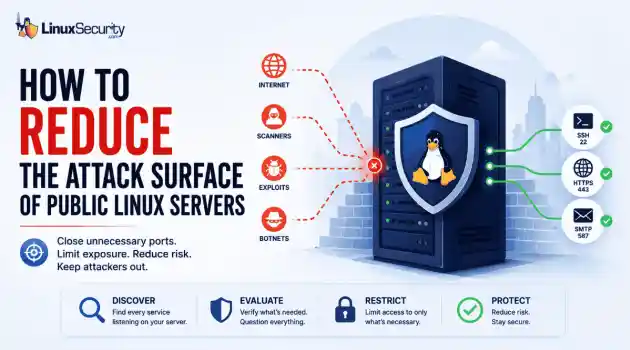
network security Linux administration Open ports have a way of accumulating over time. A test environment gets deployed and never removed. An administrative interface is exposed for troubleshooting and left in place. A database that was supposed to listen internally ends up reachable from the internet. . Attackers look for these mistakes constantly. Redis, Elasticsearch, MongoDB, Jenkins, and similar services still show up on internet-facing systems where they were never meant to be exposed. Sometimes it's a temporary change that...
 Jun 10, 2026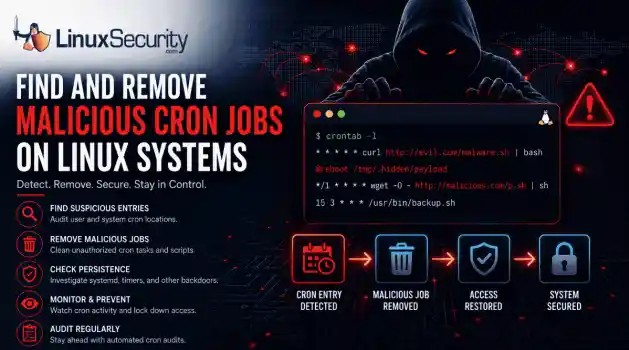
How to Secure My Networksecurity advisory intrusion detection
security advisory intrusion detection A compromised Linux server can continue running malware long after the initial intrusion. One of the most common persistence techniques is a malicious cron job that silently downloads payloads, restarts malware, or re-establishes attacker access every few minutes. This guide shows how to identify suspicious cron entries, preserve forensic evidence, remove unauthorized scheduled tasks, and verify that no additional persistence mechanisms remain. . What Should You Save Before Removing Cron Jobs...
Jun 09, 2026 
How to Secure My Networkaccess control Linux administration
access control Linux administration Most SSH hardening advice ends at the same recommendation: Disable password authentication and use SSH keys. . That's good advice. It removes entire classes of attacks, including password spraying, credential stuffing, and brute-force attempts against exposed servers. The problem is what happens next. Many administrators treat SSH keys as the finish line when they are really the beginning of the hardening process. Attackers rarely care whether they obtained access with a password or a private...
Jun 05, 2026 
How to Secure My Networksecurity advisory remote access
security advisory remote access Most of the time, nobody notices. SSH authentication succeeds, no alerts are generated, and the connection looks exactly the way it did the day the key was installed. That's part of the problem. . When security teams investigate unauthorized access on Linux systems, they often focus on passwords, exposed services, or vulnerable software. Trusted access receives less attention. Yet a single forgotten or unauthorized SSH key can provide the same access as a legitimate user while attracting very...
Jun 03, 2026 
How to Secure My Networkintrusion detection application security
intrusion detection application security The wrong IPS rule can look like a security fix right up until it becomes an outage. . On Linux systems, detection and prevention are often discussed together, but they do not carry the same operational risk. One tells admins that something suspicious happened. The other can decide whether traffic is allowed to continue. That is why IDS vs IPS is not just a definition to memorize. It is a deployment decision about where to monitor, where to block, and how much confidence a team needs before...
Jun 01, 2026  Refine HOWTOs
X Clear Filters Get the latest News and Insights
Get the latest Linux and open source security news straight to your inbox.
Community Poll
What got you started with Linux?
Loading...
Explore Latest Linux Security HOWTOs
We found 8 articles for you...
166
 cyber threatsremote accesssecurity measures
Ways to Determine if Your Linux Server Has Been Compromised or Hacked
Linux SSH servers are a favorite target among cyber attackers due to their ability to provide remote command-line access. This ability positions them as essential conduits for controlling and managing server operations. . As a result, this remote access makes them prized entry points for malicious actors looking to exploit or compromise critical services. Server administrators can run updates, apply patches , and use fewer standard ports to deter attackers, but how can they determine if they are at risk or have been hacked? Learn how to check if your Linux server has been hacked and signs of malicious activity to be on the lookout for. . Keep an eye on your system for indicators of unauthorized access and discover useful methods for detecting breaches in Linux environments.. Check Linux Server, Detect Hacks, Cybersecurity Measures, Server Security Protocols. . Brittany Day
 Mar 09, 2024 •
 How to Learn Tips and Tricks
 166
 cyber threatsencryptionnetwork protection
10 Tips to Boost Samba Server Security Against Cyber Threats
If you're hosting a Samba server, it's important that you pay extra attention to securing the server from adversaries. . SMB (Server Message Block) protocol is a cornerstone of file and printer sharing in connected environments. However, the default configuration of Samba can pose significant security risks, leaving your network vulnerable to unauthorized access and cyberattacks. If you're hosting a Samba server, you need to be extra cautious with the configurations you have set in place. Here are 10 critical steps to ensure your SMB server remains secure and protected. By default, SMB traffic is not encrypted. You can verify this by capturing network packets with tcpdump or Wireshark. It is paramount that you encrypt all traffic to prevent an attacker from intercepting and analyzing the traffic. It's recommended that you set up Transport Layer Security (TLS) to encrypt and secure your Linux Samba server's traffic. . Take crucial measures to safeguard your Samba server by implementing these fundamental practices to defend against breaches and digital threats.. Samba Server Security, SMB Protocol, File Sharing Protection, Encryption Techniques. . Brittany Day
Aug 21, 2023 • How to Learn Tips and Tricks 
166
 security practicesserver securityfail2ban
Enhance Linux Security Against Brute-Force Attacks Using Fail2ban
Reduce the chances of hackers gaining access to your Linux servers by installing and configuring Fail2ban. . SSH and FTP are two of the most exploited network protocols. Hackers utilize complex automated tools to guess your username and password and then break into your system. With good security practices in place, you can mitigate most of the security risks. And with Fail2ban, you can further reduce the risk of security breaches by being proactive in securing your Linux servers or PCs. Fail2ban is a powerful open-source security software that dynamically protects your servers or PCs from suspicious activities and brute-force attacks . It continuously scans your log files for login attempts, and in case of any, it blocks the source IP address by updating your firewall rules. Fail2ban works with most remote connection services such as SSH, FTP, SMTP, and HTTP. Fail2ban is easy to configure and customize. You can specify for how long you want to block the IP addresses or configure it to receive automated alerts when there is suspicious activity. To emphasize, Fail2ban alone is not enough to protect you from security breaches. You should also have other security measures in place to reduce the risk of being hacked. For example, you should always use strong passwords on your systems and restrict access as much as you can. . Defend your Linux system from brute-force intrusions by implementing Fail2ban, bolstering your server's protection against automated assaults.. Fail2ban, Linux Server Security, SSH Protection. . Brittany Day
May 30, 2023 • How to Learn Tips and Tricks 166
 process managementdenial-of-serviceserver security
Prevent Fork Bombs On Linux Servers: Manage Process Limits Effectively
Even though the Linux platform you develop on is considered very secure, it doesn’t mean it’s 100% guaranteed to be safe. Case in point: the fork bomb. . A fork bomb is a form of denial-of-service attack that uses the fork operation, which is executed recursively and can consume all system resources. The only way to regain control of a fork-bombed system is a reboot, and there’s no guarantee it won’t return. So, how do you prevent this from happening? You lower the number of processes allowed on your Linux server. By default, Linux allows 128,038 processes. In order to protect your server from a fork bomb, you must lower that number. It’s actually really simple to do, but you can’t lower the number too much, otherwise you might find your system unusable. So, how do you lower the number of allowed processes? Let me show you. . A branch of rogue processes can flood your CPU resources. Discover strategies to mitigate this resource exhaustion threat on UNIX-based systems.. fork bomb prevention, Linux security measures, denial-of-service risks, process management techniques, server resource management. . Brittany Day
Mar 31, 2023 • How to Learn Tips and Tricks 166
 linux distributionserver securitylinux server
Scan AlmaLinux With UChecker To Manage Outdated Libraries Securely
Outdated Linux server libraries may be leaving your server vulnerable to attack. CloudLinux UChecker can quickly list out-of-date libraries on AlamaLinux or a similar distro. Learn how to scan your RHEL-based Linux servers for outdated libraries with UChecker. . CloudLinux has burst onto the scene as a major player in the Linux server game. This started with their release of AlmaLinux , to take the place of CentOS Stream . That was followed up with the addition of a Linux support service, called TuxCare . The company has continued its show of support by offering a tool that should give Linux server admins some much-needed oxygen. Said tool is UChecker, which can scan your RHEL-based servers for outdated libraries, but in-memory and on disk. This is an important task, one that poses a significant challenge otherwise. UChecker can scan the likes of RHEL, CentOS (but not CentOS Stream), AlmaLinux, Rocky Linux and CloudLinux Solo. In fact, just about any server distribution based on RHEL can be scanned with UChecker. I've attempted to use it on Ubuntu-based distributions and even Fedora, with no luck—stick with the likes of AlmaLinux and Rocky Linux and you'll be good to go. . SafeGuardLinux enhances the security of your Linux systems through LibScan, identifying outdated libraries that may lead to vulnerabilities.. CloudLinux UChecker, Outdated Libraries, RHEL-based Systems, Library Security. . Brittany Day
Jun 30, 2021 • How to Learn Tips and Tricks 166
 open sourceconfigurationubuntu
Installing Fail2ban On Ubuntu 20.04 LTS For Enhanced Security
Learn how to install and configure Fail2ban server, client, and services on an Ubuntu 20.04 or 18.04 LTS Linux server in this tutorial. . Bloggers and Developers who are running and managing their own servers, well of course they are responsible for its security as well. If in today’s world we don’t give heed to security then there is the possibility that our server would become a target of attackers – and cause damage. Well, although there are various online WAF, however, to harden the server an open-source program is available called Fail2Ban. It ensures that the IP address of an attacker is blocked for a certain period of time after several unsuccessful attempts and thus prevents an unlimited number of attempts that could later lead to finding out the password. The link for this article located at How 2 Shout is no longer available. . Learn the steps to configure Fail2ban on your Ubuntu system to improve protection against unauthorized access attempts.. Fail2ban, Ubuntu Security, Server Protection, IP Blocking. . Brittany Day
May 24, 2021 • How to Learn Tips and Tricks 166
 security enhancementsystem administrationLinux tools
10 Great Monitoring Tools To Boost Linux Admin Efficiency
Learn about 10 great Linux system monitoring tools that can improve security, while making your life as an admin easier! . Our job as system administrators has always had two things that never seem to disappear, the first one is backing up data and the second one is to monitor this and to monitor that. In this article we are going to check out some of the best Linux monitoring tools in the terminal, starting with number 10 the all well known and built in top command. The link for this article located at LateWeb.Info is no longer available. . Explore essential Linux monitoring tools to enhance server security and simplify administration, including Nagios, Prometheus, and Netdata for efficient management. Linux Monitoring Tools,System Administration,Performance Monitoring. . Brittany Day
May 05, 2021 • How to Learn Tips and Tricks 166
 access controlsecurity enhancementUbuntu
How To Configure Endlessh SSH Tarpit On Ubuntu 20.04 For Security
Learn how to add an SSH tarpit to Ubuntu Server 20.04 with the help of endlessh. . In your never-ending quest to secure your Linux servers, you've probably found a lot of times the breaches happen through SSH. No matter how secure it is, it can still be cracked. That's why you might need to consider setting up a tarpit for that service. Essentially, a tarpit will run on the standard SSH port and, when a hacker attempts to break through that port, they'll wind up stuck in an endless loop. That's how endlessh works. Install it and configure it for port 22 and the script kiddies will wind up in a tarpit, unable to escape. I'm going to show you how to do just that. . Fortify your Linux servers by configuring an SSH tarpit with endlessh, enhancing defense against unpermitted access.. SSH Tarpit, Endlessh Setup, Server Security, Linux Protection, Ubuntu Server. . Brittany Day
Apr 16, 2021 • How to Learn Tips and Tricks 
Get the latest News and Insights
Get the latest Linux and open source security news straight to your inbox.
Community Poll
What got you started with Linux?
Search Topics
Powered By

Linux Security - Your source for Top Linux News, Advisories, HOWTOs and Feature Releases
QUICK LINKS
subscribe to newsletters!
Like staying secure? So do we.
Sign up for updates, tips, and alerts!
Discover faster search, smarter navigation, and deeper Linux security insights. Read More