Overly broad permissions can turn one compromised account into a much larger security problem. Learn how to reduce unnecessary access, review privileges, and apply least privilege across modern Linux systems. Review Linux Privileges×


Stay Ahead With Linux Security Features

 identity management security tactics
 For years, we secured our Linux infrastructure by building walls: VPCs, security groups, and hardened SSH configurations. We treated the cloud like a virtual data center, assuming that if we kept the "bad guys" out of the network, our workloads were safe. . That model is no longer sufficient. Today, one of the most common paths from an initial compromise to a major cloud breach is the identity assigned to your Linux workload. When an attacker gains code execution on a Linux instance—through a...
 Jul 17, 2026
 security practices patch management
 Most of us don't hear about a kernel vulnerability until a CVE lands in our inbox or the vulnerability scanner starts complaining. By then, the patch isn't new anymore. Kernel developers may have been passing it around for review, arguing over the implementation, or revising it for days before anyone outside that community noticed it. None of those discussions are secret. They're sitting in mailing list archives, Git commits, and patch reviews where they've been the whole time. The strange...
Jul 14, 2026
 Linux security cyber attacks
 Every Linux server in your fleet produces thousands of events every minute. From journald logs and auditd records to kernel-level eBPF hooks, your systems are constantly talking. Most of that noise is just the mundane churn of system services, CI/CD runners, or routine administrative automation. But among that noise, an attacker might be establishing a foothold, moving laterally, or setting up persistence. The challenge for any security team is: how do you separate the routine from the...
Jul 13, 2026
 open-source infrastructure risk
 Security scanners flag exposed API keys in public repositories every day. The initial response is usually predictable: delete the commit, revoke the credential, and move on. That’s a mistake. . In a real Linux environment, an API key never stays in one place. By the time it hits a public repo, it’s already everywhere. It’s in the CI/CD pipeline. It’s in your container registry. It’s in the build logs. It’s in the backups. Git makes this worse because the history never dies. Deleting a file in...
Jul 11, 2026
 open-source rootkit
 Most of us think of Linux rootkits as ancient history—the stuff of 90s hacking forums and clunky malware that would crash your system if you looked at it the wrong way. But if you think they’ve gone away, you’re mistaken. They’ve just gotten smarter. . Modern attackers aren't using the noisy tools of the past. Today’s threats are surgical. Many of today’s most advanced Linux rootkits operate at the kernel level or abuse legitimate system features to blend in with normal traffic. They’re...
Jul 09, 2026
 Refine features
X Clear Filters
Get the latest News and Insights
Get the latest Linux and open source security news straight to your inbox.
Community Poll
Should Linux servers automatically install security updates?
Loading...
Explore Latest Linux Security features
We found 21 articles for you...
102
 security advisorylinuxcloud security
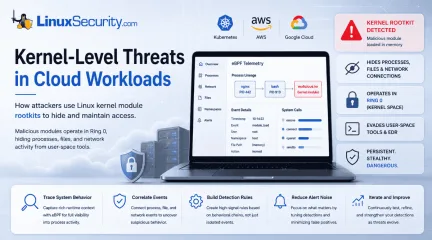
Linux Kernel Module Rootkits: How Attackers Hide After Compromising Cloud Workloads
If you think you know what’s running on your Linux host, you’re probably wrong. Not because you’re bad at your job—but because the kernel is lying to you. . I remember the first time I saw a kernel-level rootkit in the wild. We were debugging a performance spike on a cluster of web servers. Everything looked fine. top showed nominal CPU usage, ps listed the expected worker processes, and our security agent—a standard EDR tool—reported that the system integrity was "Green." But the network traffic didn't match. We were seeing outbound encrypted packets to an unknown IP, yet the server's own netstat logs were completely clean. That’s the "Ghost in the Machine." The attacker wasn't just hiding their process; they had rewritten the rules of the game at the lowest level of the stack. How Kernel Module Abuse Rewrites System Calls Linux kernel module abuse works because attackers can execute code inside the operating system's most privileged layer. When a malicious Loadable Kernel Module (LKM) is loaded, it doesn't run like a normal application. It executes in Ring 0, the kernel's highest privilege level, where it can intercept system calls, manipulate memory, and change how the operating system responds to requests. By comparison, applications, containers, and most security tools operate in Ring 3, relying on the kernel to provide an accurate view of the system. Once an attacker controls Ring 0, they control what every Ring 3 process is allowed to see. Basically, when a process wants to list files, it doesn't just read the hard drive. It makes a request to the kernel. It says, "Hey, what's in this folder?" This request is called a system call (syscall). Every time you run ls, your shell triggers the getdents64 syscall. Usually, the kernel looks at the file system, grabs the list, and hands it back. But if an attacker loads a malicious Loadable Kernel Module (LKM), they can manipulate the kernel’s internal function pointers. Specifically, they can overwrite thehandler for the getdents64 syscall. Instead of going to the actual disk handler, the syscall now jumps to the attacker's code. This code performs a "filtered read." It asks the kernel for the directory list, intercepts the result, searches for any file name matching its malicious payload (like voidlink_exec or backdoor.so), and strips those lines out. Only then does it return the sanitized list to your shell. Why the Kernel Starts Lying to Security Tools This is the nightmare of modern cloud workload security. Because the "lie" happens inside the kernel, it’s not just your ls command that gets fooled. It’s every single tool on the system. ps, top, htop, netstat—they all rely on the same kernel APIs. I’ve had engineers ask me, "Why doesn't the security agent catch this?" It’s a fair question, but it ignores the fundamental architecture. The EDR agent on your host is also a user-space process. When it asks the kernel for a list of active network sockets, it receives the exact same "laundered" data that your shell received. The attacker essentially has the EDR agent looking at a fake version of reality. This isn't theoretical. It's the standard operating procedure for any LKM-based rootkit. By the time you notice something is "off" with the network latency or CPU jitter, the attacker has usually achieved total persistence. Why Kernel Module Abuse Is So Hard to Stop The reason we don't have "silver bullet" tools to stop this is that the kernel is an incredibly messy place. You cannot simply block every LKM load. Modern cloud workloads depend on LKMs for everything from high-performance networking drivers to proprietary storage interfaces. If you blanket-ban insmod or modprobe, your cluster breaks. There’s also the issue of overhead. Trying to verify the integrity of every kernel function pointer in real-time is computationally expensive. If your security tool adds even 5% latency to your kernel’s syscall processing, your microservices performance will tank. In the worldof high-frequency trading or real-time bidding platforms, that’s a non-starter. This leads us to the "Chicken and Egg" dilemma: To catch a rootkit, you need to be at the same privilege level as the rootkit (Ring 0). But the higher the privilege you grant to your security tools, the larger the attack surface you create. If your security module has a bug, you become the source of the kernel panic. What VoidLink Reveals About Modern Kernel Malware If you want to understand where Linux malware is heading, you have to stop thinking about files. If you're still hunting for a suspicious binary in /tmp or a rogue executable hiding on disk, you're fighting yesterday's battle. In late 2025, researchers uncovered a previously undocumented Linux malware framework called VoidLink. As detailed by Check Point Research , VoidLink isn't simply another Linux rootkit . It's a modular malware framework written primarily in Zig and designed specifically for modern cloud environments, including Linux servers, containers, and Kubernetes clusters. What makes VoidLink particularly noteworthy isn't just its technical capabilities—it's what it represents. Rather than relying on a single payload, the framework is built to adapt its behavior based on the environment it compromises. Researchers also found evidence that its development was heavily accelerated using AI-assisted workflows, demonstrating how quickly sophisticated malware can now be designed and iterated. VoidLink matters because it reflects a broader trend. Modern Linux malware is becoming increasingly modular, cloud-aware, and engineered to blend into today's infrastructure rather than behaving like traditional malware. Cloud-Aware Malware Changes the Attack Surface Traditional Linux malware often follows a familiar pattern: compromise a system, drop a payload, and execute it. VoidLink takes a different approach. Before deciding what to do, it profiles the environment it's running in. It can identify major cloud providers—including AWS,Microsoft Azure, Google Cloud Platform, Alibaba Cloud, and Tencent Cloud—as well as determine whether it's running inside Docker containers or Kubernetes workloads. Based on what it discovers, it dynamically loads plugins designed for that specific environment. One example is Kubernetes. Rather than attempting to brute-force credentials, VoidLink searches for Kubernetes service account tokens, which are commonly mounted inside pods at /var/run/secrets/kubernetes.io/serviceaccount/. Those credentials don't automatically give an attacker control of the cluster. However, if the associated service account has overly permissive RBAC permissions, they can provide a foothold for privilege escalation, lateral movement, or broader compromise of the Kubernetes environment. This reflects a larger shift in Linux malware. Instead of assuming every target looks the same, modern frameworks increasingly adapt themselves to the infrastructure they've compromised. Stealth Techniques Continue to Evolve VoidLink also demonstrates how Linux malware is evolving beyond traditional persistence techniques. Rather than relying on a single method of remaining hidden, the framework supports multiple stealth mechanisms, including Loadable Kernel Module (LKM) rootkits, LD_PRELOAD user-space persistence techniques, and eBPF-based capabilities. This modular approach gives operators flexibility to deploy techniques best suited to the target system, Linux kernel version, and defensive controls they encounter. Researchers also documented operational security (OPSEC) features intended to make analysis more difficult, including runtime code encryption, adaptive behavior based on the execution environment, and self-deletion capabilities that can remove components when necessary. Taken together, these capabilities highlight an important shift in Linux malware development. Attackers are no longer relying on a single rootkit or persistence mechanism. They're building modular frameworks that combine cloudreconnaissance, credential theft, kernel-level stealth, and environment-aware decision-making into a single platform. For defenders, that's the real lesson. VoidLink isn't important because every organization will encounter it. It's important because it demonstrates where modern Linux malware is heading—and why protecting today's cloud workloads means securing not just applications, but the Linux kernel and the infrastructure surrounding it. Memory-Only Implants Leave Few Artifacts The most annoying part? It’s fileless. Using an in-memory execution model inspired by Cobalt Strike’s "Beacon Object Files" (BOF), VoidLink loads its plugins as raw ELF object files directly into RAM. There is no voidlink.so on your disk. There is no malware.sh to grep for. The entire malicious logic exists as transient, encrypted blobs in memory, re-decrypted only when it needs to "beacon" back to the C2 server. When your security agent runs a file integrity check, it sees… nothing. Because there’s nothing there. Attackers Hide in the Noise of Modern Infrastructure Here’s what the whitepapers won't tell you: the reason this works isn't just "advanced code." It’s because the baseline of our systems is bloated. We’ve normalized running everything-under-the-sun on our production kernels. When I look at a node infected with something like VoidLink, I see hundreds of processes. I see complex eBPF programs running for "observability." I see massive LKM dependency trees. The malware doesn't hide in a hole; it hides in the noise. It’s like hiding a needle in a stack of needles. When you’re staring at that terminal, trying to find a rootkit that’s literally rewriting the kernel’s internal netlink tables, you realize that "detecting" the malware is the wrong goal. You can't out-hack the kernel. You have to lock it down so hard that the malware doesn't have the space to breathe. Reducing the Linux Kernel Attack Surface If you’ve made it this far, you’re probably wondering: "So, what do I actually do?" Most vendors will tell you to buy their "Next-Gen" tool. They’ll promise a single-pane-of-glass dashboard that magically detects kernel threats. I’m telling you to ignore them for a moment. Buying a tool is easy; configuring a hardened operating system is hard. If you want to survive the era of kernel-level threats, you have to move from "monitoring" to "denying." Remove Unnecessary Kernel Modules We are all guilty of "dependency bloat." Look at the default kernel install for any major cloud distribution. You’ve got drivers for hardware you’ll never see in a data center, legacy filesystem support you don't need, and networking protocols that haven't been used since the 90s. Every one of those lines of code is a potential gadget for a ROP chain or a kernel-mode exploit. I’ve seen teams "hardened" their systems by adding an EDR, yet they still run a generic distribution kernel with every single module enabled. That’s not security; that’s theater. The real fix? Custom, modular, stripped-down kernels. I know what you're thinking: "But that’s a maintenance nightmare." You're right. It is. But so is getting your entire production stack cryptographically locked by a rootkit that’s been living in your esp module for three weeks. If your microservice only needs ext4 and virtio_net, then modprobe those—and compile everything else out. If you don't need the module, don't let it exist on the disk. Delete it . The "No-Root" Myth: Containers Still Share the Same Kernel There’s this lingering idea that if we run our containers as "non-root," we’re safe. Sure, it stops a lazy attacker from modifying /etc/shadow, but it does nothing to stop a kernel exploit. If your container workload has a vulnerability, the attacker doesn't care if they are uid:1000. They just need the ability to exploit the kernel. Once they trigger an init_module call through a vulnerability, the kernel doesn't care who started the request. It just executes the code. You need to use seccomp profiles to explicitly block the init_module and finit_module syscalls. Block kernel module loading by setting kernel.modules_disabled=1 via sysctl[4]. If your workload isn't supposed to be loading kernel modules, then the syscall should be forbidden. If you haven't written a seccomp profile that denies CAP_SYS_MODULE by default, do it today. It’s the single most effective way to stop 90% of the "container-to-kernel" escapes I see in the wild. Enforce Module Signing and Kernel Lockdown If you want to play at the highest level of security, you need to look at Kernel Lockdown Mode. It’s the "nuclear option," and that’s exactly why it works. When you enable lockdown=integrity or lockdown=confidentiality (depending on your kernel version), you’re telling the OS: "If this code isn't signed by my trusted key, it doesn't get to run." It prevents you from modifying kernel memory at runtime. It stops /dev/mem access. Does it break things? Yes. It breaks everything that relies on "lazy" kernel-patching tricks—like some performance monitoring tools and even some (poorly written) security agents. You’ll have to rewrite your telemetry pipelines. You’ll have to re-sign your drivers. You’ll have to stop using "hacky" debugging scripts. But you’ll also make your host immune to the vast majority of in-memory LKM rootkits. Monitor Kernel Activity with eBPF I’m a skeptic, but I’m a realist. If you can’t strip your kernel to the bone, you need better visibility. But don't look for it in the user-space. eBPF is a powerful way to watch the kernel, but it is not the only method and can be exploited to create stealthy rootkits. Because eBPF programs are verified at load time, you can put your sensors right at the syscall entry point—before the rootkit has a chance to intercept it. I’ve been experimenting with using eBPF to trace sys_init_module calls. It’s simple, it’s low-overhead, and it’s loud. If a process that isn't systemd ormodprobe tries to call init_module, security tools like Tracee alert us and can dump the module for investigation, but we do not automatically kill the container process immediately. No questions asked. We don't wait for "forensics." We assume the compromise is happening right now . Kernel Security Starts with Reducing Trust Security isn't a "set it and forget it" checkbox. It’s an arms race. The attackers are using LLMs to write better exploits, they're using eBPF to hide their tracks, and they're targeting the very heart of your infrastructure. If you aren't auditing your lsmod list, if you aren't blocking CAP_SYS_MODULE in your pods, and if you aren't treating the kernel as the most critical attack surface you own, you’re just waiting for a breach. Don't wait for the post-mortem to care about your host foundation. Go look at your kernel logs. Now. Before the "Ghost" decides to move in. Want more Linux security news, vulnerability analysis, and software supply chain updates? Subscribe to the LinuxSecurity Newsletter and get the latest threats, advisories, and expert insights delivered directly to your inbox. Related Reading Auditd vs eBPF: Modern Approaches to Linux System Monitoring eBPF: Boosting Runtime Security for Linux System Administrators Why Runtime Monitoring Is Replacing Traditional Linux Logging Linux Kernel eBPF Monitoring: Rootkit Threats and Evasion Techniques . Learn how kernel module rootkits hide in cloud settings, adapting to evade detection and compromise Linux systems.. KernelModuleRootkits, CloudWorkloadSecurity, LinuxMalwareFramework, AttackerTechniques, LinuxKernelSecurity. . Dave Wreski
 Jul 02, 2026
•
Jul 02, 2026
•
102
 cloud securitysecurity monitoringkernel exploits
Why Linux Rootkits Still Matter in Cloud and VMware Environments
Linux rootkits are old, but they never really disappeared. They just stopped attracting the same attention. . Most malware wants to execute and spread. A rootkit wants to stay invisible long enough that nobody notices the compromise until the damage is already done, and on Linux systems, that still works more often than many teams are comfortable admitting. That difference matters because modern infrastructure runs heavily on Linux underneath. Cloud workloads, ESXi hosts, telecom appliances, Kubernetes nodes, internal web services. A quiet implant inside one of those systems can sit there for weeks while logs look normal and monitoring dashboards stay green. Modern Intrusions Still Use Linux Rootkits Researchers continue seeing Linux rootkits in campaigns tied to VMware exploitation, cloud intrusions, credential theft operations, and long-term persistence activity inside enterprise environments. The tooling changes. The goal usually does not. One of the more visible examples came from the UNC3886 activity targeting VMware environments. Researchers observed the group deploying Linux rootkits, including REPTILE and MEDUSA, after exploiting vCenter and ESXi vulnerabilities. The implants helped hide attacker activity, maintain persistence, and support credential theft across compromised systems. The visibility problem sits underneath all of this. Traditional security tooling still leans heavily on signatures, known malware hashes, or suspicious binaries sitting on disk. Rootkits work around that model by interfering with the operating system itself. Some operate in user space through shared libraries and linker abuse. Others load directly into the Linux kernel, where they can intercept activity before monitoring tools ever see the real picture. What a Linux Rootkit Actually Does A Linux rootkit exists for one reason: to make attacker activity disappear . Sometimes that means hiding files or processes. Other times it means suppressing logs, concealing outbound connections, ormasking remote access entirely. The goal is always the same — make the compromised system look normal long enough for nobody to investigate it closely. Some rootkits stay in the user space and tamper with what applications report back to administrators. Others run directly inside the Linux kernel itself. That is where things get dangerous fast. Once attackers reach kernel space, they can interfere with the operating system before tools like ps, top, or netstat ever see the real activity. At that point, defenders are no longer investigating a trustworthy system. They are investigating a system that may already be lying to them. Why Linux Remains an Attractive Target Linux powers the backbone of modern enterprise infrastructure. Many of these systems—like storage appliances or CI/CD servers—stay online for months with limited downtime, making them perfect candidates for long-term persistence. Attackers have shifted away from older, noisy binary-replacement methods to abusing legitimate system functionality : Loadable Kernel Modules (LKMs): Used for drivers, abused for stealth. LD_PRELOAD: Used for debugging, abused for code injection. eBPF / io_uring: Used for observability/performance, abused for undetectable kernel-level hooking. The line between "necessary admin tool" and "malicious rootkit" is now paper-thin. How Modern Linux Rootkits Stay Hidden LD_PRELOAD: Forces the system to load a malicious shared object before everything else. This can hide files or intercept credentials globally. Kernel-level Hooking: Once a module is in the kernel, it can "hook" functions. If you ask the kernel for a process list, the rootkit modifies the result on the fly to remove its own process ID. eBPF and io_uring: These modern features are hard to disable because they support critical system monitoring. Attackers use this "don't touch" status to hide their activity in plain sight. Defender’s Toolkit: What to Check Tomorrow If you suspect a systemis compromised, stop relying on standard binary output. Use these commands to look for the "truth" underneath: Target Command / Check Why it matters Modules lsmod Look for unsigned or unexplained modules. Libraries cat /etc/ld.so.preload This file should almost always be empty. eBPF bpftool prog show Identify hidden/unknown eBPF programs running in the kernel. Network ss -antp vs netstat Compare different tools; if they disagree, something is intercepting calls. Integrity ausearch -k module-load Check logs for unexpected module loading activity. Why Traditional Detection Breaks Down Many security products still rely on static indicators like hashes or file signatures. Elastic Security Labs found that adding a single "null byte" to a rootkit’s code can be enough to bypass antivirus software entirely without breaking the malware's function. Focus on behavior, not files: Unexpected kernel module loading. Unauthorized LD_PRELOAD usage. Sudden, unexplained process masquerading. Abnormal io_uring system call patterns. Reducing Linux Rootkit Risk Preventing kernel-level compromise is easier than recovering from it. Once a rootkit is in the kernel, you should treat the entire system as untrusted. Enforce Module Signing: Use modules_disabled or secure boot to prevent unauthorized kernel modules. Harden the Kernel: Use sysctl to restrict access to debugging interfaces like kprobes or perf_event_open. Layered Telemetry: Do not rely on local logs alone. Use hypervisor-level monitoring and external network traffic analysis. If the host is lying, the network and the hypervisor will tell the truth. Prioritize Patching: Most rootkits gain a foothold through known vulnerabilities. Closing the front door is the best way to keep thesesophisticated tools from ever getting inside. For teams running bare-metal infrastructure, reviewing dedicated server security hardening practices at the hosting level adds another layer before attackers ever reach the OS. Final Thoughts Linux rootkits are not relics—they are high-value tools for attackers who understand that modern infrastructure is often a "black box" to defenders. A hidden implant inside a cloud host or ESXi server can provide years of access while your dashboards stay green. The moment you stop trusting the operating system’s report is the moment your investigation actually begins. Traditional antivirus is only the first layer; true defense requires behavioral monitoring, deep visibility, and the readiness to rebuild rather than "clean" a compromised system. The hardest attacks to stop are the ones that are already running, quiet and invisible, beneath your feet. Related Articles Rootkits: Threats and Prevention Techniques For Linux Systems BERT: Cross-Platform Ransomware Hits Linux & ESXi - Important Advisory Understanding Play Ransomware's New Linux Variant Targeting ESXi LockBit 4.0: Safeguarding Linux from Ransomware Attacks and Risks Akira Ransomware Attacks VMware ESXi With Linux Encryptor . Most malware wants to execute and spread. A rootkit wants to stay invisible long enough that nobody . linux, rootkits, never, really, disappeared, stopped, attracting. . MaK Ulac
Jun 01, 2026
•

102
 cloud securitycontainer securityeBPF
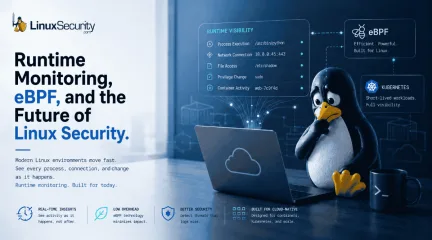
Why Runtime Monitoring Is Replacing Traditional Linux Logging
The problem is not necessarily a lack of security tools. Modern Linux infrastructure changes so quickly that maintaining consistent visibility has become one of the hardest operational problems in cloud security. . From Kubernetes clusters to CI/CD pipelines, production environments now depend heavily on Linux systems that are distributed, containerized, and constantly changing. Many workloads may only exist for a few seconds before disappearing entirely. Traditional logging systems were designed for stable, long-running servers, not ephemeral workloads that scale dynamically across cloud infrastructure. That shift is forcing organizations to rethink how Linux activity is monitored in real time. Traditional logfile logging still provides useful historical records, but many Linux security teams are increasingly looking for more modern monitoring approaches that can capture runtime activity as it happens instead of reconstructing events afterward. Runtime monitoring technologies, particularly eBPF (Extended Berkeley Packet Filter) , are becoming more important because they allow defenders to observe process execution, network activity, file access, and process lineage in real time across highly dynamic Linux environments. Why Traditional Monitoring Fails Linux environments are rarely standardized. A single organization may run Ubuntu in the cloud, Red Hat on production servers, Alpine inside containers, and custom kernels for specialized workloads, all at the same time. Security tools that work well in one environment may collect incomplete activity in another. That inconsistency creates operational blind spots long before an attacker appears. A monitoring platform may capture process activity correctly on one host but lose file visibility after a kernel update on another. Container workloads may terminate before alerts are fully processed. Security teams often assume they are collecting the same activity everywhere when, in reality, visibility varies heavily across systems. The issueis not always tooling quality. Linux infrastructure itself changes too quickly to guarantee perfectly uniform monitoring. That is one reason many Linux security teams are adopting runtime monitoring platforms and eBPF to improve visibility across distributed infrastructure, where traditional log file logging often struggles. Why Traditional Logs Fail to Detect Modern Attacks Many organizations still rely heavily on logs to investigate Linux activity. While logs remain useful for troubleshooting and historical investigations, modern attackers increasingly avoid techniques that generate obvious alerts. Instead of deploying traditional malware, attackers often rely on legitimate Linux utilities already present on the system. A compromised account may: connect through SSH, pull payloads with curl or wget, execute scripts directly in memory, or move laterally using valid credentials. To a logging platform, much of this can look identical to normal administrative work. For example, a developer running: curl internal-script.sh | bash may generate activity that looks nearly identical to an attacker downloading and executing a malicious payload in the same way. Both actions involve a shell process, a network request, and script execution. Without additional runtime context around the process itself, security teams may not immediately know the difference. This becomes especially dangerous in cloud environments where attackers intentionally blend into routine operational activity using legitimate Linux utilities already trusted inside production environments. Many organizations still struggle to correlate process activity, network connections, and file access together in real time, which is why runtime monitoring and technologies like eBPF are becoming increasingly important for improving process lineage visibility and identifying living off the land attacks. Consider a Kubernetes workload launched through a compromised CI/CD pipeline that briefly executes ashell, downloads a binary with wget, opens an outbound connection, and terminates less than 30 seconds later. Traditional logs may capture fragments of the activity separately: a shell execution, a network connection, and a terminated container. What often disappears is the runtime relationship between those events. eBPF helps preserve that process lineage in real time, allowing investigators to see which parent process launched the shell, which workload initiated the network activity, and whether privilege escalation or additional child processes followed before the container disappeared. These visibility challenges become even harder once workloads become highly ephemeral. The Security Challenges of Containerized Workloads Containers changed the way Linux infrastructure operates, but many security strategies still assume systems are stable and long-running. In Kubernetes environments , workloads may exist for only seconds before disappearing entirely. By the time an alert appears, the container involved may no longer exist. This creates several practical problems for defenders: process histories become incomplete, evidence disappears quickly, and investigators may struggle to identify which workload originally triggered suspicious activity. Imagine a container briefly launching, connecting to an unfamiliar external IP address, downloading a file, and terminating 20 seconds later. If monitoring systems are not collecting activity in real time, much of the evidence disappears alongside the workload itself. Traditional host-based monitoring was designed for persistent servers, not constantly changing infrastructure. The faster environments scale and rotate, the harder traditional monitoring becomes. How eBPF Is Improving Linux Runtime Monitoring To close these gaps, many organizations are shifting away from simple post-event logging and toward runtime monitoring. One of the most important developments driving this shift is eBPF, which allowssecurity tools to observe low-level Linux activity with far less performance impact than older monitoring methods. Instead of relying entirely on logs written after activity occurs, runtime monitoring can observe: process execution, network connections, privilege changes, and file access while activity is actually happening. This is especially valuable in container environments where workloads may disappear before investigators can manually review them. Runtime monitoring also improves process lineage, meaning security teams can better understand what launched a process, what happened afterward, and whether related network or file activity followed nearby. That context is often what determines whether the activity is a benign administration or an active intrusion attempt. Practical Steps to Reduce Linux Visibility Gaps No organization will achieve perfect visibility across every Linux workload, but several practical steps can reduce monitoring blind spots significantly. Standardize monitoring wherever possible The more Linux distributions, kernel versions, and custom environments an organization maintains, the harder visibility becomes. Standardizing production environments reduces inconsistency between systems and improves monitoring reliability. Prioritize runtime monitoring for internet-facing systems Traditional logs alone are often insufficient for cloud workloads and exposed infrastructure. Runtime monitoring helps security teams observe activity while it is happening instead of reconstructing events afterward. Validate visibility after infrastructure changes Kernel updates, container platform updates, and agent upgrades can quietly reduce monitoring coverage. Security teams should routinely validate that expected process, file, and network activity is still being collected correctly after major changes. Correlate activity instead of relying on isolated alerts Single events rarely tell the full story on Linux systems. Correlating process activity, filechanges, authentication events, and network connections together provides a much stronger detection context. Focus on short-lived workloads Container environments require real-time monitoring strategies. If activity is only reviewed after an alert triggers, important evidence may already be gone. The Tradeoff Between Visibility and System Performance One of the hardest operational problems in Linux security is balancing visibility against performance. Security teams want detailed information about process execution, network activity, file access, and privilege changes. The problem is that collecting all of that activity consumes CPU, memory, and storage resources. Production systems are usually optimized aggressively for uptime and application performance. If a monitoring agent introduces latency, increases resource usage, or causes instability, operations teams may disable it entirely. That forces organizations into difficult tradeoffs. Lightweight monitoring agents reduce performance impact but often provide incomplete visibility. More aggressive monitoring platforms collect deeper runtime activity but may increase operational overhead or strain production workloads. There is rarely a perfect balance, especially in cloud-native environments where workloads scale constantly, and resource usage is tightly controlled. eBPF-based runtime monitoring has become increasingly important partly because it allows organizations to collect deeper runtime telemetry with significantly lower overhead than many traditional kernel instrumentation approaches. Conclusion: Runtime Visibility Is Becoming Essential Traditional logfile logging still plays an important role in Linux security operations, but modern cloud infrastructure increasingly requires runtime visibility that can capture process activity, workload relationships, and low-level system behavior as it happens. Modern Linux environments are distributed, performance-sensitive, heavily containerized, and constantly changing. Attackersincreasingly rely on legitimate Linux utilities and living off the land attacks that blend directly into normal operational activity. That is why runtime monitoring and eBPF-based telemetry collection are becoming central to modern Linux security strategies, particularly inside Kubernetes and other highly dynamic environments where traditional logging alone often arrives too late. Stay Ahead of Linux Runtime Security & Infrastructure Trends Interested in more in-depth coverage of Linux runtime monitoring, cloud-native security, Kubernetes visibility, eBPF, and modern infrastructure defense strategies? Subscribe to the LinuxSecurity newsletter for weekly analysis, threat updates, and technical insights from across the Linux ecosystem. Related Reading Linux Supply Chain Attacks Threaten DevOps Teams and Security Why Software Supply Chain Security Matters in Linux Systems GitHub Actions Critical Misconfigurations Expose Open Source Risks Securing the Software Supply Chain with In-Toto Targeted Threats Against Open Source Maintainers: Key Insights Linux Supply Chain Attack Update: Protecting Against Threats . From Kubernetes clusters to CI/CD pipelines, production environments now depend heavily on Linux sys. problem, necessarily, security, tools, modern, linux, infrastructure, changes. . MaK Ulac
May 12, 2026
•
102
 security managementcloud securityopen source security
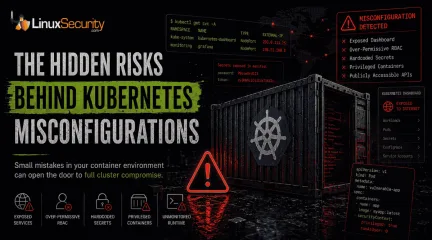
Container Security Misconfigurations That Still Go Unnoticed
Container security has long carried a reputation for resilience, but attackers have increasingly shifted their focus toward something easier to exploit: the Kubernetes environments surrounding the containers themselves. . Instead of breaking Kubernetes directly, attackers are abusing exposed dashboards, overly broad permissions, insecure APIs, and containers running with far more access than they actually need. Many of these weaknesses are not hidden particularly well. They survive because clusters change constantly, deployments move quickly, and temporary configurations often remain in place long after production rollout. The pattern has become increasingly common across cloud environments. A service account keeps cluster-admin privileges after troubleshooting. A management dashboard stays exposed after testing. API keys end up sitting directly inside YAML manifests. Individually, these mistakes look minor. Combined, they create an attack surface that attackers now constantly scan for. What Is a Container Misconfiguration? At its core, a misconfiguration is just an environment left insecure by mistake. It usually stems from settings that are far too open or protections that were simply never toggled on. This usually happens during the "move fast and break things" phase of a deployment. A team needs an application online by Friday, so they use temporary settings for testing that somehow survive the trip into the live environment. Over time, those weak settings create security gaps that attackers exploit with minimal effort. The pattern is repetitive and predictable: Containers running with full administrator privileges. Secrets or API keys are stored in plain text within the manifest. Open ports exposed to the public internet for "ease of access." Unused services left running as background noise. RBAC permissions that grant users far more power than their role requires. Attackers hunt for these mistakes because they are common and require almost zerosophistication to exploit. In many cases, a single weak setting can give an attacker access to an entire cloud environment before a defender even realizes a pod was compromised. Why Kubernetes Security Is a Moving Target Most Kubernetes security problems aren’t exotic. They come from rushed deployments and permissions that nobody cleaned up later. The same mistakes appear over and over again: Containers running as root because fixing permissions took too long. API keys are sitting directly inside YAML files. Public ports left exposed after testing. RBAC rules granting cluster-admin access because narrowing permissions broke something once, and nobody revisited it. Old manifests are reused across new deployments without anyone reviewing the original security settings. Those mistakes matter because Kubernetes connects everything together. Compromise one over-privileged container, and attackers often gain access far beyond the application itself—secrets, neighboring workloads, the Kubernetes API, sometimes even the wider cloud account. The real problem is visibility. Kubernetes environments change constantly, and insecure settings spread fast through reused manifests and inherited configurations. At scale, small mistakes quietly turn into incident response problems. The "Root" of the Problem: Over-Privileged Containers One of the oldest Kubernetes problems still causes some of the worst incidents. Containers running with far more privilege than they need. Teams leave workloads running as root because it avoids permission issues during setup, makes debugging easier, or just survives from an early deployment nobody revisited later. That shortcut opens the door wider than most people realize. Once an attacker gets into a privileged container, they can often reach beyond the application itself. That can mean accessing the host system, stealing credentials, installing malware, or moving into other containers on the same server. One compromised workload canquickly turn into a wider cluster breach when permissions are too broad. Publicly Exposed Services: The Windows We Leave Open Another common failure is exposing internal Kubernetes services directly to the internet. Usually not on purpose. A load balancer gets configured too broadly. A dashboard stays reachable after testing. Network rules remain open longer than they should. Small deployment decisions. Big exposure. Attackers look for these systems constantly because they’re often easier to exploit than hardened front-end applications. Kubernetes dashboards, management APIs, monitoring panels, backend services—anything that was meant to stay internal becomes a potential entry point once it’s exposed publicly. An exposed dashboard is especially dangerous because it can reveal far more than most teams expect: secrets, environment variables, deployment settings, service accounts, sometimes even direct administrative control depending on how permissions were configured. Organizations often don’t realize these services are public until suspicious traffic appears in logs or cloud usage spikes unexpectedly. The fix is straightforward, but teams skip it constantly. Internal management systems should sit behind VPN access, identity-aware authentication, or tightly restricted network policies—not directly on the public internet. The Visibility Gap: Unmonitored Runtime Activity Most teams have gotten good at scanning container images before deployment, but far fewer monitor what happens after those containers go live. This creates a massive visibility problem. A scanned, "clean" container can still be compromised through a logic flaw in the application itself. Once an attacker is inside, they may try to download a binary from an external IP or start an unexpected reverse shell to maintain persistence. Without runtime monitoring, this behavior is essentially invisible. This is why tools like Falco or Dynatrace are critical. You need to be alerted the moment a container suddenlytries to execute /bin/sh or starts scanning the internal network—activities that no healthy web server should ever be doing in a production environment. Why Misconfigurations Remain a Major Threat Misconfigurations remain one of the leading causes of Kubernetes and container-related breaches. In many cases, the issue is not a sophisticated zero-day exploit. It’s an environment that was never fully secured in the first place. Three Kubernetes Checks Most Teams Can Run in 15 Minutes Most Kubernetes security problems aren’t advanced. They come from rushed deployments, leftover permissions, and configurations nobody revisited after the cluster went live. The dangerous part is how long these issues sit there unnoticed. 1. Find Containers Running With Too Much Privilege A lot of clusters still have containers running as privileged or root because it made setup easier at some point. That shortcut matters more than people think. Once an attacker gets into one of those containers, they can often reach the host system, pull credentials, or move into other workloads running on the same node. Run this and see what comes back: kubectl get pods --all-namespaces -o jsonpath='{.items[?(@.spec.containers[*].securityContext.privileged==true)].metadata.name}' If the list includes anything outside core infrastructure components, it’s worth investigating. Most application containers don’t need that level of access. 2. Check for Overly Broad RBAC Permissions RBAC problems are everywhere in Kubernetes environments. Permissions get expanded during troubleshooting, someone adds cluster-admin access temporarily, then nobody removes it later. Over time, the access model drifts into chaos. That becomes dangerous fast during a breach. If a compromised ServiceAccount has broad permissions, the attacker may be able to access secrets, deploy workloads, modify namespaces, or interact directly with the Kubernetes API across the cluster. One weak pod can turn into fullorchestration-layer access surprisingly quickly. Look through ClusterRoles and watch for wildcard permissions using *. Those rules usually grant far more access than anyone intended. 3. Run a Basic Misconfiguration Scan Kubernetes changes constantly. New workloads appear every day, policies drift, and old YAML gets reused. Manual review doesn’t scale well once clusters grow beyond a certain point. That’s where lightweight scanning tools help. Kube-Bench is useful for checking whether the cluster aligns with CIS benchmark recommendations. Kubescape goes wider and looks for insecure configurations, exposed services, risky RBAC settings, and known vulnerabilities across workloads and manifests. Neither tool fixes the environment for you, but both are good at surfacing the problems teams stop noticing after staring at the same cluster for too long. Basic Hygiene Still Prevents the Majority of Breaches Advanced cloud security tools are important, but many container-related incidents still come down to basic defensive hygiene . The most effective protections are often the most boring: Enforcing least privilege access and disabling unnecessary privileges. Scanning images regularly and monitoring runtime activity for anomalies. Applying network segmentation and removing unused workloads. Keeping Kubernetes components updated and auditing RBAC consistently. Restricting public exposure to the absolute minimum. None of these steps is especially new or complicated. The challenge is maintaining them consistently as environments grow and change. Final Thoughts: What To Do Next Monday Morning Container adoption is moving faster than most teams can secure it. The biggest risks usually aren’t zero-days or advanced exploits. They’re the everyday configuration mistakes that stay sitting in production for months because nobody noticed them during deployment. If you want to harden a Kubernetes cluster quickly, start with the basics. Run a Kube-Bench scan tosee how your cluster configuration stacks up against CIS benchmarks. Audit your "Privileged" pods using a simple kubectl query to see who actually has root access. Check for exposed dashboards or unauthenticated APIs. As cloud infrastructure becomes more dynamic, visibility becomes just as important as prevention. Security teams need to understand not only what they deploy, but also how workloads behave after deployment. Because in many modern breaches, attackers aren’t discovering new weaknesses—they’re simply finding the misconfigurations nobody fixed. Stay Ahead of the Threat: Sign up for our newsletter for weekly deep-dives into cloud-native security. Container Security Misconfigurations Leading to Threats Kubernetes Security: Top Strategies for 2026 Against Emerging Threats . Unlock your Kubernetes security with key checks to combat common misconfigurations that cloud environments face.. Kubernetes Security, Container Management, Misconfiguration Detection, Cloud Environments, Security Best Practices. . MaK Ulac
May 07, 2026
•
102
 cloud securityLinux adminprocess monitoring
eBPF for Runtime Threat Detection: What Linux Admins Are Actually Deploying
Runtime security has moved from “nice to have” to an operational baseline in Linux environments. Most teams learned the hard way that logs and post-event alerts don’t catch what actually runs on the system in real time. Attackers don’t wait for indexing pipelines or SIEM correlation. . Modern attackers no longer just break down your front door. Instead, they sneak in by hiding inside the trusted, legitimate software your company already uses every day. Because they mimic normal system behavior, they can move through your network undetected, turning a small security hole into a company-wide emergency. eBPF shows up here because it sits where the activity happens. Not a bolt-on, not another dashboard. Teams are wiring it into production because it gives them direct visibility into runtime behavior without dragging in heavy agents or rewriting workloads, and that shift is already visible across detection engineering, observability stacks, and security tooling. Why Runtime Security Has Become Critical for Linux Security Linux security has reached a point where visibility before and after an event is no longer enough, especially as modern attacks unfold in real time within the system itself. Limited endpoint security parity with Windows: Linux environments still lack consistent, mature endpoint controls. Coverage varies wildly across distros, and many deployments rely on minimal agents or none at all. Detection tied to logs, not behavior: Most Linux threat detection still leans on syslogs and audit trails. Useful after the fact, weak during execution when timing matters. Attacks happen during runtime: Process injection, privilege escalation, and lateral movement. All of it unfolds live in memory and kernel space, not in static artifacts. Static and perimeter defenses miss active threats: Firewalls and scanners don’t see what a process is doing once it’s running. They weren’t built for that layer. Put together, the gap is obvious. Linux security has goodvisibility before and after execution, but the middle, where attackers actually operate, stays thin unless you instrument runtime directly, a trend highlighted in the 2026 global cybersecurity outlook . Where Traditional Security Monitoring Falls Short Tool Type Strength Limitation Endpoint Security Known threat blocking Weak on Linux and limited runtime visibility Network Security Monitoring Traffic visibility No process-level insight Security Monitoring Tools Centralized alerts Reactive, delayed detection These tools still matter. But they operate on slices of the system, not the full execution path. As seen in current cloud-native security assessments , you see packets without knowing which process sent them, or alerts long after the command already ran, which makes triage slower and containment messy when attackers move laterally faster than your alerts fire. What eBPF Changes in Runtime Threat Detection Think of traditional security like a security guard watching the front gate. eBPF is like installing a high-definition security camera directly inside the engine of the car. Instead of guessing what went wrong after a crash by looking at tire tracks (logs), you can see exactly how the engine behaved in real-time as the incident was unfolding. Technical resources on kernel-level observation detail how this captures system calls, process execution, file access, and network activity in real time. No polling, no waiting for logs to flush. That visibility sits close to the source, which reduces blind spots that attackers rely on when they operate inside legitimate processes. What teams actually watch with eBPF tends to center around a few areas: Process execution chains and parent-child relationships System call patterns and anomalies Network connections tied back to processes File access and unexpected changes It’s not asecurity tool on its own. More like a telemetry layer that finally exposes runtime behavior cleanly enough for detection logic to work without guesswork. What Linux Admins Are Actually Deploying Today Most Linux admins aren’t relying on static defenses anymore. They’re shifting toward runtime visibility and kernel-level instrumentation to see what’s actually happening on their systems in real time. Runtime Threat Detection Platforms Recent technical analysis on eBPF security and observability shows teams are deploying platforms that sit on top of eBPF to track process behavior and system activity. The focus stays on identifying anomalies during execution, not matching signatures after the fact. Container and Cloud Workload Security Kubernetes environments lean heavily on eBPF for runtime protection. In modern cloud environments, applications are 'short-lived'—they might only exist for a few minutes before disappearing. Traditional security software is often too slow to keep up with these fast-moving targets. By building security directly into the 'brain' (the kernel) of the operating system, we ensure that every application is monitored from the moment it starts until the moment it closes. Network + Process Correlation Admins are linking network traffic back to the exact process generating it. This closes a long-standing gap where network monitoring showed activity but couldn’t explain the source inside the host. Open Source vs Commercial Tools Falco, Cilium, and Tetragon show up in a lot of deployments. Commercial platforms wrap similar capabilities with easier onboarding and support, but trade some control and transparency in the process. Key Use Cases Driving eBPF Adoption Detecting abnormal process behavior: Unusual execution chains or binaries spawning from unexpected parents tend to stand out quickly when you watch system calls directly. Identifying suspicious outbound connections: When a process suddenly starts beaconing or reaching unfamiliarendpoints, eBPF ties that traffic back to the source without guesswork. Monitoring file access and changes: Unexpected reads or writes to sensitive paths show up in real time, not hours later in audit logs. Detecting container drift and misuse: Containers running processes outside their intended scope get flagged fast, especially when images are supposed to stay immutable. Why eBPF Is Gaining Traction in Cloud Security Cloud environments don’t sit still. Instances spin up, containers die off, IPs rotate, and workloads shift constantly. Static agents struggle to keep up, especially when scaling across clusters where deploying and maintaining them becomes its own operational burden. eBPF works underneath that layer. It doesn’t require modifying workloads or baking security into every image, which fits how cloud teams actually operate. You get consistent visibility even as infrastructure changes shape every few minutes, and that consistency is what makes runtime security viable at scale rather than something that breaks under churn. Challenges Teams Run Into with eBPF-Based Security Kernel-level complexity: Custom eBPF work requires understanding kernel internals. That’s not common skill coverage across most teams. Tool maturity varies: Some platforms are stable, others still feel experimental. Behavior changes between kernel versions can introduce edge cases. Debugging and tuning overhead: False positives and noisy signals need tuning. Without it, detection pipelines get flooded, and analysts start ignoring alerts. Data volume and noise: Runtime telemetry is dense. Without filtering and context, it turns into another firehose instead of an actionable signal. Teams that stick with it tend to invest in tuning early. For those looking to keep up with these evolving challenges, regular security updates and newsletters are a critical resource. The ones that don’t usually drop it after getting buried in noise. Where Runtime Security and eBPF Fit in the Future ofCybersecurity Tools Security tooling is shifting toward behavior, whether vendors admit it or not. Static scanning and signature detection still play a role, but they don’t explain what a system is doing right now, and that gap keeps showing up in incident reports. Runtime visibility is becoming part of the baseline stack. Reflecting on 2026 hardening best practices , this is not a replacement for existing tools, but more like the layer that connects them, so alerts actually reflect real activity instead of fragments. eBPF fits into that shift because it provides the raw access needed to observe behavior without rewriting infrastructure, and that’s why it’s moving from niche deployments into something closer to standard practice across Linux environments. . Explore how eBPF facilitates runtime security for Linux, improving threat detection and monitoring in cloud environments.. Runtime Security, Linux Admin, eBPF, Cloud Security, Anomaly Detection. . Dave Wreski
Apr 17, 2026
•
102
 security advisorydata integritylinux
Linux Kernel Encryption Changes Prevent Physical Hardware Attacks
PCIe traffic has long been treated as trusted by default, with data moving in plaintext between CPUs, memory, and devices under the assumption that anything inside the chassis is safe. That model no longer fits modern Linux deployments. Servers are dense, extensible, and shared across tenants, virtual machines, and administrative boundaries. In cloud and edge environments, especially, the PCIe fabric increasingly resembles a network—one that until now has operated without encryption. . Linux kernel support for PCIe Link Encryption in Linux 6.19 changes that baseline. By implementing PCIe IDE (Integrity and Data Encryption), Linux treats the PCIe bus as an attack surface rather than a trusted backplane, protecting data in transit against snooping, tampering, and malicious devices. This closes a long-standing gap in Linux hardening and confidential computing, complementing technologies like AMD SEV by extending protection beyond memory and storage to the hardware interconnect itself, where plaintext PCIe traffic has remained a critical blind spot. What Is PCIe IDE & Why Is Linux’s Support for This Feature Such a Big Deal? PCIe IDE, short for Integrity and Data Encryption, is a feature defined in the PCI Express specification itself. It is not a Linux-specific invention, and it does not rely on drivers implementing custom cryptography. The mechanism lives at the link layer, below the operating system, the hypervisor, and the device driver model. At a high level, PCIe IDE encrypts traffic as it moves across a PCIe link. Data leaving the root complex is encrypted before it hits the bus, and decrypted only by the intended endpoint device. The same applies in the opposite direction. Alongside confidentiality, IDE also provides integrity protection, allowing the receiver to detect tampering or replay attempts. This design matters because it addresses an entire class of attacks that operate beneath the OS, including: Bus snooping DMA interception Device-level manipulation belowkernel visibility Firewalls, SELinux policies , and virtualization boundaries cannot see or stop traffic that is already on the wire. IDE also includes endpoint authentication. During link setup, the root complex and the device establish trust and negotiate per-link encryption keys. A rogue or spoofed device that cannot complete this exchange is prevented from participating in protected communication. Once the link is established, encryption operates transparently. From the driver’s perspective, reads and writes behave the same as they always have. Linux’s role here is careful and constrained. Linux 6.19 implements support for enabling and managing PCIe IDE where the hardware allows it. It is not redefining the protocol or inventing new cryptographic behavior. CPUs, chipsets, and devices must explicitly support IDE for it to function. When they do, Linux provides the plumbing to turn it on and integrate it into system initialization and policy. Linux support matters because it turns a long-defined but rarely enforced capability into a practical security control, allowing the PCIe fabric itself to be treated as an attack surface rather than an implicit trust boundary. The result is cryptographic protection that exists below both the OS and the hypervisor. That positioning is what makes PCIe IDE especially relevant to linux secure boot, confidential computing, and SEV-based systems. Memory can be encrypted, workloads can be isolated, and now the paths that connect them to hardware can be protected as well. How Does PCIe IDE Work? PCIe IDE operates during link initialization, not at runtime through software hooks. When a system boots or a PCIe link is brought up, the root complex and the attached device negotiate whether IDE is supported and, if so, how it will be used. Encryption keys are generated per link, scoped narrowly, and never exposed to drivers or user space. Once the link is established, every PCIe transaction on that path is protected. Reads, writes, completions, andmetadata all move under encryption with integrity checks applied. If data is modified in transit, the receiver detects it. If a device attempts to inject traffic without participating in the key exchange, it fails to authenticate, and the link does not carry protected traffic. From the Linux driver’s point of view, nothing changes. Drivers still issue DMA mappings, submit commands, and process responses the same way they always have. There is no new API for drivers to call and no requirement for device-specific crypto handling. That transparency is deliberate. Security at this layer only works if it is difficult to bypass and easy to deploy. This is also why IDE sits cleanly alongside existing Linux encryption mechanisms rather than replacing them. Disk encryption protects data at rest. Memory encryption protects data in use. PCIe IDE protects data in transit between trusted components. Each layer assumes the others can fail, and compensates accordingly. You can see the kernel community starting to treat PCIe as a potentially hostile fabric in how this work is landing. During the Linux 6.19 merge window, early enablement and foundational plumbing for PCIe Link Encryption entered upstream discussion and review. The patches do not flip everything on overnight. They lay the groundwork for discovery, capability reporting, and policy control as vendors ship compliant hardware. That timing is not accidental. Concerns around physical access attacks, hardware implants, and cross-tenant data exposure have grown alongside the adoption of confidential computing. In sev-based environments, especially, encrypted memory without encrypted I/O leaves an uncomfortable gap. PCIe IDE is one of the first serious attempts to close it at scale. How PCIe Link Encryption Complements Confidential Computing in Linux Confidential computing shifts the security boundary inward. Instead of trusting the host, the hypervisor, and the surrounding infrastructure, it narrows trust to a defined execution context. In the caseof AMD SEV, that context is the virtual machine itself. Memory is encrypted, CPU state is isolated, and the hypervisor is treated as potentially hostile. Intel TDX follows a similar model, defining hardware-backed trust domains with strict isolation guarantees. What these models have always struggled with is I/O. Virtual machines still need to talk to the outside world. They need network interfaces, storage, GPUs, and accelerators. In linux virtualization environments, that usually means PCIe passthrough or mediated devices. Even when memory is encrypted, data leaving the CPU and crossing the PCIe fabric has historically been exposed. The trusted execution environment ended at the package boundary. PCIe Link Encryption extends that boundary. By encrypting traffic between the root complex and the device, it reduces how much the host and other tenants can infer or interfere with. A virtual machine using a passthrough device can exchange data without that data being visible on a shared bus. The hypervisor still controls scheduling and configuration, but it loses visibility into the contents of the traffic itself. This matters most in multi-tenant systems, where different workloads share the same physical PCIe fabric. Without encryption, a compromised device or a malicious tenant with access to a shared accelerator can potentially observe patterns or data belonging to others. IDE limits that exposure. It does not make devices trustworthy, but it narrows what they can learn or manipulate. You can think of this as reducing ambient authority. PCIe devices have always been powerful. They still are. But their ability to silently observe everything on the bus is curtailed once links are encrypted and authenticated. For sev and similar technologies, that is a meaningful step toward end-to-end isolation rather than partial protection. This also strengthens Linux hardening strategies around device access. When combined with IOMMU enforcement, device allowlisting, and Linux secure boot, PCIe IDE turnshardware access into something that is both constrained and observable. Each layer covers a different failure mode. None of them assumes the others are perfect. How Will Linux’s Support for PCIe IDE Impact Servers, Cloud hosts, and Edge Systems? When PCIe traffic is unencrypted, the attack surface extends far beyond the operating system. Any actor that can influence the hardware path gains opportunities that kernel controls were never designed to handle. This is not hypothetical. Many of the most durable hardware attacks exploit exactly this gap. Plaintext PCIe traffic enables passive observation. A malicious peripheral, a compromised accelerator, or a hardware implant can monitor DMA transfers without altering system behavior. Sensitive data passes by at line rate, invisible to logging or intrusion detection. In shared systems, this becomes a cross-tenant risk rather than a single-host problem. Active manipulation is also possible. Devices can tamper with transactions, inject malformed requests, or replay previously captured data. Because these actions occur below the OS, traditional Linux hardening measures often see only the outcome, not the cause. Even with an IOMMU in place, the integrity of the data itself has historically been assumed rather than verified. These risks show up differently depending on deployment: Multi-tenant cloud environments: Shared PCIe fabrics and passthrough devices allow a compromised PCIe device to observe or infer data across workloads. At cloud scale, even low-probability hardware attacks become economically attractive when they can be repeated across many hosts. Edge and colocation deployments: Physical access is less controlled, and hardware is often installed or serviced by third parties. Plaintext PCIe traffic turns operational trust failures into direct data exposure events. Systems using third-party accelerators: GPUs and specialized cards run complex firmware that is frequently updated outside the host’s control. Firmwarevulnerabilities can be exploited to observe or manipulate PCIe traffic in ways the kernel cannot see or prevent. PCIe Link Encryption does not eliminate these risks entirely, but it changes their shape. Passive observation becomes significantly harder. Active tampering becomes detectable. Rogue devices fail to authenticate. The bus itself stops being a silent side channel. That shift is why this work matters beyond a single kernel release. It changes what kinds of failures turn into data breaches, and which ones degrade more safely. What Should Admins Do As This Support Lands? From an administrative perspective, PCIe Link Encryption is not a switch you flip once and forget. It sits at the intersection of hardware capability, firmware policy, and kernel support. Adoption will be gradual and uneven because every layer has to participate. The first step is hardware awareness. IDE support must exist in the CPU, the platform chipset, and the attached pci device. If any link in that chain lacks support, encryption cannot be enforced on that path. This is especially relevant for mixed environments, where newer hosts coexist with legacy accelerators or network cards. Firmware configuration comes next. Many platforms gate PCIe IDE behind BIOS or UEFI settings, often grouped with security or platform trust features. This is where Linux Secure Boot and PCIe security policy start to overlap. Secure boot establishes trust in the software stack. IDE extends that trust into the hardware interconnect, but only if firmware allows the kernel to enable it. On the Linux side, kernel support determines what is possible. As support matures, administrators will need to watch kernel release notes and vendor documentation to understand which devices are covered and how enforcement is handled. Early implementations focus on discovery, negotiation, and safe enablement rather than blanket enforcement. PCIe IDE should be treated as complementary to existing controls, not a replacement. IOMMU isolationremains critical for limiting DMA scope. Device allowlisting reduces exposure to unknown hardware. Monitoring for unexpected device behavior still matters. IDE strengthens linux encryption, but it does not make devices trustworthy by default. What changes is the failure mode. A compromised or malicious device has less opportunity to quietly observe or manipulate data. Attacks become noisier, more constrained, and easier to reason about. Over time, that shifts how administrators think about physical and local threats, especially in shared environments. The Broader Takeaway: What Does This Signal About Where Linux Security Is Heading? Linux security has been moving steadily downward through the stack. First storage. Then memory. Now, the interconnects that tie CPUs, devices, and accelerators together. PCIe Link Encryption fits that trajectory. It treats the hardware fabric itself as something that needs protection, not just configuration. This reflects a broader shift in threat modeling. Implicit trust in legacy components has become a recurring source of failure. Buses assumed to be private turn out to be shared. Devices assumed to be benign turn out to be complex, networked, and vulnerable. Once you see that pattern, it becomes hard to justify leaving high-value data unprotected simply because it never crossed a network boundary. For sev and other trusted execution environment designs, this change closes an important gap. Memory encryption protects data in use. Disk encryption protects data at rest. PCIe IDE protects data in transit across hardware boundaries that were previously invisible to policy. The result is not absolute security, but a tighter, more coherent defense-in-depth model. The significance of this kernel work is not that it introduces a new feature. It is that it revises an old assumption. PCIe is no longer treated as inherently safe just because it is fast and local. In modern linux virtualization and multi-tenant systems, that assumption no longer holds. Over time, thisapproach is likely to extend further. More hardware paths will be treated as hostile by default. More security decisions will be enforced below the OS layer. And more of Linux hardening will be shaped by how real systems are actually built and shared, rather than how they used to look on paper. That is the real signal here. . Explore the importance of PCIe Link Encryption for Linux, enabling secure data transmission and protecting against threats.. PCIe encryption, data integrity, Linux security. . Brittany Day
Dec 22, 2025
•
102
 data securitysecurity practicesnetwork protection
Data Security Best Practices for Strengthening Linux Networks
When it comes to managing Linux systems, there’s one thing every admin knows: security is a constant battle. Sure, you've set up the basics—firewalls, permissions, maybe even automated updates—but is your data truly safe? Cyber threats aren't just about flashy headlines. They’re subtle, persistent, and driven by attackers exploiting overlooked vulnerabilities. . Take cloud security breaches , for example. They're on the rise, and businesses are losing millions—not just in money but in customer trust. And here's the catch: even the best tools won't save you from gaps in your approach. If you're running Linux systems in the cloud or managing sensitive data, it's not just a question of if someone will try to breach your defenses—it’s when. So, let’s talk about what you can actually do to lock down your systems without losing sleep over it. The reality is that Linux gives you a solid foundation , but there’s no magic button here—it’s up to you to make the system formidable. Are you proactively encrypting drives? Do you have multi-factor authentication in place? Have you patched that weird buffer overflow vulnerability lurking in last year’s software version? These are practical questions, but they boil down to one principle— cybersecurity best practices. From insider threats to malware spikes (Linux malware jumped 50% recently—50%), the risks keep evolving. The good news? There’s no shortage of tools and tactics you can deploy right now. Let’s walk through them and make your systems a fortress rather than just a gate someone’s plotting to bypass. What Is Data Security and Why Is It Essential? Data security focuses on maintaining computer security so that threat actors do not compromise sensitive information. With robust data security measures in place, unauthorized users cannot access confidential resources on which they can install malware . Companies with more sensitive data usually create a set of parameters to determine when to delete information beforecybercriminals can gain access. Data security services must understand where sensitive information is on a server. Many companies are vulnerable to a data breach with all the information stored in their systems. Many executives may not know where to find confidential information. As a result, cybercriminals, once they hack a system, have an advantage in combining all of the information and finding what is useful for their attacks on network security. What Common Data Security Risks Do Organizations Face? IT security teams must be aware of the latest data and network security threats that could cause system crashes, account takeovers, and general compromise. Here are the main issues to be vigilant about: Malware can quickly infiltrate a system , leading to data loss, corruption, and inaccessibility. Hackers exploit software and cybersecurity vulnerabilities that have yet to undergo security patching. Linux users can activate automatic updates to prevent these risks. Employees can pose insider threats , as they can initiate cloud security breaches that can compromise data. Linux systems have fire-permission levels that administrators can set so individuals and groups have limited access to sensitive data they can misuse. Email phishing attacks have grown increasingly realistic and convincing. Researchers blame AI tools like ChatGPT for helping hackers craft misleading content faster. Kali Linux is a valuable tool that simulates phishing attacks to improve security posture through training. Cybercriminals can instigate physical security attacks by stealing devices from unsuspecting strangers. Individuals may leave their phones and laptops on public transit, and cybercriminals can hack sensitive data from these platforms. Location Magic and Prey are compatible network security toolkits that Linux admins can use to track misplaced or stolen devices. What Types of Data Security Should I Implement? IT security teams must take comprehensive approaches todata protection, so they should familiarize themselves with these best practices for strong data security: File encryption scrambles the data, making it less valuable and inaccessible to unauthorized users. To keep disk information secure, Linux users can install Full Disk Encryption (FDE) or use file encryption tools like Tomb , eCryptfs , and Cryptmount . Organizations must retain visibility into relevant activities to keep cloud security frameworks robust. Linux provides monitoring tools that administrators can configure based on their needs. This customization, granularity, and permission options strengthen security. Businesses should stay up-to-date with security patching to handle web application security vulnerabilities that could permit hacking. Administrators must engage in comprehensive, frequent privacy sandboxing and testing, deploy data encryption methods, and oversee access controls and permissions. Admins and companies should use Multi-Factor Authentication on cloud security frameworks to decrease opportunities for unauthorized cybercriminals to reach and use the cloud for malicious purposes. Spread cloud metadata across several locations so hackers only get a portion of your data if they enter your server. Verify and review cloud provider security practices to ensure you are still content with their services and how they protect your server. What Techniques and Best Practices Help Strengthen Linux Data Security? Companies can improve their computer security posture and brand image simply by following a variety of well-known safeguards. Here are a few of the suggestions we recommend you consider: Set up regular data backups to minimize your risks of lost data. Categorize your data by importance and then protect what is most vital first to avoid downtime and cloud security breaches from impacting your data. Speak with an IT team and other cybersecurity professionals to determine where and how often you should back up data. ImplementTwo-Factor Authentication as an additional cloud security protection measure. This requires users to input both a password and an additional security code, such as a fingerprint or text message code. Hackers can only access data if they have both pieces of information, reducing the chances of compromised information. Security patching can keep hackers from exploiting network security issues and using them to enter your server. Automatic updating on Linux can minimize this data risk. Configure your Linux Operating Systems (OS) with ultimate security with the open-source technology that helps thousands of users combat network security threats. Disable external root access to prevent unauthorized access and data loss. Make sure that the root account is the only one with a 0 ID, as those with the same number could bypass security and cause severe damage to your server. What Data Security Toolkits Can I Use on Linux? Linux has various open-source cybersecurity tools companies can use to safeguard data on top of the best practices we mentio ned above. Here are a few helpful data security toolkits we recommend: SELinux is a security enhancement for Linux that increases administrative control over user privileges. Administrators can specify who can read, write, or execute a file while setting data movement rules. ClamAV is a virus-detection service that offers on-demand file scanning. It provides automatic signature updates and is compatible with numerous types of data. Rkhunter uses online databases with safe files to check your system for backdoors, rootkits, and local exploits. Tripwire is a Linux intrusion detection system that provides insight into what is happening on your network so you can act more proactively with that knowledge. Wireshark is a network protocol analyzer that scans data traffic and signals so you can spot anomalies more quickly. Our Final Thoughts on the Importance of Robust Linux Data Security Let’s face it: data securityboils down to vigilance and action. No patch, toolkit, or encryption method will save your system if you’re not actively working to stay ahead of threats. Being a Linux admin isn’t just about keeping the system running; it’s about knowing it inside and out. Are your backups reliable? Is multi-factor authentication actually implemented, or is it just on the to-do list? Did you comb through who really has root-level access, or are there unnecessary accounts lingering in your system? Little lapses create big vulnerabilities that attackers love to exploit. The fixes might not feel glamorous, but they’re what keep you out of harm’s way—the encrypted drives, patched software, and relentless monitoring all add up to a system that’s a fortress, not a ticking time bomb. At the end of the day, security is about staying proactive, not getting complacent. No one wants to get that call about a breach, but avoiding it takes constant effort on your part. Attackers don’t take days off, and the rise in threats like malware spikes and sophisticated phishing campaigns proves it. The good news? Linux gives you all the tools you need to fight back—it’s flexible, open, and built to be fortified. But it’s on you to use them effectively. So, take a step back, revisit your security posture, and tighten the screws where they’re loose. Focus on what matters: safeguarding your data and protecting the trust your users place in your system. You’ve got this—the tools are there; now’s the time to make use of them! . Emphasizing digital safety is a vital strategy to safeguard data and enhance your reputation.. Data Protection, Cybersecurity Tools, Securing Linux, Cloud Security Best Practices. . Brittany Day
May 30, 2025
•
102
 threat detectioncloud securitysecurity consulting
Cloud Security Revolution: Strategies and Trends for Cyber Defense
You know, it wasn't that long ago that "cybersecurity" meant a bunch of blinking lights in a server room and a team huddled around monitors, mostly reacting to things that had already gone wrong. But the cloud? The cloud has flipped that whole script. Cloud security in cybersecurity isn't just an add-on; it's fundamentally changing how we think about keeping our digital world safe. . Think about it. Businesses are practically stampeding to the cloud for all sorts of reasons—the flexibility, cost savings, and all those advantages of cloud computing in cybersecurity are hard to ignore. But with all that valuable data and those critical applications in the cloud, making sure it's locked down tighter than a drum is paramount. This is why cloud security is driving a massive shift in the cybersecurity services we see today. Let’s explore how cloud security is transforming cybersecurity services, the advantages it offers, and practical tips for crafting your own cloud security strategy. From Building Walls to Securing Thin Air: The Evolution of Cybersecurity Remember when cybersecurity was all about building these big, thick digital walls around your physical servers? You had your firewalls, intrusion detection systems, and a team of security folks acting like guards at the gate. But the cloud? Those walls just dissolved. Your data and applications could be spread across the globe, living on infrastructure you don't even see. That's why cloud security in cybersecurity is such a game-changer. It's forced us to rethink how to protect your data in the cloud in a completely new way. Instead of reacting to threats that try to breach your perimeter, the focus now is on building security directly into the cloud environment itself. This has led to a whole new wave of cloud-based cybersecurity solutions designed specifically for the unique challenges and opportunities of the cloud. The Cloud Security Advantage: It's Not Just About Being Different, It's Often Better Cloud security incybersecurity offers some fundamental advantages compared to the old on-premises model. For one thing, the sheer scale and flexibility of the cloud mean that your security can scale along with your business needs. That's a huge advantage of cloud security and a significant benefit of cloud computing in cybersecurity. You're not stuck with a fixed capacity that you might outgrow or underutilize. Let's be honest: The cost benefits of cloud consulting services often extend to security. Using cloud-based cybersecurity solutions can sometimes be more cost-effective than buying and managing all your security hardware and software. This makes cloud security even more compelling for businesses of all sizes. Plus, big cloud providers like AWS offer some awe-inspiring AWS cloud security benefits. They have armies of security experts and invest a fortune in infrastructure security. This means you can often tap into security capabilities that would be incredibly difficult and expensive for most companies to build independently. Following AWS security best practices is usually wise for anyone on the platform. That's a real advantage of cloud security. Let's not forget the built-in resilience. Cloud platforms are typically designed with redundancy and failover in mind, which can help ensure that your security services stay up and running even if the infrastructure has a hiccup. The New Toolbox: Cloud-Based Solutions Are Taking Center Stage This paradigm shift has allowed for the birth of new clouds centered on cybersecurity solutions. These aren't your run-of-the-mill security tools sitting comfortably above the cloud; rather, they are often designed from scratch to take full advantage of the peculiar opportunities offered by the cloud. Perhaps think of Security as a Service, with cloud-delivered security services ranging from threat intelligence to intrusion detection, exfiltration, and vulnerability scanning . Many managed security service providers are building their complete services around the cloudto deliver security and flexibility. We also see rekindled interest in cloud-native security tools specifically developed for securing workloads and data across AWS, Azure, and GCP. This security toolset closely integrates with cloud provider security services, thus making life more manageable from a management standpoint. The Guiding Principles: Crafting Your Cloud Security Strategy Just like with traditional cybersecurity, a well-defined cloud security strategy is crucial. This strategy involves carefully considering several key areas: First, you should learn cloud data protection methods; this includes encrypting sensitive information, applying strong access controls, and implementing best practices in Cloud data security. The place to know where your data is kept, who has access to it, and what measures are in place to prevent the data's unauthorized access or accidental leaks. Then there's identity and access management (IAM). In the cloud, with resources potentially spread across different services and regions, having robust control over who can access what is more important than ever. Network security in the cloud also has its nuances. You need to think about how you're segmenting your virtual networks, controlling traffic flow, and protecting your cloud resources from external threats. Of course, you need to have a plan for detecting and responding to threats in the cloud. This means having the correct monitoring tools and knowing precisely what to do if a security incident occurs. Finally, compliance and governance are essential, especially when dealing with regulated data. Your cloud security strategy must align with all the relevant rules and regulations. What's Hot Right Now: Cloud Security Trends to Watch The world of cloud security in cybersecurity is constantly evolving, but some key cloud security trends are really shaping the landscape right now. One big one is the move towards a zero-trust security model. You shouldn't automatically trust any user ordevice, even if they're inside your network. You need to verify everything. Security automation and orchestration are also becoming increasingly vital. With the speed and scale of the cloud, automating security tasks is often the only way to keep up with potential threats and manage your security effectively. Another trend is the growing importance of cloud-native security. This involves building security directly into your cloud application development and infrastructure from the start rather than trying to bolt it on as an afterthought. Finally, DevSecOps, which is all about integrating security practices into the software development lifecycle, is gaining traction as organizations realize that security needs to be a shared responsibility throughout the development process. The Big Three: Security on AWS, Azure, and GCP The major cloud providers – AWS, Azure, and GCP – all offer a wide range of security services and have distinct approaches to the cloud security model. AWS, for example, boasts a massive suite of security tools and emphasizes the benefits of using its cloud security platform. Following AWS security best practices is a must for anyone building on AWS. Azure also offers a comprehensive set of security offerings, and many organizations choose it for its integration with Microsoft's other products. GCP, while sometimes seen as the newer kid on the block, has been making significant strides in its security capabilities. When companies are trying to decide between AWS, Azure, and GCP , security is almost always a major deciding factor. Sharing the Responsibility: The Cloud Security Model Explained It's essential to understand the shared responsibility cloud security model. In the cloud, security isn't just the provider's job; it's a team effort. The provider is responsible for the security of the cloud itself—the physical infrastructure, the networking, and the virtualization. But you, the customer, are responsible for the security in thecloud—your data, applications, and configurations. Getting this model right is fundamental to your cloud security strategy. The Tools You'll Use: Your Cloud Security Toolkit This is akin to a whole ecosystem of cloud security tools and technologies aimed at helping secure the cloud environment. This means everything from the security services offered by AWS, Azure, and GCP to various third-party security solutions. You will find tools for identity and access management, data encryption, network security, threat detection and response, vulnerability management, and compliance. The cloud security tools and technologies you require will depend on your specific needs and your cloud platforms of choice. What Scares Us: Common Cloud Threats Only here should we discuss the threats that organizations need to monitor regarding cloud security. These relate to data breaches incurred from misconfiguration, unauthorized access via credential theft, insider threats, and highly sophisticated attacks aimed at cloud environments. Any such threats to cloud security would help outline some strong possible defenses. Pro Tips:- Cloud computing is not the same as cloud security. It's easy to get confused, but cloud computing and cloud security are distinct. Cloud computing means delivering computing services over the Internet. On the other hand, cloud security is the subset of cybersecurity that deals with securing the cloud environment and data. One is the platform; the other is the means. Getting the Right Help: The Value of Cloud Consulting Services I can't stress enough how valuable cloud consulting services can be when navigating the complexities of Cloud security in cybersecurity. These experts can provide invaluable guidance, help you implement Cloud Security Best Practices, and ensure your security strategy aligns perfectly with your business objectives and any regulatory requirements you need to meet. The Gold Standard: Cloud Security Best Practices (A Reminder) Let's quickly recap somekey Cloud Security Best Practices: enforce strong access controls, encrypt your data at rest and in transit, implement data loss prevention measures, conduct regular security audits, and maintain compliance with all relevant regulations. These are the cornerstones of a solid cloud security strategy. With more organizations using a mix of different cloud providers, the need for Multi-Cloud Security Solutions is becoming increasingly apparent. These solutions are designed to give you a unified view of your security posture across all your cloud environments, simplify management, and help you maintain consistent security policies. Our Final Thoughts on How Cloud Security is Transforming Cybersecurity Services So, to sum up, Cloud security in cybersecurity isn't just a fad—it's a fundamental shift in how we approach digital security. It offers some compelling advantages and is driving the development of innovative cloud-based cybersecurity solutions. By understanding the cloud security model, implementing cloud security best practices, and leveraging the right cloud security tools and technologies, organizations can confidently embrace the power of the cloud while keeping their valuable data safe. The future of cybersecurity is looking cloudy, and that's a good thing! . Explore how cloud security is revolutionizing cybersecurity strategies, enhancing safety and efficiency in modern digital practices.. wasn', cybersecurity', meant, bunch, blinking, lights, server. . Brittany Day
Mar 28, 2025
•

Get the latest News and Insights
Get the latest Linux and open source security news straight to your inbox.
Community Poll
Should Linux servers automatically install security updates?
Search Topics
Powered By

Linux Security - Your source for Top Linux News, Advisories, HOWTOs and Feature Releases
QUICK LINKS
subscribe to newsletters!
Like staying secure? So do we.
Sign up for updates, tips, and alerts!