


Stay Ahead With Linux Security Features
 network security threat detection
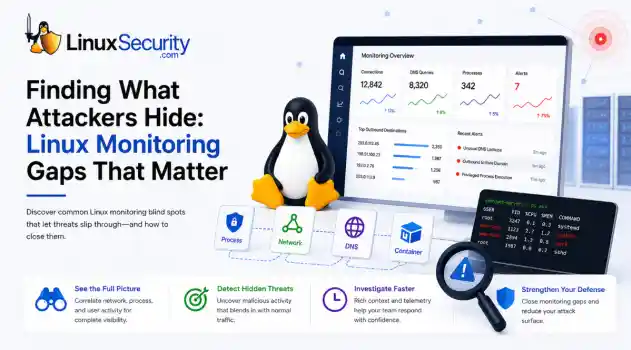
 If you’re relying on standard network logs to protect your Linux infrastructure, you’re flying blind. Most organizations believe they have network security monitoring because they’re capturing traffic, but they’re actually just collecting noise. Real security—the kind that stops an attacker—happens in the gaps between the network, the process, and the host. When an attacker breaches a Linux server, they rarely reach for a custom zero-day. They use what’s already there: curl, bash, python, or...
 Jun 30, 2026
 unauthorized access security practices
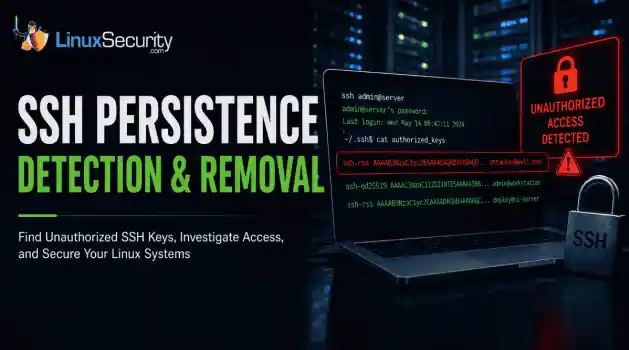
 SSH persistence usually does not look malicious at first. The login succeeds normally, the session opens cleanly, and the account already exists on the server, which is exactly why attackers continue using SSH keys after gaining a foothold on Linux systems. . Once a public key is added to authorized_keys , the server treats future access as trusted authentication. Attackers no longer need password resets or repeated exploit chains every time they reconnect because the server now accepts the...
Jun 26, 2026
 network security threat detection
 Most security teams are locked into a perimeter-first mindset. They obsess over north-south traffic—the data hitting the edge—while ignoring the reality of the modern data center. Once an attacker gets a foothold, they don't stay at the edge. They pivot. They move laterally. That's the east-west traffic problem: the internal chatter between servers, microservices, and databases that we treat as "trusted" simply because it’s inside the fence. . Using Suricata for east-west monitoring isn't...
Jun 24, 2026
 security advisory infrastructure risks
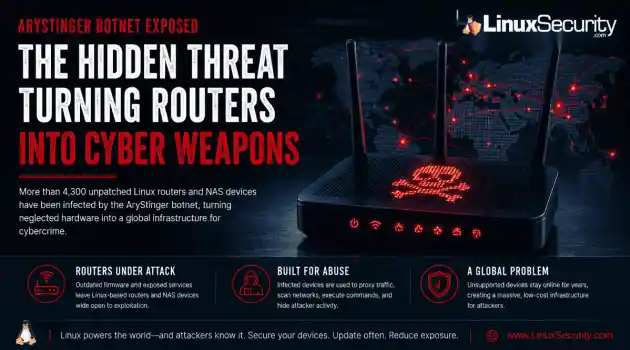
 More than 4,300 internet-facing devices have been pulled into a newly documented router malware campaign called AryStinger. The infected systems are mostly not enterprise servers. They are older routers, NAS appliances, and embedded Linux devices that stayed online long after anyone was likely checking them. . QiAnXin XLab researchers found that the campaign is leaning on known vulnerabilities, including flaws that have been public for years. That is the important part. AryStinger does not...
Jun 22, 2026
 security advisory risk management
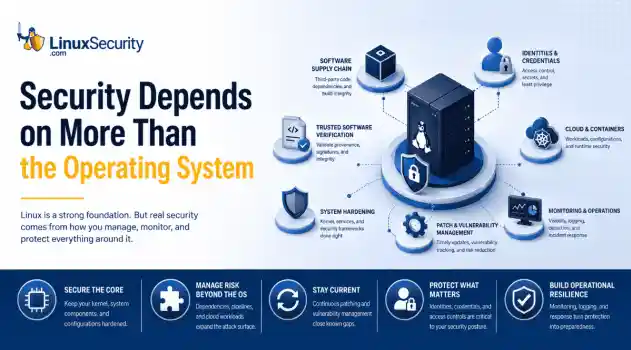
 If more than 12 million enterprise systems can be exposed by flaws in a security control designed to harden Linux, it's probably worth asking whether Linux gives people a false sense of security. That's a question that has come up repeatedly throughout 2026. . This year alone, researchers have disclosed privilege-escalation vulnerabilities, root-level kernel flaws, and multiple supply-chain compromises affecting Linux environments. That doesn't mean Linux suddenly became insecure. It means...
Jun 15, 2026
 Refine features
X Clear Filters
Get the latest News and Insights
Get the latest Linux and open source security news straight to your inbox.
Community Poll
Can sandbox isolation stop malware?
Loading...
Explore Latest Linux Security features
We found 91 articles for you...
102
 network securitythreat detectionlinux monitoring
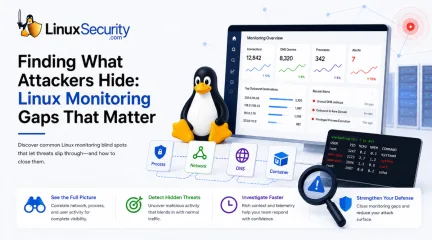
Network Security Monitoring: Common Linux Monitoring Gaps That Hide Threats
If you’re relying on standard network logs to protect your Linux infrastructure, you’re flying blind. Most organizations believe they have network security monitoring because they’re capturing traffic, but they’re actually just collecting noise. Real security—the kind that stops an attacker—happens in the gaps between the network, the process, and the host. When an attacker breaches a Linux server, they rarely reach for a custom zero-day. They use what’s already there: curl, bash, python, or netcat. Because these are standard tools, traditional monitoring platforms see the traffic as "authorized" and let it sail right through. To stop this, stop looking at logs in silos. You have to correlate the network flow with the specific host activity that triggered it. . What Is Network Security Monitoring? Network security monitoring is the continuous collection and analysis of network and host telemetry to identify malicious activity, investigate incidents, and detect attacks before they spread. There’s a massive difference between keeping a server running and actually monitoring its security. If you’re just watching performance metrics or bandwidth, you’re doing basic network monitoring. Security monitoring is a forensic exercise. During an investigation, nobody cares that a server connected to an IP address. The first thing you want to know is what made that connection. Was it SSH? Was it curl? Was it a Python process that shouldn't exist? If your monitoring can't answer those questions, you're working backward with half the evidence missing. Key Takeaway Network connection: Answers where traffic went. Host telemetry: Answers who generated it. Detection engineering: Explains whether it matters. Effective NSM: Requires all three. Outbound Traffic Without Process Attribution The biggest failure point is looking at an IP address without knowing the "who." If your network logs show a server reaching out to an unknown destination, but you can’ttell me exactly which process opened that socket, you’re investigating with incomplete evidence. Attackers love this ambiguity. They can run a malicious command that blends perfectly into the background of a busy server. To close this gap, map every socket to its parent process, the command-line arguments used, and the specific user account involved. Without that lineage, you're just staring at a list of numbers. DNS Activity Without Host Context DNS is a goldmine for attackers, which is exactly why they abuse it for C2 beaconing , data exfiltration, or DNS tunneling. Most teams treat DNS logs as garbage data—too voluminous to store or analyze. But if you don't know which host or container initiated that lookup, you’re blind. You need to tie DNS requests back to the source. If a database server is suddenly asking for a high-entropy domain that looks like a crypto-miner's C2, you need to know about it the second the query leaves the box. East-West Traffic Inside Linux Environments Traditional perimeter security is no longer sufficient for detecting internal attacker movement. Lateral movement happens via SSH, rsync, or database calls—traffic that never touches your edge firewall. Because this traffic is internal, it’s often ignored by security teams who assume that "inside" equals "safe." In reality, this is where attackers spend the most time, pivoting from a compromised web server to a back-end database. If you aren't monitoring internal flows, you’re giving them a free pass to traverse your environment. Encrypted Traffic That Looks Normal Containers make investigations harder because they don't stick around. A compromised pod can start, execute a command, establish a network connection, and disappear before anyone even notices an alert. If you're relying on logs collected after the fact, you're already behind. Runtime telemetry from tools like eBPF captures process execution and network activity while the container is still running, preserving the evidence you needbefore the workload disappears. That context is often the difference between understanding what happened and trying to investigate a workload that no longer exists Containers That Disappear Before You Investigate In a Kubernetes-heavy environment, containers are ephemeral—they spin up, do their work, and vanish. If an attacker gains execution, runs a malicious script, and the pod terminates, the evidence is often wiped from the host's standard logging. This is why traditional agent-based logging fails. You need runtime visibility, often utilizing eBPF , to capture the system calls and network activity in real-time. You need that metadata attached to the event before the container stops existing; otherwise, you're left trying to conduct forensics on a ghost. What Effective Linux Network Security Monitoring Looks Like During an investigation, context is everything. A network connection without a process isn't very useful, and a process without network activity doesn't tell the whole story either. You need both. That's why effective Linux network security monitoring relies on multiple sources of telemetry that complement each other instead of trying to make one tool do everything. Auditd: For recording system calls and process execution. eBPF: For deep, low-overhead kernel observability. Flow Logs: To map internal communication. DNS Logs: To catch C2 beaconing. Contextual Metadata: The glue that ties every network event to the specific workload. How Detection Engineering Improves Monitoring Detection engineering is how you move past the "out-of-the-box" alerts that generate nothing but noise. This is where modern NDR platforms become invaluable. They don't just alert on a connection; they correlate it, showing you the process lineage. They make it possible for an analyst to see that python was spawned by a web-server user, which then opened an outbound connection to a rare domain. However, effective detection engineering isn't a "set it and forget it" task. Itinvolves continuously tuning detections, eliminating false positives, incorporating new attacker techniques, and validating rules through purple-team exercises. The goal is to create alerts that analysts trust rather than ignore. Network traffic analysis is excellent at identifying communication patterns, but it becomes significantly more valuable when correlated with host telemetry that identifies the responsible process and user. Frequently Asked Questions What is Linux network monitoring? It's the practice of observing data flows, connections, and system-level actions within a Linux environment to detect unauthorized access. What’s the difference between NSM and NDR? NSM is the visibility layer (the "what is happening"), while NDR (Network Detection and Response) adds the correlation and automated response needed to stop threats. How does eBPF improve visibility? It lets you monitor the kernel and network with almost zero performance penalty—essential for high-density containers. What is detection engineering? It's the iterative process of building and refining security rules so they are specific to your environment, cutting out the noise. Is network traffic analysis enough to find attackers? Nope. Traffic analysis tells you where data is going, but host telemetry is required to identify who sent it and why . Conclusion At the end of the day, attackers aren't trying to outsmart your logs—they’re trying to hide in the gaps between them. The goal of your Linux network security monitoring shouldn't be to collect everything; it should be to create context. When you can tie a network flow to a specific user, process, and container, you take away the attacker’s ability to hide. That’s how you actually secure an environment. Want more Linux security news, vulnerability analysis, and software supply chain updates? Subscribe to the LinuxSecurity Newsletter and get the latest threats, advisories, and expert insights delivered directly to your inbox. . Linuxnetwork security monitoring identifies gaps that attackers exploit, enhancing protection and response. Learn more.. Linux Network Monitoring, Threat Detection Engineering, Security Telemetry, Process Attribution. . MaK Ulac
 Jun 30, 2026
•
Jun 30, 2026
•
102
 network securitythreat detectionSuricata
Monitoring East-West Traffic with Suricata: Finding Threats Inside Your Network
Most security teams are locked into a perimeter-first mindset. They obsess over north-south traffic—the data hitting the edge—while ignoring the reality of the modern data center. Once an attacker gets a foothold, they don't stay at the edge. They pivot. They move laterally. That's the east-west traffic problem: the internal chatter between servers, microservices, and databases that we treat as "trusted" simply because it’s inside the fence. . Using Suricata for east-west monitoring isn't about deploying another sensor. It’s about building a detection strategy that turns that internal silence into data. Note on Infrastructure: This guide assumes the use of a Linux-based sensor. Suricata’s ability to achieve high-throughput, real-time packet inspection relies on Linux-native kernel interfaces like AF_PACKET and eBPF . The tools used for analysis— jq , tcpdump , and ethtool —are standard utilities in the Linux ecosystem, making it the industry-standard OS for high-performance security monitoring. What Is East-West Traffic? In network security, we distinguish between two primary traffic flows: North-South: Traffic entering or leaving the network (ingress/egress). East-West: Traffic moving laterally between systems inside the environment. North-South Traffic East-West Traffic User browsing a website Web server communicating with a database Customer accessing an application Application server talking to another application Email arriving from the internet Domain Controller authenticating users Data leaving for a cloud service Administrator connecting to a server via SSH Most organizations already monitor north-south traffic extensively because it crosses the network perimeter. East-west traffic is different. Because it stays inside the wire, it is often blindly trusted. In reality, internal communications frequentlycontain the earliest indicators of a compromise. Why Attackers Care About Internal Traffic When an employee clicks a phishing link and installs malware, the attacker isn't finished—they are just getting started. Their objective is movement. They spend hours, or even days, identifying systems, discovering drives, enumerating user accounts, and testing remote access. This is lateral movement. Rather than attacking directly from the internet, the adversary pivots through your environment to reach a high-value target. This activity creates network noise: workstations scanning subnets, accounts accessing administrative shares, and unexpected SSH or RDP connections. If you aren't monitoring this, you are letting the attacker move freely through your "safe" zone. What Is Suricata? Suricata is an open-source engine designed to inspect network traffic in real time. It is far more than a basic packet capture tool; it acts as an IDS, an IPS, or a powerful NSM platform. Suricata understands application-layer protocols—like HTTP , TLS , DNS , SMB , and SSH . This allows you to identify suspicious behavior based on protocol patterns rather than relying on brittle IP and port matching. For internal monitoring, this application-layer visibility is your most powerful weapon. Why Use Suricata for East-West Monitoring? Internal networks are rarely as clean as we hope. They are full of accumulated complexity: legacy apps with undocumented connections, misconfigured services, and administrative tools that reach across segments. When you start inspecting this traffic with Suricata, you will discover behavior you didn't know existed. While not all of it is malicious, seeing it is the only way to establish a baseline. You need to know exactly which services are talking, the protocols they are using, and the patterns that define your stack. A Simple Real-World Example Consider a three-tier application: Web Server: Receives user requests. Application Server: Processesbusiness logic. Database Server: Stores application data. Under normal conditions, these paths are predictable. But if Suricata suddenly flags an employee workstation establishing SMB sessions directly to your database, you have an immediate red flag. It may be legitimate, or it may be an indicator of stolen credentials or unauthorized discovery. Without east-west visibility, that connection is invisible. Where Should You Deploy Suricata Sensors? You can’t mirror every port in the rack—that’s a recipe for packet loss and a mountain of useless logs. Strategic placement is the only way to scale. Protect the Crown Jewels: Focus sensors on segments housing Domain Controllers, sensitive databases, and management VLANs. Lateral movement dies when it hits a monitored high-value segment. Monitor Trust Boundaries: Place sensors at the chokepoints between internal segments . If your web tier is separate from your app tier, that is your first deployment point. Passive Over Inline: Start in Passive Mode using a TAP or a SPAN port. Don't go inline until you know what your "normal" looks like. Putting a blocking IDS in front of an internal application without a baseline is how you create your own outage. Build a Baseline Before Writing Rules A tool is only as good as the logic you feed it. Don't write rules until you see the data. Use jq on your Linux command line to parse your eve.json logs and identify the most frequent talkers. Find the most frequent internal talkers: Bash grep '"event_type":"flow"' eve.json | \ jq -s 'group_by(.src_ip, .dest_ip) | map({src: .[0].src_ip, dest: .[0].dest_ip, count: length}) | sort_by(.count) | reverse' | head -n 10 What Should You Detect? Focus your rule set on behavior, not signatures: Internal Recon: Alert on internal port scanning. An app server shouldn't be running an nmap scan against its neighbor. Credential Abuse: Look for SMB admin share access or unusual RPC calls. Protocol Abuse: Flag unauthorized SSH , RDP , or WinRM traffic between hosts that have no operational business communicating. Context is Everything If Suricata fires an alert, a log processor needs to tag it with asset criticality. An alert on a dev server is background noise; the same alert on a Domain Controller is an immediate incident. Workflow: From Detection to Investigation Suricata creates high-fidelity logs, but logs aren't answers. You need a workflow: Pipeline: Feed eve.json into a centralized logging stack. Noise Reduction: If your configuration management tool (e.g., Ansible ) hits every server on port 22 every 30 minutes, suppress those alerts early. Correlation: When an alert fires, pivot to your endpoint logs. Did that internal alert on Server A happen at the exact same time as a suspicious PowerShell execution? That's your correlation. Monitoring Encrypted Internal Traffic East-west traffic is increasingly encrypted. You don't need to decrypt every packet to gain visibility. Log TLS Metadata: Use Suricata to log the SNI (Server Name Indication) to see which domains are being requested. Fingerprinting: Use JA3/JA3S fingerprints to identify clients. A standard browser looks different than a custom Python lateral movement script. Identify Protocol Mismatches: Catch services running on the wrong ports: Bash grep '"proto":"SSH"' eve.json | grep -v '"dest_port":22' ## Performance Considerations Monitoring east-west traffic often means dealing with significantly higher volumes than the perimeter. Because Suricata is running on Linux, you have granular control to optimize performance: * **CPU Affinity:** Pin processing threads to specific physical CPU cores in suricata.yaml to prevent context switching from killing your throughput. * **Disable NIC Offloading:** Always disable LRO/GRO to ensure Suricata sees the full packets: ```bash sudo ethtool -K eth0 gro off lro off NUMA Locality: Ensure your NIC and the CPU cores running Suricata are on the same NUMA node to avoid memory access latency. Verify What the Sensor Sees Never assume the sensor is seeing the traffic. Use tcpdump to verify: Bash sudo tcpdump -i eth1 -n host 192.168.1.50 Final Thoughts Internal monitoring is a game of diminishing returns if you let the noise level get out of hand. Analysts will ignore your tools if they're constantly crying wolf. Suricata is a beast of an engine, but it doesn't run itself. By focusing on high-value segments and prioritizing visibility over blocking, you turn your internal network from a "safe zone" into a controlled environment where lateral movement is finally visible. . Explore how Suricata enhances east-west traffic monitoring for better internal network security against lateral attacks.. Suricata, threat detection, internal monitoring, east-west traffic, network security. . Anthony Pell
Jun 24, 2026
•

102
 network securitydata protectionbackup strategies
Essential Cybersecurity Practices for Businesses to Protect Data
In this increasingly digital era, every business, no matter the size, has to be vigilant about its cybersecurity. Data breaches have become rampant over the past several years, costing even the top companies millions of dollars in damages. Hackers are always scheming to steal critical data and so, it is best to stay ahead of the game. . When it comes to protecting sensitive business and customer data, you need to implement the best and latest security solutions. Even if your business is small and consider it the last target for hackers, or use DIY security practices, it is important to ensure your security systems and applications are up-to-date in cases of a data breach. If you don’t know where to start, do not fret as this read will provide simple but powerful cybersecurity tips that you can implement today. What is Cybersecurity and Why Should I Bother? If you're a small business ownersmall business owner , you probably already know the importance of cybersecurity. Cyber attacks can bring down entire websites or critical network infrastructure. While larger companies can often withstand a DDoS attack, small businesses typically don't have the resources to recover from such an event. As a result, 60% of small businesses will close after suffering a cyber-attack. To minimize your risks, take the time to train your employees on basic Internet best practices. Despite the importance of cybersecurity awareness for small businesses, it's important to note that many small companies ignore the importance of cybersecurity. These companies have numerous devices connected to the internet at any given time, and a single breach can result in a major data breach. While you might not have any data on your own, you should invest in cybersecurity software and hardware to keep your data safe. Businesses are increasingly becoming the prime target of cybercriminals, and it's important to protect yourself and your business. Use Firewalls A firewall is usually the first line of defense againsthackers and cybercriminals. You’ll want to make sure you have both internal and external firewalls to protect your network and data. If you have employees working remotely, ensure they have firewalls in their devices as well. To ascertain compliance, consider providing them with firewall support. Firewalls have a number of benefits. They filter traffic and alert the user when a threat is detected. These devices are especially useful if the connection has a static IP address or is always on. They are generally installed alongside antivirus software. A personal firewall is usually a standalone product, a piece of software, or a hardware device with firewall firmware embedded. The latter is often used to set restrictions between in-home devices. If you don't need a separate firewall, a hardware firewall may be the best option. What Is Shorewall? If you have never heard of Shorewall, you should read this. Shorewall can also be useful for a network administrator, preventing access from malicious websites. Before installing Shorewall, read the documentation. Once you have installed it, you will need to run dos2unix against the configuration files to make sure they are correct. You can also find some sample configuration files in the Samples/one-interface directory. Once you've installed Shorewall, you will need to configure it. There are several settings you can adjust, including how to allow traffic and how to block access. First, you need to set the rules. These settings will allow or block traffic on certain ports. In this example, a firewall will block access to port 22000, which is a modified SSH port. In the next example, we'll use a custom configuration to allow SSH forwarding from an external TCP port 3022 to an internal server on a private network using standard SSH port 22. Document the Cybersecurity Policies Next, you’ll want to make sure you document all your company protocols for determining the practices as well as policies for cybersecurity. If you own a small business but are newto IT security compliance, check the Small Business Administration Cybersecurity portal for checklists, online information, and other relevant information. A cybersecurity policy can be an essential part of any company's information security strategy. It is important to follow guidelines that address both the general threat environment and the needs of the industry. Almost every company has proprietary data and employees' personal information at risk. Linux Cybersecurity Education & Training is Integral to Growing Your Career There are many benefits to a career in cyber security, including an excellent work-life balance. Most cybersecurity professionals work less than 40 hours per week and have the flexibility to enjoy their personal lives. This is because cybersecurity jobs are highly sought-after. Cybersecurity training programs can help you get the necessary skills. In addition to the excellent pay, careers in cyber security also offer lots of job security. These positions are in high demand and can be rewarding, too. Today's cybersecurity industry is booming. According to the U.S. Bureau of Labor Statistics, there are approximately 3.5 million open positions in the cyber security field. According to the Enterprise Service Group, 51% of IT decision-makers will struggle to fill open positions in the field by 2021. According to the World Economic Forum, cyber-attacks and data breaches are among the top five global concerns. Therefore, a career in cybersecurity is an exciting option for students interested in advancing their careers and helping others. Make Backups Regularly Having backups of your important documents is essential. In addition to digital backups, you should also maintain physical copies of all your documents. This way, you'll have a complete backup. For your data to be fully protected, you should organize and store the backup documents in an organized manner. Once you have the files organized, you can easily retrieve the data if necessary. The third step in data backup is tokeep a copy of each important document in a safe place off-site. Backing up your data is a must, regardless of the size and type of your business. If you don't back up your data, you could lose years of work and memories. A data backup is like a digital parachute in case of an emergency. Unfortunately, only 30% of people back up their data on a regular basis. The best backup practices are only followed by about 20% of IT professionals and personal computer users. A full 93% of companies will not survive one year without a recovery plan, so you need to be prepared. Cybersecurity is critical in this day and age using SIEM tools or alike. Data breaches come with hefty fines when customer information is breached and a simple attack can ruin your business. Avoid becoming a victim by implementing the security measures above. Implement Passwords and Multi-Factor Authentication When it comes to making passwords, there will always be that one person who uses their middle name or birthday. Hackers have powerful tools with algorithms that are able to guess millions of passwords in seconds. So, if your password falls in the easy or obvious category, you become potential prey. It is advisable to use a strong password of at least 12 characters, with a mix of capital and lowercase letters, numbers, and symbols. In addition, use multi-factor authentication to add a layer of security to your network. When you log into an application, a website, or the cloud, you'll probably be prompted to enter a second authentication factor. This may be something as simple as a password or OTP. But what if you don't have any of these tools? How can you be sure you're being authenticated? Luckily, multi factor authentication can help keep your identity secure. Here are some examples of situations where this technique might be the right solution for your needs. Linux Two-factor Authentication For Linux users, installing two-factor authentication can be a good way to prevent login-based attacks. The two-step verificationprocess also protects against social engineering attacks, as a victim's password is no longer enough to gain access to information. However, many Linux users are not happy with the default implementation of the two-factor authentication (TFA) feature. The two-factor authentication process is particularly important for people who use digital passwords to log in to their accounts. Passwords are often just the first stumbling block in a cybercriminal's journey to access personal information. The COVID-19 pandemic is an example of how a password-only system can be breached. But with two-factor authentication, hackers can't use stolen passwords against you. Secure the Business Wi-Fi Network Wi-Fi networks are one of those points where people can gain access to your system and install malicious software. Ensure your business network is secure, encrypted, and hidden from the public. Staff members should also safely encrypt their personal networks as their security is vital to your company’s safety. Make sure that your wireless router uses a secure password. This password should be at least 8 characters long and should contain uppercase, lowercase, numbers, and symbols. A firewall is also a good option to protect your wireless network from malware. These tools prevent hackers from accessing your network, preventing unauthorized access and minimizing the risk of a wifi attack. Most wireless devices are shipped with default administrator passwords, which can be easily obtained from the Internet. In addition, you should disable remote administration of your network to make it harder for an attacker to connect. To do this, set your router to require users to log in using a username and password that is unique to their network. Once you do this, you can rest easy knowing that your wireless network is protected from WiFi attacks. Install Robust Anti-Virus Software Regardless of how trained and experienced you and the employees are, you are prone to mistakes at some point. Installing robust anti-virusand anti-malware software on all your devices adding an extra layer of protection, particularly against phishing will go a long way in protecting your company. Know Your Company Inside Out Proper cybersecurity begins with proper knowledge of your company and points where hackers are likely to target. Think hard or use an IT professional to figure out whether hackers would be more interested in your employee's personal information, customer data, or intellectual property. Once you figure out the points of interest, ensure those areas have a high level of security and have a maintenance plan to ensure that remains the case. Conclusion The Linux operating system is used on most cloud servers, and this fact is important to know. More companies are moving their data to the cloud. A good Linux cybersecurity professional will have a deep understanding of the key areas of this operating system to ensure that their system is secure. You should protect the integrity of your data. This ensures that no one can alter it or corrupt it. Data should be available when a user needs it. This requires securing your system from the outside world by implementing strong user authentication. Keeping your system secure also means enforcing all privacy laws. When choosing your software, make sure that you choose a system with strong security features. . Safeguard critical enterprise information through fundamental Linux security methodologies, guaranteeing strong defenses against unauthorized access.. Cybersecurity Strategies, Linux System Security, Data Security Practices, Business Data Protection. . Justice Levine
Jun 01, 2026
•
102
 network securitylinux toolssecurity assessment
How Linux Pentesting Improves Network Security
When setting up network security systems, it is critical to ensure they work correctly and do not have flaws waiting to be exploited. . The best way to improve network security and prevent attacks is to conduct vulnerability scanning and continuously test the system for weak points. Penetration testing, or pentesting, is an incredibly helpful tool to protect your company from potential cyberattacks. This article will introduce Linux pentesting and its benefits, explain the basic methodology, and explore some of the penetration testing tools available to Linux users. What Is Pentesting? How Are Tests Executed? Pentesting is the practice of staging attacks in network security that mimic actual security incidents. This is a form of ethical hacking that helps identify the exploits that cybercriminals could use to attack. Pentests can vary greatly depending on the threat being tested, the information the ethical hacker can obtain beforehand, the types of penetration testing tools they use, and the limitations imposed by an employer. The majority of pentests fall into one or multiple of the following categories: Insider pentests simulate an insider attack, where a malicious hacker poses as a legitimate employee to gain access to the company’s internal network. This type of pentest relies on vulnerability scanning for internal network security issues, such as access privilege and network monitoring flaws, rather than external cybersecurity vulnerabilities, like firewall, antivirus, and endpoint protection problems. Outsider pentests don’t give hackers access to the company’s internal network or employees, forcing them to get in through external means, such as public websites or open communication ports. This type of pentest can overlap with social engineering pentests, in which a hacker evades external protection by tricking an employee into granting them access to the company’s internal network. Data-driven pentests provide the hacker with security information aboutthe target to simulate an attack by a former employee or someone who obtained leaked security data. Blind pentests give the hacker no information about the target other than their name and publicly available information. This leaves the employee entirely on their own in figuring out how to find the holes in network security websites and systems that have been implemented. Double-blind pentests test security and IT staff along with digital security measures. No one in the company is aware of the simulated attack, forcing them to react as they would in the event of a real cloud security breach. Double-blind pentests provide valuable information regarding how to improve the security posture for an entire company, such as staff readiness. Linux Pentesting Methodology Just like malicious cyberattacks, pentests require careful planning to be successful. They follow a sequence of clearly defined steps to yield the data and insights sought by the pentester. Let’s examine the basic pentesting methodology: Gather Information & Plan: The ethical hacker starts by collecting details on the target. Systems, users, exposed services, anything that shapes the attack surface. From there, they sketch out a plan. Not rigid, but enough to guide where to probe first and what paths might actually go somewhere. Vulnerability Evaluation: Scanning comes next. Vulnerability scanning tools flag weak spots, but the real work is sorting signal from noise. Small tests get run against those findings, just to see how the system reacts under pressure and which issues are worth pushing further. Vulnerability Exploitation: Once an entry point looks viable, they move in. Known flaws get tested in a controlled way, trying to turn access from theoretical to real. Some attempts fail outright. Others open just enough of a door to keep going. Maintaining Covert Access: Getting in isn’t the end of it. Staying in without tripping alarms is where things usually get messy. If access holds, the testerworks toward the goal of the engagement, maybe pulling data, maybe moving laterally, sometimes just proving it can be done without being seen. Reporting, Analyzing, & Repairing: Everything gets documented at the end. What worked, what didn’t, and what defenses actually caught. Security teams dig through that data, line it up with their own logs, and start making fixes where things clearly broke or never fired at all. Rinse & Repeat: Companies will often test the improvements they make to their security system by staging another pentest. How Can Linux Pentesting Be Used to Improve Security Posture & Verify Network Security Safety? As you can see, pentesting is an important piece of a successful network security toolkit. Linux pentesting identifies weak points (or a lack thereof) in a company’s system, providing professionals with valuable data. This vulnerability scanning allows administrators to anticipate threats and modify their network security system before malicious hackers exploit the gaps. Pentesting is also an excellent method of testing security changes, verifying that their systems can prevent malicious attacks on network security. Penetration Testing Tools for Linux Below, we list some of the best free and open-source tools to assist ethical hackers with Linux pentesting. Kali Linux Kali Linux is one of the most popular Linux distros among pentesters and security researchers, as it is flexible, customizable, and full-featured. It also protects sensitive data with LUKS full-disk encryption. You can download Kali Linux here. Parrot Security OS Parrot Security OS is a free Linux-based OS designed for pentesting, reverse engineering, and digital forensics. It is lightweight, user-friendly, and supportive of a wide selection of open-source pentesting and software development tools and utilities. Parrot Security OS is known for the impressive security and control it provides users. It is frequently updated and offers various hardening and privacy sandboxingoptions. You can download Parrot Security OS here . Nmap Nmap (“Network Mapper”) is an Open-Source Intelligence (OSINT) network monitoring tool that collects and analyzes data about a device’s hosts and servers. The widespread utility is flexible, powerful, and user-friendly, earning it numerous awards, including "Information Security Product of the Year" by Linux Journal, InfoWorld, and Codetalker Digest. You can download Nmap here. WebShag WebShag is an OSINT system auditing tool that scans HTTPS and HTTP protocols, collecting relevant data. It is used by ethical hackers performing outsider pentests through public websites. Final Thoughts on Linux Pentesting Staging cyberattacks that mimic legitimate security incidents can help improve company security by allowing administrators to identify and remediate vulnerabilities in network security systems and websites. Pentesting verifies that the modifications a business makes work as they should to prevent future attacks. There are many excellent penetration testing tools to assist Linux users in this process, but it's not something you can wing. Linux pentesting takes planning and a clear method. It should sit inside a broader defense-in-depth strategy, not run as a one-off exercise. Are you using pentesting to assess, validate, and actually improve your network security posture over time? We want to hear how that’s working in practice, not just on paper, so connect with us on social media: Twitter | Facebook . Explore the domain of Linux cybersecurity and uncover techniques and tools to enhance system protection in this enlightening article.. Linux Pentesting, Network Security Tools, Ethical Hacking, Cybersecurity Strategies. . Andrew Kowal
Apr 25, 2026
•
102
 network securitysecurity techniqueslinux kernel
Keylogging in Linux (Part 3): Kernel Techniques for the Keyboard Driver Path
Part 1 covered how Linux keylogging works in user space and why attackers lean on simple hooks or device access to capture keystrokes. Part 2 walked through the GUI layer, showing how the X Server exposes keyboard events long before applications see them. We closed with a promise to move from observing behavior to turning low-level input into usable detection signals.. This part stays inside the kernel. We look at interrupt handlers and notifier blocks because they’re the two points where every keypress passes through, even on modern Linux 6.x kernels with updated routing in the input stack. The original diagram still holds: physical keyboard, motherboard, CPU, kernel driver, then userland. That level of visibility matters on servers with local console or KVM access. It lets security teams tell normal typing from automated or synthetic input that hints at an implant, since the driver path exposes timing and sequence details that never appear in user space. How a Keyboard Driver Handles Input Inside the Linux Kernel A keyboard driver in Linux sits in the path between the hardware and the input subsystem, translating what the device sends into something the kernel can work with. Nothing fancy there, just the layer that makes raw keyboard signals usable higher up. Under that, you’ve got the interrupt side. During boot, the kernel fills the Interrupt Descriptor Table so the CPU knows which routine to run for each interrupt vector. The keyboard line is brought up early. When a key is pressed, the CPU checks the table, jumps into the right handler, and the input path starts from there. Linux 6.x keeps this flow mostly intact, even with changes in how input routing and console handling are wired now. The driver also feeds the notification system. Anything that registers a notifier_block gets a callback on each keyboard event, and the handler receives a keyboard_notifier_param with the fields we actually care about: vc : virtual console tied to the event down : press (1)or release (0) shift : active modifier bitmask ledstate : state of Num Lock, Caps Lock, Scroll Lock value : the decoded key value for the event The diagram we reference tracks that full path from the physical keyboard, through the motherboard and CPU, into the driver, and up into user processes. Seeing the path end to end helps when you’re trying to spot patterns that belong to real users versus something synthetic. Scancodes, Keycodes, and the Keyboard Driver Input Path Scancodes are what the hardware sends. Keycodes are what the kernel uses after translating those signals. Keysyms sit above that and describe what the key actually represents, which can turn into Unicode when the layout supports it. With PS/2 hardware, the driver reads everything through two I/O ports. Port 0x60 holds the scancode the moment the interrupt fires. Port 0x64 is the controller’s command port. The IRQ handler just pulls the byte from 0x60 and treats it as a press or release based on the PS/2 rules. Nothing special, just the raw path the older hardware still uses. The kernel then walks the usual chain: scancode from 0x60 translated to a keycode mapped to a keysym turned into Unicode when possible Along the way, you’ll see a few event types in the notifier system: KBD_KEYCODE for the early keycode events KBD_UNBOUND_KEYCODE when a keycode has no clean mapping KBD_UNICODE when the keysym resolves to a Unicode character KBD_KEYSYM for non-Unicode keysyms KBD_POST_KEYSYM after keysym handling, where the LED state can be inspected USB keyboards follow a different transport, but the kernel normalizes everything into keycodes and higher-level events, so the input path looks the same. It keeps the higher layers from caring whether the signal came from old PS/2 hardware or a modern HID device. Using Keyboard Notifiers in Linux Device Driver Development Keyboard notifiers give you a way to observe keyboard activity without writing your ownIRQ handler. The kernel handles the scancodes, keycode mapping, and modifier state first, then calls anything registered on the notifier chain. It’s useful when you want higher-level events and don’t need to deal with raw port I/O. You’d choose a notifier when the module only needs translated key data. It keeps the code simple because the driver has already done the parsing, and you’re only reacting to what the kernel considers a complete keyboard event. Example Callback static int keyboard_event_handler(struct notifier_block *nb, unsigned long action, void *data) { struct keyboard_notifier_param *param = data; if (!param-> down) return NOTIFY_OK; const char *key = keybuf[param-> value][param-> shift]; printk(KERN_INFO "key: %s\n", key); return NOTIFY_OK; } The keybuf array stores the printable form of each key. The kernel uses the keycode and current shift state to index into it, so letters, digits, punctuation, and special keys all resolve the same way you’d expect. The reference for that translation logic is the kbd_keycode() helper in drivers/tty/vt/keyboard.c . Registering the Notifier static struct notifier_block nb = { .notifier_call = keyboard_event_handler, }; static int __init kb_init(void) { return register_keyboard_notifier(&nb); } static void __exit kb_exit(void) { unregister_keyboard_notifier(&nb); } When Notifiers Make Sense: They deliver keycodes and characters instead of raw scancodes. They avoid IRQ-level complexity entirely. They provide clean access to the modifier and the LED state. The trade-off is losing the timing information you’d get at the interrupt level, but for most monitoring or detection tasks, notifiers are the more practical tool. Capturing Events Through a Keyboard Driver IRQ Handler Sometimes you want to see keyboard input as early as possible, before the driver translates anything.That means hooking the IRQ directly. It’s the point where the controller fires an interrupt, and the kernel hasn’t done any work yet, so you get the raw scancode exactly as the hardware sent it. The flow is simple enough if you lay it out first: Install your handler Read the scancode from port 0x60 when the interrupt fires Hand it off to deferred work so the IRQ path stays short A basic handler for PS/2 hardware ends up looking like this: static irqreturn_t kb_irq_handler(int irq, void *dev_id) { struct kb_state *st = dev_id; st-> scancode = inb(0x60); tasklet_schedule(&kb_tasklet); return IRQ_HANDLED; } The tasklet handles the actual processing, so the interrupt routine doesn’t stall: static void kb_tasklet_fn(unsigned long data) { struct kb_state *st = (struct kb_state *)data; unsigned char code = st-> scancode; /* translate or log the scancode here */ } DECLARE_TASKLET(kb_tasklet, kb_tasklet_fn, (unsigned long)&state); Bringing it online is just a call to request_irq() : static int __init kb_init(void) { int ret = request_irq(1, kb_irq_handler, IRQF_SHARED, "kb_irq", &state); if (ret) pr_err("keyboard IRQ request failed: %d\n", ret); return ret; } Cleanup mirrors the setup: static void __exit kb_exit(void) { tasklet_kill(&kb_tasklet); free_irq(1, &state); } Even though the example uses port 0x60 and a classic PS/2 path, the pattern holds on newer systems too. PS/2 just happens to be the easy example. USB keyboards come in through a different path, but the workflow doesn’t really change. Keep the IRQ handler tight, hand the rest to the tasklet, and look at the scancode there before the driver starts adding its own layers. Deferred Work and Tasklets in Linux Device Drivers A tasklet is just a deferred handler that runs outside the interrupt path. It gives you a place to do the slower work without holding up the IRQ, which is importantwhen you’re dealing with input events that fire quickly. In short, the IRQ handler grabs the scancode and nothing more, then schedules the tasklet. The tasklet reads that stored value, keeps whatever local state it needs, and handles the translation or logging. A basic logger looks like this: static void tasklet_logger(unsigned long data) { struct kb_state *st = (struct kb_state *)data; unsigned char code = st-> scancode; /* maintain shift state, map scancode to text, and log it */ } DECLARE_TASKLET(kb_tasklet, tasklet_logger, (unsigned long)&state); Cleanup is part of the pattern, too: static void __exit kb_exit(void) { tasklet_kill(&kb_tasklet); free_irq(1, &state); } Newer kernels often push developers toward workqueues or other deferred mechanisms, mostly because they’re easier to scale and better suited to threaded designs. Tasklets still serve as a clear example, though. They show the separation between fast interrupt handling and the slower processing that shouldn’t run in the IRQ context. Notifier Chains vs. Keyboard Driver Interrupt Handlers Both approaches work; they just sit at different layers of the input path and give you different kinds of visibility. Notifier chains You see events after the kernel has already decoded the scancode into a keycode or character. They line up cleanly with the console layer and the rest of the input stack, so the code stays simple. Timing is less precise because the hardware work has already happened by the time your callback runs. Good fit when you want readable events without touching low-level details. Interrupt handlers You see the raw scancode the moment the controller fires the interrupt. You have to manage the hardware-facing pieces yourself, including port reads and deferred work. Timing is exact, which can help surface odd patterns from synthetic or automated input. Higher risk if the handler isn’t tight, since a slow IRQ path can cause real instability. In practice, notifiers are easier for day-to-day monitoring or lightweight detection logic because you avoid the hardware churn. IRQ handlers make sense when you need the earliest possible signal or when timing patterns matter, but they come with more overhead and stricter rules about how the code behaves under load. Common Pitfalls in Linux Device Driver Development for Keyboard Input Low-level keyboard hooks fail in predictable ways, mostly because the path is timing-sensitive and hardware-specific. Heavy IRQ handlers: slowing the keyboard interrupt slows other subsystems too, since they’re sharing the same interrupt resources. Logging in IRQ context: printk or tracing calls here can freeze the system under real load. Assuming PS/2 everywhere: USB-only systems, laptops, and VMs route input through completely different stacks. Kernel drift: internal structures change between releases, and out-of-tree modules tied to those details tend to break. IRQ sharing mistakes: handlers that don’t verify device state can interfere with other devices on the line or miss their own events. USB HID differences: USB keyboards package input differently, and their timing profile doesn’t match PS/2, which matters if you’re comparing events across systems. Short, clear misses like these cause the bulk of issues when teams try to work this close to the input layer. Keyboard Driver Source Code Examples You get one keyboard driver module that uses the notifier chain, one that hooks the IRQ path with a tasklet, and a simple Makefile that builds both against the running kernel. These examples are trimmed for clarity here, and the full source files should be reviewed and expanded as needed before use. Notifier-based keyboard driver module /* notifier-based keyboard driver module * - US keymap table * - keyboard_notifier_param handling * - notifier_block registration * - module init/exit * Full implementation goes here. */ IRQ-based keyboard drivermodule /* IRQ-based keyboard driver module * - shared state with last scancode * - keyboard IRQ handler * - tasklet for deferred logging * - module init/exit with request_irq()/free_irq() * Full implementation goes here. */ Makefile for building the keyboard driver modules # Makefile for keyboard driver examples obj-m += keylogger_notifier.o obj-m += keylogger_irq.o KDIR := /lib/modules/$(shell uname -r)/build PWD := $(shell pwd) all: $(MAKE) -C $(KDIR) M=$(PWD) modules clean: $(MAKE) -C $(KDIR) M=$(PWD) clean FAQ: Keyboard Driver Behavior and Event Capture in Linux How does a keyboard driver turn hardware input into events the kernel can use? The controller sends a scancode when a key changes state. The keyboard driver reads that byte in the interrupt path, translates it into a keycode, and hands it to the input and console layers, which then expose it to user space. Where does the interrupt handler fit into the input path? It runs first. The handler pulls the scancode from the controller, marks it as a press or release, and defers any heavier work so the interrupt line stays clear. How do notifier chains observe keyboard activity? Notifier chains run after the driver has already interpreted the event. They receive keycodes, modifier state, and occasionally Unicode, which makes them easier to work with than raw scancodes. Are notifier chains stable across modern 6.x kernels? They’ve held up well. Internal details shift between releases, but the notifier interface and the way it hooks into console input remain consistent enough for out-of-tree modules to rely on with minor adjustments. Do notifier callbacks fire in graphical environments? Yes. They run beneath the graphical layer, so both virtual consoles and GUI stacks trigger the same notifier path as long as the system’s keyboard events pass through the standard input subsystem. Can raw scancode patterns be used for detection work? Sometimes. Automated input tends to produceuniform timing and clean, repeated patterns that don’t match normal typing. Looking at scancodes directly gives you that detail, but it also requires more care in the handler. Can key rhythm or timing anomalies signal synthetic input? They can. Human typing has natural variation, while implants or scripted input often produce tightly spaced or perfectly regular intervals. You see those differences more clearly at the IRQ level. When should I use a notifier instead of an IRQ handler? Use a notifier when you want interpreted events and don’t need timing precision. It’s safer, easier to maintain, and won’t interfere with the interrupt path. When does an IRQ handler make more sense? When you need the earliest possible view of the event, or you’re looking for patterns that appear only in raw scancode timing. It’s more work and carries more risk, but it gives you the most detail. Do USB keyboards change how these mechanisms work? The transport changes, but the kernel normalizes everything before you see it. USB HID delivers packets instead of PS/2 scancodes, yet the driver still emits keycodes and notifies handlers in the same way once the event reaches the input layer. . Explore methods to deploy keylogger strategies on Linux for enhanced protection and monitoring of keystroke activities.. Keylogging Techniques, Linux Kernel Events, Keyboard Event Logging, Security Best Practices. . MaK Ulac
Nov 14, 2025
•
102
 network securitysecurity riskssecurity techniques
Keylogging in Linux (Part 2): Advanced Techniques in the Linux GUI and X Server
Why Advanced Keylogging Techniques Depend on the Linux GUI Advanced keylogging leans on the Linux GUI because once a user signs into a graphical session, the input path stops being simple. The GUI decides which window receives focus, how toolkits interpret the keystrokes, and when events get redirected or buffered, so the attacker’s visibility changes. The hardware layer still shows the raw signal. It just doesn’t reflect how people actually work on a desktop, and that gap is exactly where more capable keyloggers operate. . Capturing device events is useful, but it only tells you what the keyboard produced , not what the system delivered to an application. That difference is why we’re stepping into the GUI stack. Desktop environments reshape input constantly, and those transformations create opportunities for interception that never appear at the device layer. Teams studying adversary behavior look at these layers because this is where real workflows live, and where visibility can quietly break. So we focus on how keystrokes move through the X server and the rest of the graphical stack. This stays within authorized research, the kind defenders use to understand how attackers abuse X11’s trusted client model or how Wayland tightens the rules as it becomes the default in Fedora, Ubuntu sessions, and GNOME. Some applications still run under XWayland and behave a bit differently, which adds one more wrinkle for anyone mapping these input paths. What Is the Linux GUI Stack? The Linux GUI works as a set of stacked components rather than one built-in interface from the OS. The kernel handles raw input at the bottom, the X server manages windows and display surfaces above it, and toolkits like GTK, Qt, and WxWidgets turn those low-level signals into the controls users interact with. Desktop environments pull those parts together into the workspace people expect. It’s a simple structure on paper, but the layers change how keystrokes move once the system is fully up. Keyboard eventsstart in the kernel’s input subsystem and reach the X server before anything else touches them. From there, Xlib hands events to applications, toolkits reshape them into widget actions, and the desktop environment overlays shortcuts and policies that can shift routing. That’s why GUI-level keylogging exposes behavior. Device-level capture won’t surface. The earlier walk-through of device-event keylogging in the Complete Guide to Keylogging in Linux: Part 1 sets that baseline, so the differences here land cleanly. +---------------+ +--------------+ | Display:2 | | WxWidget |-----+ +---------------+ | | +--------------+ | | | | +---------------+ | | +--------------+ | | Display:1 | | Qt |-----+ +---------------+ | | +--------------+ | | | | +---------------+ | | +--------------+ | | Display:0 | | GTK+ |-----+ +---------------+ | | +--------------+ | | | | update +-------------+--+ ---=---> +-----+--------+ send data | +------=--| X Server | | xlib |
Nov 13, 2025
•
102
 network securitycybersecuritykeylogger
Keylogging in Linux (Part 1): Understanding Attacks and Defenses
Keylogging turns up more often than people think. You see it in audits, red team work, and during investigations where credentials quietly leak through input streams. This piece breaks down how it actually happens on Linux — where keystrokes travel, how the system reports them, and how simple code can listen in. . We’ll trace that path from keyboard to kernel to userspace, using short examples built from real testing. You’ll see how to spot legitimate keyboard devices under /dev/input, read their events, and interpret what the data means. If you work in detection or response, start here. Run the examples in a lab, watch the data move, and learn what normal looks like before you hunt for keyloggers in the wild. What Is a Keylogger Attack? A keylogger attack happens when software records keyboard input without the user knowing. The keylogger captures each key event as it’s generated, often before the system turns it into text. Where it runs changes what it can see; some operate in user space by reading device files, others sit inside X or Wayland , and a few hook deeper in the kernel. On Linux, the evdev layer makes visibility complicated since hardware events are abstracted , and several points can be tapped quietly. Attackers use keyloggers to collect credentials, monitor privileged users, or track insider activity. They’ve been found pulling SSH passphrases, sudo prompts, and desktop logins during real investigations. Keylogging also has legitimate uses in red team work, where it helps measure exposure and test how well monitoring tools detect input capture. Ethical use matters. Run this kind of testing only in a controlled lab or under written authorization. Capture baseline input traces, record what was collected, and leave an audit trail. The goal is to understand how keylogging works on Linux so you can recognize it, not exploit it. Purpose of Keylogging in Linux Systems Keylogging on Linux can serve two very different purposes. Attackers use a keylogger to capturecredentials or session data from users with elevated access. It’s one of the quieter ways to collect passwords or tokens from terminal sessions, hypervisors, or remote desktops. The same mechanics that make it stealthy also make it useful in controlled testing. In red team work, keylogging helps show how exposed a system really is. Running a basic keylogger during a simulated breach confirms whether monitoring tools catch the activity or miss it. It also exposes where input events leak across layers — from kernel space, through evdev, up to X or Wayland — and how permissions affect visibility. Blue teams approach it from the other side. By studying how a keylogger reads from devices or intercepts events, they learn what indicators to watch for in logs and memory. Both views matter. Keylogging gives offensive teams a way to measure detection coverage and gives defenders the patterns they need to spot it before real attackers do. Userspace vs Kernel Space Keylogging Where a keylogger runs changes everything: privileges, stealth, how you detect it, and how long it survives. Userspace loggers read device files or hook into X11 or Wayland. They need fewer privileges to run, and they are easier to debug. They also leave obvious signals: open file descriptors to /dev/input, suspicious processes holding device handles, and readable event streams you can trace in a lab. Detection is straightforward if you know what to look for, but noisy environments make false positives common. Kernel space keylogging sits deeper and lasts longer. Kernel modules, patched drivers, or hypervisor-level hooks capture input before userspace sees it. That gives the attacker higher persistence and fewer visible artifacts in userland. It also raises the cost and risk for the attacker, because loading or modifying kernel code often requires elevated privileges or an exploit. Detection shifts to different signals: unexpected kernel modules, unsigned or out-of-tree drivers, altered interrupt handlers, and anomalous memoryallocations around input subsystems. These are harder to spot, and they demand different tooling. Keylogging behavior crosses those boundaries. A kernel-level implant can hand-parsed events to a userspace forwarder, or a userspace keylogger can escalate by loading a helper module. The detection approach must reflect that reality. Watch for unexpected FDs to /dev/input, spikes in input event rates that do not match human activity, and kernel modules that show up without corresponding package installs. For kernel-level detection and driver hardening, see Part 3: Kernel & Driver Defenses. How Keyboard Events Are Exposed on Linux Linux exposes hardware key events through the evdev subsystem, which presents them as device files under /dev/input/eventX . GUI stacks such as X11 or Wayland sit above evdev and translate scan codes into key symbols for applications. Understanding that the stack is the baseline for any keylogging analysis. Here is a basic overview of how a keyboard fits in a larger scheme: /-----------+-----------\ /-----------+-----------\ | app 1 | app 2 | | app 3 | app 4 | \-----------+-----------/ \-----------+-----------/ ^ ^ | | +-------+ | | | | key symbol keycode | | + modifiers | | | | | +---+-------------+ +-----------+-------------+ + X server | | /dev/input/eventX | +-----------------+ +-------------------------+ ^ ^ | keycode / scancode | +---------------+---------------+ | | +---------------+--------------+ interrupt | kernel | | motherboard |-----------> | CPU | +----------+ key up/down +-------------+ +-----+ The short path is: keyboard hardware produces scan codes, the kernel converts those into input events and surfaces them on /dev/input/eventX, and the display layer or a daemon maps them to characters. Scan codes are the raw bytes the device sends on key down and key up. These become input_event records that include a timestamp, a type, a code, and a value that says press, release, or autorepeat. This is where keylogger implementations attach. Some read /dev/input/eventX directly and parse input_event records. Others ask the display server for higher-level events. That difference determines what the logger sees and what the defender can observe. Knowing the exact path lets you pick the right indicators and avoid chasing noise. This section is the foundation for the examples and the CODE 6 logger that follows. Identifying the Keyboard Device on Linux Before a keylogger can read input, it has to find which event file actually belongs to a keyboard. On Linux, every input device under /dev/input/ exposes its own event file, and not all of them are keyboards — barcode scanners, USB hubs, and even touchpads appear there too. The discovery process checks for character devices, confirms that they report key events, and filters out hardware that only mimics keyboard behavior. std::string get_kb_device() { std::string kb_device = ""; for (auto &p : std::filesystem::directory_iterator("/dev/input/")) { std::filesystem::file_status status = std::filesystem::status(p); if (std::filesystem::is_character_file(status)) { kb_device = p.path().string(); } } return kb_device; } Legitimate security tools use this same logic for diagnostics and auditing. Direct reads from input devices requireauthorization and should always be done in an isolated lab. Running this in production without proper controls can expose user data and violate privacy policies. Check that the file is a keyboard and supports actual keys. However, this can be more involved, so observe the scheme here: std::string filename = p.path().string(); int fd = open(filename.c_str(), O_RDONLY); if(fd == -1) { std::cerr
Nov 12, 2025
•
218
 network securitysystem hardeningmalware protection
Essential Techniques to Enhance Linux Security Measures in 2025
Recent years have demonstrated a notable shift in the cybersecurity landscape, with Linux systems increasingly targeted by adversaries. Once considered relatively immune to malware threats , Linux servers have seen the emergence of sophisticated attack vectors, including high-profile Linux malware strains such as Cloud Snooper, HiddenWasp, and Tycoon. . These exploits showcase advanced capabilities in spreading, evading detection, and compromising server environments. For security professionals, this evolution underscores the importance of an informed and proactive approach to Linux server security. While Linux continues to provide fundamental security advantages through its strict privilege model and kernel-level defenses, the rise in targeted attacks—including those exploiting misconfigurations and poorly managed services—requires system administrators to reevaluate their strategies. The inherent strengths of open-source systems, such as rapid vulnerability patching and transparent code review, remain essential. However, reliance solely on these mechanisms without attention to Linux security best practices leaves systems vulnerable to compromise. Let's examine some key measures for addressing modern threats, focusing on known vulnerabilities and behavioral adjustments to mitigate risks. The strategies I'll share include effective access control with SELinux, reducing brute force attack vectors, defending against kernel exploits with Linux Kernel Runtime Guard (LKRG), and prioritizing privacy measures for network security. By implementing robust techniques informed by recent trends in Linux malware and attack methods, we can maintain resilience in increasingly hostile environments. How Secure is Linux? Regardless of the rise in attacks targeting Linux servers in recent years, Linux still offers notable security and privacy advantages over proprietary OSes like Windows or MacOS. Because of the availability of its open-source code and the constant, thorough review that this codeundergoes by a vibrant worldwide community of developers and security experts, vulnerabilities are found and fixed very quickly and reliably compared to the closed-source code of proprietary OSes. Linux also greatly restricts root access through a strict user privilege model and features a selection of built-in kernel security defenses, including firewalls that use packet filters in the kernel, the UEFI Secure Boot firmware verification mechanism, the Linux Kernel Lockdown configuration option, and the SELinux or AppArmor Mandatory Access Control (MAC) security enhancement systems. However, despite the inherent security advantages that Linux offers, the OS is still vulnerable to compromise as a result of frequent misconfigurations and poorly managed services. While all Linux distros offer inherent security advantages over Windows or MacOS, pentesters, security researchers, and users who are simply looking to maximize their security, privacy, and anonymity online can achieve this by choosing a specialized secure Linux distro . Regardless of the distro you choose, there are certain behaviors and Linux security best practices that all system administrators should engage in to secure their system against malware threats, viruses, and other exploits. Here are our top tips for optimizing the security of your Linux system in this modern threat environment. Focus On The Fundamentals First The majority of Linux security threats can be attributed to either misconfigurations or poor system administration—such as failure to keep up with security updates—and are not a reflection of the security of Linux source code. The Cybersecurity and Infrastructure Security Agency (CISA) and the Federal Bureau of Investigation (FBI) urge system administrators to prioritize patching known security vulnerabilities - especially those being exploited by foreign threat actors. Cybercriminals often begin by focusing their efforts on known vulnerabilities, as exploitation of these flaws requires fewer resourceswhen compared to zero-day exploits (for which no patches are available) or the exploitation of vulnerable applications. LinuxSecurity.com tracks the latest Linux distribution security advisories , providing you with an easy and convenient way to stay informed of the latest updates issued by your distro. When looking to improve your Linux server security, begin by making sure that it is properly configured and up-to-date. Implementing the other tips and tools that we suggest in this article will do very little to keep you safe if these best practices haven’t been addressed. Control Access to Your System with SELinux Using Security-Enhanced Linux - often referred to as SELinux - is a great way to increase the control you have over access to your system. SELinux is a highly fine-grained and fairly technical mandatory access control (MAC) system that restricts access beyond what traditional discretionary access control (DAC) methods such as file permissions or access control lists (ACLs) can achieve. For example, there is no reason that a web browser should need access to an SSH key, so, in SELinux, this information would not be provided to the web browser. Stringent access controls are critical in preventing malicious actors from gaining administrative access to your system and installing rootkits or other types of malware. For this reason, SELinux has been adopted by multiple popular Linux distros including Fedora, Ubuntu and Debian, and typically enabled by default. Prioritize Network Security Using a VPN to encrypt data between you and your server is an excellent way to protect your privacy and anonymity online. By masking your internet protocol (IP) address, VPNs ensure that your web browsing history and other online actions are virtually untraceable. VPN use is crucial in staying safe online while working remotely. However, boosting your online privacy isn’t as simple as implementing any VPN - the VPN that you select is extremely important. When choosing a VPN, users shouldevaluate a range of characteristics, including speed, security, ease of use, and the reliability of the encryption technology used, among other factors. Wireguard (pictured below) is our top choice. The free and open-source VPN, which runs as a Linux kernel module (LKM), aims to exceed its competitors (namely OpenVPN ) in performance and power-saving ability. Wireguard offers the best of both worlds - it is both user-friendly and highly effective. Wireguard’s use of versioning of cryptography packages enables the VPN to focus on ciphers believed to be among the most secure current methods of encryption. In addition to using a quality VPN like Wireguard, users should check their routers for security bugs. Research conducted by Fraunhofer Institute for Communication (FKIE) revealed that the firmware present in a large number of popular home routers - many of which have never received a single security firmware update in their lifetime - is vulnerable to a wide range of serious security issues. Your router may very well be the biggest security hole in your network! Install Linux Kernel Runtime Guard to Detect Vulnerability Exploits Linux Kernel Runtime Guard (LKRG) is a kernel module created by Openwall that performs runtime integrity checking of the Linux kernel to detect security vulnerability exploits against the kernel. LKRG attempts to post-detect and rapidly respond to unauthorized kernel modifications or changes to credentials of running system processes - protecting against exploits gaining unauthorized root access through kernel vulnerabilities, exploits escaping, e.g., from Docker containers, LKM rootkits, and other serious threats to the security of a Linux system. The module is capable of combating the majority of both pre-existing and hopefully future Linux kernel vulnerability exploits. LKRG provides security through diversity - without the usability drawbacks associated with running an uncommon OS. LKRG is most useful on systems that realistically won't be promptlyrebooted into new kernels nor live-patched whenever a new kernel vulnerability is discovered. OpenWall Founder Alexander Peslyak elaborates: “LKRG offers best-effort protection against kernel vulnerability exploits with little effort on behalf of the user - no need to configure a policy, etc. - making it especially beneficial for systems that are not expected to be consistently kept up-to-date.” The module is compatible with a wide range of popular distros’ kernels, and can be easily installed in distros including RHEL, CentOS, Debian, Ubuntu and Whonix. Use Fail2ban to Prevent Brute Force Attacks Brute force attacks are very common among Linux servers. These attacks are often successful simply due to a lack of adequate intrusion prevention measures. Fail2ban is an excellent intrusion prevention application designed to secure servers against brute-force attacks. Fail2ban monitors logs and reacts to intrusion attempts by either installing firewall rules to reject potentially malicious IP addresses for a certain amount of time or blocking access to a specific port. You can download fail2ban from fail2ban Downloads . Download the Privacy Badger Extension to Secure Your Browser Against Trackers Privacy Badger is a free and open-source browser extension created by the Electronic Frontier Foundation (EFF) that prevents advertisers and other third-party trackers from secretly tracking the web pages you visit and your actions online. Privacy Badger takes a balanced approach to Internet privacy between advertisers and consumers by blocking advertisements and tracking cookies that violate the Do Not Track header on outgoing requests - which the extension automatically adds so users conveniently don’t have to configure this setting in their browser. With Privacy Badger downloaded on your system, if it appears that an advertiser is tracking you across multiple websites without your permission, the add-on automatically prevents that advertiser from being able to load any furthercontent in your web browser. In the eyes of the advertiser, you’ve suddenly and mysteriously disappeared. Privacy Badger can be installed on Google Chrome, Mozilla Firefox, Opera, and Firefox for Android. Generate an SSH Key Pair to Help Protect Your Privacy & Secure Your Server While using strong passwords is a great step toward strengthening your privacy and securing your server, generating a secure shell (SSH) key pair is an even better method and should be one of the first measures implemented when taking a proactive approach to server security. It is important to keep in mind that security is all about tradeoffs, and determining whether to rely on passwords or use SSH keys is a prime example of this. While passwords are certainly more convenient for most users, they are also often fairly easy for malicious hackers to guess or crack through brute force - leaving sensitive data and entire systems vulnerable. SSH key pairs are not as user-friendly as passwords but are far more secure due to the encryption used by both the server being logged into and the computer being used. An SSH key pair consists of two cryptographically secure keys that can be used to authenticate a client to a server. Each pair is made up of a public key that may be known by others and a private key that is retained by the client and should remain private. When an administrator generates an SSH key pair to secure a server, the public key is uploaded to the remote server that he or she wants to be able to log into with SSH. When a client attempts to authenticate to the server, the server can test whether the client possesses the private key. In order for an SSH key pair and the server it is protecting to remain secure, SSH keys must be stored in a safe location. When determining where to save keys, administrators should weigh the likelihood of a physical attack against the likelihood of a server hack. When in doubt, save SSH keys to a local device that is kept in a secure location to mitigate vulnerability in the eventof a hack. Perform Regular Security Audits The only way to be sure your system is as well protected as you think it is - or as it needs to be - is to frequently test and verify its security . Conducting regular security audits is a great way to identify gaps in your security defenses and determine how they can be addressed to better protect your server against vulnerabilities and attacks. The Linux Auditing System (AuditD) is a native feature of the Linux kernel that can provide administrators with valuable insight into the security, stability, and functionality of their systems. It works on the kernel level (where it can oversee all system processes) and collects and logs information on system activity to facilitate the investigation of potential security incidents. AuditD logs information according to its auditing rules as well as any rules that have been added. Our Final Thoughts on Optimizing Linux Security in 2025 While threats to the security and privacy of Linux systems are at an all-time high, Linux users are still safer online than their Windows- and MacOS-using friends . The increasingly popular open-source OS offers inherent security benefits due to the transparency of its source code and its relatively small user base, and a selection of specialized privacy- and security-focused Linux distros are available for users looking to take their digital security and anonymity one step further. Regardless of the distro they choose, all Linux users can improve their security posture by engaging in good cyber hygiene and implementing the tips and best practices offered in this article. LinuxSecurity Founder Dave Wreski explains, “With the drastic uptick in attacks targeting Linux systems in recent years, now is definitely not the time to slack when it comes to system security and maintenance. The majority of successful attacks on Linux systems cannot be blamed on the OS as a whole, but rather can be attributed to misconfigured servers and poor system administration.” Haveadditional questions about securing your Linux system? Please do not hesitate to reach out - we’re here to help! Connect with us on X @lnxsec. . These exploits showcase advanced capabilities in spreading, evading detection, and compromising serv. recent, years, demonstrated, notable, shift, cybersecurity, landscape, linux, systems. . Brittany Day
Jun 29, 2025
•

Get the latest News and Insights
Get the latest Linux and open source security news straight to your inbox.
Community Poll
Can sandbox isolation stop malware?
Search Topics
Powered By

Linux Security - Your source for Top Linux News, Advisories, HOWTOs and Feature Releases
QUICK LINKS
subscribe to newsletters!
Like staying secure? So do we.
Sign up for updates, tips, and alerts!
Discover faster search, smarter navigation, and deeper Linux security insights. Read More