Imagine logging into a production Linux server for routine maintenance and noticing background network activity connecting to an unfamiliar external IP address. Your endpoint protection agent is not popping up with an alert, there is no service failu...
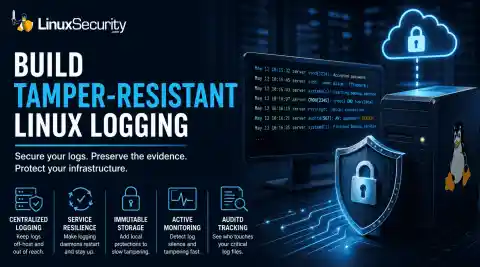
When you’re digging through an incident, your logs are the only thing you can actually trust. The problem is, attackers know that too. If someone gets root on your server, their first move is almost always to delete the evidence and cover their tracks.
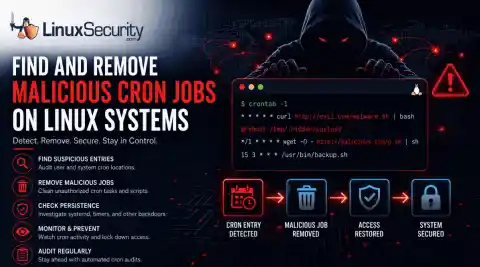
A compromised Linux server can continue running malware long after the initial intrusion. One of the most common persistence techniques is a malicious cron job that silently downloads payloads, restarts malware, or re-establishes attacker access every few minutes.
This guide shows how to identify suspicious cron entries, preserve forensic evidence, remove unauthorized scheduled tasks, and verify that no additional persistence mechanisms remain.
Exposed SSH servers are continuously hammered by brute-force attacks, password spraying, credential stuffing, and recycled passwords from infostealer dumps. Attackers rotate usernames, test weak credentials, and probe for anything that gives them initial access. The logs usually look messy long before the compromise happens.
The first 30 minutes after discovering a compromised Linux server usually decide how much evidence remains available.
One rushed reboot or cleanup attempt can wipe logs, terminate malicious processes, or remove network activity that investigators still need to review. Attackers also do not usually stay on one system for long once access is established.
Early response is mostly about preserving visibility. Collect process information. Save network connections. Limit access carefully before making major changes to the system.
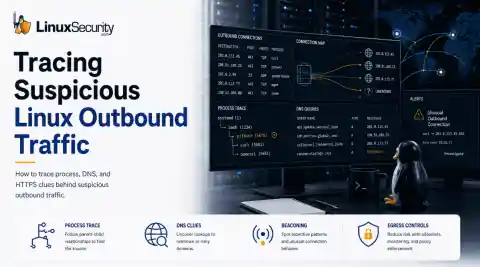
When a Linux server initiates an unauthorized outbound connection to an unknown IP address, it rarely triggers an immediate system failure. Instead, the server continues running normally, and the connection is usually only discovered during a routine firewall log review, a DNS audit, or a post-incident investigation. Because there are no obvious system crashes or performance drops, these quiet outbound sessions can easily be overlooked.
Outcome Checklist
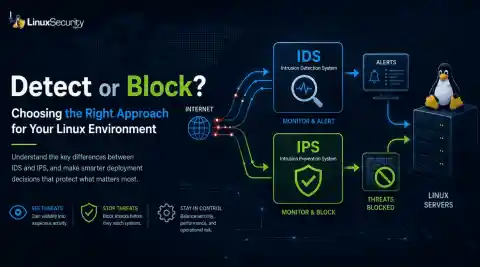
This guide installs Snort as a passive intrusion detection system on Linux and verifies functionality by generating a test alert. Each step builds on the previous one. Do not skip steps. By the end of this guide:
Snort is installed, and the version confirmed.
HOME_NET is correctly configured.
A local rule is created.
Configuration validates without errors.
A real test alert appears in /var/log/snort/alert
Snort runs persistently via systemd (optional).
When you put an intrusion detection system on a live network, the first question usually isn’t whether it can detect something. It’s whether it can keep up. Traffic arrives at a fixed rate, sessions pile up, buffers fill, and the system either processes packets or it doesn’t.
SSH is an indispensable part of Linux administration, enabling access to remote servers and desktops for admin tasks. Although SSH offers more secure credentials than what it replaced (Telnet), its security alone cannot guarantee safe operations. For instance, an attacker could launch a brute-force attack on your machine by constantly attempting to login until he or she gets the correct credentials.
Penetration testing (or pentesting) plays an integral part in cybersecurity. Ethical hackers employ this practice to simulate cyberattacks against systems, networks, or applications to locate vulnerabilities before malicious hackers do. The goal of pentesting is identifying and repairing security weaknesses.
Imagine you run a small business with several web services, such as a corporate website, an employee intranet, and a remote access server for staff working from home. Each service typically requires its port: 80 for the website, 443 for secure access, and 22 for SSH. Managing multiple ports complicates configuration and increases your exposure to security risks.
Network admins must scan for security vulnerabilities and patch them promptly to prevent attacks and security breaches. Metasploit is an open-source framework for detecting threats and vulnerabilities.
SnoopGod Linux is a new Linux distro built on an Ubuntu base specializing in pentesting, security, and development. It is the latest entrant in the Linux distro market, offering hacking and penetration testing functionalities. This article will explore the features of SnoopGod Linux, analyze its implications, and highlight some questions security practitioners may have about the new distro.
Kali Linux recently unveiled its first release of 2024, version 2024.1, packed with new features that are both promising and intriguing for security practitioners and Linux enthusiasts. Kali Linux is renowned for its robust security testing capabilities, the update showcases notable enhancements such as a Micro Mirror Free Software CDN, a theme refresh, desktop environment changes, NetHunter updates, and introducing four new tools. With a focus on ethical hacking and penetration testing, Kali Linux stands out as a powerful distribution that caters to various aspects of cybersecurity.
How do you know if your systems are secure? Penetration testing is one way to find out. Here is how to set up Kali Linux, which has a full suite of security testing tools.
Dive into the fascinating universe of network security and system administration, where two tools reign supreme: Nmap and Netcat. These open-source marvels are the linchpins of network exploration and security auditing.
Password crackers are essential tools in any pen tester's toolbox. This step-by-step tutorial explains how to use John the Ripper, an open source offline password-cracking tool.