


Stay Ahead With Linux Security Features
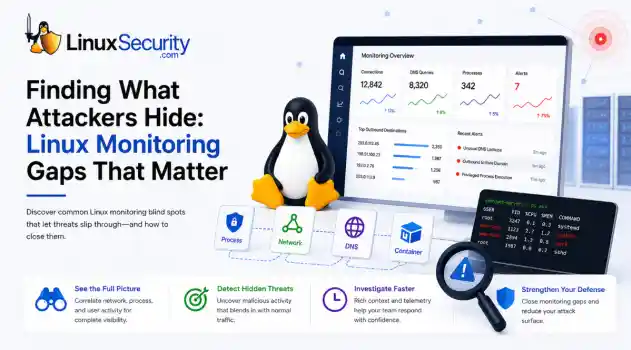
 network security threat detection
 If you’re relying on standard network logs to protect your Linux infrastructure, you’re flying blind. Most organizations believe they have network security monitoring because they’re capturing traffic, but they’re actually just collecting noise. Real security—the kind that stops an attacker—happens in the gaps between the network, the process, and the host. When an attacker breaches a Linux server, they rarely reach for a custom zero-day. They use what’s already there: curl, bash, python, or...
 Jun 30, 2026
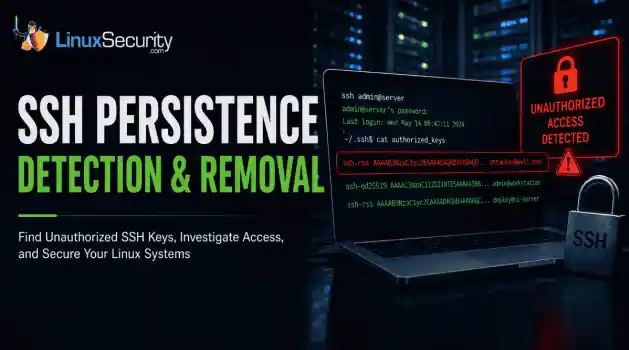 unauthorized access security practices
 SSH persistence usually does not look malicious at first. The login succeeds normally, the session opens cleanly, and the account already exists on the server, which is exactly why attackers continue using SSH keys after gaining a foothold on Linux systems. . Once a public key is added to authorized_keys , the server treats future access as trusted authentication. Attackers no longer need password resets or repeated exploit chains every time they reconnect because the server now accepts the...
Jun 26, 2026
 network security threat detection
 Most security teams are locked into a perimeter-first mindset. They obsess over north-south traffic—the data hitting the edge—while ignoring the reality of the modern data center. Once an attacker gets a foothold, they don't stay at the edge. They pivot. They move laterally. That's the east-west traffic problem: the internal chatter between servers, microservices, and databases that we treat as "trusted" simply because it’s inside the fence. . Using Suricata for east-west monitoring isn't...
Jun 24, 2026
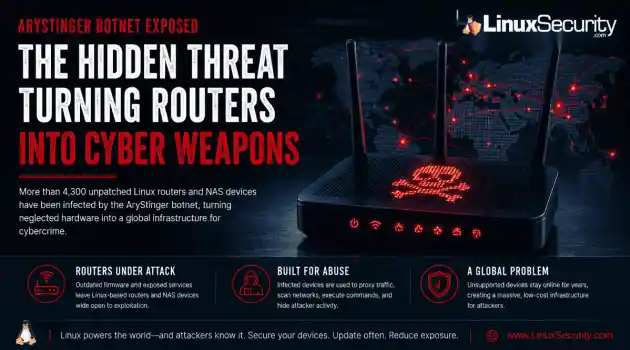 security advisory infrastructure risks
 More than 4,300 internet-facing devices have been pulled into a newly documented router malware campaign called AryStinger. The infected systems are mostly not enterprise servers. They are older routers, NAS appliances, and embedded Linux devices that stayed online long after anyone was likely checking them. . QiAnXin XLab researchers found that the campaign is leaning on known vulnerabilities, including flaws that have been public for years. That is the important part. AryStinger does not...
Jun 22, 2026
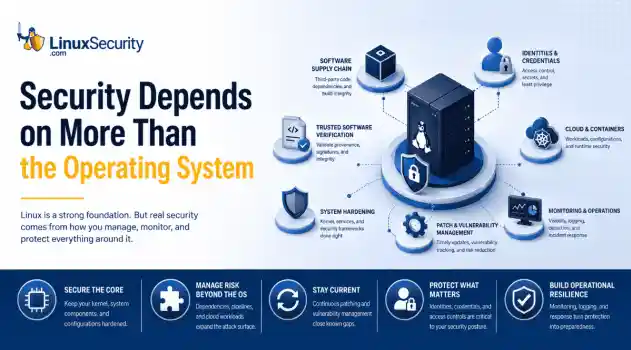 security advisory risk management
 If more than 12 million enterprise systems can be exposed by flaws in a security control designed to harden Linux, it's probably worth asking whether Linux gives people a false sense of security. That's a question that has come up repeatedly throughout 2026. . This year alone, researchers have disclosed privilege-escalation vulnerabilities, root-level kernel flaws, and multiple supply-chain compromises affecting Linux environments. That doesn't mean Linux suddenly became insecure. It means...
Jun 15, 2026
 Refine features
X Clear Filters
Get the latest News and Insights
Get the latest Linux and open source security news straight to your inbox.
Community Poll
Can sandbox isolation stop malware?
Loading...
Explore Latest Linux Security features
We found 9 articles for you...
102
 ssh securityopen source securitymalware risks
Why Linux Servers Get Hacked More Often Than People Think
Linux runs a massive part of the internet. Cloud platforms, databases, containers, web hosting, APIs, and internal business infrastructure all depend heavily on Linux systems. Most people interact with Linux-backed services every day without realizing it. That popularity also makes Linux server security a constant concern. . There’s a common assumption that Linux systems are naturally secure and therefore harder to compromise. Linux does have strong security foundations, but real-world Linux security problems rarely happen because of the operating system alone. Most compromises happen because systems drift over time, services stay exposed, passwords get reused, or updates stop happening consistently. A Linux server connected to the internet starts attracting automated scans almost immediately. Attackers usually don’t begin with advanced techniques. They look for exposed services, weak authentication, old software, and operational mistakes that are easy to automate at scale. Why Linux Systems Are Valuable Targets Attackers care about access and uptime. Linux servers often provide both. A compromised Linux machine can become: Phishing infrastructure Malware hosting A cryptomining node A credential theft platform Part of a botnet An internal pivot point inside company networks Cloud growth made this even more common. Organizations constantly deploy temporary Linux systems for testing, development, container security research, APIs, and internal tools. Over time, some systems get forgotten or stop receiving updates entirely. That creates opportunities that attackers repeatedly reuse. Modern Linux security guidance increasingly focuses on reducing exposed services and continuously validating systems because production environments change constantly after deployment. Common Linux Server Security Mistakes Most successful attacks don’t rely on sophisticated malware or expensive zero-days. They rely on operational gaps that quietly appear over time. Common Linux server security mistakes include: Exposing SSH directly to the internet Weak server security policies Poor Linux patch management Reusing passwords Excessive sudo permissions Weak container security configurations Forgotten development systems Disabled logging Many of these issues are easy to identify initially. Maintaining them consistently is the hard part. Weak SSH Security Is Still One of the Biggest Problems SSH allows administrators to remotely manage Linux systems. Think of it as remote command-line access to a server. The issue is exposure. When SSH is reachable from the internet, attackers can continuously attempt logins using: Leaked passwords Reused credentials Brute-force attacks Stolen SSH keys You can check whether SSH is listening publicly on your system with: sudo ss -tulpn | grep ssh Example output: tcp LISTEN 0 128 0.0.0.0:22 If SSH is exposed publicly, automated scanners can see it too. Many Linux security incidents still begin with password-based SSH authentication. . You can check whether password authentication is enabled: sudo grep PasswordAuthentication /etc/ssh/sshd_config If you see: PasswordAuthentication yes the server accepts password logins unless additional controls exist. This alone doesn’t mean the system is compromised. It does increase attack exposure significantly. Outdated Software Creates Easy Entry Points Linux systems depend on thousands of packages: Web servers SSH services Libraries Databases Container runtimes Monitoring agents Management tools New vulnerabilities appear constantly, which is why Linux patch management has become a major operational security focus. The issue usually isn’t patch availability. Most distributions release fixes quickly. The problem is the delay. Systems remain unpatched because: Updates might break applications Maintenance windows are limited Temporaryinfrastructure gets forgotten Teams assume internal systems are safe You can check for pending updates on Ubuntu or Debian systems with: sudo apt update && sudo apt list --upgradable On RHEL-based systems: sudo dnf check-update because public exploit code often appears shortly after disclosure. Strong Linux patch management reduces this window significantly, but many environments still struggle to maintain visibility across older systems and cloud workloads. Many Servers Accidentally Expose Internal Services A common Linux security problem is simple overexposure. Services intended only for internal access sometimes become reachable from the internet accidentally: Databases Docker APIs Kubernetes dashboards Development tools Admin panels Monitoring interfaces You can check which services are listening on a Linux system with: sudo ss -tulpn Look for services bound to: 0.0.0.0 That usually means the service accepts external network connections. For example, a database listening publicly without firewall restrictions creates unnecessary risk even if authentication exists. Attackers scan continuously for these mistakes because they’re common and easy to exploit. Web Applications Often Become the Initial Entry Point Many Linux compromises begin through vulnerable web applications rather than the operating system itself. Common examples include: Outdated WordPress plugins Insecure file upload features Weak API authentication Exposed admin panels Remote code execution vulnerabilities Once attackers gain execution through a web app, they usually begin exploring the underlying system immediately. Typical post-compromise checks include: Searching for saved credentials Identifying writable directories Checking cloud access tokens Reviewing scheduled tasks Testing privilege escalation paths One commonly abused command is: sudo -l This displays whichcommands the current account can run with elevated privileges. Misconfigured sudo permissions remain one of the most common Linux privilege escalation paths in real-world environments. Linux Malware Is More Common Than Most People Think Linux malware receives less public attention than Windows malware , but it remains extremely active across cloud infrastructure and internet-facing systems. Common Linux malware includes: cryptominers SSH worms ransomware botnets rootkits webshells Cryptominers are especially common because attackers often want long-term CPU usage instead of immediate disruption. A compromised Linux server running at high CPU usage may quietly generate cryptocurrency for months before anyone notices. You can check for unusual resource consumption with: top or: htop Look for: Unknown processes Sustained high CPU usage Unexpected outbound traffic Processes running under strange usernames Attackers often rename malicious processes to resemble legitimate system services. Linux malware frequently blends into normal operations instead of visibly disrupting the system. Container Security Introduced New Risks Containers changed how Linux infrastructure operates, but they also created new attack paths. Container security became much more important as organizations moved workloads into Kubernetes and cloud-native platforms . A container is not a full virtual machine. Containers share the host kernel, which means isolation failures may expose the underlying host system. Attackers increasingly target: Vulnerable container images Exposed orchestration systems Leaked secrets inside containers Insecure runtime permissions Overly privileged containers You can quickly view running containers with: docker ps Or in Kubernetes environments: kubectl get pods -A Large environments sometimes lose visibility into what workloads are running, which images they use, or whetherthey still receive updates. That visibility gap creates major container security problems over time. Why Compromises Often Go Undetected Many Linux servers operate quietly for years with limited monitoring or visibility. That creates ideal conditions for persistence. Attackers often: Add SSH keys Create scheduled tasks Install malicious services Modify startup scripts Hide inside trusted processes You can review scheduled cron jobs with: crontab -l List active services: systemctl list-units --type=service Review recent logins: last None of these commands guarantees a compromise exists. They help establish visibility into what the system is actually doing. That distinction matters because Linux security issues often come from assumptions. Systems appear secure because configurations look correct, while actual behavior tells a very different story. Basic Server Security Habits Matter More Than People Think Good server security usually comes down to consistency rather than complexity. The highest-impact improvements are often basic operational practices: Enabling MFA Improving Linux patch management Removing unused services Limiting internet exposure Aonitoring logs Auditing scheduled tasks Reviewing exposed ports Reducing administrative privileges Many organizations spend heavily on advanced security tooling while basic Linux security hygiene quietly breaks underneath them. Linux Security Is Mostly About Operations People often treat Linux security as a configuration problem. Install a control. Apply a benchmark. Enable a policy. Done. Real systems don’t work that cleanly. Infrastructure changes constantly after deployment. Temporary exceptions become permanent. Security settings drift quietly in the background while workloads continue operating normally. Over time, operational gaps start stacking together until attackers find an opening. Most compromises don’t happen because Linux isinsecure by design. They happen because operational reality eventually creates gaps attackers can repeatedly automate, scan for, and exploit at scale. . Explore key reasons why Linux servers are frequent hacking targets, emphasizing SSH security, malware risks, and patch management challenges.. Linux Server Security, SSH Security, Patch Management, Open Source Risks, Container Vulnerabilities. . MaK Ulac
 May 11, 2026
•
May 11, 2026
•
102
 security managementcloud securityopen source security
Container Security Misconfigurations That Still Go Unnoticed
Container security has long carried a reputation for resilience, but attackers have increasingly shifted their focus toward something easier to exploit: the Kubernetes environments surrounding the containers themselves. . Instead of breaking Kubernetes directly, attackers are abusing exposed dashboards, overly broad permissions, insecure APIs, and containers running with far more access than they actually need. Many of these weaknesses are not hidden particularly well. They survive because clusters change constantly, deployments move quickly, and temporary configurations often remain in place long after production rollout. The pattern has become increasingly common across cloud environments. A service account keeps cluster-admin privileges after troubleshooting. A management dashboard stays exposed after testing. API keys end up sitting directly inside YAML manifests. Individually, these mistakes look minor. Combined, they create an attack surface that attackers now constantly scan for. What Is a Container Misconfiguration? At its core, a misconfiguration is just an environment left insecure by mistake. It usually stems from settings that are far too open or protections that were simply never toggled on. This usually happens during the "move fast and break things" phase of a deployment. A team needs an application online by Friday, so they use temporary settings for testing that somehow survive the trip into the live environment. Over time, those weak settings create security gaps that attackers exploit with minimal effort. The pattern is repetitive and predictable: Containers running with full administrator privileges. Secrets or API keys are stored in plain text within the manifest. Open ports exposed to the public internet for "ease of access." Unused services left running as background noise. RBAC permissions that grant users far more power than their role requires. Attackers hunt for these mistakes because they are common and require almost zerosophistication to exploit. In many cases, a single weak setting can give an attacker access to an entire cloud environment before a defender even realizes a pod was compromised. Why Kubernetes Security Is a Moving Target Most Kubernetes security problems aren’t exotic. They come from rushed deployments and permissions that nobody cleaned up later. The same mistakes appear over and over again: Containers running as root because fixing permissions took too long. API keys are sitting directly inside YAML files. Public ports left exposed after testing. RBAC rules granting cluster-admin access because narrowing permissions broke something once, and nobody revisited it. Old manifests are reused across new deployments without anyone reviewing the original security settings. Those mistakes matter because Kubernetes connects everything together. Compromise one over-privileged container, and attackers often gain access far beyond the application itself—secrets, neighboring workloads, the Kubernetes API, sometimes even the wider cloud account. The real problem is visibility. Kubernetes environments change constantly, and insecure settings spread fast through reused manifests and inherited configurations. At scale, small mistakes quietly turn into incident response problems. The "Root" of the Problem: Over-Privileged Containers One of the oldest Kubernetes problems still causes some of the worst incidents. Containers running with far more privilege than they need. Teams leave workloads running as root because it avoids permission issues during setup, makes debugging easier, or just survives from an early deployment nobody revisited later. That shortcut opens the door wider than most people realize. Once an attacker gets into a privileged container, they can often reach beyond the application itself. That can mean accessing the host system, stealing credentials, installing malware, or moving into other containers on the same server. One compromised workload canquickly turn into a wider cluster breach when permissions are too broad. Publicly Exposed Services: The Windows We Leave Open Another common failure is exposing internal Kubernetes services directly to the internet. Usually not on purpose. A load balancer gets configured too broadly. A dashboard stays reachable after testing. Network rules remain open longer than they should. Small deployment decisions. Big exposure. Attackers look for these systems constantly because they’re often easier to exploit than hardened front-end applications. Kubernetes dashboards, management APIs, monitoring panels, backend services—anything that was meant to stay internal becomes a potential entry point once it’s exposed publicly. An exposed dashboard is especially dangerous because it can reveal far more than most teams expect: secrets, environment variables, deployment settings, service accounts, sometimes even direct administrative control depending on how permissions were configured. Organizations often don’t realize these services are public until suspicious traffic appears in logs or cloud usage spikes unexpectedly. The fix is straightforward, but teams skip it constantly. Internal management systems should sit behind VPN access, identity-aware authentication, or tightly restricted network policies—not directly on the public internet. The Visibility Gap: Unmonitored Runtime Activity Most teams have gotten good at scanning container images before deployment, but far fewer monitor what happens after those containers go live. This creates a massive visibility problem. A scanned, "clean" container can still be compromised through a logic flaw in the application itself. Once an attacker is inside, they may try to download a binary from an external IP or start an unexpected reverse shell to maintain persistence. Without runtime monitoring, this behavior is essentially invisible. This is why tools like Falco or Dynatrace are critical. You need to be alerted the moment a container suddenlytries to execute /bin/sh or starts scanning the internal network—activities that no healthy web server should ever be doing in a production environment. Why Misconfigurations Remain a Major Threat Misconfigurations remain one of the leading causes of Kubernetes and container-related breaches. In many cases, the issue is not a sophisticated zero-day exploit. It’s an environment that was never fully secured in the first place. Three Kubernetes Checks Most Teams Can Run in 15 Minutes Most Kubernetes security problems aren’t advanced. They come from rushed deployments, leftover permissions, and configurations nobody revisited after the cluster went live. The dangerous part is how long these issues sit there unnoticed. 1. Find Containers Running With Too Much Privilege A lot of clusters still have containers running as privileged or root because it made setup easier at some point. That shortcut matters more than people think. Once an attacker gets into one of those containers, they can often reach the host system, pull credentials, or move into other workloads running on the same node. Run this and see what comes back: kubectl get pods --all-namespaces -o jsonpath='{.items[?(@.spec.containers[*].securityContext.privileged==true)].metadata.name}' If the list includes anything outside core infrastructure components, it’s worth investigating. Most application containers don’t need that level of access. 2. Check for Overly Broad RBAC Permissions RBAC problems are everywhere in Kubernetes environments. Permissions get expanded during troubleshooting, someone adds cluster-admin access temporarily, then nobody removes it later. Over time, the access model drifts into chaos. That becomes dangerous fast during a breach. If a compromised ServiceAccount has broad permissions, the attacker may be able to access secrets, deploy workloads, modify namespaces, or interact directly with the Kubernetes API across the cluster. One weak pod can turn into fullorchestration-layer access surprisingly quickly. Look through ClusterRoles and watch for wildcard permissions using *. Those rules usually grant far more access than anyone intended. 3. Run a Basic Misconfiguration Scan Kubernetes changes constantly. New workloads appear every day, policies drift, and old YAML gets reused. Manual review doesn’t scale well once clusters grow beyond a certain point. That’s where lightweight scanning tools help. Kube-Bench is useful for checking whether the cluster aligns with CIS benchmark recommendations. Kubescape goes wider and looks for insecure configurations, exposed services, risky RBAC settings, and known vulnerabilities across workloads and manifests. Neither tool fixes the environment for you, but both are good at surfacing the problems teams stop noticing after staring at the same cluster for too long. Basic Hygiene Still Prevents the Majority of Breaches Advanced cloud security tools are important, but many container-related incidents still come down to basic defensive hygiene . The most effective protections are often the most boring: Enforcing least privilege access and disabling unnecessary privileges. Scanning images regularly and monitoring runtime activity for anomalies. Applying network segmentation and removing unused workloads. Keeping Kubernetes components updated and auditing RBAC consistently. Restricting public exposure to the absolute minimum. None of these steps is especially new or complicated. The challenge is maintaining them consistently as environments grow and change. Final Thoughts: What To Do Next Monday Morning Container adoption is moving faster than most teams can secure it. The biggest risks usually aren’t zero-days or advanced exploits. They’re the everyday configuration mistakes that stay sitting in production for months because nobody noticed them during deployment. If you want to harden a Kubernetes cluster quickly, start with the basics. Run a Kube-Bench scan tosee how your cluster configuration stacks up against CIS benchmarks. Audit your "Privileged" pods using a simple kubectl query to see who actually has root access. Check for exposed dashboards or unauthenticated APIs. As cloud infrastructure becomes more dynamic, visibility becomes just as important as prevention. Security teams need to understand not only what they deploy, but also how workloads behave after deployment. Because in many modern breaches, attackers aren’t discovering new weaknesses—they’re simply finding the misconfigurations nobody fixed. Stay Ahead of the Threat: Sign up for our newsletter for weekly deep-dives into cloud-native security. Container Security Misconfigurations Leading to Threats Kubernetes Security: Top Strategies for 2026 Against Emerging Threats . Unlock your Kubernetes security with key checks to combat common misconfigurations that cloud environments face.. Kubernetes Security, Container Management, Misconfiguration Detection, Cloud Environments, Security Best Practices. . MaK Ulac
May 07, 2026
•

102
 threat detectionsystem monitoringopen source security
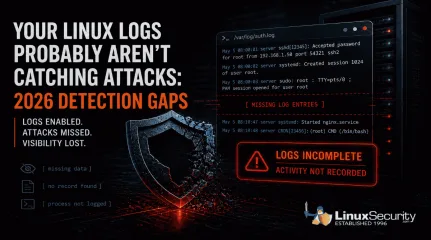
Your Linux Logs Probably Aren’t Catching Attacks: 2026 Detection Gaps
When a Linux system is compromised, the logs should tell you what happened. In a lot of cases, they don’t. . Linux systems generate logs by default, and most environments are already collecting data . That creates a sense of coverage, but during an investigation, those logs often fall short, and this isn’t just a Linux issue; it reflects how modern attacks behave across systems. What you actually get is fragmented activity. A login appears, a process runs, but nothing clearly explains how access was gained, what was executed, or how far the attacker moved, which forces you to piece together a timeline instead of reading one. That’s where things start to break down. Detection gets delayed, attackers stay longer than expected, and response slows down because the data doesn’t fully support what you’re trying to confirm. This isn’t a logging issue. It’s a visibility problem . It tends to break down in a few consistent ways: some attacks leave no trace, some alter the logs after access, others blend in with normal activity, and in some cases, the system never records what actually matters. The Real Problem Isn’t Missing Logs Most environments already have logging enabled. That’s not where things fail. The issue is what those logs actually capture. You can collect authentication events, system messages, and service logs all day. If none of that shows what an attacker did after access, you’re left trying to reconstruct a timeline from incomplete data. The same patterns show up over and over: Activity that leaves no trace Logs that get altered after access Actions that look completely normal Gaps where important behavior isn’t recorded Each one breaks visibility in a different way. When Attacks Leave Little or No Trace Most monitoring assumes something will hit disk. A file changes, a binary drops, or a service gets modified, and those events become the signals you rely on. When that doesn’t happen, there’s nothing to catchbecause the activity you’re watching for never triggers in the first place, which leaves your logs looking clean even while the attack is running. You don’t see a new file or a clear process tied to it, and there’s no alert to follow up on, so what you’re left with is a system that looks normal before and after, with no visibility into what happened in between. The attack runs, escalates privileges, and exits without leaving a clear trail. That gap is the problem. Copy Fail (CVE-2026-31431) is a good example.It allows a local user to escalate privileges entirely in memory. No files are written to disk, and from a logging perspective, nothing stands out, so the only thing you might see is routine kernel output like: kernel: [142.341205] [Firmware Bug]: TSC frequency mismatch... That’s all you see. The system looks healthy. Logging is active, and monitoring is running, but in reality, the attacker has already gained root access without leaving anything in your logs that clearly shows it happened. When Attackers Remove or Alter the Evidence Logs only help if you can trust them. If everything is stored locally, an attacker with enough access can change or remove it. Command history disappears. SSH traces get wiped. What’s left behind looks incomplete, or worse, completely normal. You might see something like this in auth.log: May 5 08:00:01 server sshd[12345]: Accepted password for root from 192.168.1.50 port 54321 ssh2 Looks legitimate, but that line doesn’t tell you how access was gained or what happened after. The entries that would explain that may already be gone. Real-world malware has done exactly this. Variants like Plague have been observed embedding into SSH authentication and stripping out traces of attacker activity while maintaining access. At that point, you’re not analyzing logs . You’re working with a filtered version of reality. When Malicious Activity Looks Normal Not every attack hides. Some just blend in. A valid loginshows up in auth.log. A sudo command looks like routine admin work. A process runs using standard system tools. From the system’s perspective, nothing is wrong. Attackers don’t always need to bypass logging. They just need to operate in a way that looks expected. Once they have access, everything they do can appear legitimate at the log level. You can see the login and the command that followed, but there’s nothing that tells you whether either one should have happened. Without context or correlation, those events don’t stand out as suspicious. They just blend into everything else, which is how a complete record of activity can still miss the attack. Timeline Discrepancy: Missing Intermediate Events The logs show a user login, followed by later activity such as a service starting or a session opening. What’s missing are the events in between. Some activity never shows up in a useful way, and that’s a different kind of failure. You might see the login and the process that followed, but not what was actually executed or what triggered it in the first place. In other cases, you see the result without anything that clearly explains how it happened. Things like credential access, memory interaction, or internal system behavior often don’t produce clear, actionable log entries. The system is still generating data, just not the data you need, which leaves gaps in the timeline right where the important actions took place. There’s no record of what processes ran immediately after the login, so the sequence is incomplete. Because of that, it’s not possible to clearly explain how the later activity was triggered or what actually happened during that gap. What This Means This creates a few problems during an investigation. It’s not clear whether the later activity came directly from that login or from something else running in the background. There’s also the possibility that actions took place that were never logged at all. Without those intermediatesteps, there’s no continuous chain of activity, which makes it difficult to understand the full scope of what happened. What the Logs Actually Show System and authentication logs confirm that a user logged in and that a session was created. Service or application logs show that something happened afterward, but they don’t show the steps that connect those two points. What to Check in Your Own Environment You don’t need new tools to spot the problem. You need to test whether your current setup can answer basic questions. If something happened right now, could you trace privilege escalation from start to finish without guessing? Could you see what commands were actually executed, not just who logged in? Could you confirm that the logs haven’t been altered or removed, and that events are tied to alerts rather than just stored? If you can’t answer those quickly, the issue isn’t logging. It’s visibility, and that gap only shows up when you need it most. Why Logging Alone Isn’t Enough Logging on its own doesn’t give you visibility. It just gives you data. Systems can look fully monitored and still miss the events that matter . Not because logging is broken, but because it doesn’t capture the right activity, doesn’t protect the data, or doesn’t help you understand what you’re seeing. If your logs can’t show what an attacker actually did, they’re not helping you detect them. What’s Next: To bridge these gaps, you have to look beyond traditional files and logs. In our upcoming posts, we will explore how implementing eBPF-based monitoring, File Integrity Monitoring (FIM), and immutable centralized logging can restore your visibility. Want to stay ahead of modern Linux threats? Subscribe to our newsletter to get actionable cybersecurity insights, in-depth technical breakdowns, and best practices delivered straight to your inbox. . Linux logs often miss critical attack details, causing gaps in visibility and hinderingdetection effectiveness during investigations.. Linux logs, detection issues, visibility gaps, log analysis, threat response. . MaK Ulac
May 05, 2026
•
102
 security riskslinux distributionopen source security
Why Software Supply Chain Security Matters in Linux Systems
For Linux users, software supply chain security means protecting the entire path from source to install. It covers who authors and reviews the code, how it is built, how artifacts and metadata are signed, where they are mirrored, and which keys the client trusts. In short: provenance, freshness, and scoped trust across the package pipeline. . Signatures and HTTPS are not enough. The distribution layer still introduces risk through build system breaches, website-level distribution swaps, stale or broken mirrors, mismanaged repository keys, and community repositories without strong guarantees. Each of these failures bypasses cryptography without breaking it. We see the same patterns repeat in open source supply chain security: outdated packages served from mirrors, keys that expire or sprawl, community packages that look legitimate but were never vetted, and infrastructure that turns trusted delivery into an attack path. The problem isn’t the math. It’s the systems around it. The fix is not “turn on HTTPS and move on.” It requires signed metadata and verifiable provenance, sane mirror freshness policies, and per-repository key isolation on the client. That is the baseline for modern software supply chain security. Why Software Supply Chain Security Matters for Linux Users Open source supply chain security isn’t a theoretical problem — it shapes how Linux systems run and how secure they remain for administrators, security teams, and everyday users alike. Admins and engineers: Stale mirrors and expired keys don’t just raise warning messages. They break deployments, block updates, and in some cases allow corrupted or even malicious packages to slip through. Security teams: Attackers rarely waste effort trying to break cryptography itself. They target the weak spots around it — mirrors, build systems, or community repositories — where they can bypass signatures and HTTPS without ever touching the math. Everyday users: A package downloaded over HTTPS and signed with avalid key can still be malicious if the repository serving it is compromised. The surface looks safe, but the content underneath isn’t. At LinuxSecurity , we’ve seen these risks play out in real-world incidents for years. That history is what makes them so important to understand. The following case studies show how each of these weak points has been exploited in practice. Incidents That Shaped Open Source Supply Chain Security Incidents span more than a decade, and they fall into two groups. From early cases like FreeBSD 2012 and Linux Mint 2016 to recent compromises, the same risks have continued to surface across Linux ecosystems. FreeBSD 2012 Infrastructure Compromise: Build System Breach This incident illustrates the failure mode of compromised build infrastructure. As one of the legacy cases, the 2012 FreeBSD breach demonstrated early on how fragile the build environment could be. Several package-building servers were compromised, creating the possibility that malicious code could be introduced during the build process. According to the project’s official postmortem , the intrusion affected servers used to prepare software distributions. While signed binaries continued to be produced, the compromise showed that signatures mean little if the system generating those binaries has already been tampered with. Provenance becomes critical in open-source supply chain security, as delivery integrity cannot compensate for poisoned origins. The takeaway is clear: provenance and build isolation are essential to any credible security model. T o us at LinuxSecurity , The real weakness isn’t the signatures. It’s the build environment itself. Once attackers reach that layer, they can turn out validly signed malware, and every downstream control fails with it. Some argue that identifying and disclosing such errors proves the system works. In reality, an infrastructure compromise demonstrates how brittle the trust model is when attackers reach inside thebuild environment itself. FreeBSD proved that when the build system itself is poisoned, provenance collapses no matter how strong the signatures. Distribution adds a different weakness: the servers users depend on to fetch software can be turned against them. The Linux Mint hack in 2016 was the most evident proof of that. Linux Mint Hack (2016): Distribution-Layer Compromise Back in 2016, a major compromise showed how fragile the distribution infrastructure could be. Attackers breached the Linux Mint website and quietly replaced official ISO download links with images containing a backdoor. The project later confirmed on its site that modified ISOs had been served directly from the distribution page. HTTPS and GPG were technically intact, but once attackers controlled the download portal, those checks offered no real protection. Trojanized ISOs spread quickly to users who believed they were following best practices. This showed how software supply chain security depends on delivery paths as much as code. It’s tempting to write incidents like this off as rare. The reality is that every breach, no matter how isolated, maps directly to a weakness that will surface again if left unaddressed. At LinuxSecurity, we’ve long pointed to the Mint hack as evidence that signatures can’t defend a broken delivery path. Infrastructure has to be guarded with the same rigor as the code itself. Mint showed how delivery can be subverted after the build. XZ exposed an even deeper cut: compromise at the source, where the maintainer workflow itself became the entry point. XZ Utils Backdoor (2024): Maintainer Workflow Compromise In 2024, malicious code was discovered in XZ Utils versions 5.6.0 and 5.6.1, compromising the maintainer workflow. What set this attack apart was patience. The attacker spent years inside the project, sending patches and building credibility until they were treated as a trusted maintainer. By the time the backdoor landed, it blended in as just another update. Thatlong game is what made the compromise so effective — the usual safeguards never triggered, because the attacker was already on the inside. CISA confirmed the incident as CVE-2024-3094 , rating it CVSS 10.0 and warning of impacts across Debian, Fedora, and Ubuntu development channels. Technical analysis later explained how the backdoor worked and why it was so dangerous: payloads persisted even when downstream container images were rebuilt, allowing the compromise to spread beyond the original packages. HTTPS and valid signatures never failed, but software supply chain security collapsed when provenance did. With the maintainer account compromised, the backdoor entered as an “official” change, collapsing trust before cryptographic checks or delivery controls could even play a role. Some argued the damage was limited because stable users were not affected. In reality, timing and vigilance prevented worse fallout. The lesson stands: modern compromises can emerge from trusted maintainers, and when they do, the usual assurances of signatures and HTTPS cannot contain the risk. The XZ case was caught quickly, but discovery didn’t erase the damage. Once malicious code is released, it clings to downstream images and caches. That persistence was exactly what surfaced in 2025, when Docker Hub continued to distribute backdoored versions long after the upstream fix. XZ Persistence in Docker Hub (2025): Downstream Amplification The 2024 XZ backdoor didn’t disappear once patched. It carried into 2025, embedded in Docker Hub base images and derivative containers. This was the failure mode of downstream persistence, where compromised artifacts spread and linger across caches and builds long after the upstream fix. Binarly’s report found more than 35 public Docker images still shipping the backdoored XZ Utils library, including Debian-based ones. The problem didn’t stop there — “second-order” images built on top of those bases multiplied the exposure. This isn’t mirror staleness.Container ecosystems replicate tainted binaries indefinitely, giving compromised artifacts a half-life of years, not weeks. Because these images inherit directly from upstream distributions, the weakness cascades across the ecosystem. What persistence reveals Once poisoned, artifacts replicate through container bases and derivatives. There is no recall mechanism to purge compromised libraries. Risk spreads silently, infecting and building long after the upstream issue is fixed. Persistence is one of the hardest problems in software supply chain security. Once an artifact is embedded in Docker or similar ecosystems, it doesn’t fade out quickly — it lingers. That cascading effect points to another gap in open source supply chain security: not just persistence of bad code, but the trust we extend to code that enters the ecosystem in the first place. AUR Chaos RAT Malware (2025): Community Trust Failure This case illustrates the failure mode of community trust. Unlike official repositories, the Arch User Repository (AUR) accepts user-submitted packages without upstream review. In 2025, several of those packages were found to deliver the Chaos RAT malware. Malicious versions of utilities such as arch-wiki-lite and vim-patchupdate were uploaded and distributed through the AUR. The scope of the compromise was detailed in Chaos RAT in AUR , where users expecting benign tools instead installed a remote access trojan. Community reaction captured by Linuxiac reflected the ongoing debate over whether the AUR should be treated as part of the distribution or as an inherently untrusted space. Open-source supply chain security has to account for where software originates, not just how it is transported. Some argue that AUR use is a personal choice, but package managers blur those boundaries — once a malicious package circulates, the risk spreads. What this shows Community repos bypass upstream review Signatures only confirm delivery, not trustworthiness Risk spillsover into the broader ecosystem Community repos revealed how extending trust too far can poison the ecosystem, proving once again that software supply chain security is about provenance, not just signatures. Community repos revealed how extending trust too far can poison the ecosystem. But risk isn’t limited to the edges. Research in 2025 showed that even the official infrastructure behind Fedora and openSUSE carried exploitable flaws. Fedora & openSUSE Build Services (2025): Modern Infra Risks In 2025, new research exposed critical weaknesses in the infrastructure behind major Linux distributions. Investigations into Fedora’s Pagure forge and the Open Build Service (OBS) used by openSUSE revealed vulnerabilities in the very systems responsible for managing and building packages. This represents modern build and repository infrastructure risks, echoing the lessons first seen in the FreeBSD compromise of 2012. One of the most severe findings was CVE-2024-47516 , a critical argument injection vulnerability in Pagure that enabled remote code execution during repository history retrieval. At the same time, research from Fenrisk showed how the source service in OBS could be manipulated to alter package sources directly. Together, these disclosures confirmed that infrastructure-level compromises are not just historical anomalies. The same class of risk persists today, nearly identical in nature to the problems uncovered more than a decade earlier. For software supply chain security, the implications are clear. Even if signing keys are properly managed, poisoned binaries can slip through when the systems that assemble and distribute them are insecure. Provenance collapses if attackers can compromise the build process itself. Building infrastructure remains one of the weakest points in the Linux supply chain. Some dismissed these as proofs-of-concept, but that misses the point — if today’s core build services can be modeled as exploitable, the system is already brittle. The onlyvariable left is timing. Why the Same Failures Repeat Across Incidents A decade’s worth of incidents makes the pattern clear. Incident Weak Point Why Crypto Didn’t Help Lesson FreeBSD 2012 Build infra compromise Signed binaries were still malicious Even valid signatures can’t protect if the build environment itself is poisoned. Linux Mint 2016 Website compromised HTTPS and GPG were intact but irrelevant A trusted download site turned hostile, showing the distribution layer is as critical as the code it serves. XZ Utils 2024 Maintainer workflow Crypto verified poisoned binaries as “legit” Provenance collapsed when a maintainer account was abused, proving trust can fail at the source. DockerHub Persistence 2025 Mirrors, caches, derivatives Tainted images lived on after removal Without recall, poisoned artifacts persist and spread downstream long after the fix. AUR Chaos RAT 2025 Community repo trust Signatures delivered malware anyway Community repositories bypass review, proving that provenance matters as much as delivery. Fedora/OBS 2025 Build service flaws Vulnerable infrastructure could sign bad code Even in 2025, core build services can still be modeled as exploitable, showing how brittle the foundation remains. These incidents show that software supply chain security is not a problem cryptography can solve on its own. It depends on securing the entire delivery chain, from build systems and distribution sites to mirrors, caches, and community repositories. Why Mirrors and Metadata Integrity Matter in Open Source Supply Chain Security The last set of incidents showed how attackers plant malicious code at different points in the chain. Mirrors and metadata integrity represent adifferent risk. They determine whether those compromises fade quickly or linger long after the initial breach. Fedora Metalink Freshness Checks: Freshness Enforcement Fedora treats mirror freshness as a security control, not just an uptime concern. This is the failure mode of stale mirrors, and Fedora’s answer is to enforce “freshness” at the metadata level. As described in the Fedora infrastructure blog , package delivery depends on repomd.xml checksums and timestamp validation. If a mirror falls out of sync, Fedora clients reject it. To users, the result looks like downtime, but the outages are a defense at work. Mirror staleness is more than an inconvenience. It is a vector for replay and rollback attacks. That’s why freshness enforcement is a core part of software supply chain security. For open-source supply chain security, keeping metadata fresh is as critical as key management. Outages here are intentional safeguards. At LinuxSecurity , we’ve pointed out that this is exactly the kind of control missing in earlier incidents like FreeBSD’s 2012 compromise. The same risks seen more than a decade ago still shape modern infrastructure. Some argue that mirrors are simply an availability issue. In reality, without enforced freshness, outdated packages can be replayed as if they were current, and cryptographic checks alone will not stop it. Fedora demonstrates proactive enforcement. Debian shows the opposite, where brittle checks allow the problem to surface in practice. Debian SecureApt: Rollback Fragility In Debian, open-source supply chain security relies on SecureApt and its Valid-Until mechanism. This represents the failure mode of rollback fragility: protections against stale mirrors that can also lock users out when freshness checks break down. As detailed in the Debian security manual , Release and InRelease files are signed and include a Valid-Until field. When a mirror drifts or a system clock slips, users see the familiar error: “Release file expired.” Itprotects against rollback but also shows how brittle the system becomes when mirrors lag. Some argue that these errors simply prove the system is working. That is true, but it also demonstrates how fragile the trust model can be when enforcement collides with real-world infrastructure. Debian’s model shows the price of enforcing freshness when mirrors drift: security holds, but usability breaks. That tension is what pushed projects to rethink key hygiene in the years that followed. Key Hygiene and Isolation on the Client Side Attacks on infrastructure and mirrors show where the chain can be poisoned. Key management on the client side decides how far that poison spreads. apt-key Deprecation: Trust Scope Failure For years, Ubuntu and Debian-based systems used apt-key to manage repository signing keys. It worked, but it was insecure: a single trusted key meant a compromise in one repository could affect them all — the failure mode of trust scope. Canonical announced the deprecation of apt-key in its Discourse post . The replacement uses deb822 source entries with the Signed-By option, which lets each repository define its own key. The move acknowledged what the community already knew: shared trust anchors undermine software supply chain security, while scoped keys and isolated trust boundaries reduce the blast radius of a compromise. Shared keys created a global blast radius. Per-repo keys isolate trust, reducing fallout when one key is exposed. Key hygiene failures are dangerous because they fail silently until compromise has already spread. Per-Repository Key Isolation: Trust Scope Failure With deb822 and the Signed-By directive, each repository now carries its own signing key. This model directly addresses the failure mode of trust scope, where a single global key once had authority over every source. Benefits of per-repo key isolation: Limits compromise to one repository rather than the entire system Reduces systemic risk if a single key is exposed Encouragesbetter hygiene and accountability across maintainers This shift matters because software supply chain security depends on limiting how far a compromise can travel once it begins. Isolating keys ensures that a poisoned source does not cascade across unrelated repos. For open-source supply chain security, it is the difference between a local breach and an ecosystem-wide incident. Some argue that key isolation is overkill. In practice, one bad key under the old model meant global compromise. Scoped trust prevents that outcome and keeps failure contained. This is why key hygiene sits at the heart of modern software supply chain security. Client-Side Controls Show Their Own Weak Points Mirrors, keys, and client-side controls show that failures aren’t only upstream — they play out on end-user systems as well. Incident Weak Point What Users Saw Security Trade-off Failure Mode Fedora Metalink Stale or broken mirrors Outages when mirrors drifted Enforced freshness stopped rollback, but at the cost of availability Freshness Enforcement Debian SecureApt Expired Release files “Release file expired” errors Valid-Until blocked stale repos, but also locked users out Rollback Fragility apt-key Deprecation Shared global key One key is trusted everywhere Convenience created a global blast radius Trust Scope Failure Per-Repo Keys Poor key isolation Each repo now has its own key Scoped trust prevents cascades, improves maintainer accountability Trust Scope Failure Together, these cases reinforce the main point: software supply chain security cannot be reduced to signatures and HTTPS. Even when cryptography is intact, weaknesses in mirrors, metadata, and key hygiene expose users to rollback, replay, and trust-scope failures. Opensource supply chain security has to account for every layer, from upstream build systems to client-side validation. How to Improve Open Source Supply Chain Security: Practical Fixes The incidents made one thing clear: distribution is where the chain most often fails. Provenance, freshness, and scoped trust are the controls that matter. Signed metadata and provenance keep packages traceable and stop poisoned repositories from masquerading as legitimate. Mirror freshness policies block rollback and replay by rejecting outdated files before they spread. Per-repository key isolation contains a compromise to a single source instead of exposing an entire system. Our perspective: These aren’t advanced features. They are the baseline. They don’t close every gap, but they stop the failures that have defined the last decade of attacks. Enterprise ecosystems like Microsoft and Red Hat enforce provenance and freshness through centralized infrastructure. Open source has the same needs but depends on fragmented adoption, which leaves room for the same failures to resurface. These aren’t optional add-ons. They are the foundation of modern software supply chain security, and without them, open source software supply chain security will keep repeating the same incidents we’ve already seen. Conclusion: Rethinking Open Source Supply Chain Security The failures we’ve traced don’t come from broken cryptography. Signatures and HTTPS hold up. What fails is distribution — the systems, mirrors, workflows, and trust models that deliver code. From FreeBSD’s compromised build servers to Linux Mint’s website breach, from XZ’s maintainer compromise to Docker and AUR persistence, the same pattern repeats. The fix is not new crypto, but a focus on provenance, freshness, and scoped trust. Without that, software supply chain security will keep failing in predictable ways. . Explores risks in Linux software supply chain security and the importance of securing the entire packagedelivery process.. linux, users, software, supply, chain, security, means, protecting, entire, source. . MaK Ulac
Oct 01, 2025
•
102
 network threatssecurity challengesopen source security
Analysis of Linux Security Trends and Future Predictions
Linux security is anything but stagnant. Cybercriminals are exploiting the growing popularity of the OS and its powered high-value servers and devices by utilizing new and evolving attacks in network security. Despite the reputation Linux has earned, that of being secure and stable against all forms of network security issues, Linux malware is on the rise. The number of new Linux malware variants reached a record high in the first half of 2022, as researchers discovered nearly 1.7 million samples during this period. . In this article, we will cover a wide range of Linux Security topics, such as current cybersecurity trends, technologies, and policies that are set to shape the next five years of security software and the ever-evolving landscape of open-source security. To gain insights from top experts in the field, we had a seat with Vali Cyber Threat Intelligence Analyst Nathan Montierth and Vali Cyber Co-Founder and CTO Austin Gadient. Gadient is the primary author of Vali Cyber’s product, ZeroLock - the world’s first Linux security product that combines portability, performance, and efficacy into one easy-to-use system. He is also the creator of SecurityPerf, an open-source cloud security framework that determines the impact of security software on production Linux workloads. Before starting Vali, Gadient was an officer in the United States Air Force and developed secure software architectures for America’s satellite infrastructure. Montierth’s work focuses on behavioral identification, technical analysis of modern malware, and offensive methodologies used to develop defensive solutions. He was a cyberwarfare officer in the US Air Force for five years, had extensive cyber operations training, graduated from the AF-Basic Operator Course, and spent three years on the keyboard in operations. LinuxSecurity: Can you speak a bit about the current state of Linux security and your predictions for the future? Specifically, what growing trends have you noticed in malware? Whattechnologies or policies are most important for security software over the next five years and why? Nathan Montierth (NM) : One key security trend I’ve noticed is that Linux network security threats have become more like Windows concerns. The outdated notion that Linux is more secure than other OSes is primarily based on “security through obscurity,” which isn’t much of a valid defense. That entire premise hinges on the idea that less attention is paid to the target. This is increasingly not the case with Linux, so we now see techniques that were previously applied predominantly to more user-centric OSes. Ransomware, bots, and backdoors all seem to be multiplying in the Linux environment. The causality of these cyber security trends could probably be connected to several potential directions, such as the rise of the cloud, increased digitization overall, and higher levels of virtualization. I don’t see these network security issues going anywhere. In the future, I believe that these network security threats will apply to any other OS family that uses Linux. Looking at Linux malware specifically, modern malware campaigns seem much more “business-minded” and systemic. Ransomware strains provide robust real-time “support” to victims, walking them through paying the ransom and hypothetically restoring files. Some services help victims improve their security posture after the ransom is paid and even describe themselves as “consultants.” However, they are arguably more predatory than most who use that title. Perhaps more interesting is the security trend I’ve begun to notice, which is that malware authors seem to focus more on portability. The diverse nature of current hardware and software probably makes it more challenging to engineer effective malware targeting a wide swath of vulnerable devices. We will continue to see malware use victim-native commands and tools rather than newly compiled code. To combat the increasing number and variety of network security threatstargeting Linux, I see the broad adoption of physically based multi-factor authentication becoming one of the best defenses against traditional attacks in network security. The more we can effectively pair traditional authentication methods with authentication based on a physical “thing” in the account holder’s possession, the more widespread remote attacks struggle to find footholds. Of course, this assumes correct implementation. At an organizational policy level, organizations will benefit immensely from routinely role-playing cloud security breaches and incidents in a “fire drill.” Since attacks only seem to be increasing, ensuring that personnel understand and know how to use policies, procedures, and network security toolkits will pay dividends when the incidents happen. Doing this will keep teams from becoming complacent or inexperienced and should reduce the overall impact of attacks on network security. LS: What's your favorite open-source tool and why? Austin Gadient (AG): I am a massive fan of MITRE Caldera . Caldera enables repeatable, measurable efficacy testing to determine how different network security toolkits perform while detecting adversary behavior across the MITRE ATT&CK framework. Another tool I love is SecurityPerf . Of course, I am very biased since I am the creator. However, I love SecurityPerf for the same reasons I love MITRE Caldera. While Caldera provides a repeatable, measurable efficacy test, SecurityPerf provides a performance test. Using SecurityPerf, we’ve found many issues in the performance of different security products and system configurations that would have caused problems in protecting data and network security. LS: What are some of the most significant flaws in existing Linux security tools? NM: The most significant flaw is that Linux endpoint security solutions lag behind the latest Windows endpoint data and network security solutions. The focus hasn’t been on Linux. Existing solutions rely on signatures for detection, whichis the traditional malware detection method, and it requires a person to certify a software signature as malicious. Additionally, the most influential Linux solutions have a very costly resource overhead. Your processing power will take a massive hit for the added efficacy, which at the end of the day, will be a business expense of its own, reducing the product's value. SecurityPerf is a great way to validate this and evaluate the value of any given security system versus any network security issues that could head your way. LS: eBPF is all the rage. What are your thoughts on the technology from a defensive security perspective? AG: eBPF was initially developed as a diagnostic tool. It provides excellent access to low-level kernel event information in a more performant way than other methods such as auditd. However, eBPF is very easy to circumvent from an attacker’s perspective. Even an unprivileged attacker can bypass eBPF-based system call information by overloading the maps used to communicate between an eBPF program and userspace. Furthermore, the eBPF verifier has vast numbers of CVEs against it, making enabling the feature a risk to data and network security. eBPF is an excellent tool for diagnostics but has significant drawbacks when used in security products. LS: How is Vali Cyber revolutionizing Linux security? AG: Vali Cyber provides three primary offerings to the Linux security market. The first and foremost is ZeroLock , a novel runtime detection and response system that combines high portability, efficacy, and performance into one application. The second is SecurityPerf, an open-source network security toolkit that allows organizations to determine the performance impact of a security solution on their workloads. We have used SecurityPerf extensively in PoCs to show customers how their existing solution is causing massive performance impacts, significantly increasing their computing costs. Finally, Vali Cyber is pioneering the concept of self-protecting containersthrough work with the United States Air Force and Space Force. Every deployed container should have some level of runtime security associated with it. ZeroLock provides that protection natively and embeds it directly into container images to ensure they are always protected against the latest network security threats while deployed. ZeroLock's protection extends from desktop Linux systems to LAMP stacks targeted by WordPress web shells. We are actively securing WordPress security vulnerabilities, messaging queues, and other high-volume applications. LS: What does ZeroLock do for the Linux security market? What are the real-world and cost impacts? AG: ZeroLock provides the only Linux security solution that combines portability, performance, and efficacy into a single package. ZeroLock can deploy on any Linux system if the kernel version is 3.5+. Additionally, ZeroLock has unparalleled performance and significantly reduces memory and CPU usage. These claims are easily verifiable with SecurityPerf, an open-source tool we’ve developed to measure system performance that is freely available on GitHub . ZeroLock does not rely on signatures to detect attacks in network security. Instead, ZeroLock uses Artificial Intelligence and Machine Learning behavioral detection out of the box. This approach makes ZeroLock’s detection far more future-proof than the adjustments attackers make to their malware through obfuscation. LS: I see you have a podcast together. Tell me about your podcast. What led you to start it? Where can people listen to your podcast? NM: Yes! Our podcast is called ROP Lobsters, and you can listen on Spotify. Austin and I pool our knowledge and experience to give nuanced takes on information security news, current events, and other cybersecurity trends. We cover hacker techniques and tools, recent attacks in network security, and public policy decisions. We love cybersecurity and enjoy talking together about it. You can find our podcast on Spotify today! Keep Learning AboutLinux Security With attacks in network security on the rise and targeting Linux in recent years, robust Linux security has never been more critical for individuals and organizations. While Linux is heralded for its high levels of data and network security and stability, it is by no means a “silver bullet” in digital security. As previously mentioned, the OS must be correctly and securely configured, and sysadmins must practice secure, responsible administration to prevent further network security issues. Staying informed of the latest cyber security trends and solutions is vital to protecting Linux environments against attacks that could lead to compromise. We hope the information and insights provided in this article have given you a better understanding of the evolution of Linux security, what to expect in the coming years, and the type of protection required to secure against malware and other persistent and dynamic network security threats Linux users face. Learn about the history of Linux malware and what’s being done to stop it. Get tips and advice for securing your Linux system. Learn about open-source vulnerability assessment network security toolkits and scanners to help improve your vulnerability management strategy. Learn about container security considerations and best practices in our Linux Container Security Primer. Have a question that wasn’t covered in this interview? Connect with us on social media, and we’ll provide you with the information you seek! Twitter | Facebook | LinkedIn . Investigate key perspectives on Linux cybersecurity patterns, hurdles, and forecasts from specialists concerning the landscape of network protection.. Linux Security Trends, Cybersecurity Analysis, Malware Insights, Open Source Security. . Brittany Day
Aug 02, 2023
•
102
 Linux securitymalwaresecurity tools
History And Security Strategies For Linux Malware Threats
Linux is an open-source operating system that has been popular among developers and IT professionals for its stability and security . However, over the years, Linux has faced its fair share of security threats in the form of malware. In this article, we will discuss the history of malware on Linux and what measures are being taken to stop it. . The first known instance of malware on Linux was in 1999, when a worm named “Ramen” spread rapidly through the Internet. Ramen exploited vulnerabilities in Linux systems, causing significant damage to infected machines. This was a wake-up call for the Linux community, which had previously considered the platform to be immune to malware. In the years that followed, Linux faced numerous malware attacks, including viruses, Trojans, and spyware. The most notable of these was the “Slammer” worm, which caused widespread damage to the Internet in 2003. Slammer targeted a vulnerability in Microsoft SQL Server and was able to infect Linux systems that were running the software. Despite the increasing threat of malware, the Linux community continued to develop and improve the security of the platform. In 2005, the Linux Kernel Security Project was launched to focus on the development of secure kernel-level code. This was followed by the launch of the Linux Malware Detect project, which aimed to provide a fast and efficient way to detect malware on Linux systems. In recent years, the threat of malware on Linux has become more sophisticated, with attackers leveraging advanced techniques such as fileless malware and weaponized documents to compromise systems. To counteract these threats, the Linux community has continued to develop new security technologies and techniques. For example, the introduction of containers and virtualization technologies has helped to isolate systems and reduce the attack surface of Linux systems. Top Six Malware Threats Affecting Linux Servers Linux servers, although less vulnerable than Windows servers, are not immune to malwarethreats. In this article, we will discuss the top six malware threats that affect Linux servers. SSH Brute Force Attacks These attacks target the Secure Shell (SSH) protocol, a protocol used for remote login to a server. The attacker repeatedly tries to guess the login credentials through automated processes until they succeed. To protect against these attacks, it is recommended to implement strong passwords, limit login attempts, and use key-based authentication. Rootkit A rootkit is a type of malware that gives attackers unauthorized access to a server by hiding their presence and activity. This makes it difficult to detect and remove rootkits, as they often modify system files and alter the behavior of security tools. Regular system scans and updates, as well as using a host-based intrusion detection system, can help mitigate the risk of a rootkit attack. Cryptojacking Cryptojacking is a type of attack where the attacker hijacks the server's resources to mine cryptocurrency. This type of attack can slow down the server and consume large amounts of resources, potentially causing performance issues. Implementing software that blocks known malicious domains and IP addresses, as well as regularly updating the system, can help prevent cryptojacking attacks. Backdoors Backdoors are a type of malware that allows an attacker to bypass normal authentication procedures and gain unauthorized access to a server. Backdoors can be installed through various means, including exploiting vulnerabilities, phishing attacks, or through malicious software downloads. Regular system scans and updates, as well as monitoring network traffic, can help detect and prevent backdoor attacks. Botnets Botnets are a network of infected computers that can be controlled remotely by an attacker. They are often used to launch distributed denial-of-service (DDoS) attacks or send spam. Botnets can infect Linux servers through vulnerabilities, phishing attacks, or through malicious software downloads. Regular system updates andscans, as well as monitoring network traffic, can help prevent botnet attacks. Web Shells A web shell is a type of malware that allows an attacker to remotely execute commands on a server through a web interface. They are often used to carry out malicious activities, such as data theft or DDoS attacks. Web shells can be installed through various means, including exploiting vulnerabilities, phishing attacks, or through malicious software downloads. Regular system scans and updates, as well as monitoring network traffic, can help detect and prevent web shell attacks. Linux servers are not immune to malware threats, and it is important to take steps to protect against these attacks. Implementing strong passwords, limiting login attempts, using key-based authentication, regularly updating the system, and monitoring network traffic are some of the ways to protect against these threats. It is important to be vigilant and stay informed of the latest threats, as the cybersecurity landscape is constantly evolving. Open Source Proactive Approach to Security The Linux community has also adopted a proactive approach to security , with the development of secure coding practices and regular security audits of the Linux codebase. In addition, the Linux Foundation hosts a range of security projects and initiatives aimed at improving the security of Linux systems. To further enhance the security of Linux systems, the community has developed a range of security tools and utilities. These include firewalls, intrusion detection systems, and antivirus software. These tools are designed to detect and prevent malware infections, and to help administrators respond quickly to security incidents. One of the key strategies for stopping malware on Linux is to educate users about the importance of security. The Linux community has been working hard to raise awareness of the threat of malware and to provide users with the information and tools they need to keep their systems secure. This has included the development ofonline resources, such as security blogs and forums, and the creation of security training programs for users and administrators. Is Linux More Susceptible to Malware Attacks Than Other Operating Systems? Linux has historically been considered more secure than other operating systems , such as Windows, due to its open-source architecture, which allows for a more transparent development process and easier identification of vulnerabilities. Additionally, the Linux community has a strong focus on security and promptly addresses vulnerabilities when they are discovered. However, the popularity of Linux-based systems, such as Android, has increased the attack surface and made Linux a more attractive target for malware authors. Additionally, as with any operating system, Linux is only as secure as the practices and configuration of the individual users and organizations running it. Overall, while Linux is less susceptible to malware attacks than other operating systems, it is still important to follow best practices for security and regularly update software to minimize the risk of an attack. What Can Be Done to Stop Malware Attacks on Linux? To stop malware attacks on Linux, the following steps can be taken: Keep software up-to-date : Regularly update the operating system and installed applications to fix vulnerabilities and prevent exploits. You can use tools such as apt-get or dnf on Debian and Red Hat based systems, respectively. Use strong passwords: Implement strong password policies and use unique, complex passwords to prevent brute-force attacks. You can use tools such as pam_cracklib to enforce strong password policies. Use anti-malware software: Install and run anti-malware software that can detect and remove malware. Examples of anti-malware software for Linux include ClamAV, Sophos Antivirus, and Malwarebytes. Enable firewalls: Enable the built-in firewall or install a third-party firewall to block unauthorized network access and prevent malwarefrom spreading. Examples of firewalls for Linux include ufw, iptables, and firewalld. Practice safe browsing: Be cautious when downloading and installing software and avoid clicking on suspicious links or attachments. You can use browser extensions , such as uBlock Origin or NoScript, to block unwanted scripts and advertisements that could be malicious. Limit user privileges: Limit the privileges of users and run applications as a non-privileged user whenever possible. You can use tools such as sudo or su to run applications as a non-privileged user. Use a sandbox: Run applications in a sandbox environment to contain any potential malware and prevent it from affecting the rest of the system. You can use tools such as Firejail or AppArmor to create a sandbox environment for applications. Regular backups: Regularly backup important data to prevent data loss in case of an attack. You can use tools such as rsync or duplicity to perform backups. These methods, along with the specific tools and applications mentioned, can help to reduce the risk of malware attacks on Linux systems. However, it's important to stay vigilant and continuously update security measures as new threats emerge. Technologies Currently Under Development to Stop Malware Attacks on Linux There are several technologies currently under development to stop malware attacks on Linux, including: Machine learning Machine learning algorithms are being developed to detect and prevent malware attacks in real-time, by analyzing patterns of behavior and identifying suspicious activity. Applications: ClamAV: An open-source antivirus engine that uses machine learning to detect malware. OSSEC: A host-based intrusion detection system that uses machine learning to detect threats. Containerization Containerization technologies, such as Docker and Kubernetes, are being used to isolate applications and prevent malware from spreading across the system. Applications: Docker: Apopular open-source platform for building, shipping, and running distributed applications in containers. Kubernetes: An open-source platform for automating deployment, scaling, and management of containerized applications. Sandboxing Sandboxing technologies allow applications to run in a confined environment, limiting the ability of malware to access the underlying system and reducing the risk of infection. Applications: Firejail: A lightweight sandboxing tool for Linux that can be used to run applications in a confined environment. AppArmor: A Linux security module that provides fine-grained control over application behavior and can be used to enforce sandboxing. Virtualization Virtualization technologies, such as virtual machines, are being used to create isolated, secure environments for running applications, reducing the risk of malware infections. Applications: KVM: A full virtualization solution for Linux that can be used to create isolated virtual machines. VirtualBox: An open-source virtualization platform that can run multiple operating systems on a single physical machine. Endpoint protection Endpoint protection solutions are being developed to provide comprehensive security for devices running Linux, including anti-malware, firewall, and intrusion detection and prevention. Applications: ClamAV: An open-source antivirus engine that provides endpoint protection for Linux devices. AIDE: A file and directory integrity checker that can detect changes to the file system and alert administrators to potential malware infections. File-integrity monitoring File-integrity monitoring tools are being developed to detect changes to the file system, alerting administrators to potential malware infections and helping to prevent data loss. Applications: Tripwire: An open-source file-integrity monitoring tool that can detect changes to the file system and alert administrators to potential malware infections. OSSEC: A host-basedintrusion detection system that provides file-integrity monitoring and can detect changes to the file system. Patch management Automated patch management solutions are being developed to make it easier to keep systems up-to-date and secure against known vulnerabilities. Applications including yum, dnf and apt-get provide a convenient and automated way to manage software updates and security patches on Linux systems, reducing the time and effort required to keep systems secure and up-to-date. They help to stop malware attacks by ensuring that known vulnerabilities are patched, making it more difficult for attackers to exploit those vulnerabilities and gain access to systems. These technologies are aimed at improving the security of Linux systems and reducing the risk of malware attacks, while also making it easier to manage security and ensure that systems remain protected over time. Our Thoughts In conclusion, the history of malware on Linux has been a story of evolution, as the Linux community has adapted to changing security threats and improved the security of the platform. Today, Linux is considered to be one of the most secure operating systems available, and the Linux community continues to work hard to keep it that way. Whether it’s through the development of new security technologies, the adoption of secure coding practices, or the education of users, the Linux community is committed to protecting Linux systems from the threat of malware. . Explore the evolution of Linux-related malware, its ramifications, and the continuous initiatives by the community to address and mitigate security vulnerabilities effectively.. Linux Malware, Malware Detection, Open Source Security, Cyber Threats, System Security. . Dave Wreski
Feb 06, 2023
•
102
 cyber defensesecure codingopen source security
Enhance Your Cybersecurity: Open-Source SAST and DAST Tools Explained
As open-source software becomes increasingly common in the infrastructure of businesses, it is essential to ensure the security of the software being relied upon. An increasingly popular cyber security solution is open-source SAST (Static Application Security Testing) and DAST (Dynamic Analysis Security Testing) security scanning, which give IT technicians and developers the ability to access the code of a certain piece of software to remove threats or improve the strength of its security. . Software scanning tools allow developers and users to scan the code of the programs they are using to check for security flaws. The two types of security tools, SAST and DAST, each have their strengths and weaknesses. Running these tools (and your wider organizational systems) through an open-source operating system like Linux will provide you with additional security and peace of mind and increase control over your hardware infrastructure. This is what you need to know about SAST and DAST on Linux and why it is important for your organization. What Is Open Source Security? Open-source is software that is accessible to outside users, who can change or share the source code at will. The source code, which open source refers to, is what can be used by developers or technicians to modify the nature of the software. This is used to improve performance, eliminate any technical gremlins, or bolster security. Naturally, open-source security allows you to be incredibly flexible with your security processes because you can immediately dive into the software and fix any issues. There is no need to wait for a software upgrade, call out a specialist, or leave yourself with lasting software problems at the whim of the proprietary software vendor that could damage your organization’s health and reputation. Given the relentless demand for the latest software and technology solutions within businesses today, it is little surprise that open-source security processes are an increasingly prevalent means of tacklingsecurity problems. Using the increasingly popular open-source Linux operating system offers additional security benefits due to its modular construction. This limits user access to applications and separates them from each other, meaning that if there were a cyber-attack, less damage would be done in a single breach. Despite the benefits associated with open-source development discussed above, not every open-source security tool is equal, and there are a few different approaches to consider. This includes SAST and DAST tools, which we will cover in more depth below. What Are SAST and DAST Tools? Ultimately, SAST and DAST tools have the same goal- to improve the security of code within software. However, they take different approaches to solving this problem, which is important to note if you consider utilizing them. What Types of Vulnerabilities can SAST Tools be Used to Find? Firstly, SAST tools are used to examine software source code, which is still under development and not out on the open market. SAST tools can be of great assistance if you are trying to identify and fix bugs during the development phase of a piece of software or technology. SAST tools work by analyzing code to look for vulnerabilities. They use the white box testing methodology, meaning the program is never actually run and is “tested” only on a logical level. By scanning the code, SAST tools can identify vulnerabilities such as: weak random number generation SQL injection cross-site scripting buffer overflows Since SAST tools are usually used earlier in development, they can prevent the need to pull a piece of software later in the development cycle, which could cost a lot of time, money, and even reputational damage. To further improve the efficiency of the software development process, you can add a SAST tool to an integrated development environment (IDE). Essentially, this alerts the development team of any technical glitches or software vulnerabilities as they work, speeding up thesoftware creation process and minimizing the chance of errors. What Types of Vulnerabilities can DAST Tools be Used to Find? Conversely, a DAST tool is designed for use after a piece of software has already been completed. Unlike a SAST tool, a DAST tool does not focus on troubleshooting issues within the code. Instead, it attacks a system from the outside inwards, hacking the program using a variety of approaches - including through exposed HTML and HTTP. Unlike SAST tools, DAST tools use a black box approach, meaning that the program is only tested from the outside without any knowledge of the inner workings, the way a hacker would likely attack it. DAST tools are useful for finding: configuration problems issues with error handling input and output issues Unlike SAST tools, DAST tools can not tell you from where in the code an error originates–it is by design as blind as a real user of the software would be. A DAST tool is particularly useful if you have an existing system or piece of software that is likely to suffer from a certain cyber-attack. For example, if your organization operates an online retail store, then there are certain attacks you should be vigilant of. A DAST tool can be programmed to run a simulation of these hacks to expose any potential weaknesses within your infrastructure. There is a tendency for businesses to focus on deploying either a SAST tool or a DAST tool, focusing on one as though it is better than the other. This is rarely the case because they fulfill different roles within your cyber security processes. By using both tools, you safeguard yourself both at the software development and deployment phases. Which Open-Source Security SAST and DAST Tools are Available? There are various strong open-source security tools available, and choosing between them can be difficult. Here are a few options to consider: Zed Attack Proxy (ZAP) : ZAP is a DAST tool available on Windows, Mac, and Linux that is designed primarily fortesting web applications by using penetration testing. ZAP is a popular tool that is used by dozens of other services and has a beginner-friendly user interface. GoLismero : GoLismero is another DAST tool and is available on Windows, Mac, BSD, and Linux. GoLismero is a bit less beginner friendly than ZAP, as it does not have a UI–it is installed and run solely via the command line. However, it is very robust as it consolidates the results of security frameworks including sqlmap, xsser, openvas, dnsrecon, and theharvester, and has several output options. SonarQube Downloads : SonarQube is an SAST tool that can analyze 17 different languages including Java, Javascript, Python, HTML, and CSS. It also has a dynamic UI, a community forum, and thorough documentation. There are several expanded versions of SonarQube with more features and support for additional programming languages, but only the “Community Edition” is free and open-source. w3af: w3af is a DAST tool designed primarily to test web applications. It is a framework specifically made to be easy to extend and incorporate into other projects. w3af can be downloaded on Linux, Mac, and BSD (it is also possible to run on Windows, but it is not officially supported or tested.) What Are the Top Five Things I Should Look for in an Open-Source Security Scanning Tool? With so many software scanning tools available, it can be helpful to narrow your focus when deciding what tools to use. Tips for choosing the right scanning tool include: Easiness to Use (Especially if You’re a Beginner) Not all software scanning tools are beginner friendly. Some tools, like the aforementioned GoLismero, can only be run or even installed using the command line. On the other hand, tools like ZAP and SonarQube are designed to be easier to use thanks to their detailed user interfaces, making them a good starting point. What Programming Languages It Can Check Not all tools are made for checking all types of programs. While sometools, like SonarQube, can check most types of code, tools like ZAP and w3af are made for testing certain types of programs, like web applications. Limited False Positives Software scanning tools sometimes make mistakes by flagging safe code as dangerous. Attempting to fix these nonexistent flaws can lead to wasting time by rewriting code for no reason, so it is important to look for scanning tools that have as few false positives as possible. What Flaws It Can Find (Don’t Rely on Just SAST or DAST) No one software can find every exploit. Because SAST and DAST tools use fundamentally different methodologies to find flaws and are meant to be used in different stages of development, they should ideally both be used in order to help find more types of errors and bugs. Active Support, Updates, and Community (You Don’t Want a Tool that Can’t Find New Vulnerabilities) When using any open-source software or tool, it is important to check that it is up to date and frequently updated since out-of-date code can be a security risk. Ensuring that the tools you are using are up-to-date is especially important with a security tool like software scanners so that they can find the latest exploits. What Are Some Strengths and Weaknesses of Open-Source Testing Tools? There are many strengths and weaknesses to be aware of when considering the use of open-source testing tools and open-source technology in general. To start with the advantages, open-source testing tools can save your organization substantial money. When you have an open-source variant of a software solution, you can make changes yourself, adapt the software to your specific needs, and even operate without a license, all of which cuts a lot of unnecessary costs. Furthermore, you will (hopefully) be able to identify problems within the system before they cause any significant damage. This could save your organization a substantial amount in damages, potential losses (both data losses and financial losses), and reputationaldamage. Another key advantage of open-source testing tools is increased agility. When you can dive into open-source code at any time, fixing issues and improving performance are made far more efficient. Technically, anyone can work on the software, which eliminates potential delays in waiting for system updates or a professional fix. When you are growing an organization quickly, delays in software updates or bug fixes can stop your progress overnight, so having user-focused testing tools allow you to constantly build upon your base layer solutions. Know that Open-Source Tools Are Not Perfect While open-source tools can provide many advantages, they are not perfect. Commercial tools often have more features. For example, as mentioned before, the paid, closed-source versions of SonarQube offer significantly more features and compatibility with more programming languages. The open-source version is more of a “try before you buy” where features are intentionally limited in an effort to draw clients to their subscription model; it’s not necessarily a limitation of open source itself. However, many open-source scanning tools have large user bases with lots of community support, meaning that bugs can be fixed just as quickly, if not faster, as a proprietary closed-source software. Ultimately, it is up to developers to weigh the pros and cons of open-source tools against the needs of their projects. Final Thoughts on DAST vs. SAST: Which One Is Better? While SAST and DAST are both useful for testing the security of programs, they use fundamentally different methods for finding exploits. SAST programs analyze the code itself; while an error checker that analyzes code sounds more thorough, not all programming errors can be found in code. The fact that SAST never executes the program means that it can not find runtime errors or exploits that can be taken advantage of by a user. While DAST never looks at the code of the program it is testing, it is able to find runtime issuesby executing the program. It is unfair to say that either SAST or DAST is better–they both serve different purposes. Since SAST analyzes code, it is usually used earlier in development to assist with programming. On the other hand, DAST is usually used after the programming is finished as a way of finding exploits in the complete software. Both tools should be used hand in hand for ideal error prevention, and a best-practice security strategy should incorporate both SAST and DAST tools in its software development cycle. . Open-source SAST and DAST tools are essential for enhancing software security. By integrating them into development, vulnerabilities are identified early and reduce risks.. Open Source Security,SAST Tools,DAST Tools,Secure Coding. . Yosef Davidowitz
Jun 13, 2022
•
102
 security insightssecurity trendsLinux advocacy
Explore LinuxSecurity.com: Your Premier Resource For Open Source Security
Welcome to LinuxSecurity.com - the community's central source for information on Linux and open source security since 1996. Whether you’re a new visitor or a long-time community member, this article will provide you with insight into the mission behind our site, our history and the content we provide. . Who We Are & What We Provide LinuxSecurity.com has served as the community's go-to resource for information on Linux and open source security for over two-and-a-half decades. We follow the latest open source security news , trends and advisories as they affect the community, and produce content that appeals to administrators, developers, home users, and security professionals. Having created a site that satisfies the needs of both IT professionals and those individuals seeking to learn more about security and Open Source, LinuxSecurity.com has grown to encompass not only this website but also two industry leading email newsletters , Linux Security Week and Linux Advisory Watch, which represent yet another opportunity to help further the advocacy and adoption of Linux by users worldwide. Just recently both the LinuxSecurity site and newsletters underwent a major redesign. We now offer the ability to create a user profile and customize your advisories based on the distro(s) you use. LinuxSecurity.com is owned and maintained by Guardian Digital . As a proud member of and contributor to the Linux community, Guardian Digital devotes the LinuxSecurity.com advertising revenues to covering the costs of maintaining the site to ensure access to LinuxSecurity.com will always be freely available to everyone. Our History LinuxSecurity.com was first launched in 1996 by a handful of Open Source enthusiasts and security experts who recognized a void in the availability of accurate and insightful news relating to open source security issues. Led by Dave Wreski, who currently serves as chief executive officer of Guardian Digital, this group has grown into a global network of collaborators whodevote their time to gathering and publicizing the latest security news, advisories and reports relevant to the Linux community. The LinuxSecurity.com editorial and web development staff also creates feature articles , commentaries and surveys designed to keep readers informed of the latest Linux advancements and to promote the general growth and adoption of Linux worldwide. As Dave founded LinuxSecurity.com and established the site as the Linux community’s central resource for security news, updates and information, he was simultaneously contributing to the foundation of the Linux community at a time when it was just getting started with his work on the revolutionary Linux Security HOWTO, a comprehensive overview of the security issues that Linux system administrators face, which also covers general security philosophy and a number of specific examples of how to improve the security of a Linux system. Dave reflects on the mission of LinuxSecurity.com, “I founded LinuxSecurity.com to serve as the authoritative voice of Linux and Open Source security news with content driven by the security needs expressed by this vibrant, up-and-coming community. Over two decades later, LinuxSecurity.com still strives to provide objective, helpful information and thought leadership content about security as it relates to the rapidly growing, revolutionary open-source product that Linux is.” Let’s Get In Touch! Community involvement is one of our core values, and we love to hear from LinuxSecurity community members. If you have a question, suggestion, or feedback, send us an email here:
Jan 17, 2022
•

Get the latest News and Insights
Get the latest Linux and open source security news straight to your inbox.
Community Poll
Can sandbox isolation stop malware?
Search Topics
Powered By

Linux Security - Your source for Top Linux News, Advisories, HOWTOs and Feature Releases
QUICK LINKS
subscribe to newsletters!
Like staying secure? So do we.
Sign up for updates, tips, and alerts!
Discover faster search, smarter navigation, and deeper Linux security insights. Read More