


Stay Ahead With Linux Security Features
 network security threat detection
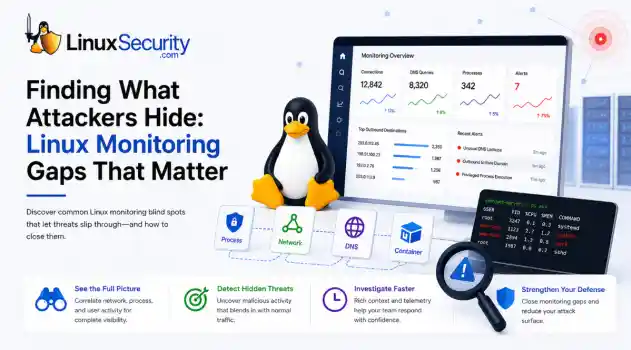
 If you’re relying on standard network logs to protect your Linux infrastructure, you’re flying blind. Most organizations believe they have network security monitoring because they’re capturing traffic, but they’re actually just collecting noise. Real security—the kind that stops an attacker—happens in the gaps between the network, the process, and the host. When an attacker breaches a Linux server, they rarely reach for a custom zero-day. They use what’s already there: curl, bash, python, or...
 Jun 30, 2026
 unauthorized access security practices
 SSH persistence usually does not look malicious at first. The login succeeds normally, the session opens cleanly, and the account already exists on the server, which is exactly why attackers continue using SSH keys after gaining a foothold on Linux systems. . Once a public key is added to authorized_keys , the server treats future access as trusted authentication. Attackers no longer need password resets or repeated exploit chains every time they reconnect because the server now accepts the...
Jun 26, 2026
 network security threat detection
 Most security teams are locked into a perimeter-first mindset. They obsess over north-south traffic—the data hitting the edge—while ignoring the reality of the modern data center. Once an attacker gets a foothold, they don't stay at the edge. They pivot. They move laterally. That's the east-west traffic problem: the internal chatter between servers, microservices, and databases that we treat as "trusted" simply because it’s inside the fence. . Using Suricata for east-west monitoring isn't...
Jun 24, 2026
 security advisory infrastructure risks
 More than 4,300 internet-facing devices have been pulled into a newly documented router malware campaign called AryStinger. The infected systems are mostly not enterprise servers. They are older routers, NAS appliances, and embedded Linux devices that stayed online long after anyone was likely checking them. . QiAnXin XLab researchers found that the campaign is leaning on known vulnerabilities, including flaws that have been public for years. That is the important part. AryStinger does not...
Jun 22, 2026
 security advisory risk management
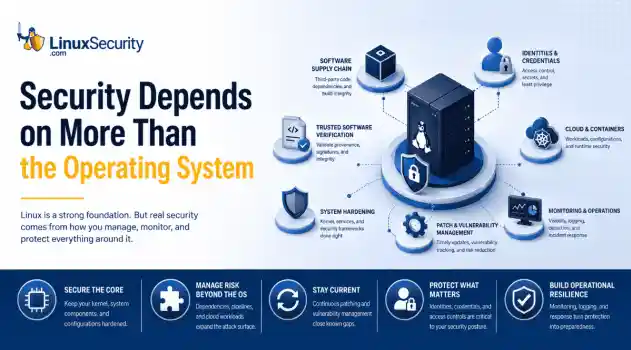
 If more than 12 million enterprise systems can be exposed by flaws in a security control designed to harden Linux, it's probably worth asking whether Linux gives people a false sense of security. That's a question that has come up repeatedly throughout 2026. . This year alone, researchers have disclosed privilege-escalation vulnerabilities, root-level kernel flaws, and multiple supply-chain compromises affecting Linux environments. That doesn't mean Linux suddenly became insecure. It means...
Jun 15, 2026
 Refine features
X Clear Filters
Get the latest News and Insights
Get the latest Linux and open source security news straight to your inbox.
Community Poll
Can sandbox isolation stop malware?
Loading...
Explore Latest Linux Security features
We found 132 articles for you...
102
 security advisoryinfrastructure risksAryStinger
AryStinger: Why Thousands of Unpatched Linux Routers Are Being Weaponized
More than 4,300 internet-facing devices have been pulled into a newly documented router malware campaign called AryStinger. The infected systems are mostly not enterprise servers. They are older routers, NAS appliances, and embedded Linux devices that stayed online long after anyone was likely checking them. . QiAnXin XLab researchers found that the campaign is leaning on known vulnerabilities, including flaws that have been public for years. That is the important part. AryStinger does not need a new exploit chain when exposed devices are still running old firmware and no longer receiving security updates. What Is the AryStinger Botnet? AryStinger is a botnet built around neglected edge devices. Once a router or NAS appliance is infected, it does not necessarily stop working. The router still routes traffic. The NAS may still serve files. In the background, the malware checks in with the control infrastructure and waits for tasks. That makes the compromise easy to miss. Nothing has to crash. No ransom note appears. The device simply becomes useful to someone else, effectively turning your hardware into a node for botnet malware analysis and offensive operations. Capabilities and Infrastructure Proxy malicious traffic: An infected router can act as a hop for traffic. To the outside service, the connection appears to come from the victim’s residential or business IP address. Remote command execution: The botnet can receive tasks, run commands, scan networks, and collect information from other systems. Persistence: The malware is designed to keep the device enrolled in the botnet instead of disappearing after the first reboot or network change. Obfuscated communication: AryStinger uses HTTP and HTTPS, with Protocol Buffers and XOR-obfuscated data. A quick packet capture will not show clear command text moving between the device and its control servers. Why This Matters The biggest risk is not that AryStinger steals data directly. It is that compromised routersbecome infrastructure for other attacks. An infected device can proxy malicious traffic, scan external networks, or help attackers hide their true location behind a legitimate residential or business internet connection. For organizations, that means a forgotten edge device can become an unmanaged security risk sitting inside the network perimeter. For home users, it is a reminder that routers should be treated like computers; once vendor support ends, newly discovered vulnerabilities often remain exploitable for the life of the device. The broader concern is scale. More than 4,000 compromised systems may sound small compared to some botnets, but campaigns like AryStinger succeed because unsupported routers remain online for years after security updates stop. Why Edge Devices Remain Prime Targets Routers and NAS appliances are often the last systems anyone checks. Servers get monitored. Workstations get endpoint tools. Cloud accounts get alerts. A small router in a branch office or home network may sit untouched for years. That is where AryStinger fits into the broader embedded device security landscape. These devices are usually always on, often exposed directly to the internet, and many affected D-Link and Realtek-based systems are already end-of-life. Once vendor updates stop, the device keeps working, but the security problem stays in place. Technical Architecture: Dual-Variant Design Researchers identified two malware variants designed for different Linux environments: The router variant: This version is written in C and built for lower-resource hardware, including older D-Link routers using Realtek RTL819X chipsets. The NAS variant: This version is written in Go and targets more capable Linux-based systems, including NAS appliances. The larger environment gives the malware more room to run scanning and follow-on tasks. A Familiar Pattern in Router Security News AryStinger follows the same pattern seen in campaigns such as AVrecon, SocksEscort, and TheMoon. Scanfor exposed devices. Find unsupported firmware. Exploit known bugs. Keep access. Use the device as infrastructure. As highlighted by Akamai Security Research and data from the Shadowserver Foundation , the malware name changes, but the weak point stays the same: we are deploying connected devices faster than we are decommissioning them. How Organizations and Home Users Can Reduce Risk Start with inventory. Find the routers, gateways, and NAS appliances that are still online, then check whether the vendor still supports them. If a device is end-of-life—as noted in official D-Link Security Advisories —replacing it is usually the real fix. Disable remote administration from the internet unless it is truly required. Remove Telnet, WAN-side web management, and unused services. Apply firmware updates where they still exist. Edge devices should also be monitored like other exposed systems. Unusual outbound connections, proxy-like traffic, and repeated scanning activity—which can be cross-referenced against AlienVault OTX —are not normal background noise. AryStinger is another reminder that forgotten linux malware and neglected devices do not disappear from the internet. They stay reachable, they keep running old code, and eventually, someone builds a massive IoT botnet out of them. . Over 4,300 Linux routers and devices compromised by AryStinger malware highlight risks in outdated firmware and management.. router malware, AryStinger, Linux security risks, vulnerable devices. . MaK Ulac
 Jun 22, 2026
•
Jun 22, 2026
•
102
 security advisoryrisk managementpatch management
Does Linux Give Users a False Sense of Security? What This Year's Biggest Linux Security Incidents Actually Reveal
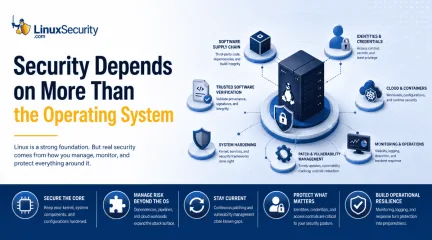
If more than 12 million enterprise systems can be exposed by flaws in a security control designed to harden Linux, it's probably worth asking whether Linux gives people a false sense of security. That's a question that has come up repeatedly throughout 2026. . This year alone, researchers have disclosed privilege-escalation vulnerabilities, root-level kernel flaws, and multiple supply-chain compromises affecting Linux environments. That doesn't mean Linux suddenly became insecure. It means that vulnerabilities still exist, trusted software can still be compromised, and security depends on much more than the operating system itself. Linux earned its reputation for security, but that reputation can sometimes lead people to assume they're safer than they actually are. Why Linux Earned Its Reputation It did not get that reputation by accident. The controls are real. They change how a system behaves after something goes wrong. They limit what a normal user can touch, what a compromised process can modify, and how much software is exposed in the first place. Permission separation: Keeps normal users and compromised processes away from root-level access. Open-source code: Can be inspected by researchers, maintainers, and security teams. Package managers: Centralized repositories make updates easier to distribute and discourage downloading random executables. Security frameworks: Tools like SELinux and AppArmor restrict what processes can do after they are already running. These aren't cosmetic advantages. They reduce exposure and slow down privilege abuse. The mistake is treating these controls as the end of the security conversation. When Advantage Becomes Misconception The misconception starts when those advantages get turned into assumptions. Fewer visible attacks get read as no attacks. Open source gets treated as if someone has definitely reviewed the code. Security features get mistaken for secure outcomes. The operating system gets all the attentionwhile identities, packages, and build systems sit in the background. That matters now more than ever: Trusted workflows: A malicious package doesn't need to defeat the Linux permission model if a developer installs it inside a trusted CI/CD pipeline. Credential exposure: An exposed credential does not care which distribution is running underneath it. Operational reality: A weak build system can leak secrets while the host OS behaves exactly as configured. The systems that stayed protected in 2026 were not protected because they ran Linux. They were protected because vulnerabilities were patched, dependencies were managed, and security controls were maintained. The Problem With Assuming Security by Default: Copy Fail The Copy Fail ( CVE-2026-31431 ) kernel flaw was a reminder that even core components are not exempt. It was a local privilege escalation, meaning an attacker with low-privileged access could move to root. What stood out wasn't the bug—privilege escalation happens in every major OS—but where it lived. Administrators weren't dealing with a neglected third-party package; they were patching a core component. The systems that stayed vulnerable didn't fail because Linux was insecure. The lesson wasn't about kernel design. It was about patch management. A vulnerability with a fix is no longer a software problem; it's an operational one. Mature Code and the Myth of Review: Dirty Frag Dirty Frag ( CVE-2026-43284 and CVE-2026-43500 ) affected mature networking components like IPsec ESP and RxRPC. These aren't experimental features. They are established parts of the networking stack. The assumption is usually: The component has been around forever. Large organizations use it. If something serious existed, somebody would have found it by now. Dirty Frag showed that complex networking code accumulates edge cases over time. Stability and security are related, but they are not the same thing. Public code can be examined by anyone, but that does not meaneveryone is looking at it. Old code earns trust; it does not earn immunity. Complexity as an Implementation Problem Sometimes a vulnerability is the result of architectural complexity. Sometimes it’s a single character. A 2026 kernel flaw came down to a small implementation mistake that created a privilege escalation path for containers. These bugs are frustrating not because they are common, but because they are ordinary. There was no failed security model. The problem was that inside a massive codebase, one small mistake survived long enough to become a vulnerability. The kernel contains millions of lines of code; complexity creates opportunities for mistakes, regardless of the review process. The Attack Surface Shifted The compromises involving Nx Console and the Mini Shai-Hulud campaign were notable because Linux often wasn't the target. The target was trust. Compromised packages: Can expose secrets within a build. Stolen credentials: Provide access to cloud infrastructure and Kubernetes environments. The human element: The XZ backdoor attempt showed that maintainer relationships and social engineering are as important as the code. Visibility helped uncover these problems, but visibility alone did not prevent them. That is why initiatives like SBOMs and software provenance are gaining attention. The goal is to make trust easier to verify. In several recent supply-chain incidents, organizations weren't breached through a kernel exploit at all. They were breached because trusted software, build pipelines, or credentials became part of the attack path. What Actually Protects Linux Systems The incidents of 2026 happened because vulnerabilities existed, software became complex, and trust relationships were abused. The OS matters, but what surrounds it matters just as much. For desktop users: Apply updates, enable MFA, and treat browsers as a primary attack surface. For self-hosters: Harden SSH, maintain a regular patching schedule, andreview which services are exposed to the internet. For developers: Audit dependencies, secure CI/CD pipelines, and scan containers before deployment. For enterprise admins: Prioritize identity protection, monitor endpoint visibility, and review supply chain controls. Notice how few of these depend on Linux specifically. That’s the point. Linux remains one of the strongest security platforms available. But the real danger is not choosing Linux. The real danger is assuming Linux removes the need for patching, monitoring, governance, and operational discipline. 2026 has already provided several reminders why. Want more Linux security news, vulnerability analysis, and software supply chain updates? Subscribe to the LinuxSecurity Newsletter and get the latest threats, advisories, and expert insights delivered directly to your inbox. Related Reading Linux Security Uncovered: Open Source, User Privilege, and Defense Tactics Why Linux Supply Chain Attacks Are Becoming a Nightmare for DevOps Teams Nx Console Supply Chain Breach Shows How Trust Becomes the Attack Surface . In 2026, Linux systems faced multiple security incidents highlighting the importance of patching and operational discipline.. Linux Security, Vulnerability Management, Incident Response, Cybersecurity Best Practices. . MaK Ulac
Jun 15, 2026
•

102
 security advisoryattacklinux
Cron Job Abuse For Linux Persistence Mechanisms Detection
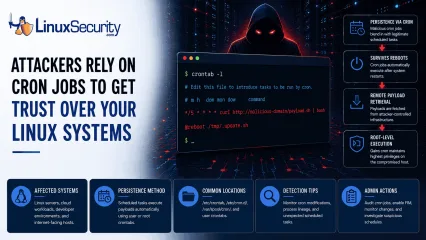
A Linux server gets cleaned up after an intrusion. The suspicious process is terminated, credentials are rotated, and the system is rebooted during maintenance. Everything seems secure. A few hours later, the same outbound connection appears again. . Situations like that point to persistence . The attacker no longer needs the original exploit because something on the host continues restoring access behind the scenes. Finding that mechanism is often more important than understanding how the compromise started in the first place. Linux attackers rarely need complicated malware for this. Built-in operating system features already provide reliable ways to execute code, survive reboots, and maintain a foothold. cron sits near the top of that list. It is trusted, widely deployed, and present on almost every Linux distribution. For an attacker, that combination is hard to ignore. Why Attackers Use Cron to Maintain Access Attackers spend a lot of time looking for ways to keep access after the initial compromise. Getting into a system is one thing. Staying there after a password reset or a reboot is the harder part. MITRE ATT&CK tracks this behavior under T1053.003: Scheduled Task/Job: Cron , which documents how adversaries use cron jobs for both persistence and execution on Linux systems. The functionality is already there. It is native to the OS. Because scheduled tasks are expected and necessary, creating a new job requires very little effort. Most defenders spend their time reviewing login events, suspicious processes, or malware alerts. They rarely spend the same amount of time reviewing the configuration files that control scheduled activity. That environment helps malicious entries blend in . A scheduled downloader or persistence script sits beside legitimate backup jobs, log maintenance scripts, and monitoring tasks. It hides in plain sight, often going unnoticed for months. What Cron Abuse Looks Like Creating cron-based persistence is straightforward. The approach usuallydepends on the level of access the attacker controls. User Crontabs When an attacker only controls a standard user account, they often start with their own crontab. They run crontab -e . From there, they add a task that runs every few minutes. The job might reconnect to command-and-control infrastructure, launch a payload, or download additional tooling. None of it requires elevated privileges. Root-Level Access Root access changes the equation entirely. A scheduled task running as root inherits whatever control root already has. An attacker who reaches this level can create access that survives reboots while maintaining the ability to execute commands with the highest privileges available on the system. At that point, the cron job is no longer supporting the intrusion. It becomes part of how the attacker keeps control. The /etc/cron.d/ Directory Not every cron entry lives inside a user crontab. Linux systems use the /etc/cron.d/ directory to store separate scheduling files for applications and services. Attackers like this location because a new configuration file can blend into an already crowded directory. Investigators often review the main crontabs while overlooking a file tucked away in this folder. That gap is all an attacker needs. The @reboot Directive Sometimes attackers do not care about the recurring execution every hour. They just want their code to run whenever the host comes back online. The @reboot directive handles this. The configured command launches automatically after startup. Maintenance windows, patch cycles, and power outages become opportunities for the payload to execute again. The entry may sit quietly for weeks. Then a reboot happens and the payload returns. Remote Payload Retrieval Attackers do not always store malware locally on disk. The cron entry acts as a delivery mechanism. Commands using curl , wget , or python retrieve content from remote infrastructure at regular intervals. Updating thepayload becomes as simple as changing a file on the attacker's server. The cron entry never changes. The payload behind it can. How to Hunt for Malicious Cron Jobs If you suspect persistence, stop hunting for active processes and start auditing configuration files. You need to see what is scheduled to run. Manual Audit Commands Start by checking the crontabs for the current user and for root: crontab -l sudo crontab -l Next, inspect the common system-wide locations. A quick way to list these files is: ls -la /etc/cron.* /etc/crontab /var/spool/cron/ Commands are easy. Interpretation is harder. Inspecting Locations Do not just look for files. Look at their contents. You are trying to identify scheduled commands that do not belong. If you find a file in /etc/cron.d/ that does not match a known application, open it and read the command. If it launches a script, follow the path and see what that script actually does. A surprising number of investigations stop after locating the cron entry. The useful evidence is usually one step further down the chain. Questions to Ask During a Cron Investigation Finding a cron job is only the beginning. The next step is determining whether the scheduled task is legitimate or suspicious. When reviewing an entry, ask: Does the command connect to an external IP address or domain? Is the script owned by an unexpected user? Does the job execute from temporary directories such as /tmp , /dev/shm , or /var/tmp ? Does the command contain encoded content, such as base64 strings? Was the cron entry created outside normal change-management windows? Does the task run more frequently than expected? Can the entry be tied to a known application, service, or administrative process? The more unusual characteristics a cron job displays, the higher its investigative priority should become. How to Detect Cron Abuse at Scale Large environments require continuous monitoring rather than periodic reviews.Security teams should treat cron configuration files as high-value assets and monitor them the same way they monitor sensitive system binaries. At that point, the goal shifts from finding cron jobs to monitoring the activity they create. Elastic Security Labs includes cron among the Linux persistence mechanisms defenders should routinely monitor when investigating post-compromise activity. Monitoring Modifications Use tools such as auditd or File Integrity Monitoring (FIM) to track changes. You want an alert whenever someone modifies /etc/crontab or creates a new file inside /etc/cron.d/ . These locations rarely change on stable systems. Any unexpected modification deserves attention. A cron entry has to be created somewhere. Catching that change early is often easier than detecting the payload later. Analyzing Process Lineage If you have EDR telemetry or system logs, look at parent-child process relationships. A legitimate maintenance script may launch a shell. What deserves attention is cron consistently spawning network-facing utilities, scripting engines, or unexpected binaries. Examples include: cron → curl cron → wget cron → python cron → bash Detection engineers frequently hunt for these execution chains because cron spawning network utilities or scripting interpreters can indicate activity. Elastic maintains a public hunting rule focused specifically on cron-based persistence . Indicators That Deserve Immediate Review Certain findings consistently move to the top of the queue during a cron investigation. None prove malicious activity on their own, but they appear often enough that they deserve immediate review. Network Activity: Any cron job calling curl , wget , nc , or ssh . Encoded Commands: Obfuscated strings, heavy use of base64 , or long bash one-liners. Execution Paths: Scripts or binaries running from /tmp/ , /dev/shm/ , or /var/tmp/ . New Entries: Any cron file with a recent modificationtimestamp that cannot be explained through patching or change management. Root-Owned Tasks: Unexpected scheduled tasks running as root that do not tie back to a known service or administrative process. Why Cron Still Works Cron remains one of the most reliable persistence mechanisms available on Linux systems because it is simple and effective. Attackers continue using it because they do not need anything more complicated. Most cron-based persistence is not particularly sophisticated. It works because nobody is looking for it. That makes visibility more valuable than complexity. Related Reading Linux Persistence Hunting: Essential Detection Techniques Detecting Systemd Abuse on Linux Servers for Better Security Linux Attackers Use SSH and Legitimate Tools to Evade Detection Auditd vs eBPF: Modern Approaches to Linux System Monitoring . Situations like that point to persistence. The attacker no longer needs the original exploit because. linux, server, cleaned, intrusion, suspicious, process, terminated, credentials. . Dave Wreski
Jun 08, 2026
•
102
 security advisoryapacheDoS
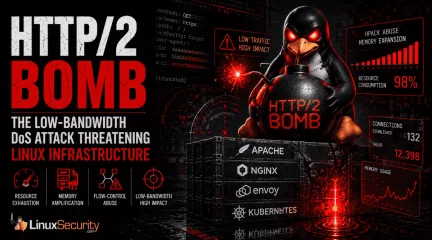
HTTP/2 Bomb: Why Linux Infrastructure is Vulnerable to a New Low-Bandwidth DoS Attack
A newly disclosed attack technique called HTTP/2 Bomb is drawing attention because it targets the software that sits at the front of much of the Linux internet. Apache HTTP Server, NGINX, Envoy, and the ingress layers that many Kubernetes environments depend on can be forced into consuming disproportionate amounts of memory using relatively small amounts of attacker traffic. . For Linux administrators, the concern is not the HTTP/2 protocol itself. It is the possibility that a single low-bandwidth attacker could disrupt the web servers, reverse proxies, and application gateways responsible for keeping production workloads online. The "Resource Amplification" Trap Researchers at Calif recently disclosed the technique, describing how HTTP/2 header compression and flow-control mechanisms can be abused to trigger significant memory consumption on affected systems. The attack combines a compression bomb with connection-stalling behavior, creating a situation where server resources continue accumulating while requests remain active. Most denial-of-service planning assumes attackers need large botnets or substantial network capacity. HTTP/2 Bomb shifts the burden onto the server itself. The attacker sends relatively little traffic while the target allocates memory, maintains state information, and struggles to reclaim resources quickly enough to remain responsive. Why Apache, NGINX, and Envoy are Ground Zero This attack is generating noise because it affects the technologies Linux administrators deploy every day. Apache and NGINX remain dominant web server platforms across hosting providers, enterprise environments, and public-facing applications. Envoy has become a foundational component of modern cloud-native infrastructure, appearing inside API gateways, service meshes, and Kubernetes ingress controllers. When these components experience resource exhaustion, the consequences extend beyond a single application. Reverse proxies stop accepting connections. API gatewaysbecome bottlenecks. Load balancing layers degrade. Kubernetes workloads may remain perfectly healthy while the infrastructure responsible for routing traffic to them begins failing under pressure. How the Mechanics Work: HPACK and Flow-Control Abuse HTTP/2 was designed to improve efficiency by reducing the overhead associated with traditional web traffic. One of the core features is HPACK , a header compression mechanism that minimizes data exchange by storing and reusing previously transmitted header information. According to the research, attackers can abuse HPACK’s indexed-reference system to trigger memory expansion on the receiving server. Relatively small requests force the target to allocate significantly larger amounts of memory than the attacker contributes. The second stage is what makes this a practical threat. Researchers combined this header abuse with HTTP/2 flow-control behavior that slows the release of allocated resources. Instead of freeing memory, affected systems hold state information while additional requests accumulate. The resource consumption grows until performance degrades or services become unavailable—effectively creating a "Slowloris" for memory. Why Kubernetes Operators Should Pay Attention The Kubernetes angle is particularly critical. Many organizations have shifted infrastructure toward Envoy-based architectures and gateway technologies. Traffic that once flowed directly to a web server is now routed through increasingly sophisticated networking layers designed to provide observability and security. That architecture delivers benefits, but it also concentrates risk. When ingress or gateway infrastructure becomes unstable, healthy workloads become inaccessible. For Kubernetes operators, the question is not simply whether a workload is vulnerable; it is whether the infrastructure supporting that workload can continue handling traffic efficiently when exposed to this style of resource amplification. Current Patch Status and Mitigation Vendors havealready begun responding: NGINX introduced a new max_headers directive to limit accepted request headers. Apache updated mod_http2 , improving header accounting and addressing conditions associated with the attack. Administrators should review vendor guidance directly and verify patch levels across production environments rather than assuming repository updates have reached every system. Internet-facing systems—specifically reverse proxies, API gateways, and ingress controllers—should be prioritized. What Linux Administrators Should Do Right Now The immediate priority is visibility. Identify Exposure: Identify which internet-facing systems currently support HTTP/2. Many organizations enabled it years ago and have rarely revisited those configurations. Validate Patching: Review vendor guidance, confirm software versions, and ensure updates are applied consistently across production, staging, and disaster recovery. Monitor Resource Patterns: Attacks based on resource amplification look different from volumetric DDoS. Monitor for growing memory utilization, worker exhaustion, connection failures, or unstable performance from systems that appear to be receiving modest traffic. Evaluate Ingress Routing: Kubernetes operators should review how HTTP/2 traffic terminates, is inspected, and is routed. Identifying where requests are handled is the first step in determining which components will experience pressure. The Bigger Lesson for Linux Defenders The most interesting aspect of HTTP/2 Bomb is the reminder that modern Linux infrastructure depends heavily on layers of software designed to improve efficiency. Those same optimizations can become attack surfaces when researchers discover ways to force systems into consuming resources faster than they can recover them. Linux administrators spend considerable effort defending against exploits and privilege escalation, but some of the most disruptive incidents begin with something far less dramatic. A trustedprotocol feature behaves in an unexpected way, critical infrastructure starts consuming resources faster than anticipated, and the systems responsible for keeping applications online become the weakest point in the environment. HTTP/2 Bomb is a story about infrastructure resilience—ensure your Apache, NGINX, and Envoy deployments are ready for it. Related Reading Critical NGINX Vulnerability CVE-2026-42945: What Linux Admins Should Check Now Securing Remote Access to Linux Servers: Best Practices for 2026 Linux IDS vs IPS: Operational Differences and Deployment Tradeoffs How to Diagnose Suspicious Outbound Connections on Linux Servers How to Respond After Detecting a Compromised Linux Server . For Linux administrators, the concern is not the HTTP/2 protocol itself. It is the possibility that . newly, disclosed, attack, technique, called, http/2, drawing, attention, because, targets. . MaK Ulac
Jun 04, 2026
•
102
 security advisoryimportantsupply chain
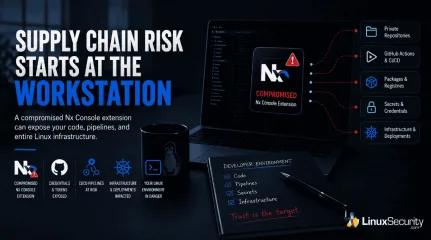
Compromised VS Code Extension Puts Linux Development Pipelines at Risk
The compromise of Nx Console shows how much infrastructure now sits behind a single developer account. GitHub repositories, CI/CD pipelines, container build systems, Terraform projects, Kubernetes deployments. None of those systems was the initial target. The workstation was. . Attackers did not need a Linux privilege escalation bug or a remote code execution chain. They needed developers to trust a tool they were already using. For many organizations, that was enough. What Happened? Federal authorities confirmed the compromise in a public alert covering Nx Console and associated GitHub repositories. According to the CISA advisory, the incident was tracked under CVE-2026-48027 and involved supply-chain activity affecting development environments. The compromise centered on Nx Console, a popular extension used by developers working with Nx-managed projects. Rather than targeting production infrastructure directly, attackers inserted themselves into a trusted part of the software development workflow. That matters because extensions already operate with broad visibility into projects, repositories, and developer activity. Nx maintainers later published an incident timeline in their security update , including affected versions, discovery details, and remediation guidance. Users running impacted releases were instructed to remove affected versions and update immediately. At a high level, the attack followed a pattern security teams have been seeing more often over the last several years. Compromise a trusted component. Collect credentials. Use existing trust relationships to move deeper into the environment. No exploit chain required. Incident Overview Item Details Incident Type Supply-chain compromise Affected Component Nx Console CVE CVE-2026-48027 Primary Target Developer credentials Secondary Risk Repository and CI/CD compromise Potential Impact Source code, secrets, infrastructure access How the Attack Worked Modern development extensions have a surprising amount of visibility. They can read project files, interact with repositories, inspect build processes, and in some cases, access authentication material already present on the system. That trust model exists for convenience. Attackers understand that. Research discussing the broader attack methodology, including credential theft and GitHub-focused abuse techniques, was later examined by Microsoft Threat Intelligence in its security research. The mechanics vary between incidents, but the objective rarely changes. Collect credentials that provide access to systems developers already use every day. GitHub tokens are particularly valuable because they collapse multiple attack stages into one. Instead of breaking into a repository, an attacker authenticates. Instead of probing infrastructure, they inspect deployment workflows and secrets already stored inside the environment. The token becomes the foothold. From there an attacker may be able to: Clone private repositories Review deployment workflows Access package registries Harvest CI/CD secrets Modify build pipelines Publish malicious code updates Establish persistence through automation None of those actions require root access on a Linux workstation. Sometimes they do not require touching the workstation again. Why GitHub Tokens Matter GitHub stopped being just a source code platform years ago. For many organizations, it functions as the operational center of the environment. Infrastructure definitions live there. Deployment workflows live there. Kubernetes manifests, Helm charts, Terraform projects, Ansible playbooks, cloud automation scripts. Same place. The value of a stolen token depends on permissions. The problem is that developers often need extensive permissions to do their jobs. A single account may have access to: Private Repositories: Source code theft GitHub Actions: Pipeline manipulation Package Registries: Malicious Releases Organization Secrets: Credential Exposure Infrastructure Repositories: Cloud and platform visibility Deployment Automation: Unauthorized changes That is why developer accounts keep showing up in modern attack chains. They sit between development and production. Attackers know it. The Linux Security Impact This is not really a VS Code story. It is a Linux infrastructure story that happens to begin inside a development tool. Many affected users run Linux workstations because they manage Linux environments. Ubuntu systems administering Kubernetes clusters. Fedora laptops maintain cloud infrastructure. Debian workstations managing CI/CD pipelines. Different distributions. Similar trust relationships. The workstation becomes the first hop. A compromised developer machine may expose: GitHub tokens SSH keys Cloud credentials Kubernetes configuration files Internal repositories Build automation scripts Not every stolen credential leads directly to production. Enough of them do. Teams often focus heavily on server hardening while developer systems quietly accumulate administrative access across multiple environments. An attacker does not necessarily need local privilege escalation when repository permissions already open the next door. CI/CD Pipelines Build systems represent one of the highest-value targets in a software environment. Once repository access is established, workflow definitions become attractive targets. A modified pipeline can collect secrets, alter builds, inject code into releases, or create long-term persistence that survives workstation cleanup. Those investigations get expensive fast. Containers and Kubernetes Container environments depend heavily on automation. Repositories define what gets built, where it gets pushed, and how it gets deployed. Attackers increasingly target the pipelinerather than the cluster itself. Modifying trusted deployment paths is often easier than breaking through cluster defenses. Infrastructure-as-Code Repositories Terraform and Ansible repositories frequently contain the blueprint for an entire environment. Even when secrets are managed correctly, those repositories reveal architecture, permissions, cloud services, deployment patterns, network layouts, and operational processes. An attacker can learn a great deal before ever launching a second-stage attack. The initial compromise happens on a workstation. The visibility gained afterward can extend across an entire organization. What Linux Developers Should Do Now The immediate priority is determining whether affected extension versions were installed and whether repository credentials may have been exposed. Organizations should review guidance published by Nx, GitHub, and CISA while treating exposed credentials as compromised until proven otherwise. Extension Review Remove affected extension versions Update to verified releases Review installed development extensions Check for unexpected modifications Credential Response Rotate GitHub personal access tokens Revoke unused credentials Review OAuth integrations Replace exposed secrets Repository Audit Review commit activity Inspect branch protections Check workflow modifications Examine the package publication history Investigate unusual logins CI/CD Review Rotate pipeline secrets Audit service accounts Validate deployment workflows Review recent build activity Lessons for Open Source Security Supply-chain attacks keep succeeding because they exploit trust that already exists. Developers trust extensions. Pipelines trust repositories. Production systems trust deployment workflows. Attackers do not need to build those relationships. They inherit them. That shift changes how Linux defenders need to think about risk. The boundary is no longer theserver. It is the entire path that leads to the server. Extension ecosystems, package registries, source repositories, CI/CD platforms, and developer workstations all sit inside the same attack surface now. Treating them as separate problems creates blind spots that attackers are increasingly willing to exploit. Conclusion The most important detail in this incident is what was not exploited. There was no Linux kernel vulnerability. No container escape. No exposed daemon is listening on the internet. The attacker gained leverage through a trusted development tool and moved through existing trust relationships from there. As more infrastructure becomes defined through GitHub repositories, containers, Kubernetes deployments, and infrastructure-as-code projects, developer workstations continue to increase in value. They hold credentials. They control pipelines. They connect directly to the systems organizations depend on every day. That makes them a target. Related Reading GitHub Actions Compromise CI/CD Supply Chain Risks Explored Why CI/CD Pipelines Are Targets in Software Supply Chain Attacks Risks of GitHub Repo Breach on Linux Supply Chain Security Why Linux Supply Chain Attacks Are Becoming a Nightmare for DevOps Teams GitHub Actions Linux Self-Hosted Runners Security Risks Open-Source Supply Chain Attacks Threaten Linux Production Systems . Attackers did not need a Linux privilege escalation bug or a remote code execution chain. They neede. compromise, console, shows, infrastructure, behind, single, developer, accoun. . MaK Ulac
Jun 03, 2026
•
102
 security advisoryopen-sourcesecurity incident
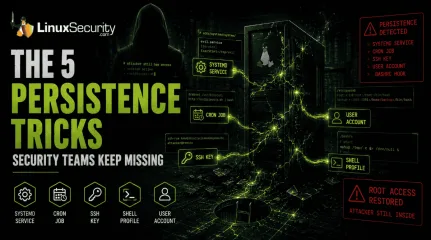
Linux Persistence Hunting: The 5 Techniques Security Teams Miss Most
You remove the malware. You rotate the compromised credentials. You patch the original vulnerability and close the ticket. Two weeks later, the attacker is back. . What happened? You didn't lose the battle at the exploit; you lost it at the cleanup. In many modern Linux intrusions, the malware you found wasn't the main problem—it was the fallback mechanisms left behind. These hooks quietly restore attacker access the moment you look away. If you clean a host but miss these persistence layers, you haven't evicted the attacker; you've just cleared the path for them to return. Why Persistence Matters Getting into a system is often the easy part. Staying there is what matters. Persistence gives attackers a way to survive password resets, malware removal, and even patching efforts. If the persistence mechanism remains in place, they may not need to repeat the original compromise at all. Why Linux Persistence Remains a Problem Persistence on Linux is often harder to spot because attackers frequently abuse features administrators already use every day. A cron job doesn't look suspicious by itself. Neither does a systemd service nor an SSH key. During an investigation, it's easy to focus on the malware and overlook the configuration change that allowed it to come back. Quick-Hunt Checklist Persistence Type Primary Location Quick Hunt Command Systemd /etc/systemd/system/ systemctl list-unit-files --state=enabled Cron /etc/cron* ls -la /etc/cron* SSH Keys ~/.ssh/authorized_keys cat ~/.ssh/authorized_keys Shell Profiles ~/.bashrc grep -Ri "curl|wget" /home/*/.* User Accounts /etc/passwd cat /etc/passwd 1. Systemd Service Persistence ( MITRE T1501 ) Systemd is the heartbeat of modern Linux. Attackers abuse it to ensure their code runs as a background service,starting automatically on boot. What to investigate: Beyond just listing enabled services, look for files in /etc/systemd/system/ or /usr/lib/systemd/system/ that were modified recently. The "Aha!" Moment: Don't just check for "weird" names. Check the ExecStart path in the unit file. If it points to /tmp, /dev/shm, or a hidden directory in /home, it is almost certainly malicious. Watch for services running as root that initiate network connections immediately upon starting. 2. Cron-Based Persistence ( MITRE T1053.003 ) Cron jobs are the "reliable" backup. Even if you kill their malware process, a cron job can be. Attackers love cron because it acts like a built-in recovery mechanism. If malware is deleted or a process crashes, a scheduled task can quietly bring it back. Start by reviewing: /etc/crontab /etc/cron.d/ /var/spool/cron/ One of the fastest ways to find suspicious activity is to search for @reboot entries. These trigger automatically whenever a system starts and are frequently used to relaunch malware after remediation efforts. Encoded payloads or commands that download content with curl or wget before piping it into a shell should be treated as immediate red flags. 3. SSH Authorized Key Backdoors ( MITRE T1098.004 ) An SSH key is one of the cleanest persistence mechanisms available to an attacker. Once their public key is added to ~/.ssh/authorized_keys, they can access the system without relying on passwords and often without triggering much attention. When auditing systems, don't just look at the key itself. Look at the account behind it. A key attached to a dormant account, a service account, or a user who hasn't logged in for months should immediately raise questions. The same goes for keys that appear suddenly with no change request, documentation, or clear owner. One of the most common mistakes during incident response is removing malware while overlooking an attacker-controlled SSH key. Passwords can be reset in minutes. Aforgotten authorized key can provide access for months. 4. Shell Startup File Persistence ( MITRE T1546.004 ) Injecting a command into .bashrc or .profile is a classic move. Every time a user (or an admin) opens a terminal, the malicious command runs. What to investigate: Use grep -Ri "curl\|wget\|nc\|bash" /home/*/.* to scan all hidden files in user directories. The "Aha!" Moment: These are often missed because they hide inside otherwise legitimate config files. Look for nohup commands or backgrounded processes (&) that shouldn't be there. If you see a line that suddenly initiates an outbound connection, an attacker is piggybacking on your session. 5. User Account Creation ( MITRE T1136.001 ) Not every persistence mechanism involves code. In many intrusions, the attacker simply creates another user and grants it elevated privileges. Once that account exists, the original malware may no longer be necessary. Review /etc/passwd and compare what you find against your organization's approved accounts. Then verify: Group memberships Sudo permissions Last login activity Account creation timelines An account named "backup," "support," or "service-admin" may not look suspicious at first glance, which is exactly why attackers use them. The Reality: Why One Mechanism Isn't Enough During a recent investigation into a compromised web server, the security team successfully identified and disabled a malicious systemd service. They thought the incident was closed. However, the attacker had also placed a hidden cron job in /etc/cron.d/ that checked for the service every hour. If the service was missing, the cron job simply re-downloaded the binary and re-enabled the service. The attacker regained full root access within 60 minutes of the "remediation." Attackers assume you are thorough—but they bet you aren't complete. You must hunt for the entire ecosystem, not just the one artifact you found first. Your Weekly Hunting Workflow Don't wait for an alert tostart looking. Pick one high-value Linux server this week and run this sequence: Scan Autostarts: systemctl list-unit-files --state=enabled Audit Tasks: find /etc/cron* -type f Validate Keys: find /home -name authorized_keys Check Profiles: grep -Ri "curl\|wget\|bash" /home/*/.* Verify Users: cat /etc/passwd Timeline Hunt: find /etc -mtime -30 Persistence hunting is the difference between a clean server and one that is still compromised. Most organizations scan for viruses but never validate their persistence locations. That gap is exactly what attackers count on you to leave open. You've found an unauthorized SSH key on a high-privilege account. Before you delete it, what secondary indicators are you going to check to ensure the attacker doesn't have an active cron job or malicious service waiting to replace that key the moment it vanishes? Related Reading Understanding Linux Persistence Mechanisms and Detection Tools Detecting Systemd Abuse on Linux Servers for Better Security Exploitation of Cron Jobs in Linux for Enhanced Persistence Methods Linux Malware in Cloud Environments: Trends and Admin Implications . What happened? You didn't lose the battle at the exploit; you lost it at the cleanup. In many modern. remove, malware, rotate, compromised, credentials, patch, original, vulnerability. . Dave Wreski
Jun 02, 2026
•
102
 security advisoryRed Hatimportant
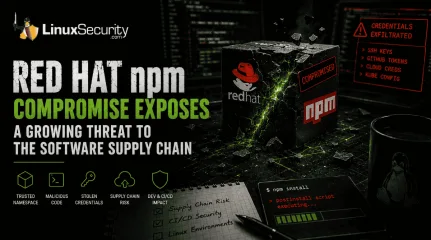
Red Hat npm Package Compromise Highlights a Growing Supply Chain Problem
Researchers investigating a campaign now tracked as Miasma found that more than 30 packages in Red Hat's @redhat-cloud-services npm namespace had been altered to deliver credential-stealing malware. . The packages weren't being used to deploy ransomware or sabotage systems. From what has been reported so far, the objective appears to have been much simpler: collect credentials from developer environments and use that access elsewhere. GitHub tokens, cloud credentials, SSH keys, and other secrets were reportedly among the targets. That's not particularly surprising. Development environments tend to end up with access to far more systems than anyone originally planned for, especially once build automation, cloud services, and deployment tooling start getting layered on top of each other. The question usually isn't whether useful credentials exist. It's how many are sitting there and what they can reach. By the time someone starts inventorying what a CI runner can reach, the answer is often more than expected. Red Hat says it has not identified customer or partner impact, and the investigation is still underway. The compromise is notable less because of the malware itself and more because of where it showed up. A package repository sits in a place most organizations have already decided to trust. Once that trust relationship gets involved, the discussion usually shifts away from malware and toward access, validation, and how much confidence teams should place in automated software distribution. A Trusted Namespace Becomes an Attack Vector According to researchers, the compromised packages were distributed through Red Hat's @redhat-cloud-services namespace on npm. That detail matters because software teams often make decisions about risk based on reputation. Packages maintained by a well-known vendor naturally receive more trust than those published by an unknown developer. Compromising a trusted namespace gives malicious code a much better chance of reaching developer workstations, buildservers, and automated deployment environments without raising immediate suspicion. The goal is not necessarily widespread infection. Access to a handful of well-positioned systems can be enough. Investigators believe the campaign affected dozens of package versions across multiple projects. Those packages were primarily frontend libraries rather than customer-facing Red Hat products, but frontend dependencies are routinely pulled into enterprise development workflows. Once a malicious package enters a build process, the attack surface expands quickly. How Miasma Targets Linux-Based Environments Unlike traditional malware campaigns that focus on persistence or disruption, Miasma appears to have been built around credential collection. The malware searched infected Linux systems for the files and environment variables that DevOps teams rely on daily: SSH keys: Stored in ~/.ssh. Registry credentials: Found in files like ~/.npmrc and ~/.docker/config.json. Cloud credentials: Stored locally or exposed through metadata services. Kubernetes configuration files , such as ~/.kube/config. CI/CD secrets: Injected directly into runners through environment variables. For an attacker, these files represent immediate opportunities for lateral movement. A GitHub token may provide access to private repositories. A Kubernetes credential can expose cluster resources. Cloud access keys may unlock storage buckets, deployment pipelines, or administrative functions. Each credential becomes another step deeper into an environment that already trusts the user or service associated with it. That strategy also generates less noise than many conventional attacks. Security teams often have detections for privilege escalation attempts, malware execution, and suspicious binaries. Legitimate credentials present a different challenge. Activity performed with valid authentication frequently blends into normal operations, especially inside busy development environments where automation is alreadyperforming thousands of actions every day. CI/CD Pipelines: The Prime Target for Linux Operators One of the most concerning aspects of this incident involves how the packages were published. Researchers believe the attackers abused GitHub Actions trusted publishing workflows using OIDC rather than stealing a traditional npm authentication token. This highlights a shift in supply chain risk. Security controls designed to eliminate long-lived credentials are becoming the new target. An attacker who gains access to a publishing workflow effectively inherits the permissions of that workflow. Since those workflows are already authorized to push updates to official namespaces, the attacker doesn't need to break into the publishing process. The publishing process becomes the attack path. Trusted publishing has become increasingly popular because it removes long-lived credentials from deployment workflows. Instead of storing permanent tokens, systems establish trust relationships between source repositories, build pipelines, and package registries. The benefit: The model is generally more secure. The risk: Those trust relationships become valuable targets. An attacker who gains access to a publishing workflow may not need the credentials at all; the workflow already possesses the permissions required to publish software. In effect, the trust relationship becomes the credential. Why Linux Teams Should Care Modern software development doesn't just run on Linux. Most of the infrastructure responsible for building, packaging, signing, and deploying software relies on Linux systems. DevOps teams Build runners serve as the bridge between source code and production. If those runners operate with excessive permissions, a single dependency update can expose an entire CI/CD pipeline. Linux administrators The servers responsible for compiling, packaging, and deploying software often contain some of the most valuable credentials in the environment. They deserve the sameattention as production systems. Kubernetes operators Compromised build pipelines can provide a path into clusters through service account tokens or deployment automation. An attacker doesn't need direct access to the cluster if the pipeline already has it. Security teams Traditional perimeter defenses provide little protection when trusted systems begin performing malicious actions using valid credentials. What Linux Organizations Should Review Now Rather than waiting for the next supply chain notification, organizations should use incidents like Miasma as an opportunity to examine their own Linux-based development infrastructure: Audit build runner permissions: Use a least-privilege lens to review what your runners can access (cloud accounts, SSH keys, registries). Focus on runner isolation: Use container isolation, workload separation, and credential scoping to limit how far an attacker can move after gaining a foothold. Apply Linux-native security controls: Use SELinux or AppArmor to restrict process access, seccomp filtering to reduce dangerous system calls, and read-only filesystem configurations to impede unauthorized modifications. Monitor package changes: Many supply chain attacks begin long before code reaches production; dependency monitoring should be as critical as production workload monitoring. Reconsider trust: Trust remains necessary, but it should never replace verification. The Real Lesson The Red Hat compromise wasn't significant because attackers found a new way to steal credentials. Those techniques have existed for years. What makes this incident noteworthy is that the attack leveraged systems and workflows organizations already trusted. Package repositories, CI/CD pipelines, publishing workflows, and automated deployment systems have become attractive targets because compromising them allows attackers to inherit existing trust relationships rather than create new ones. The Linux supply chain is deeper and moreinterconnected than many organizations realize. Protecting it requires acknowledging that the most dangerous threats may not arrive through an exposed service or an unpatched vulnerability. They may arrive through the same trusted mechanisms used to deliver software every day. Related Reading GitHub Actions Compromise CI/CD Supply Chain Risks Explored Why CI/CD Pipelines Are Targets in Software Supply Chain Attacks Linux Supply Chain Attacks Threaten DevOps Teams and Security GitHub Actions Linux Self-Hosted Runners Security Risks . The packages weren't being used to deploy ransomware or sabotage systems. From what has been reporte. researchers, investigating, campaign, tracked, miasma, found, packages. . MaK Ulac
Jun 02, 2026
•
102
 security advisorylinuxsupply chain
GitHub Actions Compromise CI/CD Supply Chain Risks Explored
For years, most software supply chain attacks focused on malicious dependencies and vulnerable open-source packages. Recent GitHub Actions compromises exposed a different problem entirely. Attackers increasingly target the automation systems responsible for building, testing, and deploying software because those systems often hold broader operational access than the applications themselves. . Several recent attacks demonstrated how compromised workflows, poisoned GitHub Actions, and malicious CI/CD automation can expose deployment secrets, cloud credentials, and package publishing systems without triggering obvious operational failures. Instead of targeting production systems directly, attackers increasingly focus on the workflows already trusted to access them. That shift turned GitHub Actions into a growing attack surface across Linux-based CI/CD environments, especially in organizations where runners already sit close to Kubernetes clusters, cloud infrastructure, and production deployment pipelines. The broader strategic shift is significant: while earlier attacks sought to poison software code, modern CI/CD attacks focus on the automation systems distributing and deploying that software. Compromising the pipeline provides direct access to infrastructure and release systems simultaneously. Why GitHub Actions Became an Attractive Target GitHub Actions became widely adopted because it simplified modern software delivery. Developers could automate testing, vulnerability scanning, container builds, release management, infrastructure deployment, and package publishing using reusable workflows assembled quickly from public repositories. For Linux-heavy development environments running cloud-native infrastructure, the flexibility made adoption almost inevitable. As workflows expanded, they gradually accumulated access to: cloud deployment credentials, Kubernetes environments, internal repositories, package publishing systems, infrastructure automation tooling, containerregistries, and production release pipelines. A typical Linux-based CI/CD environment may contain AWS credentials, GitHub Personal Access Tokens, DockerHub authentication keys, PyPI or npm publishing secrets, Terraform state files, and SSH deployment keys stored inside encrypted workflow variables so automation can authenticate automatically during runtime. That large concentration of privileged credentials and infrastructure access changed the value of CI/CD systems entirely. Compromising the pipeline often provides broader infrastructure reach than compromising a single production server directly, particularly in environments where workflows already manage deployments and infrastructure changes across multiple systems. The problem becomes larger when organizations rely on reusable third-party GitHub Actions, inheriting trust relationships automatically without reviewing how those dependencies change over time. The GitHub Actions Compromises That Changed the Conversation One of the clearest examples arrived during the compromise of the widely used GitHub Action tj-actions/changed-files . The action performed a relatively simple task—identifying file changes—but it was deeply embedded inside thousands of production deployment pipelines. Attackers did not target those repositories individually. Instead, they compromised the shared dependency already trusted across them. Once the malicious changes propagated downstream, affected workflows continued running normally. Most organizations saw no obvious deployment failures or disruptions because the workflows still completed successfully in the background. The malicious activity focused on exposing secrets already available inside the CI/CD environment through workflow logs and runner execution. Depending on the environment, compromised GitHub Actions tokens may provide access to: cloud infrastructure administration, deployment automation, Kubernetes clusters, package publishing systems, internal repositories, orproduction release tooling. Investigators later connected the incident to a broader chain of compromises involving additional GitHub Actions dependencies, including reviewdog/action-setup . This demonstrated how quickly one compromised automation component can spread through thousands of environments before defenders fully understand where the original trust relationship failed. Why GitHub Actions Abuse Is Difficult to Detect One of the reasons GitHub Actions abuse became such a serious supply chain problem is that the activity rarely resembles traditional intrusion behavior. The workflows continue operating normally, builds still succeed, and deployments still complete successfully. Because the malicious code executes inside trusted automation, defenders often see: legitimate GitHub Actions runners, approved repositories, valid deployment credentials, and expected CI/CD activity patterns. That operational normalcy makes malicious workflow behavior difficult to separate from ordinary automation tasks. Why Traditional Security Monitoring Often Misses CI/CD Abuse Many traditional security controls focus heavily on: endpoint compromise, malware execution, privilege escalation, or suspicious interactive logins. CI/CD abuse frequently bypasses those assumptions entirely because attackers operate through already trusted automation systems using legitimate credentials that the workflow already possesses. In practice, defenders may only discover the compromise after: unauthorized package publishing, suspicious outbound requests, unexpected cloud API activity, or downstream software tampering. By that point, the malicious workflow may have already exposed secrets or modified deployment artifacts across multiple environments. How a Compromised Workflow Escalates To see the operational impact, consider a typical Kubernetes deployment pipeline. A single compromised GitHub Action can allow an attacker to simultaneously expose cloudIAM credentials, kubeconfig files, and container registry tokens. That combination allows attackers to: replace trusted container images during deployment, modify deployment artifacts before release, access internal repositories, or publish poisoned software packages downstream. In many environments, the CI/CD runner already has enough trusted access to perform these actions without triggering traditional intrusion alerts. Because these workflows resemble ordinary automation updates, many repositories initially show few obvious signs of compromise. How Mutable Tags Became a Major Security Problem Many recent GitHub Actions attacks relied on a surprisingly simple workflow weakness: mutable version tags. Large numbers of repositories still reference reusable GitHub Actions using tags such as: uses: tj-actions/changed-files@v35> At first glance, that configuration appears stable. The problem is that version tags can later be modified if attackers gain access to the repository, maintaining the Action. A typical compromise chain may look like this: Attackers compromise the Action maintainer account. A trusted version tag is redirected toward malicious code. Thousands of downstream workflows automatically consume the update. CI/CD secrets become exposed during workflow execution. Attackers pivot into cloud infrastructure or package publishing systems. That trust propagation is what makes CI/CD compromise scale so quickly across the software supply chain. This distinction became extremely important during several recent compromises because many organizations focused heavily on reviewing commits inside their own repositories while paying far less attention to external automation dependencies. A hardened configuration pins directly to an immutable commit hash instead: uses: tj-actions/changed-files@24d32ffd492484c1d75e0c0b894501ddb9d30d62> Once pinned to a commit hash, attackers cannot silently redirect the workflow toward newer maliciouscode unless maintainers explicitly update the reference themselves. Why Linux Runners Became High-Value Targets Most modern CI/CD infrastructure runs heavily on Linux-based environments. Linux runners now handle container builds, Kubernetes deployments, and cloud provisioning across many enterprise pipelines. This operational role makes Linux runners—especially self-hosted runners—high-value targets. Some attacks specifically targeted self-hosted runners because persistent environments often retain: cached credentials, deployment keys, temporary artifacts, shell histories, and environment variables between jobs. Unlike ephemeral cloud runners that disappear after execution, persistent systems may continue exposing sensitive data long after the original compromise finishes. Furthermore, some organizations allow self-hosted runners to share network access with internal infrastructure or Kubernetes control planes. Once attackers compromise the workflow environment, the runner may become a pivot point for deeper lateral movement inside the organization. What Security Teams Should Change Immediately The recent GitHub Actions compromises reinforced the need to treat CI/CD workflows like privileged infrastructure. Security teams should prioritize the following hardening steps: 1. Identify Mutable Tags Review whether your environment still uses version tags rather than commit hashes: grep -R "uses: .*@v" .github/workflows/ 2. Enforce Least Privilege. Many GitHub Actions environments still run with broader repository access than they require. Avoid permissions: write-all and move to a safer baseline: permissions: {} Then explicitly grant only the permissions required, such as: permissions: contents: read 3. Implement Workflow Reviews: Require mandatory code review approval for any changes to workflow files. Modifications to .github/workflows/ should be treated with the same scrutiny as production infrastructure changes. 4. Additional HardeningMeasures Prefer short-lived OIDC authentication over long-lived cloud credentials. Isolate self-hosted runners from sensitive internal networks. Restrict pull_request_target usage to prevent secret exfiltration. Regularly audit third-party Actions for unexpected ownership changes. GitHub Actions Abuse Is Still Expanding GitHub Actions workflows now sit directly inside the software supply chain. They build applications, publish packages, and deploy infrastructure across production systems every day. That operational position makes them extremely attractive targets. The recent compromises were not isolated incidents. They exposed a broader issue where trusted automation inherits far more infrastructure access than defenders realize. For Linux-heavy infrastructure running cloud-native workloads, the risk is significant because the same runners handling workflows sit close to production systems already. In many modern environments, compromising the pipeline now provides faster access to production than compromising production directly. . GitHub Actions compromises expose critical security risks in CI/CD pipelines, highlighting supply chain vulnerabilities.. GitHub Actions, CI/CD Security, Automation Vulnerabilities, Supply Chain Risks. . Dave Wreski
May 26, 2026
•

Get the latest News and Insights
Get the latest Linux and open source security news straight to your inbox.
Community Poll
Can sandbox isolation stop malware?
Search Topics
Powered By

Linux Security - Your source for Top Linux News, Advisories, HOWTOs and Feature Releases
QUICK LINKS
subscribe to newsletters!
Like staying secure? So do we.
Sign up for updates, tips, and alerts!
Discover faster search, smarter navigation, and deeper Linux security insights. Read More